
My Team Showcase WordPress Plugin

Description
Team Showcase for Wordpress is the best well made and up to date Plugin built to create unlimited Teams with special design and multiple options.
Team Features
- 15 Predefined Responsive Themes
- Grid Showcase
- Slider Showcase (multiple features)
- Filter Showcase
- Inside Visitor Page
- Modal Popup
- SlideIn Popup
- Custom Link for each Member
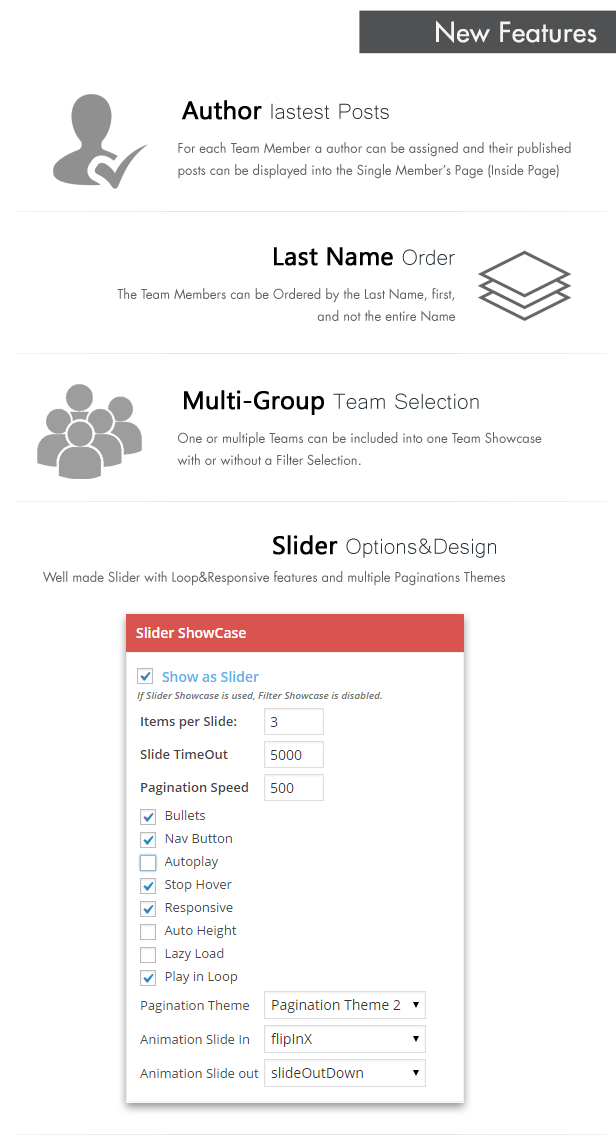
- Author Latest Post related
- Fully Responsive&Retina Ready
- Special Colors
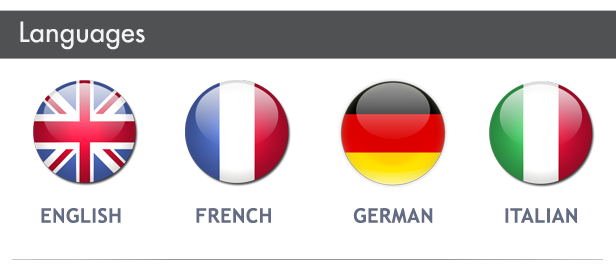
- Multi-Language
- Skill Bars – dynamic loading
- Social Icons
- Multi-Groups
- Multiple Ordering
- Unlimited Team Members
- CSS3 Effects
- Animation In/Out Slider
- Widget Ready
- Multiple Slider Pagination Themes
- and many others features…




WordPress Team Plugin
My Team – WordPress Team Plugin is the perfect WordPress plugin build to display and manage your team and clients as a responsive grid or as a dynamic slider. You have multiple special themes and effects that will help you to show your team in so many different ways.
You can manage your members by grouping into separate teams. With My Team Plugin for WordPress you can display your team without any line of code. All you need to do is to generate the shortcode selecting your desired options to display, pick a favorite theme and select a predefined color. Choosing the right color scheme for your team section of your website was never easier.
WordPress Team Plugin – 15 Special Themes
We have built different responsive themes ready to display your team on any resolution and device. The themes are mobile ready and can be changed very easy. More templates will be released in the future.
You can suggest a theme and we will take care of your wish.
WordPress Team Plugin – 10 Color Schemes
We have set 10 Color Schemes that are both edgy and appealing. Try them all. Use the one you like best and fit for your team.
WordPress Team Plugin – 10 Display Options
Pick individual fields for each team group. You can display and activate the Full Name, the Social Media, Skills and the Personal Information. You can add description on each member’s team including a custom content.
Slider Showcase
You have 10 features to build your desired team slider. All the options are very easy to change and user friendly. Display your team as a carousel slider with some transition effects and nav buttons.
Other WordPress Team Plugin Features:
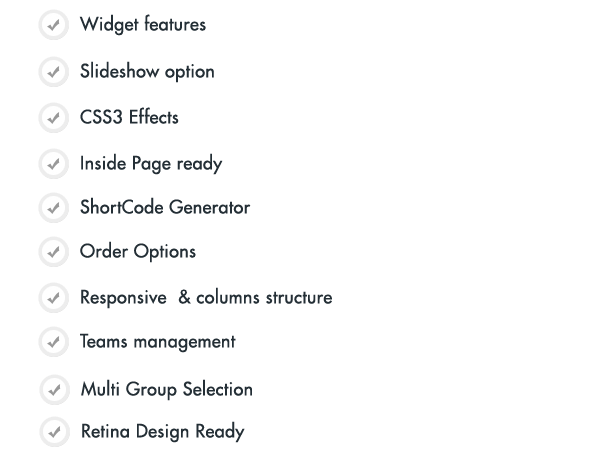
- Widget Team ready
- Slideshow options
- Inside Team’s member Page ready
- WordPress Shortcode Generator
- Responsive & Columns structure
- CSS3 Effects
- Teams Management
Over all
My Team plugin is the most complete plugin on the market. With so many options your Team Showcase will be unique and special.
New Items Release
Ultimate Affiliate Pro WordPress Plugin





In the Future…
My Team plugin is already in use on some of our regular clients websites and we know that the next think they want is to have a nice preview system for the templates. As far as we are concerned this is the next feature we want to include, if you have any suggestions please let us know.
Requirements
If you want to use My Team plugin, all you need to do is install WordPress 3.5+, and install the plugin.
Update Log:
Version 3.0 – 06.15.2021- Improve Style - Improve JS structure - WP 5.7 Compatibility - Improve TranslationVersion 2.9
- ADD 5 new Templates
- ADD Inside Page open on Modal Popup
- ADD Inside Page open on SlideIn Popup
- Improvements CSS style
Version 2.8
- Fix Order by Last Name
- Check compatiblity with WP 4.7.x
- Improve Compatibility based on Custom Post Type
- Fix Target Link post list
- Avoid short tags into Template files
Version 2.7
- ADD Search Form
- ADD Search Showcase
- ADD Team Members into Inside Page
- Fix Slider carousel conflict
- Improve Custom CSS workflow
- Fix Inside Page pagination
Version 2.6
- Improve Order Filter by SlugVersion 2.5
- ADD Custom Individual Links
- ADD Filter Multi Layouts
- Ready for Themes Pack
- Improve CSS
Version 2.4
- Update Slider version
- Add Slider Loop
- Add Slider Responsive
- Add Slider Auto Height
- Add Slider Mouse Drag
- Add Slider Touch Drag
- Add 3 Paginations Themes
- Improve Slider Bullets
- Add Slider Animation In
- Add Slider Animation Out
- Improve Themes
- Improve DashBoard Design
- Optimize Included files
- Improve Retina Display
- Add target blanks on Social links
Version 2.3
- Add Author Assign
- Add Multi-Group Team Selection
- Add Order by "Last Name"
- Add Align Members Centered Feature
- Add "Exclude Icons"
- Add "Custom CSS" Options
- Improve WP Themes Integration
- Improve Filter Multi Categories
- Improve CSS
- Fix Special Server Compatibility
- Fix Featured Image Restriction
Version 2.2
- Add Responsive Settings
- Add Inside Page Features
- Add custom slug for Custom Post Types
- Update Isotope Script
- Update Team Slider version
- Improve Auto-height Slider
- Add Multi Language
- Improve Filter Buttons CSS
- Improve Inside Page features
Version 2.1
- Fix CSS SafariVersion 2.0
- Improve Code
- Fix Fonts Issue
- Improve Width
Version 1.9
- Filter multi categories fix
- Fix Slider Speed
- Add Slider CSS3 message
Version 1.8
- Improvements Filter FeatureVersion 1.7
- Add Filter FeatureVersion 1.6
- Fix Widget ID
- Fix Widget Notice
- Add Blank Link
- Improve All Fonts
- Fix Cursor Pointer
- Improve Themes
- Add RANDom feature
Version 1.5
- Improvements CSS
- Fix Fonts
- Improve Slug workflow
Version 1.4
- Improvement Theme 10 Responsive
- Exclude Thumbnail size
Version 1.3
- Fix Theme 10 Link
- Fix Inside Page URL
- Add Width:auto
- Fix Widget issues
Version 1.2
- Add Responsive ThemesVersion 1.1
- Improvements JS Skills Fill
Credits
- FontAwesome
- OwlCarousel JS
- Isotope JS
| Type | WordPress Plugin |
|---|---|
| Author | azzaroco |
| Category | Wordpress / Interface Elements |
| Price | $18 |
| Sales | 1,612 |
| Rating | 4.55 from 47 ratings |
| Published | Apr 4, 2014 |
| Last Update | Jun 15, 2021 |
| Compatible Browsers | IE9, IE10, IE11, Firefox, Safari, Opera, Chrome, Edge |
| Compatible Software | WordPress 6.6.x, WordPress 6.5.x, WordPress 6.4.x, WordPress 6.3.x, WordPress 6.2.x, WordPress 6.1.x, WordPress 6.0.x, WordPress 5.9.x |
| Compatible With | WPML |
| Gutenberg Optimized | No |
| Source Files Included | JavaScript JS, HTML, CSS, PHP |
| Video Preview Resolution | 1920x1080 |
Categories
Tags
External listing. code.market does not sell this product and does not process payment for it. Pricing, payment, delivery, licensing, refunds, and support are handled by the third-party merchant on its own website. We may earn an affiliate commission from a referral. Details.
Products of the Week.
Submit🥇

STOP GUESSING WHAT TO POST
AI that learns your brand voice and builds a month of consistent, on-brand social content: carousels, posts and hooks that sound like you, not like everyone else's AI.
SaaS · 3,979 views · 35 clicksSaaS · Week 45 · 3,979 views · 35 clicks
🥈

Conversational Backlinks for Busy Founders
Place Backlink Relevant Conversation for your domain across Forums and Conversations
Website · 41,625 views · 222 clicksWebsite · Week 45 · 41,625 views · 222 clicks
🥉

upvote.club
Free Social Media Engagement that Helps Boost Your Content. Upvote Club supports 19 social networks with 100+ engagement actions in one dashboard. Add links to your posts and get free engagement from real users.
SaaS · 39,654 views · 114 clicksSaaS · Week 45 · 39,654 views · 114 clicks
#4

Substack Posting API
Onboard your Agent to Substack. Write Publish on Substack via API
SaaS · 58,683 views · 198 clicksSaaS · Week 45 · 58,683 views · 198 clicks
#5

Seenshot App
Free, Fast, MacOS Screenshot app. Make Screenshot cmd+shift+2 and send it via link
Desktop App · 28,064 views · 122 clicksDesktop App · Week 45 · 28,064 views · 122 clicks
#6

Hand-Placed Backlinks $9.99 per link. Flat rate.
Buy hand-placed forum, Q-A and directory backlinks. Flat $9.99 per link, no subscriptions — you only pay for approved listings.
Website · 3,922 views · 19 clicksWebsite · Week 45 · 3,922 views · 19 clicks
#7

Free Invoice Generator - PDF Invoices in Your Browser, No Sign-Up
A free invoice maker for freelancers and small businesses: fill in the invoice, check the live preview, and download a PDF that looks exactly like it. Any currency, tax per item, three templates, no sign-up, and nothing leaves your device.
2,601 views · 17 clicksWeek 45 · 2,601 views · 17 clicks
#8

Merge PDF Files Free - Combine PDFs in Your Browser, No Upload
A free PDF merger for office workers, students, and freelancers: combine PDFs and images into one file in the browser, reorder files and pages, pick page ranges, keep bookmarks, and open password-protected PDFs. Nothing is uploaded, no sign-up, no watermark.
2,421 views · 13 clicksWeek 45 · 2,421 views · 13 clicks