
MusicVibe – Local MP3 Music Player | Flutter
Description
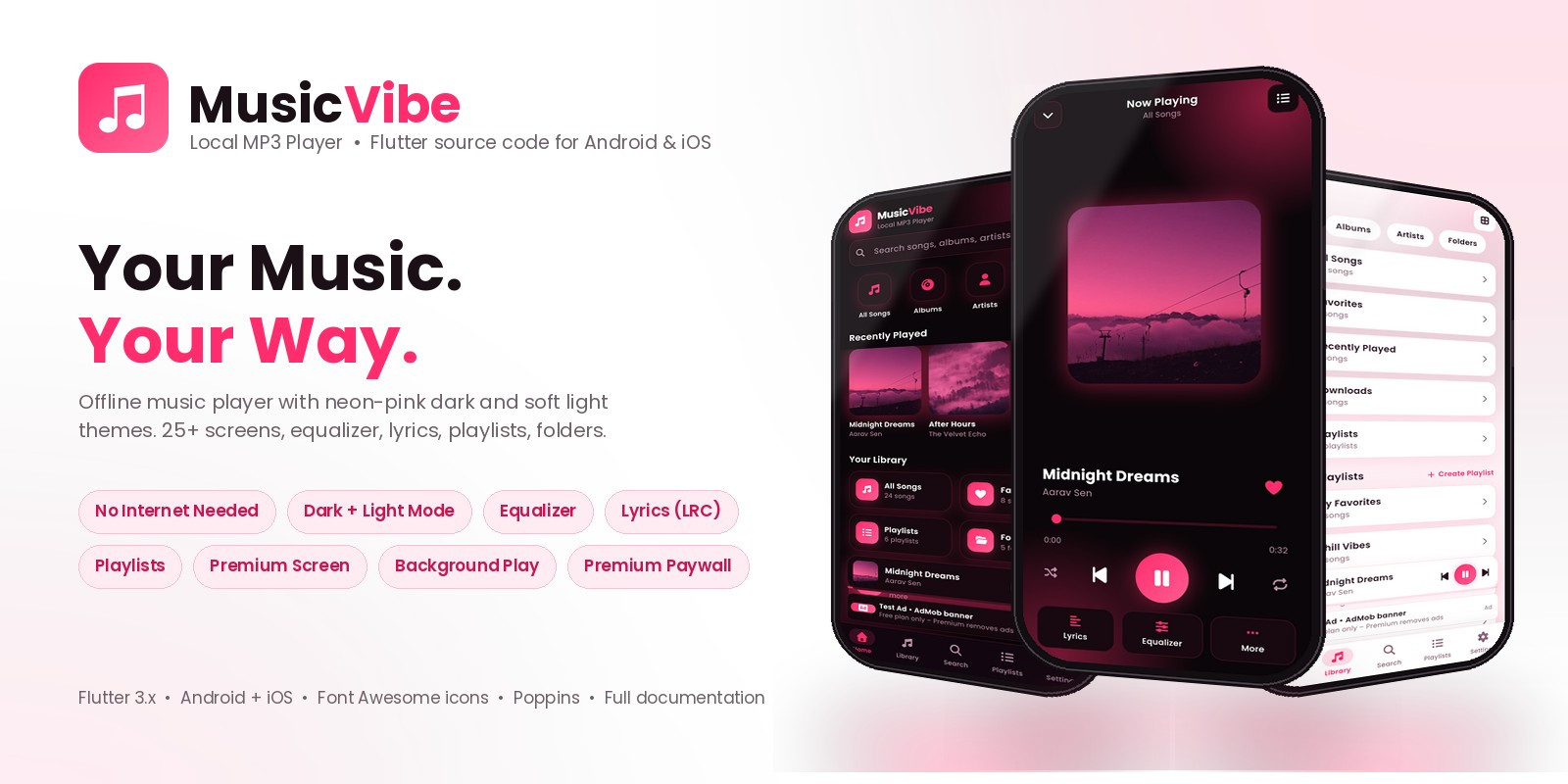
MusicVibe is a complete, offline MP3 music player built with Flutter for Android and iOS. It ships with a neon-pink dark theme and a soft light theme, 25+ polished screens, a 5-band equalizer, synced lyrics, playlists, folders and a premium plan screen – everything a modern music app needs, in one clean codebase you can rebrand in minutes.
Live demo – click an image

Free-plan demo: https://musicvibe.anowhosting.com/demo/musicvibe-demo-free.apk Premium-plan demo: https://musicvibe.anowhosting.com/demo/musicvibe-demo-premium.apk

Documentation: https://demo.anowhosting.com/musicvibes/documentation
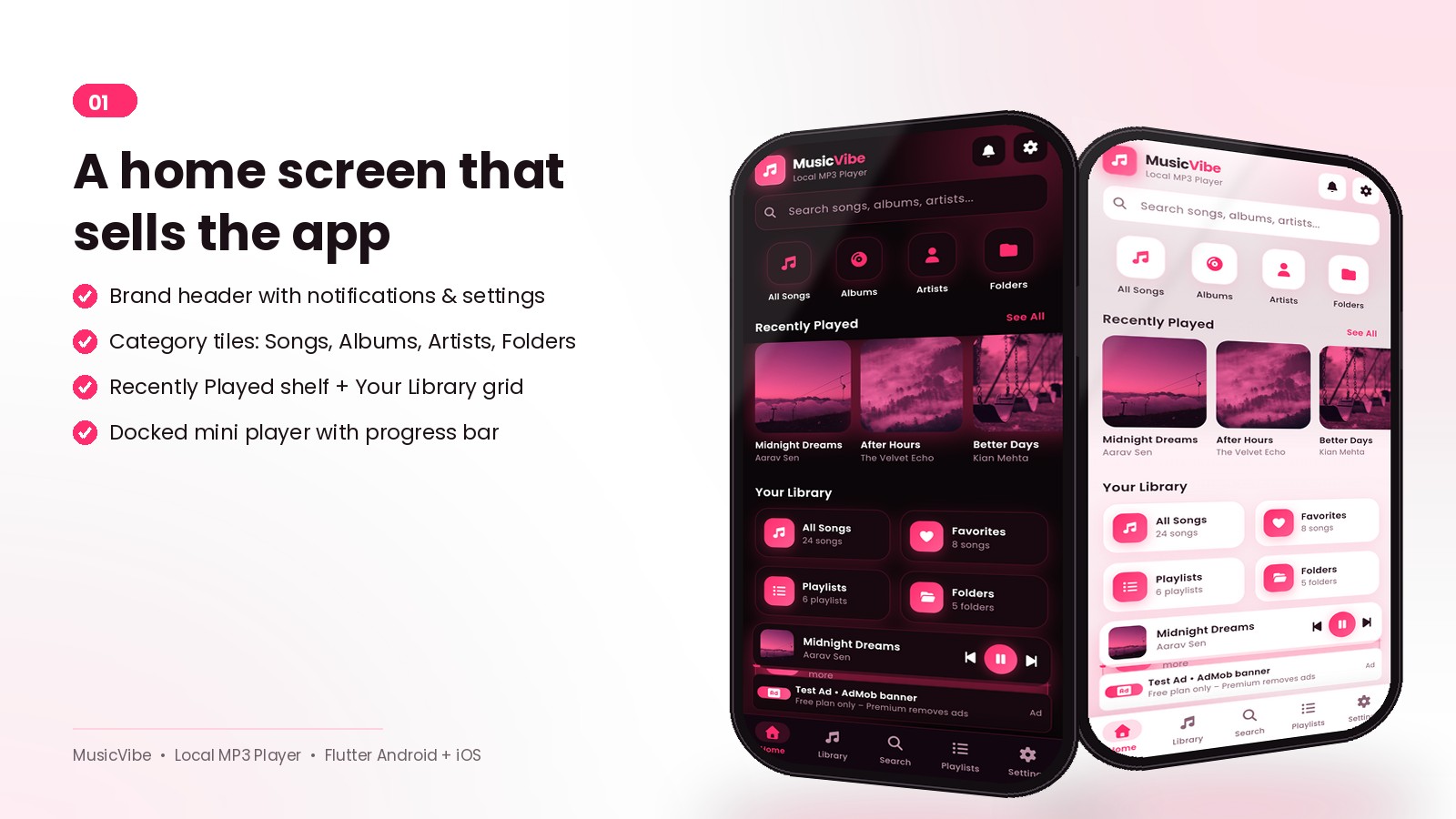
Home that feels like a product
Brand header, search, category tiles, Recently Played shelf, library grid and a docked mini player – all in both themes.
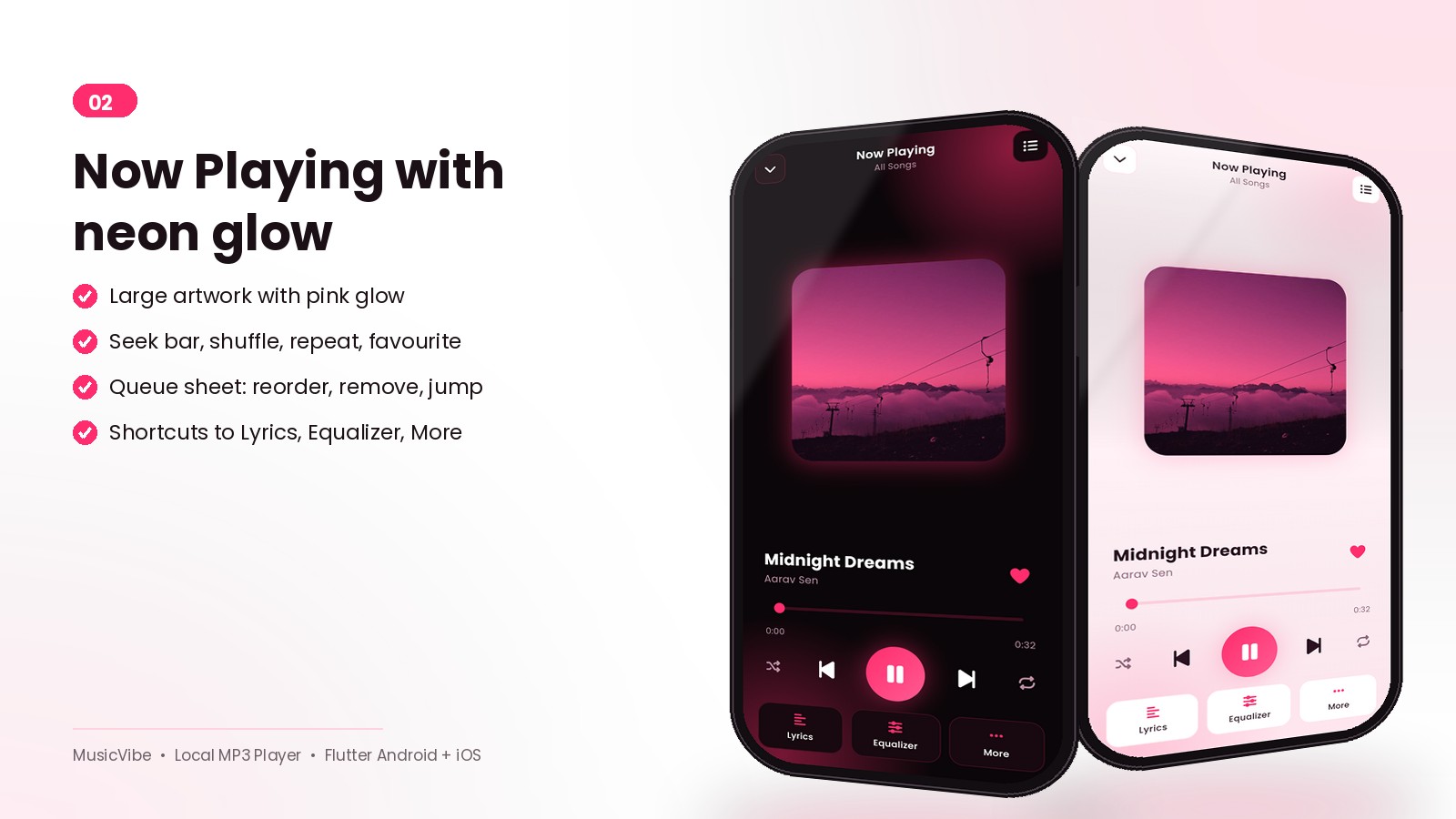
Now Playing with neon glow
Large glowing artwork, seek bar, shuffle, repeat, favourite, queue sheet and quick access to Lyrics, Equalizer and more.
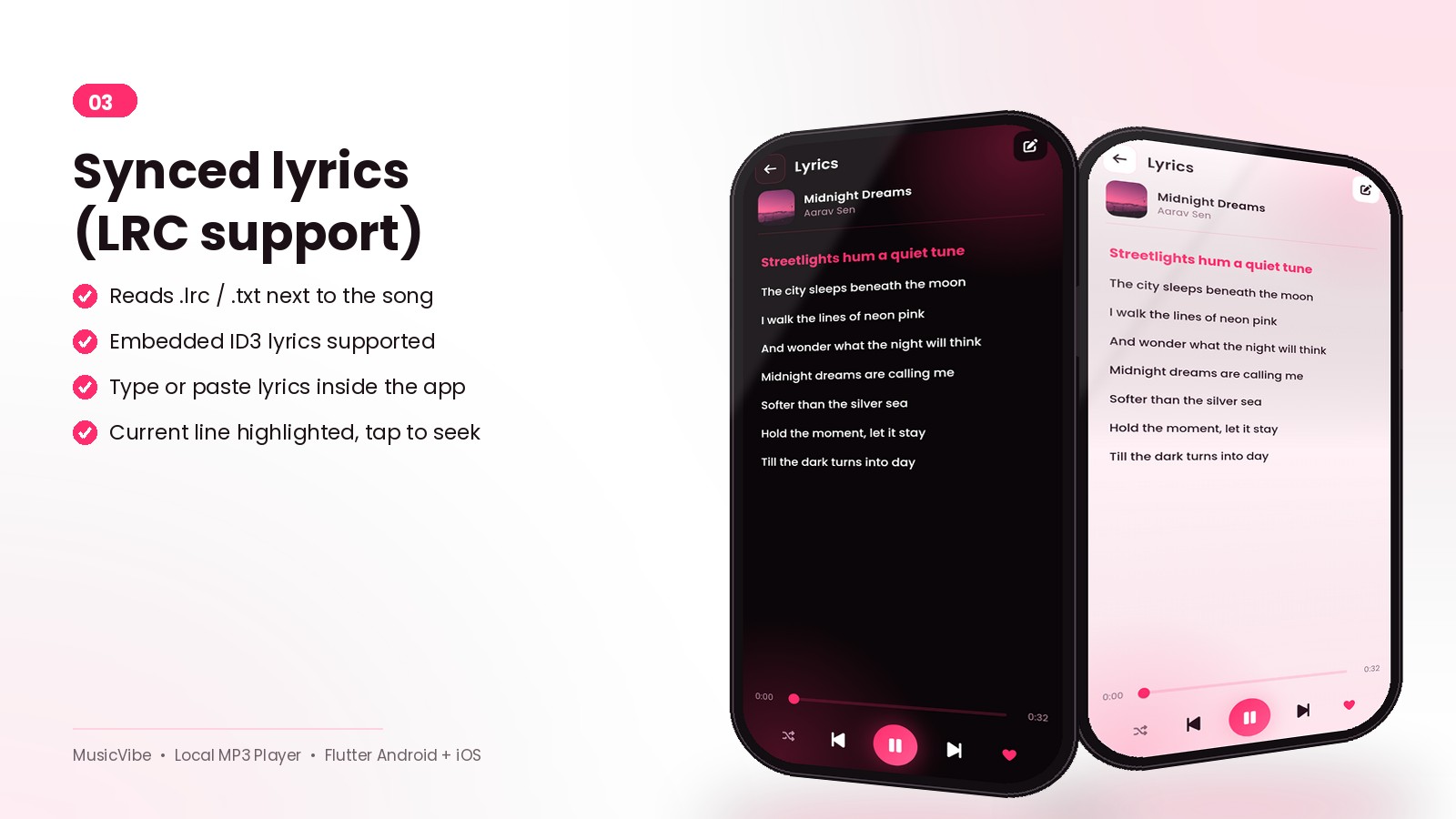
Synced lyrics (LRC)
Reads .lrc files next to the song, embedded tags or lyrics typed in the app. The current line is highlighted and tapping a line seeks the song.
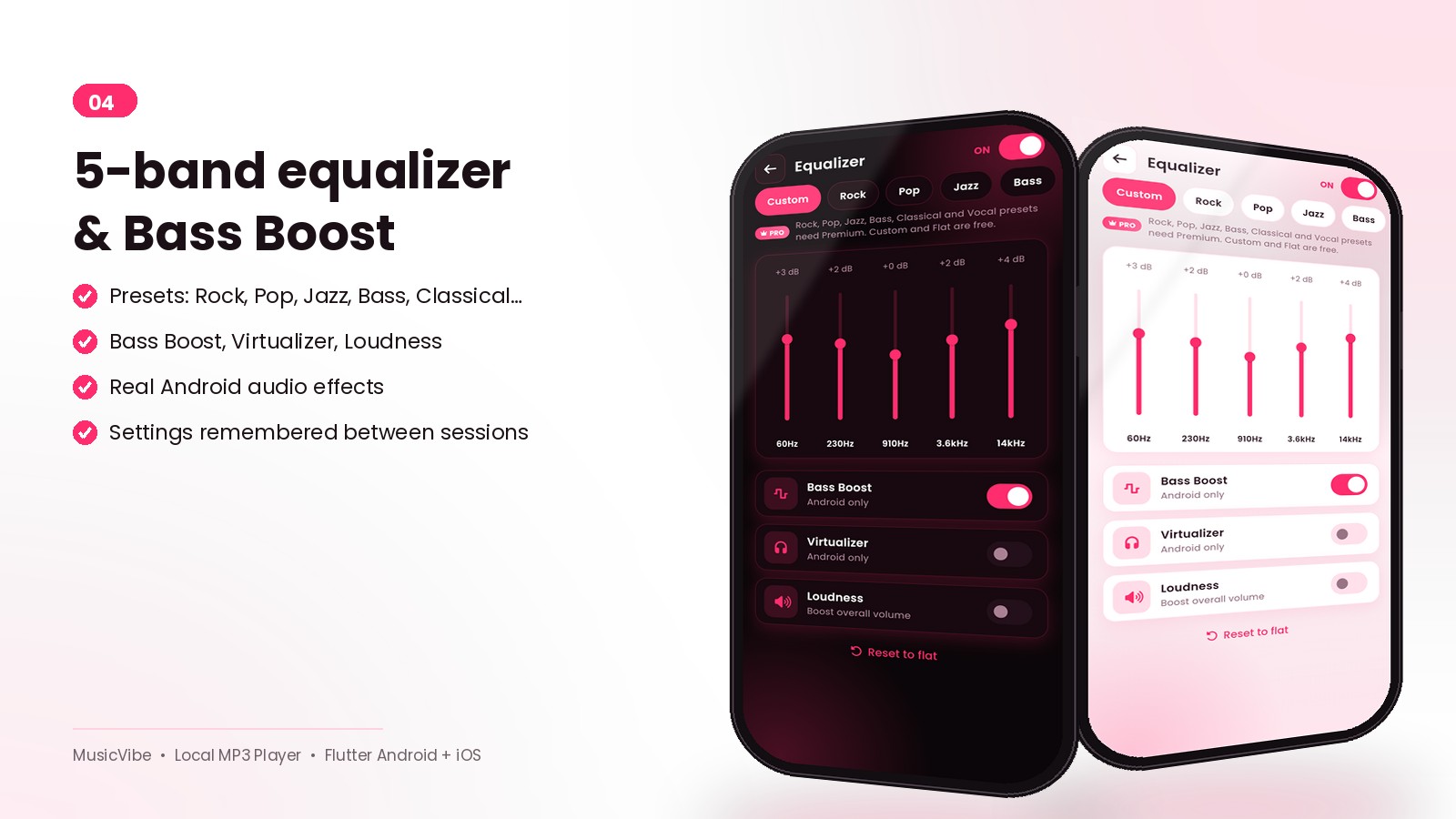
5-band equalizer, Bass Boost, Virtualizer, Loudness
Presets for Rock, Pop, Jazz, Bass, Classical and more, using real Android audio effects. Settings are remembered.
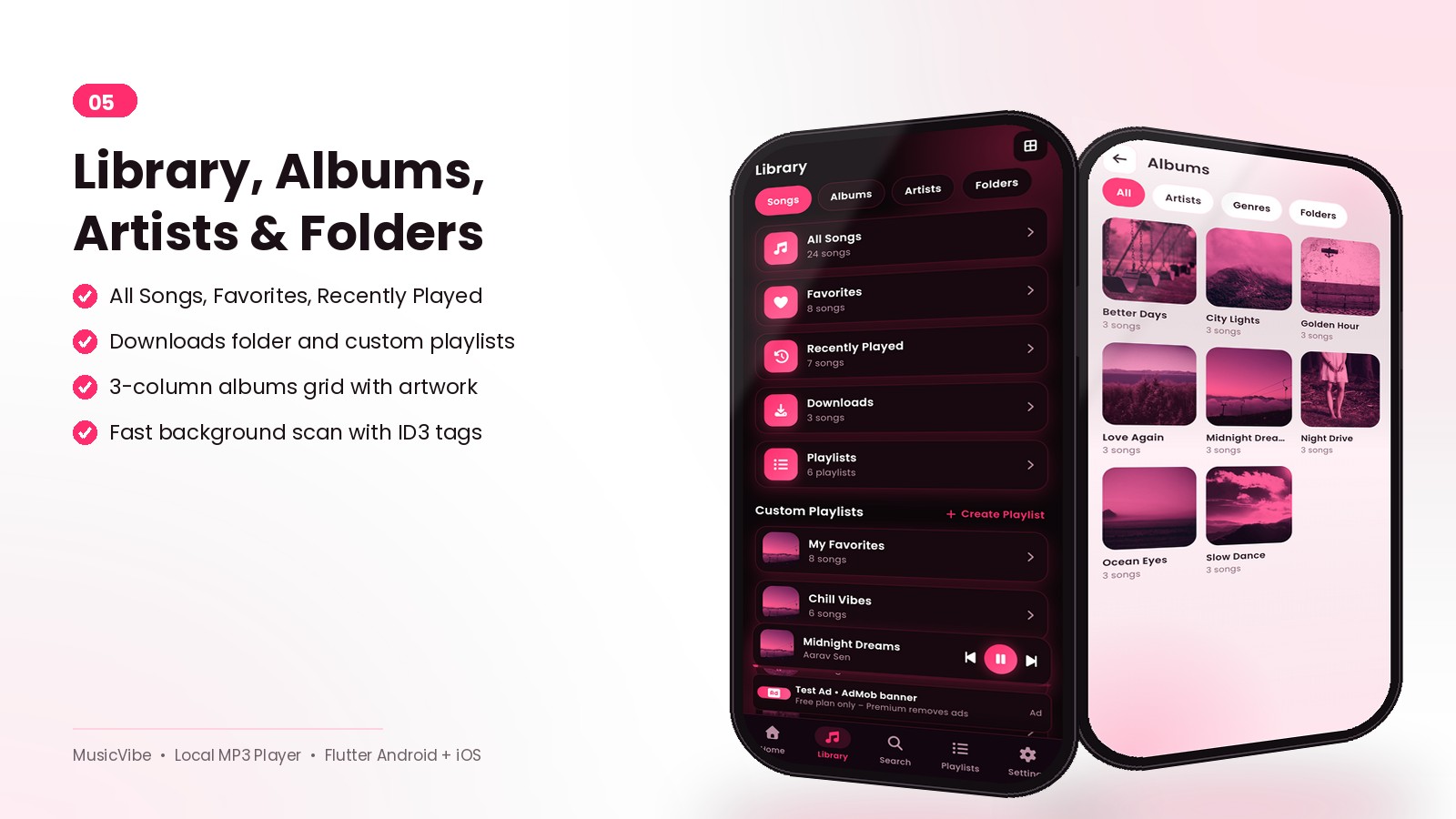
Library, Albums, Artists, Folders
A fast background scanner reads tags and album art. Browse All Songs, Favorites, Recently Played, Downloads, Albums, Artists, Genres and Folders.
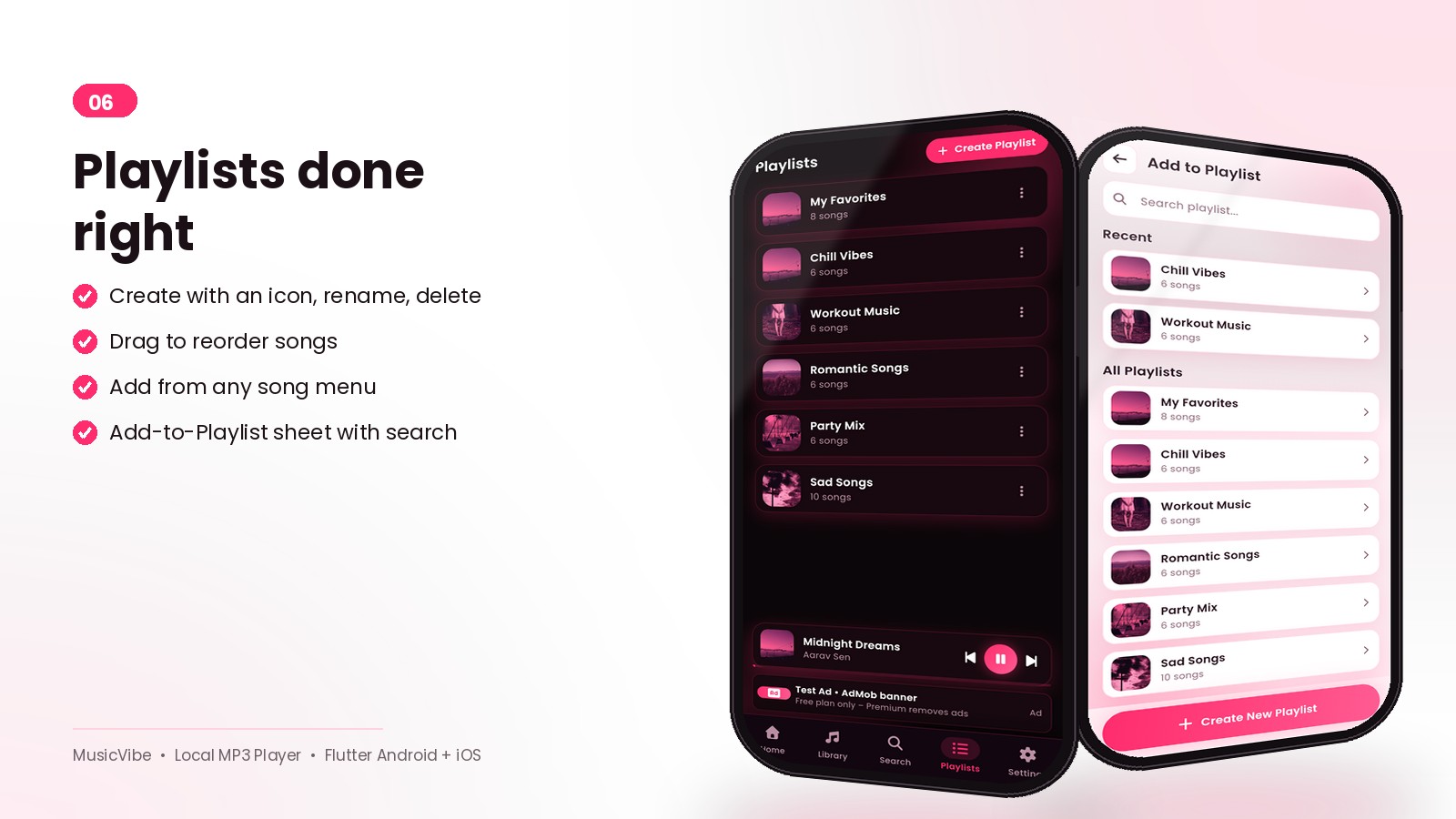
Playlists done right
Create playlists with icons, rename, reorder by drag, add from any song menu or with the multi-select picker.
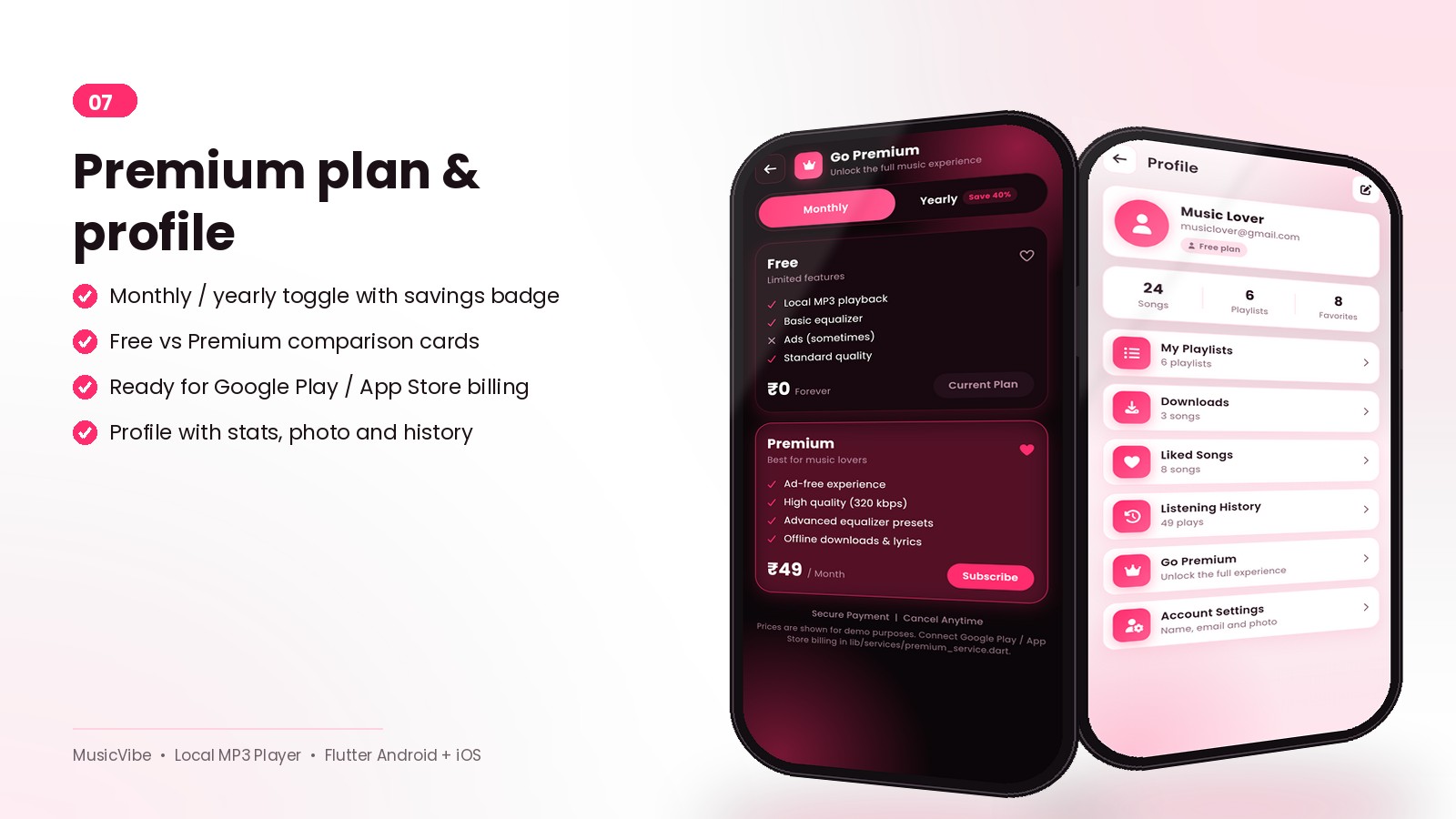
Premium plan and profile
Monthly / yearly toggle with a savings badge, Free vs Premium comparison and a simulated purchase that is ready for Google Play / App Store billing.
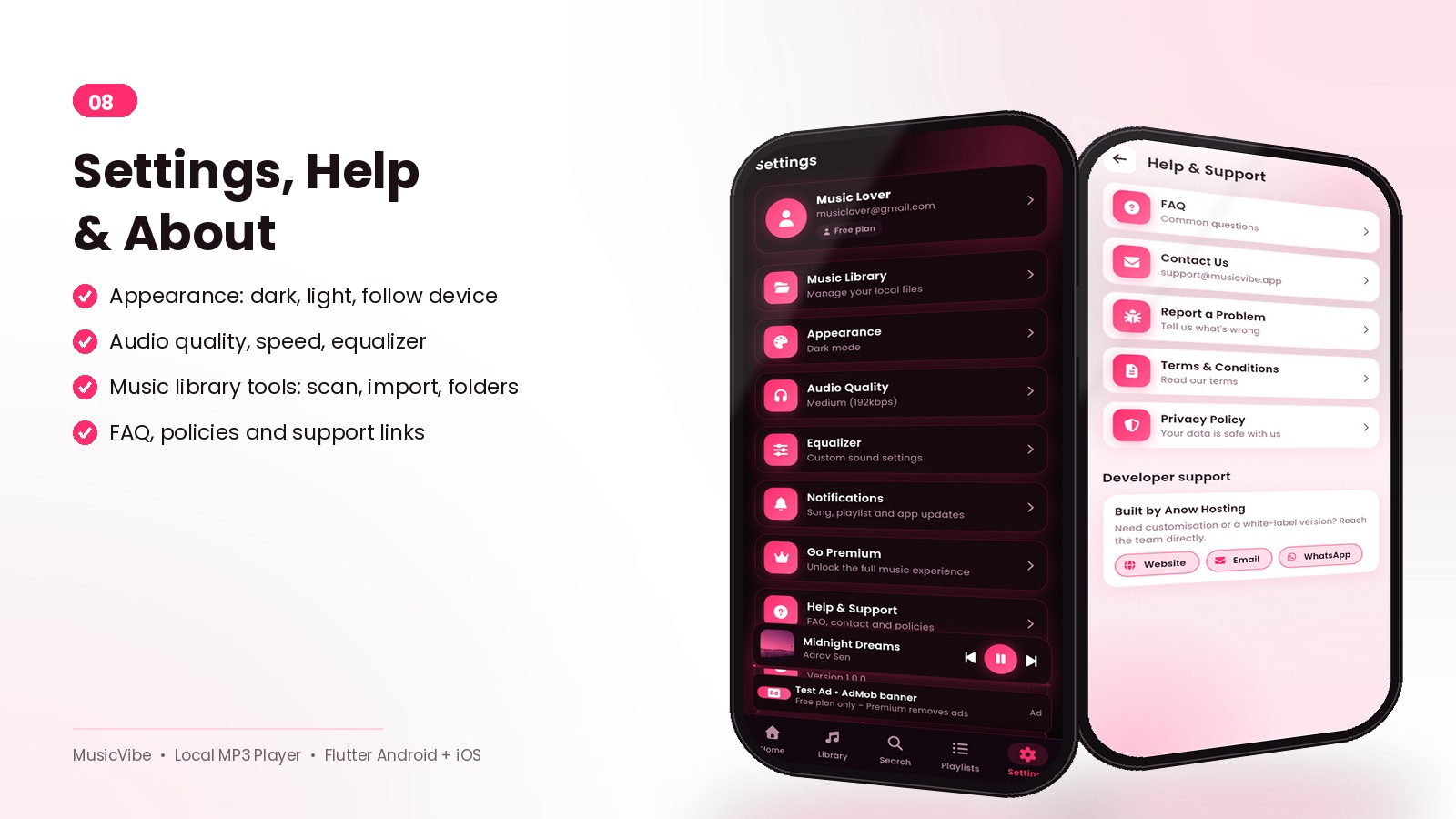
Settings, Help and About
Appearance, audio quality, equalizer, notifications, music library tools, FAQ, policies and support links.
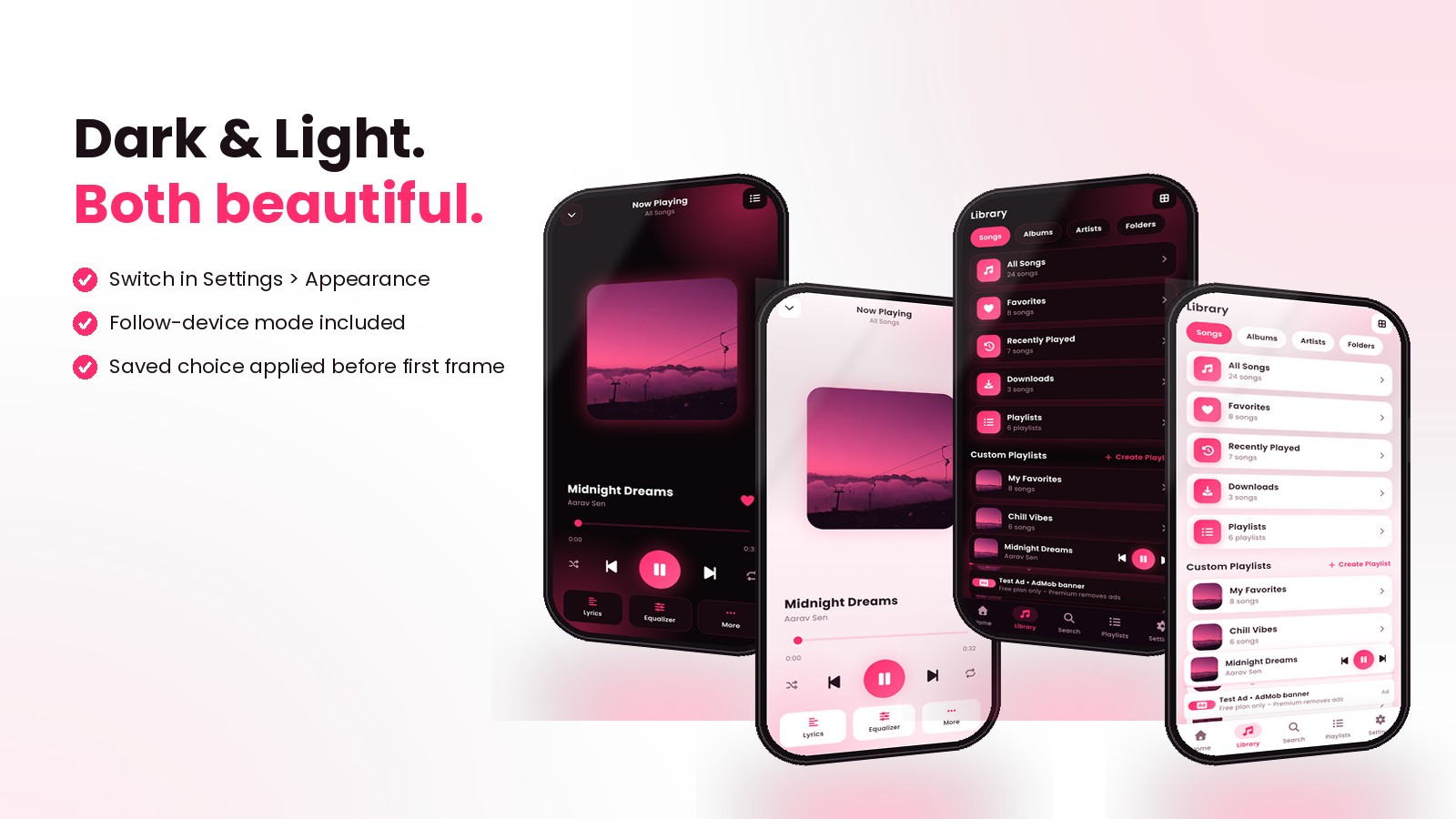
Dark and light – both beautiful
Switch themes in Settings or follow the device. The saved choice is applied before the first frame.
What you get
- Full Flutter source code (Android + iOS)
- Illustrated documentation: install, VS Code, rename package ID, keystore, build, publish
- App icon and fonts
- Web preview build for your own demo page
Requirements at a glance
Flutter 3.47+, Android Studio (SDK 36), JDK 17, VS Code. iOS builds need a Mac with Xcode. No server or backend is required.
Support and updates
Free updates for the lifetime of the product. Questions are answered through the marketplace messaging system.
Demo note: the demo APKs play the music on your phone and show Google test ads; purchases on the Premium screen are simulated. The web preview uses sample tracks because a browser cannot read a phone's storage.
Features
Player
- Plays MP3, M4A, AAC, WAV, FLAC, OGG and OPUS files stored on the device – no internet needed
- Background playback with notification and lock-screen controls (play, pause, next, previous)
- Now Playing screen with glowing artwork, seek bar, shuffle, repeat, favourite and queue
- Mini player docked above the navigation bar on every tab
- Synced lyrics (LRC) from .lrc files, embedded tags or typed in the app
- 5-band equalizer with presets (Rock, Pop, Jazz, Bass, Classical, Vocal, Flat), Bass Boost, Virtualizer, Loudness
- Playback speed, gapless playback and headset options
Library
- Fast background scan of internal storage, SD cards and custom folders with ID3 tags and album art
- All Songs, Favorites, Recently Played, Downloads, Albums, Artists, Genres, Folders
- Playlists: create with icon, rename, delete, reorder, add from any song menu, multi-select picker
- Search with recent searches and trending songs
- Listening history and play counts
- Import audio files (iOS friendly)
Design
- Neon-pink dark theme and soft pink light theme, plus follow-device mode
- 25+ screens: Splash, Onboarding (3), Home, Library, Search, Now Playing, Lyrics, Equalizer, Playlists, Playlist detail, Add to Playlist, Albums, Album, Artists, Folders, Settings, Appearance, Audio Settings, Notifications, Music Library, Profile, Listening History, Go Premium, Help & Support, FAQ, Terms, Privacy, About
- Poppins font, Font Awesome icons, smooth Cupertino transitions
- Empty, loading and permission states on every screen
Business
- Google AdMob banner, interstitial and App Open ads for free users (Google test IDs included, 3 places to change), Meta Audience Network via AdMob mediation; Premium removes ads
- Go Premium screen with monthly / yearly plans, payment-method sheet and success dialog – simulated purchase, ready for in_app_purchase
- Premium paywall: high quality audio, lyrics editing and advanced equalizer presets open the "Premium feature" sheet for free users
- Exit dialog on Back: keep playing in background, stop & exit, or cancel
- Demo tools panel (demo builds only) to switch Free / Premium while testing
- Profile with stats, photo, email and account settings
- Help & Support, FAQ, Terms, Privacy, About with social links
Developer
- Flutter 3.x, one codebase for Android and iOS, provider state management
- Everything configurable in one file: app name, prices, links, colours
- Web preview build with ?screen= deep links for demos
- Illustrated documentation: install, VS Code, rename package ID, keystore, build, publish
Requirements
- Flutter SDK 3.47 or newer (Dart 3.13+)
- Android Studio with Android SDK Platform 36 and Build-Tools; JDK 17
- VS Code or Android Studio as editor
- Android 6.0 (API 23) or newer phone / emulator
- iOS: macOS with Xcode 15+ (Apple Developer account only for App Store)
- Basic Flutter knowledge to customise; no backend or server required
Instructions
- Unzip the package and open the
musicvibefolder in VS Code or Android Studio. - Run
flutter pub get. - Connect a phone or start an emulator and run
flutter run. - Change the app name, application ID, colours, prices and links as described in
documentation/index.html. - Replace
assets/branding/icon.pngand rundart run flutter_launcher_icons. - Create a keystore, then build with
flutter build apk --release --no-tree-shake-icons.
| Author | anowhosting |
|---|---|
| Category | App Templates / Flutter |
| Price | $26 |
| Extended License | $78 |
| First Release | Oct 15, 2026 |
| Last Update | Oct 16, 2026 |
| Files included | .html, .dart, .kt, .gradle, .md, .yml/.yaml, .swift, .xml |
| Operating systems | iOS 13.0, Android 6.0 |
| Programming language | Swift |
| App framework / engine | Flutter |
Categories
Tags
External listing. code.market does not sell this product and does not process payment for it. Pricing, payment, delivery, licensing, refunds, and support are handled by the third-party merchant on its own website. We may earn an affiliate commission from a referral. Details.
Products of the Week.
Submit🥇

Actionbook
It works inside the user's own browser with the accounts already signed in. The user describes the result they need, and the agent reads, clicks and types through the pages, then delivers a dashboard or report where each data links back to its source.
Other · 733 views · 10 clicksOther · Week 44 · 733 views · 10 clicks
🥈

Free social media tools for creators & solofounders
295 free tools for growing your social media: write, plan, grow on local AI models, 100% free forever, No sign-up required, No trial. Write, check and measure posts on LinkedIn, Instagram, TikTok, X, YouTube, Reddit, Product Hunt and more: a free social media scheduler for 17 networks, engagement rate calculators, character counters, best time to post, hook generators and follower growth calculators. No login anywhere, no API or credit usage.
700 views · 6 clicksWeek 44 · 700 views · 6 clicks
🥉

STOP GUESSING WHAT TO POST
AI that learns your brand voice and builds a month of consistent, on-brand social content: carousels, posts and hooks that sound like you, not like everyone else's AI.
SaaS · 1,947 views · 21 clicksSaaS · Week 44 · 1,947 views · 21 clicks
#4

Hand-Placed Backlinks $9.99 per link. Flat rate.
Buy hand-placed forum, Q-A and directory backlinks. Flat $9.99 per link, no subscriptions — you only pay for approved listings.
Website · 1,898 views · 17 clicksWebsite · Week 44 · 1,898 views · 17 clicks
#5

Conversational Backlinks for Busy Founders
Place Backlink Relevant Conversation for your domain across Forums and Conversations
39,356 views · 211 clicksWeek 44 · 39,356 views · 211 clicks
#6

Free Invoice Generator - PDF Invoices in Your Browser, No Sign-Up
A free invoice maker for freelancers and small businesses: fill in the invoice, check the live preview, and download a PDF that looks exactly like it. Any currency, tax per item, three templates, no sign-up, and nothing leaves your device.
637 views · 11 clicksWeek 44 · 637 views · 11 clicks
#7

Merge PDF Files Free - Combine PDFs in Your Browser, No Upload
A free PDF merger for office workers, students, and freelancers: combine PDFs and images into one file in the browser, reorder files and pages, pick page ranges, keep bookmarks, and open password-protected PDFs. Nothing is uploaded, no sign-up, no watermark.
582 views · 4 clicksWeek 44 · 582 views · 4 clicks