Multi Floating Clock Timer Stopwatch App
Description


Allocate and set movable multi floating clocks, timers, and stopwatches anywhere on the phone screen while working on other applications. You can use the multitasking floating timers for cooking, sports, washing machine, exercise, study, work, gameplay, and while using other apps. Easily operate multiple timers at a time. You can display it on the phone screen. You can independently start and run timers at the same time. Assign the name for each clock, timer, and stopwatch, so it will be easy to recognize the timer allocated for which task. You can move the floating clock, timer, and stopwatch anywhere on the screen.
Features
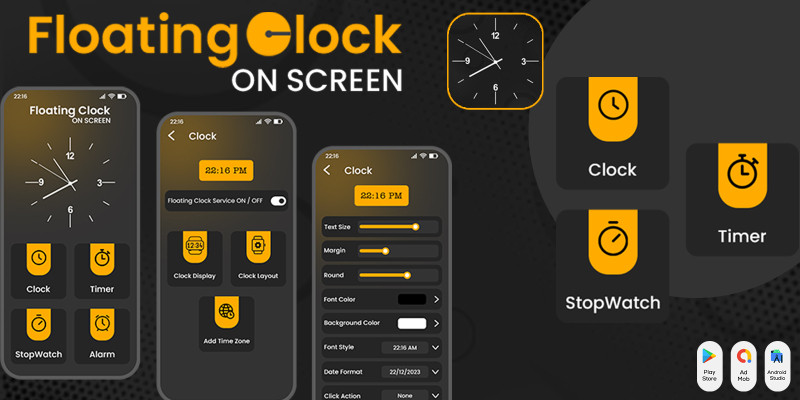
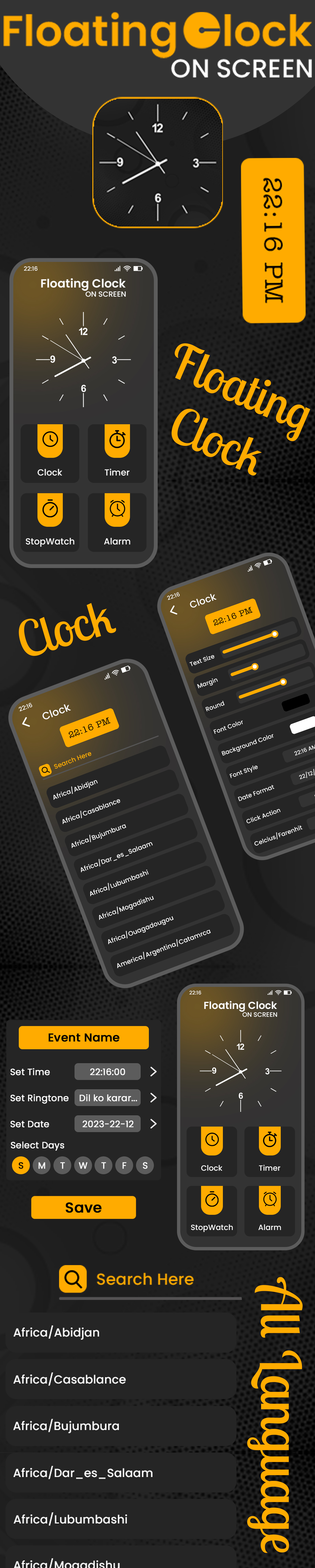
1. Floating Clock - Add the multi floating clock with a name and description. - Adjust the size, padding, radius, and transparency of multi floating clocks. - Select the time zone for the clock. - Enable the 12 hrs clock, display seconds, display date, and show battery. - Select the desired attractive font style for text. - Change the font color and background color.
2. Floating Timer - Add the multi timer for various tasks along with its name and description. - Set the size, padding, and radius of multi floating timers. - Edit and set the timer as per desired. - Enable show the hours, display milliseconds, and show the battery. - Choose an attractive font style for text. - Pick the desired font and background color for running & pause time.
3. Multi floating Stopwatch - Add the multi-tasking stopwatch with the respective name and description. - Set the size, padding, and radius for the multi floating stopwatch. - Enable to display of the hours, milliseconds, and battery. - Pick an attractive font style for text. - Choose the desired font and background color for running & pause time.
Setting For Multi Floating Clock, Timer, Stopwatch App:
- Option to enable the screen ON - Lock the floating position of Clock, Timer, and Stopwatch - ON the timer sound - Select the sounds from the collection - Enable the default vibration
Easy to customize the clocks. You can operate multiple timers at a time and use them for multitasking purposes. Multi floating clocks, timers, and stopwatches will be displayed on top of all applications while you are working on other application.

Requirements
- Android Studio - Android - SDK JDK/JRE - AdMob Account - Play Store Account
Instructions
- Unzip Project File - Open Project File On Android Studio - Run Project - Change UI Design Colors, App Logo And Splash Screen Image For Reskin
| Author | CodeMaxInfotech |
|---|---|
| Category | App Templates / Android / Applications / Miscellaneous |
| Price | $15 |
| Extended License | $45 |
| First Release | Jun 30, 2024 |
| Last Update | Jun 30, 2024 |
| Files included | .sql, Layered .psd, Layered .png, .apk, .dex, .db, .java, .xml, build.settings |
| Operating systems | Android 7.0, Android 8.0, Android 9.0, Android 10.0, Android 11.0, Android 12.0, Android 5.0, Android 6.0 |
Categories
Tags
External listing. code.market does not sell this product and does not process payment for it. Pricing, payment, delivery, licensing, refunds, and support are handled by the third-party merchant on its own website. We may earn an affiliate commission from a referral. Details.
Products of the Week.
Submit🥇

STOP GUESSING WHAT TO POST
AI that learns your brand voice and builds a month of consistent, on-brand social content: carousels, posts and hooks that sound like you, not like everyone else's AI.
SaaS · 5,853 views · 52 clicksSaaS · Week 46 · 5,853 views · 52 clicks
🥈

Conversational Backlinks for Busy Founders
Place Backlink Relevant Conversation for your domain across Forums and Conversations
Website · 44,315 views · 227 clicksWebsite · Week 46 · 44,315 views · 227 clicks
🥉

upvote.club
Free Social Media Engagement that Helps Boost Your Content. Upvote Club supports 19 social networks with 100+ engagement actions in one dashboard. Add links to your posts and get free engagement from real users.
SaaS · 42,330 views · 123 clicksSaaS · Week 46 · 42,330 views · 123 clicks
#4

Substack Posting API
Onboard your Agent to Substack. Write Publish on Substack via API
SaaS · 61,289 views · 203 clicksSaaS · Week 46 · 61,289 views · 203 clicks
#5

Seenshot App
Free, Fast, MacOS Screenshot app. Make Screenshot cmd+shift+2 and send it via link
Desktop App · 30,579 views · 124 clicksDesktop App · Week 46 · 30,579 views · 124 clicks
#6

Hand-Placed Backlinks $9.99 per link. Flat rate.
Buy hand-placed forum, Q-A and directory backlinks. Flat $9.99 per link, no subscriptions — you only pay for approved listings.
Website · 6,302 views · 19 clicksWebsite · Week 46 · 6,302 views · 19 clicks
#7

Free Invoice Generator - PDF Invoices in Your Browser, No Sign-Up
A free invoice maker for freelancers and small businesses: fill in the invoice, check the live preview, and download a PDF that looks exactly like it. Any currency, tax per item, three templates, no sign-up, and nothing leaves your device.
4,963 views · 17 clicksWeek 46 · 4,963 views · 17 clicks
#8

Merge PDF Files Free - Combine PDFs in Your Browser, No Upload
A free PDF merger for office workers, students, and freelancers: combine PDFs and images into one file in the browser, reorder files and pages, pick page ranges, keep bookmarks, and open password-protected PDFs. Nothing is uploaded, no sign-up, no watermark.
4,579 views · 15 clicksWeek 46 · 4,579 views · 15 clicks