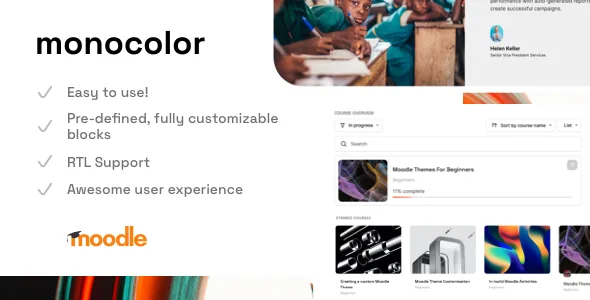
Monocolor - Premium Moodle Theme
Description
Last update: Version 1.4.3 – June 24, 2023
The theme is compatible with 4.2, and 4.1. In the package you can also find a legacy theme for Moodle 4.0 (1.3.x)
Monocolor – Moodle Theme
Monocolor is the brand-new theme for Moodle. Kickstart any LMS project, save thousands of hours, and make your Moodle beautiful.Online Moodle Theme Documentation
 Check out the documentation page. Learn how to start and set up everything from scratch.
Access an admin user
 Do you need to check how the theme works? Test all available options, install custom plugins, and try to build a course. Just contact me via support page/form.
Theme features
- 30+ fully customizable front page blocks Learn more
- Simple Front Page Builder
- Fully Responsive Design
- In-build Dark Mode
- 2-course layouts (Standard, Tabs)
- Online documentation
- Multi-language Support
- Support for RTL languages
- Compatibility with popular plugins
- Unlimited Colors
- Google Fonts Support, GPDR Support
- Awesome Customer Support
- For Beginners – Detailed documentation and a dedicated support page.
- For Pro – Fully access to SCSS. The Child-theme in the package.
Changelog
## [1.4.3] - June 24, 2023
# Improvements:
 - Course Format Edwiser Dark Mode Support
 - Course Format Titles Dark Mode Support

# Fixed:
 - Minor Bug Fixes

## [1.4.2] - June 20, 2023
# Fixed:
 - Minor Bug Fixes

## [1.4.1] - June 15, 2023
# Fixed:
 - Minor Bug Fixes

## [1.4] - June 17, 2023
# Added:
 - Additional subheading for front page blocks
 - Custom Course Activity Icons Color
 - Light Mode Tooltip Title (General - Light Mode)
 - Optional Course Language Badge (Course - Course Language Icon)
 - Tab #2 as an active (Monocolor - Course Page - Course Tab #2 Course Content (active by default))

# New:
 - Messages UI

# Updated:
 - FontAwesome (6.4.0)

# Improvements:
 - Additional Top Bar Button is now visible also for guest users
 - Database Module UI
 - Lesson UI

# Fixed:
 - Dark Mode Minor Bugs
 - Minor Bug Fixes

## [1.3.1] - April 27, 2023
# Added:
 - Optional Edit mode button on the top bar

# Improvements:
 - Auto open course tab#2 when the course index is open
 - Top bar additional button style

# Fixed:
 - Course Tab regions
 - Minor Bug Fixes

## [1.3] - April 20, 2023
# Added:
 - Additional Body Class depends on user roles
 - Top bar menu customization (You can turn on/off Site home, Dashboard, Site administration links)
 - Course Card Description (Course List Page) [ Monocolor - Course Page - Course Card]

# Fixed:
 - Minor Bug Fixes
### [1.2.3] - April 3, 2023
# Improvements
 - Icon on the avatar when switching role

# Updated:
 - FontAwesome 6.4.0

# Fixed:
 - Confirmation account UI
 - Quiz UI (Dark Mode)
 - Minor Bug Fixes

### [1.2.2] - March 10, 2023
## Fixed:
 - Confirmation account UI
 - Course Image Mask Color

### [1.2.1] - March 10, 2023
- Minor Bug Fixes

### [1.2] - March 8, 2023
# Added:
 - Workplace course certificate UI Support
 - Database UI for Moodle 4.1

# Improvements:
 - SCORM UI
 - Top Bar Logo Settings
 - PHP Code Optimization
 - Course Card
 - Dark Mode
 - RTL Layout

# Fixed:
 - Hints bugs (Monocolor - General - Show Hints for guest user etc.)

### [1.1.2] - February 26, 2023
## Fixed:
- Image Roundness (Blocks)

### [1.1.1] - February 22, 2023
- Minor Bug Fixes

### [1.1] - February 11, 2023
## Added:
- Theme Settings:
    - H5P Custom CSS
    - Dark Mode as a main theme (General - Dark Mode Only)
    - Front page blocks order settings - UX improvements (sorting by position)

- Course Index Page:
  - Optional Course Index (Monocolor - Course page - Hide Course Index Navigation)
  - New Course Index Icon
  - Optional Course Index Sidebar
  - Simple Course List (Monocolor - Course Page - Simple Course List)

## UI Improvements:
- Atto Editor
- Assignment
- Course Index Page (course/index.php)
- Dark Mode
- Grading
- H5P content
- Login Page
- Message
- RTL Layout

Fixed:
- Display Course Card Image Mask Settings (Monocolor - General)
- Grading UI (Moodle 4.1)
- Password Input Field UI
- Custom Fields Editing
- Minor Bug Fixes

Updated:
- FontAwesome 6.2.1

### [1.0.1] - December 30, 2022
Fixed:
- Unnecessary gap (course footer) when course doesn't have the image cover
- Missing Course Index on the activity page
- Custom Alert z-index

Improvements:
- Course Tabs (More Menu)
- Show More/Less button UI
- "Cancel" button style

## [1.0.0] - December 12, 2022
- Released
Categories
Tags
External listing. code.market does not sell this product and does not process payment for it. Pricing, payment, delivery, licensing, refunds, and support are handled by the third-party merchant on its own website. We may earn an affiliate commission from a referral. Details.
Products of the Week.
Submit🥇

STOP GUESSING WHAT TO POST
AI that learns your brand voice and builds a month of consistent, on-brand social content: carousels, posts and hooks that sound like you, not like everyone else's AI.
SaaS · 4,286 views · 38 clicksSaaS · Week 45 · 4,286 views · 38 clicks
🥈

Conversational Backlinks for Busy Founders
Place Backlink Relevant Conversation for your domain across Forums and Conversations
Website · 41,997 views · 223 clicksWebsite · Week 45 · 41,997 views · 223 clicks
🥉

upvote.club
Free Social Media Engagement that Helps Boost Your Content. Upvote Club supports 19 social networks with 100+ engagement actions in one dashboard. Add links to your posts and get free engagement from real users.
SaaS · 40,038 views · 117 clicksSaaS · Week 45 · 40,038 views · 117 clicks
#4

Substack Posting API
Onboard your Agent to Substack. Write Publish on Substack via API
SaaS · 59,048 views · 198 clicksSaaS · Week 45 · 59,048 views · 198 clicks
#5

Seenshot App
Free, Fast, MacOS Screenshot app. Make Screenshot cmd+shift+2 and send it via link
Desktop App · 28,422 views · 122 clicksDesktop App · Week 45 · 28,422 views · 122 clicks
#6

Hand-Placed Backlinks $9.99 per link. Flat rate.
Buy hand-placed forum, Q-A and directory backlinks. Flat $9.99 per link, no subscriptions — you only pay for approved listings.
Website · 4,257 views · 19 clicksWebsite · Week 45 · 4,257 views · 19 clicks
#7

Free Invoice Generator - PDF Invoices in Your Browser, No Sign-Up
A free invoice maker for freelancers and small businesses: fill in the invoice, check the live preview, and download a PDF that looks exactly like it. Any currency, tax per item, three templates, no sign-up, and nothing leaves your device.
2,934 views · 17 clicksWeek 45 · 2,934 views · 17 clicks
#8

Merge PDF Files Free - Combine PDFs in Your Browser, No Upload
A free PDF merger for office workers, students, and freelancers: combine PDFs and images into one file in the browser, reorder files and pages, pick page ranges, keep bookmarks, and open password-protected PDFs. Nothing is uploaded, no sign-up, no watermark.
2,710 views · 13 clicksWeek 45 · 2,710 views · 13 clicks