Modal Survey - WordPress Poll, Survey & Quiz Plugin
Description
Modal Survey WordPress Poll, Survey & Quiz Plugin provides the opportunity to hear your visitors’ voice through attention grabbing polls. Unlimited surveys, questions and answers helps you to get any information, then display the results through stunning progress bars, beautiful pie charts or simple text display formats.
Featured in Online Magazines
The plugin has been featured in several popular online magazines in their best lists, including the following sites:







The plugin able to visualize all questions on the same graph to display the aggregated survey results. It should be perfect to check the effectiveness of a Support Team or any other Company activities.

Modal Survey WordPress Survey Plugin is GDPR compliant, find the details by clicking here.
Trivia Quiz one of the most popular quiz style nowadays on the social networks. The idea behind this poll to get lot of traffic, especially from Facebook. The plugin offer a share button to post the individual quiz results with specific image to Facebook based on the answers. With this BuzzFeed kind of quiz, that using personal content, the traffic of your website can be increased quickly without spending lot of money for advertising.

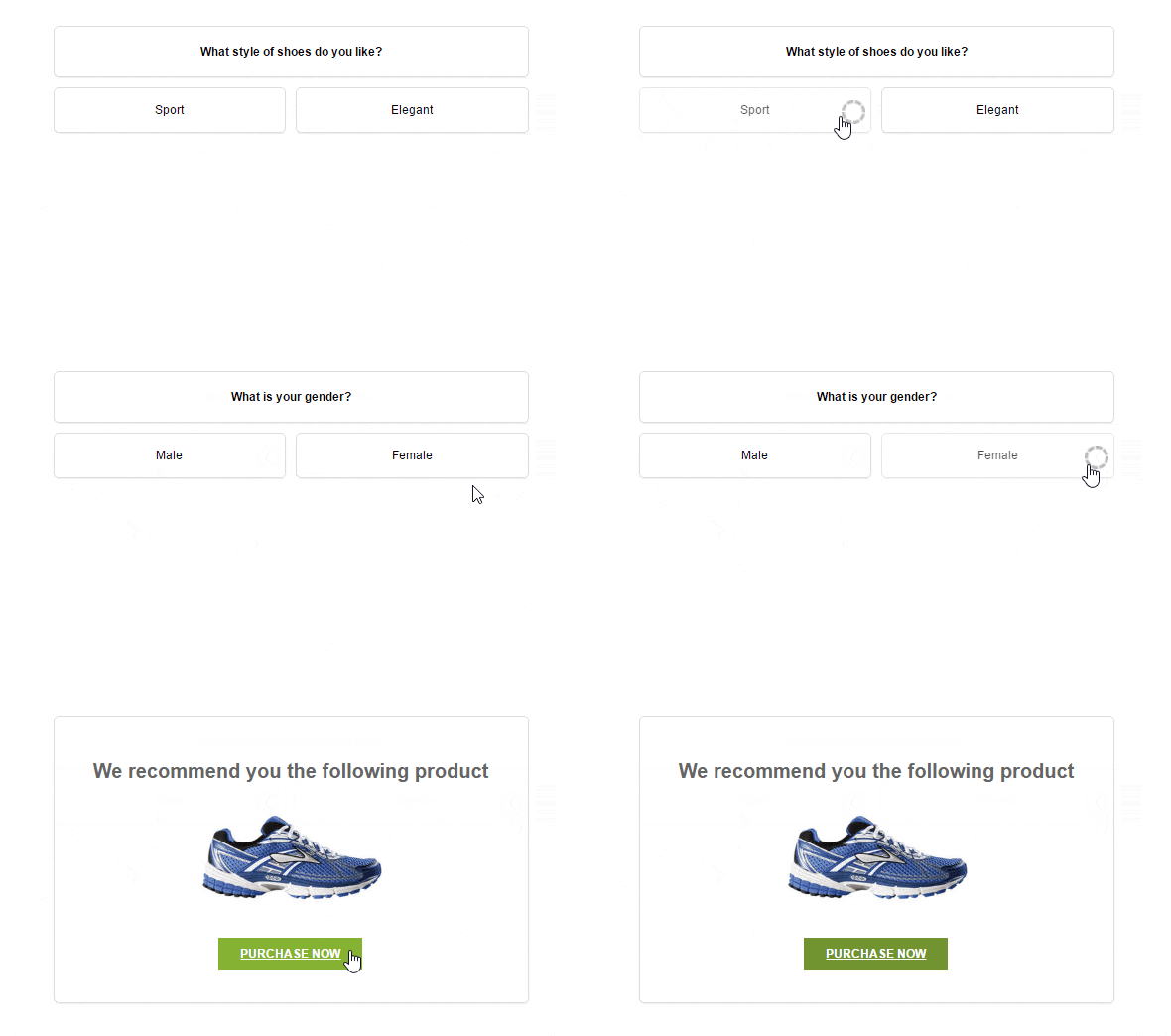
Increasing the sales with Product Recommendation Polls is so easy. The plugin support conditional statements, that allows you to display a specific message or redirect the browser to any page based on the survey answer scores.
Supports Business Evaluation Tests or even Personality Tests with categories, that can be displayed on different chart types. Both of the answers and questions can be organized to categories, then the chart will display the results based on the category scores.

Entertain your visitors with a quiz could be also a great option to create pages, that more likely will be shared on the social networks, including Facebook or Google Plus. The quiz timer can be set as a general quiz timer or a question timer to make your quiz more exciting.

The plugin customization features allows to create unlimited WordPress poll, survey and quiz styles with many settings and options. Width and position can be specified simply with a slider and colors by a colorpicker. This type of the WordPress questionnaire you can see below, using the 40% of the full width, but you can set any sizes and positions around the screen, even it would be the top, middle or the bottom of the page. Visual Builder helps you on the admin to design a well-looking poll and attract your customers for voting instantly with your modern, AJAX-based WordPress survey.

The admin panel grants you a professional interface to design your questionnaire, including RGB Color Picker to set the font and background colors, DateTimePicker for scheduling your survey, sliders to set the correct values, like border-radius, padding and you will find much more useful, user-friendly tools on the admin panel.
There are tons of customization options in the Visual Builder of Modal Survey – WordPress Poll, Survey & Quiz Plugin, including Live Preview, start and expiry time, font family (650+ Google Font Styles), font sizes, padding, border parameters, background-, font- and border colors and much more… All of them designed to helps you to build amazing questionnaire through a user-friendly, professional interface. Full variety of jQuery Easing Effects and the speed option ensures smooth animations, including incoming and the outgoing behavior of the questionnaire.
In addition, several special features extend the usability of the survey for custom purposes. Combine Lock Screen with Closeable setting to force the users to fill out the poll or simply use the first option only to highlight your questionnaire for the visitors. Also grants you the ability to pop in the WordPress poll, when the visitor almost reached the bottom of the page with the mouse scroll. This special event gives you a smart control how your users meet with the survey at a first glance.

Add your own, custom message even with link at the end of the WordPress questionnaire. The plugin allows you to offer a downloadable content in return for the information you ask in the survey.
Use it as a full width or a custom sized poll with popup or embed style. Offers extremely flexible customization, that provides really unique display.
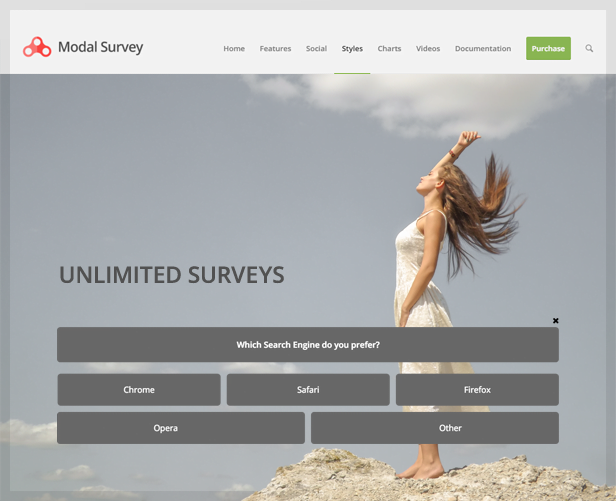
The WordPress questionnaire can fit to the entire page width or can be set to a boxed, smaller size. This full width type of the poll is a solid manner to get the attention of the visitors and it works effectively.
The plugin provides much more features that helps you to save your time and reach your aims. The poll can be appear for the users at once, it is possible to set to display once for users who already filled out or simply can appear in every cases. Activate the poll with different user interactions, like click on a link, scroll to the bottom of the page or even scroll to a specified part of the page. Each questionnaire can be closed or you can force the users to fill out the survey in return for the content behind the poll. Modal Survey – WordPress Poll, Survey & Quiz Plugin can be really helpful to get feedback about your posts including even a simple customer satisfaction questionnaire at the end of the posts.
With the Rating System feature, it is possible to display stars instead of text answers in your poll without any limitation regarding to the number of scores. It means you can create 5 stars, 10 stars or even 12 stars to get feedback as a score for the voting.

It provides an option to display progress bar for any type of the WordPress survey, including quiz or a simple survey. Also brings you the opportunity to insert images to the questions and the answers. This options makes the voting more fun and you can create much better looking WordPress poll with photos.

Easy to add individual chart based on the user’s score, rating or correct answers at the end of the WordPress survey. It provides attractive and useful visual display about the given answers.
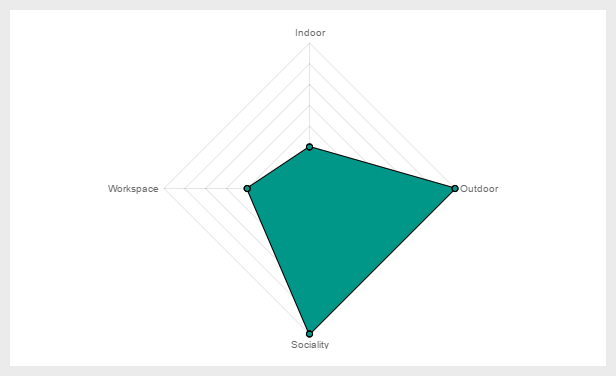
Optionally, the plugin can save the votes and you can view the detailed stats on your admin panel.

Various charts help you to get the appropriate display to make the best analysis about the participants and the survey.

Setting up a Survey is quite easy, you have to specify the corrects answer(s) and/or the answer score, then the Survey will be controlled by the given correct answers or the final score.

The plugin allows you to simply include the WordPress questionnaire to the content anywhere on any page, post or even in a text widget. The poll will appears with a smooth animation when the visitor scroll down to that place where you included the WordPress questionnaire. If you looking for a Customer Satisfaction Poll Plugin, it is a great choice to use it at the bottom of each posts. Needless to say, it is also possible to set the poll immediately visible without any animation or make the WordPress survey visible when the visitor reach a specified part of the content.
Embed poll mode provides the same features regarding to the customization like any other type of the questionnaires. If you use it as a Customer Satisfaction Survey, all results will be available on your admin panel to analyze or even export the WordPress survey results to PDF, XML, CSV, XLS and JSON.

The survey with embed style visible for the users who didn’t fill out the poll previously, therefore it won’t be displayed to the content when it’s not necessary. Getting feedback about your pages is a must to make a well-built WordPress website. Embed Questionnaire can be implemented to the default WordPress text widget as well.
The survey using table style for displaying the answers, but you can set classic poll list layout with a single click. In this mode, the survey answers will be displayed below each other.
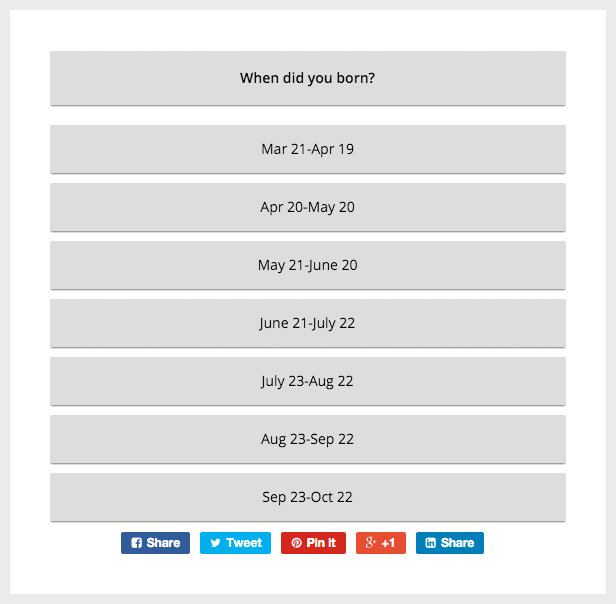
Easy to add open text answer to each questionnaire questions to get customized answer for your questionnaire. The autocomplete feature helps for the users to select an option from the previous visitor’s answers. It is also possible to disable the autocomplete function, therefore the text answer field can be used for getting email address or any non-public input.

Using a select box with list of answers makes more easy to organize the choices in the WordPress survey. Simply specify the comma separated list of survey answers on your admin and the plugin will automatically display them in a select box.
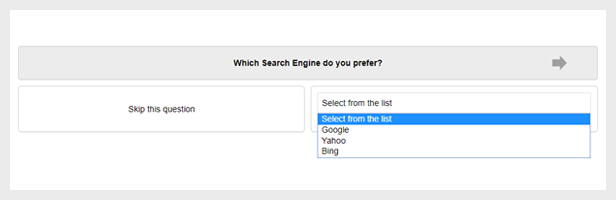
Getting numerical answer is essential in many cases. The minimum, maximum and step values can be set on your admin, then the plugin will automatically show it as a jQuery slider in the answer area.

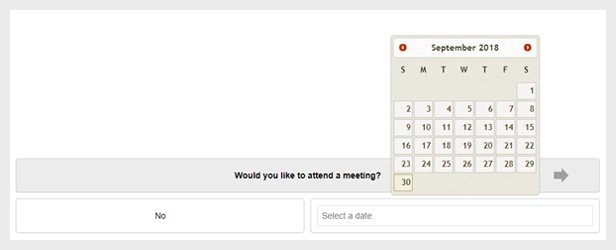
Create appointment or use the Date answer to get an exact day for any purpose, such as notification, meeting or reserving. When the date answer set on your admin, the date can be selected from a calendar in the survey..
In some cases, you would like to redirect the user after completed the WordPress questionnaire. This optional feature has been included directly into the WordPress survey settings, you have to specify the redirection URL only and the plugin do the rest.
Creating conditions based on the result of the questionnaire / survey will ensure you an excellent option to redirect the user to a specific page or display a message for the user. It can be extremely useful for creating a Product Survey, Promotional WordPress Survey or even a Horoscope.

Votes can be displayed in various formats, one of the most effective is the progress bar style. It is also possible to include the WordPress poll results via text format, then you can compose your article with dynamic variables. Simply display the full WordPress survey results or filter it to any question or answer to get the information from the survey, that you exactly want.
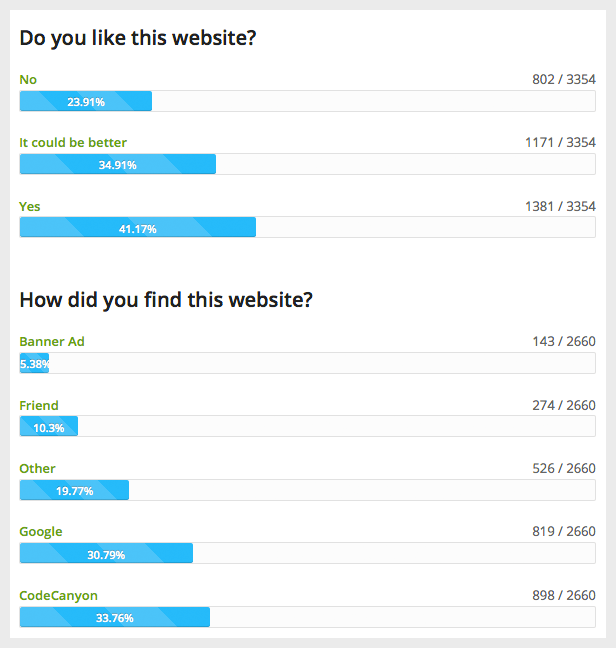
Modal Survey – WordPress Poll, Survey & Quiz Plugin offers a total of 6 different WordPress poll chart types, excluding the further styles to show the WordPress questionnaire results, like Progress Bar, Line Bar the Text Format. With the most popular Pie Chart, you can demonstrate any questionnaire voting information as you need. The plugin also able to show the results for the active poll and it is refreshed immediately as the visitors voting.
If you need a special type of chart, feel free to select form a Doughnut Chart, Bar Chart, Radar Chart, Line Chart or Polar Chart. These are responsible to visualize any poll, questionnaire or survey details in a nice, modern way.
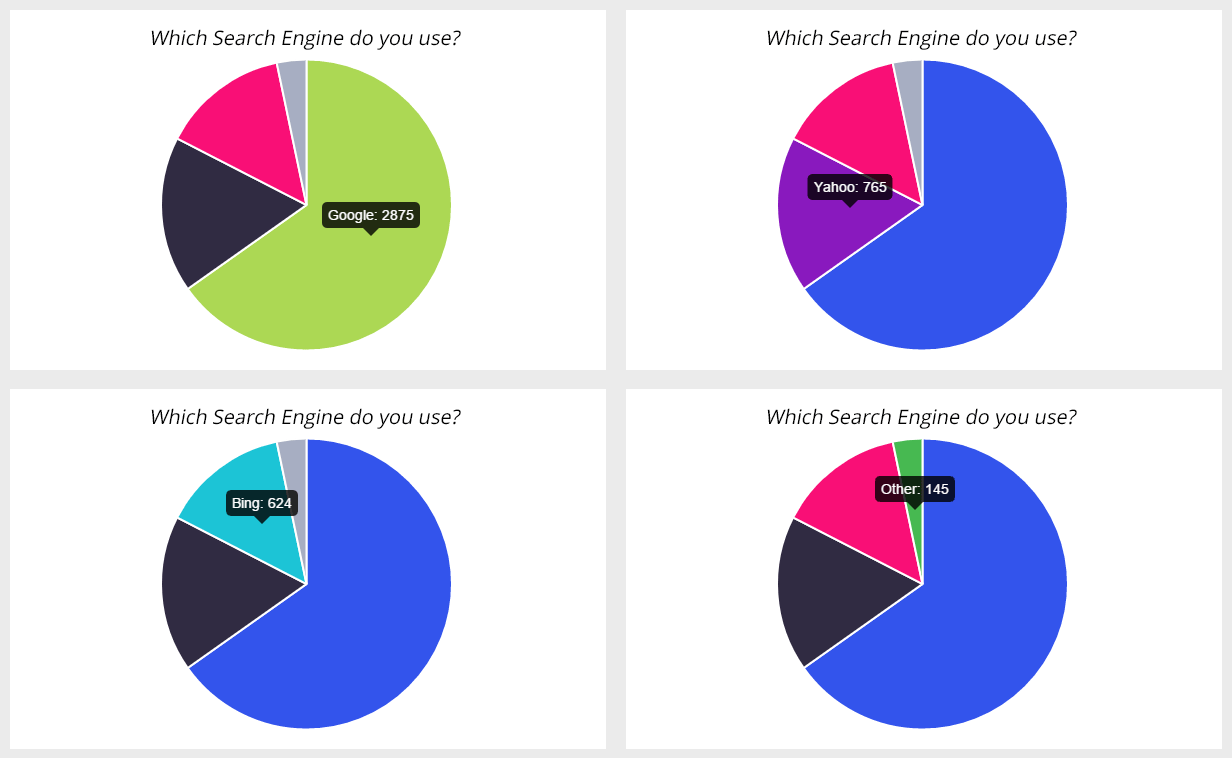
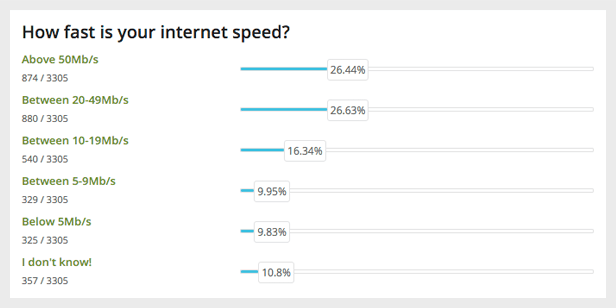
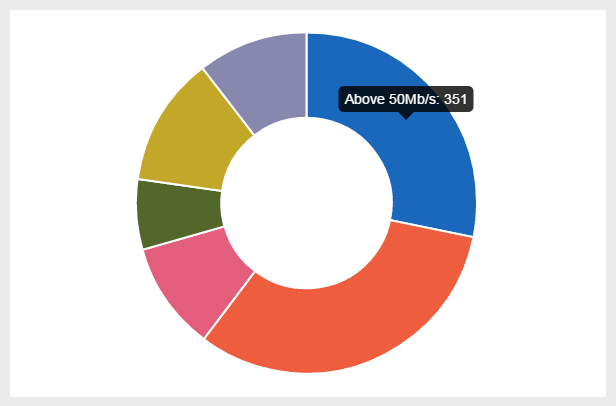
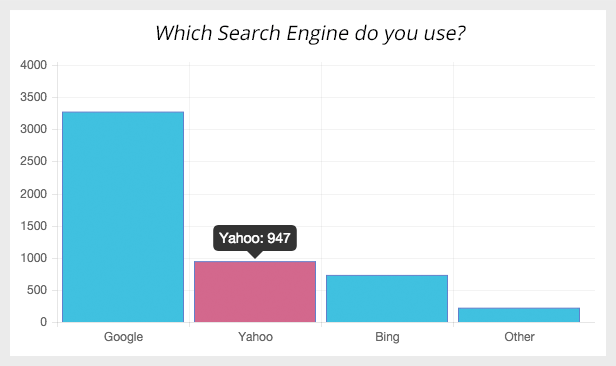
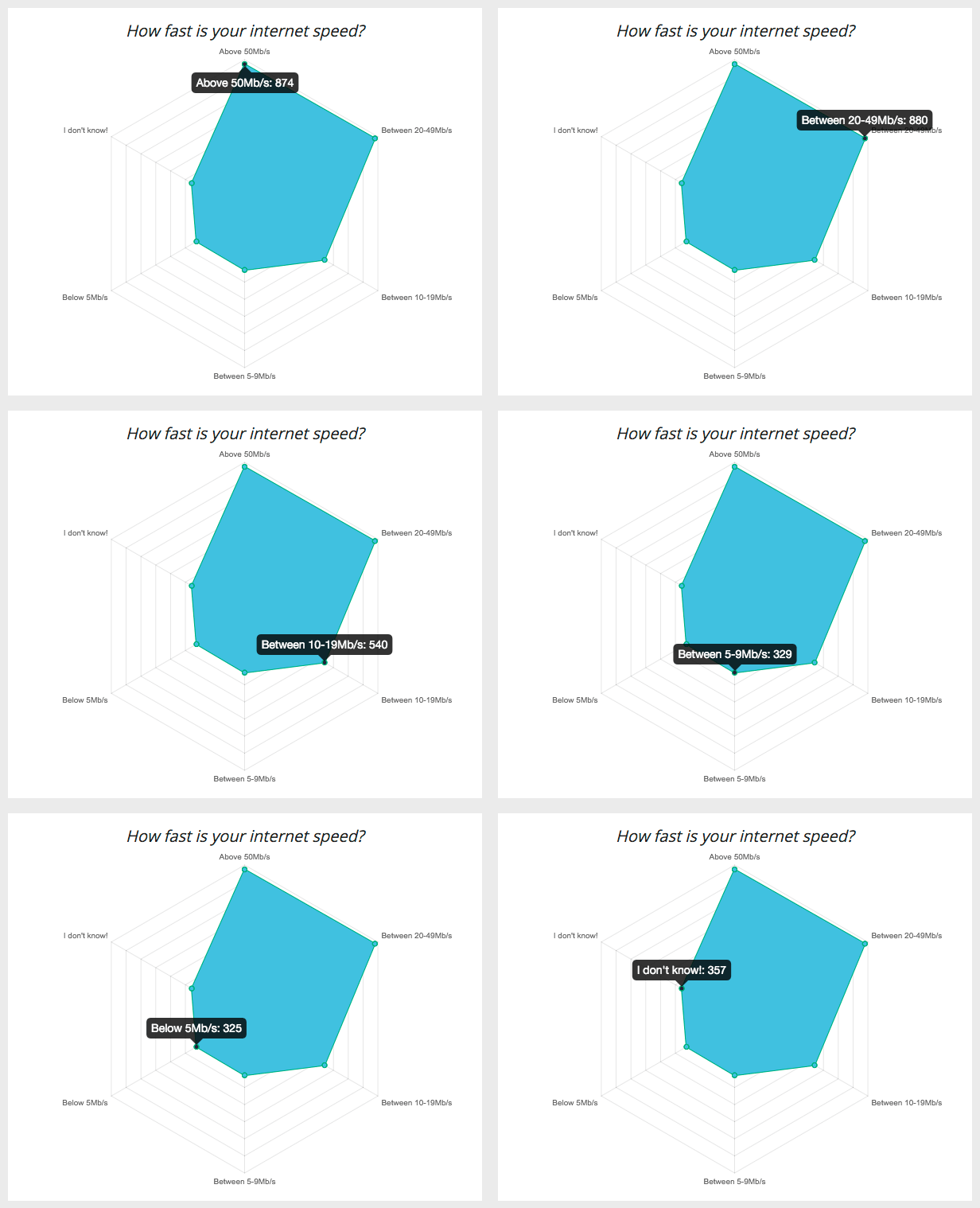
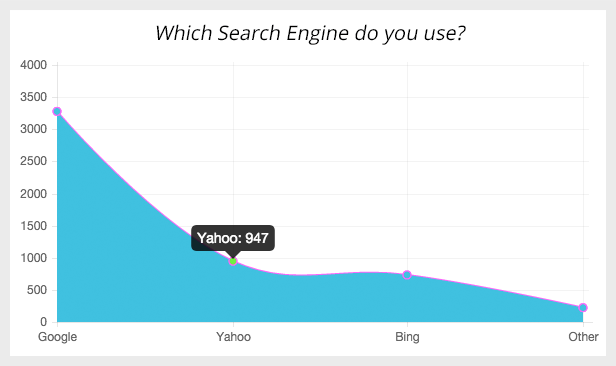
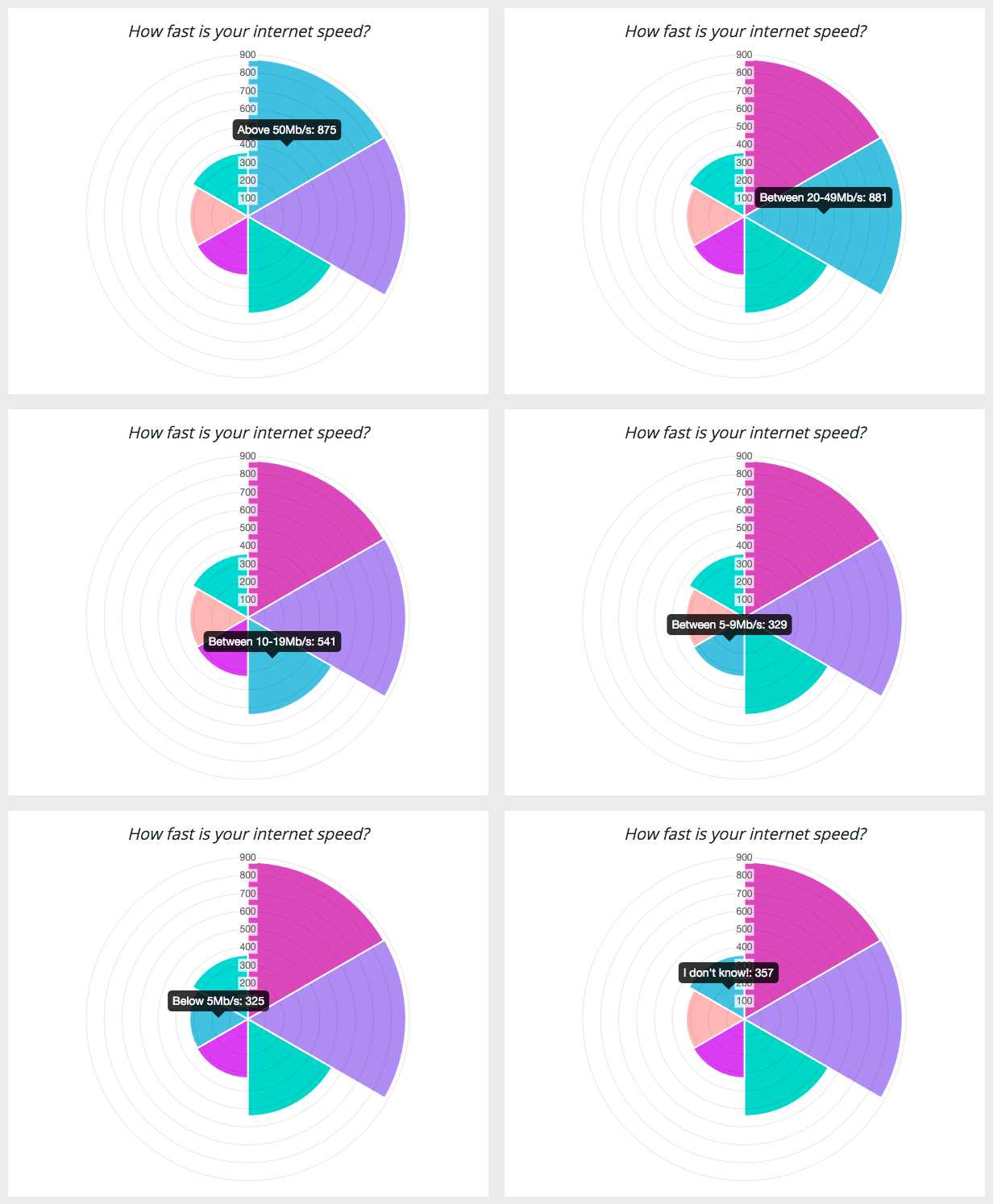
All charts are interactive, display the exact values of the WordPress poll with a mouse hover event. However, you have the option to hide these survey values using the progress bar or the line bar, including the percentages only.
Export the whole WordPress poll with the results to CSV, JSON, PDF, XML, XLS.
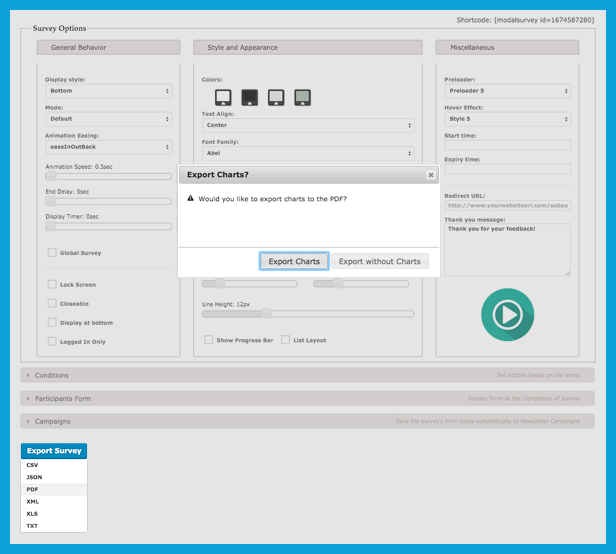
Check out the survey export files generated previously for demonstrating purpose:
- Modal Survey – Questionnaire PDF Export Example
- Modal Survey – Questionnaire JSON Export Example
- Modal Survey – Questionnaire CSV Export Example
- Modal Survey – Questionnaire XML Export Example
- Modal Survey – Questionnaire XLS Export Example
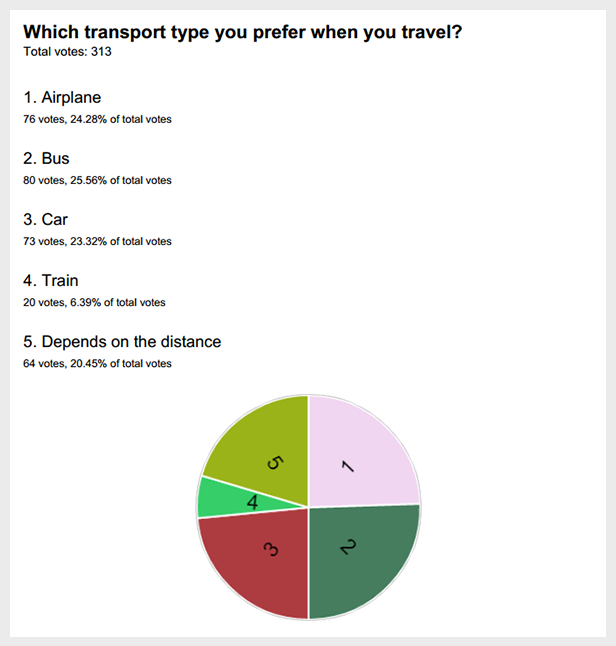
The PDF Export can include the chart for each questions to your PDF document and you also have the option to export your PDF without the charts. Each poll export has a separated template file, therefore with some knowledge of CSS it is simple to customize. To make the customization more easy, the PDF header text available for edit in the general settings of the plugin.
One of the most useful plugin feature, simply control the next poll question for the users depends on their answers. Just specify the number of the next question in the survey under the Redirection field in the Answer Options and the questionnaire will automatically jump to the specified survey question. It is also possible to define this question number in brackets right after the answer text.

As a result of this conditional behavior you will get detailed information in the WordPress questionnaire, even you can filter the survey by specific conditions. If you want to create the poll for females only, the first question would be the gender and you can send all users with ‘male’ answers to the end of the WordPress questionnaire.
Modal Survey – WordPress Poll, Survey & Quiz Plugin offers the option to specify the number of selectable answers by the users and it is also possible to set the required minimum number of answers for each questions in the poll.

These numbers can be specified for each questions in the poll, thus the overall questionnaire can be highly flexible. Works like a checkbox and radio button, the difference only it is displayed with a more professional, unique way with underlined answers. Certainly, the traditional radio buttons and checkboxes also available in the poll optionally.
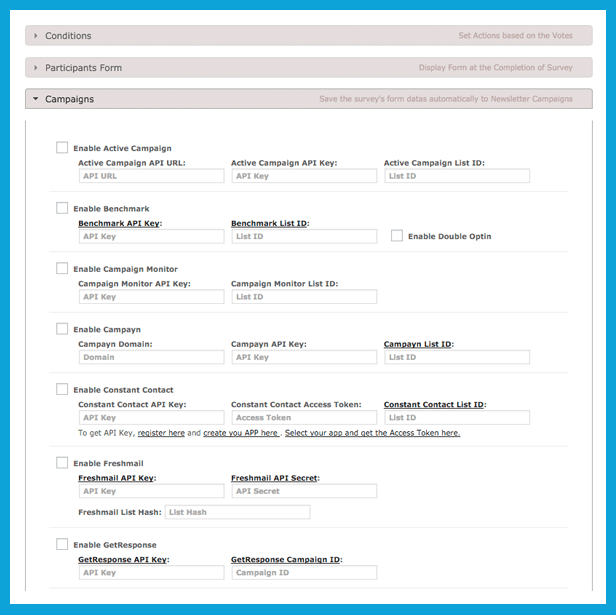
Modal Survey supports many Newsletter providers, like Active Campaign, Benchmark, Campaign Monitor, Campayn, Constant Contact, Freshmail, GetResponse, MadMimi, MailChimp, MailPoet, MyMail, SimplyCase, YMLP.
Just simply turn on the Participants Form and it will be automatically embedded at the end of the survey, then the plugin will pass the user’s name and email to your chosen newsletter campaigns through your site.
Find all questionnaire, that has been previously saved in a well-organized table with AJAX powered search, pagination and sort option.
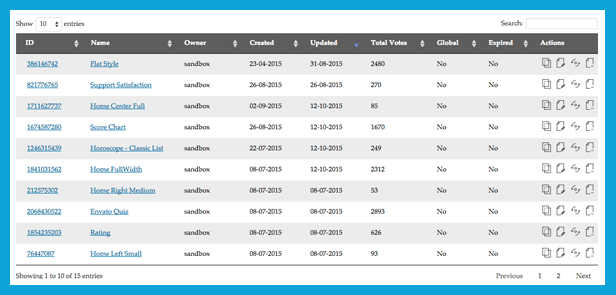
Each row gives you detailed informations, including the creator username, create time, last update and total votes. Furthermore, this list grants prompt actions to duplicate, edit, delete or reset the specified questionnaire.
Important to note, nobody want a WordPress Poll Plugin that won’t gives realistic statistics. Avoid and minimize duplication with keeping the WordPress questionnaire simple as possible is the main goal of Modal Survey – WordPress Poll, Survey & Quiz Plugin. General settings provides the possibility to display each poll for once to the same user regardless the visitor gave answers or not.
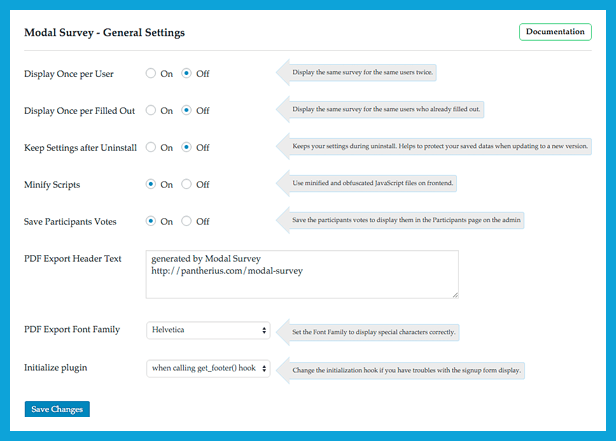
Another option to display the survey once for users who already filled out. Modal Survey – WordPress Poll, Survey & Quiz Plugin doesn’t require registration to get as much votes as possible, it is using cookies to prevents duplication. As an advanced solution, the poll can be displayed for logged in users only, this way the plugin will using your WordPress database to validate the user and allows voting one time only.
Creating backup or copy your questionnaire to your other website has never been easier. The plugin ensures the option to export you poll in JSON format and simply allows to import back the JSON survey file that has been exported before through the WordPress Plugin admin area.
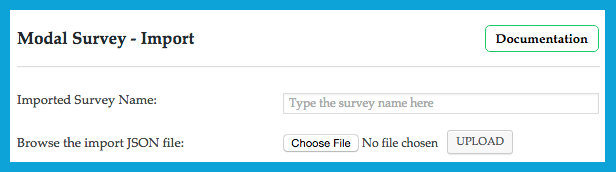
The votes are imported and it can be reset by a simple click, however in some cases you might need to keep the questionnaire votes during the import.
Releasing constant updates of Modal Survey – WordPress Poll, Survey & Quiz Plugin based on the needs periodically. To keep the updating process easy as possible, just download the new version and upload in the Modal Survey Update Page through the admin and it will do the rest. Also offers the choice to terminate to update after you read the new version changes and decided to keep the old version.
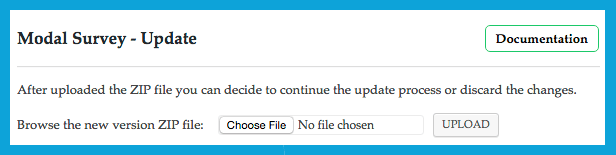
After uploaded the new version, the changelog will be displayed to show the changes. In this stage, you can continue or cancel the updating process.
Simple Updating Process
What Clients Think about Modal Survey – WordPress Poll, Survey & Quiz Plugin?

Key Features – Modal Survey – WordPress Survey Plugin
- Visual Builder in the administration are with Live Preview of the WordPress Questionnaire
- Mobile-friendly & Responsive WordPress Poll Plugin
- Parallax effect on the Poll during Page Scroll
- Set Start and Expiry Times for each Questionnaire
- Choose from Different Poll Styles (Modal / Popup, Embed the survey to your WordPress Page or Post, Open the survey with clicking on a Link)
- Provides Gradient RGB Color Picker on the WordPress Plugin admin
- Ability to Offer Link / Downloadable Content at the End of the Poll (Force Users to Fill Out the survey to Get the Link)
- Unlimited Questions and Answers, Reset Survey Counters with One-Click
- Lock the Screen with the WordPress Questionnaire
- Social Sharing with Various Styles and Modes
- Request participants name and email at the end of the poll
- Interactive Poll Tutorial on the admin area
- Compare the Poll Individual Votes with Global Votes
- Detailed Participants Stats with Charts
- Support Active Campaign, Benchmark, Campaign Monitor, Campayn, Constant Contact, Freshmail, GetResponse, MadMimi, MailChimp, MailPoet, MyMail, SimplyCase, YMLP
- Modal Survey offers Different Positions (Top, Middle, Bottom, Align to Right or Left)
- Specify Custom Message at the End of the WordPress Questionnaire
- Custom poll animations with Full Range of jQuery Easing Effects
- Fully Localizable WordPress Plugin, Define All Messages, Texts on the Admin
- Automatically Display the Same Poll for Once per User
- Animated Charts, Graphs, Bars and Dynamic Text for the WordPress Questionnaire Results
- Tons of Available Plugin Shortcodes to Display the WordPress Questionnaire Result on your WordPress pages or posts (Progress Bar Style, Plain Text Style, etc.)
- Ability to Set the Poll Globally on the Entire WordPress Website or Include it to the Specified WordPress Page
- Set each Questionnaire Closeable by the Users or Force to Fill Out the Poll
- Display the Polls only when the Users Scroll Down at the Bottom of the Page
- Detailed Documentation
- Export the WordPress Questionnaire to PDF, CSV, XML, XLS and JSON
- Unique Charts with Hover: Pie Chart, Doughnut Chart, Bar Chart, Radar Chart, Line Chart, Polar Chart
- Import Survey from JSON (previously exported by Modal Survey – Restore Backup)
- Multiple Poll Answers – Set Minimum and Required Number of Answers
- Quick Plugin Update Process by Manual ZIP Updater through WordPress
- Use it as a Customer Satisfaction Survey
- Shortcode Manager to Include Shortcodes through WordPress WYSIWYG Editor
- Clean, User-Friendly Admin Interface
- Duplicate Poll
- Conditional Option to Control the WordPress Questionnaire Next Question depending on the Survey Answer
- Ajax-Based Survey List with Filter, Sort, Pagination and Detailed Informations on the Admin
- Custom PDF Export Header without Editing the Export Template File
- Admin comments, Display the participants details by shortcode
- GDPR ready
Support
If you have any question or feedback, please feel free to email me via my user page contact form. The plugin’s FAQ provides some useful informations about how to use this plugin.





How to get Updates?
After you purchased the plugin, go to the Downloads and set the checkbox to on. You can also rate the plugin there.

Changelog
Check out the latest changelog here.
ThemeForest Theme Developers
Would you like to include this plugin into your theme? Purchase one extended license for each theme you want to sell on any Envato Marketplaces, then drop me a line via my profile page mail sender and I will add your theme link to this page.
Refund Policy
Full refund can be given, if the plugin doesn’t work on your website as it is described, the issue caused by the plugin and can’t be fixed in 48 hours. In most cases, if the plugin doesn’t work on your site, that caused by any of the following reasons:
- outdated WordPress Theme, that has an error in the background
- outdated other WordPress plugin(s), that has an error in the background
- other WordPress plugin or theme, that includes invalid jQuery version instead of using the WordPress built-in jQuery
- hosting limitations or configuration issues
- incorrect plugin configuration
Before you send a refund request, please make sure you already contacted with the support here and provided your website URL. If Modal Survey – WordPress Poll, Survey & Quiz Plugin doesn’t work as it described and the problem is with the plugin, that can’t be fixed in 48 hours, then you can get a full refund. If you refusing the free support and the issue can’t be investigated, then you can’t get a refund.
Credits
I owe a big thank you for the following websites:
- WordPress
- jQuery
- Chart.js
- WordPress & jQuery Plugins
- Icons by IconsMind
Categories
Tags
External listing. code.market does not sell this product and does not process payment for it. Pricing, payment, delivery, licensing, refunds, and support are handled by the third-party merchant on its own website. We may earn an affiliate commission from a referral. Details.
Products of the Week.
Submit#1

wanapi.app
Wan API is a developer platform for the Wan video model family. Compare Wan 3.0, Prime and Pro specifications and prices, then prepare a request in the preview playground.
Other · 8,750 views · 23 clicksOther · Week 42 · 8,750 views · 23 clicks
#2

wanapi.ai
Wan API is a developer platform for the Wan video model family. Compare Wan 3.0, Prime and Pro specifications and prices, then prepare a request in the preview playground.
Other · 8,098 views · 14 clicksOther · Week 42 · 8,098 views · 14 clicks
#3

yee.site
Your link in bio, but a real website. Start from beautiful templates and ready-made sections, then add a shop, bookings, a blog and as many pages as you need. Perfect for your link in bio, portfolio or personal site.
Other · 14,243 views · 24 clicksOther · Week 42 · 14,243 views · 24 clicks
#4

upvote.club
Free Social Media Engagement that Helps Boost Your Content. Upvote Club supports 19 social networks with 100+ engagement actions in one dashboard. Add links to your posts and get free engagement from real users.
SaaS · 35,135 views · 104 clicksSaaS · Week 42 · 35,135 views · 104 clicks
#5

Seenshot App
Free, Fast, MacOS Screenshot app. Make Screenshot cmd+shift+2 and send it via link
Desktop App · 23,621 views · 115 clicksDesktop App · Week 42 · 23,621 views · 115 clicks
#6

Conversational Backlinks for Busy Founders
Place Backlink Relevant Conversation for your domain across Forums and Conversations
Website · 35,386 views · 206 clicksWebsite · Week 42 · 35,386 views · 206 clicks
#7

Substack Posting API
Onboard your Agent to Substack. Write Publish on Substack via API
SaaS · 54,239 views · 190 clicksSaaS · Week 42 · 54,239 views · 190 clicks
#8

codester.com
SocialDesk+: Omnichannel Social Commerce & Business Management Platform This is stronger than simply “Social Commerce and Messaging” because it tells buyers this is a complete business platform, not just a messaging script. Turn Social Conversations Into Sales SocialDesk+ is a complete omnichannel social commerce and business management platform built for businesses that sell and communicate with customers through social media. Instead of switching between WhatsApp, Facebook, Instagram and TikTok, businesses can manage customer conversations, comments, products, leads, follow-ups, automation, teams and business reports from one professional workspace. And because the full source code is included, developers, agencies and entrepreneurs can customize, rebrand and launch SocialDesk+ as their own business solution or SaaS platform. 🚀 Build Your Own Social Commerce Business SocialDesk+ gives you the foundation to launch: - Your own SaaS platform - A white-label social CRM - A social-commerce management system - A customer communication platform - A business messaging solution - A custom solution for clients - A multi-business subscription platform 💬 Connect Your Customers Supported social channels include: WhatsApp • Facebook • Instagram • TikTok Bring supported conversations into one centralized workspace and help businesses respond faster without constantly switching between platforms. 🛍️ More Than a Messaging Platform SocialDesk+ combines communication with the tools businesses need to manage customer opportunities: Inbox Manage customer conversations from connected channels. Comments Monitor and respond to social-media comments. Customers & Leads Organize customer information and potential buyers. Products & Catalog Manage products and give your team quick access to product information. Follow-Ups Make sure potential customers don't get forgotten. Automation Automate repetitive customer questions and responses. AI Assistant Provide AI-assisted communication when configured. Team Management Give managers and staff access to the business workspace. Reports & Analytics Track activity using business reports and analytics. The current product listing already includes these capabilities. 🔥 Why Buyers Will Want It Launch Faster Start with an already-built business platform instead of developing the entire system from zero. Customize Everything The full source code is included, allowing developers to change branding, features, workflows and integrations. Build a SaaS Create multiple business workspaces and offer SocialDesk+ as a subscription-based service. Sell to Businesses Offer it to retailers, restaurants, service businesses, online sellers, agencies and other businesses that communicate with customers through social media. Mobile + Web + Backend This isn't just a mobile UI template. It includes: - Flutter mobile application - Python / FastAPI backend - Web interface - Administration tools - Database infrastructure - API-based architecture - SQLite / PostgreSQL support - Android and iOS project structure 💼 One Platform. Multiple Business Opportunities. For SaaS Entrepreneurs Launch your own subscription platform and allow multiple businesses to operate inside separate workspaces. For Software Agencies Customize and rebrand the platform for clients instead of building an omnichannel business system from scratch. For Developers Use the complete source code as a foundation for your own social-commerce or customer-management product. For Businesses Deploy a dedicated version for your own customer-service and social-commerce operations. 🧩 What's Included Mobile - Flutter / Dart - Android - iOS project Backend - Python - FastAPI - SQLAlchemy - Alembic Database - SQLite - PostgreSQL Web - HTML5 - CSS3 - JavaScript Deployment - Docker - Docker Compose - Production configuration Business Platform - Multi-workspace architecture - Authentication - Teams - Customers - Products - Messaging - Comments - Automation - Reports - Subscriptions - Administration The current listing also documents third-party integrations such as Meta, TikTok, Stripe, Firebase, SMTP and optional OpenAI configuration. ⚡ What Makes SocialDesk+ Different? You're not buying a simple: ❌ Chat UI ❌ WhatsApp clone ❌ Flutter template ❌ Admin dashboard ❌ Basic CRM You're getting a complete business platform foundation that can be customized, branded and commercialized. Connect. Automate. Manage. Grow. SocialDesk+ Omnichannel Social Commerce & Business Management Platform One important change I'd make to the current listing The current page starts with: “A simple guide to managing your social conversations, customers, products and business activity.”
Other · 21,597 views · 35 clicksOther · Week 42 · 21,597 views · 35 clicks
#9

sandbook.app
Sandbook reads EPUB, PDF, web pages and scanned pages aloud with Kokoro TTS, an open neural voice model that runs on your iPhone, free and offline. Choose from 41 natural voices in English, Spanish, French, Italian, Brazilian Portuguese and Hindi and follow each word as it is spoken. Try the same voices in your browser first with the free Kokoro TTS online demo.
Other · 21,489 views · 18 clicksOther · Week 42 · 21,489 views · 18 clicks