
miRuta GPS Tracker usin Traccar
Description
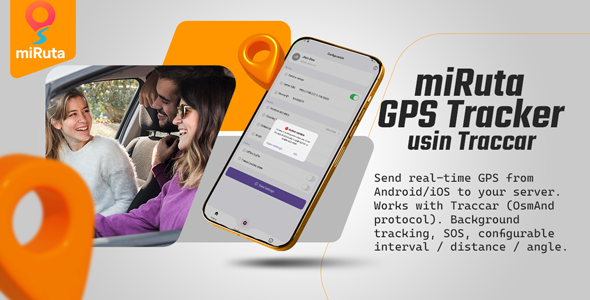
Send real-time GPS from Android/iOS to your server. Works with Traccar using the OsmAnd HTTP protocol. Background/foreground tracking, SOS, configurable interval / distance / angle, and a clean Flutter codebase ready for white-label.
Key features- Traccar-compatible via OsmAnd HTTP (
GET /?id=<deviceId>&lat=<lat>&lon=<lon>). - Background/foreground tracking with battery optimization guidance.
- Config screen: Server URL, Device ID, interval (s), distance (m), angle (°), accuracy (High/Medium/Low).
- SOS button (sends
alarm=sosimmediately). - Logs screen for diagnostics (full URL + status code).
- Ready for white-label (rename package/bundle id – doc included).
- Server URL (no trailing slash), e.g.
http://104.237.9.196:5055 - Device ID (must equal Traccar Unique ID), e.g.
12456879 - Optional: interval, distance, angle, accuracy.
- Open https://demo4.traccar.org/ and sign up (or use:
test-miruta@gmail.com/123456789). - Go to Devices → New and set a Unique ID (this must match the app’s Device ID).
- In the app (Configuration):
- Tap Save Settings and toggle Service status ON.
- (Optional) Press HELP to send an immediate SOS update.
- See your device go online in Traccar and update its last position.
Manual check in a browser:
http://104.237.9.196:5055/?id=12456879&lat=-12.0464&lon=-77.0428
What’s included
- Flutter source code (Android/iOS)
- Docs: Quick Start & Setup + full guide (permissions, build, package rename)
- Flutter 3.x
- Android 6.0+ / iOS per Apple location policies
- Traccar server or any endpoint that accepts OsmAnd HTTP (port 5055)
Android 9+: HTTP clear-text is enabled (you can switch to HTTPS in production).
If you use a domain behind Cloudflare, keep DNS only for port 5055 or use a direct IP. FAQ
I get HTTP 200 but no updates in Traccar.
Ensure the device Unique ID in Traccar equals the app Device ID and that requests hit the correct Traccar instance (port 5055 reachable).
Can I rename the app id?
Yes. Follow the included doc to change Android applicationId/namespace and iOS Bundle Identifier.
Can I use my own server?
Yes; any OsmAnd-compatible endpoint. For Traccar, use http://YOUR_IP:5055.
- 1.0.0 — Initial release (background tracking, SOS, config, logs)
- Scope: setup questions, minor bug fixes, store-build guidance.
- Not included: custom features, server administration, Traccar hosting.
- Response window: within 1–2 business days.
| Type | Flutter App |
|---|---|
| Author | ticempresarial |
| Price | $33 |
| Sales | 3 |
| Rating | 0 (0) |
| Published | Oct 21, 2025 |
| Last Update | Oct 21, 2025 |
| Compatible Software | Flutter 3.x |
| Demo Url | https://ticempresarial.com/apps/app-release.apk |
| Mobile Files Included | Dart, .kotlin |
Categories
Tags
External listing. code.market does not sell this product and does not process payment for it. Pricing, payment, delivery, licensing, refunds, and support are handled by the third-party merchant on its own website. We may earn an affiliate commission from a referral. Details.
Products of the Week.
Submit🥇

Free LinkedIn Likes From Real
Get free LinkedIn likes on your posts from real members who react by hand. No
SaaS · 39 views · 0 clicksSaaS · Week 47 · 39 views · 0 clicks
🥈

STOP GUESSING WHAT TO POST
AI that learns your brand voice and builds a month of consistent, on-brand social content: carousels, posts and hooks that sound like you, not like everyone else's AI.
SaaS · 7,610 views · 71 clicksSaaS · Week 47 · 7,610 views · 71 clicks
🥉

aaas.market
407 reliable micro tools for solo founders, marketers and creators. They work in your browser
SaaS · 42 views · 0 clicksSaaS · Week 47 · 42 views · 0 clicks