
MiroTalk SFU - WebRTC - Real-Time Video Conferences

Description
MiroTalk SFU – Self-Hosted WebRTC Video Conferencing
Self-hosted, scalable WebRTC video conferencing. One payment. Full source code. Lifetime updates. Total platform ownership.
► Buy MiroTalk SFU – One-Time Purchase

► Try the Live Demo – No signup required
Own Your Video Conferencing Platform
Unlike seat-based conferencing services, MiroTalk SFU is a one-time purchase with no per-user platform fees. Deploy it on your infrastructure and control your application, branding, and data policies.
- ✘ No per-user pricing
- ✘ No monthly subscriptions
- ✘ No mandatory third-party conferencing service
- ✔ One-time license with full source code
The professional alternative to Zoom, Google Meet, and Microsoft Teams.
See MiroTalk SFU in Action
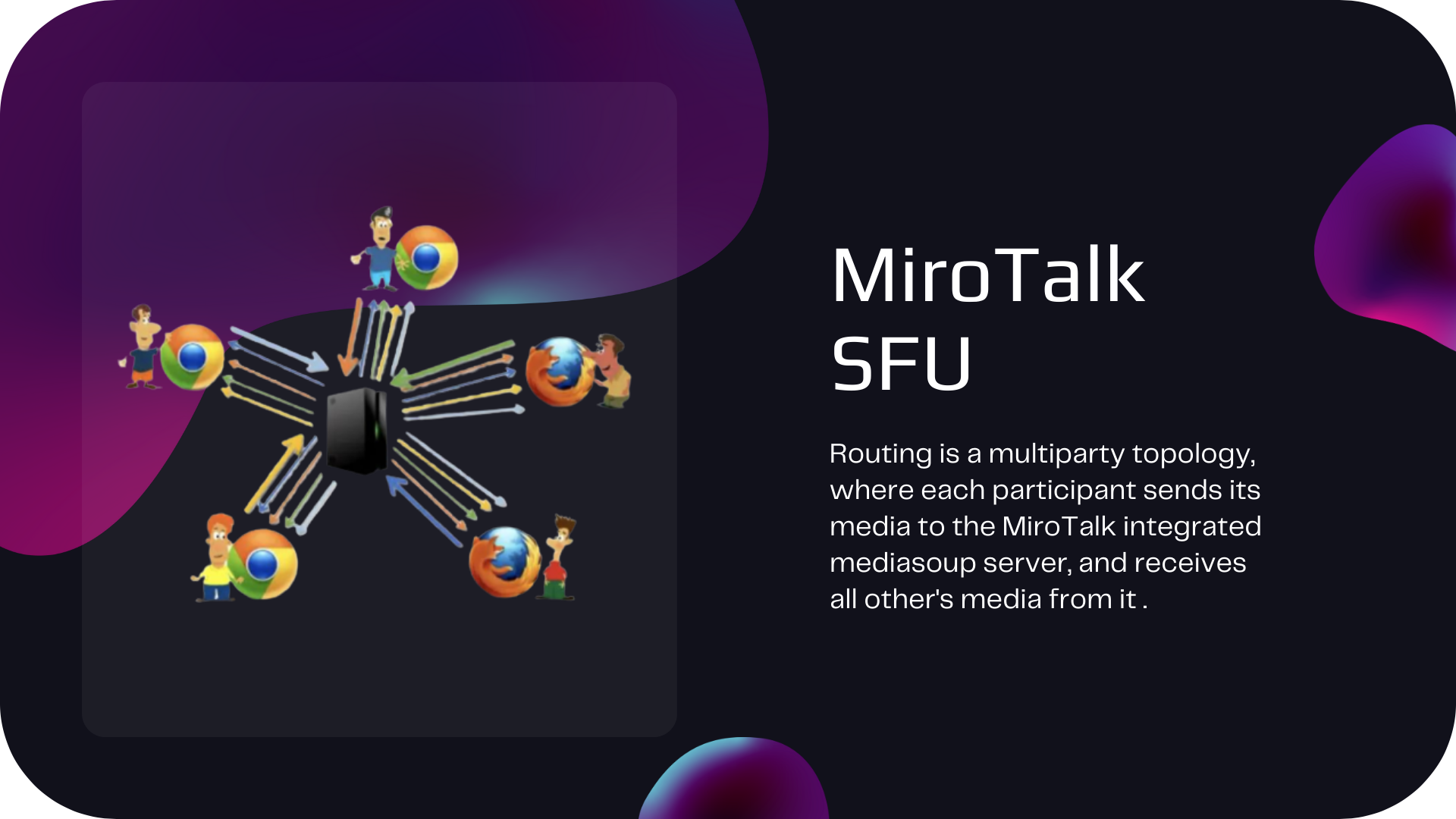
Scalable SFU architecture with built-in signaling and no mandatory external meeting service.
Used by a Global WebRTC Community
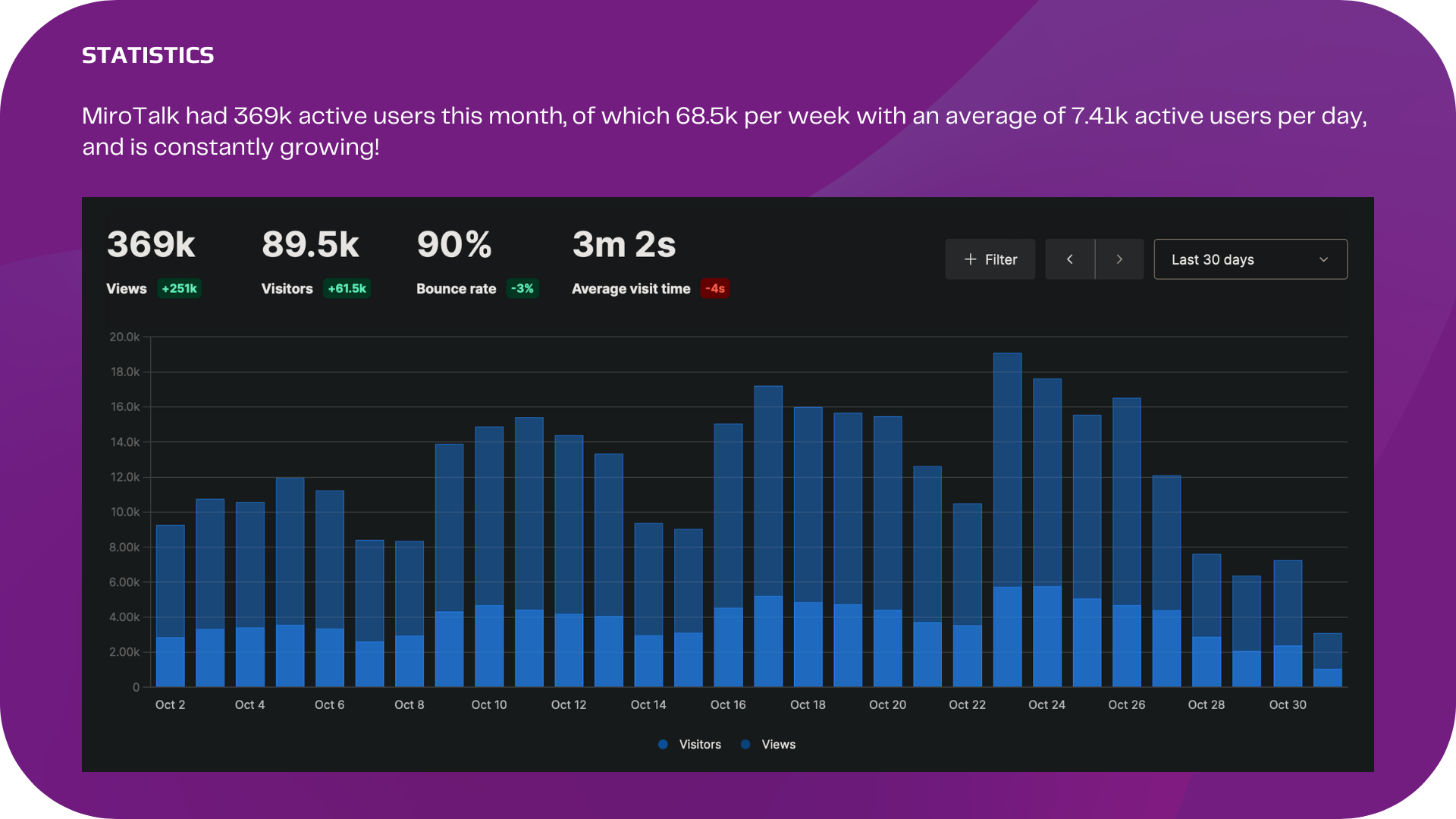

Browser-Based and Cross-Platform
No downloads, no plugins – just open a browser and connect. MiroTalk SFU runs natively on all major platforms.
- ✔ Desktop – Windows, macOS, Linux
- ✔ Mobile – Android & iOS, all major browsers
- ✔ Tablets – iPad, Android tablets
- ✔ No app install required – 100% browser-based

Compare Video Conferencing Costs
Many hosted video conferencing platforms charge per user, per month. MiroTalk SFU replaces recurring platform subscriptions with a one-time software license, while you operate the infrastructure.

Illustrative comparison based on publicly listed prices at the time the graphic was created. Current vendor pricing and self-hosting infrastructure costs may vary.
What Is Included with MiroTalk SFU
- ✔ Full source code – customize anything, white-label ready
- ✔ REST API with Swagger documentation
- ✔ Docker support – deploy in minutes
- ✔ Iframe & widget – embed in any website or app
- ✔ Room Builder – generate custom room links via UI
- ✔ Step-by-step documentation
- ✔ Free lifetime updates
- ✔ Product support via CodeCanyon and Discord
Why Choose MiroTalk SFU
- ✔ Scalable SFU architecture – supports large group calls efficiently
- ✔ Self-hosted – your server, your rules, your data
- ✔ No downloads – works in any modern browser
- ✔ No vendor lock-in – you own the entire codebase
- ✔ No per-user licensing – capacity depends on your server and network resources
- ✔ Cross-platform – desktop, tablet, and mobile
- ✔ Built-in signaling – no mandatory external conferencing service
- ✔ One-time license – no recurring MiroTalk platform subscription
20 Built-In WebRTC Features

HD Video Calls

Crystal-Clear Audio

Screen Sharing

Noise Suppression

Real-Time Chat

Interactive Whiteboard

Collaborative Editor

File Sharing

Media Sharing

AI Assistant (ChatGPT)

AI Avatars

Live Transcription

Voice Commands

Meeting Recording

Room Broadcasting

RTMP Live Streaming

Virtual Backgrounds

Breakout Rooms
REST API

Privacy and Security Controls
Video Conferencing for Multiple Industries

- SaaS Platforms – embed video calls into your product
- Telehealth – private consultation workflows on infrastructure you control
- Education – scalable virtual classrooms and online training
- Remote Teams – daily standups and all-hands meetings
- Webinars & Events – large-scale presentations with RTMP
- Customer Support – face-to-face ticket resolution
Embed MiroTalk SFU in Your Website or App
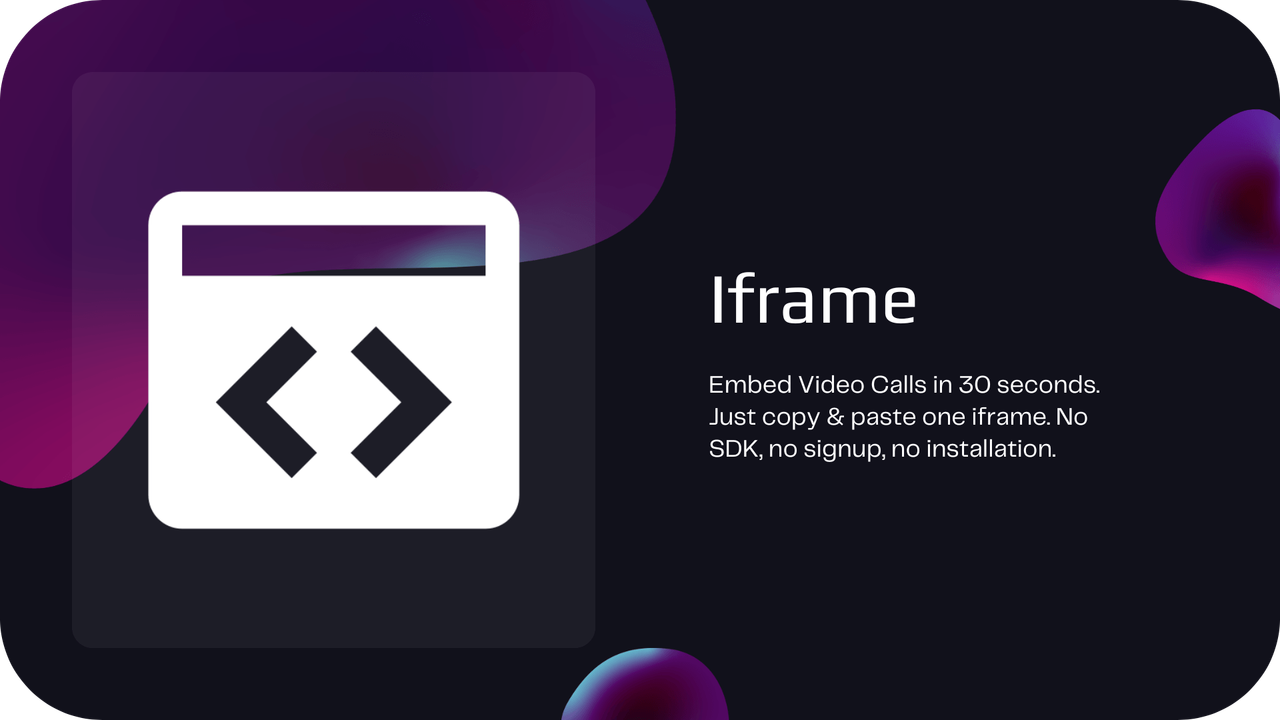
Drop this into any HTML page, CMS, or web app:
<iframe
 allow="camera; microphone; speaker-selection; display-capture; fullscreen; clipboard-read; clipboard-write; web-share; autoplay; picture-in-picture"
 src="https://your-domain.com/newRoom"
 style="height:100vh;width:100%;border:0;">
</iframe>

Or use the MiroTalk Widget — a floating video call button you can drop into any page with a single script tag:
<script src="https://your-domain.com/widget.js"></script>
MiroTalk SFU Server Requirements
Runs on any modern Linux VPS. Deploy with Node.js or Docker.
- ✔ VPS or Dedicated server (2 vCPU, 4 GB RAM minimum)
- ✔ Ubuntu 22.04 LTS
- ✔ Node.js v22+ or Docker
- ✔ Domain with DNS + SSL
- ✔ mediasoup-compatible environment
Script-Assisted MiroTalk SFU Deployment
► Watch the MiroTalk SFU Installation Video
Skip the manual setup. Our automation scripts handle everything for you – just insert your domain name and run a single command.
- ✔ SSL certificates – auto-provisioned via Let’s Encrypt
- ✔ Nginx reverse proxy – configured and optimized
- ✔ Dependencies – installed and configured
- ✔ Production-ready – from zero to live in minutes
The guided script simplifies installation by automating the main server setup steps.
MiroTalk SFU API & Integration Tools
- Live API Explorer – try the Swagger-powered REST API
- Room Builder – generate custom room links via UI
MiroTalk SFU Support & Community
- ✔ CodeCanyon support with fast response
- ✔ Discord community – get help and share ideas
- ✔ Comprehensive setup and developer documentation included with purchase
MiroTalk SFU Buyer FAQ
Is MiroTalk SFU subscription-based?
No. It is a one-time CodeCanyon purchase under the selected license.
Can I white-label and customize MiroTalk SFU?
Yes. Full source code is included for branding and custom development.
Can multiple MiroTalk apps run on one server?
Yes. Subdomain deployment is supported, subject to available server resources.
Can I charge end users for my final product?
CodeCanyon licensing depends on how the end product is distributed and monetized. Review the current Regular and Extended License terms before purchase.
Ready to Own Your Video Conferencing Platform?
One-time purchase. Full source code. Lifetime updates. Deploy today.
| Type | JavaScript Script |
|---|---|
| Author | miroslavpejic85 |
| Category | Javascript |
| Price | $99 |
| Sales | 108 |
| Rating | 5.00 from 31 ratings |
| Published | Nov 10, 2022 |
| Last Update | Oct 14, 2026 |
| Compatible Browsers | IE11, Firefox, Safari, Opera, Chrome, Edge |
| Compatible Software | Node.js |
| Source Files Included | JavaScript JS, HTML, CSS, Sass |
Tags
External listing. code.market does not sell this product and does not process payment for it. Pricing, payment, delivery, licensing, refunds, and support are handled by the third-party merchant on its own website. We may earn an affiliate commission from a referral. Details.
Products of the Week.
Submit🥇

Perceptle
Perceptle is a daily browser-based game that challenges you to test your sensory intuition through five quick estimation and rhythm-based rounds.
Other · 3,957 views · 16 clicksOther · Week 47 · 3,957 views · 16 clicks
🥈

Free LinkedIn Likes From Real
Get free LinkedIn likes on your posts from real members who react by hand. No
SaaS · 4,075 views · 18 clicksSaaS · Week 47 · 4,075 views · 18 clicks
🥉

STOP GUESSING WHAT TO POST
AI that learns your brand voice and builds a month of consistent, on-brand social content: carousels, posts and hooks that sound like you, not like everyone else's AI.
SaaS · 11,557 views · 80 clicksSaaS · Week 47 · 11,557 views · 80 clicks
#4

aaas.market
407 reliable micro tools for solo founders, marketers and creators. They work in your browser
SaaS · 3,936 views · 7 clicksSaaS · Week 47 · 3,936 views · 7 clicks