
Mega Portfolio - Personal Portfolio Script
Description
Login Details
Super Admin Access:
Login Link: https://meg-portfolio.onecrib.com/login
Email: admin@admin.com
Password: admin
Front-End Access
Experience the live demo of the front-end design: https://meg-portfolio.onecrib.com
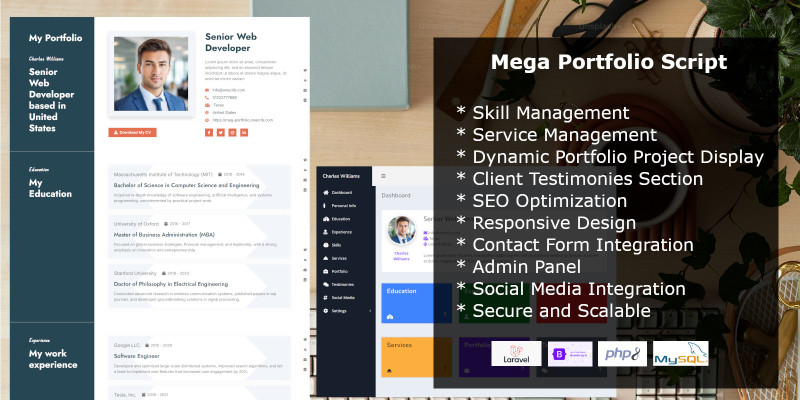
The Mega Portfolio Laravel CMS Script is a powerful and intuitive solution designed for professionals, freelancers, and agencies to showcase their work elegantly and effectively. Built with Laravel, it provides a secure and scalable platform for creating dynamic portfolios that highlight your skills, services, and achievements.
Key features include skill and service management, portfolio project displays, and client testimonies. With a user-friendly admin panel, responsive design and SEO optimization, Mega Portfolio ensures your work stands out to a global audience. Whether you’re a designer, developer, or creative professional, this script is the ultimate tool for building a captivating online portfolio.
Features
- Super Admin Access
- Skill Management
- Service Management
- Dynamic Portfolio Project Display
- Client Testimonies Section
- SEO Optimization
- Responsive Design
- Contact Form Integration
- Social Media Integration
- Secure and Scalable
Requirements
- PHP 8.2+
- MYSQL 5.1+
- mod_rewrite (Apache must not contain ONLY_FULL_GROUP_BY)
- MBString Extension
- MYSQLi Extension
- Zip Extension
- CURL Extension
- Memory_limit at least: 100M (set in php.ini)
- post_max_size: 100M
- allow_url_fopen: Enable
- upload_max_filesize: 20M
Instructions
- Download the Mega Portfolios zip file.
- Extract the zip folder and upload the contents of the “upload” folder to the root directory of your domain.
- Create a MySQL database and user on your server. Grant the user all privileges to the database.
- Run the installer by navigating to the install controller at https://www.my-website.com/install. For example, if your domain is
www.my-domain.com, you should browse towww.my-domain.com/install.
| Author | uchechuka |
|---|---|
| Category | Scripts & Code / PHP Scripts / Miscellaneous |
| Price | $15 |
| Extended License | $45 |
| Likes | 1 |
| First Release | Nov 23, 2024 |
| Last Update | Nov 23, 2024 |
| Files included | .php, .css, .html, JavaScript .js |
Categories
Tags
External listing. code.market does not sell this product and does not process payment for it. Pricing, payment, delivery, licensing, refunds, and support are handled by the third-party merchant on its own website. We may earn an affiliate commission from a referral. Details.
Products of the Week.
Submit🥇

Perceptle
Perceptle is a daily browser-based game that challenges you to test your sensory intuition through five quick estimation and rhythm-based rounds.
Other · 3,957 views · 16 clicksOther · Week 47 · 3,957 views · 16 clicks
🥈

Free LinkedIn Likes From Real
Get free LinkedIn likes on your posts from real members who react by hand. No
SaaS · 4,075 views · 18 clicksSaaS · Week 47 · 4,075 views · 18 clicks
🥉

STOP GUESSING WHAT TO POST
AI that learns your brand voice and builds a month of consistent, on-brand social content: carousels, posts and hooks that sound like you, not like everyone else's AI.
SaaS · 11,557 views · 80 clicksSaaS · Week 47 · 11,557 views · 80 clicks
#4

aaas.market
407 reliable micro tools for solo founders, marketers and creators. They work in your browser
SaaS · 3,936 views · 7 clicksSaaS · Week 47 · 3,936 views · 7 clicks