
MediCare HMS - Complete Hospital Management System
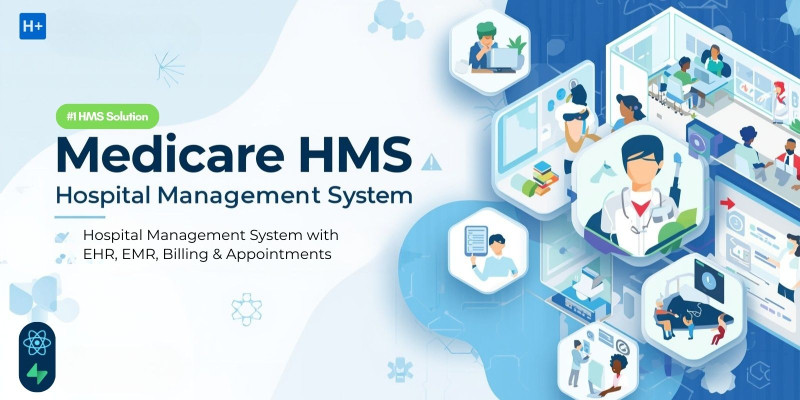
Description
A next-generation, enterprise-grade HMS built on a powerful Supabase and PostgreSQL backend. It's a comprehensive healthcare IT solution to streamline hospital administration, clinic management, and medical practice operations.
A Complete Healthcare IT Solution
Medicare HMS is more than just software; it's a complete ecosystem for managing every aspect of your medical facility. It is the perfect healthcare software for:
Hospitals
Requiring a full-scale, robust hospital administration system.
Clinics
Needing efficient clinic management and live patient scheduling.
Medical Practices
Looking to upgrade their medical billing software and EMR system.
Developers
Seeking a modern, scalable foundation for a custom healthcare application.
The Power of a Supabase Backend
Our choice of a modern Supabase architecture provides significant advantages, ensuring your HMS is fast, secure, and ready for the future.
-
Real-time Database
Changes are instantly broadcast to all users, perfect for live appointment scheduling and bed management.
-
Robust Authentication
Leverages Supabase's secure, built-in user management for safe login experiences for all staff.
-
Row-Level Security
Data is protected at the database level using PostgreSQL's RLS, ensuring patient data confidentiality.
-
Enterprise Scalability
Built on PostgreSQL, the system is designed to grow with your institution, making it a future-proof investment.
-
Integrated File Storage
Securely manage medical documents, lab reports, scans, and other critical patient files within the EMR/EHR system.
-
Auto-Generated APIs
Get a secure and performant API for your data, making your clinic management software reliable and fast.
Features
Core Features of Medicare HMSReal-Time Dashboard
A dynamic, live-updating overview of key hospital metrics, appointments, and patient stats.
Patient Management
A complete EHR/EMR solution for managing patient history, records, and visits.
Appointment Scheduling
Intuitive calendar with real-time status updates for bookings, confirmations, and cancellations.
Billing & Invoicing
Robust financial module to manage the entire revenue cycle, from generating bills to tracking payments.
Pharmacy Management
End-to-end control with live inventory tracking, prescription management, and stock alerts.
Laboratory Module
Streamline the entire lab workflow from ordering tests to delivering digital reports.
In-Patient & Bed Management
Manage ward admissions, transfers, discharges, and bed allocation with a live occupancy tracker.
Human Resource (HRM)
Centralize staff information, manage payroll, shifts, and attendance records efficiently.
Role-Based Access
Fortified security using Supabase's built-in RLS to ensure users only see what they are permitted to.
Requirements
Technical RequirementsEssentials (For Everyone)
-
Supabase Account
What it is: A free online service that acts as the secure database and backend for the software. Why you need it: This is where all your hospital's data is safely stored. A free account is all you need to start.
-
Modern Web Browser
What it is: An up-to-date internet browser. Why you need it: To access and use the Hospital Management System. We recommend using the latest version of Chrome, Firefox, Safari, or Edge.
Optional (For Customization & Developers)
-
Developer Tools
What they are: Essential software for developers, including Node.js and a code editor (like VS Code). Why you might need them: Node.js is required to install the project's dependencies and run the local development server. A code editor is needed to make any changes to the source code.
-
Local or Web Hosting
What it is: A server to run the application. This can be a local computer in your facility or a web hosting service (like Vercel, Netlify). Why you might need it: To make the software accessible to your staff, either on your private local network or over the internet.
Instructions
Setup InstructionsFollow these steps to get your HMS running.
-
1
Set Up Your Supabase Backend
This is where all your hospital data will be stored. It's your secure, private database in the cloud.
- Create a free account at supabase.com.
- Create a new Project. When asked, generate a secure database password and save it somewhere safe.
- Once the project is ready, go to the SQL Editor section.
- Open the
database_schema.sqlfile provided with your purchase and copy its entire content. - Paste the content into the Supabase SQL Editor and click "Run". This will create all the necessary tables for the HMS.
-
2
Configure the Application
Now, you need to tell your application how to connect to your new Supabase database.
- In your Supabase project, go to Settings > API.
- You will find your Project URL and your Project API Key (use the
anonpublickey). - In the code files you downloaded, find the configuration file (e.g.,
.env.localorsupabaseClient.js). - Paste your URL and API Key into the specified variables.
-
3
Install Dependencies
This step downloads all the necessary code libraries your project needs to function correctly.
Open a terminal or command prompt in the main project folder and run one of the following commands:
npm installor, if you use Yarn:
yarn install -
4
Run and Deploy
Your application is now ready to be launched!
To run locally for testing:
npm run devTo build for production and deploy online:
- Run the build command:
npm run build - Upload the contents of the generated
distorbuildfolder to any static web host like Vercel, Netlify, or your own server.
- Run the build command:
| Author | MedicareHMS |
|---|---|
| Category | Scripts & Code / PHP Scripts / Management / Business |
| Price | $60 |
| Extended License | $180 |
| Likes | 2 |
| First Release | Sep 25, 2025 |
| Last Update | Sep 25, 2025 |
| Files included | .php, .css, .html, .sql, Layered .png, .csproj, .db, JavaScript .js |
| Software version | PHP 8.0, PHP 8.1, PHP 8.2, PHP 8.3, PHP 8.4 |
Categories
Tags
External listing. code.market does not sell this product and does not process payment for it. Pricing, payment, delivery, licensing, refunds, and support are handled by the third-party merchant on its own website. We may earn an affiliate commission from a referral. Details.