
Maxpay – Fintech App Figma UI Template

Description


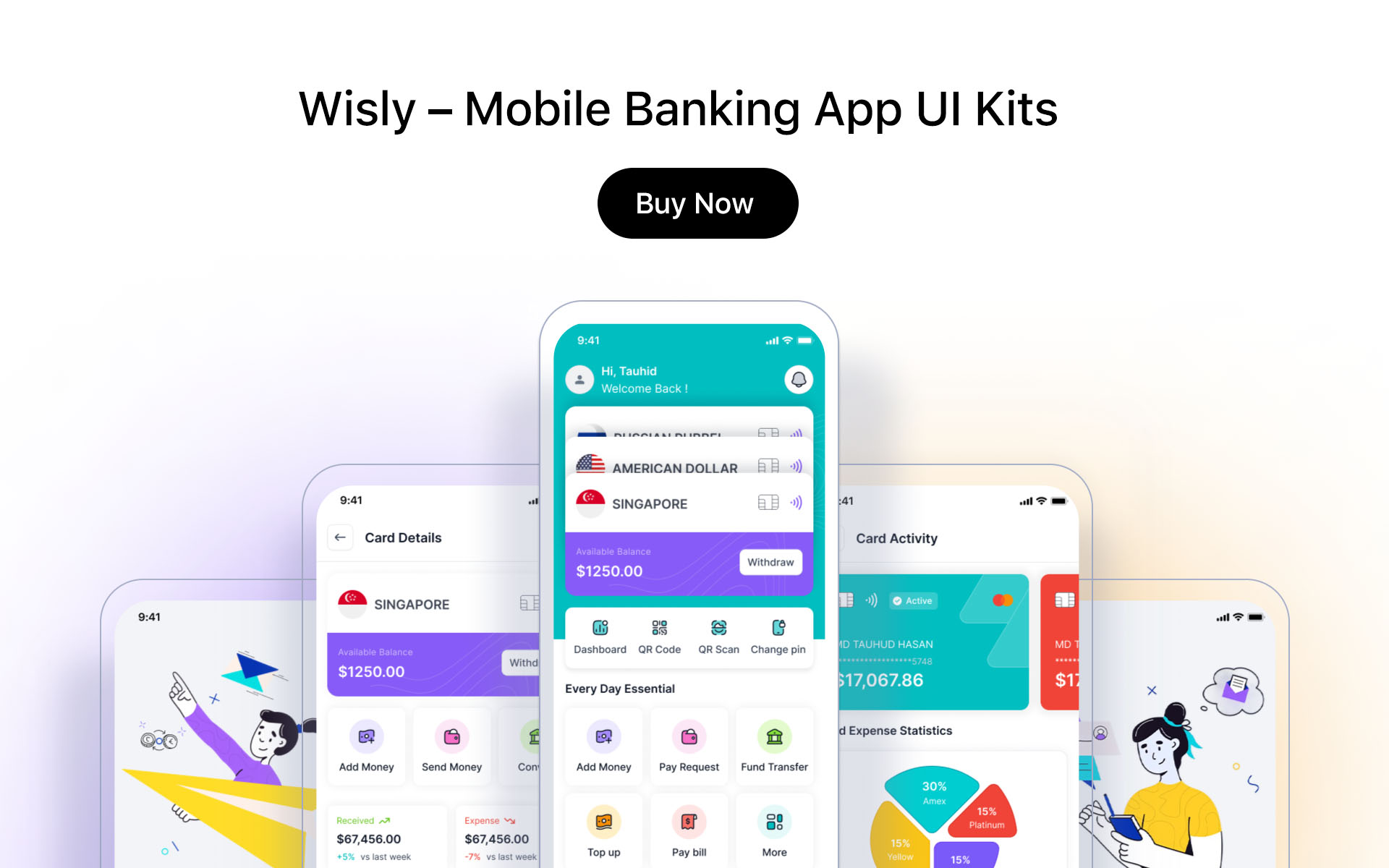

Maxpay UI Kit is a high quality pack designed for Fintech, e-wallet, Mobile Banking, Bank, internet banking, Finance Mobile App. The package containing tons of useful elements and components to create mobile apps. It also includes 222 ready-made screens for iOS to make your design flow simple. We will update more and more categories and styles.
We keep lifetime update here. Let us do it.
Features:
- 100% High-Quality vectors - 222 Premium iOS Screens - Light Version & Dark Version - Fully Customizable - Well Organized Layers and Groups - Good color combination - Ready to code - Image are not included - Well Documented Help File - Compatible in Sketch, Figma, Adobe XD, Adobe PhotoshopFile Format
01_Splash Screen 02_OnBoarding 03_OnBoarding 04_OnBoarding 05_Welcome_Login 06_Welcome_V2_login 07_signin 08_OTP Verification 09_Create password 10_Forget Password 11_Select Location 12_Search Location 13_Forget Password_popup 14_Forget_password_Email_Code 15_Change_password 16_Sign up 17_Success Screen 18_Otp_Code 19_Fingerprint 20_Verify Identity 21_Upload Photo Selfie 22_Home 23_Home_V2 24_Home_V3 25_Home_V4 26_add_money 27_transctions 28_Notification 29_ATM Finder Search 30. ATM Finder 31_ATM Finder_View 32_Services 33_fund_transfer_option 34_branch_pay_transaction_details 35_Bill Details 36_my qr code 37_fund_transfer_to_bank_ac 38_fund_transfer_to_card_number 39_budgets 40_transaction_history_spend_money 41_Stats 42_Cash Management 43_DashBoard 44_Commission_payment 45_Commission_payment_withdraw 46_Add New Card 47_Exchange Rate 48_Earnings 49_Request 50_Complain 51_Invoice Request 52_Activity 53_Transction_Sucessfilly 54_Face Authentication 55_Contacts 56_My wallet 57_Current Balance 58_Send Money 59_Saving_Card 60_Spending 61_Proof of residency 62_Identity Card 63_Login and Security 64_Notification Setting 65_Donate Money 66_Send Money Amount 67_Send Money Confirm Payment 68_Add New Card 69_Services _V2 70_Contact information 71_Portfolio 72_Transaction history Graph 73_How it work 74_Settings 75_message_details 76_message_details_option 77_Comments 78_Important_Nofication 79_Important_Message 80_Empty Portfolio 81_Investment Service 82_Exchange 83_Exchange Sucess 84_Refer & Earn 85_Charts v1 86_Charts v2 87_Dashboard v3 88_Transfer Top UP 89_Confirm Top Up 90_Topup Success 91_Card Activity_V2 92_No_Credit_card 93_No_internet 94_No_message 95_FAQ 96_Change Pin 97_Donate_Money_V2 98_Dashboard 99_Transaction Dashboard 100_Accounts 101_Investments_V2 102_Credit Cards 103_Loans 104_Services 105_Setting Prefferance 106_Setting Security 107_Bill Pay 108_Logout 109_Transfer Money_V3 110_Transfer_Detail _V3 111_Transfer_Detail _Confirmation - Same file 111 Screen Dark - Same File 111 Screen Light
Font Used:
https://fonts.google.com/specimen/RobotoIcon Used:
http://www.flaticon.com/Image Used:
- undraw.co/ - freepik.com - stories.freepik.com/ - themeisle.com/illustrations/ - https://iconscout.com/illustration-pack/banking-and-finance-100
Software Version :
- FigmaCustomization:
You need to download some appropriate images from the image banks or given below link freepik, undraw. You can also edit any text, color or any font file by double click and change the same.
So thanks again for your support, its greatly appreciated. Also checkout my other template files if you are interested.
In case you come across any problem, please message me on my profile:- https://themeforest.net/user/createuiux
I hope you like the designs. If You Like It! Please, Do not Forgot to Rate it  Thank you!
Note: All images are just used for preview purpose only and replaced with Placeholder Images. They are not part of the template and not included in the final purchase files.
| Author | RiveupDigital |
|---|---|
| Category | Ui Templates / Figma / Corporate / Business |
| Price | $68 |
| Sales | 98 |
| Rating | 0.00 from 2 ratings |
| Published | Mar 7, 2022 |
| Last Update | Mar 7, 2022 |
| Compatible Software | Figma |
| Graphics Files Included | Figma FIG |
| Key Features | Biggest Fintech Mobile App UI, Money Management & Wallet Finance & Bank, 220+ Unique Premium Screen |
Categories
Tags
External listing. code.market does not sell this product and does not process payment for it. Pricing, payment, delivery, licensing, refunds, and support are handled by the third-party merchant on its own website. We may earn an affiliate commission from a referral. Details.
Products of the Week.
Submit🥇

STOP GUESSING WHAT TO POST
AI that learns your brand voice and builds a month of consistent, on-brand social content: carousels, posts and hooks that sound like you, not like everyone else's AI.
SaaS · 3,588 views · 33 clicksSaaS · Week 45 · 3,588 views · 33 clicks
🥈

Conversational Backlinks for Busy Founders
Place Backlink Relevant Conversation for your domain across Forums and Conversations
Website · 41,112 views · 222 clicksWebsite · Week 45 · 41,112 views · 222 clicks
🥉

upvote.club
Free Social Media Engagement that Helps Boost Your Content. Upvote Club supports 19 social networks with 100+ engagement actions in one dashboard. Add links to your posts and get free engagement from real users.
SaaS · 39,170 views · 113 clicksSaaS · Week 45 · 39,170 views · 113 clicks
#4

Substack Posting API
Onboard your Agent to Substack. Write Publish on Substack via API
SaaS · 58,205 views · 198 clicksSaaS · Week 45 · 58,205 views · 198 clicks
#5

Seenshot App
Free, Fast, MacOS Screenshot app. Make Screenshot cmd+shift+2 and send it via link
Desktop App · 27,597 views · 120 clicksDesktop App · Week 45 · 27,597 views · 120 clicks
#6

Hand-Placed Backlinks $9.99 per link. Flat rate.
Buy hand-placed forum, Q-A and directory backlinks. Flat $9.99 per link, no subscriptions — you only pay for approved listings.
Website · 3,479 views · 18 clicksWebsite · Week 45 · 3,479 views · 18 clicks
#7

Free Invoice Generator - PDF Invoices in Your Browser, No Sign-Up
A free invoice maker for freelancers and small businesses: fill in the invoice, check the live preview, and download a PDF that looks exactly like it. Any currency, tax per item, three templates, no sign-up, and nothing leaves your device.
2,171 views · 16 clicksWeek 45 · 2,171 views · 16 clicks
#8

Merge PDF Files Free - Combine PDFs in Your Browser, No Upload
A free PDF merger for office workers, students, and freelancers: combine PDFs and images into one file in the browser, reorder files and pages, pick page ranges, keep bookmarks, and open password-protected PDFs. Nothing is uploaded, no sign-up, no watermark.
2,012 views · 13 clicksWeek 45 · 2,012 views · 13 clicks