
Master Slider - Touch Layer Slider WordPress Plugin

Description

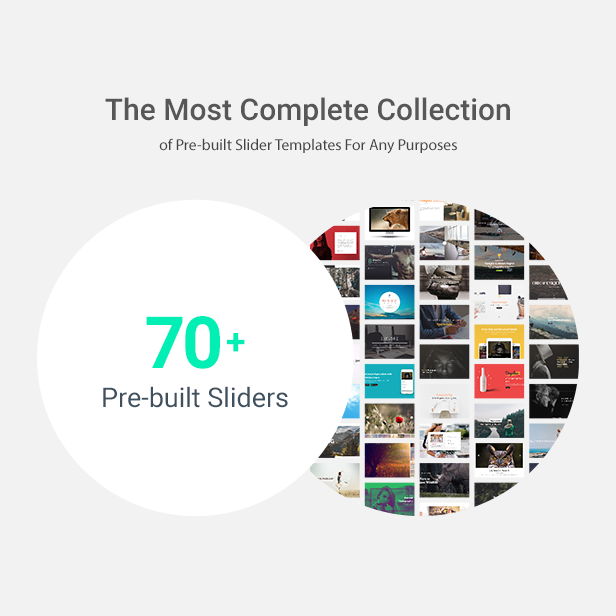
Master Slider WordPress slider plugin is a premium image and content slider with super smooth hardware accelerated transitions. It supports touch navigation with pure swipe gesture, that you have never experienced before. Master Slider is a truly responsive and device friendly slider which works perfectly on all major devices. Master Slider plugin is an awesome layer slider as well, with the ability to add any HTML contents (texts, images, …) in layers. It is easy to use, plus there are 80+ ready to use sample sliders for you. You have almost everything such as hotspots, thumbnails, video support, a variety of effects, and many more features in this plugin. Master Slider WordPress slider is the most complete among the best sliders.








Parallax Slider
Master Slider WordPress slider plugin provides easy to use parallax templates that you can use them on your website. These parallax templates let you design your parallax slider in less than ten minutes, by simply using our parallax templates and master slider WordPress visual editor. Parallax slider works smoothly on all themes, with any content that you want to use for your slider.
Touch slider
Master slider WordPress plugin touch navigation, offers a variety of options like touch swipe on mobile and drag and drop option for the desktop. Our touch-enabled media slider allows users to drag and swipe the slides smoothly. Master Slider is one of the easiest plugins on Envato marketplace, which also greatly extends functionality into touch-support mobile devices.
Video gallery
Video gallery is one of the most important tools for business owners, to promote their services or products. Master Slider WordPress plugin allows users to create stunning Youtube and Vimeo sliders for their website. With Master Slider ready-to-use video templates, you can create elegant video gallery just in minutes.
Youtube Slider
The best plugin on Envato marketplace to create Youtube slider, is Master Slider WordPress slider plugin. All you need is to choose one of our Youtube video slider templates and embed the link of Youtube video. Creating Master Slider Youtube Slider is one of the easiest ways to get more traffic and shares for your website.
Layered Slider
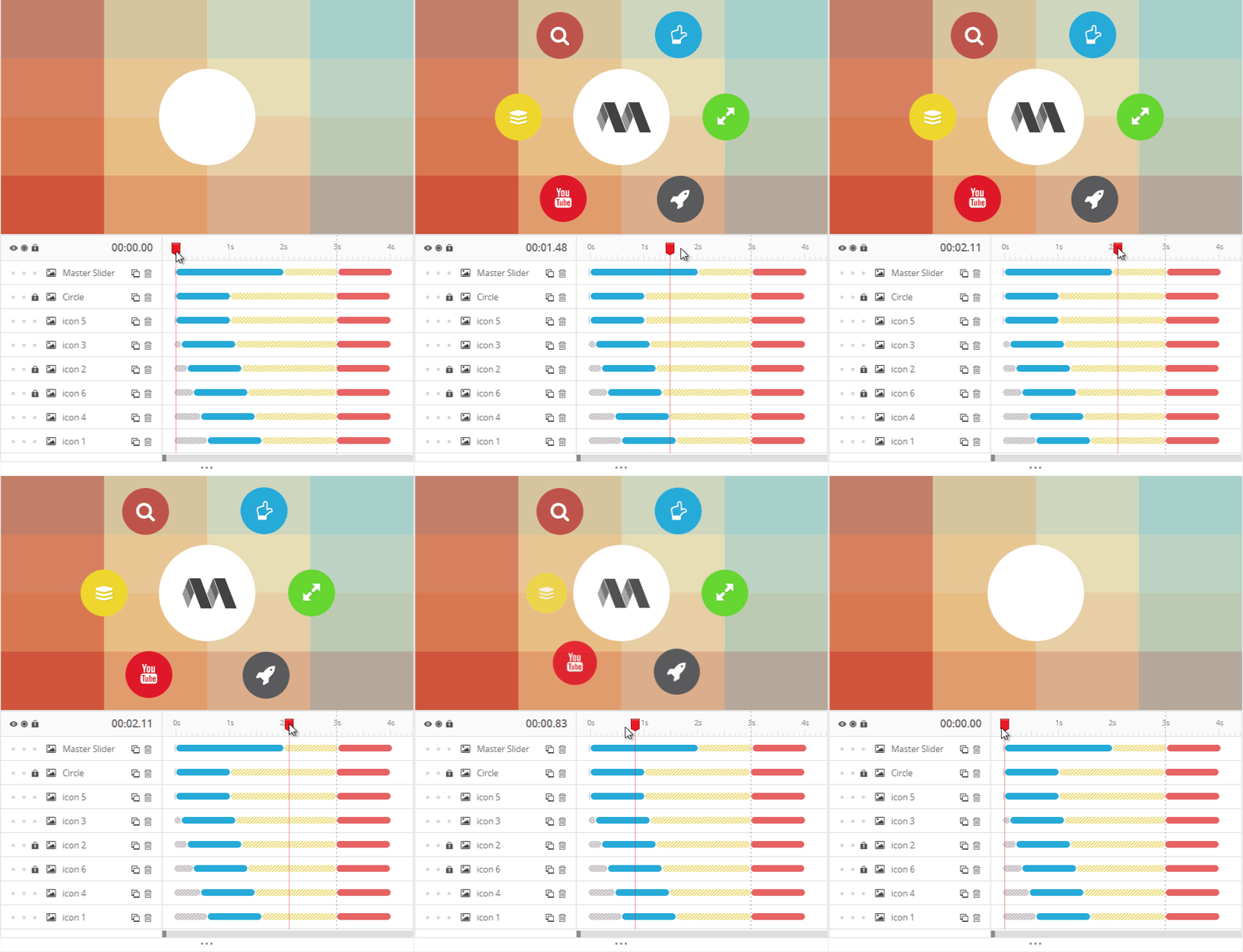
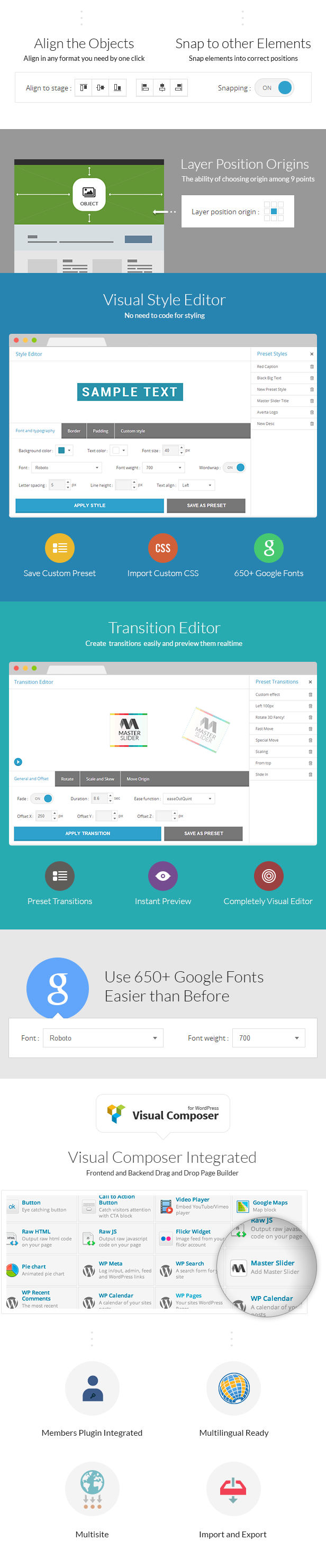
Master Slider WordPress layered slider plugin has different layers with amazing options. There are five editable layers you can add to your slides: Text layer, image layer, video layer, button layer, and hotspot layer. You can simply customize the style, transition, and content of each layer. Each layer can be animated too! With animated layers, you can insert or embed HTML formatted texts, links, images, and videos directly into your slides and add unique animation parameter such as effect, duration, delay, etc.
Image and Content Slider
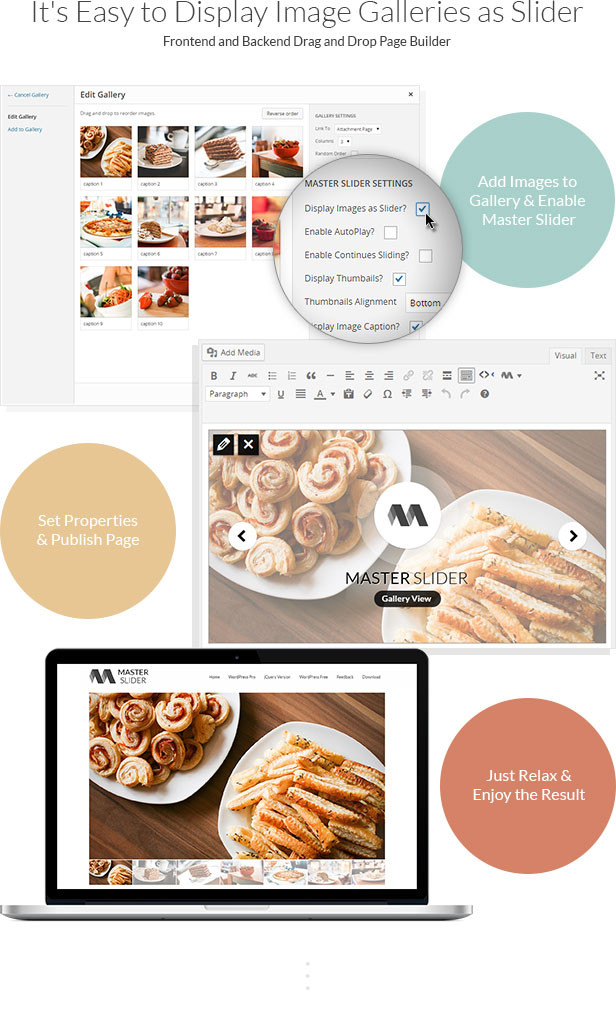
You can create image and content slider with Master Slider WordPress slider plugin. Any content can be added to the slider. Master Slider awesome features help you easily add images and other content, besides, you can customize them in any way you wish. Master Slider lets you add transition and style to any element in the slides. Also, you are able to have an image slider. Adding images to the slides is as simple as dragging the images into the slides, the images will be automatically added to slides.
Flickr Slider
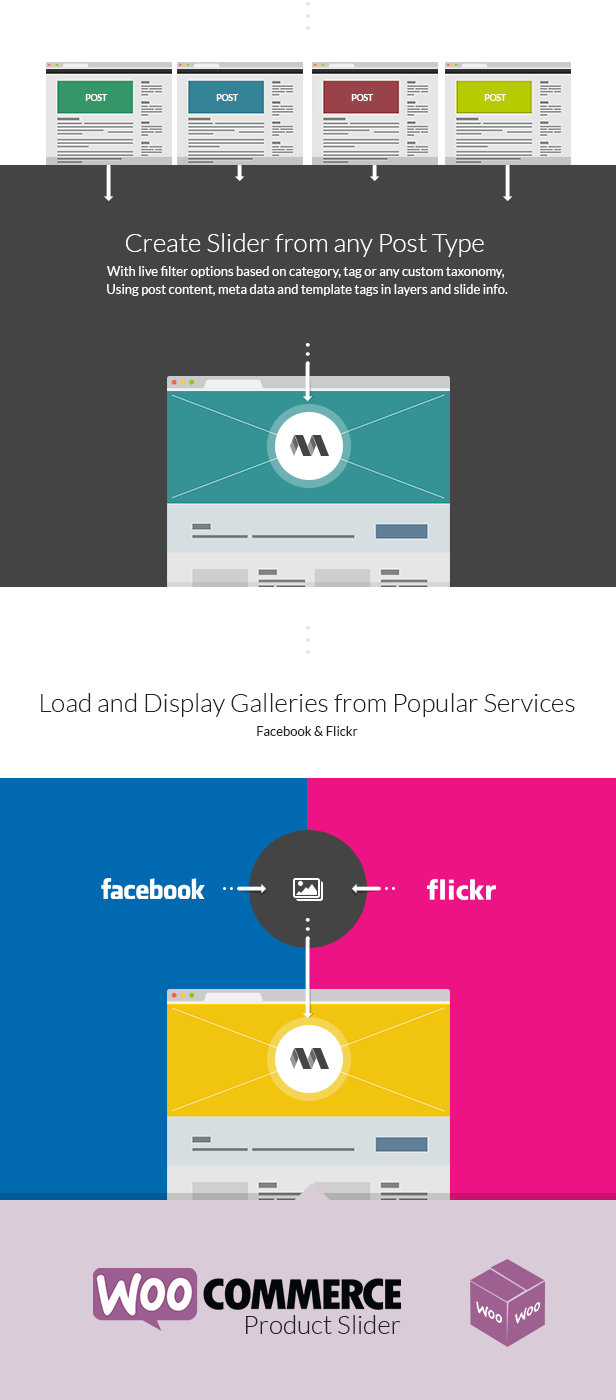
There are different image services. Instead of uploading the same images you have already used on those websites, it is easier to get your images automatically from there and show your images on a slider. Master Slider WordPress plugin integrates with Flickr and lets you create a slider by your Flickr images. Your latest Flickr images will appear on a slider, with or without author name, image title, and image description as a text layer on the slides.
Post Slider
With more than ten extremely creative post slider templates, Master Slider is the best WordPress slider plugin to display your website posts in a classy slideshow. Just select one of our post slider templates and build your lovely slider without editing your current posts. You can simply choose a category or more than one category, and represent all of the available posts on a slider automatically.
WooCommerce Slider
Master slider is the best product gallery slider that turns your WooCommerce website to an interactive product gallery. With variety of WooCommerce slider templates, you are able to improve your product image slider and increase your sale conversion rate.
Translated in following languages:
- French. Special thanks to Thomas:www.thomasgrimaud.fr
- Brazilian Portuguese. Special thanks to WebPress
- Serbian. Special thanks to Borisa Djuraskovic:www.webhostinghub.com
You can start translating Master Slider by our online translation service.



| Type | WordPress Plugin |
|---|---|
| Author | averta |
| Category | Wordpress / Interface Elements / Sliders |
| Price | $39 |
| Sales | 31,666 |
| Rating | 4.50 from 874 ratings |
| Published | Apr 12, 2014 |
| Last Update | May 9, 2026 |
| Compatible Browsers | IE9, IE10, IE11, Firefox, Safari, Opera, Chrome |
| Compatible Software | WordPress 6.7.x, WordPress 6.6.x, WordPress 6.5.x, WordPress 6.4.x, WordPress 6.3.x, WordPress 6.2.x, WordPress 6.1.x, WordPress 6.0.x, WordPress 5.9.x, WordPress 5.8.x, WordPress 5.7.x, WordPress 5.6.x, WordPress 5.5.x, WordPress 5.4.x, WordPress 5.3.x, WordPress 5.2.x, WordPress 5.1.x, WordPress 5.0.x, WordPress 4.9.x |
| Compatible With | Elementor |
| Gutenberg Optimized | No |
| Source Files Included | JavaScript JS, JavaScript JSON, HTML, CSS, PHP, Layered PNG |
Categories
Tags
External listing. code.market does not sell this product and does not process payment for it. Pricing, payment, delivery, licensing, refunds, and support are handled by the third-party merchant on its own website. We may earn an affiliate commission from a referral. Details.
Products of the Week.
Submit🥇

STOP GUESSING WHAT TO POST
AI that learns your brand voice and builds a month of consistent, on-brand social content: carousels, posts and hooks that sound like you, not like everyone else's AI.
SaaS · 4,291 views · 38 clicksSaaS · Week 45 · 4,291 views · 38 clicks
🥈

Conversational Backlinks for Busy Founders
Place Backlink Relevant Conversation for your domain across Forums and Conversations
Website · 42,004 views · 223 clicksWebsite · Week 45 · 42,004 views · 223 clicks
🥉

upvote.club
Free Social Media Engagement that Helps Boost Your Content. Upvote Club supports 19 social networks with 100+ engagement actions in one dashboard. Add links to your posts and get free engagement from real users.
SaaS · 40,046 views · 117 clicksSaaS · Week 45 · 40,046 views · 117 clicks
#4

Substack Posting API
Onboard your Agent to Substack. Write Publish on Substack via API
SaaS · 59,055 views · 198 clicksSaaS · Week 45 · 59,055 views · 198 clicks
#5

Seenshot App
Free, Fast, MacOS Screenshot app. Make Screenshot cmd+shift+2 and send it via link
Desktop App · 28,432 views · 122 clicksDesktop App · Week 45 · 28,432 views · 122 clicks
#6

Hand-Placed Backlinks $9.99 per link. Flat rate.
Buy hand-placed forum, Q-A and directory backlinks. Flat $9.99 per link, no subscriptions — you only pay for approved listings.
Website · 4,265 views · 19 clicksWebsite · Week 45 · 4,265 views · 19 clicks
#7

Free Invoice Generator - PDF Invoices in Your Browser, No Sign-Up
A free invoice maker for freelancers and small businesses: fill in the invoice, check the live preview, and download a PDF that looks exactly like it. Any currency, tax per item, three templates, no sign-up, and nothing leaves your device.
2,940 views · 17 clicksWeek 45 · 2,940 views · 17 clicks
#8

Merge PDF Files Free - Combine PDFs in Your Browser, No Upload
A free PDF merger for office workers, students, and freelancers: combine PDFs and images into one file in the browser, reorder files and pages, pick page ranges, keep bookmarks, and open password-protected PDFs. Nothing is uploaded, no sign-up, no watermark.
2,717 views · 13 clicksWeek 45 · 2,717 views · 13 clicks