
MANUF - PHP Manufacturing System
Description
About MANUF 2.2 | MES System
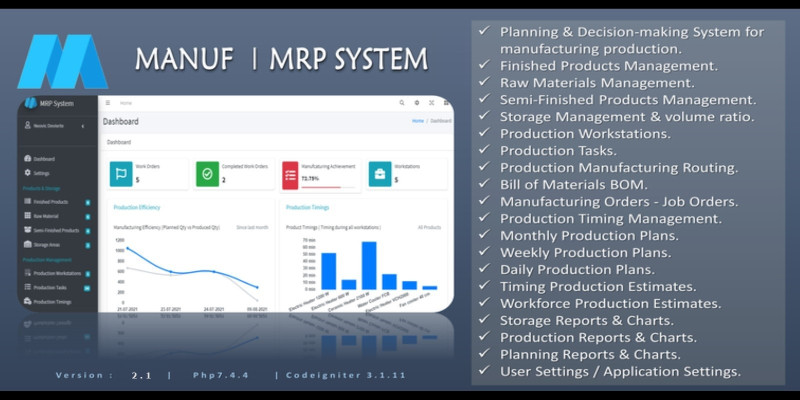
MANUF is a complete Manufacturing Execution System system that handles the production planning, scheduling, inventory control system and decision-making to manage manufacturing process. It includes all required modules to manage production and manufacturing process :
- - Finished products management.
- - Raw material management.
- - Semi-finished products management.
- - Warehouse management.
- - Storage management & volume ratio.
- - Production workstations.
- - Production tasks.
- - Production routing.
- - Bill of materials BOM
- - Monthly plannings
- - Weekly plannings.
- - Daily plannings.
- - Manufacturing orders MO
- - Production timing management
- - Production timing estimates
- - Production workforce estimates
- - Storage Reports
- - Production Reports
- - Planning Reports
- - User Management (New Module )
- - User Role Management ( New Module )
- - Application Modules ( New Module )
- - User Permission Management ( New Module )
What's new in Version 2.2 :
 ** Monthly plannings : resolve the problem of asking to select the year.
 ** Weekly plannings : resolve the problem of asking to select the year.
 ** Add New User: resolve the problem of redirection when writing 2 different passwords.
 ** Add New User: resolve the problem of displaying the user types.
 ** Production Planning Reports: resolve the problem of printing the reports.
Requirements
- HTTP Server.
- Codeigniter 3.1.11
- PHP 7.2.5 (7.4 recommended)
- MySqli PHP extension.
- MbString PHP extension.
- mod_rewrite Apache.
- allow_url_fopen enabled.
Demo
URL : http://manuf.mes-dev.com
Email : admin@manuf.com
Password : admin
Features
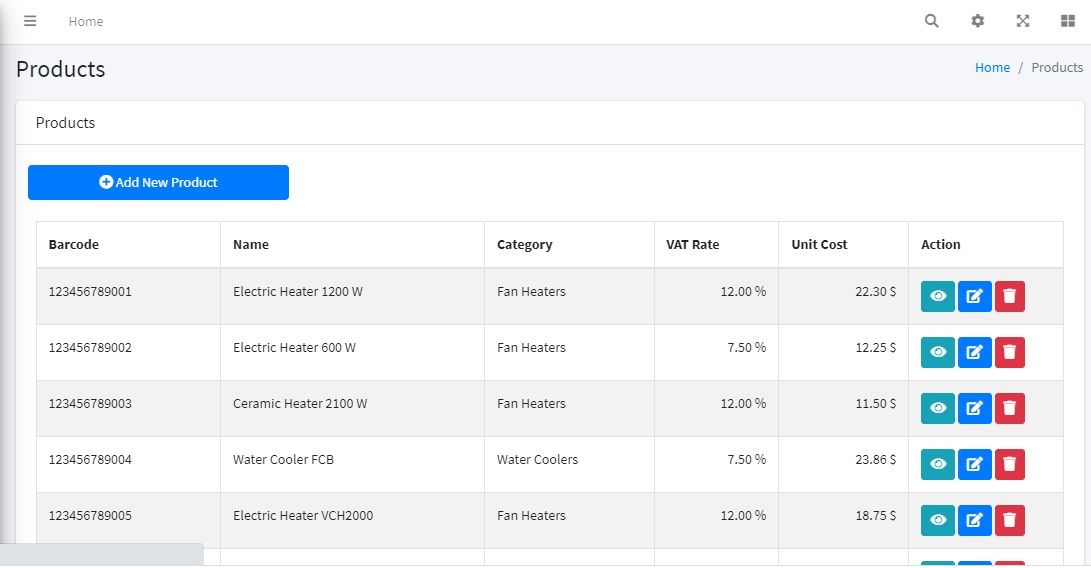
Finished Products Management
Efficiently manage finished products, including inventory levels, locations, and movements.
- Track inventory levels of finished products.
- Manage storage locations for finished products.
- Monitor movements and transactions of finished products.
Raw Material Management
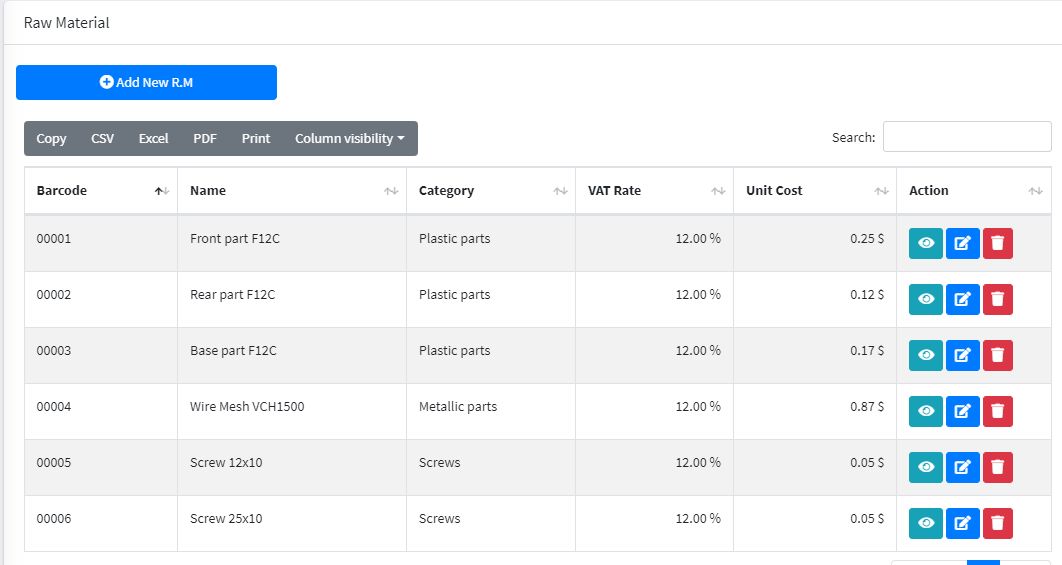
Organize and monitor your raw materials inventory, including stock levels, storage locations, and usage.
- Track stock levels of raw materials.
- Manage storage locations for raw materials.
- Monitor raw material consumption and reorder levels.
Semi-Finished Products Management
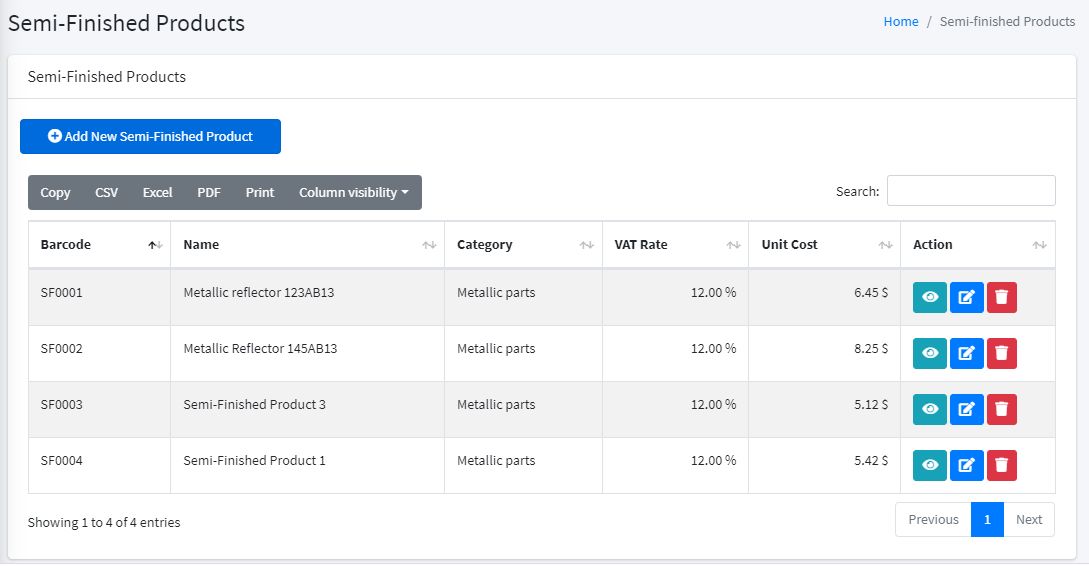
Keep track of semi-finished products throughout the production process.
- Monitor semi-finished goods inventory.
- Manage production stages for semi-finished products.
- Track progress and movement of semi-finished products.
Warehouse Management
Optimize warehouse operations by managing locations, storage areas, and inventory.
- Organize storage locations within the warehouse.
- Manage inventory placement and retrieval.
- Optimize space usage for efficient storage.
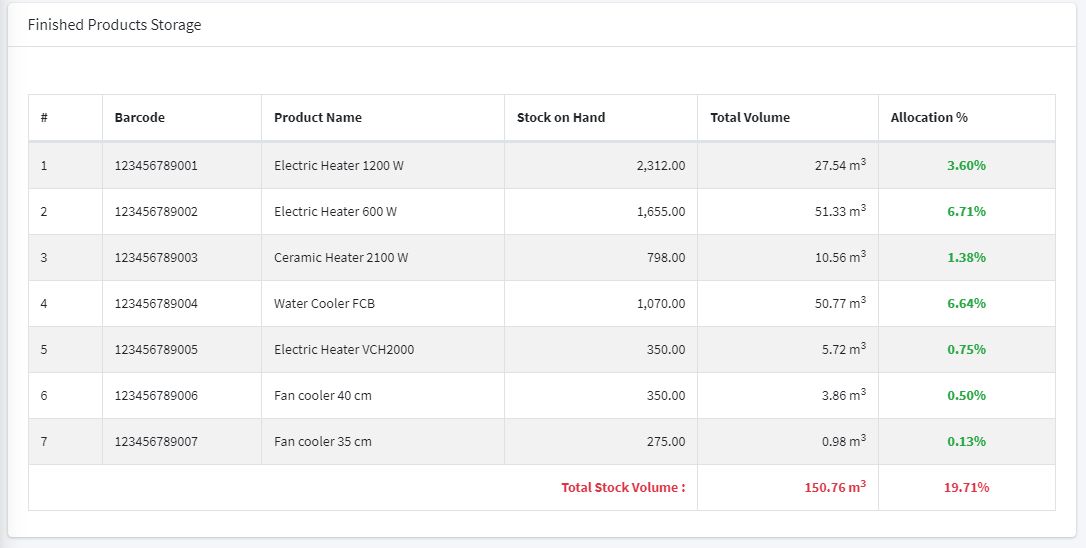
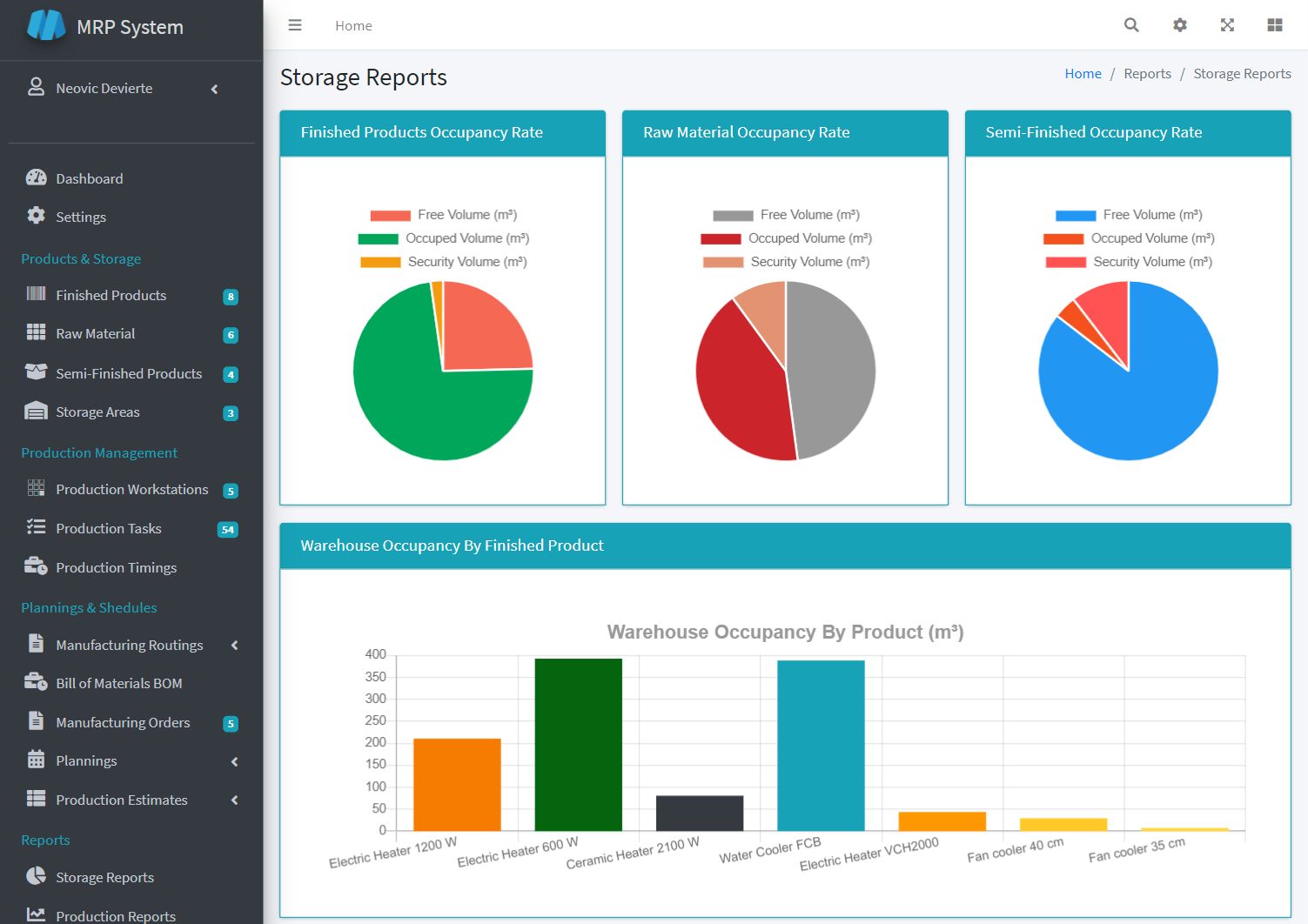
Storage Management & Volume Ratio
Track storage volume and usage ratios to maximize storage efficiency.
- Monitor storage capacity and volume usage.
- Optimize space utilization to prevent overstocking or underutilization.
- Generate reports on storage efficiency.
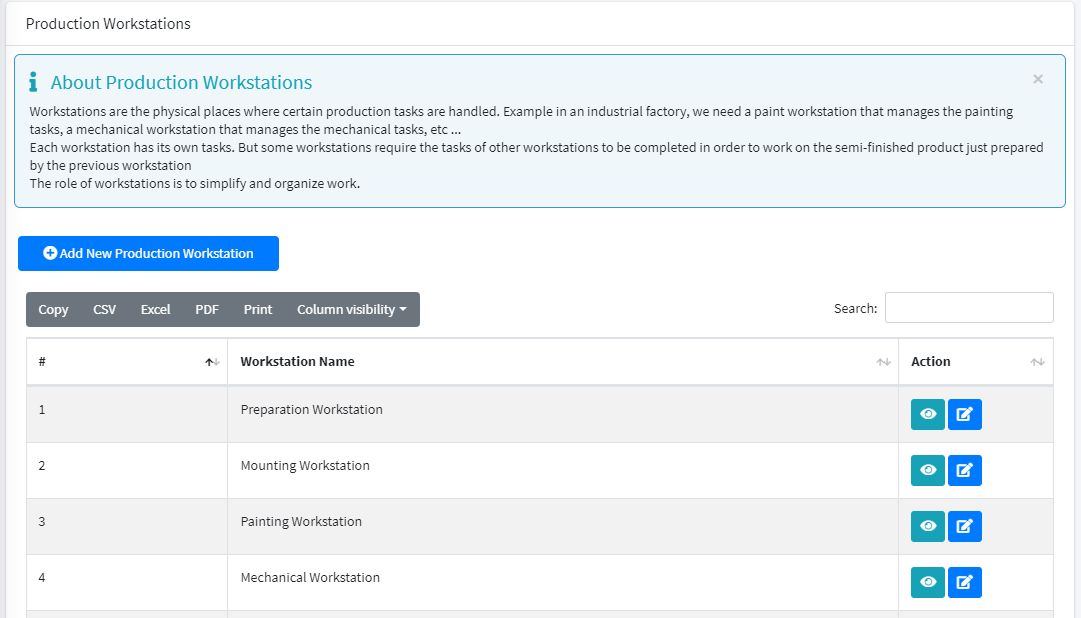
Production Workstations
Set up and manage production workstations, assign tasks, and monitor performance.
- Configure production workstations.
- Assign tasks to specific workstations.
- Monitor workstation performance and productivity.
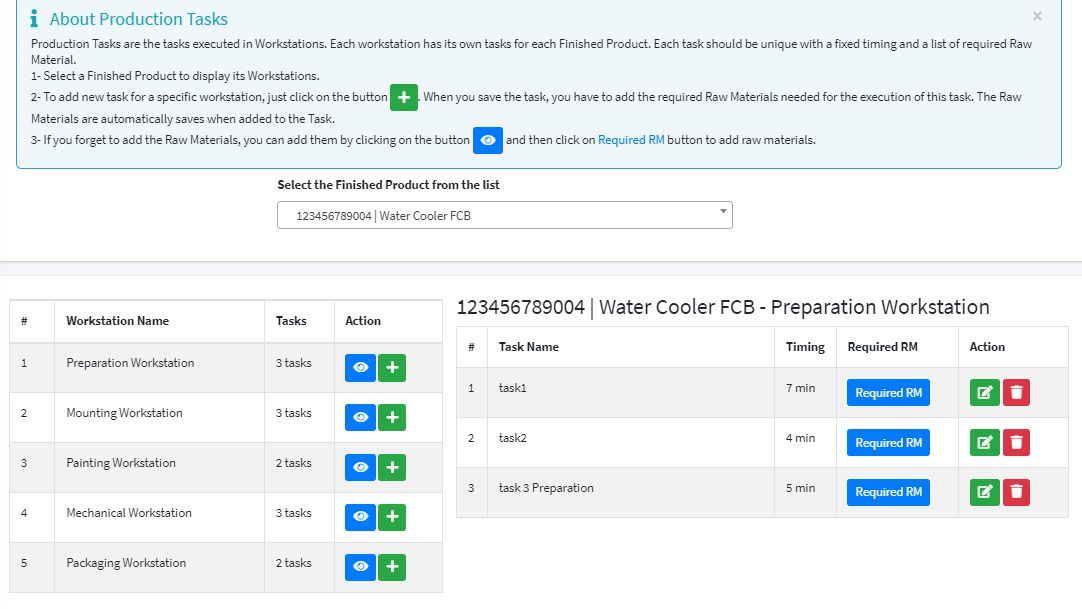
Production Tasks
Define, assign, and monitor production tasks for efficient completion.
- Create and assign production tasks.
- Track progress of assigned tasks.
- Manage deadlines and task completion.
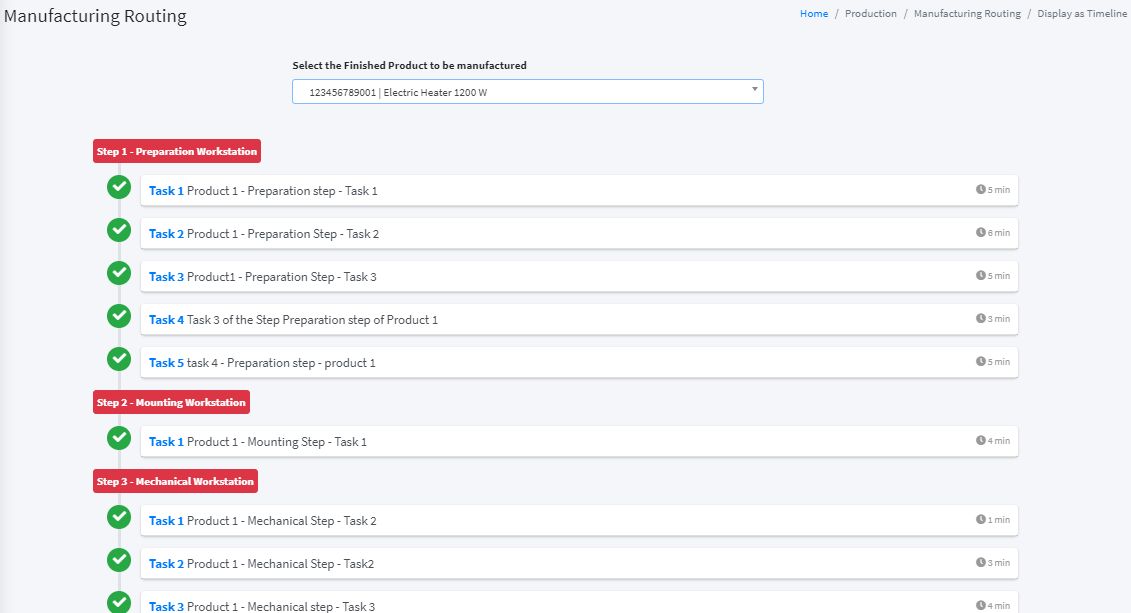
Production Routing
Define production routes and workflows to ensure efficient movement of materials.
- Plan and configure production routes.
- Manage workflows and production stages.
- Track progress and optimize production flow.
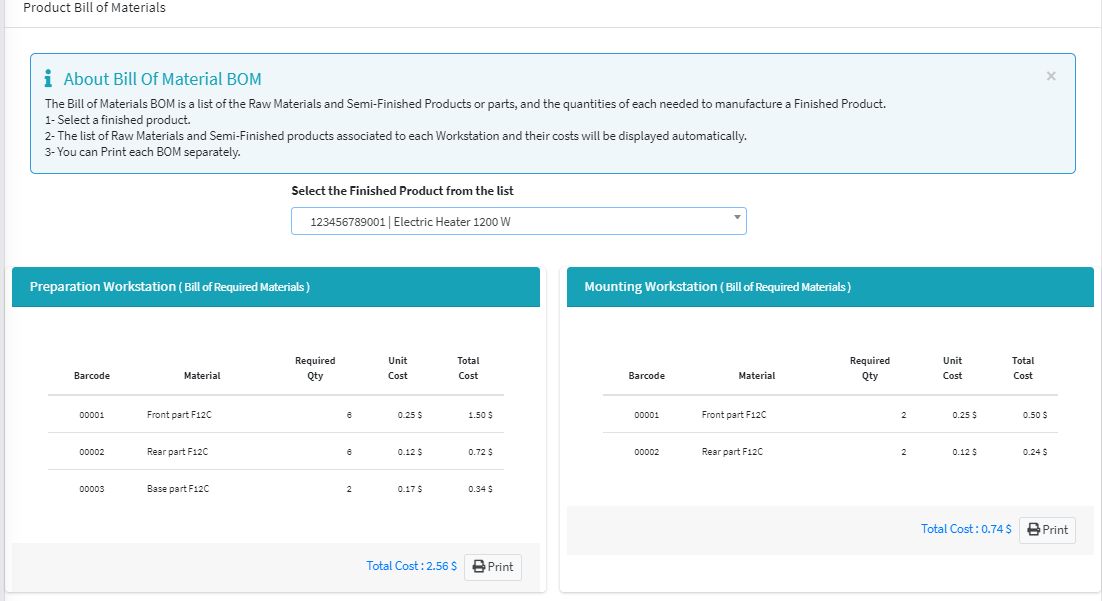
Bill of Materials (BOM)
Create and manage Bills of Materials for accurate tracking of materials.
- Create and edit BOMs for products.
- Manage components and materials required.
- Track material usage and updates.
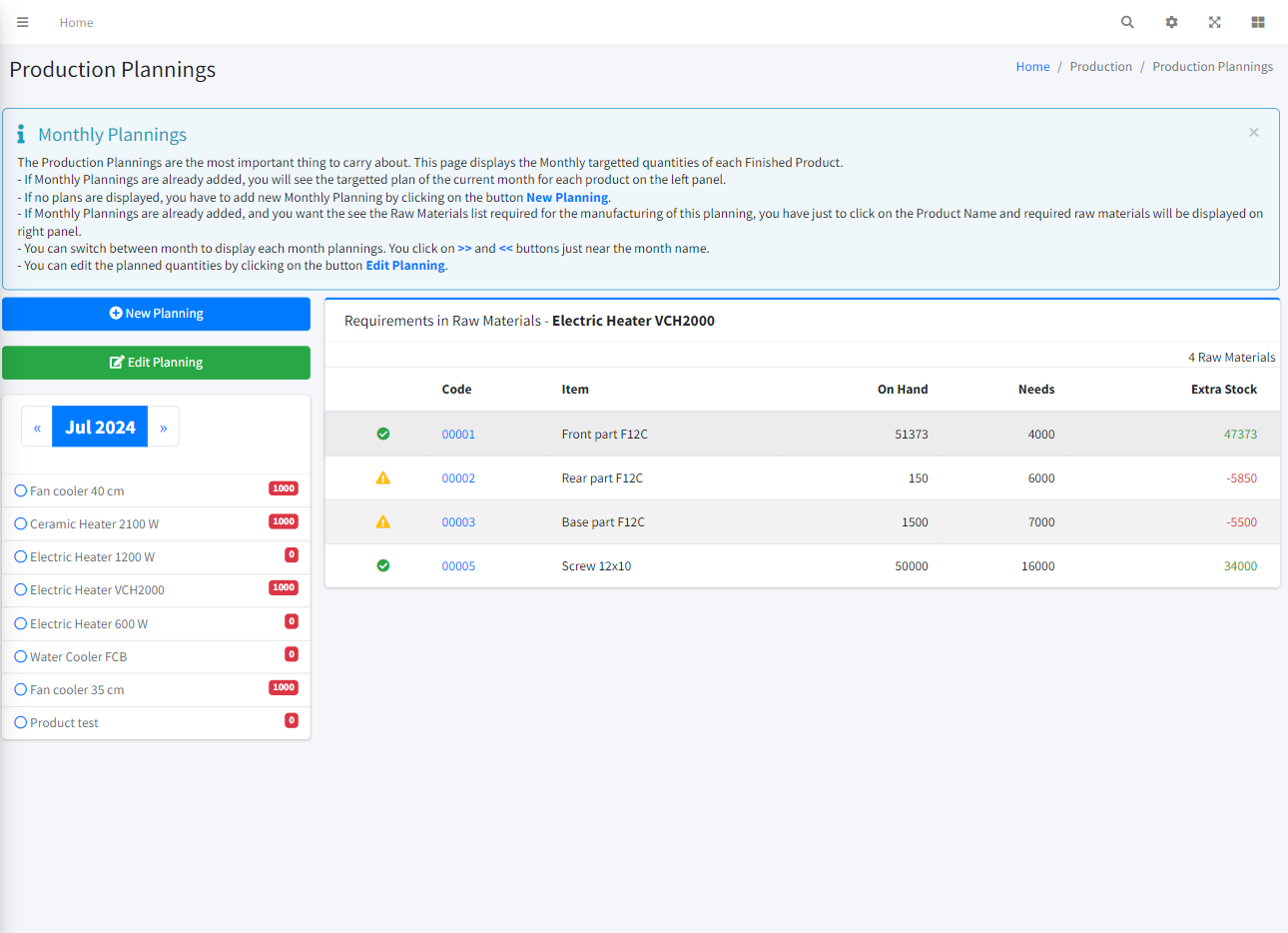
Monthly Plannings
Develop and manage monthly production plans to meet production goals.
- Create detailed monthly production plans.
- Track progress against monthly goals.
- Adjust schedules as needed.
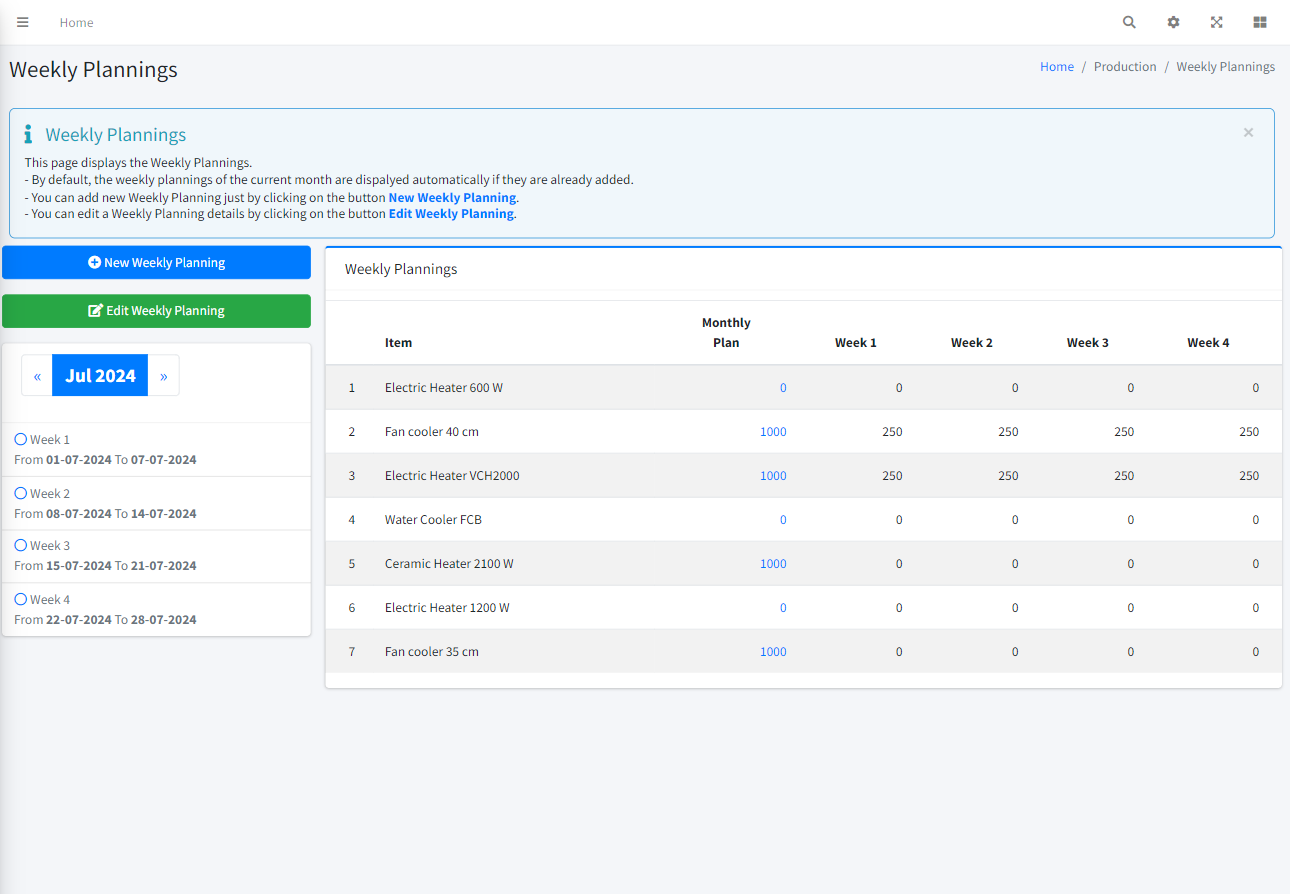
Weekly Plannings
Organize weekly production plans for efficient resource use.
- Create weekly plans and schedules.
- Assign tasks and monitor weekly progress.
- Adjust plans based on production needs.
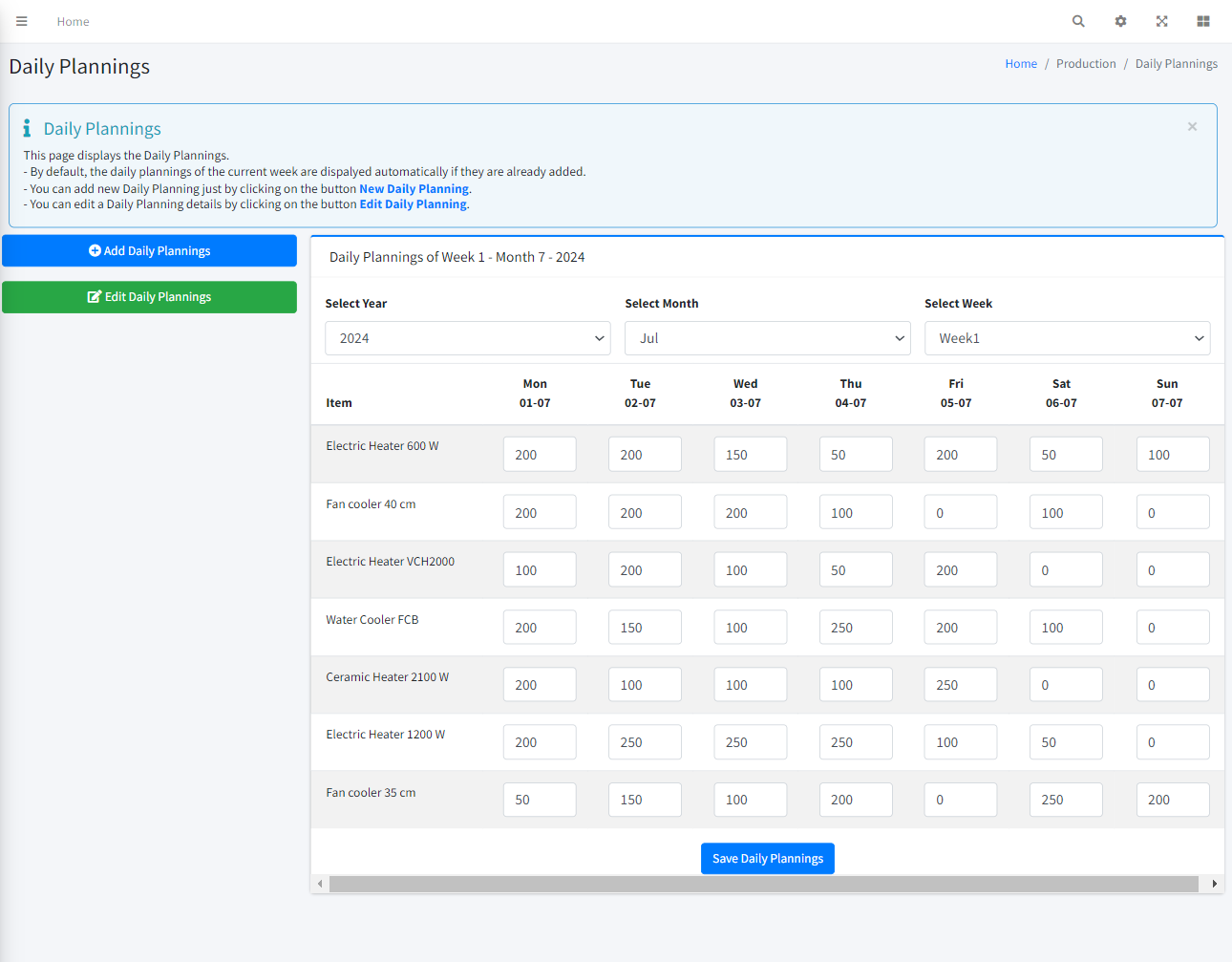
Daily Plannings
Manage daily production tasks to ensure smooth operations.
- Create and assign daily tasks.
- Track daily progress and task completion.
- Adjust daily schedules as needed.
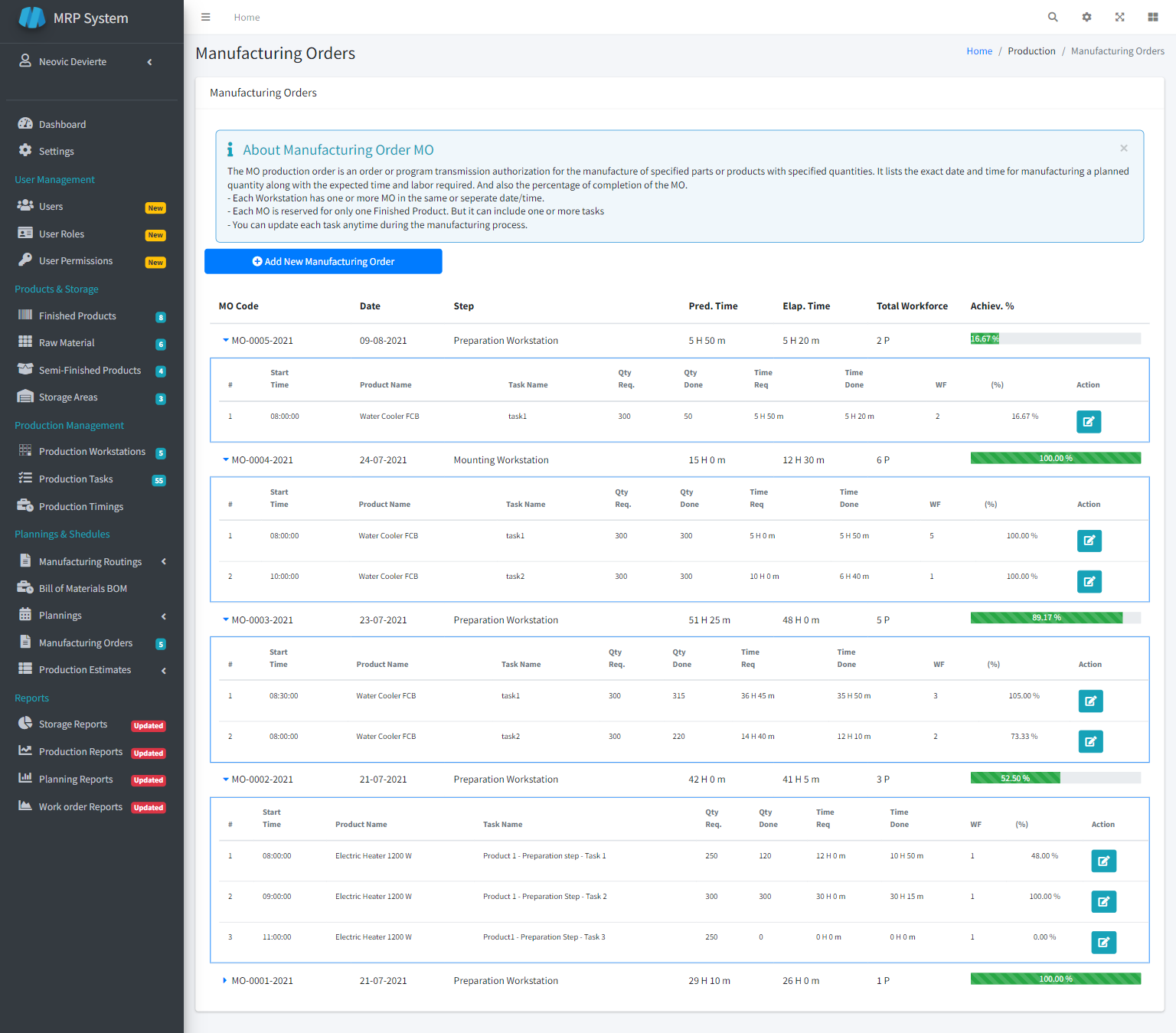
Manufacturing Orders (MO)
Create, manage, and track manufacturing orders to meet customer demands.
- Create and manage MOs.
- Track order progress and completion.
- Align production with customer requirements.
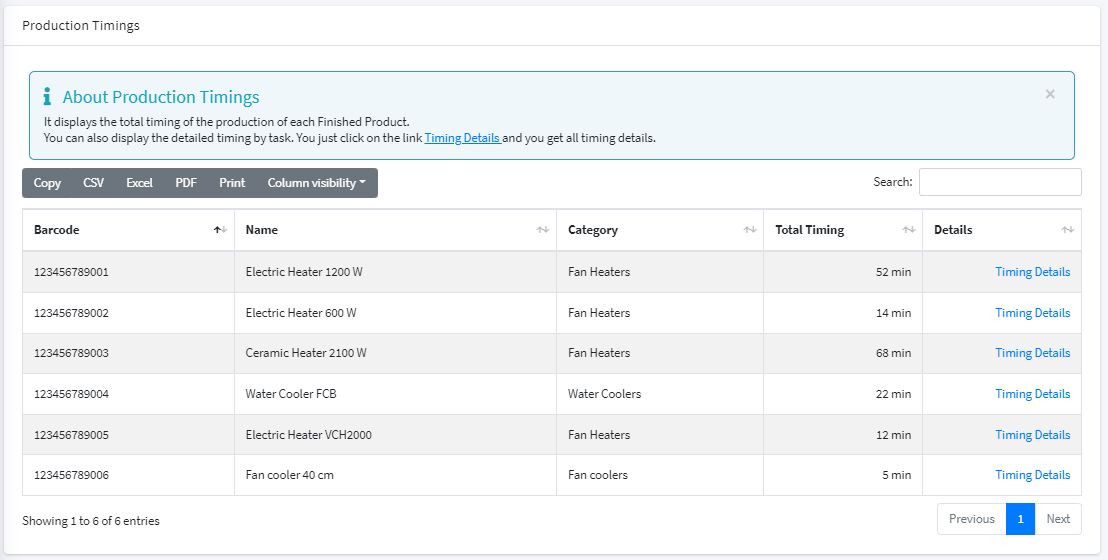
Production Timing Management
Track and manage the time taken for various production tasks.
- Monitor task durations.
- Optimize production timings.
- Identify and resolve bottlenecks.
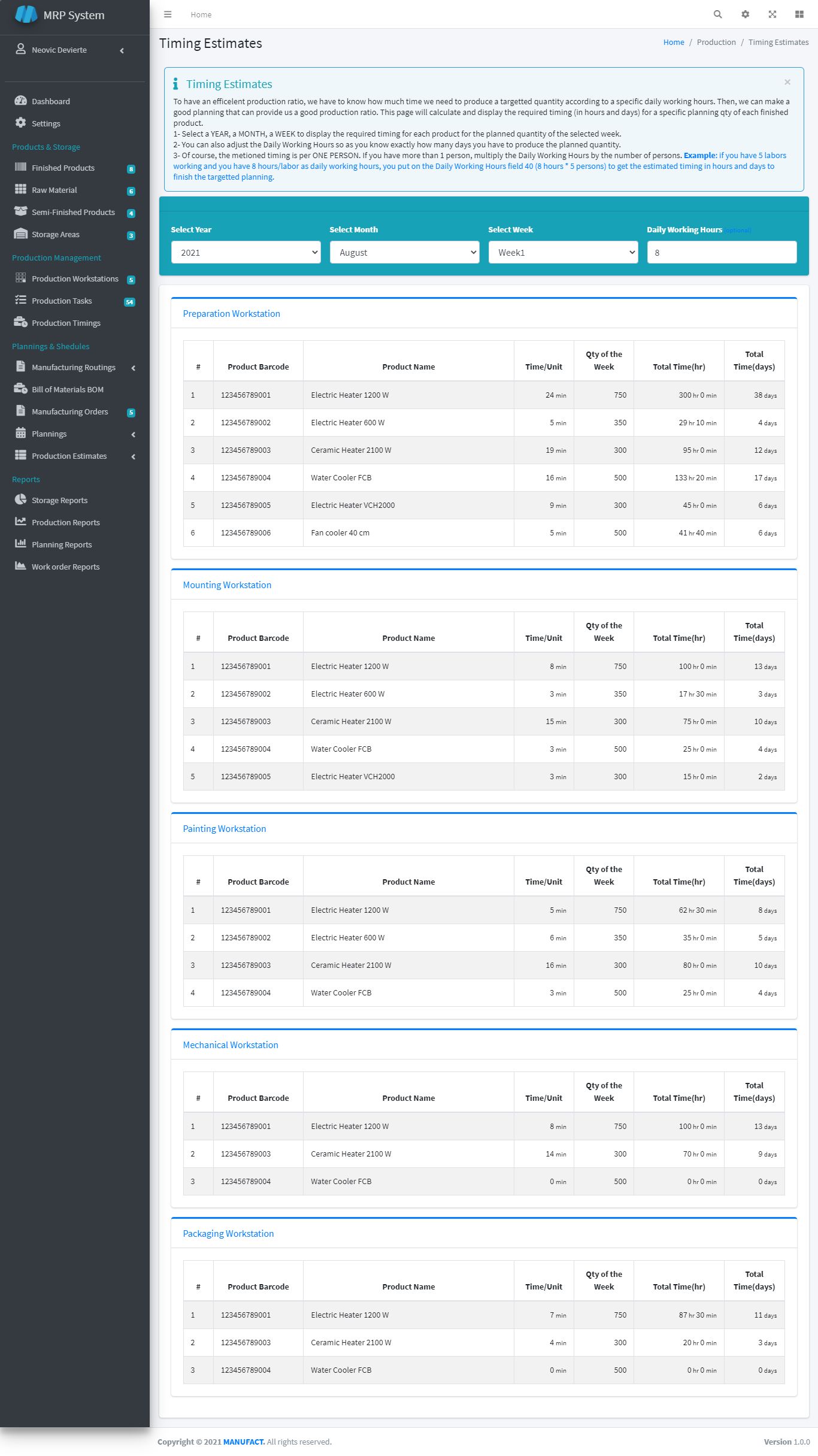
Production Timing Estimates
Develop accurate estimates for production timings.
- Create timing estimates for tasks.
- Monitor actual vs. estimated timings.
- Adjust estimates based on performance.
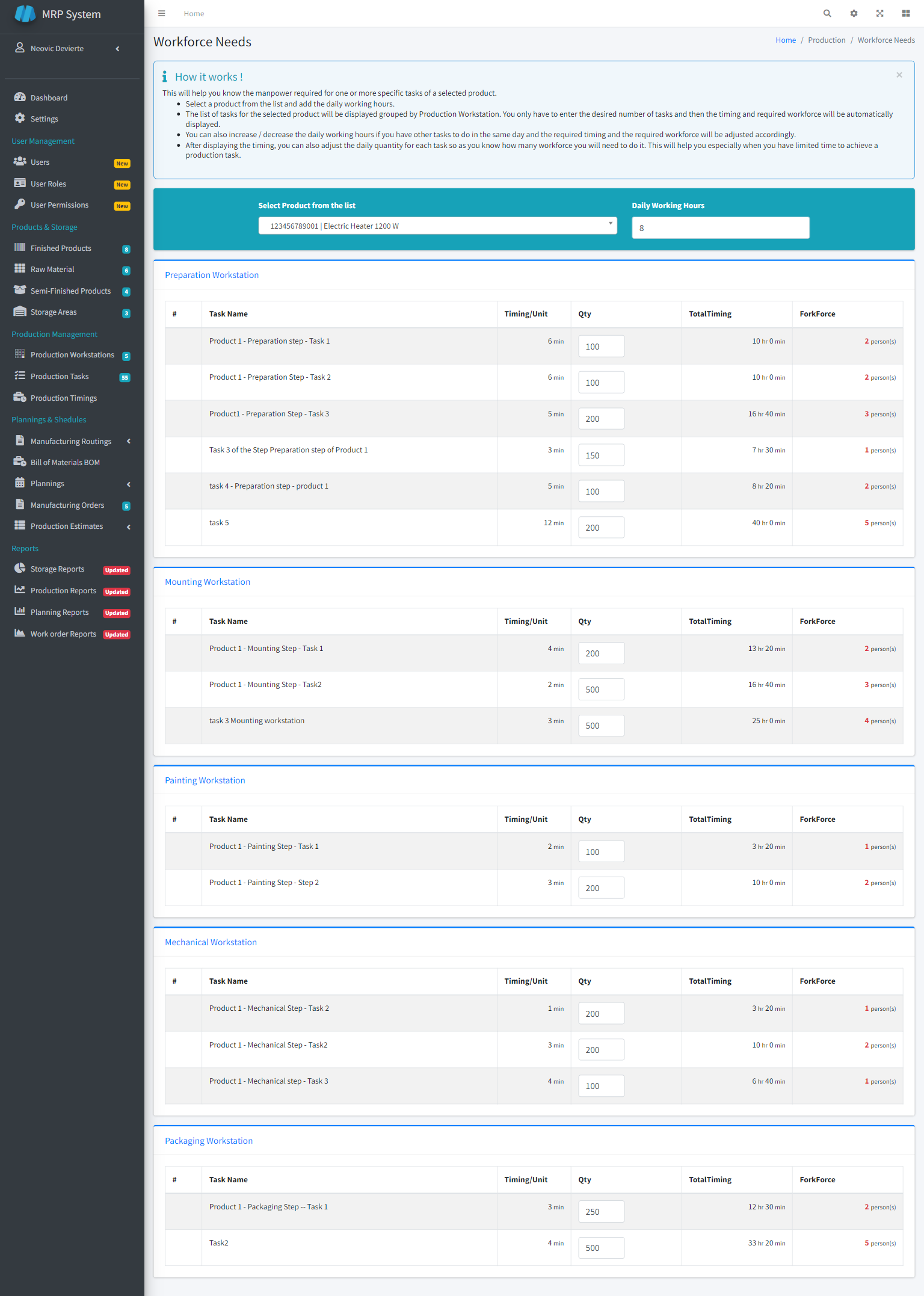
Production Workforce Estimates
Estimate the workforce needed for production tasks.
- Estimate workforce requirements.
- Manage shift schedules and labor usage.
- Optimize workforce deployment.
Storage Reports
Generate detailed reports on storage usage and inventory levels.
- Create storage usage reports.
- Analyze inventory levels and trends.
- Optimize storage management.
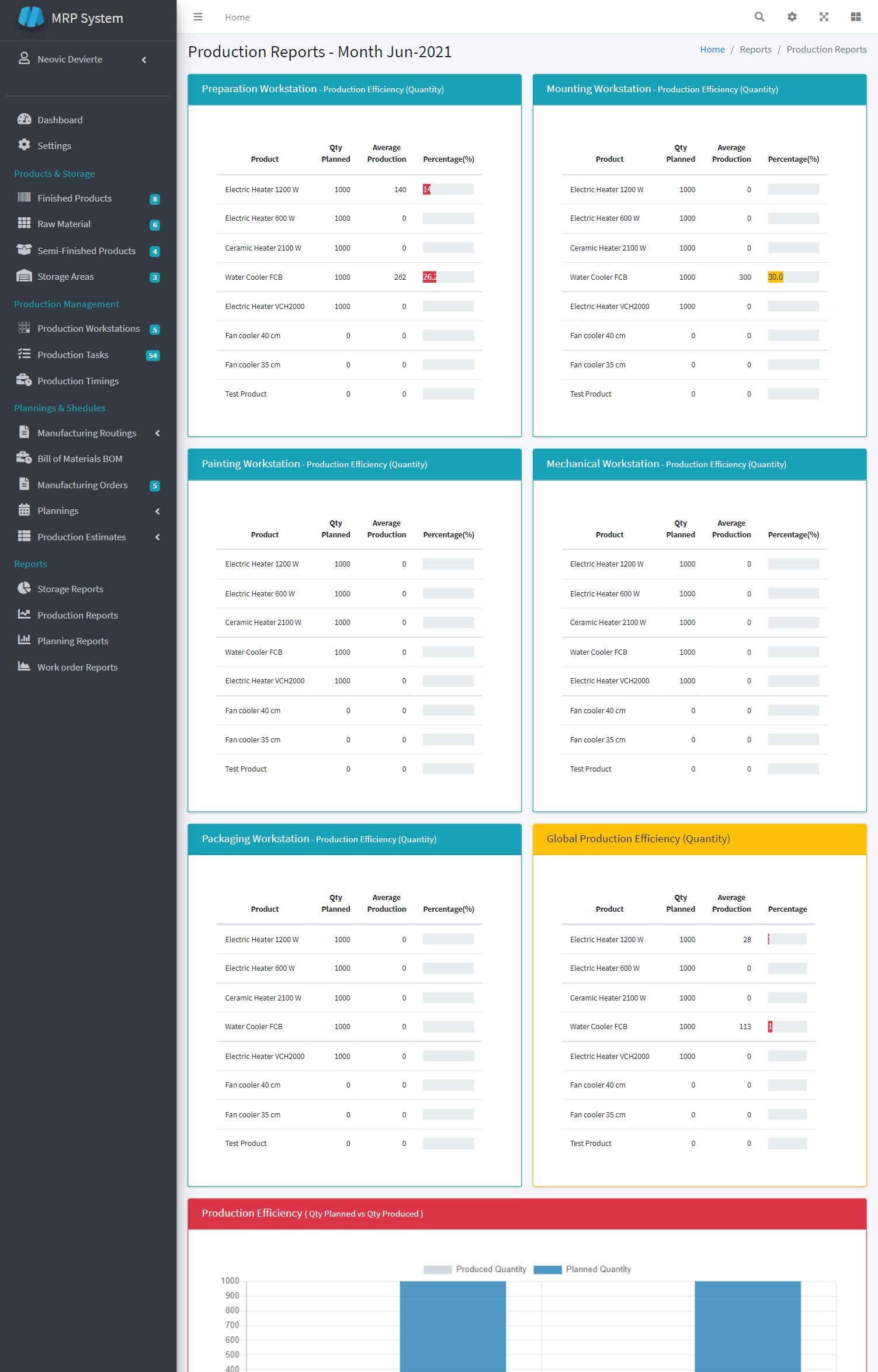
Production Reports
Generate comprehensive reports on production performance and resource usage.
- Create production performance reports.
- Monitor task completion and efficiency.
- Optimize resource usage based on reports.
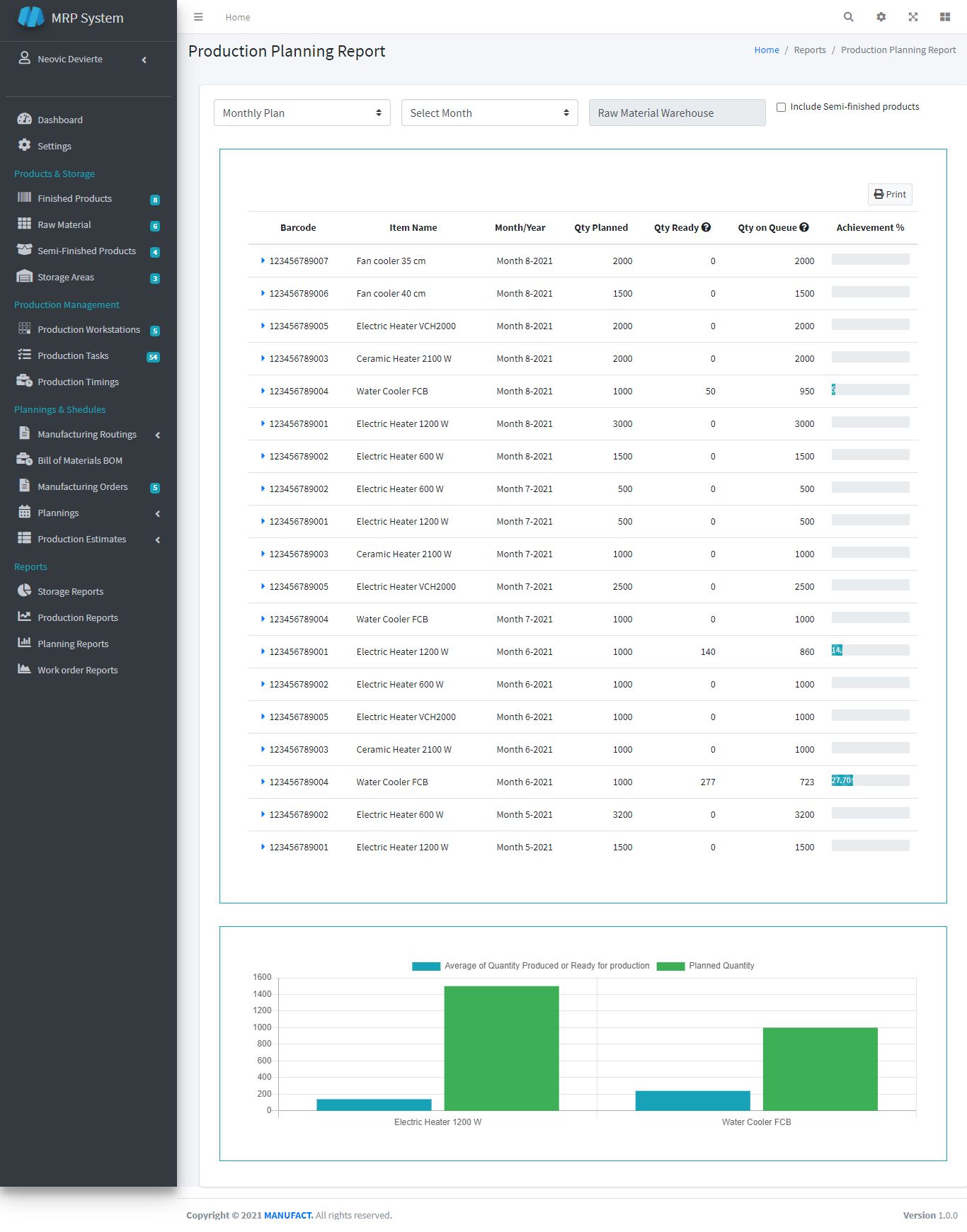
Planning Reports
Generate detailed reports on production planning and progress tracking.
- Create planning reports.
- Analyze planning data and trends.
- Adjust schedules based on report findings.
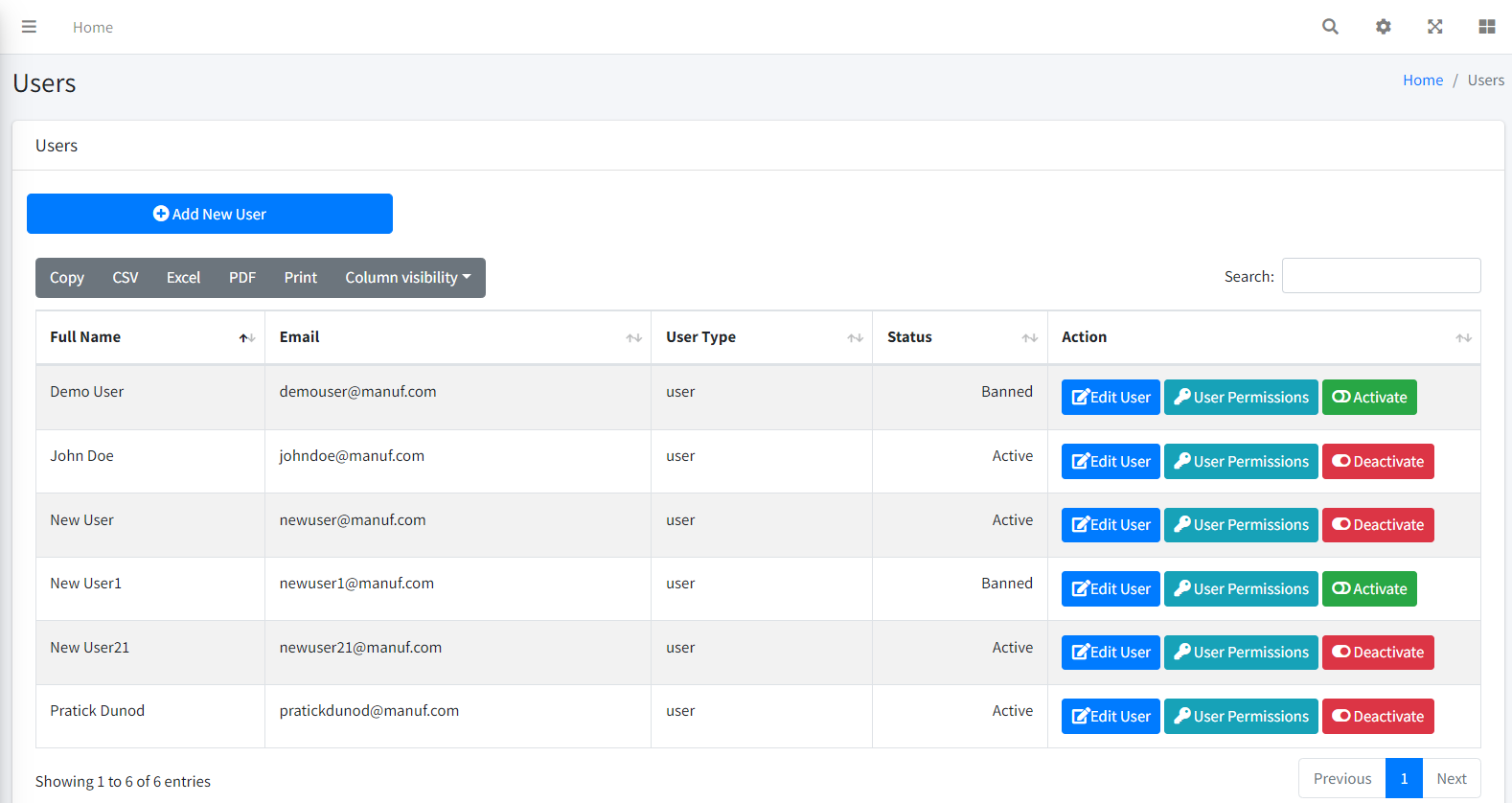
User Management (New Module)
Create, manage, and track user accounts for secure access.
- Create and manage user accounts.
- Assign roles and monitor user activity.
- Ensure secure access to the application.
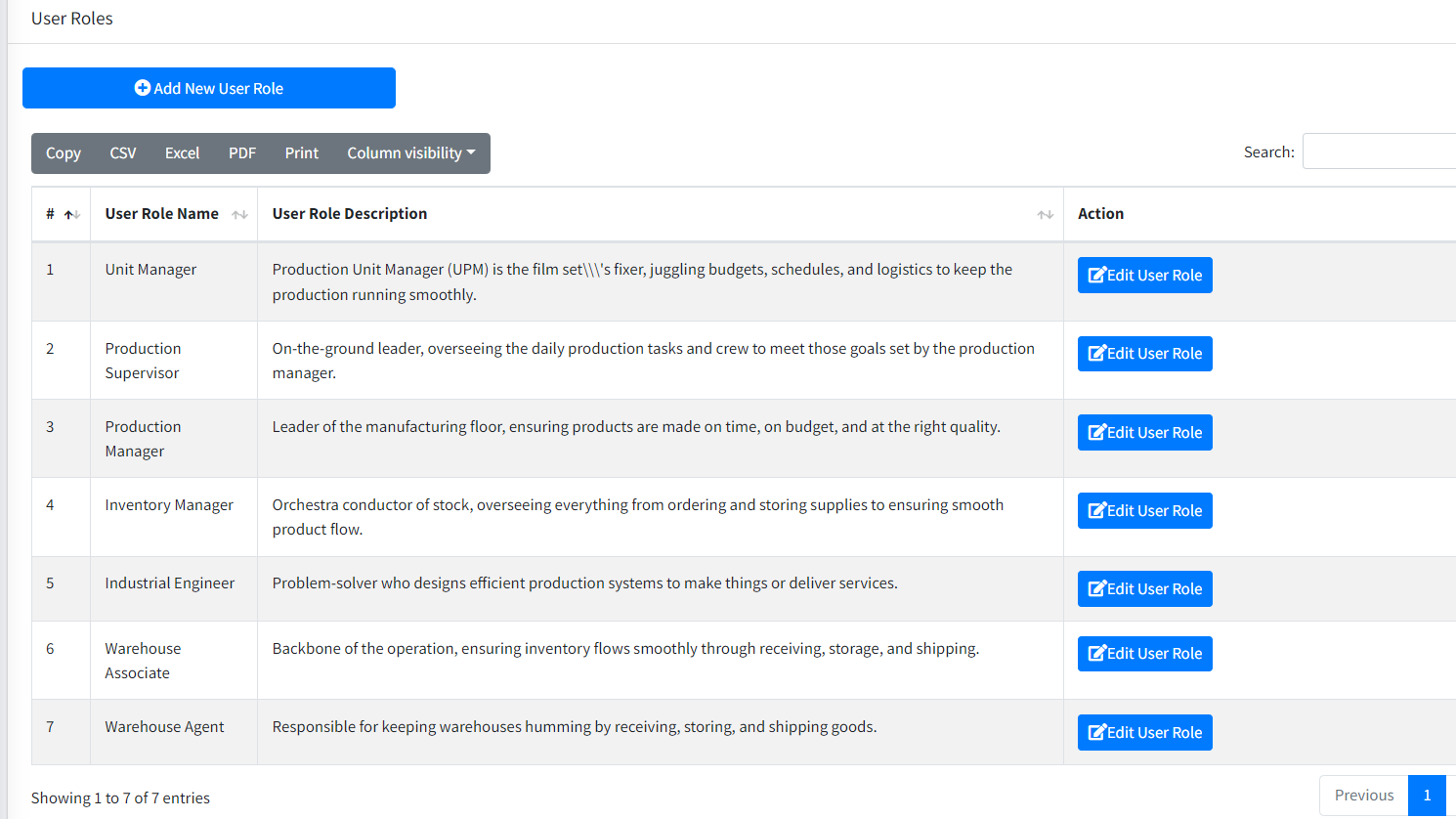
User Role Management (New Module)
Define and manage user roles and permissions.
- Create and assign user roles.
- Manage permissions and access levels.
- Track role usage and adjustments.
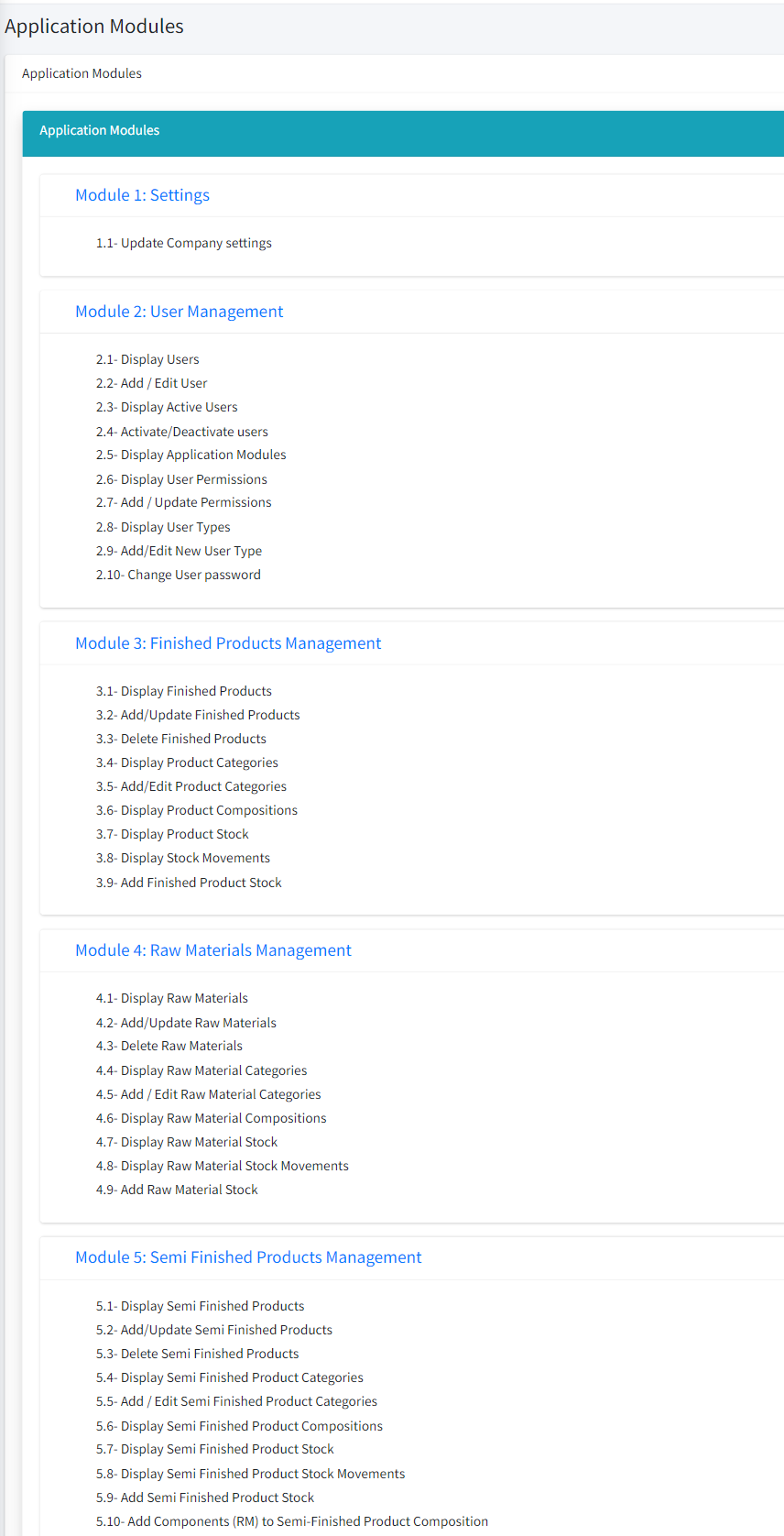
Application Modules (New Module)
Organize and manage application modules for configuration and access.
- Define and configure application modules.
- Manage module access and organization.
- Monitor module usage and performance.
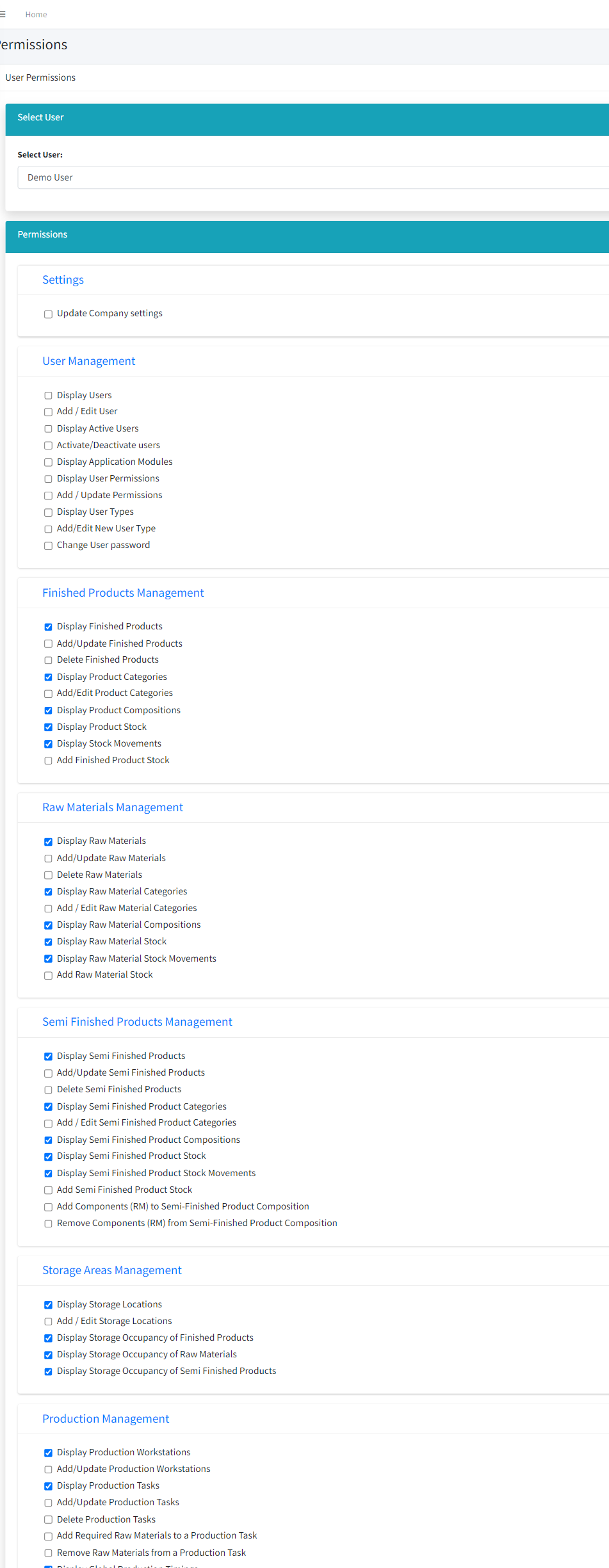
User Permission Management (New Module)
Manage user permissions to ensure secure and appropriate access.
- Set detailed user permissions.
- Monitor access and adjust permissions.
- Ensure application security through permission management.
Requirements
Requirements
- HTTP Server.
- Codeigniter 3.1.11
- PHP 7.2.5 (7.4 recommended)
- MySqli PHP extension.
- MbString PHP extension.
- mod_rewrite Apache.
- allow_url_fopen enabled.
Instructions
1- Upload Script
- Unzip the zipped file "manuf2.1.zip"
- Upload the extracted folder manuf2.1" into your server.
- Create a database in your "phpMyAdmin".
- Import the database file "manuf.sql" located in "database/" file on the root of the script folder to the database just created
2- Configuration:
a- Base_url
Open the file "application/config/config.php" and change the Base_url and enter your base url (url to your application).
Warning : the url should end with trailing slash "/"
b- Database configuration
Open the file "application/config/database.php" and enter your database details ( server name, user, password).
c- Routing configuration
Open the file ".htaccess" located in the root of the script folder and change the line 3 as following:
If you put your script files inside another folder in your server, enter
RewriteBase /(your_folder_name)/
If you put your script files directly on the root of your server, enter
RewriteBase /
| Author | monsernet |
|---|---|
| Category | Scripts & Code / PHP Scripts / Miscellaneous |
| Price | $54 |
| Extended License | $162 |
| Rating | 5.00 from 3 ratings |
| Reviews | 3 |
| Likes | 7 |
| First Release | Aug 22, 2021 |
| Last Update | Dec 19, 2024 |
| Files included | .php, .css, .html, .sql, .xml, JavaScript .js |
| Software version | PHP 7.1, PHP 7.2, PHP 7.3, PHP 7.4 |
| Html/css framework | Bootstrap, Less |
| Software framework | CodeIgniter |
| Javascript framework | jQuery |
Categories
Tags
External listing. code.market does not sell this product and does not process payment for it. Pricing, payment, delivery, licensing, refunds, and support are handled by the third-party merchant on its own website. We may earn an affiliate commission from a referral. Details.
Products of the Week.
Submit🥇

Perceptle
Perceptle is a daily browser-based game that challenges you to test your sensory intuition through five quick estimation and rhythm-based rounds.
Other · 3,957 views · 16 clicksOther · Week 47 · 3,957 views · 16 clicks
🥈

Free LinkedIn Likes From Real
Get free LinkedIn likes on your posts from real members who react by hand. No
SaaS · 4,075 views · 18 clicksSaaS · Week 47 · 4,075 views · 18 clicks
🥉

STOP GUESSING WHAT TO POST
AI that learns your brand voice and builds a month of consistent, on-brand social content: carousels, posts and hooks that sound like you, not like everyone else's AI.
SaaS · 11,557 views · 80 clicksSaaS · Week 47 · 11,557 views · 80 clicks
#4

aaas.market
407 reliable micro tools for solo founders, marketers and creators. They work in your browser
SaaS · 3,936 views · 7 clicksSaaS · Week 47 · 3,936 views · 7 clicks