
Mailox : All-in-one eMail Tools

Description

✔ Free Lifetime Updates
Source code Not Included, If you are interested in buying the source code or reselling the software or adding licensing system, please contact us from our profile here.
Mailox is a windows application that helps you to validate, check, manage your email lists and extract emails + send bulk emails. Bonus : If you plan to send emails, we recommend using the AI writers to write powerful emails that get sales & convert, try this tool for free. Our Highly Experience and Expert team made this software for your business development. After this purchase software you will achieve your business Goal. Mailox has 6 tools and they are :★ Emails Format Checker
+ Emails Format Checker: this is useful tool that help you to extract invalid emails format from large mail lists. eg. valid format = “emailadress@gmail.com”, invalid format = “emailsadress@” or “emailsaress@domain” or “emailsdress”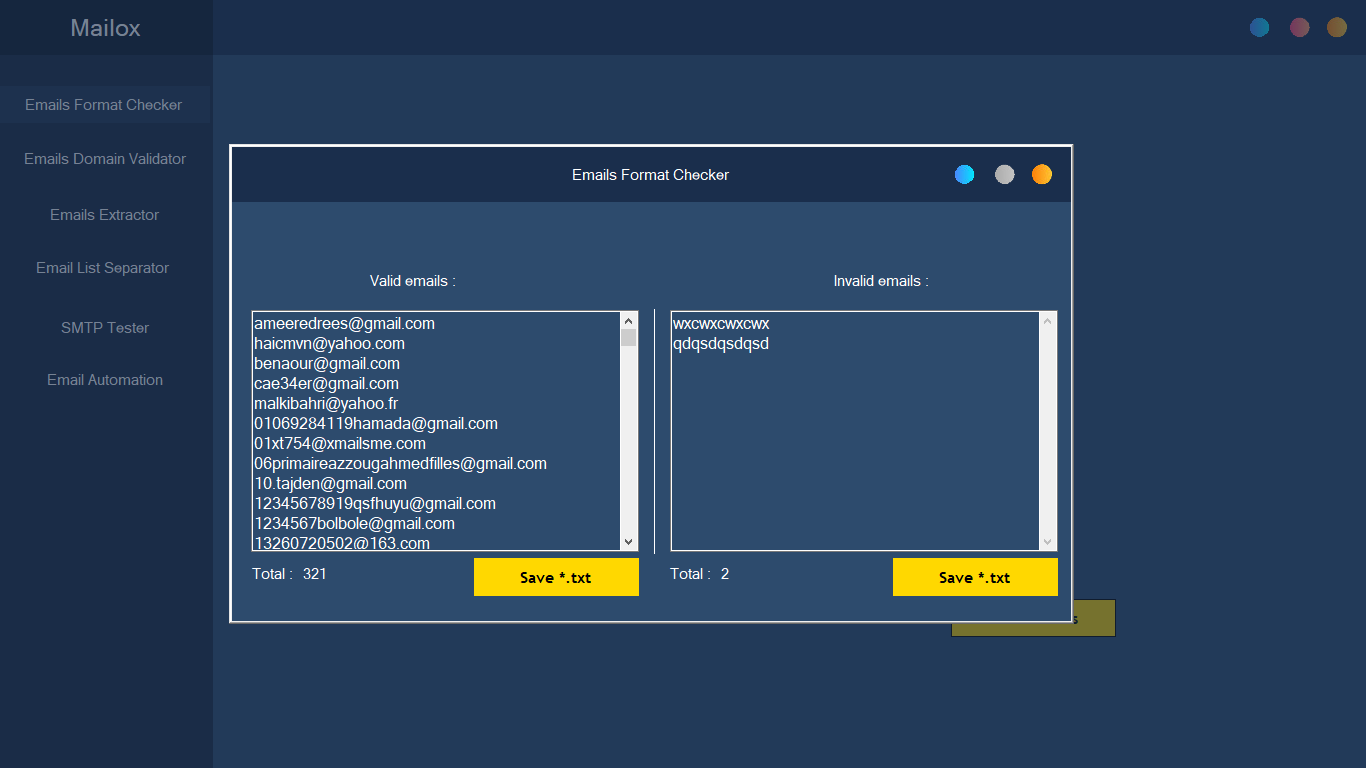
★ Emails Domain Validator
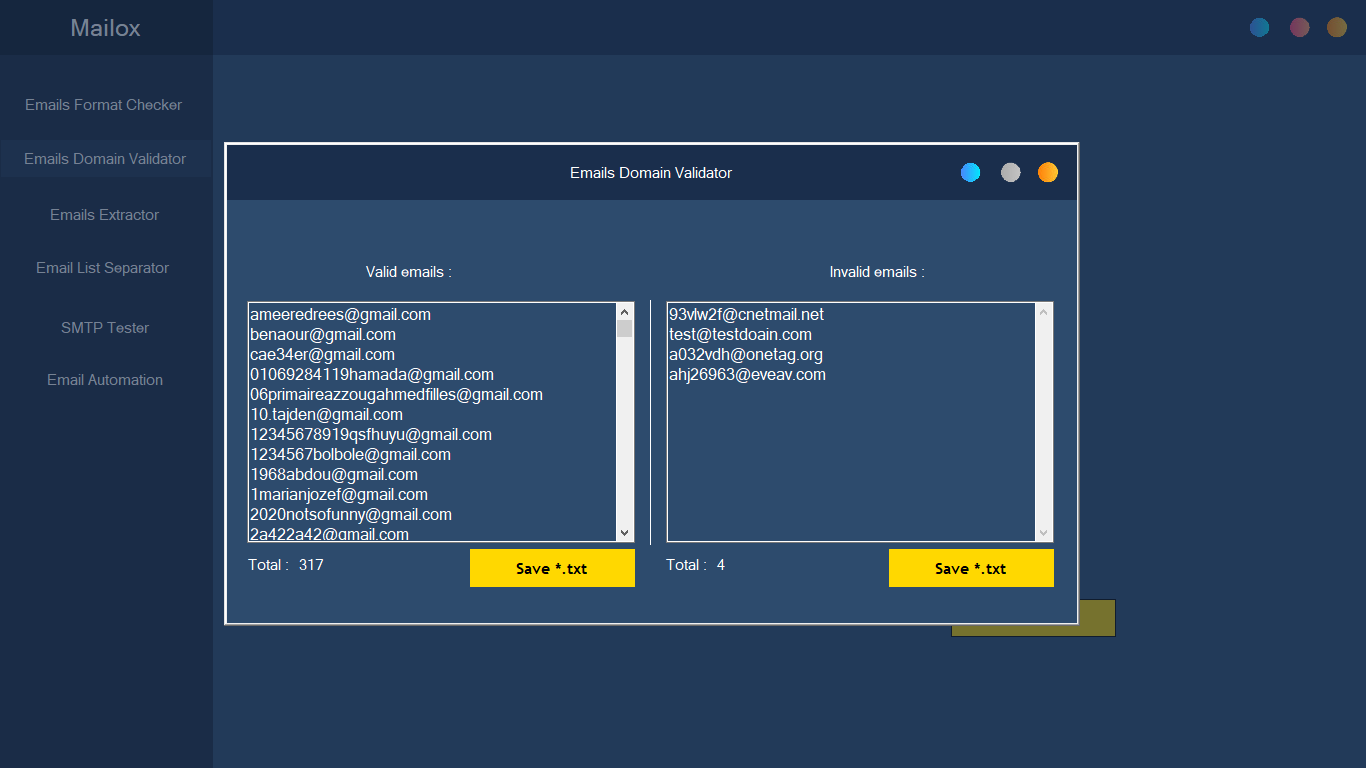
+Emails Domain Validator: another useful tool that helps you to remove invalid emails domain and reduce the bounce rate, the tool extracts the domain from the email address and send a request and wait for an answer if he gets an answer that means the domain exists.eg. mohammedbelkharraf@gmail.com => domain is gmail.com == valid domain
eg. bobymax@ghtor.com => domain is ghtor.com => invalid domain, not exist
★ Emails Extractor
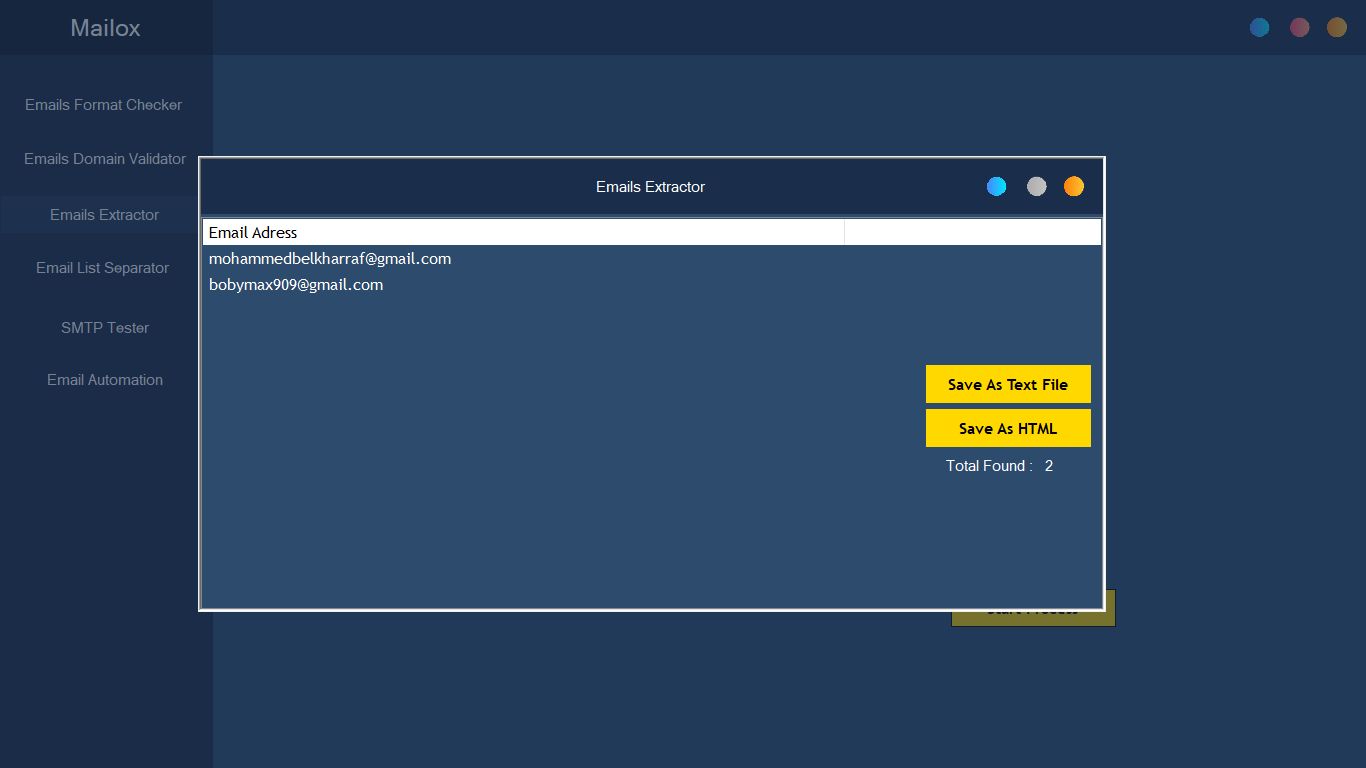
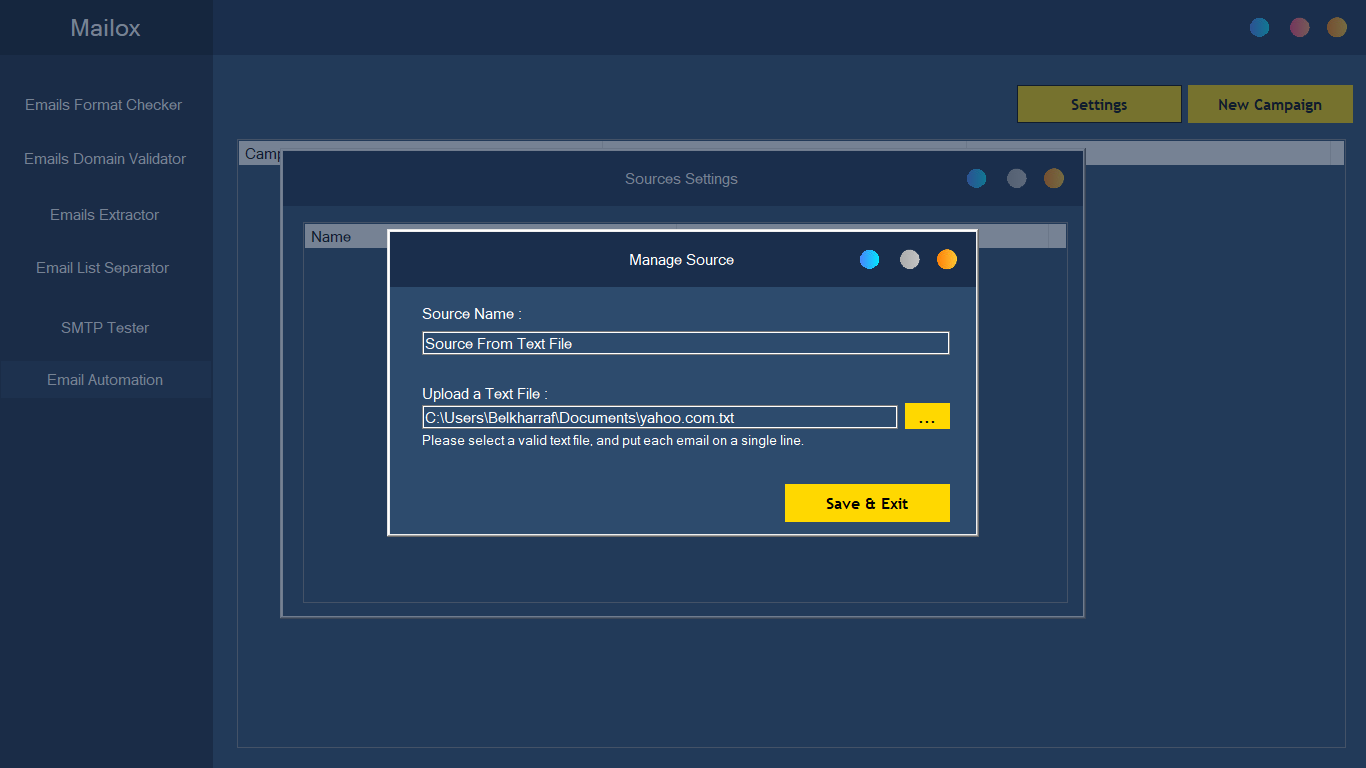
+ Emails Extractor: the 3rd tool in Mailox, helps you to extract emails from 3 different sources :1 – From a text file
2- From a single Web Page
3- From a Full Website
★ Emails List Separator
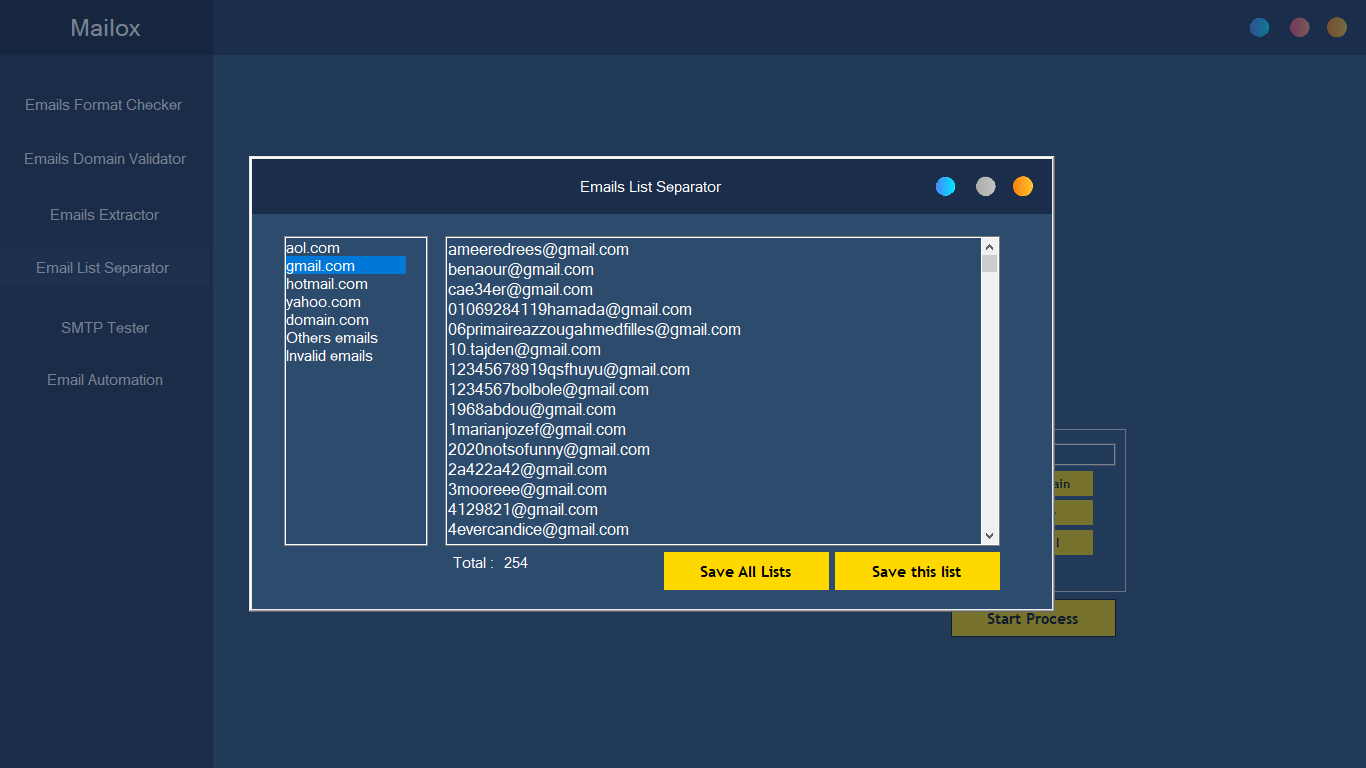
+ Emails List Separator: Use the Emails List Separator to separate the list of e-mail addresses by domain and then arrange the addresses within the domain.For example, the input list is: alex@gmail.com sales@aol.com jane@hotmail.com job@yahoo.com info@company.com nicky@gmail.com smith@market.com snail@yahoo.com twiggy@yahoo.com twi@gmail The results: Gmail emailsalex@gmail.com , nicky@gmail.com Yahoo emailsjob@yahoo.com, snail@yahoo.com ,twiggy@yahoo.com Hotmail emailsjane@hotmail.com AOL emailssales@aol.com Other emailsinfo@company.com, smith@market.com Invalid emailstwi@gmail
★ SMTP Tester
+ SMTP Tester: this tool allows you to test your SMTP server if it works or not.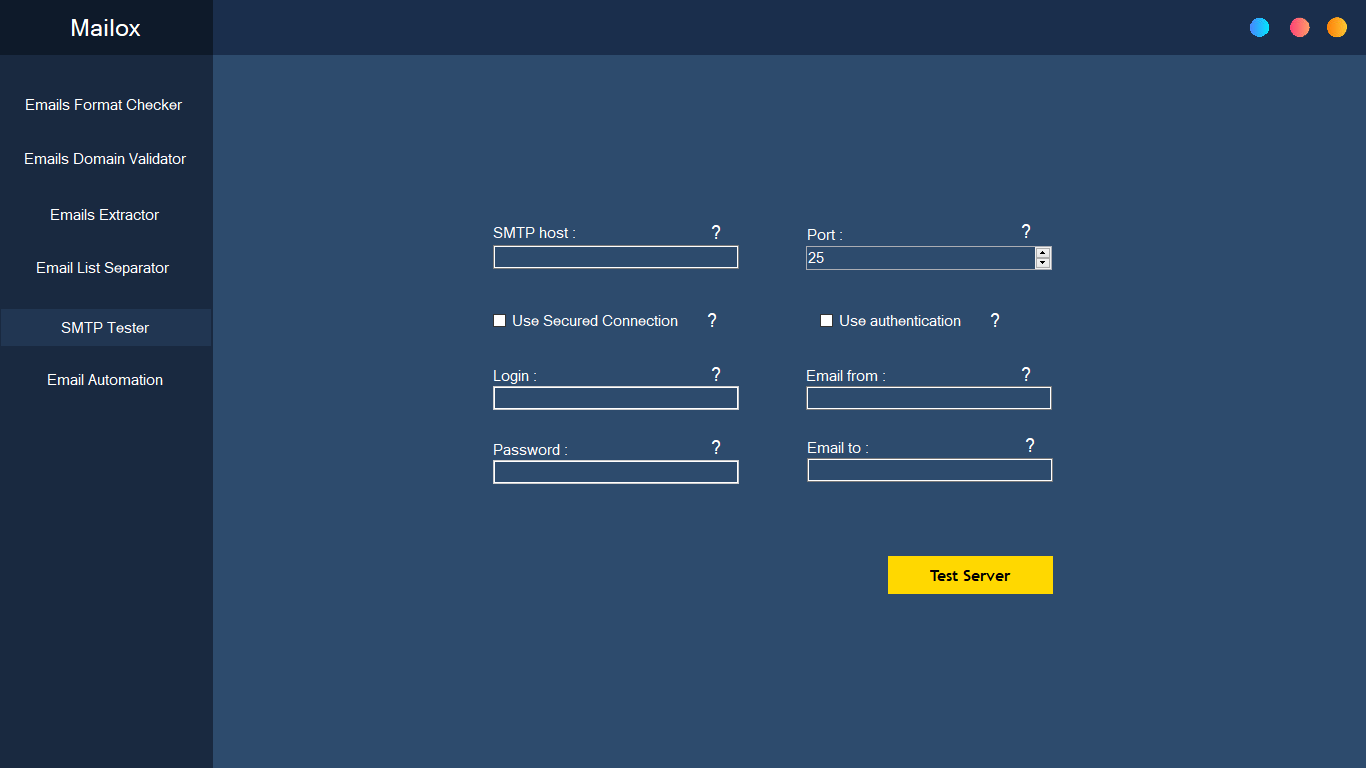
★ Email Automation
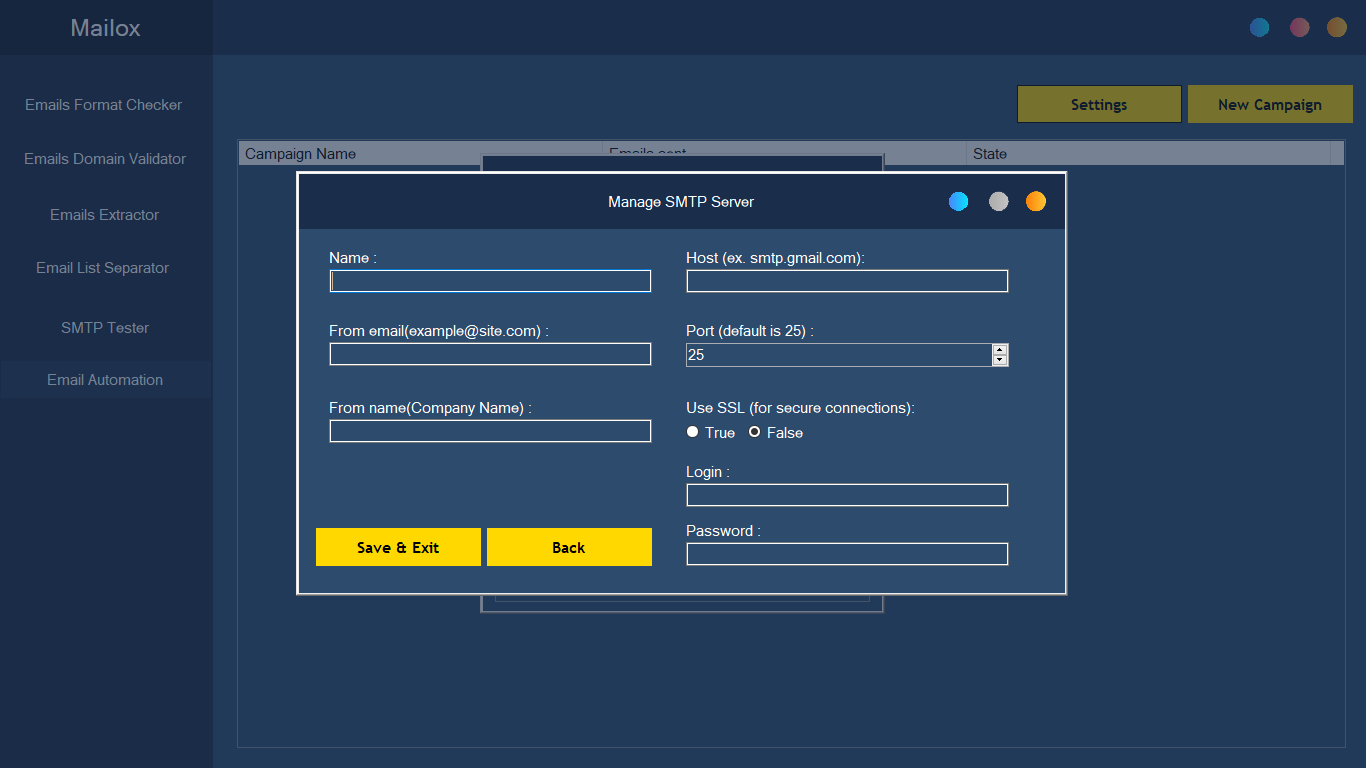
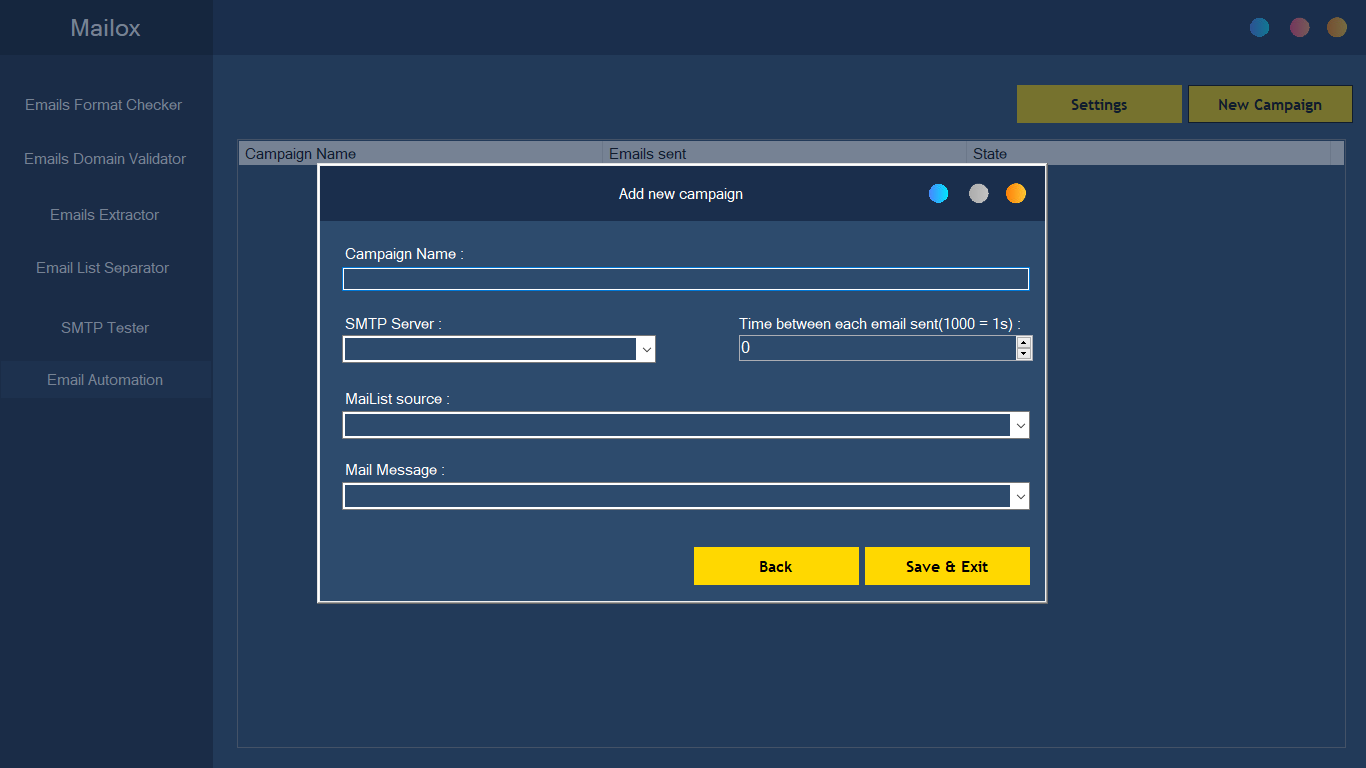
+Email Automation: This is a tool that sends bulk emails to recipients. You can prepare email content with HTML or plain text. You can also adjust email sending speed.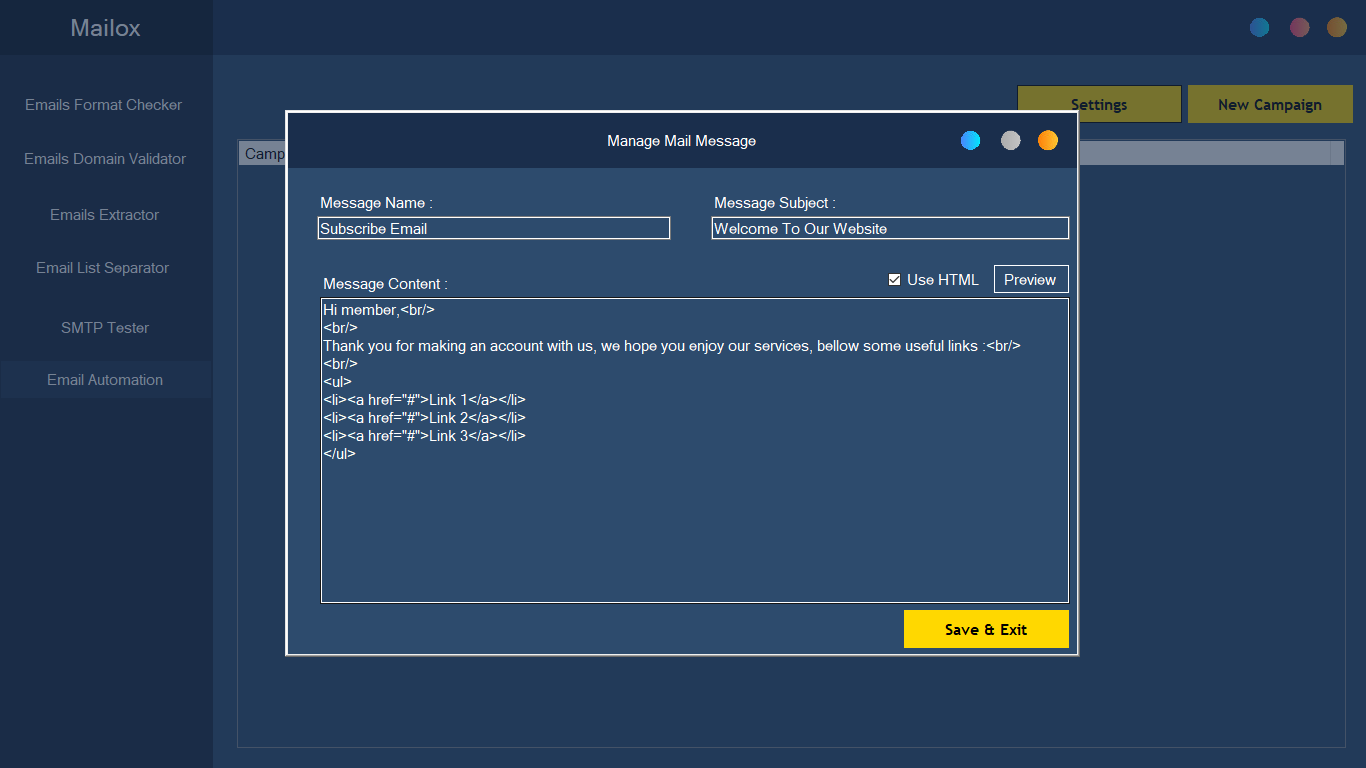
Features of Mailox
★ Smart & Optimized Tools
★ Validate email domains, and email Formats.
★ Test Your SMTP server
★ Extract Emails from Text Files, Single Page, Entire Website
★ Export Results into Text, HTML Files.
★ Send bulk emails and multiple campaigns in the same time
Online Support

Review
hi sir/madame, your review gives us unlimited power to update, please don’t forget the 5-star review!

Refund policy
You can apply for a refund within 1 day of your purchase, we will not ask you any reason, we will only confirm the refund order! We understand that our app may not be suitable for you for various reasons!
Installation Process
After your purchase, the Evanto Purchase code is The Licence code, You can check what is Purchase Code from this link. Please Unzip Main File Run the software(.exe) and Register your Licence, After Registration, you can use the Software. Enjoy!.
Our Other Products
| Type | Windows App |
|---|---|
| Author | belkharraf |
| Category | Apps / Windows |
| Price | $19 |
| Sales | 27 |
| Rating | 5.00 from 3 ratings |
| Published | Nov 18, 2021 |
| Last Update | Sep 2, 2024 |
| Application Runtime | .NET 4 |
| Operating System Versions | Windows 10, Windows 8 Metro, Windows 8 Desktop, Windows 7 |
Categories
Tags
External listing. code.market does not sell this product and does not process payment for it. Pricing, payment, delivery, licensing, refunds, and support are handled by the third-party merchant on its own website. We may earn an affiliate commission from a referral. Details.
Products of the Week.
Submit🥇

STOP GUESSING WHAT TO POST
AI that learns your brand voice and builds a month of consistent, on-brand social content: carousels, posts and hooks that sound like you, not like everyone else's AI.
SaaS · 4,697 views · 45 clicksSaaS · Week 45 · 4,697 views · 45 clicks
🥈

Conversational Backlinks for Busy Founders
Place Backlink Relevant Conversation for your domain across Forums and Conversations
Website · 42,591 views · 225 clicksWebsite · Week 45 · 42,591 views · 225 clicks
🥉

upvote.club
Free Social Media Engagement that Helps Boost Your Content. Upvote Club supports 19 social networks with 100+ engagement actions in one dashboard. Add links to your posts and get free engagement from real users.
SaaS · 40,636 views · 120 clicksSaaS · Week 45 · 40,636 views · 120 clicks
#4

Substack Posting API
Onboard your Agent to Substack. Write Publish on Substack via API
SaaS · 59,593 views · 200 clicksSaaS · Week 45 · 59,593 views · 200 clicks
#5

Seenshot App
Free, Fast, MacOS Screenshot app. Make Screenshot cmd+shift+2 and send it via link
Desktop App · 28,970 views · 124 clicksDesktop App · Week 45 · 28,970 views · 124 clicks
#6

Hand-Placed Backlinks $9.99 per link. Flat rate.
Buy hand-placed forum, Q-A and directory backlinks. Flat $9.99 per link, no subscriptions — you only pay for approved listings.
Website · 4,763 views · 19 clicksWebsite · Week 45 · 4,763 views · 19 clicks
#7

Free Invoice Generator - PDF Invoices in Your Browser, No Sign-Up
A free invoice maker for freelancers and small businesses: fill in the invoice, check the live preview, and download a PDF that looks exactly like it. Any currency, tax per item, three templates, no sign-up, and nothing leaves your device.
3,420 views · 17 clicksWeek 45 · 3,420 views · 17 clicks
#8

Merge PDF Files Free - Combine PDFs in Your Browser, No Upload
A free PDF merger for office workers, students, and freelancers: combine PDFs and images into one file in the browser, reorder files and pages, pick page ranges, keep bookmarks, and open password-protected PDFs. Nothing is uploaded, no sign-up, no watermark.
3,160 views · 14 clicksWeek 45 · 3,160 views · 14 clicks