
Luneta | Kids Emotion Tracker With Voice Notes and Streak Badges - SwiftUI
Description
Luneta – Kids Emotion Tracker (SwiftUI + Firebase)
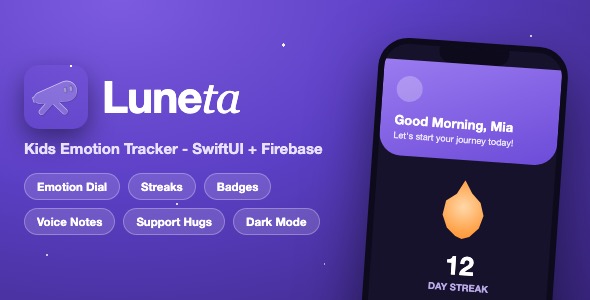
Luneta (Portuguese for “telescope”) is a complete, production-quality iOS template that helps children name and understand their emotions, while parents and supporters cheer them on from afar. It ships as full Xcode source code with a galaxy-inspired design system, three user roles, gamification, voice notes and a real Firebase backend.
Demo Instructions
Demo account: Email demo@luneta.app – Password LunetaDemo2026
The app includes a built-in Demo Mode that runs against the official Firebase Local Emulator Suite, so you can test the complete app on the iOS simulator with no Firebase account and no setup: start the local emulators (one command), run the included seed script, add the DEMO_MODE launch argument in Xcode, and sign in with the credentials above. The demo account comes with a sample child profile, emotion history, a badge, approved messages in the child’s “Hug” inbox and the predefined supporter messages. Create extra accounts through the in-app sign-up to try the Supporter role.
- documentation.html section 4.1 walks through the demo in six numbered steps – it only needs free tools (Node.js and Java) plus Xcode.
- For real use you connect your own free Firebase project (5-10 minutes): drop in your GoogleService-Info.plist and follow documentation.html section 3 – enabling Email/Password, Google and Apple sign-in, the Firestore database with production security rules, the server-side moderation Cloud Function, and seeding the curated message pool.
- No paid services and no third-party API keys are required. Note that you are responsible for monitoring your own Firebase usage and any costs beyond the free tier limits.
- The documentation.html file in this package includes embedded screenshots of every screen, so you can see the entire app before you configure anything.
Everything the App Does
- Animated onboarding flow: welcome page with galaxy artwork, public emotional-wellness insights, role selection (Parent or Supporter) and a full auth screen
- Three user roles: Parent, Child (managed by the parent) and Supporter – each with its own navigation, screens and permissions
- Sign up and sign in with Email/Password, Google Sign-In and Sign in with Apple (all via Firebase Auth)
- Parent dashboard: profile header with photo upload, child profile cards with streaks and total check-ins, add/edit/delete child profiles (name, avatar, birthday, gender)
- Daily emotion check-in for kids: 6 emotions (happy, calm, excited, sad, angry, scared) picked with an interactive scrolling emoji dial
- Optional text note plus a recorded voice note (up to 30 seconds) attached to every check-in
- Animated streak counter with flame glow, daily encouragement messages and a “shared your feelings today” confirmation state
- Emotion history: week/month picker, smart insight cards, animated emotion distribution chart and a horizontal check-in timeline
- Gamification: 9 unlockable badges (streak milestones and check-in totals) with a progress arc, locked/unlocked states, detail sheets and a full-screen unlock celebration
- “Hug” inbox: children receive approved, anonymised support messages matched to the emotions they felt
- Server-side message moderation: a Cloud Function (Admin SDK) is the only thing that can approve messages – clients can never bypass the rules
- Supporter mode: send predefined encouragement messages by emotion category, impact statistics, message counter and weekly streak visualisation
- Local notifications: parent-configurable daily check-in reminder with permission handling, plus instant notifications when new support messages arrive
- Settings (parent and supporter): reminder time picker, light/dark/device appearance switcher, FAQ, feedback, about and privacy sections, sign out and account deletion
- Custom galaxy design system: gradients, glow orbs, custom bottom tab bar, custom buttons and loading views, with full light and dark mode support
- Custom typography: Britti Sans and Instrument Serif fonts included and pre-registered
- Localised in English and Portuguese (pt-BR)
- Real-time data via Firestore snapshot listeners and automatic offline caching
- Secure account deletion that cascades to all child profiles, entries and badges
Technology
- Language: Swift 5, SwiftUI
- Architecture: MVVM with @Observable view models and a service layer
- Minimum iOS: 17.0
- Backend: Firebase (Authentication, Cloud Firestore) via Swift Package Manager
- Sign-in: Firebase Email/Password, Google Sign-In SDK, Sign in with Apple
- Media: AVFoundation for voice note recording and playback
- Notifications: UserNotifications framework (local notifications)
- Data: Firestore real-time listeners with Codable models and offline persistence
- Requirements: Mac with Xcode 15 or newer, a free Firebase account, an Apple ID for testing. No third-party API keys, no pods – SPM resolves the two open-source packages automatically.
What the Buyer Gets
- Complete Xcode project with all Swift source code (54 Swift files, organised in App / Models / Services / ViewModels / Views / Utilities / Resources)
- Full documentation.html with embedded screenshots, Firebase setup guide, branding guide and App Store submission checklist
- All 18 preview screenshots (440 px wide JPEG)
- Custom galaxy design system in two theming files (LunetaColors.swift and Theme.swift) so you can re-skin the whole app in minutes
- Included fonts, asset catalog, app icon, English and Portuguese string catalogs
- Free support for setup questions through the item comments
Development Disclosure
Portions of this template’s source code were developed with AI-assisted tools. All code has been reviewed, tested and documented by the author.
A Note Before You Buy
This is a template: you purchase the source code, not a finished published app. You need Xcode on a Mac to build it, your own Firebase project to run it, and an Apple Developer account to publish it. Basic Xcode knowledge is required. Refunds cannot be issued for lack of these tools.
| Type | iOS App |
|---|---|
| Author | mefjudevllc |
| Price | $14 |
| Sales | 0 |
| Rating | 0 (0) |
| Published | Sep 24, 2026 |
| Last Update | Sep 24, 2026 |
| Compatible Software | Other |
| Compatible With | Swift |
| Mobile Files Included | .h |
Categories
Tags
External listing. code.market does not sell this product and does not process payment for it. Pricing, payment, delivery, licensing, refunds, and support are handled by the third-party merchant on its own website. We may earn an affiliate commission from a referral. Details.