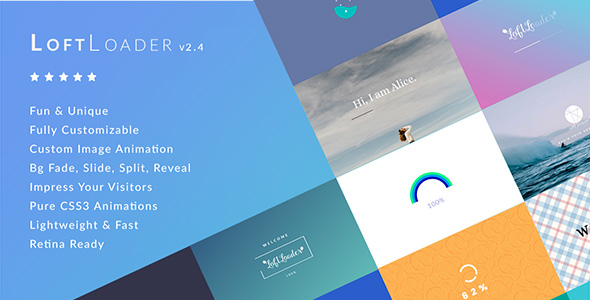
LoftLoader Pro - Preloader Plugin for WordPress
Description
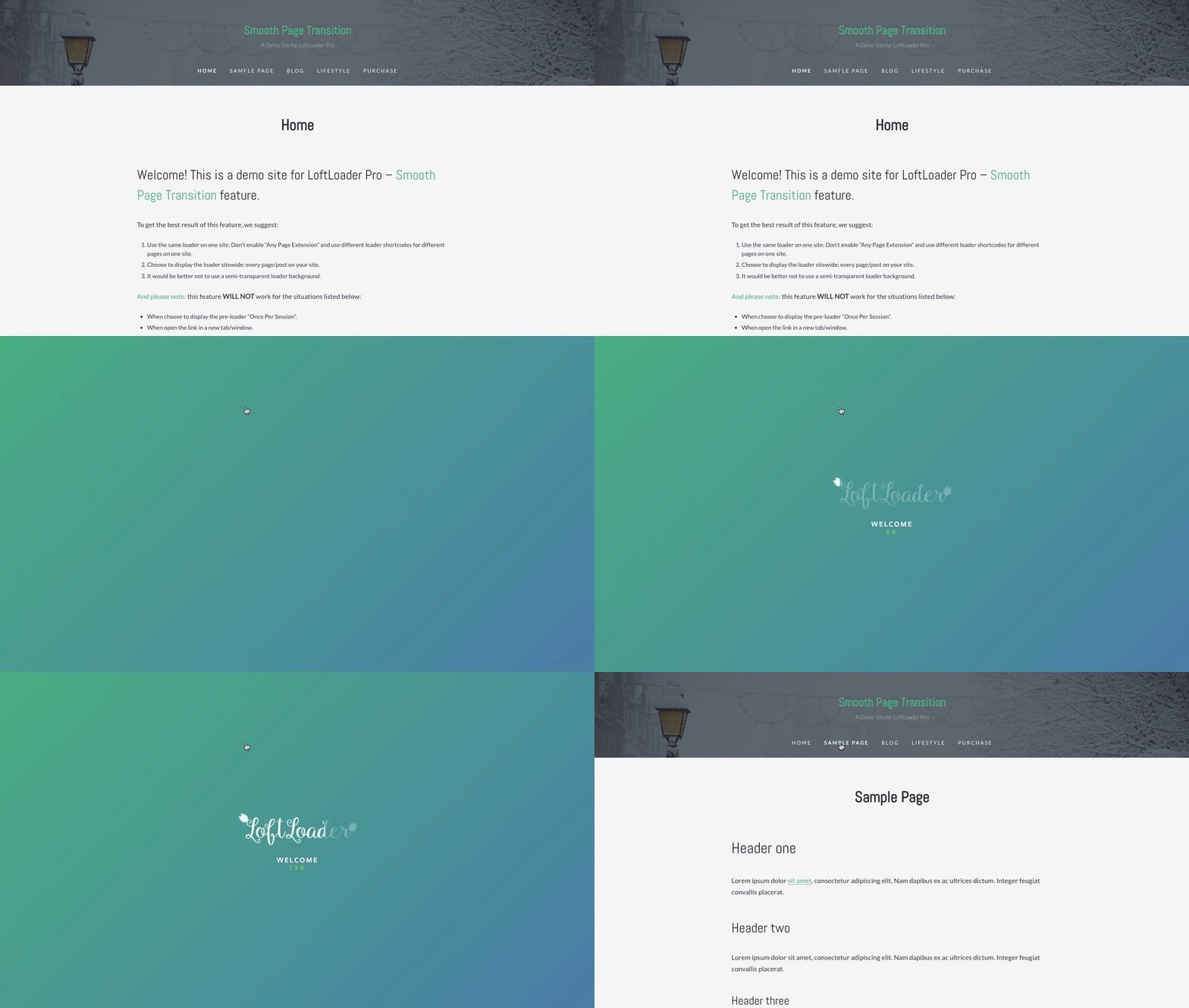
Feature Preview – Smooth Page Transition (Check Demo)
New Demos
New feature – New loader animation, new ending animation.
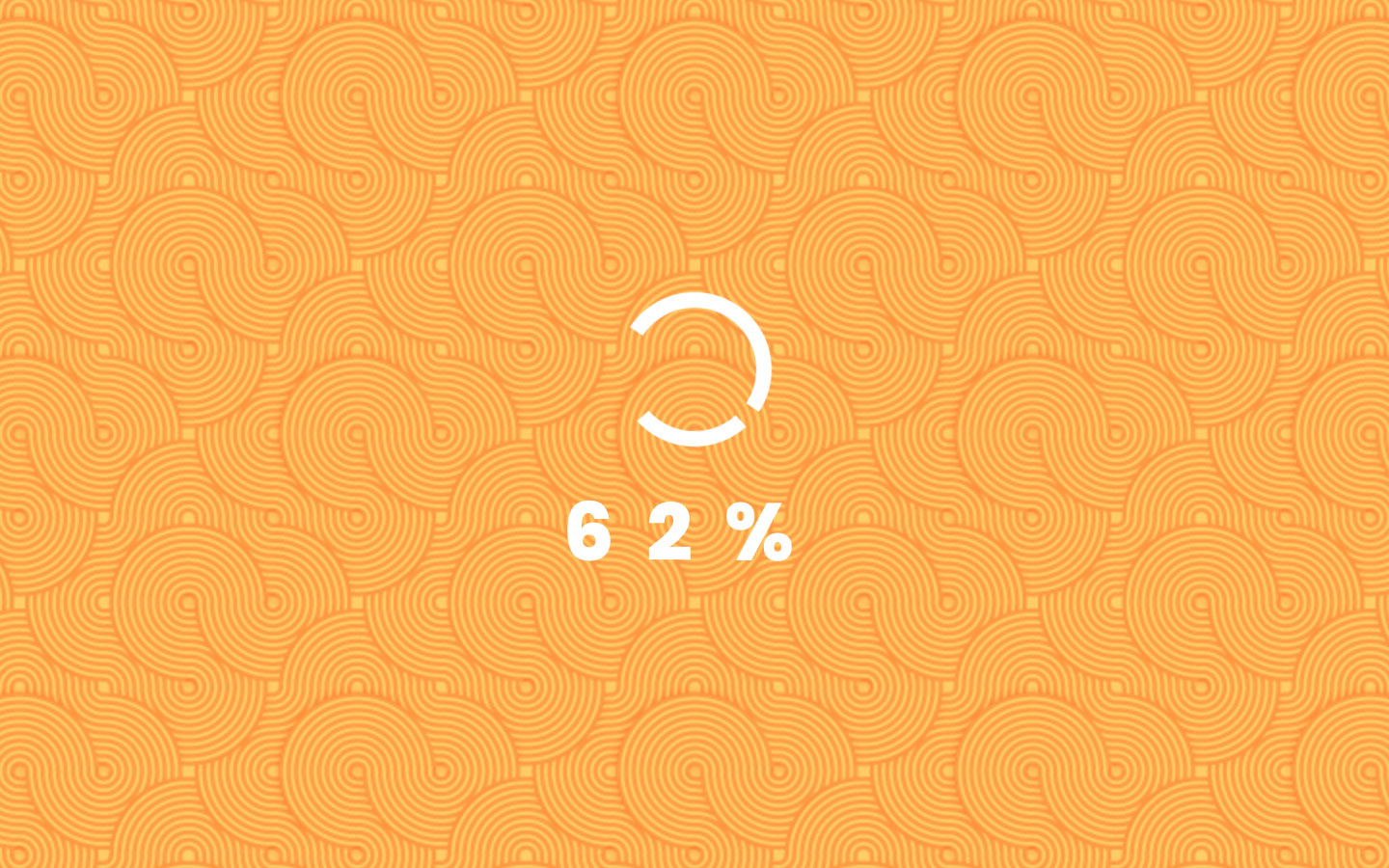
New feature – New loader animation, new ending animation, and display progress bar with counting number. And, a Random Message is displayed each time the page is loading .
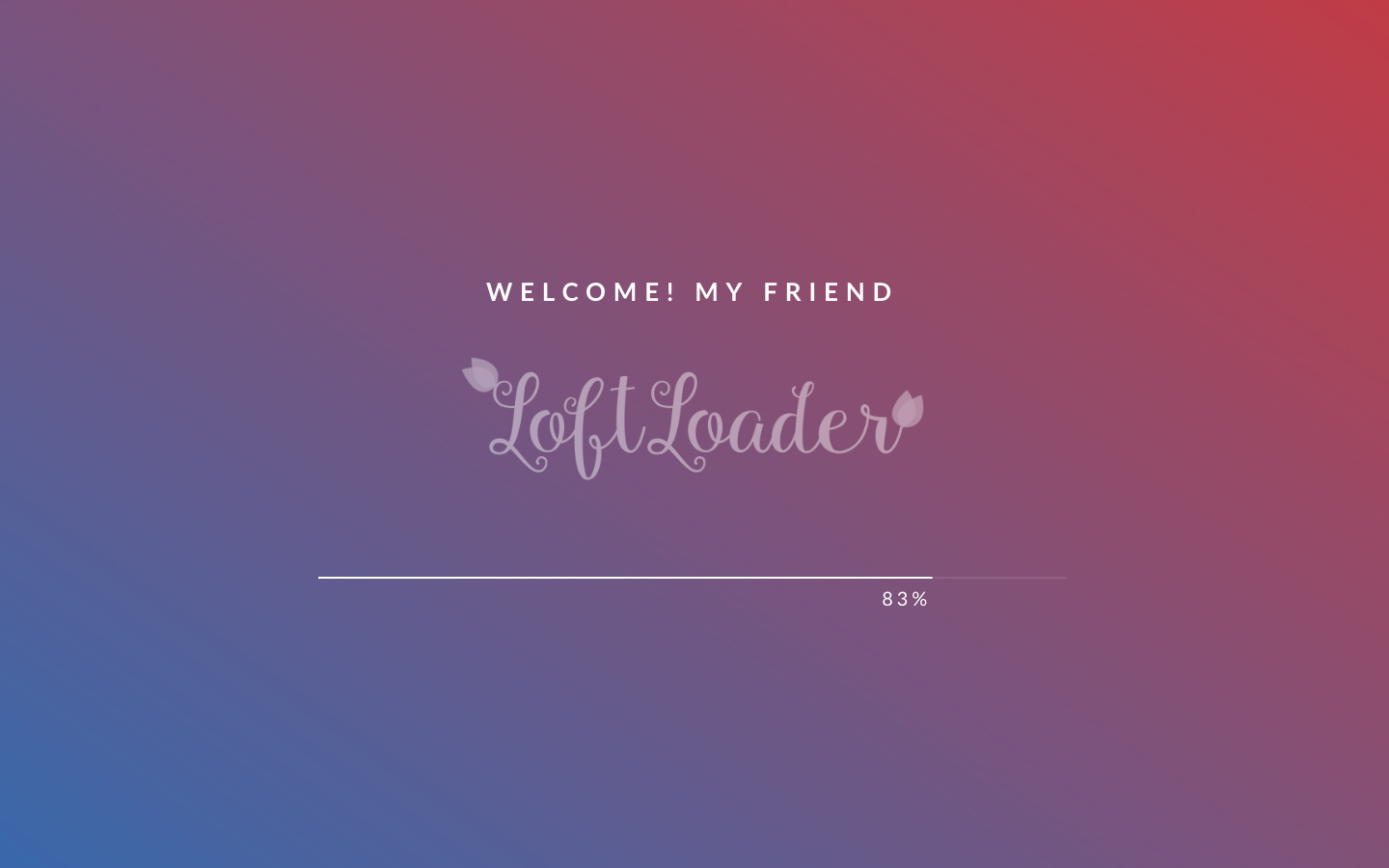
New feature – Background Image – Repeating Pattern
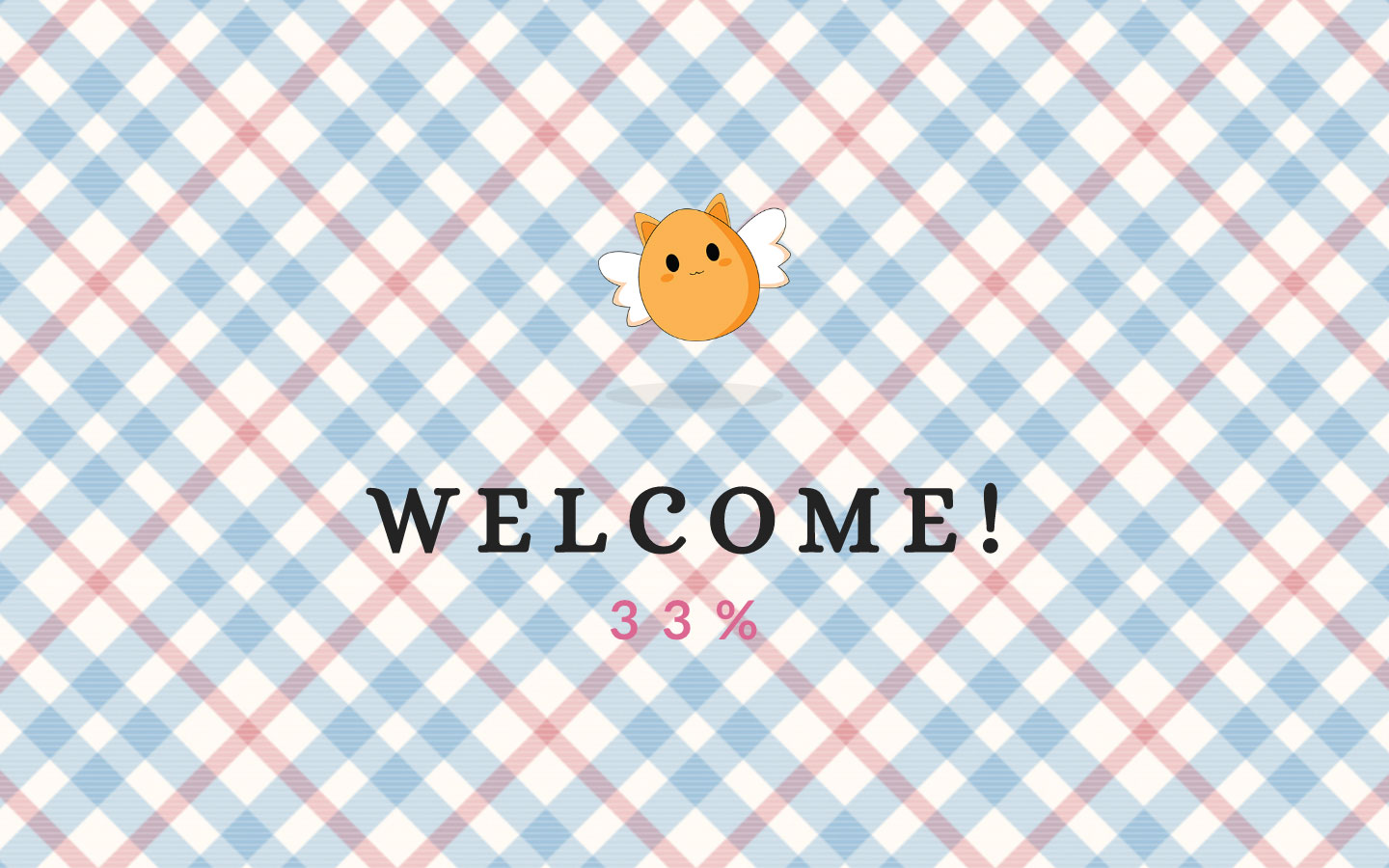
New feature – Full Background Image

Visitors get impatient while waiting for content loading?
Waiting can be delightful.
LoftLoader is a small but powerful preloader plugin to add fun and unique preloader animation to your WordPress website.
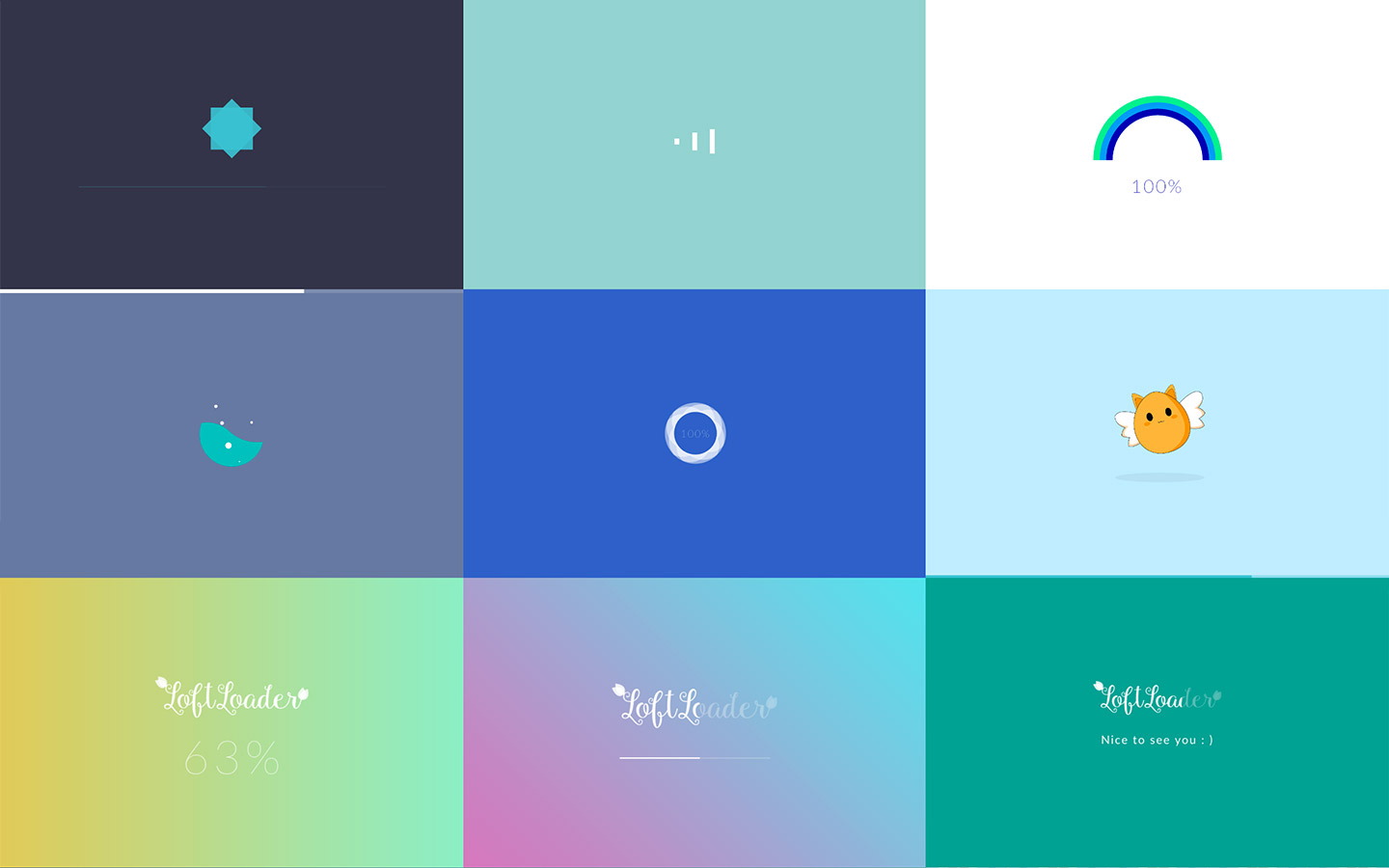
Check Some Examples
Main Features
 Unlimited colors to fit your brand.
Stay sharp, high quality, and super fast. Built with pure CSS3 animations.
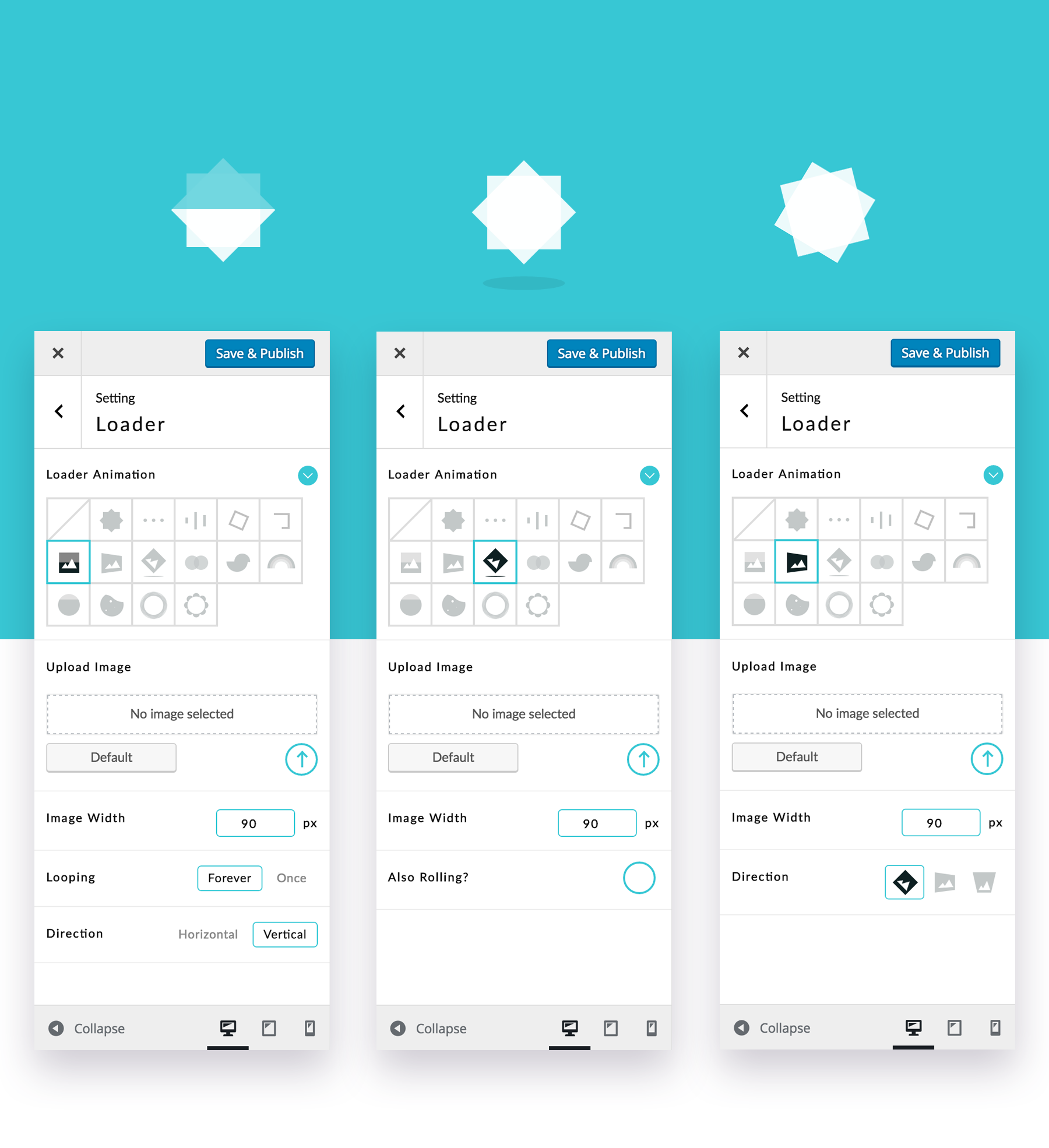 Upload and animate custom images. Loading, rotating, bouncing and rolling. Make every bit of your site enjoyable and memorable.
Beautiful on any devices.
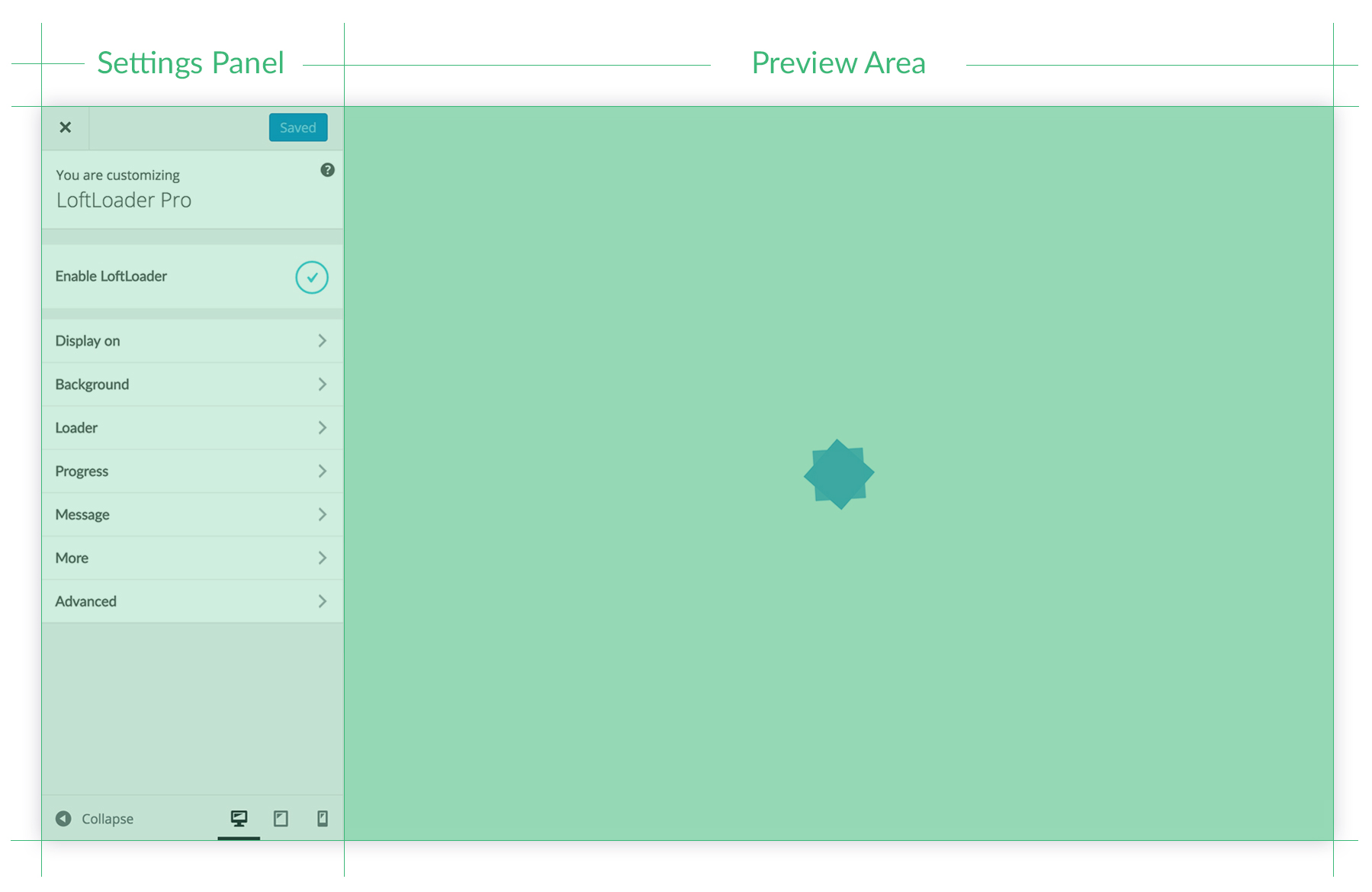 Easy to edit and live preview. With enhanced and elegant setting panel.
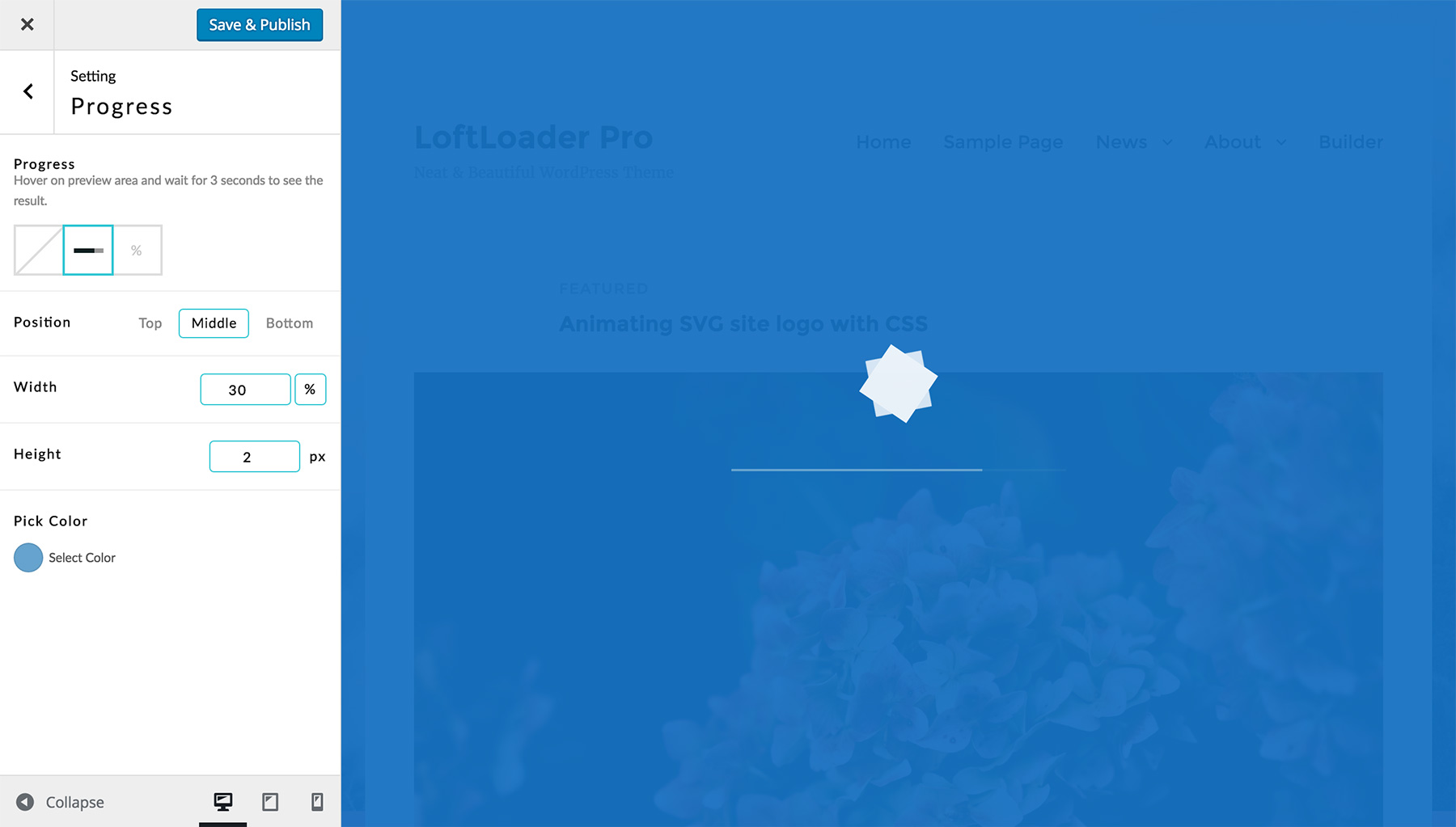 Flexible and controllable. Loader animation, progress bar, or counting percentage, choose any one, or mix.
Add more user-friendly effects, and impress your visitors from the first sight.
Display
- Turn on or off preloader.
- Choose to show on global site, or all pages.
- Display on homepage only.
- Show it to visitors once per session.
- Choose to hide loader for selected types: products, portfolios, etc.
- Choose to only show loader for selected post types: products, portfolios, etc. (New Feature)
- Handpick, turn it on for specific pages or posts.
- Manually exclude selected pages/posts (for “Sitewide” and “All Pages”)
Loader
- Display or hide the loader.
- 19 animations to choose.
- 6 support custom images.
- Choose any color.
- Animation loops forever, or just once (ends after page has loaded).
- Use custom HTML as the loader (new feature added in v2.2.2)
Background
- Solid or transparent.
- Unlimited background color.
- 13 transition effects when ending: fade, split horizontally/vertically, slide to left, slide to right, slide up, slide down, shrink & fade, split & reveal vertically, split & reveal horizontally, or split diagonally (please see more information about split diagonally animations).
- Opacity control. Lower the opacity to let visitors see through.
- Gradient background color.
- Background Image: Repeating pattern, or a full image.
- New feature added in version 2.2: when using background image, users can choose to upload a separate background image for mobile devices.
Progress
- Show or hide progress indicator.
- Choose progress bar, counting percentage, or both.
- Set position. Top, middle, bottom, or below the loader.
- Choose any color for it.
- Adjust width and height of progress bar.
- Choose one from Google fonts, change font size, weight, and letter spacing for percentage.
- Put percentage behind animation, create unique design.
Custom Welcome Message
- Display custom welcome/loading message.
- Change font size of text.
- Choose any color for text.
- Set position. Top, bottom, or before the progress indicator.
- Google font, font weight, and letter spacing settings.
- Random Message – Check the example (New Feature).
Load Time
- Set Minimum load time, so prevent the pre-loader from disappearing too fast.
- Set Maximum load time to force the pre-loader to disappear after x seconds (new feature added in v2.2).
Devices Control
Choose to show the loading screen:- On all devices.
- Or hide on mobile.
- Or show on mobile only.
Smooth Page Transition (New Feature)
One click to enable/disable Smooth Page Transition. The loading screen background will appear when leaves a page. Check the demo for this feature.
With the “Additional Display Option” of this feature, the loading screen can be displayed only when leaving the current page (after clicking an internal link).
Different loaders on different pages
Enable Any Page Extension in the new Advanced section, then you can export loader shortcodes and add it to any page to display different loaders on different pages. (You may like to read the documentation for more details.)
Since LoftLoader Pro v2.0, now you can add different loaders for your posts and custom post types, such as portfolios, products, etc.
Loading Screen Close Button
Since v1.1.5, visitors can click the close button to quit the loading screen if they don’t want to wait for loading to complete. Admin can control when to show the close button, and can add custom text for the close button.

Detect Elements (New Feature)
Since v2.0, now LoftLoader Pro can detect loading for different elements:- Detect when the browser stops loading
- Detect Images
- Detect Videos
- Detect Image & Videos
Where to save styles
Choose to save customize styles of your loading screen as inline styles in <head>, or as an external .css file.Update soon
- More options for custom brand image.
- More fun and meaningful animations.
- More options for loader.
- More options for background.
- More options for progress.
Pre-sale Questions
If you are not sure whether the plugin has a specific feature you need, please check our Online Documentation, browse demos, read item description on this page. If you can’t find an answer, please leave a comment.
Any Problem?
Please feel free to contact us if you encounter any issue related to the plugin. To speed along the support request, please follow the guide listed on the support tab.
How long does it take for LoftOcean support to reply to your support request?
We provide support for our customers Monday to Friday: 10 AM to 6 PM (UTC+10). Support requests will be processed in the order received.
- Usually we reply to all requests within 24 hours.
- However, sometimes we may receive a large number of requests, or some questions are complicated and require in-depth research to answer. In the above two cases, it may take more than 24 hours for us to respond.
- If it is a weekend, our response time may take 48 hours or more.
Changelog
Version  2.4.0 - November 29, 2022
* New: Ending Animation - No Animation
* New: Smooth Page Transition - Option to manually set the percentage at which the progress ends when leaving the current page (when loader contains progress)
* New: Smooth Page Transition - Option to manually set how long to stay on the current page before leaving it (when loader contains progress)
* New: Smooth Page Transition - Option to show or hide the close button when leaving the current page
* New: Option to add specific parameters to disable the loader when these parameters are included in the URL
* New: Trigger Smooth Page Transition on specific buttons (BETA)
* Improved: Rearranged the structure of all option of Smooth Page Transition in the settings panel
* Improved: Once Per Session feature
* Fixed: When the loader is set to only appear on page transition, if the "Disable Page Scroll while Loading" feature is activated, the page cannot be scrolled even though the loader does not appear when the page is opened for the first time
* Fixed: Minor CSS Issues

Version  2.3.3 - February 28, 2022
* New: Smooth Page Transition - Reverse background animation direction when reappearing (works for: Slide to Left / Slide to Right / Slide Up / Slide Down)
* New: Added the Custom CSS box
* Improved: Ensured images in loading screen are available earlier by adding rel="preload" attribute value
* Improved: When "Once Per Session" is enabled, the loader no longer appears when opening the page in a new tab or new window
* Fixed: A minor conflict with Divi Theme (causing "Once Per Session" to not work)

Version  2.3.2 - October 21, 2021
* New: Option to enable Adaptive Height for the loading screen on mobile devices
* New: Gradient background color for the progress bar
* Updated: Google Fonts List
* Fixed: CSS issues for ending animations (Fade, Slide Up)

Version  2.3.1 - June 28, 2021
* Fixed: JS error when the visitor disables browser cookie on the device (cookie-related/once-per-session feature will not work at this time, but the loader can display and end)
* Improved: When Cloudflare Rocket Loader feature is enabled, the "Once Per Session" feature can work
* Improved: Added width and height attributes to image elements
* Improved: Removed most non-composited animations

Version 2.3.0 - January 24, 2021
* New: Background Section - new Ending Animation: Slide Down
* New: Added "Additional Display Option" for Smooth Page Transition
* New: For developers - added API for Smooth Page Transition. Then developers can use Smooth Page Transition on custom HTML element
* Improved: Random Message content issue when Smooth Page Transition is enabled
* Improved: Option to adjust the order of loading JavaScript
* Changed: Minimum Load Time - The upper limit of the value is changed to 30 seconds
* Fixed: Display On - Handpick request error
* Fixed: Minor CSS issues on Chrome browser on iOS

Version 2.2.3 - August 13, 2020
* Improved: Compatibility with WordPress 5.5

Version 2.2.2 - July 23, 2020
* New: Display On - "Sitewide" - New option to manually exclude pages/posts
* New: Display On - "All Pages" - New option to manually exclude pages
* New: Loader - New option to use custom HTML loader
* Fixed: Conflicts between "Translate Press" and the "Smooth Page Transition" feature of LoftLoader Pro
* Fixed: Minor CSS issues

Version 2.2.1 - March 15, 2020
* Fixed: Maximum Load Time setting issue for initial installation

Version 2.2.0 -  March 1, 2020
* New: Option to set Maximum Load Time
* New: Option to enable detecting autoplay video (video source: YouTube / Vimeo / Media Library)
* New: When background is set to use background image, added a new option to upload a separate background image for mobile devices
* Improved: Hide loader when editing content with a third-party page builder plugin
* Improved: Hide loader when opening theme customizer
* Improved: Compatibility with Swift Performance plugin
* Improved: Prevent Google Fonts from loading when there is no text in the loading screen
* Improved: “Detect Elements” - “Detect All Elements” option description changed to “Detect when the browser stops loading” to make the description more accurate
* Improved: Added a data attribute when the loader is created with Any Page Extension feature (for better debugging)
* Improved: For browsers that support “Back/Forward Cache”, hide the loader when going back/forward by clicking the “Back” or “Forward” button of the browser
* Improved: LoftLoader Pro settings Panel UI
* Fixed: Google Fonts load incorrectly when font name is not a single word
* Fixed: Any Page Extension did not work on WooCommerce Shop page
* Fixed: When “Once Per Session” is enabled, hide the loader when clicking on the “Back” button of the browser
* Fixed: Potential layout issues for split background image
* Fixed: Potential conflicts with Gutenberg when Any Page Extension feature is enabled
* Fixed: Minor CSS issues

Version 2.1.1 - November 16, 2019
* Improved: Prevent preloader styles being affected by Lazy Loading feature
* Fixed: Some JavaScripts are delayed due to conflicts between Once Per Session feature and CloudFlare
* Fixed: CDN issue caused by code changes made in the previous update (to resolve conflicts with ConveyThis plugin)
* Fixed: Minor style issues in LoftLoader Settings panel for WordPress 5.3
* Updated: Plugin requirements information

Version 2.1.0 - November 7, 2019
* New: Option to show all elements for Smooth Page Transition feature
* New: Option to disable the close button
* Improved: Once Per Session now works on cached pages
* Improved: Display On > Handpick - Improved the design and user experience of this option
* Improved: The minimum load time setting doesn’t work because the theme or other plugins also use the "loaded" class. So we added a new class "loftloader-loaded" to < body > when page is loaded
* Improved: Rearranged options in Advanced section
* Fixed: Media Library cannot open on LoftLoader settings panel
* Fixed: Smooth Page Transition feature doesn’t work on internal links that are added dynamically by JavaScript after page is loaded
* Fixed: Code conflicts between Max Mega Menu and LoftLoader
* Fixed: Compatibility issue between ConveyThis and LoftLoader
* Fixed: Style issue of Water Filling animation

Version 2.0.1 - July 7, 2019
* Improved: Improved plugin code in accordance with the latest Envato WordPress plugin requirements
* Fixed: PHP Conflict with some maintenance plugins
* Fixed: AJAX conflict with other plugins

Version 2.0 - May 13, 2019
* New: Any Page Extension can be enabled for blog posts and custom post types (portfolios, products, etc.)
* New: Option to detect different elements (All Elements / Images / Videos / Images & Videos)
* New: URL parameter for disabling the preloader
* New: Added the config file for Polylang
* Improved: Animation for progress indicators
* Improved: Compatibility with other third-party plugins
* Improved: Improved plugin code in accordance with the latest Envato WordPress plugin requirements
* Improved: Introducing a new library to improve the accuracy of Mobile Detection
* Fixed: Media Library issue due to conflicts with other plugins
* Fixed: Unable to trigger the Gutenberg Update button when adding Any Page Extension shortcode
* Fixed: Minor CSS issues

Version 1.2.4 - January 9, 2019
* New: Background Section - 2 new Ending Animations: Slide Left, Slide Right
* Changed: The minimum PHP version requirement changed from PHP 5.4 to PHP 5.3
* Fixed: PHP error message displayed in the dashboard

Version 1.2.3 - November 20, 2018
* New: Random Message feature - enter multiple messages and display a random one when loading the page
* New: Feature to detect user website configuration and display warning messages if WordPress/PHP is too old
* Improved: Any Page Extension meta boxes redesigned to fit in Gutenberg Sidebar
* Fixed: PHP cache conflicts with some WordPress Themes/Plugins

Version 1.2.2 - September 28, 2018
* New: Option to adjust Line Height for Message
* Fixed: JS/PHP conflicts with some WordPress Themes/Plugins
* Improved: Message input field supports simple HTML markups
* Improved: Option to use site default font for message text and progress percentage number

Version 1.2.1 - August 31, 2018
* Fixed: Issue occurs when activating the plugin if the server PHP version is older than 5.4
* Improved: Added notifications when outdated PHP versions detected (older than PHP 5.4)
* New: For developers - after the loading process is completed, trigger a JavaScript event “loftloaderprodone” on DOM object “document”. Then developers can bind their own code to this event.

Version 1.2 - July 13, 2018
* New: Option to choose entrance animation (None / Fade In / Slide Up) for inner elements such as the loader, progress indicator and message.
* New: Option to choose exit animation (None / Slide Up) for inner elements such as the loader, progress indicator and message.
* Fixed: The issue of inserting HTML code into robots.txt

Version 1.1.9 - June 20, 2018
* New: Option to change custom loader image max width for responsive design
* Improved: LoftLoader Customizer panel independence
* Fixed: JS conflicts with Smart Slider 3 Pro version
* Fixed: Progress bar CSS issue under Chrome v67.x

Version 1.1.8 - May 28, 2018
* New: Option to make the preloader spin counterclockwise with Custom Image Rotating loader
* Fixed: Image moves while loading with Custom Image Loading loader

Version 1.1.7 - May 24, 2018
* Fixed: Cookies conflict with cache plugins when "Once Per Session" feature is not enabled

Version 1.1.6 - May 23, 2018
* New: Background Section - Background Image can choose “cover” or “contain” as the full background image size
* New: Option to disable page scrolling while loading
* Improved: Rearranged options in More section
* Improved: Compatibility with WordPress 4.9.6 - added suggesting text for Privacy Policy (GDPR tools introduced in WordPress 4.9.6)
* Improved: Use cookies instead of sessions for “Once Per Session” feature
* Fixed: Added CSS for screen reader text in this plugin

Version 1.1.5 - January 30, 2018
* New: Background Section - 2 new Ending Animations: Split Diagonally - Vertically, Split Diagonally - Horizontally
* New: Loader Section - 1 new Loader Animation: Incomplete Ring
* New: Loader Section - Custom Image Loading Vertically - Animation can goes from Top to Bottom
* New: More Section - when “Smooth Page Transition” feature is enabled, user can exclude specific links so that the feature will be disabled when clicking on those links
* New: More Section - option to “Show Close Button after x seconds”
* Fixed: The issues of “Once Per Session” features due to WP Engine’s cache system ignores PHP Session
* Fixed: Issue when saving styles as an external CSS file
* Fixed: Minor CSS issues

Version 1.1.4 - November 17, 2017
* Fixed: Settings Panel UI compatibility issues with WordPress v4.9

Version 1.1.3 - October 29, 2017
* New: Any Page Extension - Added an option to display the preloader (created by shortcode) on the page only once during a visitor session
* Fixed: preg_replace php function issue

Version 1.1.2 - August 22, 2017
* Fixed: Conflict with plugin “Essential Grid” - affected Smooth Page Transition feature
* Fixed: Removed empty <img /> tag for loader “Drawing Frame”
* Fixed: Split background image issue on FireFox
* Fixed: Other minor CSS issues
* Improved: Hide LoftLoader when JavaScript is disabled

Version 1.1.1 - July 30th, 2017
* New: Display On - Selected Post Types
* Fixed: Minimal Load Time - Decimal separator (dot) being converted to comma for some locale settings
* Fixed: Back/forward button issue for Safari when Smooth Page Transition feature enabled

Version 1.1.0 - June 21st, 2017
* Improved: LoftLoader Customizer panel independence (so it won’t be affected by theme or other plugins’ code)
* New: Background Section - 2 new Ending Animations: Split & Reveal Vertically, Split & Reveal Horizontally
* New: Loader Section - 2 new Loader Animations: Beating, Custom Image Fading
* New: Loader Section - A new option for Crossing Circles: Blend Mode None
* New: Progress Section - A new Progress Animation: Bar + Number.
* Fixed: Minor bugs of Page smooth transition for IE11 - a tag with href "#" only
* Fixed: Minor bugs of Page smooth transition with WooCommerce - when “Enable AJAX add to cart buttons on archives”
* Fixed: Other CSS issues

Version 1.0.10 - April 10th, 2017
* New: Option to enable AJAX when choose "Once per session" and "Homepage + Once per session" in Display On section
* New: Interval between AJAX requests option in Display On section
* Fixed: AJAX keep alive error when switch between login and logout user

Version 1.0.9 - March 21st, 2017
* Fixed: A minor bug of Smooth Page Transition feature - should disable while < a > link with href "#" only.

Version 1.0.8 - March 17th, 2017
* New: Display On - Homepage only + Once per session: so the loading screen will only show on the homepage and only show once during the whole session of a visitor.

Version 1.0.7 - March 1st, 2017
* New: Background Section - Background Image
* New: Advanced Section - Save customize styles as inline styles in <head> or as an external .css file.
* New: “Default” font option in Google Font dropdown list
* Fixed: Minor bugs of Smooth Page Transition feature in Safari
* Changed: Removed inline JS, changed to HTML5 data attributes

Version 1.0.6 - February 24th, 2017
* New: More Section - Smooth Page Transition
* New: Display On - Once per session
* New: Display On - “Sitewide - Selected types”
* New: Advanced - Enable Any Page Extension: let user export loader shortcodes and add it to any page, so display different loaders on different pages.
* Improved: Add CSS to prevent site content from being hidden by other plugins before their code get fully loaded.
* Fixed: Minor bugs on settings panel for WordPress 4.7.x

Version 1.0.5 - December 22nd, 2016
* New: Background Section - A new Ending Animation: Shrink & Fade
* New: Loader Section - A new option for Custom Image Rotating: Speed Curve (Linear / Ease Out & Back)
* New: Loader Section - More options for Drawing Frame: Frame Size & Border Width
* New: Progress Section - More font options for Percentage: Google Fonts, Font Weight and Letter Spacing.
* Updated: Google Font list
* Fixed: CSS minor bugs

Version 1.0.4 - November 1st, 2016
* New: Message Section - Message Position
* New: Message Section - More font options: Google Fonts, font weight and letter spacing.
* Fixed: Minor bugs of the loader Petals
* Improved: Added prefix to main classes to prevent styles from being affected by theme or other plugins.

Version 1.0.3 - September 29th, 2016
* New: Background Section - Gradient Background
* New: Loader Section - Custom Static Image
* New: More Section - Devices. Now you can choose to hide the loading screen on mobile devices, or show on them only.
* Fixed: Backend layout issues with Divi Theme
* Fixed: Minor bugs of the loader Wave/Crossing Circles
* Improved: Load Time code
* Improved: Backend panel code
* Improved: Minified JS and CSS
* Changes: Remove width limitation of custom image (was 200px)
* Changes: Increase the z-index of the loading screen

Version 1.0.2 - September 1st, 2016
* New: More section - Minimum Load Time. Now the user can set a minimum load time to prevent the pre-loader from disappearing too fast.

Version 1.0.1 - August 25th, 2016
* New: Handpick for Display On section, now you can turn on pre-loader for specific pages or posts.
* New: Custom Welcome Message.
* Fix: Customizer minor bug.

Version 1.0.0 - August 5th, 2016
* Initial Public Release.
Categories
Tags
External listing. code.market does not sell this product and does not process payment for it. Pricing, payment, delivery, licensing, refunds, and support are handled by the third-party merchant on its own website. We may earn an affiliate commission from a referral. Details.
Products of the Week.
Submit#1

wanapi.app
Wan API is a developer platform for the Wan video model family. Compare Wan 3.0, Prime and Pro specifications and prices, then prepare a request in the preview playground.
Other · 8,163 views · 21 clicksOther · Week 42 · 8,163 views · 21 clicks
#2

wanapi.ai
Wan API is a developer platform for the Wan video model family. Compare Wan 3.0, Prime and Pro specifications and prices, then prepare a request in the preview playground.
Other · 7,510 views · 12 clicksOther · Week 42 · 7,510 views · 12 clicks
#3

yee.site
Your link in bio, but a real website. Start from beautiful templates and ready-made sections, then add a shop, bookings, a blog and as many pages as you need. Perfect for your link in bio, portfolio or personal site.
Other · 13,595 views · 22 clicksOther · Week 42 · 13,595 views · 22 clicks
#4

upvote.club
Free Social Media Engagement that Helps Boost Your Content. Upvote Club supports 19 social networks with 100+ engagement actions in one dashboard. Add links to your posts and get free engagement from real users.
SaaS · 34,489 views · 104 clicksSaaS · Week 42 · 34,489 views · 104 clicks
#5

Seenshot App
Free, Fast, MacOS Screenshot app. Make Screenshot cmd+shift+2 and send it via link
Desktop App · 22,981 views · 114 clicksDesktop App · Week 42 · 22,981 views · 114 clicks
#6

Conversational Backlinks for Busy Founders
Place Backlink Relevant Conversation for your domain across Forums and Conversations
Website · 34,755 views · 204 clicksWebsite · Week 42 · 34,755 views · 204 clicks
#7

Substack Posting API
Onboard your Agent to Substack. Write Publish on Substack via API
SaaS · 53,621 views · 190 clicksSaaS · Week 42 · 53,621 views · 190 clicks
#8

codester.com
SocialDesk+: Omnichannel Social Commerce & Business Management Platform This is stronger than simply “Social Commerce and Messaging” because it tells buyers this is a complete business platform, not just a messaging script. Turn Social Conversations Into Sales SocialDesk+ is a complete omnichannel social commerce and business management platform built for businesses that sell and communicate with customers through social media. Instead of switching between WhatsApp, Facebook, Instagram and TikTok, businesses can manage customer conversations, comments, products, leads, follow-ups, automation, teams and business reports from one professional workspace. And because the full source code is included, developers, agencies and entrepreneurs can customize, rebrand and launch SocialDesk+ as their own business solution or SaaS platform. 🚀 Build Your Own Social Commerce Business SocialDesk+ gives you the foundation to launch: - Your own SaaS platform - A white-label social CRM - A social-commerce management system - A customer communication platform - A business messaging solution - A custom solution for clients - A multi-business subscription platform 💬 Connect Your Customers Supported social channels include: WhatsApp • Facebook • Instagram • TikTok Bring supported conversations into one centralized workspace and help businesses respond faster without constantly switching between platforms. 🛍️ More Than a Messaging Platform SocialDesk+ combines communication with the tools businesses need to manage customer opportunities: Inbox Manage customer conversations from connected channels. Comments Monitor and respond to social-media comments. Customers & Leads Organize customer information and potential buyers. Products & Catalog Manage products and give your team quick access to product information. Follow-Ups Make sure potential customers don't get forgotten. Automation Automate repetitive customer questions and responses. AI Assistant Provide AI-assisted communication when configured. Team Management Give managers and staff access to the business workspace. Reports & Analytics Track activity using business reports and analytics. The current product listing already includes these capabilities. 🔥 Why Buyers Will Want It Launch Faster Start with an already-built business platform instead of developing the entire system from zero. Customize Everything The full source code is included, allowing developers to change branding, features, workflows and integrations. Build a SaaS Create multiple business workspaces and offer SocialDesk+ as a subscription-based service. Sell to Businesses Offer it to retailers, restaurants, service businesses, online sellers, agencies and other businesses that communicate with customers through social media. Mobile + Web + Backend This isn't just a mobile UI template. It includes: - Flutter mobile application - Python / FastAPI backend - Web interface - Administration tools - Database infrastructure - API-based architecture - SQLite / PostgreSQL support - Android and iOS project structure 💼 One Platform. Multiple Business Opportunities. For SaaS Entrepreneurs Launch your own subscription platform and allow multiple businesses to operate inside separate workspaces. For Software Agencies Customize and rebrand the platform for clients instead of building an omnichannel business system from scratch. For Developers Use the complete source code as a foundation for your own social-commerce or customer-management product. For Businesses Deploy a dedicated version for your own customer-service and social-commerce operations. 🧩 What's Included Mobile - Flutter / Dart - Android - iOS project Backend - Python - FastAPI - SQLAlchemy - Alembic Database - SQLite - PostgreSQL Web - HTML5 - CSS3 - JavaScript Deployment - Docker - Docker Compose - Production configuration Business Platform - Multi-workspace architecture - Authentication - Teams - Customers - Products - Messaging - Comments - Automation - Reports - Subscriptions - Administration The current listing also documents third-party integrations such as Meta, TikTok, Stripe, Firebase, SMTP and optional OpenAI configuration. ⚡ What Makes SocialDesk+ Different? You're not buying a simple: ❌ Chat UI ❌ WhatsApp clone ❌ Flutter template ❌ Admin dashboard ❌ Basic CRM You're getting a complete business platform foundation that can be customized, branded and commercialized. Connect. Automate. Manage. Grow. SocialDesk+ Omnichannel Social Commerce & Business Management Platform One important change I'd make to the current listing The current page starts with: “A simple guide to managing your social conversations, customers, products and business activity.”
Other · 20,991 views · 35 clicksOther · Week 42 · 20,991 views · 35 clicks
#9

sandbook.app
Sandbook reads EPUB, PDF, web pages and scanned pages aloud with Kokoro TTS, an open neural voice model that runs on your iPhone, free and offline. Choose from 41 natural voices in English, Spanish, French, Italian, Brazilian Portuguese and Hindi and follow each word as it is spoken. Try the same voices in your browser first with the free Kokoro TTS online demo.
Other · 20,899 views · 17 clicksOther · Week 42 · 20,899 views · 17 clicks