
Local Business Site Builder Professional
Description
Build Beautiful, Multilingual Business Websites
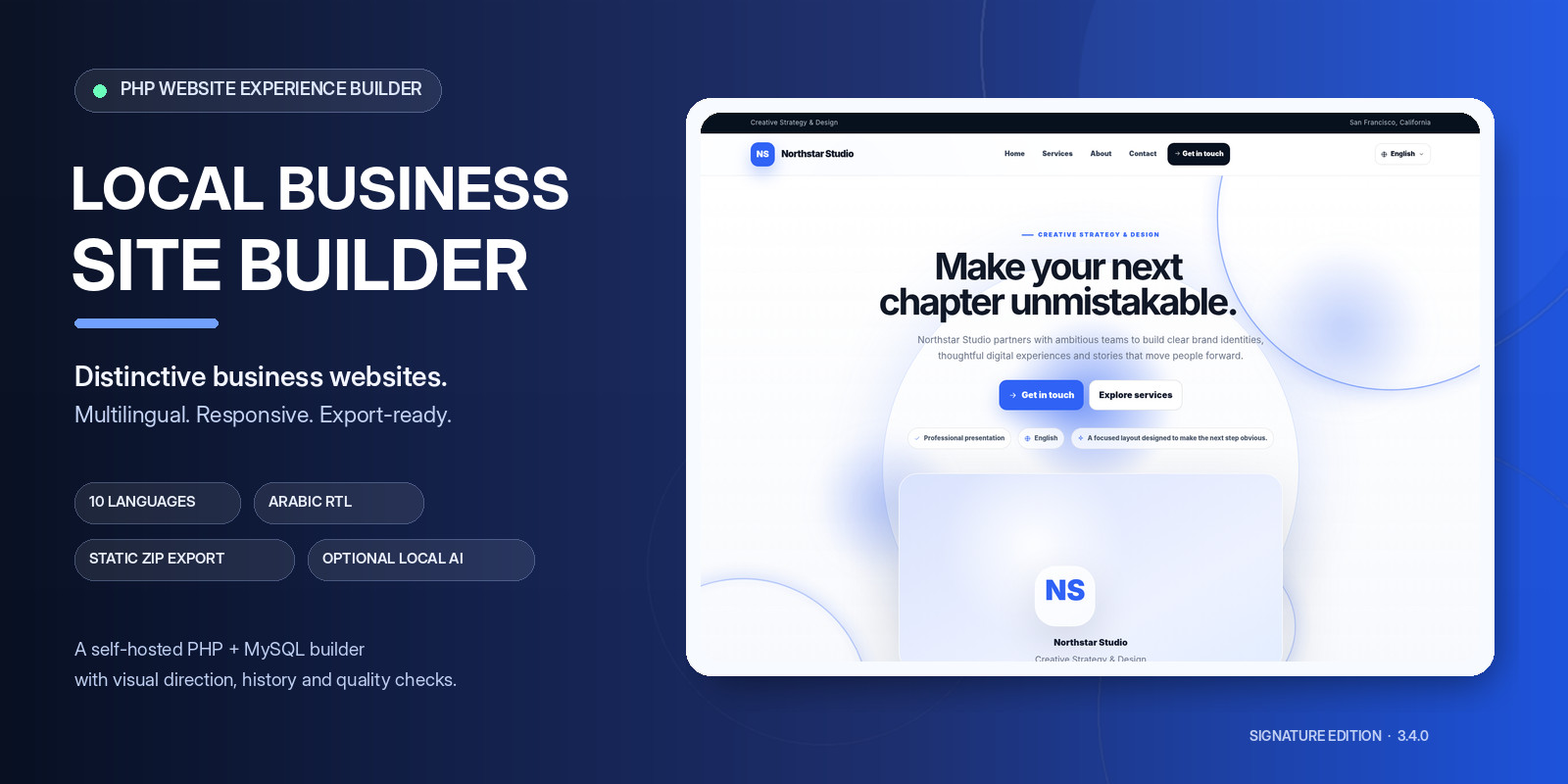
Create polished, responsive websites for local businesses with a powerful PHP website generator. Turn business information into complete websites featuring modern visual designs, animated interactions, SEO tools, multilingual content and convenient project management. Designed for developers, agencies and website creators, Local Business Site Builder Professional combines a visual generation workspace with practical tools for preparing, reviewing and exporting production-ready websites.
Key Features
Three Distinctive Visual Systems
Choose from three professional design directions:
- Aurora Modern — Contemporary layouts with layered visuals and refined effects.
- Noir Motion — Bold, immersive designs with sophisticated motion.
- Atelier — An editorial-inspired style with elegant compositions.
Customize hero layouts, section compositions, accent colors, visibility settings and animation preferences to create distinctive websites.
10 Languages with Arabic RTL Support
Build multilingual websites with support for:
- English
- French
- Arabic
- Spanish
- German
- Portuguese
- Italian
- Turkish
- Dutch
- Simplified Chinese
The installer, login page and administration workspace also support multiple languages. Generated websites include a language switcher and localized interface text.
Multilingual Content Studio
Create separate content for each language, including business descriptions, hero headlines, services, testimonials and SEO metadata. Missing translations inherit the primary-language content, helping keep every language version complete.
Optional Local AI Studio
Use the browser-based Local AI Studio to assist with website content and visual planning without requiring a paid AI inference API. The AI Website Architect can propose content, visual direction, hero compositions, motion preferences and section selections. AI is optional, so the website builder remains usable without it. Note: The first AI use requires an internet connection to download and cache the model and supporting library.
Responsive, Animated Websites
Generated websites include:
- Responsive layouts and mobile navigation
- Reveal animations and scroll progress indicators
- Pointer spotlight and hover-depth effects
- Floating visual elements and subtle 3D tilt
- Customizable section compositions
- Home, Services, About and Contact pages
Built-In SEO and Quality Tools
Prepare websites for publication with:
- SEO title and description checks
- Open Graph metadata
- Language metadata
- LocalBusiness structured data in JSON-LD
- Contact and content validation
- Social link and testimonial checks
- Translation coverage indicators
- Pre-publication readiness reports
These tools provide practical content and configuration checks; they do not guarantee search rankings or business results.
Launch Readiness and Export
Review important website settings before exporting. The launch tools check business information, media paths, SEO metadata, localized content and export readiness. Export a complete static website containing its assets, deployment instructions and all supported language versions. The generated public website can run on ordinary static or shared hosting without requiring PHP, MySQL or paid API calls.
Project History, Restore and Compare
Manage project revisions with:
- Named project snapshots
- Snapshot download and validated import
- Restore previous project states
- Automatic snapshots around restoration
- Comparison between saved snapshots and the current project
- A read-only list of changed fields
Snapshots preserve website settings and content, but do not contain the binary image files. Back up the database and uploads directory separately.
Installation and Deployment Safeguards
Version 3.4.0 includes installer request protection, UTF-8-safe text handling, upload execution restrictions, server-directory access rules and consistent release versioning.
Keep the included security rules enabled and configure equivalent protections if your hosting environment does not support .htaccess.
Technical Requirements
- PHP 8.1 or later
- MySQL or MariaDB
- PDO MySQL
- PHP Fileinfo extension
- PHP ZIP extension for website ZIP export
- Apache-compatible hosting recommended for the included
.htaccessprotections - No Composer installation required
The optional AI feature requires internet access on first use to retrieve its model and supporting library. The generated public website does not require an AI service.
What Is Included?
- Local Business Site Builder Professional v3.4.0
- PHP application and administration workspace
- Database installer
- Multilingual website generator
- Local AI Studio
- Content, SEO and launch-readiness tools
- Project history, restore and comparison tools
- Documentation and release validation checklist
- Static tests for core generation, localization, export paths and release configuration
Who Is It For?
Local Business Site Builder Professional is intended for web developers, freelancers, agencies and digital creators who need a reusable way to generate multilingual websites for local businesses. Build the website, review its content and settings, then export the generated files for deployment to a suitable hosting environment. Local Business Site Builder Professional v3.4.0 — A complete workflow from business information to multilingual website export.
Features
- 10 Languages with Arabic RTL Support
- Visual Website Generator for Local Businesses
- 3 Distinctive Visual Design Systems
- Optional Browser-Based Local AI Assistant
- Multilingual Content Studio
- Responsive Layouts for Desktop, Tablet and Mobile
- Customizable Hero Sections and Page Compositions
- Animations and Interactive Visual Effects
- Built-In SEO Audit and Quality Checks
- Open Graph Metadata and LocalBusiness Schema
- Launch Readiness and Website Export Tools
- Project History, Snapshots and Restore
- Project Version Comparison
- Static Website Export with Assets and Deployment Instructions
- PHP and MySQL/MariaDB
- No Paid AI API Required
Requirements
- PHP 8.1 or later
- MySQL or MariaDB database
- PHP PDO and PDO MySQL extensions
- PHP Fileinfo extension
- PHP ZIP extension required for downloadable website ZIP exports
- Apache web server recommended, with .htaccess support enabled
- A modern web browser (Chrome, Firefox, Edge or equivalent)
- Write permissions for the application directories that need to store project data or uploaded files
- Internet connection required for the initial download of the optional Local AI model and supporting browser libraries
- No paid AI API key required
- No Composer installation required
Recommended local development environment: XAMPP with a compatible PHP version and MySQL/MariaDB. Hosting note: The hosting provider must support the required PHP extensions and database access. The optional Local AI feature may require additional internet access depending on the browser and hosting configuration.
Instructions
Local Business Site Builder Professional — User Guide1. Installation Requirements
Before installing the application, make sure your hosting environment meets the following requirements:
- PHP 8.1 or later
- MySQL 8.0 or MariaDB 10.x or later
- PHP PDO and PDO MySQL extensions
- PHP Fileinfo extension
- PHP ZIP extension for downloadable website exports
- Apache-compatible hosting with
.htaccesssupport recommended - Write permissions for the application directories that store project data and uploaded files
No Composer installation or paid AI API key is required.
2. Install the Application
- Download the product package and extract its contents on your computer.
- Upload the application files to your web server using your hosting control panel or FTP client.
- Create a new MySQL or MariaDB database using your hosting control panel.
- Open the application's installation page in your browser.
- Enter your database hostname, database name, database username and database password.
- Create the administrator account using your preferred email address and a strong password.
- Complete the installation and follow the confirmation displayed by the installer.
- Open the login page and sign in with the administrator credentials you created. Security recommendation: Use HTTPS, keep your administrator credentials private and never share your production database credentials.
3. Access the Dashboard
After signing in, you can access the main workspace and its tools:
- Dashboard
- Launch Center
- Project History
- Live Preview
- Export Website
- Experience Canvas
Use the dashboard to manage your website content, configure its appearance, review your progress and prepare your project for publication.
4. Create Your First Website
- Open the Dashboard.
- Choose a suitable starting preset, such as Plumbing, Restaurant, Agency, Salon or Home Services.
- Enter your business information and customize the website content.
- Add or edit your services, business description, testimonials and other available content.
- Choose one of the three visual systems: Aurora Modern, Noir Motion or Atelier.
- Customize the available visual settings, section compositions, accent colors and animations.
- Save your changes before moving to the next stage.
The available presets provide a starting point. Customize the content and design to match the business you are building the website for.
5. Configure Languages
The application supports ten languages:
- English
- French
- Arabic
- Spanish
- German
- Portuguese
- Italian
- Turkish
- Dutch
- Simplified Chinese
Use the Multilingual Content Studio to customize the content and SEO metadata for each language. Arabic layouts support right-to-left text direction. When a translation is missing, the primary-language content can be used as a fallback. Review your translations before publishing.
6. Preview and Review Your Website
- Open Live Preview to inspect the current website.
- Check the page layout, navigation, content and visual effects.
- Review the website on desktop, tablet and mobile screen sizes.
- Use the Launch Center to review available content, SEO and publication-readiness checks.
- Correct any reported issues and save your changes.
The built-in checks help identify missing or incomplete information. They do not guarantee search engine rankings or business results.
7. Export Your Website
When your project is ready:
- Save your changes.
- Review the available launch-readiness checks.
- Open Export Website.
- Generate and download the website package.
- Extract the exported files and follow the included deployment instructions.
- Upload the generated website to your target hosting environment.
The exported public website is static and can run on suitable static or shared hosting without PHP, a database or paid AI API calls.
8. Use the Optional Local AI Studio
The optional browser-based Local AI Studio can help with content ideas and website planning. The first use requires an internet connection to download the model and supporting browser library. These resources are cached by the browser when supported. The core website-building workflow remains available without a paid AI service. AI suggestions should be reviewed before using them in a published website.
9. Manage Project History
Use Project History to create named snapshots, compare revisions and restore previous project states. Snapshots preserve project settings and content, but do not include binary image files. Back up your database and uploads directory separately.
10. Troubleshooting
Verify your database credentials, PHP extensions and application directory permissions. Website ZIP export does not work: Confirm that the PHP ZIP extension is enabled by your hosting provider. Check your internet connection and browser compatibility. The first model download requires internet access. Some translated content is missing: Review the language-specific content and SEO fields, and confirm the primary-language fallback where applicable. Verify that the relevant uploaded files are present and that their paths are correct. For persistent hosting-related errors, contact your hosting provider and provide the relevant PHP error details.
Important Notes
- Keep your application and database credentials secure.
- Back up your database and uploads directory regularly.
- Retain the supplied documentation and deployment instructions.
- Test the exported website before publishing it to a live domain.
Local Business Site Builder Professional v3.4.0 A multilingual workflow for creating, reviewing and exporting websites for local businesses.
| Author | CodeGenius |
|---|---|
| Category | Scripts & Code / PHP Scripts / Website Builders |
| Price | $44 |
| Extended License | $132 |
| First Release | Oct 13, 2026 |
| Last Update | Oct 13, 2026 |
| Database | MySQL 8.0, MariaDB 10.x |
| Files included | .php, .css, .sql, JavaScript .js |
| Software version | PHP 8.1, PHP 8.2, PHP 8.3, PHP 8.4 |
| Programming language | PHP, JavaScript |
Categories
Tags
External listing. code.market does not sell this product and does not process payment for it. Pricing, payment, delivery, licensing, refunds, and support are handled by the third-party merchant on its own website. We may earn an affiliate commission from a referral. Details.
Products of the Week.
Submit🥇

Actionbook
It works inside the user's own browser with the accounts already signed in. The user describes the result they need, and the agent reads, clicks and types through the pages, then delivers a dashboard or report where each data links back to its source.
Other · 715 views · 9 clicksOther · Week 44 · 715 views · 9 clicks
🥈

Free social media tools for creators & solofounders
295 free tools for growing your social media: write, plan, grow on local AI models, 100% free forever, No sign-up required, No trial. Write, check and measure posts on LinkedIn, Instagram, TikTok, X, YouTube, Reddit, Product Hunt and more: a free social media scheduler for 17 networks, engagement rate calculators, character counters, best time to post, hook generators and follower growth calculators. No login anywhere, no API or credit usage.
685 views · 6 clicksWeek 44 · 685 views · 6 clicks
🥉

STOP GUESSING WHAT TO POST
AI that learns your brand voice and builds a month of consistent, on-brand social content: carousels, posts and hooks that sound like you, not like everyone else's AI.
SaaS · 1,931 views · 21 clicksSaaS · Week 44 · 1,931 views · 21 clicks
#4

Hand-Placed Backlinks $9.99 per link. Flat rate.
Buy hand-placed forum, Q-A and directory backlinks. Flat $9.99 per link, no subscriptions — you only pay for approved listings.
Website · 1,883 views · 17 clicksWebsite · Week 44 · 1,883 views · 17 clicks
#5

Conversational Backlinks for Busy Founders
Place Backlink Relevant Conversation for your domain across Forums and Conversations
39,341 views · 211 clicksWeek 44 · 39,341 views · 211 clicks
#6

Free Invoice Generator - PDF Invoices in Your Browser, No Sign-Up
A free invoice maker for freelancers and small businesses: fill in the invoice, check the live preview, and download a PDF that looks exactly like it. Any currency, tax per item, three templates, no sign-up, and nothing leaves your device.
623 views · 11 clicksWeek 44 · 623 views · 11 clicks
#7

Merge PDF Files Free - Combine PDFs in Your Browser, No Upload
A free PDF merger for office workers, students, and freelancers: combine PDFs and images into one file in the browser, reorder files and pages, pick page ranges, keep bookmarks, and open password-protected PDFs. Nothing is uploaded, no sign-up, no watermark.
565 views · 4 clicksWeek 44 · 565 views · 4 clicks