LiveSmart Server Video
Description
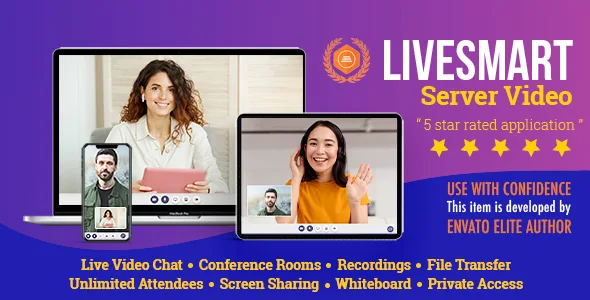
LiveSmart Server Video is an advanced standalone web application with video, audio, recording, screen sharing and file transfer face-to-face communication channels and integrated chat for theoretically unlimited attendees. The product does not require any additional installations or third party logins and accounts, just desktop or mobile browser. You can set a highly customizable video conferencing tool with tons of features.
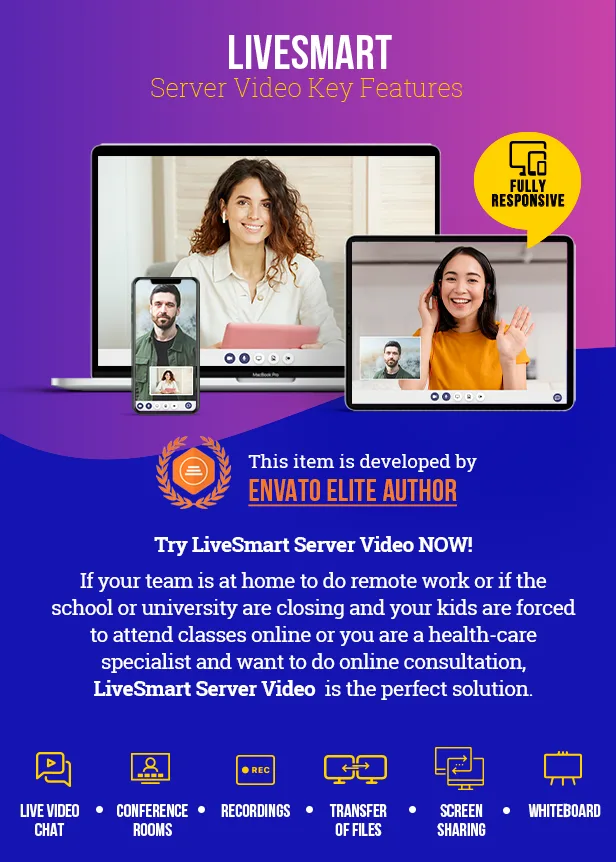
LiveSmart Server Video is the long waited advanced version of the top-rated LiveSmart Video Chat product with much more attendees in a video session. Check this article for detailed description of used technologies and features comparison between the two products.
New features
- Integration with Sngine: Integration with Sngine 3.8 social platform. Added video and streaming possibility. Demo site is available here with users admin1/admin1234 and demo1/demo1234; - Integration with WoWonder: Integration with WoWonder 4.1.5 and Wondertag theme. Added streaming possibility for WoWonder users. Here you can see the demo site; - Active meetings: Organizer can check for currently running active meetings from the dashboard; - Virtual background: upon meeting start, attendees can choose to blur their background or choose a virtual image; - Waiting room: Attendees can check their video settings before joining in a meeting. Enabled admission for organizer; - Video sharing: now attendees can share not only YouTube videos, but any video short movie; - Recordings are saved on server: Now video sessios can be saved on the server. Also there is an option to auto start recording; - Speech to text: While an attendee is speaking, you can receive the speech stranscoded in text; - Translation: Translate both speech and chat. Demo is available here; - Text to speech: Text from chat or translated messages can be transcribed into voice messages.
LiveSmart Server Video is perfect for:


Features
 Feature
Demos and usages
Live video
Demo with screen sharing, recording, file sharing, user management, whiteboard, YouTube channel streaming and file transfer
Online scheduling
Health-care solution. Schedule meetings on definite timeframe. Meeting is automatically stopped at the end and there is a timer showing the remaining time.
Online lessons
Broadcasting demo. Ideal for online classes. The tutor is with his camera and microphone on, while attendees are muted. They can raise a hand to request permission.
Speech recognition
Speech is transformed into text messages for the other party.
Text to speech
Type in your chat and your attendee will receive voice messages. This functionality can be combined with translation module.
Speech to text & translation
Translation demo. Speech to text and translation. It requires Google API key and is available for Chrome. Chat messages are also translated.
Private rooms
You can setup a private room by defining a password for it.
ScreenShare, File share
Share your entire screen to present document or slides. Send files to all your participants.
Waiting room and admission
Attendee can adjust video and audio settings before joining a meeting. Also host can have the option to admit a visitor or not in the meeting.
Whiteboard
Collaborative whiteboard to help online teaching and presenters.
Chat
Interactive chat with Emoji picker
Stream YouTube video
Start the demo, open Settings, fill in YouTube URL and the video will start streaming.
Switch camera
Switch between front and back camera of your mobile.
Localization
For more information about how to do the localization of LiveSmart, visit this guide.
WoWonder Integration
You can see the demo site and login with admin1/admin1234, demo1/demo1234 or create own user.
Feature
Demos and usages
Live video
Demo with screen sharing, recording, file sharing, user management, whiteboard, YouTube channel streaming and file transfer
Online scheduling
Health-care solution. Schedule meetings on definite timeframe. Meeting is automatically stopped at the end and there is a timer showing the remaining time.
Online lessons
Broadcasting demo. Ideal for online classes. The tutor is with his camera and microphone on, while attendees are muted. They can raise a hand to request permission.
Speech recognition
Speech is transformed into text messages for the other party.
Text to speech
Type in your chat and your attendee will receive voice messages. This functionality can be combined with translation module.
Speech to text & translation
Translation demo. Speech to text and translation. It requires Google API key and is available for Chrome. Chat messages are also translated.
Private rooms
You can setup a private room by defining a password for it.
ScreenShare, File share
Share your entire screen to present document or slides. Send files to all your participants.
Waiting room and admission
Attendee can adjust video and audio settings before joining a meeting. Also host can have the option to admit a visitor or not in the meeting.
Whiteboard
Collaborative whiteboard to help online teaching and presenters.
Chat
Interactive chat with Emoji picker
Stream YouTube video
Start the demo, open Settings, fill in YouTube URL and the video will start streaming.
Switch camera
Switch between front and back camera of your mobile.
Localization
For more information about how to do the localization of LiveSmart, visit this guide.
WoWonder Integration
You can see the demo site and login with admin1/admin1234, demo1/demo1234 or create own user.
Check the User Guide section for a detailed description of all the features.
Supported browsers and OS
LiveSmart Server Video is supported on all major browsers:
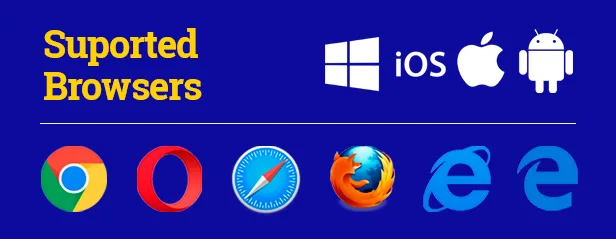 – Desktop PC. Microsoft Edge 12+, Google Chrome 28+, Mozilla Firefox 22+, Safari 11+, Opera 18+, Vivaldi 1.9+, IE 11 (Needs installation of Temasys plugin. You will be guided through the installation process)
– Android. Google Chrome 28+ (enabled by default since 29), Mozilla Firefox 24+, Opera Mobile 12+
– Chrome OS.
– Firefox OS.
– Mobile Safari at least iOS 11 and Mac Safari.
– Desktop PC. Microsoft Edge 12+, Google Chrome 28+, Mozilla Firefox 22+, Safari 11+, Opera 18+, Vivaldi 1.9+, IE 11 (Needs installation of Temasys plugin. You will be guided through the installation process)
– Android. Google Chrome 28+ (enabled by default since 29), Mozilla Firefox 24+, Opera Mobile 12+
– Chrome OS.
– Firefox OS.
– Mobile Safari at least iOS 11 and Mac Safari.
Requirements
- HTTPS (SSL certificate) and root access needed (usually shared hosting do not offer this service, so you need VPS or dedicated server); - For server side scripts: at least Node 12.x; - You need port 9002 to be opened. You can change the port from your configuration file; - Some basic skills of system administration.Possible Usages
- Set an online/offline contact button on your site and track and contact your visitors; - Set a private room and share it with your contacts in order to establish a direct video call with screen sharing, file transfer, whiteboard collaborative tool and recording; - Switch between front and back camera of your mobile to make an outstanding demo for your customers; - Use only chat for support and fun;Industries
- Educational, online lessons, tutorials, video streaming - Health-care consultations - Support, online sales, video consultations, real estate and car resellers - Social media - Real time streaming and where ever peer to peer video is needed - different type of shows, live performances and events.Installation Guide, FAQ and Demos
Installation Guide User Guide Live Demo Meeting Scheduling Demo (health-care consultation) Broadcasting Demo (online lessons, live streaming) Speech to text and translation Dashboard demo, login with demo/demo
Changelogs
v1.0.8 - Apr 8, 2023
- WoWonder and Sngine plugin;
- Saving big recording files on exit;
- Bug fixes and UI changes;

v1.0.8 - Feb 22, 2023
- WoWonder integration with v.4.1.5;
- Uload large files from recroding on the server;
- Improved mobile view;
- Bug fixes and UI changes;

v1.0.7 - Nov 21, 2022
- WoWonder integration and streaming;
- Enhanced private messaging;
- Improved waiting room;
- Virtual background (still beta code);
- Added active meetings in Dashboard;
- Bug fixes and UI changes;

v1.0.6 - July 31, 2022
- Feature requests:
  - Video, audio and screenshare constraints;
  - Local feed window can be fixed bottom left;
  - Enable/disable snapshot option;
- Bug fixes and UI changes;

v1.0.5 - June 24, 2022
- Added script to ease the installation and setup process;
- Added video sharing facility;
- Added cache invalidation upon new release or changes of the configurations;
- Multiple feature requests;
- Bug fixes and UI changes;

v1.0.4 - May 22, 2022
- Recordings are saved on server, autostart option;
- Updated API;
- Added waiting room;
- Added terms and conditions checkbox configuration;
- Minor fixes and UI changes;

v1.0.3 - Mar 18, 2022
 - Speech to text, text to speech and translation facilities;
 - Voice commands;
 - Feature request - allow only room from the list to be accessed;
 - UI changes and minor fixes;

v1.0.2 - Feb 27, 2022
 - Users and chat history added. Room can be locked for users;
 - Room adminssion facility;
 - API for join and start meeting;
 - UI changes and fixes;
 - Attendees can do private chat from video panel and host can mute attendees;
 - New tab in preferences for changing video aspect ratio.

v1.0.1 - Feb 3, 2022
 - Initial release of LieSmart Server Video;
Categories
Tags
External listing. code.market does not sell this product and does not process payment for it. Pricing, payment, delivery, licensing, refunds, and support are handled by the third-party merchant on its own website. We may earn an affiliate commission from a referral. Details.
Products of the Week.
Submit🥇

STOP GUESSING WHAT TO POST
AI that learns your brand voice and builds a month of consistent, on-brand social content: carousels, posts and hooks that sound like you, not like everyone else's AI.
SaaS · 4,290 views · 38 clicksSaaS · Week 45 · 4,290 views · 38 clicks
🥈

Conversational Backlinks for Busy Founders
Place Backlink Relevant Conversation for your domain across Forums and Conversations
Website · 42,002 views · 223 clicksWebsite · Week 45 · 42,002 views · 223 clicks
🥉

upvote.club
Free Social Media Engagement that Helps Boost Your Content. Upvote Club supports 19 social networks with 100+ engagement actions in one dashboard. Add links to your posts and get free engagement from real users.
SaaS · 40,043 views · 117 clicksSaaS · Week 45 · 40,043 views · 117 clicks
#4

Substack Posting API
Onboard your Agent to Substack. Write Publish on Substack via API
SaaS · 59,053 views · 198 clicksSaaS · Week 45 · 59,053 views · 198 clicks
#5

Seenshot App
Free, Fast, MacOS Screenshot app. Make Screenshot cmd+shift+2 and send it via link
Desktop App · 28,429 views · 122 clicksDesktop App · Week 45 · 28,429 views · 122 clicks
#6

Hand-Placed Backlinks $9.99 per link. Flat rate.
Buy hand-placed forum, Q-A and directory backlinks. Flat $9.99 per link, no subscriptions — you only pay for approved listings.
Website · 4,263 views · 19 clicksWebsite · Week 45 · 4,263 views · 19 clicks
#7

Free Invoice Generator - PDF Invoices in Your Browser, No Sign-Up
A free invoice maker for freelancers and small businesses: fill in the invoice, check the live preview, and download a PDF that looks exactly like it. Any currency, tax per item, three templates, no sign-up, and nothing leaves your device.
2,939 views · 17 clicksWeek 45 · 2,939 views · 17 clicks
#8

Merge PDF Files Free - Combine PDFs in Your Browser, No Upload
A free PDF merger for office workers, students, and freelancers: combine PDFs and images into one file in the browser, reorder files and pages, pick page ranges, keep bookmarks, and open password-protected PDFs. Nothing is uploaded, no sign-up, no watermark.
2,715 views · 13 clicksWeek 45 · 2,715 views · 13 clicks