
LifeStack - AI Personal Operating System Nextjs

Description
Build modern productivity applications faster with a production-ready Next.js 16 codebase that combines an AI Copilot, full Finance and Expense Manager, Fitness and Calorie Tracker, Study Hub and Task Manager with Focus Timer, Admin Management Portal, Ad Monetization Engine, and interactive Analytics into one beautiful platform.
💰 UNLOCK A POWERFUL PASSIVE INCOME ENGINE! 💰
Unlike standard static templates, LifeStack comes pre-engineered with robust monetization frameworks built right into the core layouts. You aren't just buying a personal dashboard; you are acquiring a high-value digital asset engineered to help you generate reliable passive income from day one!
- Earn Passive Income via Ads & CPA Networks: Easily inject high-paying CPA network offer links, direct affiliate product graphics, or target banners into high-visibility zones across the application interface. Turn your traffic into automated revenue!
- Google AdSense & Custom Scripts Support: Built-in, optimized layout slots allow you to paste your Google AdSense code or third-party advertising network scripts instantly to turn ongoing pageviews into steady ad revenue.
- Direct Mass Email Marketing System: Leverage the integrated background email system to broadcast promotional newsletters, affiliate updates, or marketing campaigns directly to your user database—perfect for driving recurring passive income without paying expensive monthly autoresponder subscription fees!
- "Zero-Maintenance Serverless Architecture" (Saves them massive monthly hosting fees).
- "Google Gemini AI Integration Ready" (Taps into the massive AI hype train).


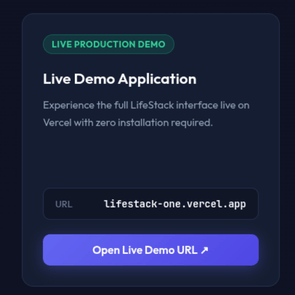
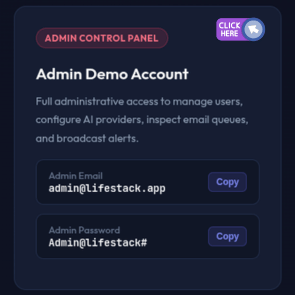
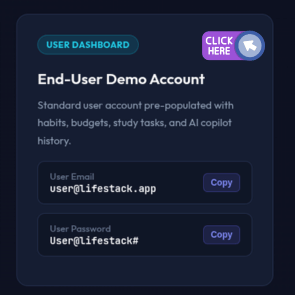
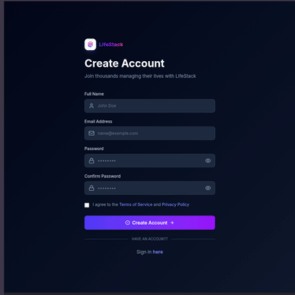
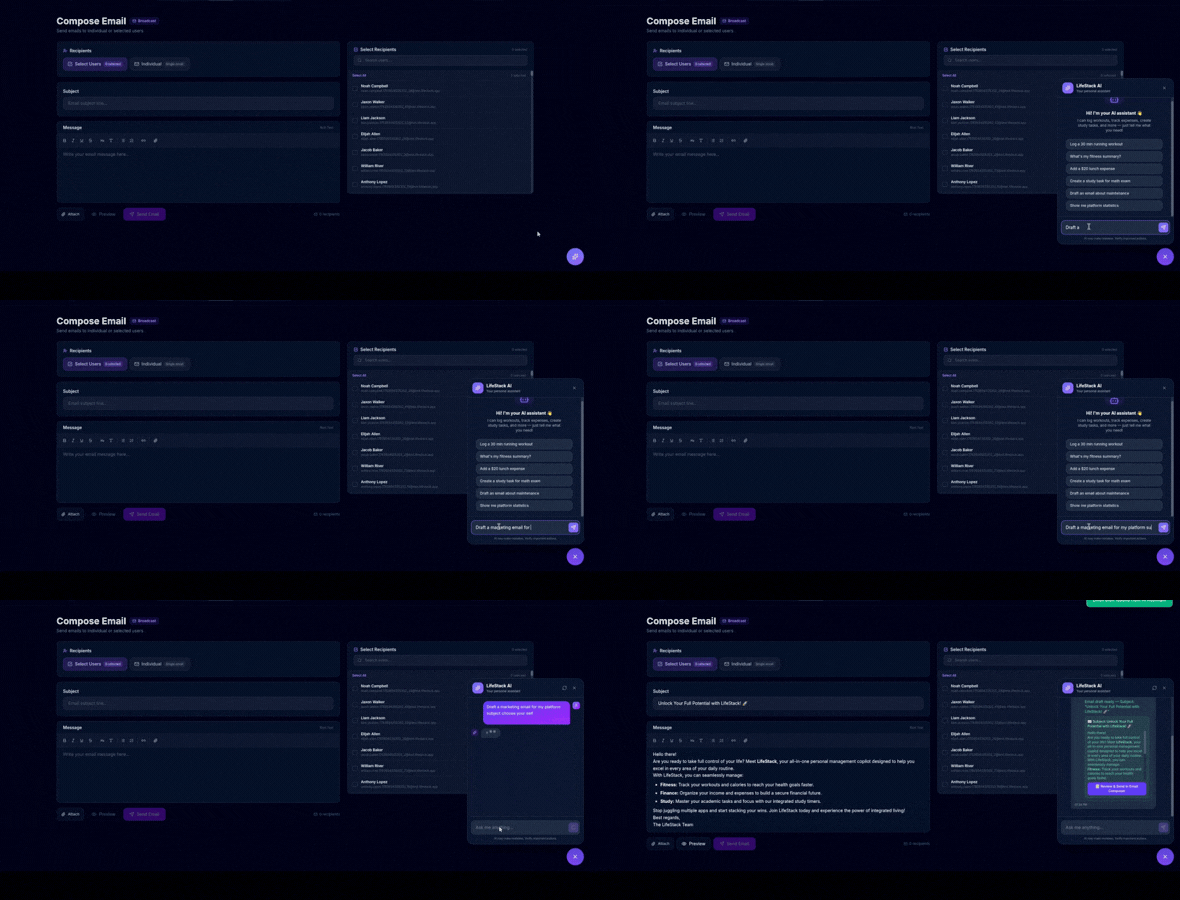
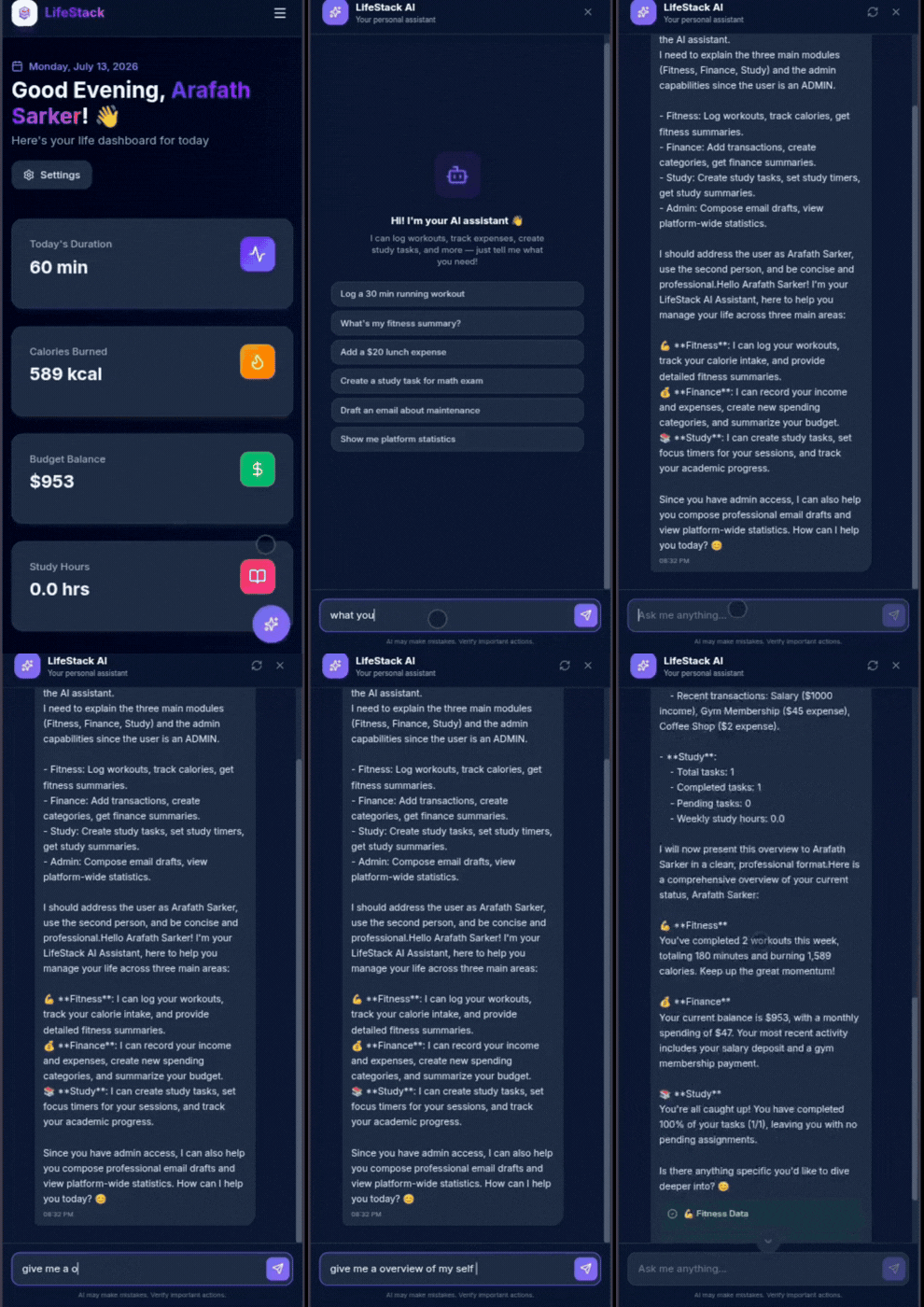
AI Assistant Experience
Why Choose LifeStack Instead of Building It Yourself?
Save Weeks of Development LifeStack eliminates the repetitive work of building authentication, dashboards, layouts, navigation, responsive UI, databases, and core modules. Focus on your business logic instead of boilerplate.
Built with Modern Technologies Powered by Next.js 16 (App Router), React 19, TypeScript 5, Tailwind CSS v4, PostgreSQL with clean SQL schema migrations, secure custom JWT authentication, background email notifications via QStash and Nodemailer, and AWS S3 stream storage.
Production Ready Designed with maintainability, performance, and scalability in mind, making it suitable for personal projects, startups, SaaS products, and commercial applications.
Feature Highlights
- AI Copilot (Dual AI Engine): Interactive conversational AI assistant supporting both OpenAI and Google Gemini to analyze spending, generate workout plans, and organize academic tasks.
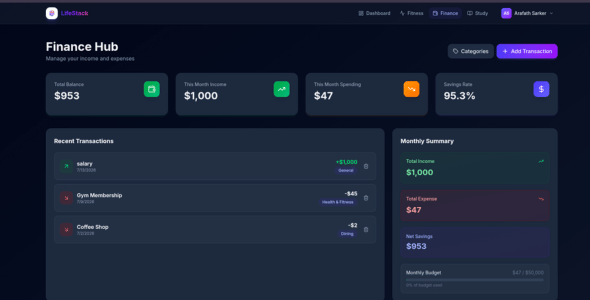
- Finance and Expense Manager: Full expense and income tracker with custom category breakdowns, monthly budget caps, Recharts spending visualizations, and automated budget alerts.
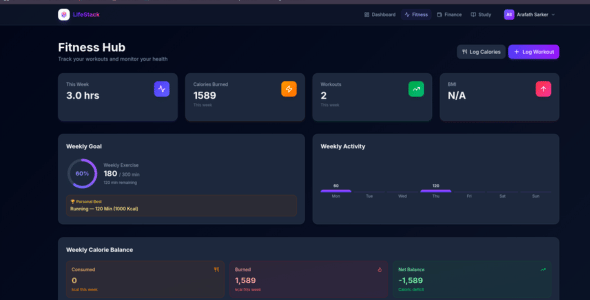
- Fitness and Workout Tracker: Comprehensive workout and calorie logger tracking exercise duration, calories burned, meal intake, and progress over time.
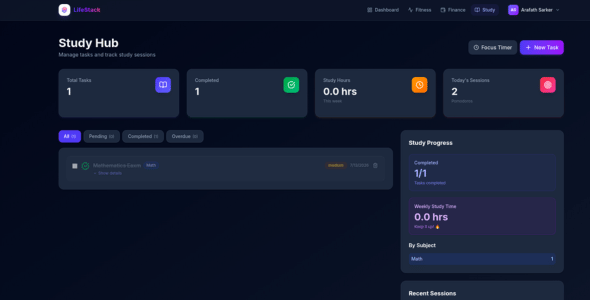
- Study Hub and Task Manager: Kanban-style academic task manager with priority levels, deadlines, status tracking, and subject filtering.
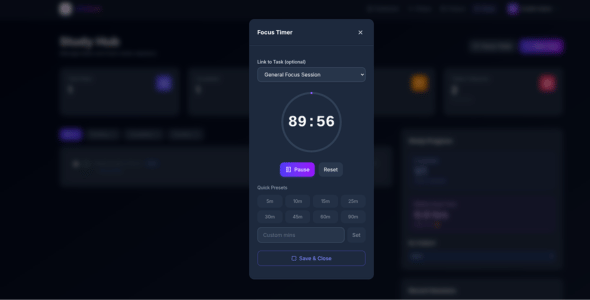
- Focus Study Timer: Built-in interactive study timer session tracker that logs focus duration per task directly into the database.
- Admin Management Portal: Dedicated administrator control panel to manage users, configure system settings, and send targeted or broadcast emails.
- Ad Monetization Engine: Built-in dynamic advertisement banner management allowing admins to enable and configure ad placements across the application.
- Granular Email Notifications System: Background notification dispatch using Upstash QStash and Nodemailer with consolidated daily digests and user-toggleable email preferences.
- AWS S3 Stream Upload Engine: High-performance stream-based file attachment and cloud storage system built with the AWS S3 SDK.
- Secure Authentication and Password Recovery: Production-grade custom JWT authentication with encrypted bcrypt passwords and token-based password reset flows.
- Interactive Analytics Engine: Beautiful interactive charts powered by Recharts visualizing financial cash flow, fitness activity, and study productivity.
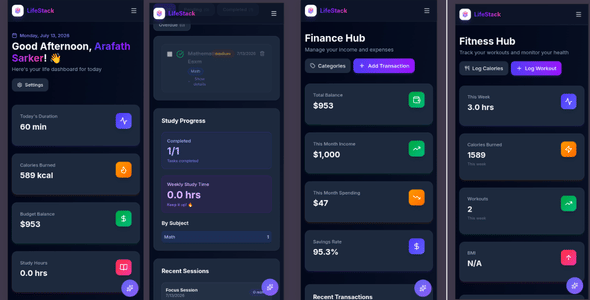
- Native Dark Mode and Fully Responsive: Seamless light-to-dark theme switching and pixel-perfect responsive layouts designed with modern Tailwind CSS v4 tokens.
Product View and User Experience Showcase
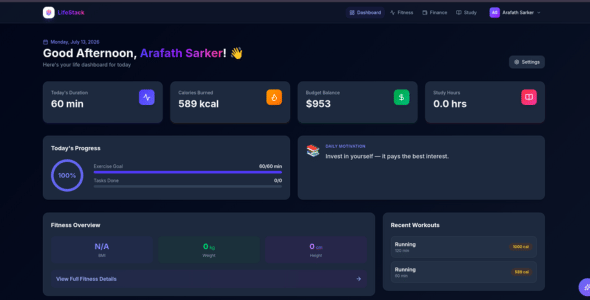
Visuals tell the story best. Take a closer look at the application architecture across multiple core views:
Dashboard Interface
Finance and Budget Control
Fitness and Workout Tracker
Tasks, Study Hub and Timer
Mobile View Optimization
Included Modules
- Dashboard Core Interface and Activity Feed (Included)
- Custom JWT Authentication and Password Reset Workflow (Included)
- AI Copilot Orchestrator with Dual SDKs - OpenAI and Google Gemini (Included)
- Finance Manager and Expense Tracker Panel (Included)
- Monthly Budgeting and Category Breakdown System (Included)
- Fitness and Calorie Tracking Workspace (Included)
- Workout and Exercise Logging Engine (Included)
- Study Hub and Academic Task Manager (Included)
- Focus Study Timer and Session Logger (Included)
- Admin Management Dashboard and User Admin Panel (Included)
- Ad Monetization and Dynamic Placement Control System (Included)
- Granular Daily Digest Email Notification Engine (Included)
- AWS S3 Stream Attachment Storage Module (Included)
- Interactive Recharts Analytics Panels (Included)
- Native Light and Dark Mode Theme Controls (Included)
- Responsive Layout Architecture (Included)
Licensing Options
Regular License ($29) - Strictly Non-Commercial Projects Only Perfect for personal productivity installations, testing layouts, or serving a single local client configuration. Under this tier, you are strictly NOT allowed to charge your end-users or deploy this as a paid subscription service.
- NO SaaS Monetization Allowed
- NO Subscription Fees or Charging End-Users
Extended License ($99) - Full SaaS Commercial Licensing Rights Designed for startup entrepreneurs, active freelance creators, and agency operations. This tier grants you full operational rights to launch your own commercial SaaS platform, charge recurring subscription fees to your end-users, and keep 100 percent of the income stream!
- Full SaaS Commercial Monetization Deployment
- Charge Subscriptions and Custom Access Fees Freely
Who Benefits Most From LifeStack?
- SaaS Startups: Establish an enterprise-grade web footprint and rapidly test MVP concepts without structural overhead delays.
- Software Developers: Clean building block components save hundreds of operational engineering hours.
- Freelance Engineers: Roll out robust, polished multi-module application dashboards to corporate clients faster.
- Product Agencies: Utilize a proven foundation base layer to fulfill advanced customization requirements systematically.
- Personal Dashboard Projects: Centralize your tracking routines within a highly performant, custom-managed digital infrastructure.
- Productivity and Wellness Platforms: Serve targeted user groups seeking cohesive digital management workflows.
- Educational Projects: A stellar framework model for mastering modern full-stack web engineering patterns.
Engineered Using Industry-Leading Core Architecture
Framework: Next.js 16 (App Router) | React 19 | TypeScript 5 Design System: Tailwind CSS v4 | Lucide Icons | Responsive Design System Database and Auth: PostgreSQL Engine | Direct SQL Schema Engine | Secure Custom JWT Authentication with Bcrypt AI Layer: Dual Provider Engine Supporting OpenAI and Google Gemini Cloud Storage and Notifications: AWS S3 SDK Stream Storage | Upstash QStash Background Queue | Nodemailer Email Engine Data Visualization: Recharts Interactive Charting Library
Why Developers Love LifeStack
- Clean Folder Structure: Intuitively structured around optimal Next.js directory guidelines.
- Reusable Components: Modular layout building blocks that make adding new custom view elements simple.
- Fully Typed TypeScript Code: Strict type checking constraints minimize structural runtime failures.
- Modern App Router Architecture: Take full advantage of Server Components, optimized layout states, and fast streaming.
- Easy Customization: Global styling variables allow you to change branding setups inside a single configuration file.
- Scalable Project Structure: Built consciously to maintain clean compilation behavior as codebase volume grows.
- SEO-Friendly By Default: Built-in structural metadata configuration points map out optimal indexing parameters easily.
- Optimized Performance Metrics: Highly optimized script delivery logic keeps standard processing speeds blazing fast.
Deployment Blueprint
Setting up your platform is standard and automated. Follow these quick steps to launch:
- Clone the repository package onto your local machine directory.
- Run npm install to pull and configure all package dependencies securely.
- Populate the required environment variables inside your .env configuration file (DB_LINK, DB_NAME, AI and SMTP credentials).
- Run npm run db:init to execute the automated migration script that creates the database tables and default admin account.
- Launch the local development runtime with npm run dev and access your platform.
Documentation Included: A highly comprehensive step-by-step installation guide comes bundled directly inside the asset download package to walk you through every operational step.
Frequently Asked Questions
Is this platform completely production ready? Yes. LifeStack is built using production-hardened development practices, complete type safety coverage, clean modular components, and absolute architectural stability.
Can I utilize this template codebase for commercial production deployments? Yes, provided you purchase the Extended License. The Regular License strictly restricts deployment setups to free or non-commercial private installations.
Does the platform natively support rendering layouts on mobile viewports? Yes. The responsive UI adjustments adjust across mobile viewports, tablet form factors, and standard desktop screens seamlessly.
Am I free to change global color tokens and corporate branding assets? Absolutely. The setup relies on unified Tailwind design configuration values, making system-wide styling changes simple.
Are AI provider integrations pre-bundled natively inside the system? Yes. The dual-provider SDK backend logic connects to either Google Gemini or OpenAI endpoints once you set your specific secret keys.
Is the database infrastructure completely ready out of the box? Yes. The platform includes an automated initialization script (npm run db:init) that sets up your entire PostgreSQL database schema instantly.
Are upcoming framework maintenance updates included for free? Yes, all buyers receive free lifetime access to version upgrade maintenance paths released for this asset package.
Professional Technical Assistance
- Detailed Documentation: Deep-dive configuration details mapping out every primary layout logic flow.
- Streamlined Technical Setup: Clear instructions ensure deployment pipelines run cleanly.
- Responsive Assistance Channels: Reach out directly via standard support tickets whenever development roadblocks arise.
- Regular Updates: Core dependencies receive persistent adjustments matching system requirements.
- Consistent Bug Fixes: System-wide reports are evaluated and addressed quickly by our engineering team.
Build Faster. Launch Sooner.
Skip months of repetitive development and start with a polished, scalable foundation. Whether you are creating a SaaS platform, a personal productivity app, or a client project, LifeStack gives you the tools to deliver a professional product from day one.
Features
- Next.js 16 (App Router) & React 19 Core: Leverages the absolute latest server actions, stream delivery patterns, and rendering optimizations for lightning-fast performance.
- Strictly Typed TypeScript 5 Blueprint: The entire codebase enforces strict static types to completely minimize runtime compilation failures and ease code modifications.
- Advanced Dual AI Engine Orchestration: Built-in server-side API endpoints pre-configured to handle streaming text responses from either OpenAI API frameworks or Google Gemini SDK packages.
- Data Visualization via Recharts Library: Turns dull database logs into beautifully responsive financial trends, fitness graphs, and focus metrics using dynamic client-side vector charts.
- Custom Production-Grade JWT Security: Protects app routes using encrypted custom JSON Web Tokens (JWT) combined with secure, multi-round Bcrypt password hashing.
- Responsive Layout Grid with Tailwind CSS v4: Masterfully adaptive layout frames optimized via modern design tokens to transition seamlessly across mobile screen viewports, tablets, and massive desktops.
- Native Light and Dark Mode Ecosystem: Uses system-aware global styling context switches, giving the interface a crisp, eye-pleasing aesthetic in any environmental lighting condition.
- Upstash QStash Background Workers: Operates an background message queue engine to systematically push consolidated email notifications without slowing down the active client UI.
- Automated Schema Initializer Script: Includes a single-command migration utility (npm run db:init) that handles structural database generation automatically.
Requirements
To successfully deploy, run, and customize the LifeStack dashboard platform, your environment must meet the following baseline technical specifications:
- Runtime Environment (Node.js): Requires Node.js v18.x or higher (LTS versions recommended) installed on your local development machine or production web server to ensure seamless compatibility with Next.js 16 server actions and package compilation.
- Database Infrastructure (Supabase): A free or paid active account with Supabase. You will need your Supabase PostgreSQL connection string and environment details to allow the system's database initializer script to automatically provision the custom tables and default admin account.
- Object Cloud Storage (Cloudflare R2 Bucket): A Cloudflare account with an R2 Storage Bucket enabled. This powers the high-performance media upload and cloud attachment engine. You will need your Cloudflare account ID, R2 bucket name, and S3-compatible Access Key credentials (Access Key ID and Secret Access Key).
- Artificial Intelligence SDK Access (Dual Engine API Keys): Valid system API secret keys from either OpenAI or Google Gemini developer consoles (or both). These credentials are required to activate the pre-bundled server-side SDK orchestrator, enabling real-time conversational responses from your choice of AI provider.
- Transactional Mailing (SMTP Server): Access to an active SMTP Mail Server configuration or email service provider credentials (such as Resend, Brevo, or Mailgun) to handle background user notifications and account recovery token distributions through Nodemailer.
Instructions
Setting up your personal dashboard application is highly structured and straightforward. Follow these explicit engineering steps to boot the platform:
- Extract the Source Package: Unzip and extract the downloaded source file package onto a dedicated directory on your local machine.
- Install Project Dependencies: Open your terminal, navigate to the root directory of the extracted project, and execute the command
npm install. This will securely fetch and build all required core packages. - Configure Environment Variables: Locate the environment configuration template in the root directory. Create a new file named
.envand insert your specific service credentials:- Your Supabase Connection URL strings (
DB_LINK). - Your Cloudflare R2 Storage endpoint URLs, bucket name, and S3-compatible API access keys.
- Your OpenAI API key or Google Gemini SDK key to activate the AI engines.
- Your SMTP configuration values to hook up the background email system.
- Your Supabase Connection URL strings (
- Initialize the Database Schema: Run the terminal command
npm run db:init. This custom migration script directly connects to your Supabase instance, establishes all database tables instantly, and auto-generates your default administrator login profile. - Launch the Local Development Webserver: Execute the command
npm run devin your console. The terminal will output a local network address (typicallyhttp://localhost:3000). Open this URL in your web browser to access your brand-new, fully functional LifeStack Personal Operating System dashboard!
* Note: A comprehensive, step-by-step technical deployment reference guide document is bundled directly inside the asset download package to walk you through advanced custom modifications.
| Author | arafathSarker |
|---|---|
| Category | Scripts & Code / ReactJS |
| Price | $15 |
| Extended License | $45 |
| First Release | Jul 14, 2026 |
| Last Update | Jul 14, 2026 |
| Files included | .css, .html, .sql, JavaScript .js |
Categories
Tags
External listing. code.market does not sell this product and does not process payment for it. Pricing, payment, delivery, licensing, refunds, and support are handled by the third-party merchant on its own website. We may earn an affiliate commission from a referral. Details.
Products of the Week.
Submit🥇

STOP GUESSING WHAT TO POST
AI that learns your brand voice and builds a month of consistent, on-brand social content: carousels, posts and hooks that sound like you, not like everyone else's AI.
SaaS · 3,095 views · 28 clicksSaaS · Week 45 · 3,095 views · 28 clicks
🥈

Conversational Backlinks for Busy Founders
Place Backlink Relevant Conversation for your domain across Forums and Conversations
Website · 40,485 views · 216 clicksWebsite · Week 45 · 40,485 views · 216 clicks
🥉

upvote.club
Free Social Media Engagement that Helps Boost Your Content. Upvote Club supports 19 social networks with 100+ engagement actions in one dashboard. Add links to your posts and get free engagement from real users.
SaaS · 38,577 views · 110 clicksSaaS · Week 45 · 38,577 views · 110 clicks
#4

Substack Posting API
Onboard your Agent to Substack. Write Publish on Substack via API
SaaS · 57,614 views · 197 clicksSaaS · Week 45 · 57,614 views · 197 clicks
#5

Seenshot App
Free, Fast, MacOS Screenshot app. Make Screenshot cmd+shift+2 and send it via link
Desktop App · 27,046 views · 119 clicksDesktop App · Week 45 · 27,046 views · 119 clicks
#6

Hand-Placed Backlinks $9.99 per link. Flat rate.
Buy hand-placed forum, Q-A and directory backlinks. Flat $9.99 per link, no subscriptions — you only pay for approved listings.
Website · 2,987 views · 18 clicksWebsite · Week 45 · 2,987 views · 18 clicks
#7

Free Invoice Generator - PDF Invoices in Your Browser, No Sign-Up
A free invoice maker for freelancers and small businesses: fill in the invoice, check the live preview, and download a PDF that looks exactly like it. Any currency, tax per item, three templates, no sign-up, and nothing leaves your device.
1,681 views · 16 clicksWeek 45 · 1,681 views · 16 clicks
#8

Merge PDF Files Free - Combine PDFs in Your Browser, No Upload
A free PDF merger for office workers, students, and freelancers: combine PDFs and images into one file in the browser, reorder files and pages, pick page ranges, keep bookmarks, and open password-protected PDFs. Nothing is uploaded, no sign-up, no watermark.
1,573 views · 13 clicksWeek 45 · 1,573 views · 13 clicks