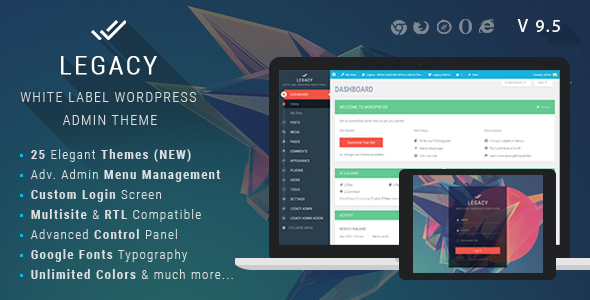
Legacy - White label WordPress Admin Theme
Description
Check our online demo: Live Demo. Login with Username: demo and Password: demo
Legacy Admin is most advanced and elegant White Label WordPress Admin Theme in marketplace. Along with White Label Branding features, It comes with 20 Elegant themes and gives you an option to Create your own custom theme. You can also control full appearance of Admin Menu, Top Bar, Buttons, Content Boxes, Typography, Forms, Text and background colors, logo and so on… Legacy Admin is compatible with both LTR and RTL modes so can be used for any language. Legacy admin is also Multisite compatible.
Admin Menu Management Addon is again outstanding feature to use. You can easily Rename,Rearrange menu and submenu items, Change menu icons, Enable/Disable Menu and submenu items.
Legacy admin comes with Fully customizable Beautiful Login Screen theme. Also Control Top bar links, Customize Footer, Plugin access permissions, Login page customizing options etc. features help you to design web project (in WordPress) for your clients with your own company branding.
Plugin Features:
White Label Branding
- Customize Admin Top Bar (All links and CSS Styles)
- Customize Footer
- Customize Login Section completly. Inbuilt theme, also create your own.
- Customize Look and Feel to your Branding needs.
- Fully customizable Admin Menu.
- Custom Logo and Favicon for your Own Branding in Admin Panel.
Menu Management
- Rename Menu and Sub Menu items.
- Rearrange/ Reorder Menu and Submenu with Drag and drop interface
- Custom Menu Icons
- Enable / Disable Menu and SubMenu Items
Multisite Compatible
- Ready to use on a multisite network.
- Easily install on the multisite network.
- Customize for Network Activate mode or Individual Sites on network.
Colors, Themes and Style
- 20 Awesome Inbuilt Themes
- Multi color, Dark colored, Light Colored Themes
- Create your own custom theme
- Ability to edit elegant themes (using import themes file option)
- Fully customize look and feel of Admin Panel using vast variety of available options.
- See Screenshots for all available options.
Login Screen
- Beautiful Login Screen Theme integrated.
- Custom Logo for Login Page
- Fully customize look and feel with vast range of integrated styling options
- Show / Hide URL links like “Back to Site” and “Forgot Password”
- Control colors, opacity, background, fonts etc. of any element on login page.
Styling Options
- Pick a inbuilt theme or create your own.
- Form customizing CSS options panel
- Buttons customizing options (Primary and Secondary button options. Control Hover colors also.)
- Logo and Favicon options
- Update images from external URL. To control images on all your client websites from one place only.
- Enable / Disabled Page Loader
- Fully Customizing CSS of Main Admin Menu
- Control Admin Top bar styling
- Content Box Styling Options
- Primary Color of theme option
- General Layouts CSS customizations
- and much much more…
Admin Top Bar
- Control All Admin Top bar links.
- Customize CSS options as per need.
- Available in 2 different styles (Fullwidth and Partial Width)
- Remove unwanted links using node IDs
- Show Logout link in top bar
- Enable / Disable Top bar (both on front and back ends)
- Change User Greeting (Howdy) to desired text.
Typography
- 650+ Google Fonts integrated
- Multi Fonts support. Eg: Different font for heading, menu, body text.
- Use default computer fonts as back Up fonts for Google Fonts.
- Advanced Typography options to control font-size, line height, font weight, font subset etc.
Admin Footer
- Custom Text in Footer.
- Show / Hide WordPress version info from footer
Import / Export
- Easy import and export settings panel
- Transfer settings to any other site also
- Ability to edit inbuilt themes by importing settings.
Other
- Smooth Scrolling integrated
- Page Loader integration
- Black Box Coding Standards
- Detailed Documentation
- Admin Menu Editor Pro plugin compatibility added.
- Cross Browser compatible
- Fast and Dedicated Support
- More themes will be added regularly
- Compatible with almost all of the wordpress Plugins & Themes.
- Ability to add your custom CSS code too
- Edit Footer text
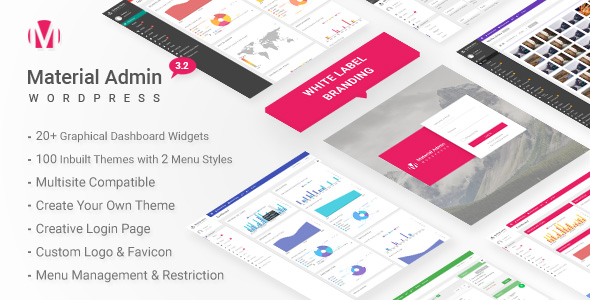
Material – White Label WordPress Admin Theme
Updates:
Version 9.3 – 29th Mar 2022
- UPDATE: Removed unused code
- UPDATE: WordPress 5.9.x compatible
- UPDATE: Improved CSS for various elements
- UPDATE: Improved Welcome Panel CSS
- UPDATE: Removed version info from plugin settings panel.
- UPDATE: Improved dynamic CSS generation.
- UPDATE: Improved Admin top bar user info dropdown section.
- UPDATE: Improved Login page CSS settings.
- UPDATE: Improved Admin Left Menu CSS.
Version 9.2 – 16th Aug 2021
- UPDATE: Removed unused code
- UPDATE: Menu settings page strings escaped for translation
- UPDATE: Plugin settings page strings escaped for translation
- UPDATE: Replaced .click(), .bind() etc. events with .on() events
- UPDATE: Escapsed all dynamic data
- UPDATE: Wordpress 5.8.x compatible
Version 9.1 – 6th March 2021
- UPDATE: Fixed Content Box Styling
- UPDATE: WordPress 5.6.x compatible
- UPDATE: Fixed count number styling in admin menu
- UPDATE: Fixed Menu management rename option.
- UPDATE: Improved CSS for various elements
- ADDED : New branding option added as Email Settings tab. Can update From Email Address and From Name for outgoing email notifications.
- UPDATE: Fixed heading font issue in certain elements
- UPDATE: Select box form element styling fixed
- UPDATE: Fixed hero button styling
- UPDATE: Dashboard widgets move order styling added.
- UPDATE: Admin top bar styling options removed. Restored to single style.
- UPDATE: Updated inbuilt color theme CSS files
- UPDATE: Fixed admin top bar and left menu overlapping issue
Version 8.1 – 26 July 2020
- UPDATE: PHP 7.4 version compatibility
- UPDATE: Updated smooth scroll plugin to latest version
- UPDATE: Fixed login_headertitle deprecated warning on login page.
- UPDATE: Fixed implode() warning in plugin fonts library
- ADDED: Add CSS variables info in plugin options panel for dynamic and better custom css codes.
- UPDATE: Improved CSS
- UPDATE: Fixed wordpress add new plugin page layouts
- UPDATE: Regenarated and Minified CSS files
Version 7.2 – 04th May 2020
- ADDED: CSS variables implemented in styles. Now css variables can be implemented in custom css option panel.
- UPDATE: menu management string tags from names
- FIXED: menu managemnet – showing counts for plugins, comments, and updates
- UPDATE: elementor compatibility
- UPDATE: gutenberg compatibilty
- UPDATE: Improved css
- UPDATE: Wordpress 5.4.x compatiblility
- FIXED: continue 2 php warning for php 7.3.x versions.
- UPDATE: Regenerated external plugin css
Version 7.1 – 21st January 2020
- Update: Wordpress 5.3.x compatible
- Update: Improved login page css and improvements
- Update: Minify login page css
- Added: Extra settings custom css for login page
- Update: Improved plugin css
- Update: Regenerated and Minified plugin main css files
Version 6.3 – 09th June 2019
- Update: Wordpress 5.2.x compatible
- Update: Improved Login Page style
- Update: Regenerate Minified CSS files
- Update: Improved Collapse button style
- Update: Improved Gutenberg style settings
- Update: Improved overall style
- Update: Improved Documentation
- Update: Regenerate all inbuilt CSS files
Version 6.2 – 09th Jan 2019
- Update: Improved CSS throughout plugin
- Update: WordPress 5.x compatible
- Update: Improved my sites page for multisite network
- Update: New Gutenberg editor compatible
- Update: Options panel compatibility with wordpress 5.x
- Update: Regenerate inbuilt theme CSS files
- Update: Regenerate minimized css plugin file
- Fixed: sizeof() warning under legacy-functions.php
- Update: Common Language text domain set as legacy_framework
Version 6.1 – 02nd June 2018
- ADDED: Feature to disable admin theme in admin panel and use menu management independently.
- ADDED: Enable feature to edit login page settings for prebuilt/inbuilt themes
- UPDATE: Improved widgets styling
- UPDATE: imroved themes styling
- UPDATE: improved customize theme module styling
- UPDATE: improved dashboard widgets styling
- UPDATE: improved add new plugin listing page styling
- UPDATE: WordPress 4.9.x and later compatible
- UPDATE: improved color picker styling
- UPDATE: improved form elements styling
- UPDATE: improved collapse menu button styling
- UPDATE: Regenarated minified plugin css for faster site loading
- UPDATE: Menu management module separate stylesheet added
- UPDATE: Minified all the css files for faster loading
- ADDED: Minified external plugin css file
- ADDED: Minified admin menu editor pro compatibility css file
- ADDED: Minified wordfence plugin css file
- ADDED: Minified login page plugin css file
- ADDED: Minified menu management module css file
- ADDED: Minified page loader css file
Version 5.4 – 05th November 2017
- UPDATE: Sorted Illegal string offset warning messages in PHP 7.1
Version 5.3 – 06th September 2017
- UPDATE: Removed option to disable login screen styling from options panel. This option is now controlled from plugin permissions page.
- UPDATE: Improved css
- UPDATE: WordPress 4.8.1 compatible
Version 5.2 – 4th May 2017
- UPDATE: Wordpress 4.7.4 version compatible.
- UPDATE: Improved Menu Management code
- ADDED: Feature to edit logo in prebuilt themes
- UPDATE: Improved CSS
- UPDATE: Regenerated Inbuilt theme files
Version 5.1 – 11th November 2016
- UPDATE: Removed WordPress from Admin Page title
- UPDATE: Woocommerce compatibility fixed
- UPDATE: Improved CSS settings for Category tabs on add/edit post pages
- UPDATE: Improved select boxes styling
- UPDATE: data table row action buttons improved
- ADDED: Minified plugin CSS file for faster speed and reduce page load time
- UPDATE: Regenarated inbuilt theme files
- UPDATE: faster google fonts loading by using latin version only
- UPDATE: default system fonts recommended by wordpress loaded in plugin fonts
- UPDATE: wordpress 4.6.1 compatible
Version 4.4 – 13th September 2016
- UPDATE: Mod Rewrite / 404 options page issue solved.
- UPDATE: Improved CSS on plugin upload file page.
- UPDATE: Added a minified version of CSS for faster page loading.
- UPDATE: Removed page overlay effect on page loader for faster processing.
- UPDATE: WordPress 4.6 compatible
Version 4.3 – 14th April 2016
- UPDATE: Login page option settings taking effect for WordPress 4.5
- UPDATE: WordPress 4.5 plugin compatibility
- FIXED: Post/Page editor Top Bar Fixed Position on vertical scrolling
- UPDATE: Login Page Logo issues fixed with WordPress 4.5
Version 4.2 – 23rd March 2016
- ADDED: Reset menu to original on deactivating and reactivating the plugin.
- FIXED: Content Box header background color issue with latest WordPress version.
Version 4.1 – 26th January 2016
- UPDATE: Improved CSS throughout the theme
Version 4.0 – 18th December 2015
- UPDATE: Fixed Woocommerce Admin Menu Link Error
- UPDATE: Improved CSS stylesheet
- UPDATE: WordPress 4.4 Compatible
- UPDATE: Option to restore plugin permissions on deactivating plugin on network activated plugin and single site plugin
- UPDATE: Improved Responsive CSS
- UPDATE: Regenerate all inbuilt theme CSS files
- UPDATE: Improved login page Responsiveness
Version 3.1 – 19th September 2015
- UPDATE: WordPress 4.3 version compatibility
- UPDATE: Improved styling of buttons throughout plugin
- ADDED: Option to show/hide Screen Options Tab and Help tab in upper right corner of admin panel
- UPDATE: Fixed CSS related issues with some well known plugins
Version 2.3 – 20th July 15
- ADDED: Feature to Reset all plugin permissions to original on deactivating plugin
- UPDATE: Added some CSS overrides as suggested by customers
- UPDATE: Mobile view CSS updates
Version 2.2 – 25th June 15
- UPDATE: Disabled AJAX SAVE in redux framework, to avoid error on few servers “There was problem with your action. Please try again”.
- ADDED: 5 new inbuilt themes
- UPDATE: Change font style for body text for better clarity and legibility
- ADDED: Auto Update plugin ability using envato-automatic-plugin-update and envato-wordpress-toolkit
- FIXED: Jetpack plugin compatibility and CSS issues
- ADDED: New theme import files
- FIXED: Minor CSS tweaks
Version 2.0 – 4th June 2015
- FIXED: Redux Framework conflict resolved with some themes using Redux Framework as plugin
- FIXED: Logo position corrected when Admin Topbar is disabled
- UPDATE: Footer version notification for the redux framework disabled. Needed for white label branding feature.
Version 1.0 – Initial Release
Categories
Tags
External listing. code.market does not sell this product and does not process payment for it. Pricing, payment, delivery, licensing, refunds, and support are handled by the third-party merchant on its own website. We may earn an affiliate commission from a referral. Details.
Products of the Week.
Submit#1

wanapi.app
Wan API is a developer platform for the Wan video model family. Compare Wan 3.0, Prime and Pro specifications and prices, then prepare a request in the preview playground.
Other · 7,522 views · 19 clicksOther · Week 42 · 7,522 views · 19 clicks
#2

wanapi.ai
Wan API is a developer platform for the Wan video model family. Compare Wan 3.0, Prime and Pro specifications and prices, then prepare a request in the preview playground.
Other · 6,943 views · 11 clicksOther · Week 42 · 6,943 views · 11 clicks
#3

yee.site
Your link in bio, but a real website. Start from beautiful templates and ready-made sections, then add a shop, bookings, a blog and as many pages as you need. Perfect for your link in bio, portfolio or personal site.
Other · 12,969 views · 20 clicksOther · Week 42 · 12,969 views · 20 clicks
#4

upvote.club
Free Social Media Engagement that Helps Boost Your Content. Upvote Club supports 19 social networks with 100+ engagement actions in one dashboard. Add links to your posts and get free engagement from real users.
SaaS · 33,876 views · 104 clicksSaaS · Week 42 · 33,876 views · 104 clicks
#5

Seenshot App
Free, Fast, MacOS Screenshot app. Make Screenshot cmd+shift+2 and send it via link
Desktop App · 22,374 views · 114 clicksDesktop App · Week 42 · 22,374 views · 114 clicks
#6

Conversational Backlinks for Busy Founders
Place Backlink Relevant Conversation for your domain across Forums and Conversations
Website · 34,160 views · 204 clicksWebsite · Week 42 · 34,160 views · 204 clicks
#7

Substack Posting API
Onboard your Agent to Substack. Write Publish on Substack via API
SaaS · 53,046 views · 190 clicksSaaS · Week 42 · 53,046 views · 190 clicks
#8

codester.com
SocialDesk+: Omnichannel Social Commerce & Business Management Platform This is stronger than simply “Social Commerce and Messaging” because it tells buyers this is a complete business platform, not just a messaging script. Turn Social Conversations Into Sales SocialDesk+ is a complete omnichannel social commerce and business management platform built for businesses that sell and communicate with customers through social media. Instead of switching between WhatsApp, Facebook, Instagram and TikTok, businesses can manage customer conversations, comments, products, leads, follow-ups, automation, teams and business reports from one professional workspace. And because the full source code is included, developers, agencies and entrepreneurs can customize, rebrand and launch SocialDesk+ as their own business solution or SaaS platform. 🚀 Build Your Own Social Commerce Business SocialDesk+ gives you the foundation to launch: - Your own SaaS platform - A white-label social CRM - A social-commerce management system - A customer communication platform - A business messaging solution - A custom solution for clients - A multi-business subscription platform 💬 Connect Your Customers Supported social channels include: WhatsApp • Facebook • Instagram • TikTok Bring supported conversations into one centralized workspace and help businesses respond faster without constantly switching between platforms. 🛍️ More Than a Messaging Platform SocialDesk+ combines communication with the tools businesses need to manage customer opportunities: Inbox Manage customer conversations from connected channels. Comments Monitor and respond to social-media comments. Customers & Leads Organize customer information and potential buyers. Products & Catalog Manage products and give your team quick access to product information. Follow-Ups Make sure potential customers don't get forgotten. Automation Automate repetitive customer questions and responses. AI Assistant Provide AI-assisted communication when configured. Team Management Give managers and staff access to the business workspace. Reports & Analytics Track activity using business reports and analytics. The current product listing already includes these capabilities. 🔥 Why Buyers Will Want It Launch Faster Start with an already-built business platform instead of developing the entire system from zero. Customize Everything The full source code is included, allowing developers to change branding, features, workflows and integrations. Build a SaaS Create multiple business workspaces and offer SocialDesk+ as a subscription-based service. Sell to Businesses Offer it to retailers, restaurants, service businesses, online sellers, agencies and other businesses that communicate with customers through social media. Mobile + Web + Backend This isn't just a mobile UI template. It includes: - Flutter mobile application - Python / FastAPI backend - Web interface - Administration tools - Database infrastructure - API-based architecture - SQLite / PostgreSQL support - Android and iOS project structure 💼 One Platform. Multiple Business Opportunities. For SaaS Entrepreneurs Launch your own subscription platform and allow multiple businesses to operate inside separate workspaces. For Software Agencies Customize and rebrand the platform for clients instead of building an omnichannel business system from scratch. For Developers Use the complete source code as a foundation for your own social-commerce or customer-management product. For Businesses Deploy a dedicated version for your own customer-service and social-commerce operations. 🧩 What's Included Mobile - Flutter / Dart - Android - iOS project Backend - Python - FastAPI - SQLAlchemy - Alembic Database - SQLite - PostgreSQL Web - HTML5 - CSS3 - JavaScript Deployment - Docker - Docker Compose - Production configuration Business Platform - Multi-workspace architecture - Authentication - Teams - Customers - Products - Messaging - Comments - Automation - Reports - Subscriptions - Administration The current listing also documents third-party integrations such as Meta, TikTok, Stripe, Firebase, SMTP and optional OpenAI configuration. ⚡ What Makes SocialDesk+ Different? You're not buying a simple: ❌ Chat UI ❌ WhatsApp clone ❌ Flutter template ❌ Admin dashboard ❌ Basic CRM You're getting a complete business platform foundation that can be customized, branded and commercialized. Connect. Automate. Manage. Grow. SocialDesk+ Omnichannel Social Commerce & Business Management Platform One important change I'd make to the current listing The current page starts with: “A simple guide to managing your social conversations, customers, products and business activity.”
Other · 20,426 views · 35 clicksOther · Week 42 · 20,426 views · 35 clicks
#9

sandbook.app
Sandbook reads EPUB, PDF, web pages and scanned pages aloud with Kokoro TTS, an open neural voice model that runs on your iPhone, free and offline. Choose from 41 natural voices in English, Spanish, French, Italian, Brazilian Portuguese and Hindi and follow each word as it is spoken. Try the same voices in your browser first with the free Kokoro TTS online demo.
Other · 20,349 views · 17 clicksOther · Week 42 · 20,349 views · 17 clicks