Left Right Stereo Test - Headphone Left Right Test - Microphone Tester - Speaker Tester
Description
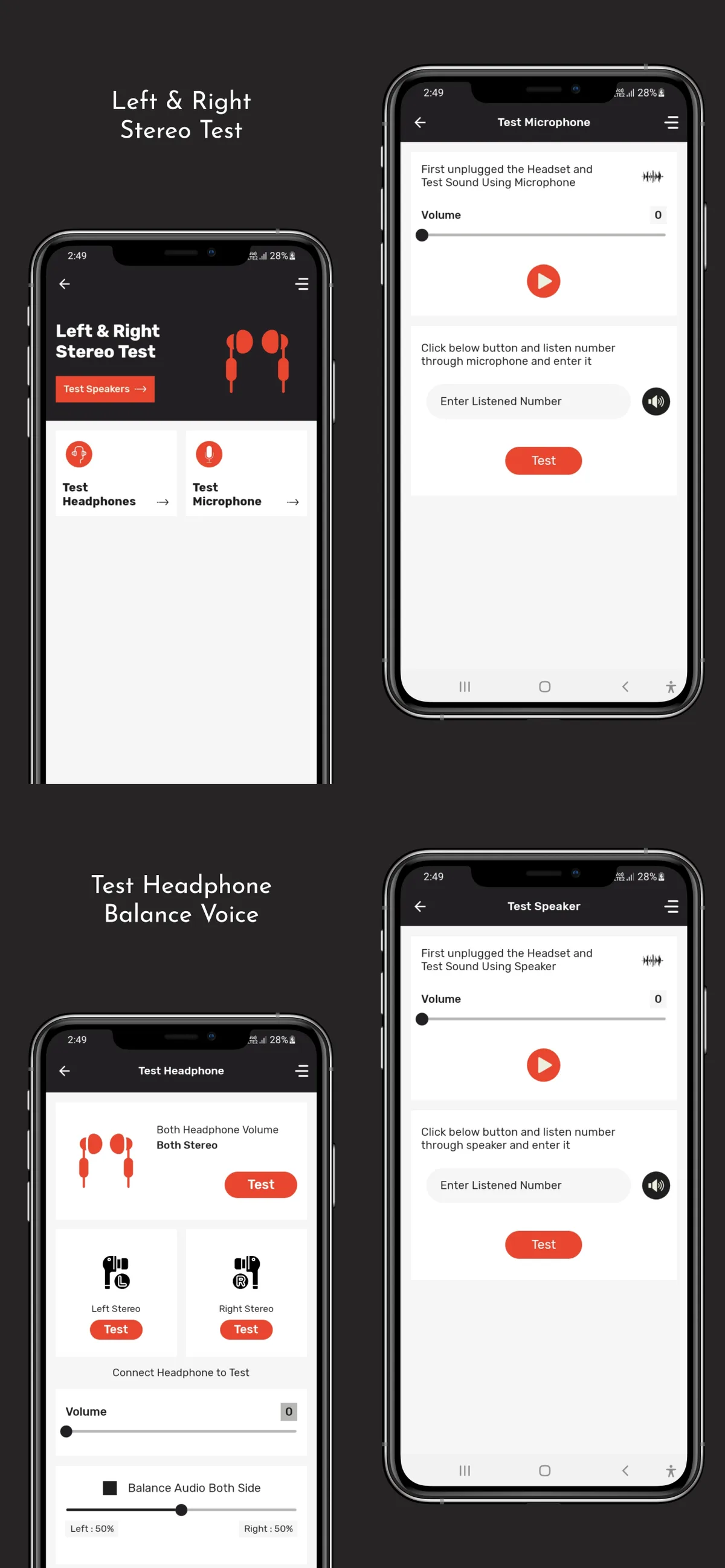
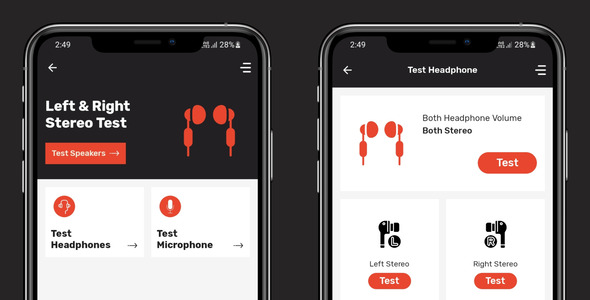
Left Right Stereo Test or Audio Tester app helps you to test your earphones,headphones and multimedia speakers to identify Left and Right speakers. Many earphone, speakers & headsets doesn’t describe about L/R position. With Left Right Stereo Test app you can check your earphone left or right side.
Stereo test app also helps you to test your multimedia speakers to identify Left and Right speakers. With Left Right Stereo Test or Audio Tester app you can also identify whether your speakers are working or not. You can test the audio delay. Check the time difference between when the white ball passes 0 milliseconds and when the tick sound actually sounds on the audio device. Usually, wireless connections such as Bluetooth have longer delay than wired
App Features
- Test wire and wireless earphones using left,right or both earphone option.
- Balance sound of earphones on testing time.
- Adjust left and right earphone different volumes for test.
- Speaker test using sound and speaker test using random number play and user need to enter it in textbox for test.
- Microphone test using sound and microphone test using random number play and user need to enter it in textbox for test.
- Easy to Customize.
- Beautiful and user-friendly app design Awesome UI.
- Latest UI with Material Design.
- Admob with Banner , Interstitial ads and Native Ads Integrated.
- Full Documentaion.
- Easy to Setup.
- All Device Combability.
- Support Android 13 , API 33.
- Latest GDPR & EU Consent Supported.
Technology I used for making this app?
- Java - XML - Android - Google Admob Ads Integration (Banner, Interstitial, Native, App Open
What do you get?
- Full Android Studio Source Code with Admob Ads. - Project Documentation.
Importance Notes
- Don’t use the same logo which app is having, Make it your own and replace them with your one. Unzip Project File Open Project File On Android Studio Run Project Change UI Design Colors, App Logo And Splash Screen Image For Reskin. - Please change the packege name of apps and change privacy policy url or email in app. also give document how to change packege name in project documentation.
If you like our app please rate us. for more support email us on henilshah2610@gmail.com
Categories
Tags
External listing. code.market does not sell this product and does not process payment for it. Pricing, payment, delivery, licensing, refunds, and support are handled by the third-party merchant on its own website. We may earn an affiliate commission from a referral. Details.
Products of the Week.
Submit🥇

STOP GUESSING WHAT TO POST
AI that learns your brand voice and builds a month of consistent, on-brand social content: carousels, posts and hooks that sound like you, not like everyone else's AI.
SaaS · 3,638 views · 33 clicksSaaS · Week 45 · 3,638 views · 33 clicks
🥈

Conversational Backlinks for Busy Founders
Place Backlink Relevant Conversation for your domain across Forums and Conversations
Website · 41,178 views · 222 clicksWebsite · Week 45 · 41,178 views · 222 clicks
🥉

upvote.club
Free Social Media Engagement that Helps Boost Your Content. Upvote Club supports 19 social networks with 100+ engagement actions in one dashboard. Add links to your posts and get free engagement from real users.
SaaS · 39,235 views · 113 clicksSaaS · Week 45 · 39,235 views · 113 clicks
#4

Substack Posting API
Onboard your Agent to Substack. Write Publish on Substack via API
SaaS · 58,273 views · 198 clicksSaaS · Week 45 · 58,273 views · 198 clicks
#5

Seenshot App
Free, Fast, MacOS Screenshot app. Make Screenshot cmd+shift+2 and send it via link
Desktop App · 27,660 views · 120 clicksDesktop App · Week 45 · 27,660 views · 120 clicks
#6

Hand-Placed Backlinks $9.99 per link. Flat rate.
Buy hand-placed forum, Q-A and directory backlinks. Flat $9.99 per link, no subscriptions — you only pay for approved listings.
Website · 3,542 views · 18 clicksWebsite · Week 45 · 3,542 views · 18 clicks
#7

Free Invoice Generator - PDF Invoices in Your Browser, No Sign-Up
A free invoice maker for freelancers and small businesses: fill in the invoice, check the live preview, and download a PDF that looks exactly like it. Any currency, tax per item, three templates, no sign-up, and nothing leaves your device.
2,236 views · 16 clicksWeek 45 · 2,236 views · 16 clicks
#8

Merge PDF Files Free - Combine PDFs in Your Browser, No Upload
A free PDF merger for office workers, students, and freelancers: combine PDFs and images into one file in the browser, reorder files and pages, pick page ranges, keep bookmarks, and open password-protected PDFs. Nothing is uploaded, no sign-up, no watermark.
2,072 views · 13 clicksWeek 45 · 2,072 views · 13 clicks