
Lectio | OCR Text Scanner With Text to Speech - SwiftUI Template
Description
Lectio – OCR Text Scanner, Reader and Translator | SwiftUI Template for iOS
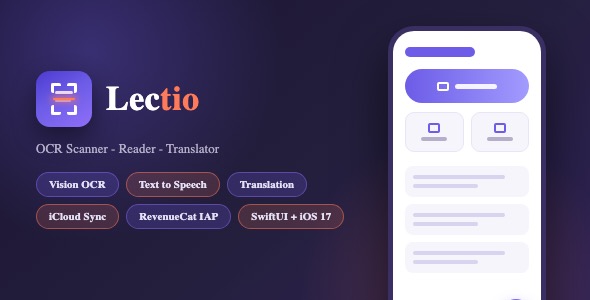
Lectio is a complete, App Store ready SwiftUI template (iOS only) that turns any iPhone into a text scanner. Point the camera at a document, receipt, book page or whiteboard, and Lectio extracts the text with Google Cloud Vision OCR, reads it aloud with natural text to speech, translates it into dozens of languages and keeps every scan organized in a searchable document library that syncs through iCloud.
IMPORTANT – PAID THIRD-PARTY SERVICES (PLEASE READ BEFORE PURCHASING)
This template depends on external services that bill YOU directly, with ongoing usage costs:
1. Google Cloud Vision API (text recognition) – pay-as-you-go, billed by Google per request.
2. Google Cloud Translation API (translation) – pay-as-you-go, billed by Google per request.
3. RevenueCat (subscription management) – free below a monthly revenue threshold, then paid.
You must create your own Google Cloud and RevenueCat accounts, and you are fully responsible for all third-party fees incurred by you and your app users. The template itself never embeds these services’ keys – you deploy the included server-side proxy and configure your own accounts (step-by-step guide in the documentation). If you are not willing to set up and pay for these services, the app’s live scanning, translation and purchase features will not work.
Demo Instructions
- No login and no demo credentials are required – the app launches straight into the scanner.
- Browsing the interface, the document library, settings, themes and the paywall works out of the box.
- Cloud OCR, translation and premium unlock require a one time configuration by the buyer (see below). The source code ships with clearly marked PLACEHOLDER strings – no keys or secrets are included in the download.
- SECURITY: the Google Cloud Vision and Google Translate API keys are never stored in the app. OCR and translation requests are sent through a server-side proxy that ships with the package (Backend/server.js, zero dependencies). The buyer deploys this proxy on their own server and sets their Google API key there – the buyer controls their own infrastructure.
- Configuration needed before live scanning works:
- A Google Cloud project with the Cloud Vision API and Cloud Translation API enabled – the API key goes into the bundled server-side proxy only.
- Any Node.js host for the proxy – point
backendBaseURLinLectio/API/AppConfig.swiftat it. - A RevenueCat API key for the subscription paywall – inserted in
Lectio/API/AppConfig.swift.
- Step by step instructions are in README.md, Backend/README.md and documentation.html.
- PAID THIRD-PARTY SERVICES: Google Cloud Vision, Google Translate and RevenueCat are external, paid services. The buyer is fully responsible for creating these accounts, managing the services and paying any third-party service fees incurred.
Everything the App Does
- Camera scanning: live viewfinder with capture button for instant OCR of printed text
- Photo library scanning: pick an existing photo and extract its text
- Document scanning: import PDF pages and convert them to extractable, readable text
- Google Cloud Vision OCR: high accuracy text recognition on device uploaded images
- Text to speech: reads any scanned document aloud with AVSpeechSynthesizer
- Voice selection: multiple accents and languages for playback, with adjustable speech rate
- Translation: translate scanned text between dozens of languages with Google Translate
- Language wheel: an interactive rotating language picker for quick target language selection
- Document library: every scan is saved automatically with its text, language and date
- Search and reopen: tap any saved document to instantly restore its full text
- Cloud sync: documents sync across devices through the user’s iCloud account (CloudKit)
- Star rating prompt: polite in-app review request using the native Ratings and Reviews API
- Share and export: copy text to clipboard or share through the native share sheet
- Free scan quota: limited free scans with an automatic upsell to premium
- Premium paywall: subscription screen with feature list, restore purchases and terms links
- RevenueCat integration: subscription handling, entitlement loading and purchase restoration
- Settings screen: appearance, default camera behavior, voice preferences and app info
- Dark mode: full automatic light and dark appearance with a manual override option
- Custom tab bar: floating glass style tab bar with animated selection indicator
- Floating action button: quick access to start a new scan from anywhere
- Haptic feedback: subtle tactile responses on key interactions
- Animated feedback: Lottie loading animations and toast notifications
- 71 localizations: interface fully translated (English, German, Spanish, French, Italian, Portuguese, Japanese, Korean, Chinese, Arabic, Russian, Turkish, Dutch, Polish, Swedish and many more)
- Launch screen and app icon: complete branding assets included
Technology
- Language: Swift 5.9, SwiftUI with UIKit SceneDelegate lifecycle
- Minimum target: iOS 17.0
- OCR: Google Cloud Vision API (images:annotate) via buyer-hosted server-side proxy
- Translation: Google Cloud Translation API (translate/v2) via buyer-hosted server-side proxy
- Key security: no API keys in the client – the bundled Backend/server.js proxy holds the Google key server-side
- Text to speech: AVFoundation / AVSpeechSynthesizer
- Subscriptions: RevenueCat SDK v5 (Swift Package Manager)
- Cloud sync: CloudKit (iCloud key-value and document sync)
- Animations: Lottie
- UI feedback: ToastUI
- Persistence: UserDefaults with JSON document storage
- Pickers: PHPickerViewController (photos) and PDFKit (documents)
- No Firebase, no third party analytics, no tracking SDKs
What the Buyer Gets
- Complete Xcode source code for the Lectio iOS app (SwiftUI)
- Backend/server.js – zero-dependency Node.js server-side proxy for Google Cloud Vision and Google Translate, with its own setup guide (Backend/README.md)
- README.md at the package root – description, requirements, configuration and run instructions
- PrivacyInfo.xcprivacy privacy manifest included
- All image and color assets, including the app icon in every required size
- Localization files ready to edit or extend
- Step by step documentation.html with embedded screenshots
- Launch screen, paywall design, custom tab bar and floating button components
- Free lifetime updates and support through the Envato comments section
Development Disclosure
Portions of this template’s source code were developed with AI-assisted tools. All code has been reviewed, tested and verified by the author prior to submission.
Closing Note
This item is a complete SwiftUI template (iOS) delivered as Xcode source code. Basic Xcode knowledge is required to build, configure and publish it. Cloud OCR, translation and subscription features need the buyer’s own accounts and API keys as described in the documentation. Google Cloud Vision, Google Translate and RevenueCat are external, paid services – the buyer is fully responsible for managing them and paying all related fees.
| Author | mefjudevllc |
|---|---|
| Price | $14 |
| Sales | 0 |
| Rating | 0 (0) |
| Published | Oct 26, 2026 |
| Last Update | Oct 26, 2026 |
| Compatible Software | Other |
| Compatible With | Swift |
| Mobile Files Included | .xib/.nib |
Categories
Tags
External listing. code.market does not sell this product and does not process payment for it. Pricing, payment, delivery, licensing, refunds, and support are handled by the third-party merchant on its own website. We may earn an affiliate commission from a referral. Details.