
Learnova | Online Course and LMS App With Flutter and Next.js
Description
Learnova – Online Course and LMS App
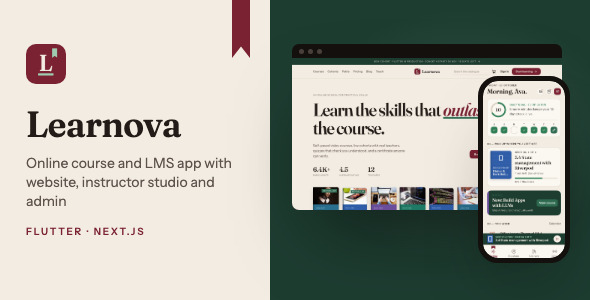
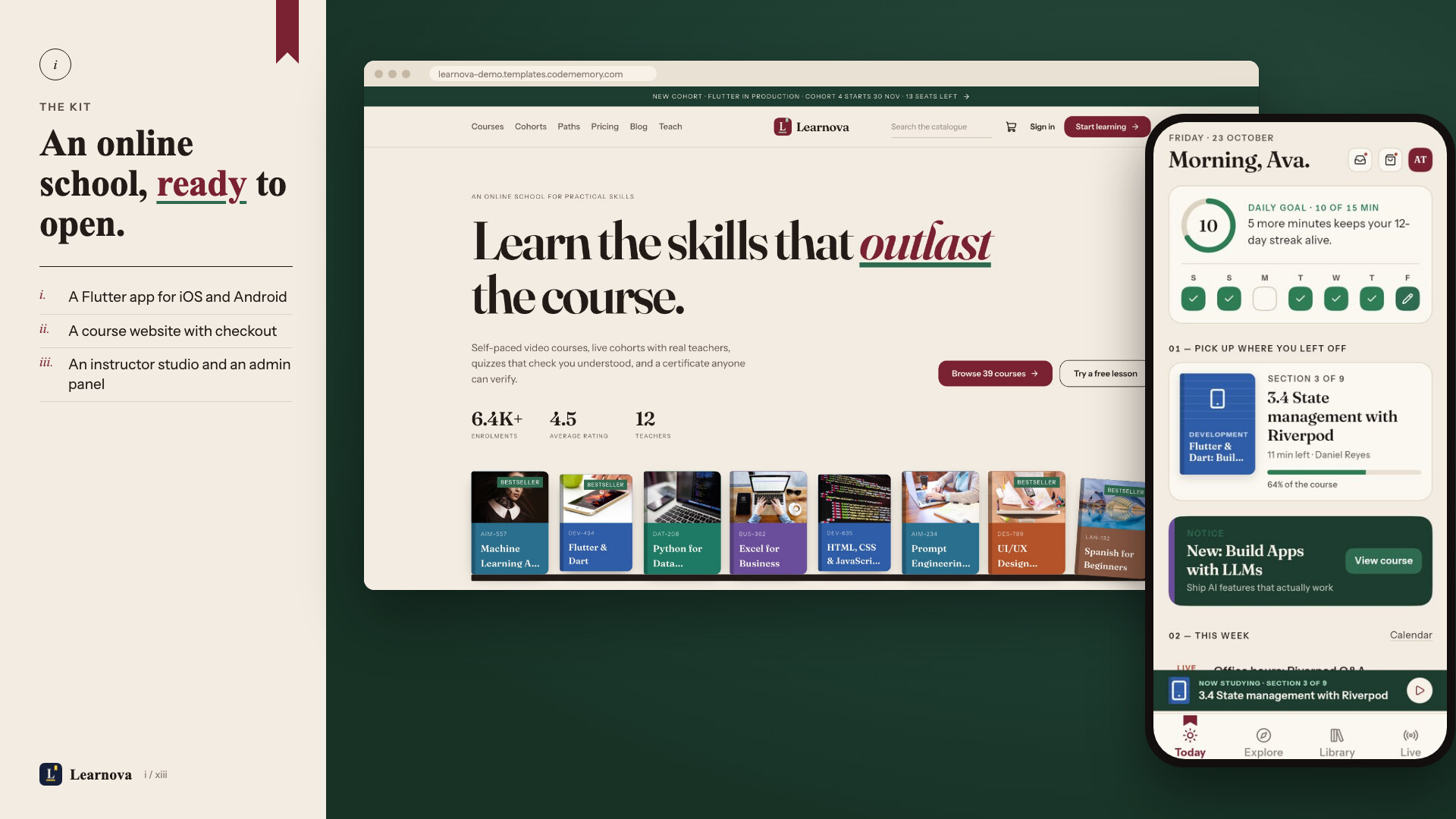
Open your own online school: learners buy courses, watch video lessons, take quizzes, earn certificates and subscribe to an all-access plan; instructors publish and earn; you run it all from one admin panel. Learnova is a complete kit: a Flutter app for iOS and Android, a website, an instructor studio, an admin panel, and the server that runs them. Install it with one Docker command and rebrand it with one more.
Live demo
- Product page: learnova.templates.codememory.com (every part one click away)
- Website: learnova-demo.templates.codememory.com — Sign in → “Try the live demo” → Student (your own fresh copy of the demo learner) or Instructor (read-only)
- Admin panel: /admin/login → “Open the read-only demo admin” (one click, no password)
- Android app (APK): download the demo APK → “Sign in as the demo student”
- Documentation: read the docs online
On the demo, purchases run in demo mode (no real payment), the instructor and admin cannot save changes, demo email never leaves the server, and the lesson videos are short sample clips. The course photos on the demo are from Pixabay (Pixabay Content License) and are not in the download; a fresh install shows clean covers until you upload your own.
AI disclosure
AI tools used to create this item: Yes.
- Source code: Yes. Written with the help of an AI coding assistant (Claude, by Anthropic). We reviewed, edited and tested all of it: the Flutter app passes
flutter analyzewith no issues, and the server has automated tests. - Documentation: Yes. The documentation was drafted with the same AI assistant, then checked step by step against the running product.
- Graphics: Yes. The screen designs, the app icon and logo mark, and the layouts of the preview images were made with the same AI assistant working in a design tool and in code. No AI image generator was used: the screenshots are of the real, running product, the sample lesson clip is a title card rendered from HTML, and the demo’s course photos are Pixabay photos shown on the demo only.
AI-powered features in the item: Yes. They are optional and need your own OpenAI or other OpenAI-compatible API key (see the documentation chapter “AI study buddy and transcripts”). Without a key no AI service is called: the study buddy answers from the lesson’s own transcript instead, and the other AI features stay off.
- AI study buddy: answers questions about a lesson, writes lesson summaries and practice checks, with a daily limit per learner. Practice checks never use the course’s graded quizzes, and the right answer is shown only after the learner answers.
- Instructor drafts: AI-drafted Q&A answers and quiz questions in the studio.
- Course review help: an AI policy scan of a submitted course for admins.
- Transcripts: lesson transcripts with OpenAI Whisper.
Everything these features produce is AI-generated, can contain mistakes, and should be reviewed before you publish it. The AI provider is a third-party service with its own pricing; you are responsible for its costs.
On the live demo no AI key is set, so you see each feature in its no-key mode: the study buddy answers from the lesson transcript, and drafts, the policy scan and Whisper transcripts show as off.
Mobile app (Flutter)
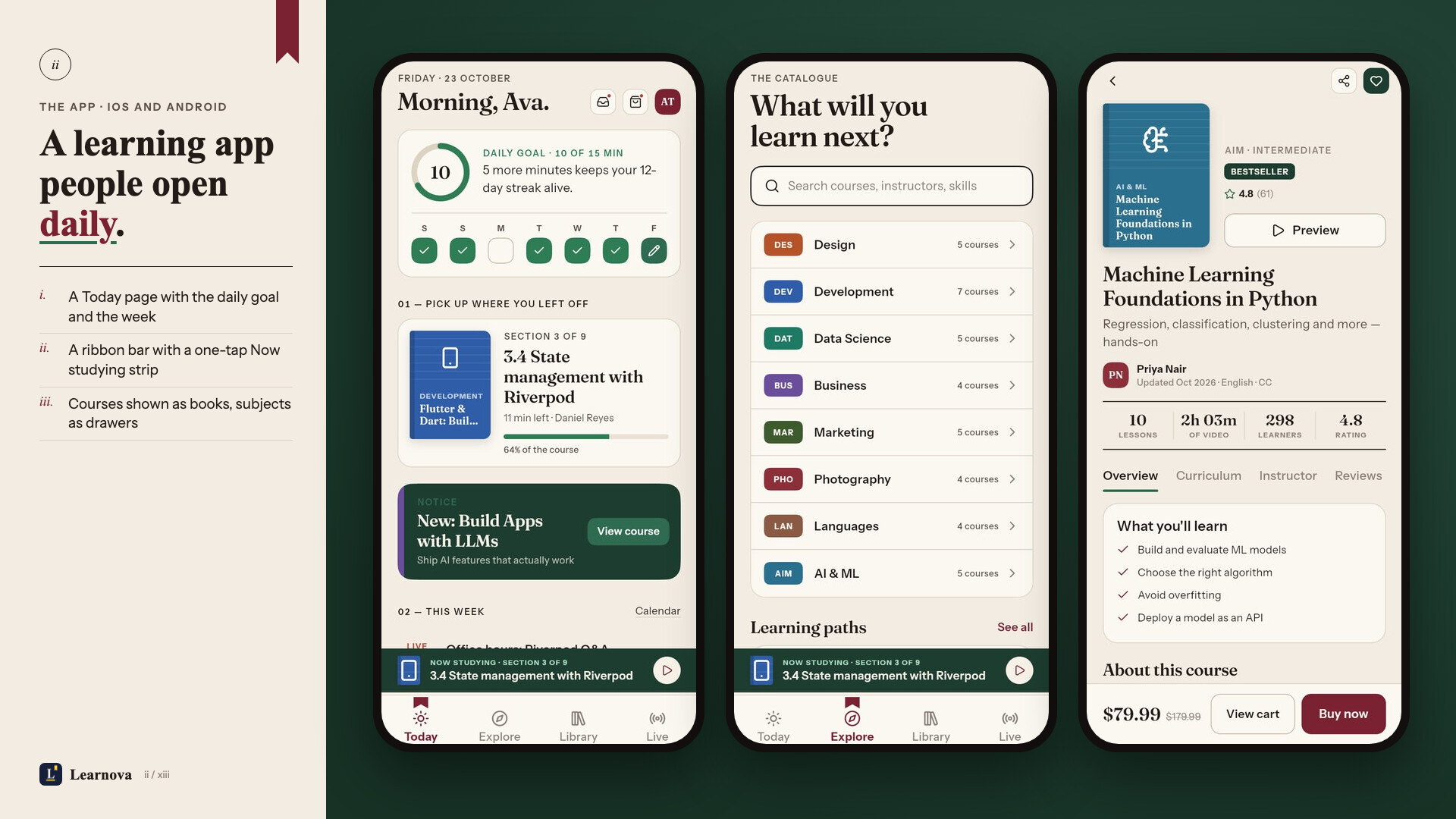
- Personal home feed, explore by category, search with filters, learning paths and course bundles
- Course pages with free preview lessons, curriculum, instructor and reviews; wishlist and cart
- Checkout with coupons, wallet balance and bank transfer; orders, receipts and refund requests
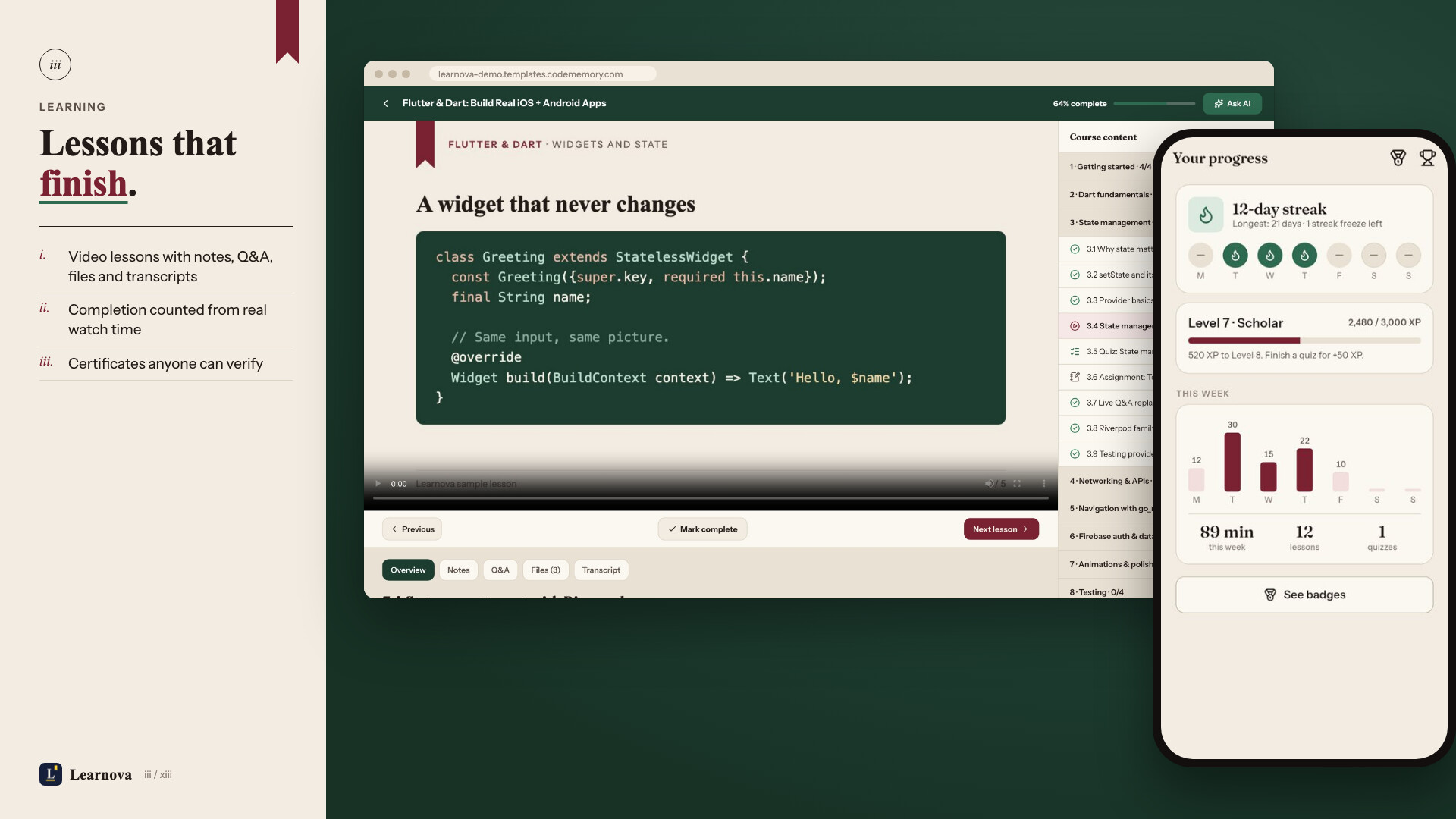
- Video lessons with adaptive (HLS) streaming, playback speed, transcripts and offline downloads
- Quizzes with results and review, assignments with file upload, notes and lesson Q&A
- AI study buddy that answers from the lesson (works with any OpenAI-compatible API; off until you add a key)
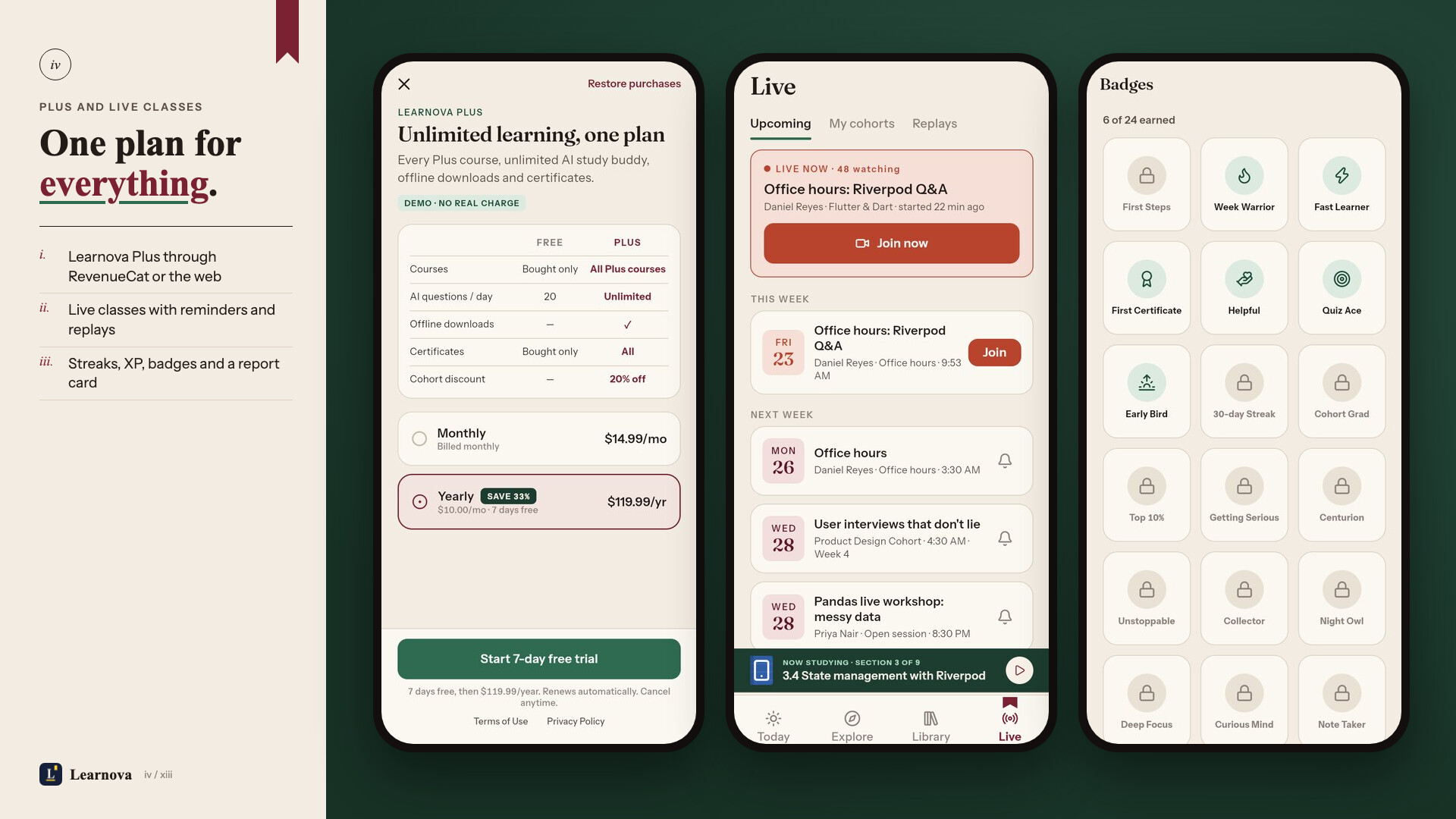
- Live classes and cohorts with a calendar, reminders and replays
- Certificates with a public verify link, XP, levels, daily streaks, badges and a leaderboard
- Learnova Plus subscription through in-app purchases (RevenueCat)
- Sign in with Google, Apple or email (Firebase), guest mode, account deletion and data export
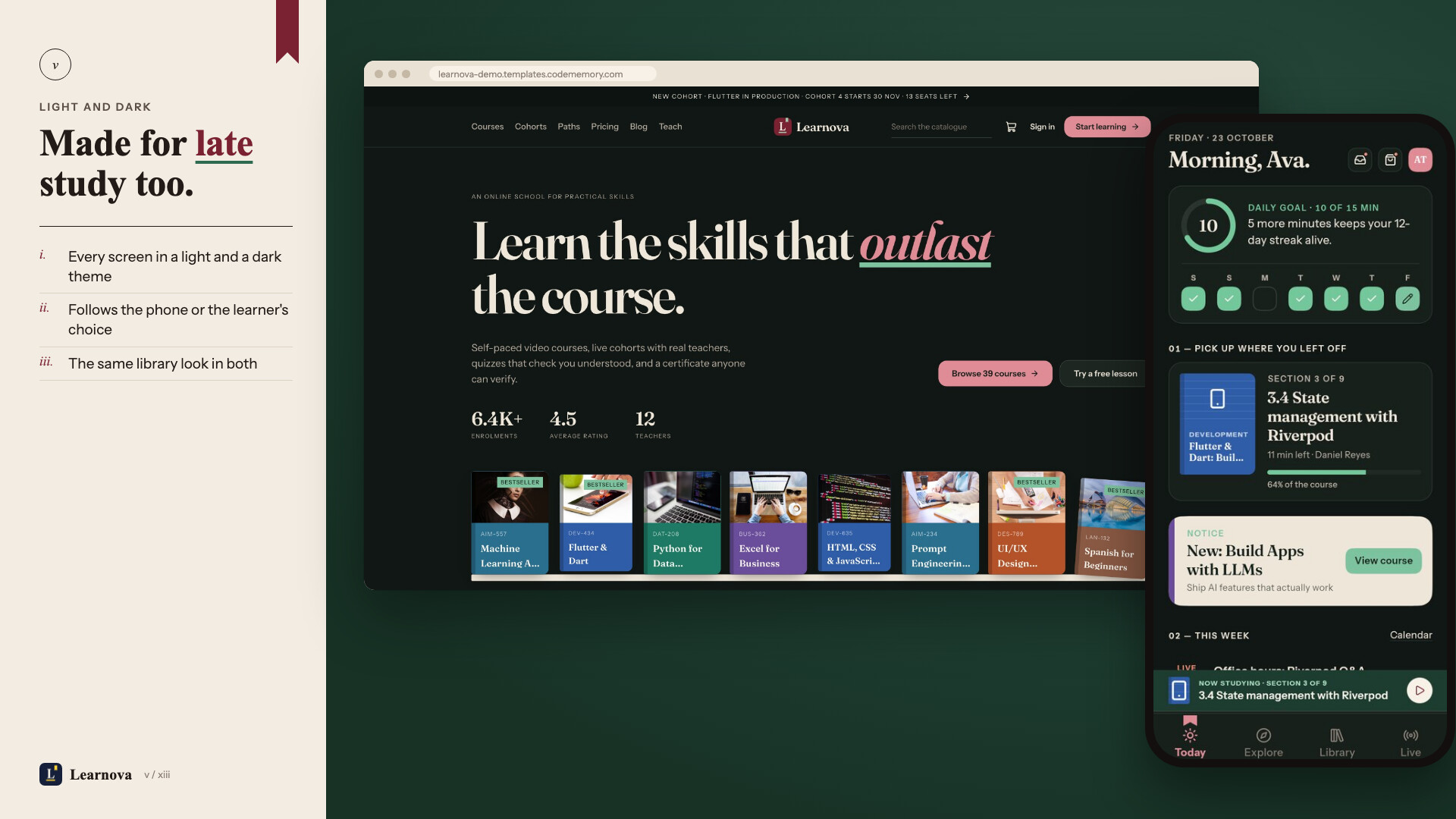
- Push notifications, maintenance mode, force update, light and dark themes
Website (Next.js)
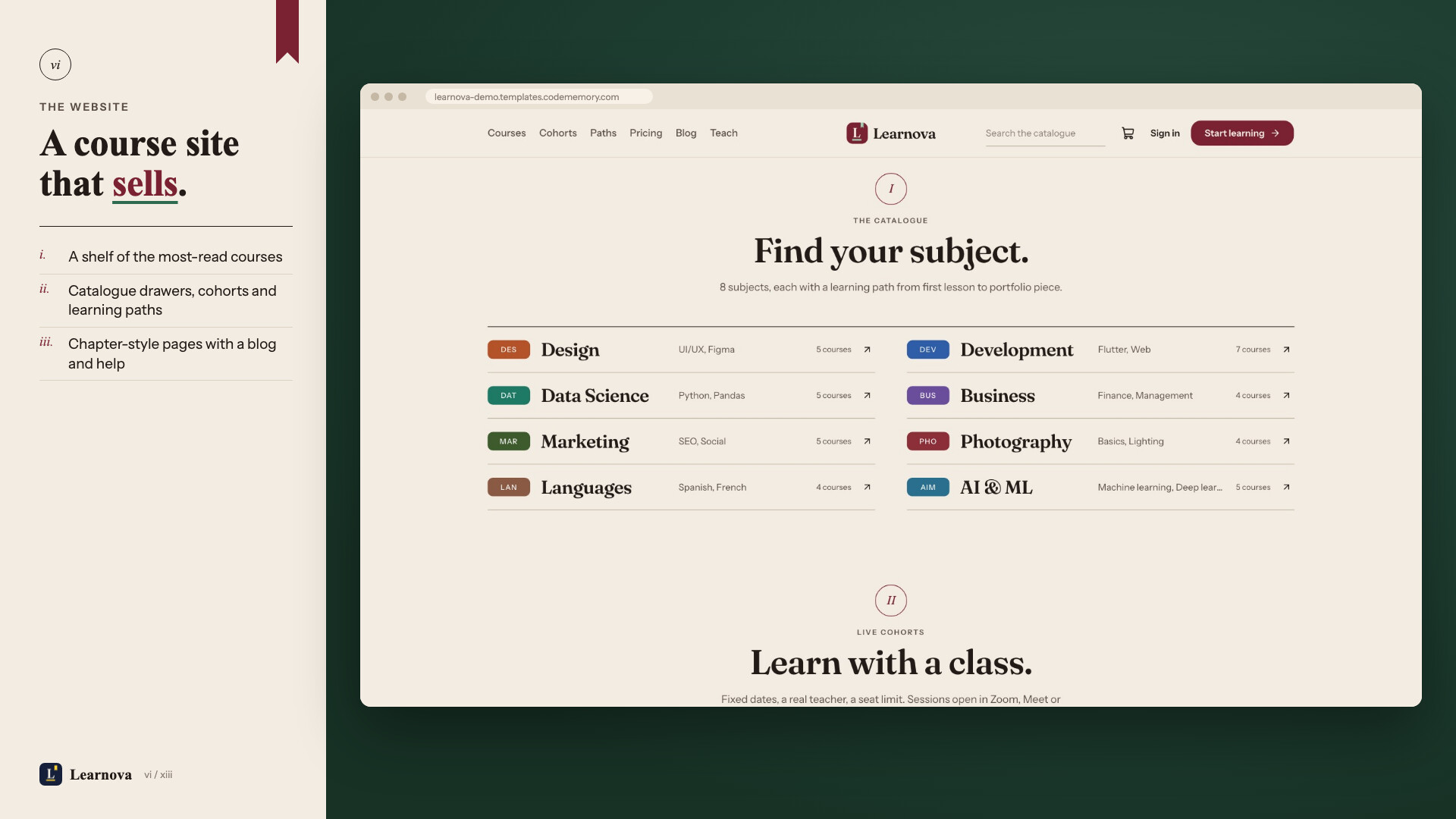
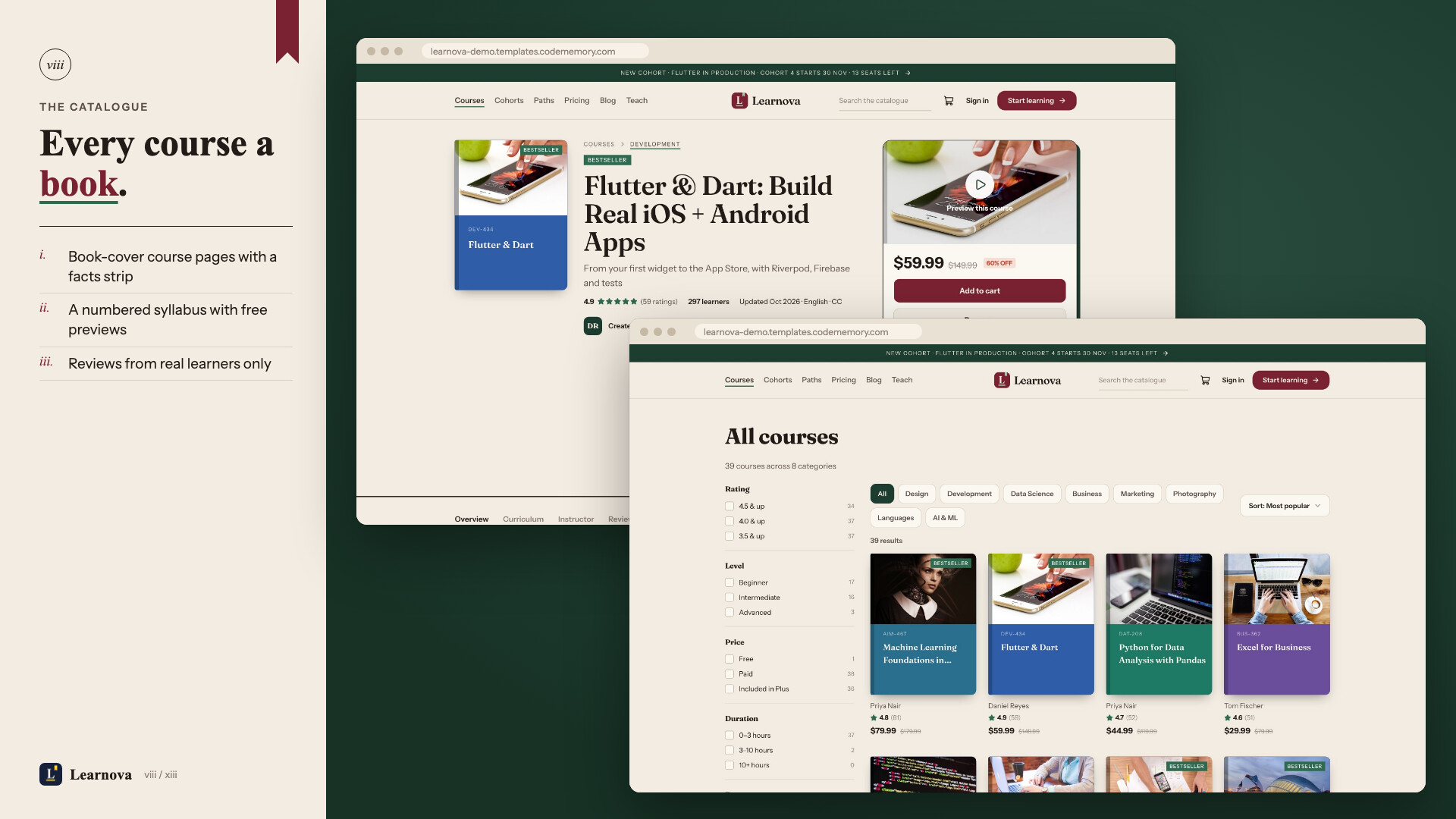
- Landing page, catalogue with filters, course, category and instructor pages, learning paths, cohorts, pricing, blog and help center
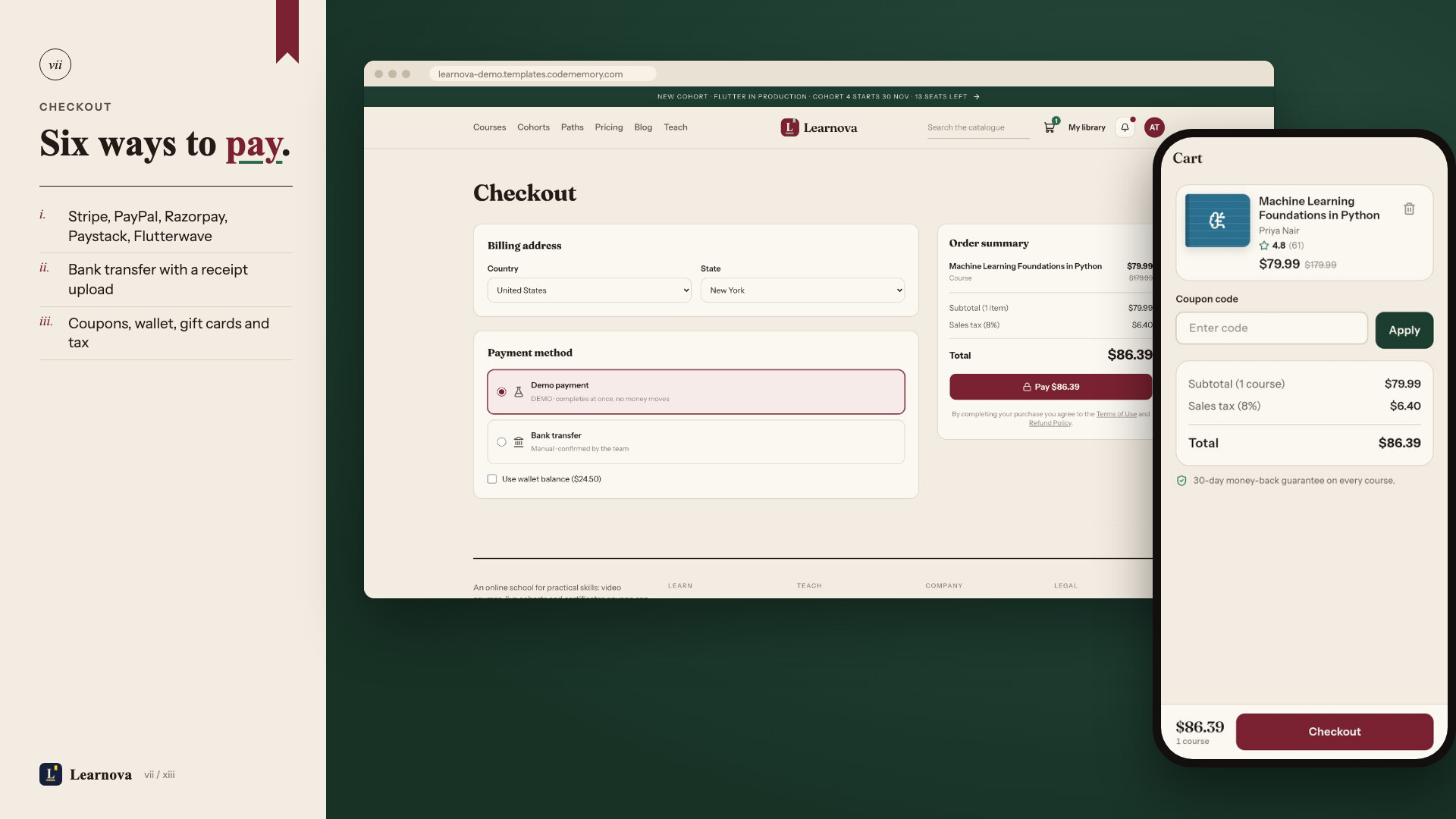
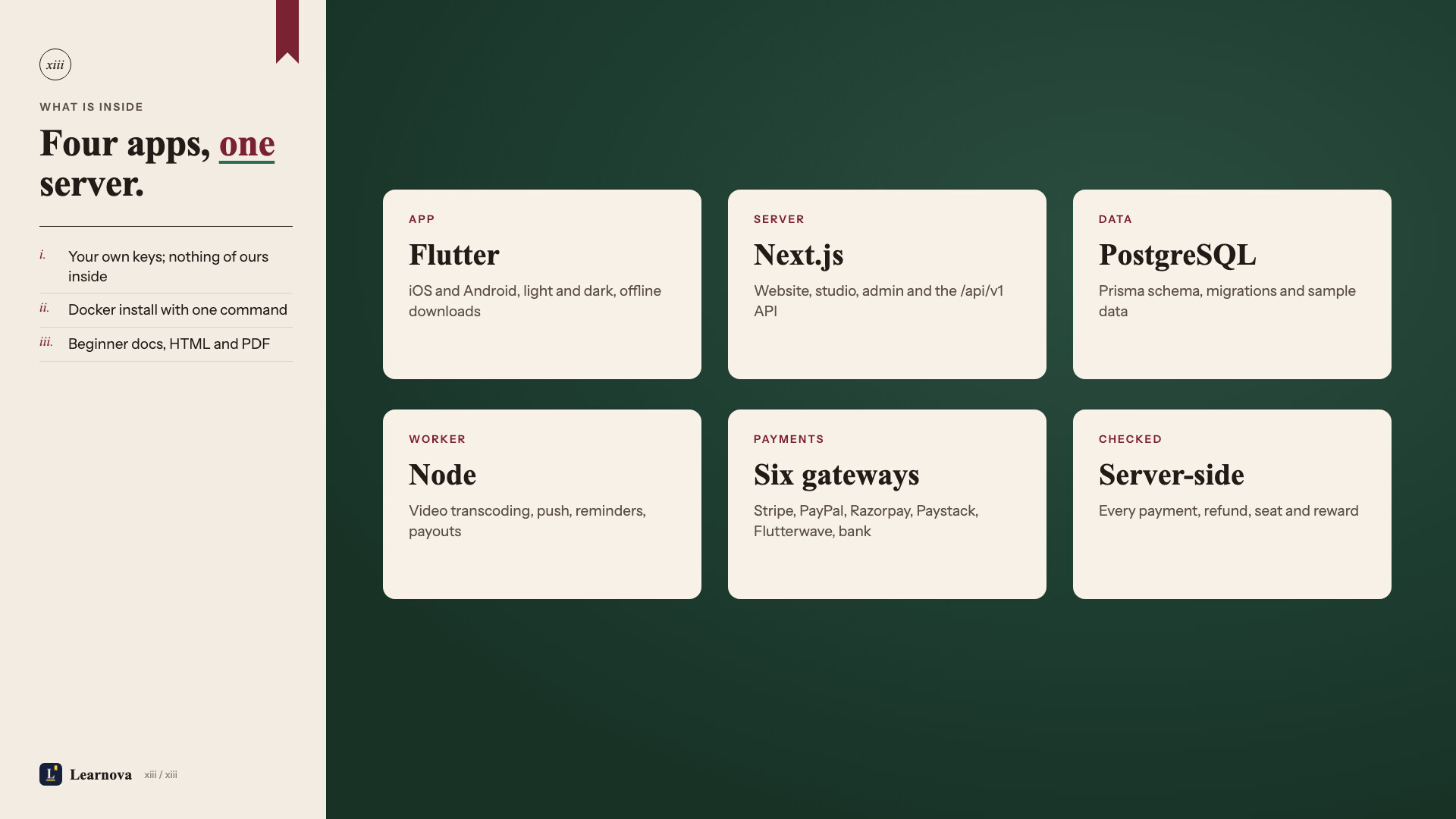
- Checkout with Stripe, PayPal, Razorpay, Paystack, Flutterwave or bank transfer, plus coupons, gift cards and tax rules
- Full-screen course player with curriculum, notes, Q&A, transcripts and quizzes
- My learning, certificates with a public verify page, orders, refunds and Plus management
- SEO-friendly URLs, sitemap, cookie consent, and a one-click demo sign-in that works inside the preview frame
Instructor studio
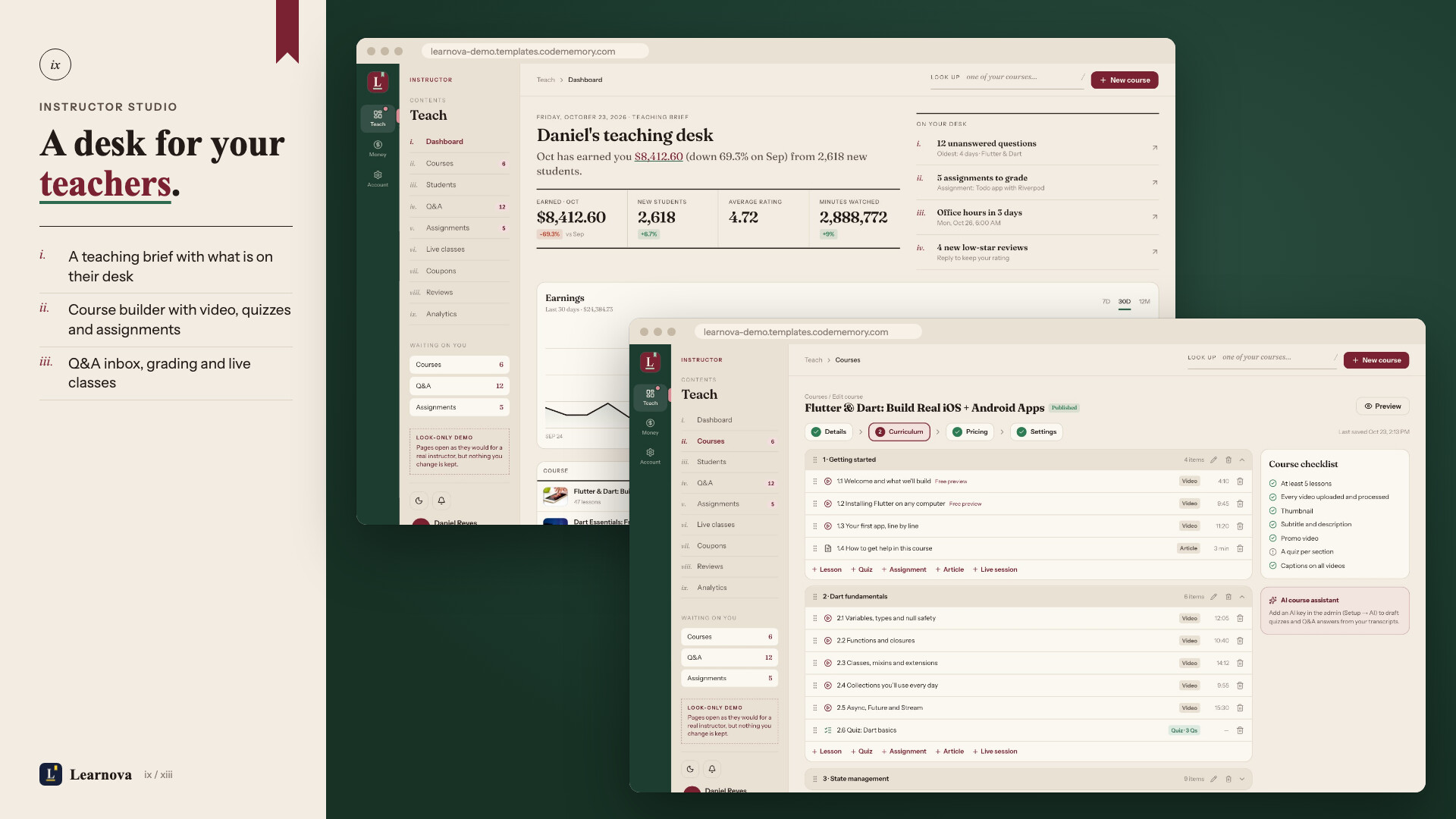
- Course builder: sections, video upload (turned into streaming video by the worker), quizzes, assignments, pricing and coupons
- Students, Q&A inbox with AI-drafted answers, assignment grading
- Live classes calendar with meeting links (Zoom, Google Meet, Teams…)
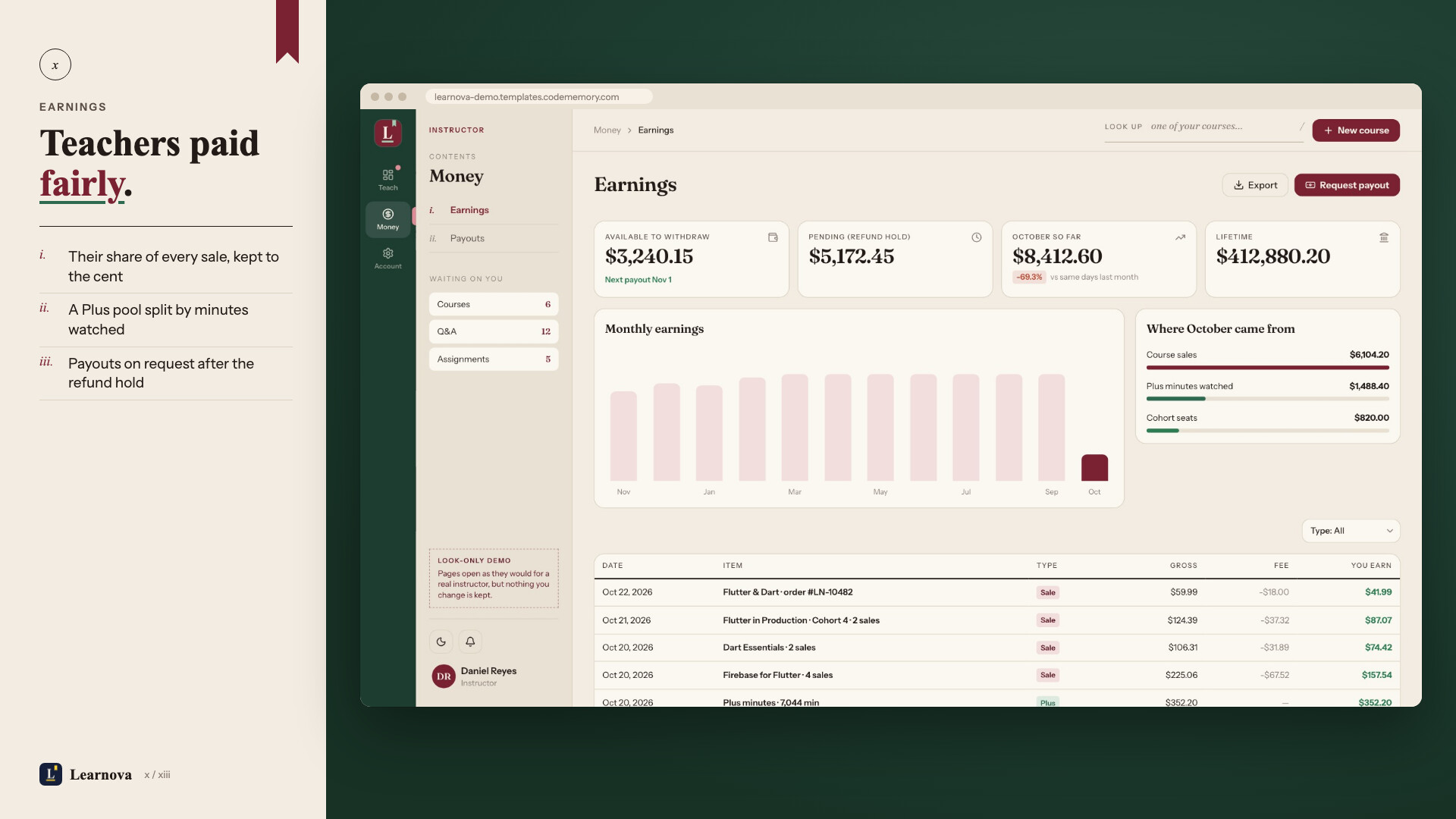
- Earnings, payout requests, reviews and analytics (watch time, completion, where learners drop off)
Admin panel
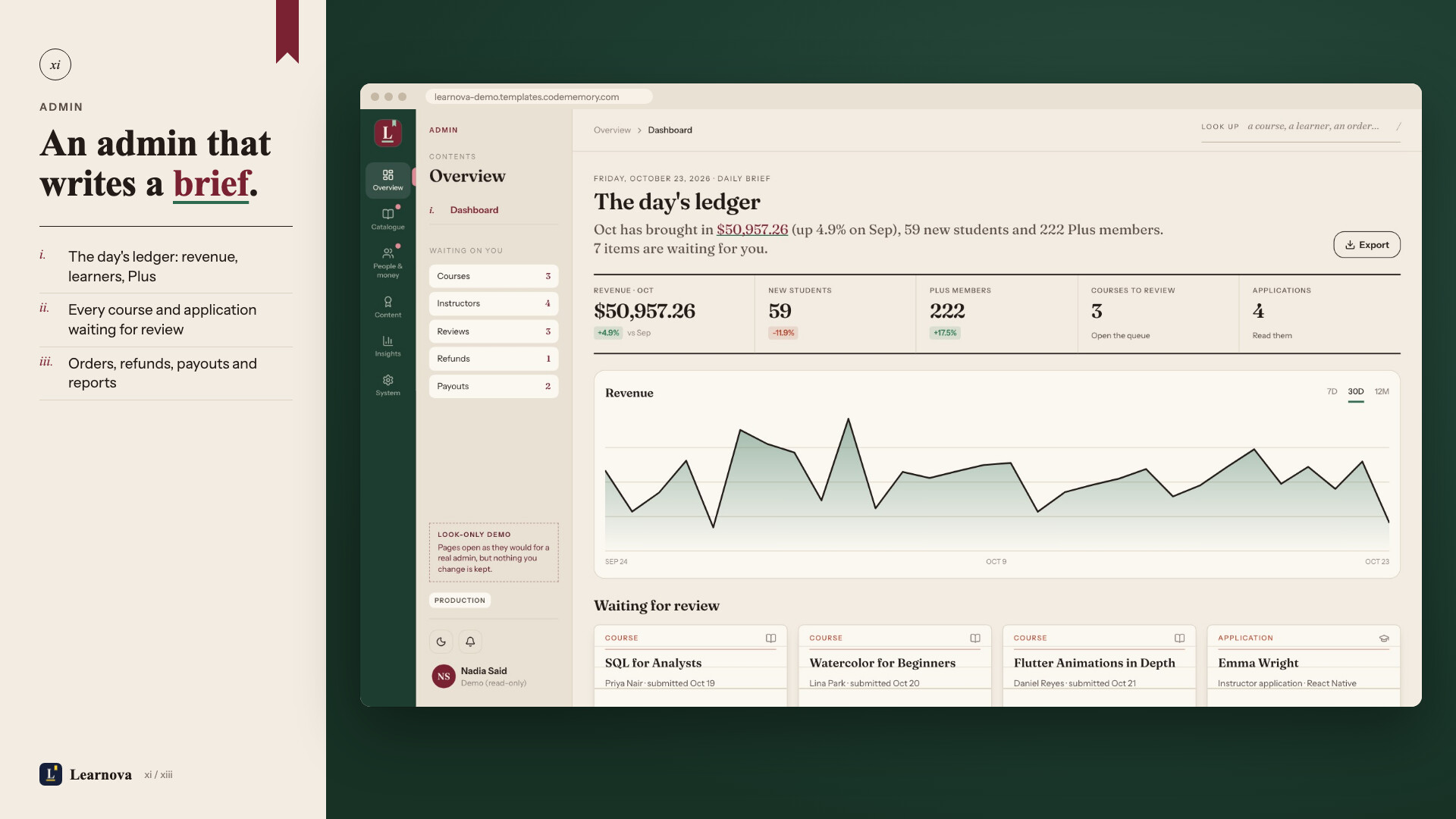
- Dashboard with revenue and approval queue; course review with change requests
- Categories, instructors and applications, students, orders and refunds, payouts
- Coupons, Plus plans, gift cards, review moderation, certificates, blog, banners, push notifications, pages and FAQ
- Reports (revenue, enrolments, instructors, subscriptions, tax) with CSV export
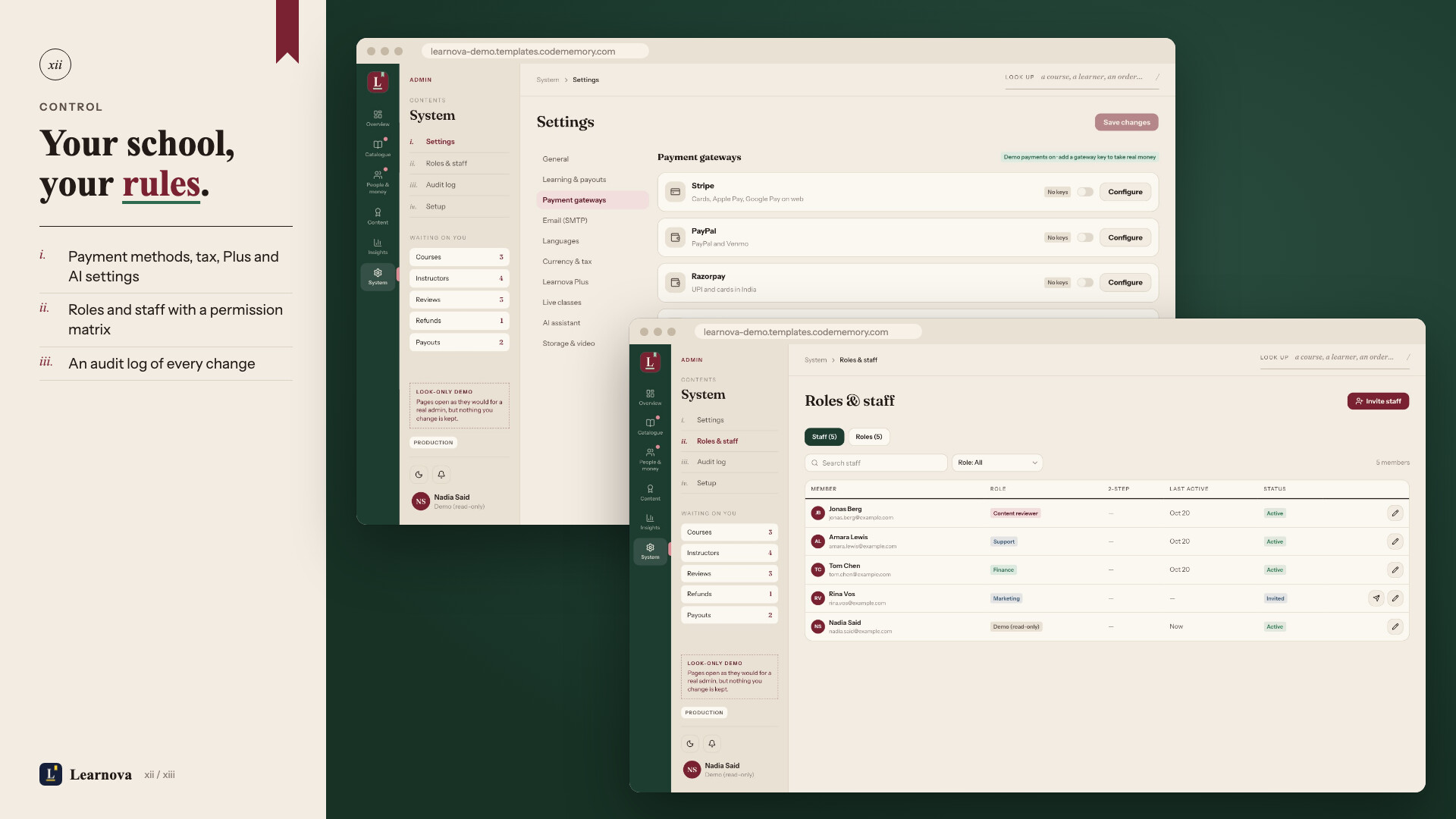
- Settings: general, learning and payouts, payment gateways, email, languages, currency and tax, Plus, live classes, AI, storage
- Roles and staff with a permission matrix, audit log, and a Setup page that shows which keys are missing
Security
- Prices, coupons and currency checked on the server: totals are worked out on the server; a limited coupon is held when the order is created and given back if the order is never paid, so parallel checkouts cannot use it past its limit; every gateway payment must match the order’s amount and currency before it counts; a paid order settles once even when the webhook and the return page arrive together
- Every purchase confirmed on the server: courses, Plus and wallet top-ups are granted only after the store or payment gateway confirms the payment (RevenueCat, Stripe, PayPal, Razorpay, Paystack, Flutterwave webhooks and API checks); gift cards are server-side codes redeemed once. Test purchases without payment (demo mode) are off unless you switch them on with
DEMO_PURCHASES="true"to try the kit, and stop as soon as any payment key is set - Instructor earnings checked on the server: the Plus revenue pool is split by minutes watched, and the server never accepts more watch time than the clock allows since the learner’s previous report; each lesson is capped and instructors earn no pool minutes from their own viewing
- Guest account merging checked on the server: the guest must prove its session with its own Firebase token, only a signed-in account can take in a guest, and each account can take in one guest only
- Certificates and quizzes graded on the server: answers are scored by the server and a certificate needs every lesson done and any final quiz passed
Built for buyers
- Starts before every key is in: each payment method stays off until its key is set (a no-charge demo payment exists only when you turn on
DEMO_PURCHASESfor testing), email prints to the log, and AI is off until you add its key - One-command install: Docker stack with the website, worker, PostgreSQL and MinIO storage; sample data on first run
- Setup check:
pnpm run doctorand the admin Setup page test every connection - One-command rebrand: name, app id, brand colour, website font and icon
- Step-by-step documentation in HTML and PDF, with every key explained
Requirements
- A Linux server (2 CPU, 4 GB RAM) with Docker, and a domain name
- Flutter 3.44 or newer; Android Studio; a Mac with Xcode for iOS
- A Firebase project (sign-in and push)
- Optional: RevenueCat, Stripe, PayPal, Razorpay, Paystack, Flutterwave, an OpenAI-compatible AI provider, any SMTP email provider
Third-party services and their costs
These services are run by other companies and are not part of this item. Each has its own account, terms and pricing, which can change, and you are responsible for every cost they charge. The documentation has a cost table with links to each pricing page.
- Firebase (sign-in and push, required): free Spark plan to start; Authentication beyond the free monthly users needs the pay-as-you-go Blaze plan.
- RevenueCat (Plus subscription in the app, optional): free up to a monthly revenue limit, then a share of tracked revenue or a paid plan. Apple and Google also take their store commission (15% or 30%) on in-app sales.
- Stripe, PayPal, Razorpay, Paystack and Flutterwave (website payments, optional): each takes a fee per payment and needs a verified business account in a supported country. Bank transfer costs nothing.
- Video storage and streaming (required): MinIO on your server uses your disk and bandwidth; cloud storage (Amazon S3, Cloudflare R2, Backblaze B2 and others) charges for storage, requests and outgoing traffic. Each lesson is kept in up to four qualities plus a download copy, so this becomes the largest cost as learners grow.
- Server and domain (required): monthly hosting; video conversion needs CPU.
- OpenAI or another OpenAI-compatible provider (AI features, optional): charged per use.
- SMTP email provider (optional): usually a free tier, then per email.
- Zoom, Google Meet or Microsoft Teams (live classes, optional): the studio stores your meeting link; the meeting service’s own plan applies.
Support
Use the Support tab on this page with your purchase code. Support covers questions about the item and bug fixes. Customisation and installation are not included; ask about our installation service.
Changelog
1.0.1 (13 November 2026): staff who are disabled, demoted or removed lose admin access at once and are signed out everywhere; AI practice checks never reveal quiz answers; Q&A follows lesson access; email without SMTP no longer logs message bodies; Learnova’s own Android notification channel; updated Gradle plugins; App Store payment note in the docs.
1.0.0: first release. Full list in CHANGELOG.md.
| Author | codememory-saas |
|---|---|
| Price | $59 |
| Sales | 0 |
| Rating | 0 (0) |
| Published | Nov 16, 2026 |
| Last Update | Nov 16, 2026 |
| Compatible Software | Flutter 3.x |
| Demo Url | https://learnova.templates.codememory.com |
| Mobile Files Included | Dart, YAML, JavaScript JSON, .kotlin, .swift, JavaScript JS, CSS, HTML |
Categories
Tags
External listing. code.market does not sell this product and does not process payment for it. Pricing, payment, delivery, licensing, refunds, and support are handled by the third-party merchant on its own website. We may earn an affiliate commission from a referral. Details.
Products of the Week.
Submit🥇

Perceptle
Perceptle is a daily browser-based game that challenges you to test your sensory intuition through five quick estimation and rhythm-based rounds.
Other · 1,800 views · 11 clicksOther · Week 47 · 1,800 views · 11 clicks
🥈

Free LinkedIn Likes From Real
Get free LinkedIn likes on your posts from real members who react by hand. No
SaaS · 1,935 views · 11 clicksSaaS · Week 47 · 1,935 views · 11 clicks
🥉

STOP GUESSING WHAT TO POST
AI that learns your brand voice and builds a month of consistent, on-brand social content: carousels, posts and hooks that sound like you, not like everyone else's AI.
SaaS · 9,478 views · 76 clicksSaaS · Week 47 · 9,478 views · 76 clicks
#4

aaas.market
407 reliable micro tools for solo founders, marketers and creators. They work in your browser
SaaS · 1,899 views · 5 clicksSaaS · Week 47 · 1,899 views · 5 clicks