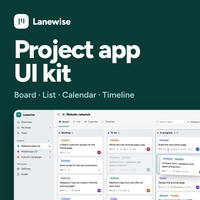
Lanewise - Project Management App HTML Template
Description
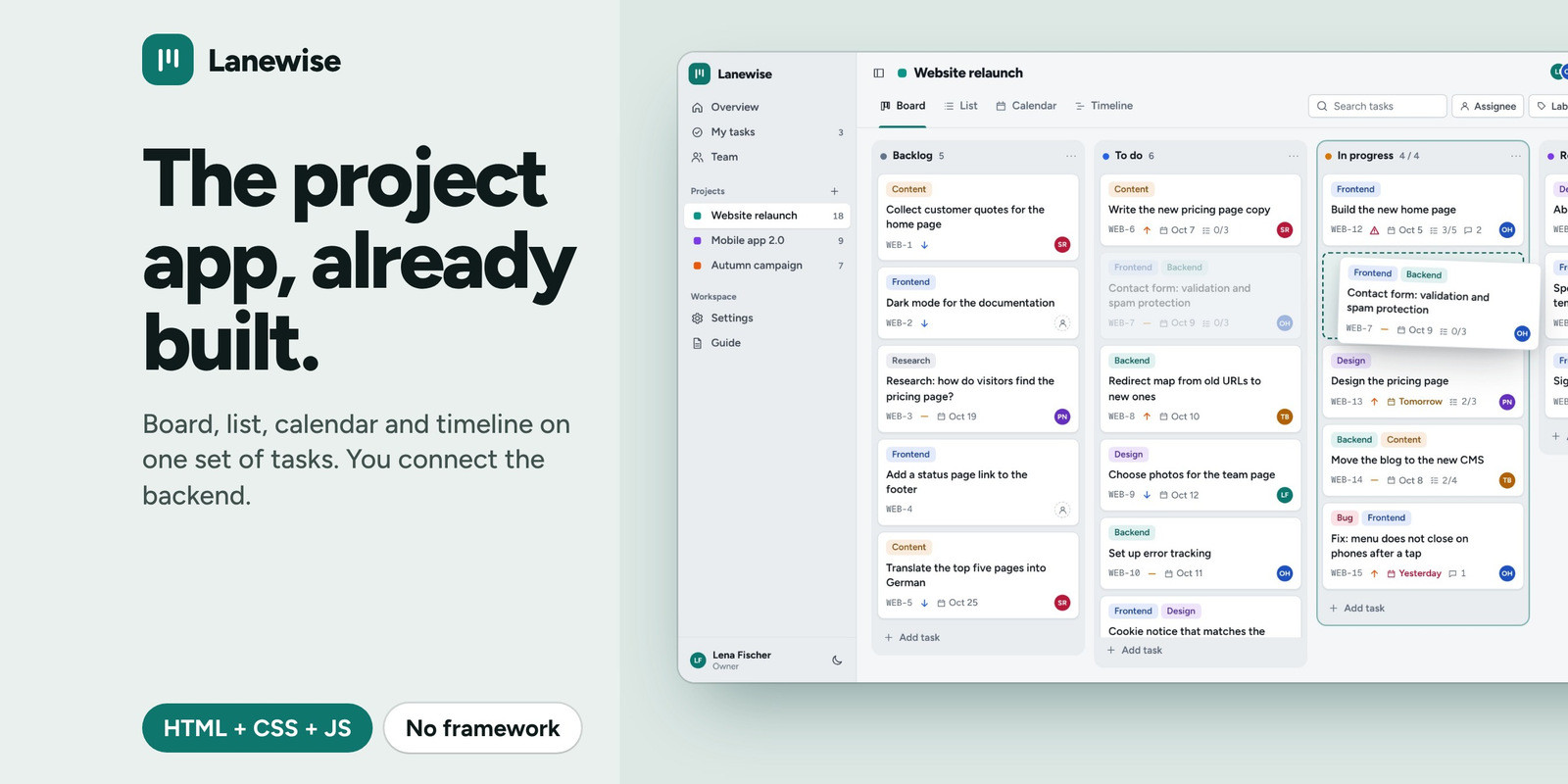
Lanewise is a project management app UI kit in plain HTML, CSS and JavaScript. You get a board with drag and drop, a task list, a calendar and a timeline that all work on the same tasks, plus the pages around them. It runs out of the box with sample projects, and connects to your own server with one function. No framework, no libraries and no build step.
The 9 screens
- Board with drag and drop, task limits per column, and lanes by person or priority
- List with sorting, editing in the row, bulk actions, grouping and CSV export
- Calendar where you drag a task to another day
- Timeline with bars you can move and resize
- Overview with open, due and late tasks, workload and recent activity
- Team with people cards
- New project, a four-step form with workflow templates
- Settings for project, columns, labels, appearance and data
- Sign in, with create account and reset password
Good to know before you buy
- This is an interface kit (front end). It does not include a server, a database or user accounts. You connect your own
- Out of the box, data is saved in the browser of the person using it
- There is no real-time sync between people, no file attachments, no notifications and no permissions per person. Those belong to your backend
- The timeline shows start and due dates. It has no dependencies between tasks
- Touch drag and drop was tested with simulated touch input, not on every phone model
- Texts are in English. Dates follow the language you set
- Fonts load from Google Fonts. Everything else is inside the download
- Made for current versions of Chrome, Edge, Firefox and Safari (Safari 16.2 or newer)
In the download
- 9 HTML pages
- 1 CSS file with colour settings at the top
- Small, commented JavaScript files (no libraries)
- Documentation page, README, changelog and license
Features
- Drag and drop without a library: mouse, touch (press and hold) and keyboard (Alt + arrow keys). The board scrolls while you drag
- One data layer: change a task in any view and the others show it. Search and filters stay when you switch views
- Task dialog with description, checklist, comments, labels, start and due dates, and a link to each task
- Undo after deleting one task or many
- Save to your server: an onChange function gets every change. The guide shows how to load and save
- Export and import all data as a JSON file, and export the list as CSV
- Light and dark themes, five accent colours and a compact density
- Keyboard friendly: shortcuts, visible focus, dialogs and menus that work without a mouse, moves announced to screen readers
- Responsive from a 320 px phone to a wide desktop screen
Requirements
- A current version of Chrome, Edge, Firefox or Safari (Safari 16.2 or newer)
- A text editor
- To try it: nothing else. It works straight from the folder with sample projects
- To keep data for a team: your own server or API. The kit sends every change to one function you fill in
Instructions
- Unzip the download and open index.html in your browser. It works from a folder, with no server or build step
- Open assets/js/config.js for your settings
- Change the colour settings at the top of assets/css/lanewise.css
- To save to your server, fill in the onChange function in config.js. The data functions are in assets/js/lanewise.store.js
- The full guide is in documentation.html
| Author | cancap |
|---|---|
| Category | Themes / HTML / Admin Templates |
| Price | $34 |
| Extended License | $102 |
| First Release | Oct 5, 2026 |
| Last Update | Oct 5, 2026 |
| Files included | .css, .html, .md, JavaScript .js |
Categories
Tags
External listing. code.market does not sell this product and does not process payment for it. Pricing, payment, delivery, licensing, refunds, and support are handled by the third-party merchant on its own website. We may earn an affiliate commission from a referral. Details.
Products of the Week.
Submit🥇

Actionbook
It works inside the user's own browser with the accounts already signed in. The user describes the result they need, and the agent reads, clicks and types through the pages, then delivers a dashboard or report where each data links back to its source.
Other · 689 views · 9 clicksOther · Week 44 · 689 views · 9 clicks
🥈

Free social media tools for creators & solofounders
295 free tools for growing your social media: write, plan, grow on local AI models, 100% free forever, No sign-up required, No trial. Write, check and measure posts on LinkedIn, Instagram, TikTok, X, YouTube, Reddit, Product Hunt and more: a free social media scheduler for 17 networks, engagement rate calculators, character counters, best time to post, hook generators and follower growth calculators. No login anywhere, no API or credit usage.
659 views · 6 clicksWeek 44 · 659 views · 6 clicks
🥉

STOP GUESSING WHAT TO POST
AI that learns your brand voice and builds a month of consistent, on-brand social content: carousels, posts and hooks that sound like you, not like everyone else's AI.
SaaS · 1,907 views · 21 clicksSaaS · Week 44 · 1,907 views · 21 clicks
#4

Hand-Placed Backlinks $9.99 per link. Flat rate.
Buy hand-placed forum, Q-A and directory backlinks. Flat $9.99 per link, no subscriptions — you only pay for approved listings.
Website · 1,859 views · 17 clicksWebsite · Week 44 · 1,859 views · 17 clicks
#5

Conversational Backlinks for Busy Founders
Place Backlink Relevant Conversation for your domain across Forums and Conversations
39,321 views · 210 clicksWeek 44 · 39,321 views · 210 clicks
#6

Free Invoice Generator - PDF Invoices in Your Browser, No Sign-Up
A free invoice maker for freelancers and small businesses: fill in the invoice, check the live preview, and download a PDF that looks exactly like it. Any currency, tax per item, three templates, no sign-up, and nothing leaves your device.
603 views · 11 clicksWeek 44 · 603 views · 11 clicks
#7

Merge PDF Files Free - Combine PDFs in Your Browser, No Upload
A free PDF merger for office workers, students, and freelancers: combine PDFs and images into one file in the browser, reorder files and pages, pick page ranges, keep bookmarks, and open password-protected PDFs. Nothing is uploaded, no sign-up, no watermark.
545 views · 4 clicksWeek 44 · 545 views · 4 clicks