
Koi Private Browser - Incognito Browser - Secure Browser and Adblock
Hot or Not
Description
Koi Private Browser- Incognito Browser – Secure Browser and Adblock
Koi Browser :
is an incognito/private browser for android. Each time you exit incognito browser, everything you’ve done in the private browser will be erased, including history, cookies, and sessions.
Koi private browser is a feature-rich browser, and it’s in permanent private mode.
Koi Incognito Browser is a private browser for Android with Multiple Tabs and video support. Which lets you browse privately the internet.
-
- Fully Incognito
- No trace saved
- Fast speed
- Quick search
- Smart access
- Unlimited tabs
- No location
- Adblocker
- Search Engines
- Download manager
- Admob Ad
- Android 14 support
- Fully Incognito :
- Private incognito Browser is a secure browser that offers you real private browsing experience without leaving any history, cookies traces, cache, etc.. When you exit the app, all data and history are removed. Everything that goes on in the browser is removed when you hit Home, Exit, or Close. Private Browser is an anonymous incognito browser which is easy to use i.e. everyone can use it easily.
- Blocks a wide range of common Web trackers without any settings to set
- Easily erases your history — no passwords, no cookies, no trackers.
- Private Browser is the fastest web browser. No more frozen pages. Enjoy the smoothest Internet surfing. Your search results instantly appear with smart search, quick access to socializing, web searching and entertaining. Incognito web browser can compress your web page so you can get 2x faster browsing even on 2g data.
- Search anything you want in a simple and easiest way. tab the word on search bar ad it will show the whole result with multiple suggestions.
- Copy URL, share URL or access anything easily with the cool feature Quick search.
- Multitasking with Incognito web browser now you can access the unlimited number of tabs without any lag or crash. Private Browser’s tabbed browsing feature has the ability to quickly switch between several open web pages within a single browsing session.
- The private web browser does not trace our location i.e. you can surf the web freely without any trace. No first or third party ads or trackers are bundled in the app. Your information is secure from leakage.
- Private browser pro supports built-in adblocker which can block all the annoying ads from websites which also helps a website to load much faster.
- koi Incognito Browser supports multiple search engine including Google, Bing, Yandex, Yahoo. Which is the default, but you can change in settings .
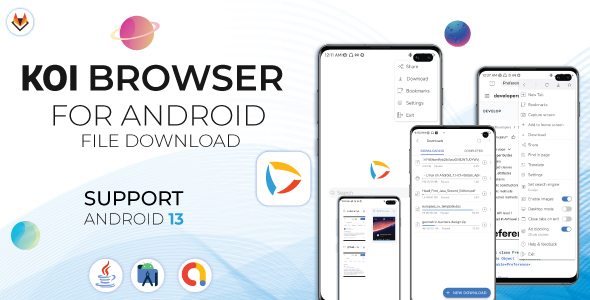
- Download manager helps you to download any file from the url . You can download files by using download by entering a file url or a shared link. with resume capability .
- Requirements
-
- Android Studio 8.0.1+ .
- JDK-17.0.+ .
- Admob account .
- Playstore account .
- Android 6 version and above .
Apk DemoV1.2.6
Download Demo Apk from MegaChange Log
Version: 1.0.2
— Minor bug fix .
— Add new Search engine (Lukayn) .
— Some improvements .

Version: 1.0.3
— Minor bug fix .
— Add Admob ads .
— Some improvements .

Version: 1.0.4
— Minor bug fix .
— Add the feature of downloading and managing files (lite) .
— Add page refresh feature (SwipeRefreshLayout) .
— Some improvements .

Version: 1.0.5
— Minor bug fix .
— Some improvements .

Version: 1.0.6
— Minor bug fix .
— Some improvements .

Version: 1.0.7
— Minor bug fix .
— Support download in android 13 .
— Some improvements .

Version: 1.0.8
— Minor bug fix .
— Some improvements .

Version: 1.0.9
— Minor bug fix .
— Some improvements .
— Support more than one theme(System Theme - light -Dark).
— Update libraries  .

Version: 1.0.10
— Minor bug fix .
— Some improvements .
— Improve file download speed.
— Improvements in the user interface.
— Update libraries  .

Version: 1.2.1
— Minor bug fix .
— Some improvements .

Version: 1.2.2
— Minor bug fix .
— Some improvements .
— Update android studio  .
— Update libraries  .

Version: 1.2.3
— Minor bug fix .
— Some improvements .

Version: 1.2.4
— Minor bug fix .
— Added support for Android 14 .
— Some improvements .

Version: 1.2.5
— Minor bug fix .
— Some improvements .

Version: 1.2.6
— Minor bug fix .
— Some improvements .
— Add the Quick Access feature to the home page.

Version: 1.2.7
— Minor bug fix .
— Some improvements .
— Update android studio & libs.
| Type | Android App |
|---|---|
| Author | AcsheStudio |
| Price | $49 |
| Sales | 20 |
| Rating | 0 (2) |
| Published | Aug 10, 2023 |
| Last Update | Sep 17, 2024 |
| Compatible Software | Android 12.0, Android 11.0, Android 10.0, Android 9.0, Other |
| Demo Url | https://mega.nz/file/VzoUxCib#6H-G3OBtZB4O7VWyg7BzmqOTKq1Qf3qe_iCUl_9qAXs |
| Mobile Files Included | .apk, .java, .xml |
Categories
Tags
admadmobandroid studioandroid webviewbrowserbrowser appdownloaddownload managerfile downloadincognito browserprivate browser
External listing. code.market does not sell this product and does not process payment for it. Pricing, payment, delivery, licensing, refunds, and support are handled by the third-party merchant on its own website. We may earn an affiliate commission from a referral. Details.