
Kitflix- Subscription Based Movie Streaming Script
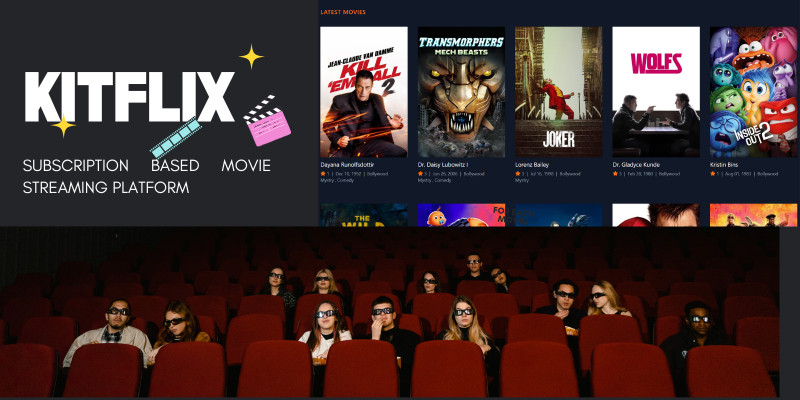
Description
“Kitflix” is a subscription based movie streaming script where you can share digital asset, add pages and much more. Kitflix is built on top of the Laravel PHP framework. It has also been built in back-end. Be sure to check out the demo to learn more.
Demo
In live preview (demo) use following credentials:
Frontend-kitflix.srxwebdesign.com
Admin Login –
Url : kitflix.srxwebdesign.com/admin
Login Email: admin2@admin.com,
Password: password
Features
Backend
· User management
· Role management
· Permissions
· Admin Panel
· Movies
· TV Shows
· Actors
· Subscriptions
· Setting
· 5 Global Payment Gateway
Front End
· Modern design
· Tailwind CSS
Requirements
- PHP >= 8.2
- BCMath PHP Extension
- Ctype PHP Extension
- Fileinfo PHP extension
- JSON PHP Extension
- Mbstring PHP Extension
- OpenSSL PHP Extension
- PDO PHP Extension
- Tokenizer PHP Extension
- XML PHP Extension
Instructions
Installation steps
· unzip the zip file provided
· Run composer install in the directory you unziped
· Save as the .env.example to .env and set your database information (make sure you set APP_URL to http://localhost:8000 if you are running in local environment)
· Run php artisan key:generate to generate the app key
· import database provided in dummy database folder
· Copy the storage file into the file directory
· Run php artisan storage:link
· Run php artisan config:cache
· Enjoy the awesome app using username: admin@admin.com, password: password
Steps for updating the application
1. Take a backup of database
2. Take a backup of current codebase except /vendor and node_modules/ folder
3. Take a backup of /storage folder
4. Replace the old files with the new files
5. After replacing the files run sudo composer install
6. After composer packages installation, run sudo npm install --unsafe-perm=true --allow-root
7. After node package installation, run sudo composer dump-autoload
8. Next run, sudo php artisan migrate which will update our database with required tables and data for the update
9. Paste the contents of the storage folder which you have backed up in step 3 to the /storage folder in new code
10. After that run following commands:
php artisan storage:link
php artisan cache:clear
php artisan route:clear
php artisan config:clear
php artisan view:clear
Now your application is now up to date!. We recommend you using git for easily updating the code
| Author | badx |
|---|---|
| Category | Scripts & Code / PHP Scripts / Multimedia / Video |
| Price | $30 |
| Extended License | $90 |
| Likes | 4 |
| First Release | Oct 10, 2024 |
| Last Update | Oct 10, 2024 |
| Database | MySQL 4.x, MySQL 5.x |
| Files included | .php, .css, .html, .sql |
| Software version | PHP 8.2, PHP 8.3 |
External listing. code.market does not sell this product and does not process payment for it. Pricing, payment, delivery, licensing, refunds, and support are handled by the third-party merchant on its own website. We may earn an affiliate commission from a referral. Details.
Products of the Week.
Submit🥇

Perceptle
Perceptle is a daily browser-based game that challenges you to test your sensory intuition through five quick estimation and rhythm-based rounds.
Other · 1,489 views · 9 clicksOther · Week 47 · 1,489 views · 9 clicks
🥈

Free LinkedIn Likes From Real
Get free LinkedIn likes on your posts from real members who react by hand. No
SaaS · 1,632 views · 10 clicksSaaS · Week 47 · 1,632 views · 10 clicks
🥉

STOP GUESSING WHAT TO POST
AI that learns your brand voice and builds a month of consistent, on-brand social content: carousels, posts and hooks that sound like you, not like everyone else's AI.
SaaS · 9,176 views · 75 clicksSaaS · Week 47 · 9,176 views · 75 clicks
#4

aaas.market
407 reliable micro tools for solo founders, marketers and creators. They work in your browser
SaaS · 1,597 views · 5 clicksSaaS · Week 47 · 1,597 views · 5 clicks