
King Monetized URL Shortener
Description
King Monetized URL Shortener
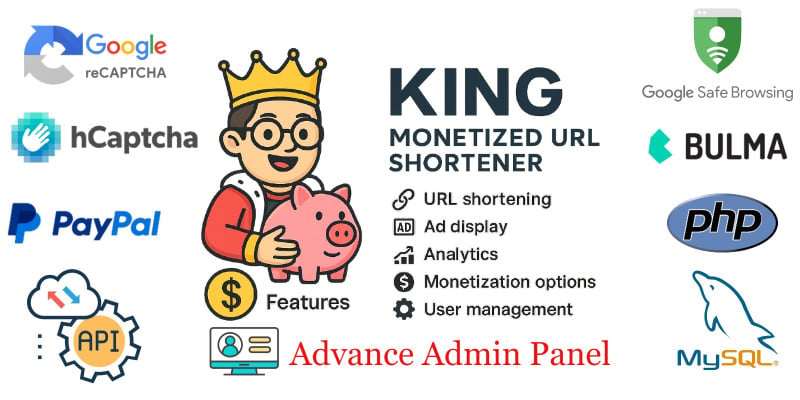
A production-ready PHP–MySQL link shortener with built-in monetization for publishers, a full advertiser console, robust analytics, and multi-domain support. Designed for shared hosting (cPanel/Apache) and easy commercial deployment.
Why You’ll Love It
- Monetize instantly — interstitial, direct, or frame links with per-link ad controls.
- Advertiser campaigns — CPM bidding, GEO & device targeting, start/end scheduling.
- Clean modern UI — Bulma-styled front & admin, mobile-friendly.
- Actionable analytics — real-time counters + daily rollups, CSV exports, mini charts.
- Safety first — Google Safe Browsing (v5 client), CSRF/2FA/CAPTCHA, secure sessions.
- Referrals — built-in program with configurable commission.
- Gateways — modular deposits (PayPal, Razorpay). Withdrawals with admin review.
- CMS included — Blog, Help Center, and custom Pages.
- Installer & Cron — point-and-click setup; daily rollup job for earnings.
Main Features
- Short links: Interstitial, Direct (tokenized), Frame
- Per-link ad preferences: banner / HTML-JS / popup / popunder / off
- Advertiser console: campaigns, creatives, budgets, spend & conversion tracking
- Publisher dashboard: KPIs, top countries/devices, links manager
- Reports: monthly chart + CSV, filter by link
- Multi-domain support with canonical routing
- Geo/device detection (Cloudflare header → Sypex fallback)
- Email via SMTP (PHPMailer) and optional 2FA
What’s Inside
- Frontend: landing, link creator, dashboard, reports, referrals
- Runtime:
r.php(interstitial),go.php(direct),full.php(frame) - Advertiser: campaigns, creatives, funding, tracking
- Admin: settings, branding, users, rates, payouts, blog/help/pages, safebrowsing
- Cron: daily earnings & stats rollups
- API: simple endpoint to create short links programmatically
Quick Installation
- Upload files to your hosting root (e.g.,
public_html/). - Create a MySQL database & user with full privileges.
- Open
/install/in your browser and follow the wizard. - Delete the
/installfolder after success. - Log in as admin and configure branding, SMTP, CAPTCHA, GSB key, gateways, and rates.
Daily Cron (Recommended)
Run once per day to aggregate stats and publisher earnings:
<code>php /home/username/public_html/cron/rollup.php
# or web:
wget -q -O- "https://yourdomain.com/cron/rollup.php?key=YOUR_SECRET_KEY"
</code>
Minimum Server Requirements
- PHP 7.4+ (recommended 8.1/8.2)
- MySQL 5.7+ or MariaDB 10.2.7+ (JSON support), InnoDB, utf8mb4
- Apache/Nginx (Apache .htaccess included)
- Extensions:
pdo_mysql,json,mbstring,curl,openssl,session,fileinfo,ctype,iconv,hash /uploadsfolder writable
Security & Best Practices
- Use HTTPS and secure cookies.
- Enable CAPTCHA and Google Safe Browsing enforcement.
- Keep the cron key secret if using web-based cron.
- Block script execution in
/uploadsvia .htaccess (included). - Enable 2FA for admin accounts.
API (Quick Look)
Create a short URL by calling /api.php with your API token and parameters:
<code>GET /api.php?api=YOUR_TOKEN&url=https://example.com&type=interstitial
</code>
Features
Key Features
Monetization & Links
- Multiple link modes: Interstitial, Direct (tokenized), and Frame.
- Per-link ad controls: enable/disable Banner, HTML/JS, Popup/Popunder, or turn ads off.
- Referral program: configurable commission with auto-issued referral links.
- Rate management: publisher RPM/CPM baselines with GEO/device overrides.
- Withdrawal flow: minimum threshold, fees (flat/percent), admin approval.
Advertiser Suite
- CPM campaigns: bids, floors, pacing with total and daily budgets.
- Targeting: countries and device types (desktop, mobile, tablet).
- Creatives: banner and custom HTML/JS; popup/popunder support.
- Conversion tracking: pixel & server-to-server postback with value.
- Wallet & funding: deposits via PayPal and Razorpay (modular gateways).
Analytics & Reporting
- Real-time counters on interstitials and dashboards.
- Daily rollups: aggregates into user earnings for fast queries.
- Breakdowns: by country, device, link, campaign, and creative.
- CSV exports for campaigns and user reports.
- Mini charts and monthly summaries.
Links, Routing & Domains
- Short aliases with custom slugs, password, expiry, and max clicks.
- Direct redirect tokens to bypass interstitial when allowed.
- Multi-domain support with canonical routing and per-domain uniqueness.
- Bot filtering and unique click IDs to reduce invalid traffic.
Safety & Security
- Google Safe Browsing (v5 client) with enforcement mode.
- Geo detection: Cloudflare header with Sypex/MaxMind fallback.
- Form security: CSRF tokens, CAPTCHA (hCaptcha / reCAPTCHA v2).
- Account security: 2FA support, secure sessions, password hashing.
- Hardened uploads: non-executable
/uploadsvia .htaccess.
Admin & CMS
- Settings hub: currency, locale, timezone, payout rules, cron key.
- Branding: logo and favicons with cached helpers.
- Users & roles: admin, advertiser, publisher; suspend/reactivate.
- Pages, Help Center, Blog: built-in CMS with image uploads.
- Announcements for system-wide messages.
Developer & API
- Installer wizard generates config and schema automatically.
- Simple REST API to create short links (JSON or text output).
- Modular gateways (extend via
/includes/gateways/registry). - Ad selection engine extensible for new formats and rules.
- Clean PHP codebase using PDO, prepared statements, and helpers.
Performance & Hosting
- Shared-hosting friendly: cPanel/Apache ready with .htaccess.
- Daily cron job for rollups and housekeeping.
- UTF-8 (utf8mb4) and InnoDB-backed schema.
- No external dependencies required beyond standard PHP extensions.
Requirements
Server Requirements
King Monetized URL Shortener is lightweight and fully compatible with most shared hosting environments. Below are the minimum requirements to install and run the application smoothly.
- PHP Version: 7.4 or higher (recommended: 8.1 / 8.2)
- Web Server: Apache or Nginx (Apache preferred with
.htaccesssupport) - Database: MySQL 5.7+ or MariaDB 10.2.7+ (with JSON column support)
- Storage Engine: InnoDB with UTF8MB4 encoding
Required PHP Extensions
pdo_mysql— for database operationsjson— for API responses and configurationmbstring— for multibyte text handlingcurl— for external API calls and GSB lookupsopenssl— for encryption and secure requestssession— for login and authentication sessionsfileinfo— for uploads and MIME detectionctype,iconv,hash— required by helpers and security modules
Optional Extensions
gdorimagick— for image processing (optional)zip— for export/import features
File Permissions
/uploads— must be writable (777 or 755 depending on your host)/uploads/blogand/uploads/branding— writable for image uploads/install— writable during installation (can be deleted afterward)
Server Configuration
- Enable HTTPS for secure redirects and admin access
- Allow outgoing cURL requests (for GSB, APIs, etc.)
- PHP memory limit: at least 128M
- Max upload size: at least 5MB
- Cron job access (CLI or web with secret key)
Recommended Environment
- Hosting with cPanel or DirectAdmin
- PHP 8.1 with OPcache enabled
- MySQL 8.0+ or MariaDB 10.5+
- SSL certificate installed
Example Cron Command
<code>php /home/username/public_html/cron/rollup.php
# or via URL:
wget -q -O- "https://yourdomain.com/cron/rollup.php?key=YOUR_SECRET_KEY"
</code>
Once these requirements are met, you can install the script directly through your browser and begin configuring your monetized shortener in minutes.
Instructions
Installation & Usage Instructions
Step 1 – Upload Files
Unzip the downloaded package and upload all files to your web hosting root directory,
usually named public_html/ or www/ using an FTP client or File Manager in cPanel.
Step 2 – Create a Database
Log in to your hosting control panel and create a new MySQL database, a user, and grant that user full privileges. Note down your:
- Database name
- Database username
- Password
- Database host (usually
localhost)
Step 3 – Run the Installer
In your browser, visit:
https://yourdomain.com/install/
and follow the on-screen steps:
- Enter your database details.
- The installer will import all necessary tables automatically.
- A
config.phpfile will be generated in the/includesfolder. - Complete setup and log in to your new admin account.
Step 4 – Delete the Installer
For security reasons, delete the entire /install folder once installation is successful.
Step 5 – Log In as Admin
Access the admin dashboard at:
https://yourdomain.com/admin/
Use the credentials you set during installation.
From here you can:
- Upload your site logo and favicon.
- Configure site settings, currencies, and payout thresholds.
- Set publisher & advertiser rates.
- Connect SMTP for outgoing emails.
- Enable CAPTCHA and Google Safe Browsing protection.
Step 6 – Configure Payment Gateways
Go to Admin → Payment Gateways and enter your credentials for:
- PayPal — Client ID and Secret Key
- Razorpay — Key ID and Key Secret
Step 7 – Add Cron Job
To process daily stats and earnings, add this cron command to your hosting panel (set to run once daily):
<code>php /home/username/public_html/cron/rollup.php
# OR (web-based)
wget -q -O- "https://yourdomain.com/cron/rollup.php?key=YOUR_SECRET_KEY"
</code>
Step 8 – Test the Platform
Create a test link:
- Log in as a publisher and shorten any URL.
- Visit the short link to confirm the interstitial ad page loads correctly.
- Check your dashboard to verify that clicks and earnings are recorded.
Step 9 – Manage Advertisers
Advertisers can register separately and create campaigns with:
- CPM bids and targeting rules (country, device).
- Banner, HTML/JS, or popup creatives.
- Wallet funding through the enabled gateways.
Step 10 – Maintain & Secure
- Run daily cron jobs regularly.
- Keep backups of database and uploads.
- Enable 2FA for admin accounts.
- Review Google Safe Browsing logs for flagged URLs.
Done!
Your monetized shortener is now fully operational. Publishers can start earning, advertisers can launch campaigns, and you can manage everything from a single dashboard.
| Author | Prabhat |
|---|---|
| Category | Scripts & Code / PHP Scripts / Links |
| Price | $35 |
| Extended License | $105 |
| Likes | 5 |
| First Release | Oct 21, 2025 |
| Last Update | Nov 17, 2025 |
| Files included | .php, .css, .html, .sql, JavaScript .js |
| Software version | PHP 7.4, PHP 8.1, PHP 8.2 |
Categories
Tags
External listing. code.market does not sell this product and does not process payment for it. Pricing, payment, delivery, licensing, refunds, and support are handled by the third-party merchant on its own website. We may earn an affiliate commission from a referral. Details.
Products of the Week.
Submit🥇

resumetailorapp.com
ResumeTailorApp helps job seekers create professional, ATS-friendly resumes, improve existing CVs, and tailor their applications to specific job descriptions using AI. It also generates personalized cover letters to help candidates present their qualifications more effectively and simplify the job application process.
Other · 4,316 views · 8 clicksOther · Week 48 · 4,316 views · 8 clicks
🥈

Free GitHub Stars From Real
Get free GitHub stars on your repository from real developers who star by hand. No
Other · 5,878 views · 18 clicksOther · Week 48 · 5,878 views · 18 clicks