
Judi - Multi-Restaurant Food Delivery System

Description
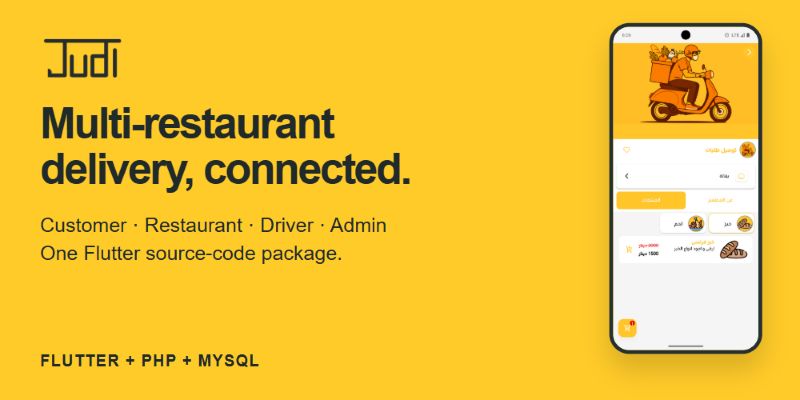
Your delivery business, connected through Judi
Bring restaurant discovery, ordering, restaurant management and delivery operations into one configurable system. Judi is a Flutter and PHP source-code package for teams building a multi-restaurant food delivery service, a grocery delivery business or a local ordering platform.
Customers browse providers and products, build an order and follow its status. Restaurant managers maintain their menus and handle incoming orders. Drivers work through assigned deliveries, while administrators manage the people, providers and settings behind the service.
One Flutter project, four role-based workflows. Customer, restaurant or store manager, driver and administrator interfaces are included in the same application source. The package includes Android and iOS project folders, a PHP API, database scripts and the Node.js Socket.IO server.
For businesses and the developers building them
Judi gives delivery operators a starting point for their own branded service and gives developers and agencies the application and backend source to customize for a client. Provider catalogs, order handling and delivery assignment share the same data model, so you can build around an existing workflow. Deployment, configuration and mobile build experience are required.
Discovery that leads into an order
Organize restaurants and stores into categories, present their products and prices, and let customers save favorites and delivery addresses. The ordering interface brings product selection, quantities, order details and status history together.
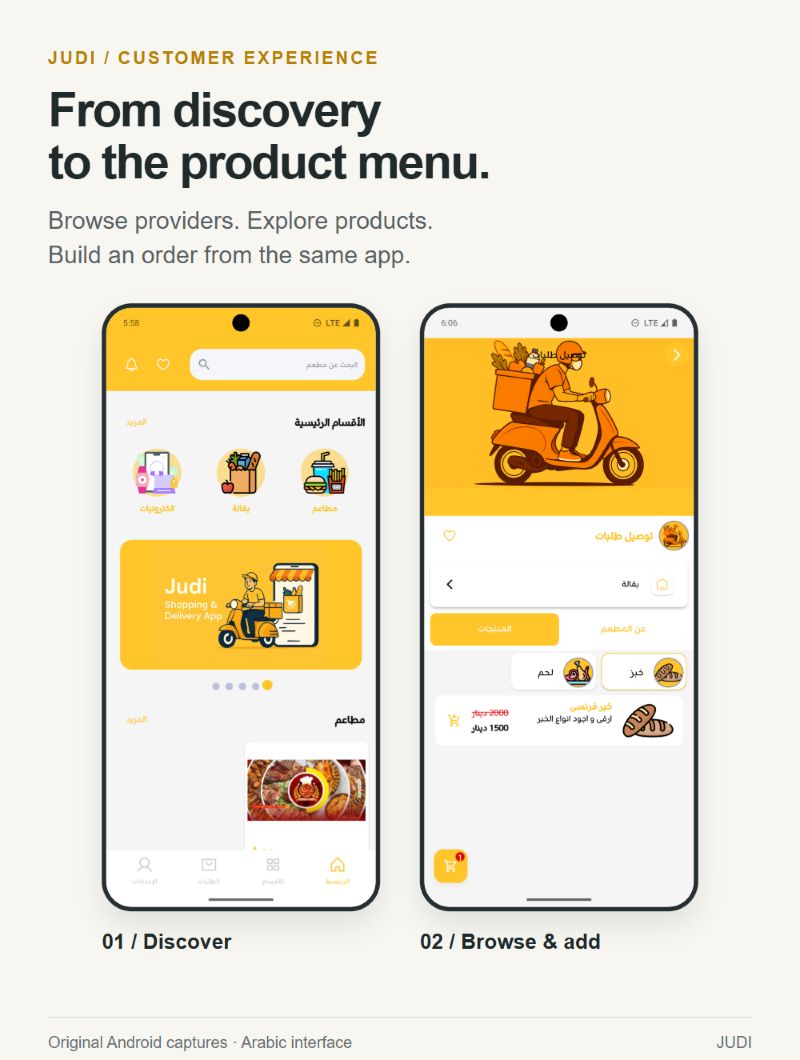
These are original Judi Android captures in Arabic, with the original sample content. The package also includes English and other translation files. Preview restaurant branding and catalog content are illustrative; the installation database uses separate demo records and media.
Four roles across the delivery workflow
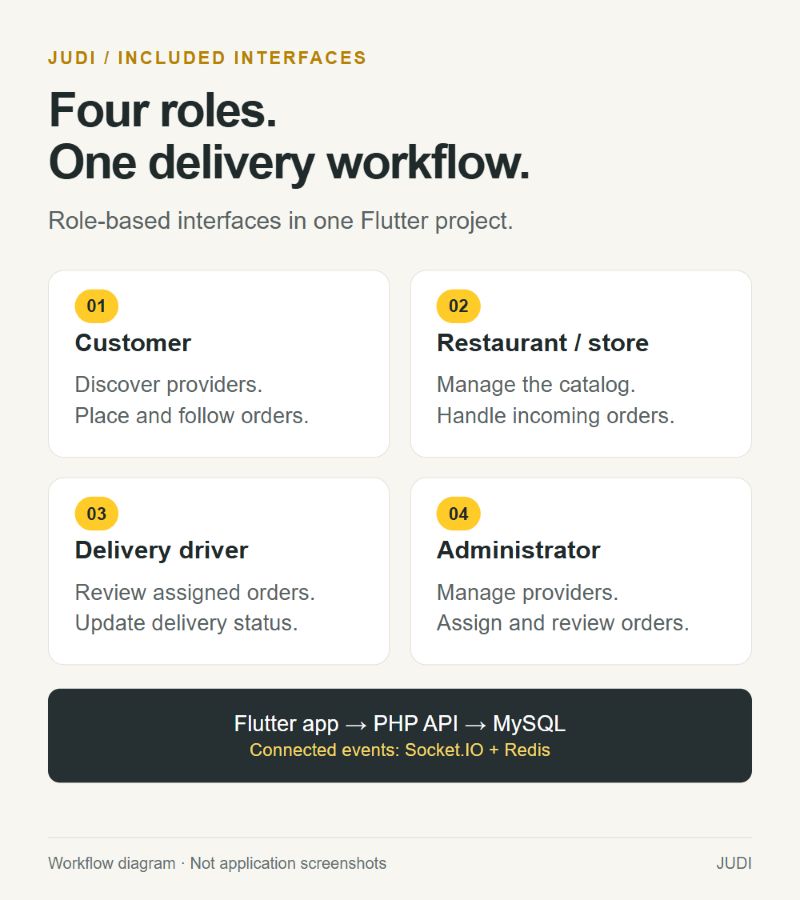
- Customer: Find restaurants and stores, browse products, manage favorites and addresses, place orders, and review order details and status history.
- Restaurant or store manager: Maintain provider details, product categories, products, prices, images, availability and opening times; review orders through the management interface.
- Delivery driver: Review assigned orders and customer or provider details, use the included location and route screens when maps are configured, and update delivery status.
- Administrator: Manage users, providers, delivery staff, roles, permissions, orders and delivery assignments. Maintain banners, coupons, notifications and settings, and access dashboard and accounting/reporting screens.
Accounts and language preferences
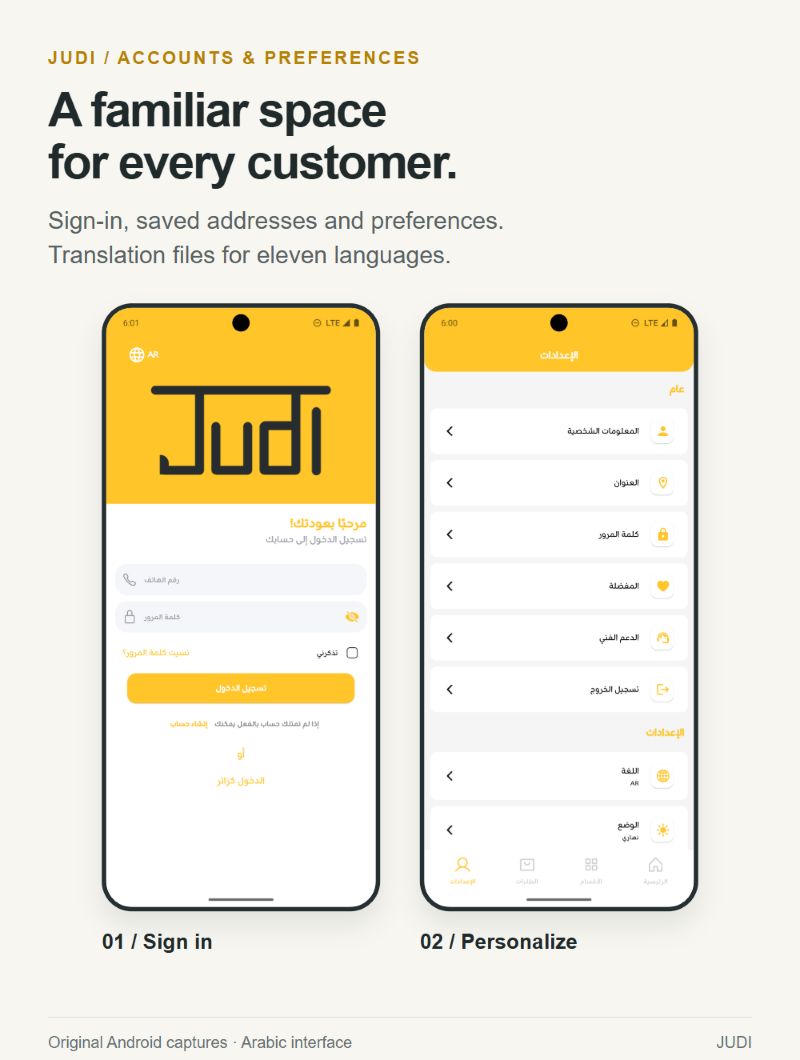
Judi includes sign-in, registration, profile, address and language-selection screens. Translation assets are provided for Arabic, English, German, Spanish, French, Hindi, Indonesian, Italian, Kurdish, Turkish and Urdu. Arabic right-to-left layouts are shown below. Review translations and your catalog content for the market you plan to serve.
What you receive
- Editable Flutter application source with Android and iOS project folders and the four role-based interfaces.
- PHP API source and configuration examples.
- Node.js Socket.IO server source for the connected application workflow.
- MySQL/MariaDB clean-install and upgrade SQL scripts.
- Demo database records, demo media and upload-folder guidance.
- Installation and configuration documentation, troubleshooting notes, changelog and third-party license notes.
- Product preview materials supplied with the submission.
Plan your deployment
Run the PHP API and MySQL/MariaDB database on your own hosting. The supplied application uses the Node.js Socket.IO and Redis services for its connected workflow, so plan to deploy both. Configure Firebase for mobile initialization and push notifications, Google Maps Platform for map and location features, and Google OAuth credentials if you use Google Sign-In. The included email handler requires your SMTP configuration.
External services are separate. Hosting, domain registration, HTTPS, Firebase/Google services, email delivery, Redis hosting and app-store developer accounts are not included. You supply the accounts and credentials; provider charges may apply.
Know what is included before you buy
This is a source-code product that you configure, build and deploy. It does not include a hosted business, four separately packaged apps, a separate website storefront, or a separate browser-based admin product. The administrator interface is part of Flutter.
Payment records and payment-related settings exist in the source. A complete, tested online payment gateway integration is not advertised as included; plan any required gateway development, merchant account and transaction fees separately. Production keys, signing certificates, app-store publishing, custom development and a deployment service are not bundled deliverables.
Demo content is for evaluation and setup. Restaurant logos and imagery visible in the original captures are not a promise that those exact assets are licensed or supplied for your production business.
Explore Judi
View the Judi demo page to explore the published preview before planning your installation.

See the Features, Requirements and Instructions sections for the included tools and setup overview.
Features
Customer ordering
- Restaurant and store discovery, category browsing and search.
- Provider profiles, product menus, prices, availability and opening-time information.
- Favorites, saved addresses, cart quantities and order placement.
- Order details, status history, account settings and notifications.
Restaurant and store management
- Provider information, locations, opening times and images.
- Product categories, product descriptions, prices and availability.
- Incoming order review and order-state management.
Driver operations
- Assigned deliveries with order, provider and customer details.
- Delivery-state updates and completed-order history.
- Location and route screens using buyer-configured Google Maps services.
- Work-status and accounting screens included in the driver workflow.
Administrator tools
- Users, restaurant/store providers, delivery staff, roles and permissions.
- Order review, status updates and driver assignment.
- Banners, coupon records, notifications and application settings.
- Dashboard statistics, accounting records and report screens.
Shared foundation
- One editable Flutter application with Android and iOS project folders.
- PHP API and MySQL/MariaDB database scripts.
- Node.js Socket.IO and Redis event transport used by the application.
- Firebase messaging, Google Sign-In and Google Maps code requiring buyer configuration.
- Eleven translation files, a language picker and Arabic right-to-left layouts.
- Configuration examples, demo data and installation documentation.
Online gateway processing, hosting and external service accounts are not included in this feature list. See the overview for the package scope.
Requirements
Requires PHP 8.1+, MySQL 5.7+ or MariaDB 10.4+, Flutter stable with Dart 3, Android SDK 36, Node.js 18+ for sockets, and buyer-owned accounts for any enabled Firebase, maps, email, payment, hosting, domain, SSL, and Redis services.
Instructions
Installation overview
Start with the documentation in the buyer download. The source folders are under main_files; database scripts are also supplied in the top-level database folder.
- Prepare your server. Set up PHP, MySQL/MariaDB, Node.js, Redis, HTTPS and your domain routing.
- Create the database. Import database/clean_install.sql into a new database. Use upgrade.sql only for an existing installation after taking a backup.
- Deploy the API. Upload main_files/Backend/PHP_API, install Composer dependencies and route requests to its public entry point. Copy .env.example to a private .env and configure the database, URLs and API key.
- Prepare media. Copy the supplied demo media or create the documented upload folders from main_files/Backend/Legacy_Media. Point the media URL to this public folder and give the server appropriate write access.
- Start connected services. Install the dependencies in main_files/Backend/Node_Server. Supply environment variables to the Node process, including PHP_API_BASE_URL, API_KEY and the Redis connection values; then start s1.js with a process manager. Configure the HTTPS/WebSocket proxy. The Node source reads process.env, so creating a .env file alone does not load it.
- Connect your services. Replace the Firebase placeholders, configure FCM/APNs, Google Maps, Google Sign-In if used, and SMTP settings. Keep API_KEY aligned with the PHP and Flutter configuration.
- Brand and build. Open main_files/Flutter_App, install Flutter dependencies, set the app name and platform identifiers, and configure the API, media, socket and policy URLs through lib/config/app_config.dart and the documented build defines. Supply the Android Maps key through the Gradle configuration as documented in android/app/build.gradle. Build and sign Android/iOS releases with your own credentials.
- Verify the full workflow. Test customer ordering, restaurant order handling, driver assignment and completion, administrator access, notifications and maps on your own deployment. Replace demo users, passwords, media and placeholder values before launch.
This is a setup overview. Refer to the supplied documentation and the configuration files for the variables used by each component.
| Author | ahmedalsamet |
|---|---|
| Category | App Templates / Flutter / Full Applications |
| Price | $59 |
| Extended License | $177 |
| First Release | Sep 21, 2026 |
| Last Update | Sep 21, 2026 |
| Files included | .php, .css, .html, JavaScript .js |
| Operating systems | Android 7.0, Android 8.0, Android 9.0, iOS 12.0, Android 10.0, iOS 14.0, iOS 13.0, iOS 15.0, Android 11.0, Android 12.0, Android 13.0, Android 14.0, Android 15.0, Android 16.0, iOS 16.0, iOS 17.0, iOS 18.0, iOS 26.0 |
| Programming language | PHP, Dart |
Categories
Tags
External listing. code.market does not sell this product and does not process payment for it. Pricing, payment, delivery, licensing, refunds, and support are handled by the third-party merchant on its own website. We may earn an affiliate commission from a referral. Details.
Products of the Week.
Submit🥇

STOP GUESSING WHAT TO POST
AI that learns your brand voice and builds a month of consistent, on-brand social content: carousels, posts and hooks that sound like you, not like everyone else's AI.
SaaS · 3,096 views · 28 clicksSaaS · Week 45 · 3,096 views · 28 clicks
🥈

Conversational Backlinks for Busy Founders
Place Backlink Relevant Conversation for your domain across Forums and Conversations
Website · 40,486 views · 216 clicksWebsite · Week 45 · 40,486 views · 216 clicks
🥉

upvote.club
Free Social Media Engagement that Helps Boost Your Content. Upvote Club supports 19 social networks with 100+ engagement actions in one dashboard. Add links to your posts and get free engagement from real users.
SaaS · 38,578 views · 110 clicksSaaS · Week 45 · 38,578 views · 110 clicks
#4

Substack Posting API
Onboard your Agent to Substack. Write Publish on Substack via API
SaaS · 57,616 views · 197 clicksSaaS · Week 45 · 57,616 views · 197 clicks
#5

Seenshot App
Free, Fast, MacOS Screenshot app. Make Screenshot cmd+shift+2 and send it via link
Desktop App · 27,049 views · 119 clicksDesktop App · Week 45 · 27,049 views · 119 clicks
#6

Hand-Placed Backlinks $9.99 per link. Flat rate.
Buy hand-placed forum, Q-A and directory backlinks. Flat $9.99 per link, no subscriptions — you only pay for approved listings.
Website · 2,988 views · 18 clicksWebsite · Week 45 · 2,988 views · 18 clicks
#7

Free Invoice Generator - PDF Invoices in Your Browser, No Sign-Up
A free invoice maker for freelancers and small businesses: fill in the invoice, check the live preview, and download a PDF that looks exactly like it. Any currency, tax per item, three templates, no sign-up, and nothing leaves your device.
1,682 views · 16 clicksWeek 45 · 1,682 views · 16 clicks
#8

Merge PDF Files Free - Combine PDFs in Your Browser, No Upload
A free PDF merger for office workers, students, and freelancers: combine PDFs and images into one file in the browser, reorder files and pages, pick page ranges, keep bookmarks, and open password-protected PDFs. Nothing is uploaded, no sign-up, no watermark.
1,575 views · 13 clicksWeek 45 · 1,575 views · 13 clicks