
jQuery Forms - Elegant Elements

Description
About Elegant Elements
Elegant Elements is a jQuery Form Plugin, that allows you to create HTML Forms in clean, simple and modern style. There is no need for more different plugin to format each form element, just enough to add the Elegant Elements jQuery Form Plugin.
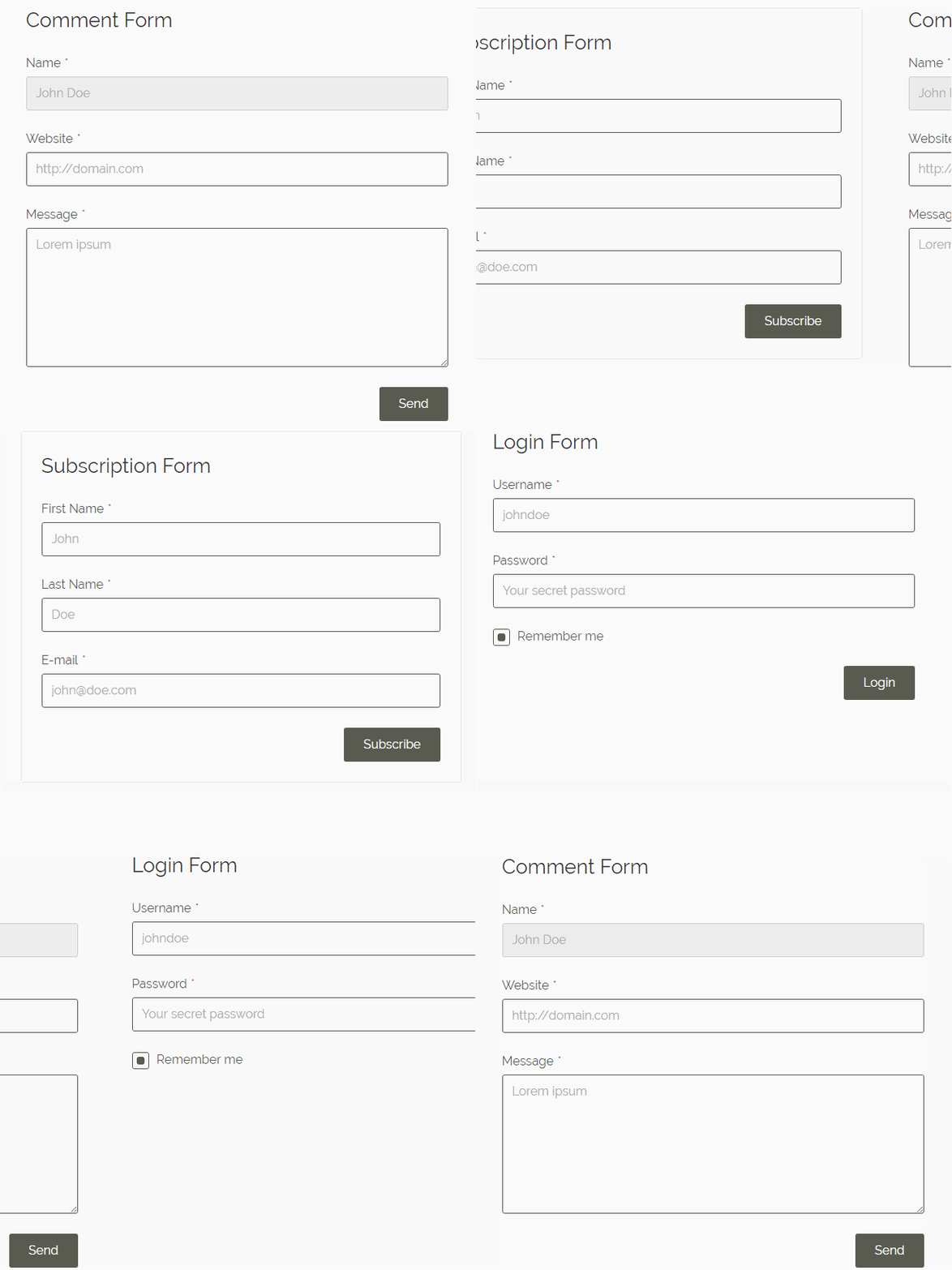
Custom Themes
Choose from the various predefined themes or create your own custom theme. The plugin offers more than ten predefined styles to save you tons of time. Adding or changing these themes needs to change just one parameter only in the HTML markup.
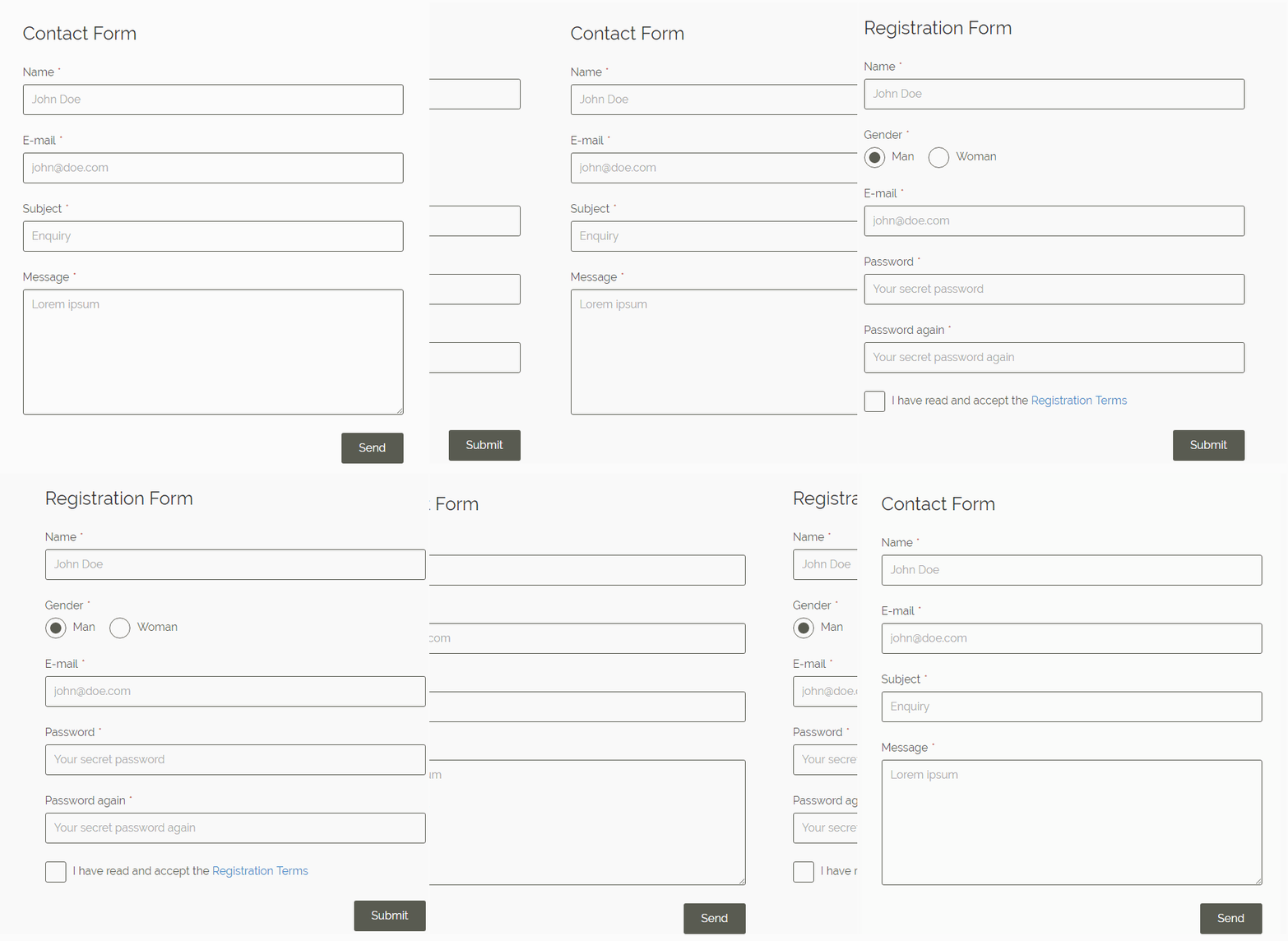
Full Set of Elements
Elegant Elements brings you all basic elements, that you need in any form. That means, you can easily include text input, textarea, radio button, checkbox and select box to create the form you imagined. These fields are the usual way to display the most used forms, like subscription forms or contact forms.
Unique Fields for Advanced Forms
In case you need some extra fields, like password or file upload, you can also find the best solution for your project. With Elegant Elements you can simply design advanced, complex forms without spending hours to set the styles and CSS rules. Just few lines of HTML code, then you are ready to go.
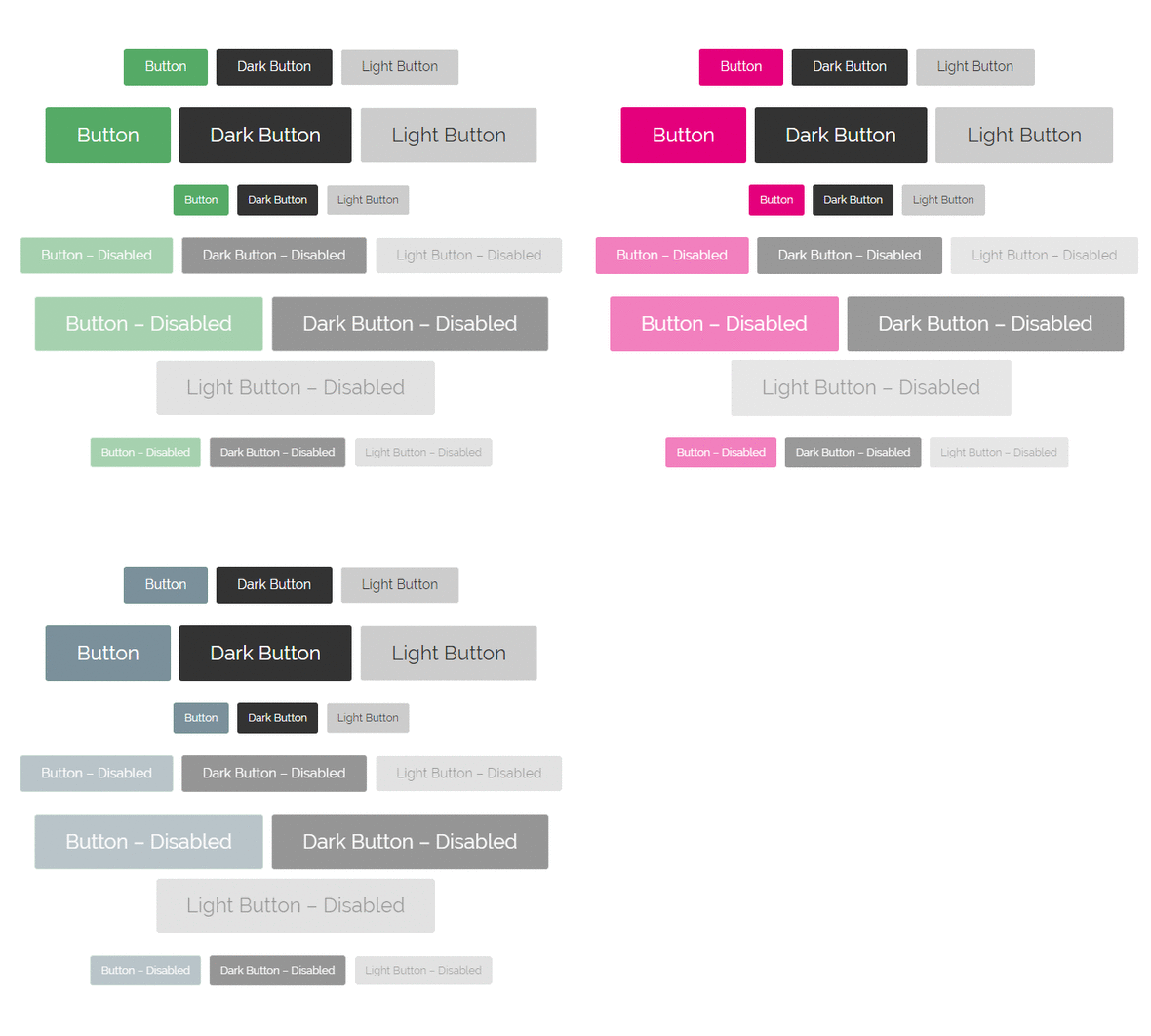
Different Sizes and Colors
Brings you the option to set custom colors or button size to make the entire form perfectly fit to your website. These feature provides unlimited combinations, that you can achieve with creating a form.
Special States
In some cases, you may need a disabled button or field, that can be quickly done with Elegant Elements. Disabled states are available on all type of form elements, that is included in the plugin.
Responsive and Mobile Friendly
Elegant Elements is completely responsive and fit to the visitor’s screen on any device, including mobiles and tablets.
Custom Icons
Radio buttons and checkboxes support custom icons, that helps you to make your form more user friendly. Choose from more than 500 brilliant icons, supported by Font Awesome.
Field Notices
Displaying the success message or a simple warning notice has never been easier with Elegant Elements. It can be more than useful with a password or username field to let the users know when they entered wrong details into the field.
Supported Elements
The following elements are supported in Elegant Elements:
- Text Input
- Password Input
- Email Input
- Tel Input
- Search Input
- Number Input
- File Input
- Select Box
- Radio Button
- Checkbox
- Radio Button Groups
- Checkbox Button Groups
- Textarea
- HTML Button
- Info Box
Key Features
- 12 Predefined Themes
- Custom Vector Icons
- Custom Fields
- Special Fields
- Detailed Manual
- Responsive Design, Mobile Friendly
- Clean & Valid Code
- Lightweight Minified and Obfuscated JavaScript
- Multiple Instance, Create Unlimited Forms
- Different States
- Useful Examples
- Compatible with All Major Browsers
- Free Updates
Compatible with All Major Browsers
The following browsers are supported:
- Google Chrome 49+
- Mozilla Firefox 48+
- Internet Explorer 11
- Microsoft Edge
- Opera 35+
- Safari 6+
Free updates
Enjoy the free updates! The plugin will be regularly updated and new features will be included.
Detailed manual
Check the full manual! Visit the plugin documentation page.
Envato Developers
Would you like to add this plugin into your item?
Purchase one extended license for the item you want to sell on any Envato Marketplaces. Send me a mail and I will add your item link to this page.
Changelog
Version 1.1.0 – June 04 2017
-  Update method
-  Improving vertical alignment of radio and checkbox elements
Version 1.0.4 – January 18 2017
-  File input height in Internet Explorer
-  Hiding the original select arrow in Internet Explorer
Version 1.0.3 – November 28, 2016
- Responsive checkboxes and checkbox button groups in JavaScript
Version 1.0.2 – November 21, 2016
-  Info Boxes
-  Improving & optimizing the JavaScript code of radio buttons and checkboxes
Version 1.0.1 – November 14, 2016
-  Icons to buttons
-  The moz prefix to every box-shadow
-  Background color to form controls in theme files
-  Hide the number input spinner
-  Hide the red box-shadow in Firefox when the input value is invalid
–  The basic-initialization.html, elements.html, forms.html in examples folder
Version 1.0.0 – November 5, 2016
- Initial release
Follow me on CodeCanyon.
Please don’t forget to rate this item after purchase: 
Check out my other plugins on CodeCanyon
WordPress Plugins
jQuery Plugins
JavaScript Plugins
- GDPR Cookie Law – Responsive JavaScript GDPR Consent Plugin
- Elegant Scroll to Top – Back to Top JavaScript Plugin
Listen to my AudioJungle Portfolio
| Type | JavaScript Script |
|---|---|
| Author | jablonczay |
| Category | Javascript / Forms |
| Price | $9 |
| Sales | 23 |
| Rating | 0.00 from 2 ratings |
| Published | Nov 4, 2016 |
| Last Update | Jul 21, 2017 |
| Compatible Browsers | IE11, Firefox, Safari, Opera, Chrome, Edge |
| Compatible Software | jQuery |
| Source Files Included | JavaScript JS, HTML, CSS |
External listing. code.market does not sell this product and does not process payment for it. Pricing, payment, delivery, licensing, refunds, and support are handled by the third-party merchant on its own website. We may earn an affiliate commission from a referral. Details.
Products of the Week.
Submit🥇

STOP GUESSING WHAT TO POST
AI that learns your brand voice and builds a month of consistent, on-brand social content: carousels, posts and hooks that sound like you, not like everyone else's AI.
SaaS · 4,276 views · 38 clicksSaaS · Week 45 · 4,276 views · 38 clicks
🥈

Conversational Backlinks for Busy Founders
Place Backlink Relevant Conversation for your domain across Forums and Conversations
Website · 41,985 views · 223 clicksWebsite · Week 45 · 41,985 views · 223 clicks
🥉

upvote.club
Free Social Media Engagement that Helps Boost Your Content. Upvote Club supports 19 social networks with 100+ engagement actions in one dashboard. Add links to your posts and get free engagement from real users.
SaaS · 40,028 views · 117 clicksSaaS · Week 45 · 40,028 views · 117 clicks
#4

Substack Posting API
Onboard your Agent to Substack. Write Publish on Substack via API
SaaS · 59,037 views · 198 clicksSaaS · Week 45 · 59,037 views · 198 clicks
#5

Seenshot App
Free, Fast, MacOS Screenshot app. Make Screenshot cmd+shift+2 and send it via link
Desktop App · 28,409 views · 122 clicksDesktop App · Week 45 · 28,409 views · 122 clicks
#6

Hand-Placed Backlinks $9.99 per link. Flat rate.
Buy hand-placed forum, Q-A and directory backlinks. Flat $9.99 per link, no subscriptions — you only pay for approved listings.
Website · 4,247 views · 19 clicksWebsite · Week 45 · 4,247 views · 19 clicks
#7

Free Invoice Generator - PDF Invoices in Your Browser, No Sign-Up
A free invoice maker for freelancers and small businesses: fill in the invoice, check the live preview, and download a PDF that looks exactly like it. Any currency, tax per item, three templates, no sign-up, and nothing leaves your device.
2,927 views · 17 clicksWeek 45 · 2,927 views · 17 clicks
#8

Merge PDF Files Free - Combine PDFs in Your Browser, No Upload
A free PDF merger for office workers, students, and freelancers: combine PDFs and images into one file in the browser, reorder files and pages, pick page ranges, keep bookmarks, and open password-protected PDFs. Nothing is uploaded, no sign-up, no watermark.
2,703 views · 13 clicksWeek 45 · 2,703 views · 13 clicks