
Isumiro - Multipurpose Classified Ads Listing App for Android and iOS - Buy and Sell Online

Description


Buy and sell online with Isumiro marketplace.
Isumiro is a classified platform to connect buyers and sellers. Sellers post the products they want to sell or services they’re offering and buyers can find the ones near them through our listings.
Find the products you need: millions of items are listed on the platform and subdivided into categories to make them easy to find. Whether it’s new or second-hand items, personal or commercial items, Isumiro is a marketplace for all of them.
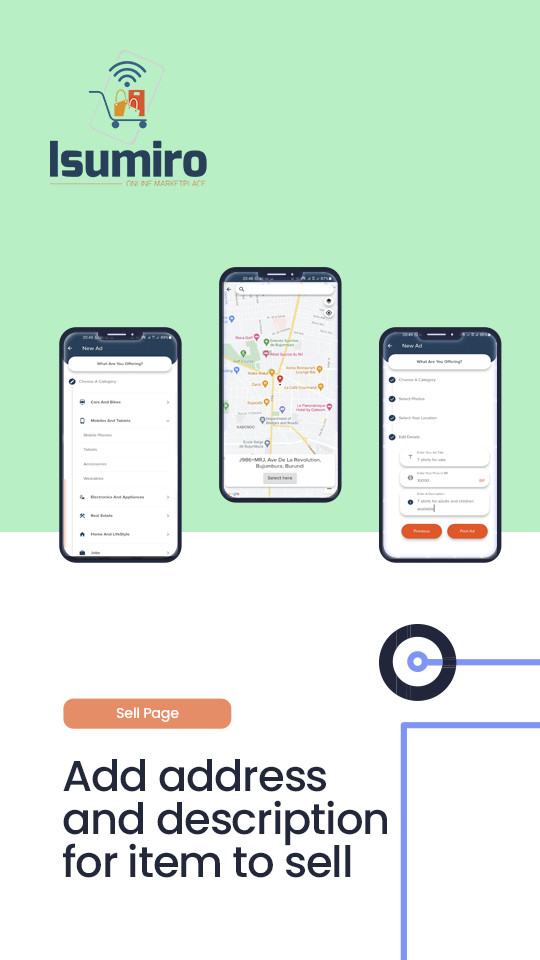
Sell your item in an instant: Do you have a product to sell? All you have to do is to take a few pictures of your item, add a description and post it on our platform for a million users to see.
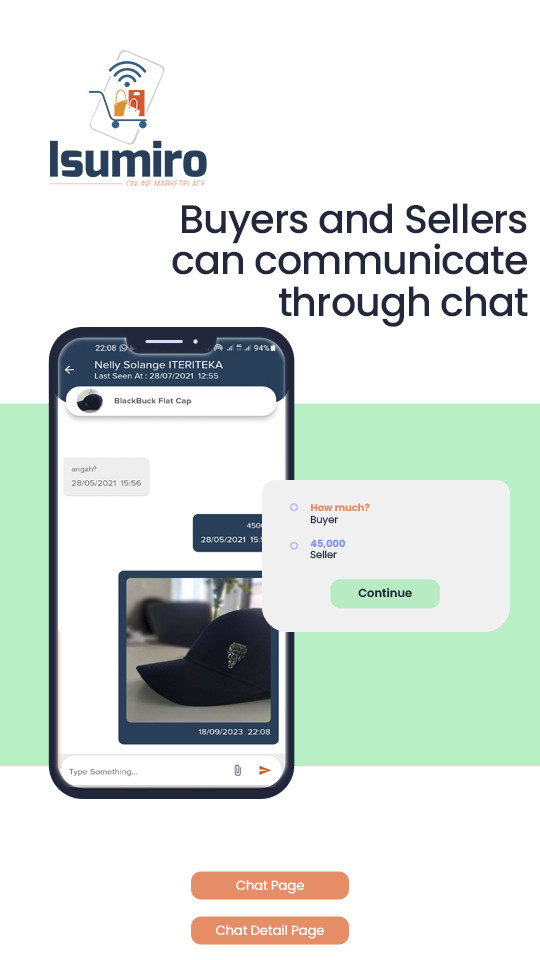
Isumiro connects buyers and sellers through chat: Through the chat feature, Isumiro allows buyers to contact sellers and reach a price everyone is comfortable with. The seller can at any time share his phone number for further proceedings.
Sell and buy with no intermediary: no commission is charged to find a buyer, Isumiro allows you to find a buyer for free and you’re left to negotiate with the buyer the way you want.
Find products and services near you: Isumiro uses an advanced geolocation feature to serve you products and services in your area.
Start selling now!
The project is structured in these main different pages (these are the screens the user will interact with):
- SpashPage: this page displays the logo and checks if the user is logged in or not. If logged in, it redirects to the dashboard page, otherwise, it redirects to the login page.
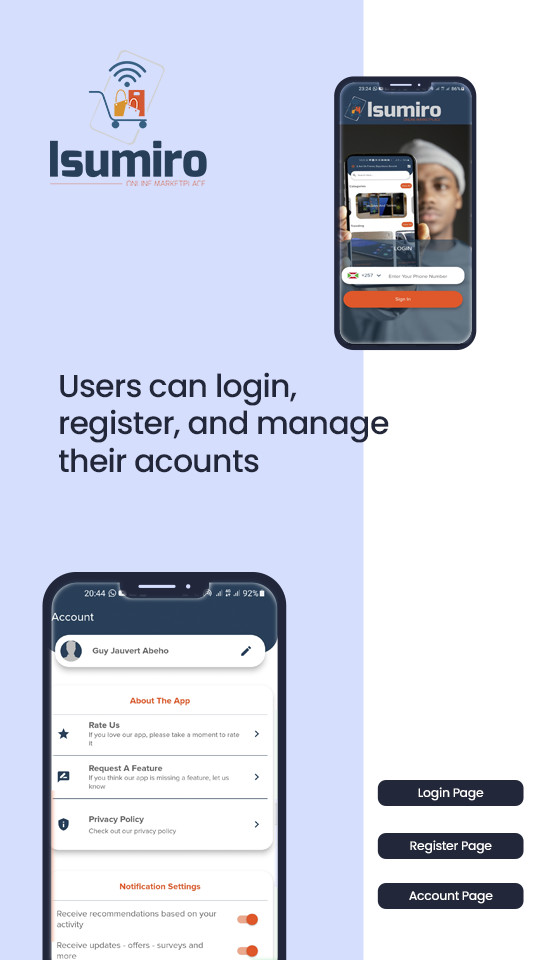
- LoginPage: this page signs in the user using phone authentication.
- RegistrationPage: this page will be accessed when the user logs in for the first time and will allow him to complete his profile.
- DashboardPage (bottom navigation): this is a holder of other pages, and is used to display the bottom navigation menu.
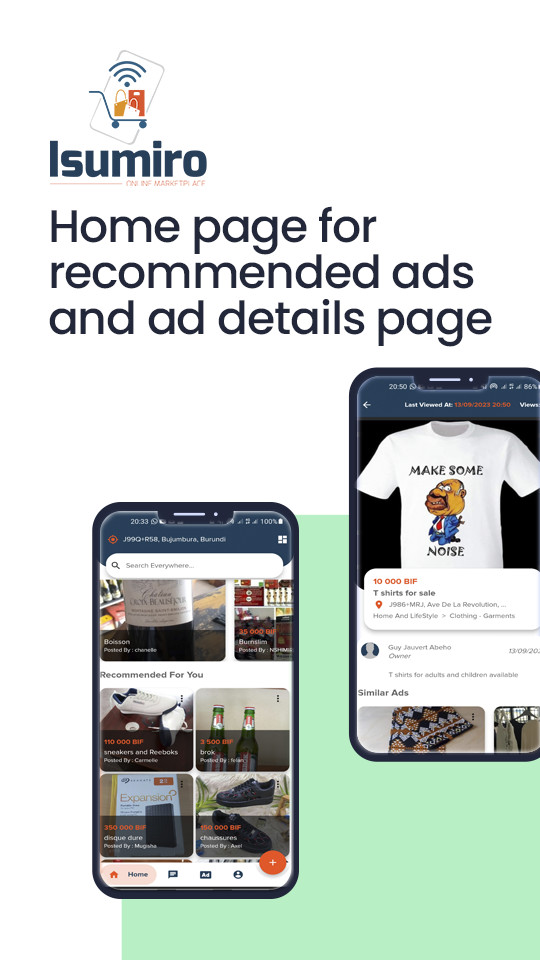
- HomePage: this page displays in order from top to bottom, a search bar, a few categories that might interest the user, and a grid of items susceptible of interesting the user.
- ChatPage: it displays a list of conversations started by the user in order to buy something, or by another user interested in the item the user is selling.
- SellPage: this page allows the user to add an item for sale, by choosing a category, giving a description of the product, and uploading the pictures.
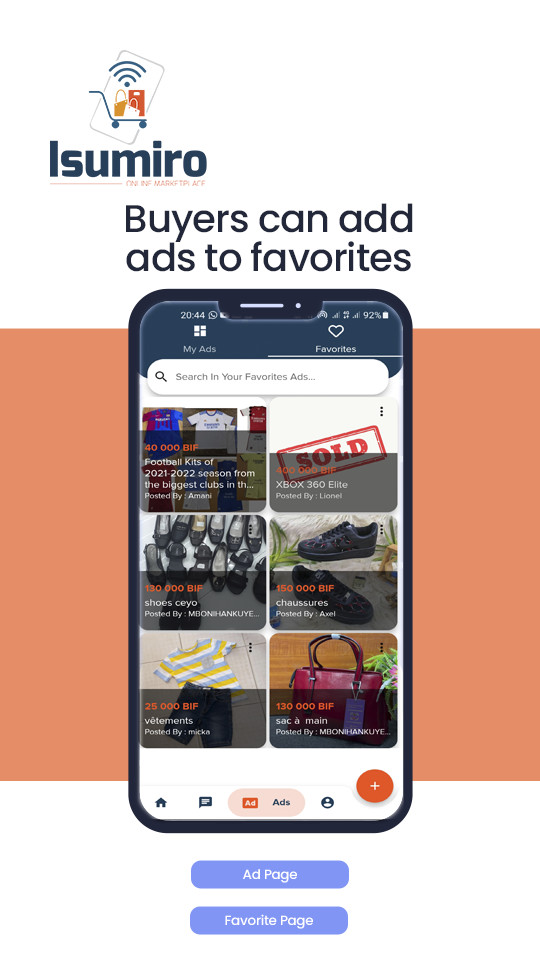
- AdPage: this is a page listing the user’s items on sale.
- AccountPage: this is a page used by the user to manage his account.
- SingleChatPage: this page allows two users to exchange about an item in order to conclude a sale.
- ItemPage (editable): this is a detail page of an item uploaded on the app.
- SearchPage: this page is used to search for items on the app.
- DisabledPage: To be displayed when the user’s account has been disabled.
- UserPage: this page will display all the ads running for a single user.
The app does come with an admin area to manage ads, send notifications to users, manage users and much more directly from the app. To access these features it’s required to change the role of a user directly into the firestore database or have your account upgraded by another admin through the app.



| Type | Flutter App |
|---|---|
| Author | Abeho |
| Category | Mobile / Flutter / Full Applications |
| Price | $29 |
| Sales | 9 |
| Published | Sep 26, 2023 |
| Last Update | Feb 6, 2024 |
| Compatible Software | Flutter 3.x |
| Mobile Files Included | Dart, YAML, JavaScript JSON, .java, .kotlin, .plist, .swift, JavaScript JS |
Categories
Tags
External listing. code.market does not sell this product and does not process payment for it. Pricing, payment, delivery, licensing, refunds, and support are handled by the third-party merchant on its own website. We may earn an affiliate commission from a referral. Details.
Products of the Week.
Submit🥇

STOP GUESSING WHAT TO POST
AI that learns your brand voice and builds a month of consistent, on-brand social content: carousels, posts and hooks that sound like you, not like everyone else's AI.
SaaS · 4,277 views · 38 clicksSaaS · Week 45 · 4,277 views · 38 clicks
🥈

Conversational Backlinks for Busy Founders
Place Backlink Relevant Conversation for your domain across Forums and Conversations
Website · 41,987 views · 223 clicksWebsite · Week 45 · 41,987 views · 223 clicks
🥉

upvote.club
Free Social Media Engagement that Helps Boost Your Content. Upvote Club supports 19 social networks with 100+ engagement actions in one dashboard. Add links to your posts and get free engagement from real users.
SaaS · 40,029 views · 117 clicksSaaS · Week 45 · 40,029 views · 117 clicks
#4

Substack Posting API
Onboard your Agent to Substack. Write Publish on Substack via API
SaaS · 59,040 views · 198 clicksSaaS · Week 45 · 59,040 views · 198 clicks
#5

Seenshot App
Free, Fast, MacOS Screenshot app. Make Screenshot cmd+shift+2 and send it via link
Desktop App · 28,411 views · 122 clicksDesktop App · Week 45 · 28,411 views · 122 clicks
#6

Hand-Placed Backlinks $9.99 per link. Flat rate.
Buy hand-placed forum, Q-A and directory backlinks. Flat $9.99 per link, no subscriptions — you only pay for approved listings.
Website · 4,248 views · 19 clicksWebsite · Week 45 · 4,248 views · 19 clicks
#7

Free Invoice Generator - PDF Invoices in Your Browser, No Sign-Up
A free invoice maker for freelancers and small businesses: fill in the invoice, check the live preview, and download a PDF that looks exactly like it. Any currency, tax per item, three templates, no sign-up, and nothing leaves your device.
2,928 views · 17 clicksWeek 45 · 2,928 views · 17 clicks
#8

Merge PDF Files Free - Combine PDFs in Your Browser, No Upload
A free PDF merger for office workers, students, and freelancers: combine PDFs and images into one file in the browser, reorder files and pages, pick page ranges, keep bookmarks, and open password-protected PDFs. Nothing is uploaded, no sign-up, no watermark.
2,704 views · 13 clicksWeek 45 · 2,704 views · 13 clicks