
Markly | Bookmark Manager With Share Extension, Categories, iCloud Sync and PRO Unlock - SwiftUI
Description
Markly – Bookmark and Link Manager for iOS
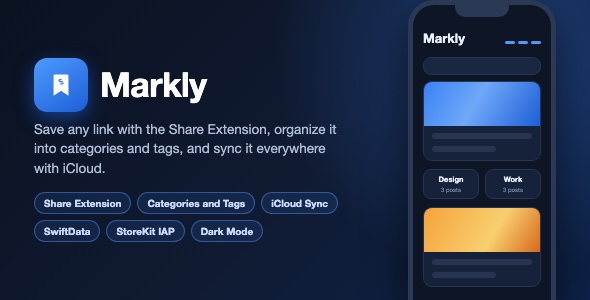
Markly is a complete, App Store ready bookmark manager built with SwiftUI and SwiftData. Users save any link in two taps with the included Share Extension, organize everything into categories and tags, and sync across devices with iCloud. A one-time StoreKit purchase unlocks unlimited bookmarks.
Demo Instructions
- No login and no demo credentials are required. Markly works fully offline on first launch.
- On first launch the app shows a 3 page onboarding. Tap Continue to reach the main app.
- Tap the list icon (top right) to open Categories, the gear icon (top left) to open Settings and the PRO paywall.
- The Share Extension can be tested from Safari: tap the Share button and choose “Save to Markly”.
- The in-app purchase uses StoreKit. On the simulator it works with a StoreKit configuration file; on device it needs your own App Store Connect product (id: markly_pro, $4.99 one-time unlock).
- iCloud sync activates automatically when the user is signed into iCloud. Without iCloud the app gracefully falls back to local-only storage.
Everything the App Does
- - Save any link in two taps with the included Share Extension (“Save to Markly”)
- - Automatic metadata fetching: page title, description, preview image and favicon
- - Home screen with “Recent 5 Saves” horizontal carousel and post count badges
- - Category system: create, rename and delete categories with live post counts
- - Tags: user defined tags plus automatic tags detected from 30+ domains (YouTube, Instagram, TikTok, Reddit, GitHub, Medium and more)
- - Custom titles: override the fetched page title with your own name for any bookmark
- - Category detail screen with post cards, thumbnails, dates, domain and tag chips
- - Search across categories, posts and tags
- - Open in Safari, Copy Link and native Share actions on every bookmark
- - Delete with confirmation, edit sheet with category picker
- - iCloud (CloudKit) sync across iPhone and iPad, with automatic local fallback
- - Thumbnail caching and CloudKit thumbnail migration for offline-first image loading
- - Dark mode, Light mode and System appearance modes
- - Onboarding flow (3 pages) shown on first launch
- - PRO paywall: markly_pro one-time $4.99 unlock (unlimited bookmarks + iCloud sync), free limit of 4 bookmarks
- - Restore Purchases, Rate App, Contact, Terms and Privacy sections in Settings
- - Rating prompt after 5 sessions (SKStoreReviewController)
- - Empty states, haptic-style animations and polished UI throughout
Technology
- - Language: Swift 5
- - UI: SwiftUI
- - Data: SwiftData (iOS 17)
- - Sync: CloudKit (NSPersistentCloudKitContainer style automatic sync)
- - Purchases: StoreKit 2 (one-time non-consumable, product id markly_pro)
- - Share Extension: SwiftUI inside a UIHostingController share extension
- - Metadata: URLSession HTML parsing + LinkPresentation (LPLinkView)
- - Deployment target: iOS 17.0, iPhone portrait, no third-party dependencies
What the Buyer Gets
- - Complete Xcode project (app target + Share Extension target)
- - Full source code, no third-party libraries or CocoaPods/SPM dependencies
- - Asset catalog with app icon, colors and images
- - documentation.html with step-by-step setup, rename, icon, theme and App Store guide
- - screenshots/ folder with all preview screens
Development Disclosure
Portions of this template’s source code were developed with AI-assisted tools. All code has been reviewed, compiled and tested in Xcode.
Closing Note
This is a source code template. Xcode knowledge is required to build, customize and publish it. The buyer receives the same project shown in the screenshots and video preview.
| Type | iOS App |
|---|---|
| Author | mefjudevllc |
| Price | $14 |
| Sales | 1 |
| Rating | 0 (0) |
| Published | Sep 23, 2025 |
| Last Update | Sep 7, 2026 |
| Compatible Software | Other |
| Compatible With | Swift |
| Mobile Files Included | .m |
Categories
Tags
External listing. code.market does not sell this product and does not process payment for it. Pricing, payment, delivery, licensing, refunds, and support are handled by the third-party merchant on its own website. We may earn an affiliate commission from a referral. Details.
Products of the Week.
Submit🥇

STOP GUESSING WHAT TO POST
AI that learns your brand voice and builds a month of consistent, on-brand social content: carousels, posts and hooks that sound like you, not like everyone else's AI.
SaaS · 7,395 views · 67 clicksSaaS · Week 46 · 7,395 views · 67 clicks
🥈

Conversational Backlinks for Busy Founders
Place Backlink Relevant Conversation for your domain across Forums and Conversations
Website · 46,692 views · 232 clicksWebsite · Week 46 · 46,692 views · 232 clicks
🥉

upvote.club
Free Social Media Engagement that Helps Boost Your Content. Upvote Club supports 19 social networks with 100+ engagement actions in one dashboard. Add links to your posts and get free engagement from real users.
SaaS · 44,628 views · 127 clicksSaaS · Week 46 · 44,628 views · 127 clicks
#4

Substack Posting API
Onboard your Agent to Substack. Write Publish on Substack via API
SaaS · 63,514 views · 206 clicksSaaS · Week 46 · 63,514 views · 206 clicks
#5

Seenshot App
Free, Fast, MacOS Screenshot app. Make Screenshot cmd+shift+2 and send it via link
Desktop App · 32,764 views · 127 clicksDesktop App · Week 46 · 32,764 views · 127 clicks
#6

Hand-Placed Backlinks $9.99 per link. Flat rate.
Buy hand-placed forum, Q-A and directory backlinks. Flat $9.99 per link, no subscriptions — you only pay for approved listings.
Website · 8,381 views · 19 clicksWebsite · Week 46 · 8,381 views · 19 clicks
#7

Free Invoice Generator - PDF Invoices in Your Browser, No Sign-Up
A free invoice maker for freelancers and small businesses: fill in the invoice, check the live preview, and download a PDF that looks exactly like it. Any currency, tax per item, three templates, no sign-up, and nothing leaves your device.
7,010 views · 29 clicksWeek 46 · 7,010 views · 29 clicks
#8

Merge PDF Files Free - Combine PDFs in Your Browser, No Upload
A free PDF merger for office workers, students, and freelancers: combine PDFs and images into one file in the browser, reorder files and pages, pick page ranges, keep bookmarks, and open password-protected PDFs. Nothing is uploaded, no sign-up, no watermark.
6,485 views · 18 clicksWeek 46 · 6,485 views · 18 clicks