
inPreview — Minimal Presentation Bar for Your Design

Description
EVERY SINGLE PIXEL, EACH DETAIL IS VERY IMPORTANT FOR US!
Our way of presenting is also important as much as producing the design. Inpreview, provides you chance to present your design in a best way on different device and resolutions.
You can edit your design way easier and faster than before like copy/paste.
You don’t need any plugin installation. You are ready to present with tiny configuration.

Introduction (video) — Live Preview (actual project) — Documentation




Features
Powerful and Useful Features for Presentation:
- Fullcsreen preview
- Sticky/Hidden Navigation
- Give information about your projects. (Explanation,links, social netwok links)
- Easy to change between alternative page designs (click & radio button)
- Links where you can download your design files, source codes or screenshots
- Chance to share your design links on social networks
- Publish your works with one single link
- Option to view your design with 100% width or 1/1 scaled actual resolution.
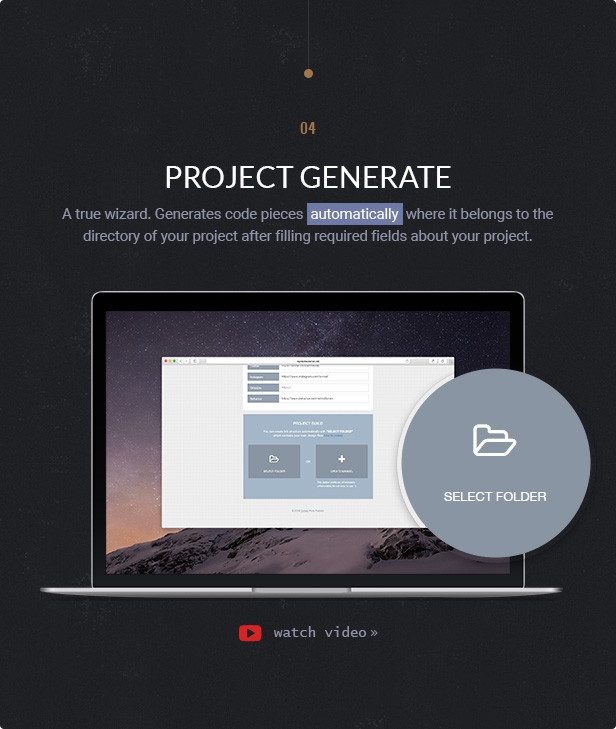
Project Generate: A true wizard. Generates code pieces automatically where it belongs to the directory of your project after filling required fields about your project. After all, all you need to do is just copy/paste it. Learn more »
Core Features
- HTML5 + CSS3
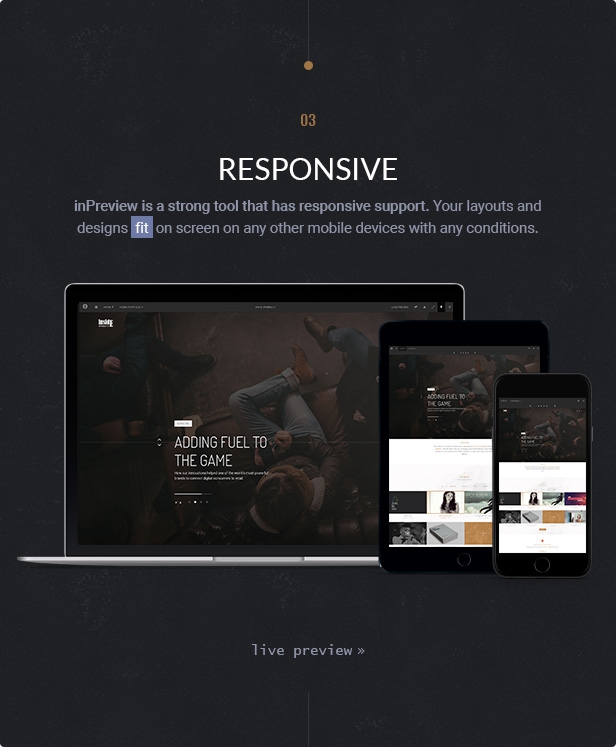
- Responsive Layout
- Font Awesome Icon set
- Google Fonts Support
- Retina Ready
- Crossbrowser Compatible
- W3C Valid HTML Code
- All files are organized
- Well Documented (HTML Type & Video)
Compress and Optimise Images
Compress and Optimise Images
When you export your images from Photoshop, always use the “Save for Web” option. Once your image is exported, you can make it even smaller with an image optimisation tool. These tools are able to strip unnecessary data and compress your images even more than “Save for Web”, usually losslessly.
Some image compression tools you might like to try:
- TinyPNG (web-based).
- * Ccaesium (windows, mac and linux).
- ImageOptim (mac).
- ImageAlpha (mac, especially good for optimising transparent PNGs).
Sources
- Front-End Framework: Twitter Bootstrap
- Font Icon: Font Awesome
- Slick: by Ken Wheeler
- Javascript Library: Jquery
Changelog
version 1.5 - 16 May 2022
[!] updated javascript files
[!] problem solved when switching between projects
[+] added scroll for selectboxes
[+] added pinterest and video promotion link

version 1.1 - 9 December 2019
[-] Remove google plus share
[!] Fixed twitter share problem.
[!] Fixed pinterest share problem.
| Type | HTML5 Script |
|---|---|
| Author | evmet |
| Category | Html5 / Presentations |
| Price | $9 |
| Sales | 17 |
| Rating | 5.00 from 3 ratings |
| Published | Jun 21, 2016 |
| Last Update | May 17, 2022 |
| Compatible Browsers | IE10, IE11, Firefox, Safari, Opera, Chrome |
| Source Files Included | JavaScript JS, HTML, CSS, Layered PSD |
Categories
Tags
External listing. code.market does not sell this product and does not process payment for it. Pricing, payment, delivery, licensing, refunds, and support are handled by the third-party merchant on its own website. We may earn an affiliate commission from a referral. Details.
Products of the Week.
Submit🥇

Perceptle
Perceptle is a daily browser-based game that challenges you to test your sensory intuition through five quick estimation and rhythm-based rounds.
Other · 1,489 views · 9 clicksOther · Week 47 · 1,489 views · 9 clicks
🥈

Free LinkedIn Likes From Real
Get free LinkedIn likes on your posts from real members who react by hand. No
SaaS · 1,632 views · 10 clicksSaaS · Week 47 · 1,632 views · 10 clicks
🥉

STOP GUESSING WHAT TO POST
AI that learns your brand voice and builds a month of consistent, on-brand social content: carousels, posts and hooks that sound like you, not like everyone else's AI.
SaaS · 9,176 views · 75 clicksSaaS · Week 47 · 9,176 views · 75 clicks
#4

aaas.market
407 reliable micro tools for solo founders, marketers and creators. They work in your browser
SaaS · 1,597 views · 5 clicksSaaS · Week 47 · 1,597 views · 5 clicks