
InboxPilot - Desktop Application for WhatsApp Automation
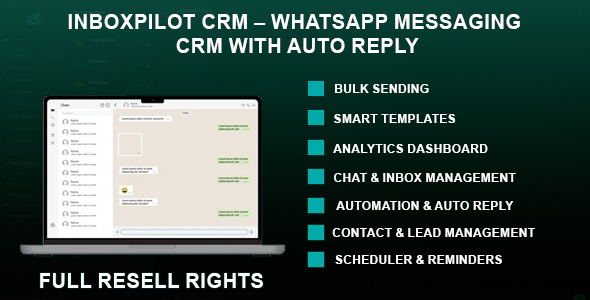
Description
Powerful CRM Software for WhatsApp Communication
InboxPilot is a desktop CRM software designed to manage WhatsApp communication efficiently. It provides tools for handling conversations, automating responses, and organizing customer interactions in a structured workflow.
Suitable for businesses, agencies, and teams that rely on WhatsApp Web for daily communication and customer engagement.
Key Benefits
- Centralized dashboard for managing WhatsApp conversations
- Automation tools to reduce repetitive messaging
- Bulk messaging with personalization support
- Lead and contact organization features
- Improved response time and workflow efficiency
- Structured follow-up and communication tracking
Application Features
Chat & Inbox Management
Manage conversations through a real-time messaging interface.
- Real-time chat interface
- Incoming message notifications
- Quick reply tools
- Media and file sharing support
- Search and filter conversations
- Multi-chat handling
Contact & Lead Management
Organize and manage contacts using built-in CRM tools.
- Import contacts from WhatsApp Web
- Create and manage contact profiles
- Tag-based segmentation
- Interaction history tracking
- Notes and reminders
Sales Pipeline Management
Track deal progress using a structured pipeline system.
- Drag-and-drop pipeline
- Custom deal stages
- Deal value tracking
- Progress monitoring
Automation & Auto Reply
Automate messaging workflows with rule-based responses.
- Keyword-based auto replies
- Away mode responses
- Message templates
- Dynamic variables such as {{name}} and {{date}}
Bulk Messaging
Send messages to multiple contacts with configurable controls.
- Bulk message sending
- Personalized message fields
- Adjustable delay settings
- Delivery status logs
Scheduler & Task Management
Plan and automate future communication.
- Schedule messages
- Set follow-up reminders
- Task tracking system
Message Templates
Create reusable templates for faster communication.
- Template creation and management
- Category organization
- Quick insertion into chats
- Variable support
Analytics & Insights
Monitor messaging activity and performance.
- Messaging activity overview
- Contact segmentation insights
- Response tracking
- Pipeline analytics
WhatsApp Web Integration
Connect securely using WhatsApp Web.
- QR code authentication
- Multi-device support
- Connection status monitoring
- Session management
User Interface
Desktop interface designed for usability and performance.
- Clean layout
- Dark and light modes
- Notification system
- Built with Electron framework
System Requirements
- Operating System: Windows 10 or Windows 11 (64-bit)
- Processor: Dual-core 2.0 GHz or higher
- Memory: 4 GB RAM minimum (8 GB recommended)
- Storage: 500 MB available space
- Internet connection required
- Requires Microsoft Edge WebView2 Runtime
- Latest version of Google Chrome recommended
Compatibility
- Desktop application built with Electron
- Works with WhatsApp Web
- Supports multi-session usage
Use Cases
- Sales teams managing customer leads
- Agencies handling client communication
- Customer support workflows
- Freelancers managing conversations
- Businesses using WhatsApp for communication
What You Get
- Windows Desktop Application
- Documentation
| Type | Windows App |
|---|---|
| Author | ydulana |
| Price | $18 |
| Sales | 4 |
| Rating | 0 (0) |
| Published | Apr 28, 2026 |
| Last Update | Apr 28, 2026 |
| Application Runtime | Native |
| High Resolution | No |
| Operating System Versions | Windows 11, Windows 10 |
| Video Preview Resolution | 1916x1024 |
Categories
Tags
External listing. code.market does not sell this product and does not process payment for it. Pricing, payment, delivery, licensing, refunds, and support are handled by the third-party merchant on its own website. We may earn an affiliate commission from a referral. Details.
Products of the Week.
Submit🥇

STOP GUESSING WHAT TO POST
AI that learns your brand voice and builds a month of consistent, on-brand social content: carousels, posts and hooks that sound like you, not like everyone else's AI.
SaaS · 7,348 views · 67 clicksSaaS · Week 46 · 7,348 views · 67 clicks
🥈

Conversational Backlinks for Busy Founders
Place Backlink Relevant Conversation for your domain across Forums and Conversations
Website · 46,626 views · 232 clicksWebsite · Week 46 · 46,626 views · 232 clicks
🥉

upvote.club
Free Social Media Engagement that Helps Boost Your Content. Upvote Club supports 19 social networks with 100+ engagement actions in one dashboard. Add links to your posts and get free engagement from real users.
SaaS · 44,568 views · 127 clicksSaaS · Week 46 · 44,568 views · 127 clicks
#4

Substack Posting API
Onboard your Agent to Substack. Write Publish on Substack via API
SaaS · 63,454 views · 206 clicksSaaS · Week 46 · 63,454 views · 206 clicks
#5

Seenshot App
Free, Fast, MacOS Screenshot app. Make Screenshot cmd+shift+2 and send it via link
Desktop App · 32,704 views · 127 clicksDesktop App · Week 46 · 32,704 views · 127 clicks
#6

Hand-Placed Backlinks $9.99 per link. Flat rate.
Buy hand-placed forum, Q-A and directory backlinks. Flat $9.99 per link, no subscriptions — you only pay for approved listings.
Website · 8,326 views · 19 clicksWebsite · Week 46 · 8,326 views · 19 clicks
#7

Free Invoice Generator - PDF Invoices in Your Browser, No Sign-Up
A free invoice maker for freelancers and small businesses: fill in the invoice, check the live preview, and download a PDF that looks exactly like it. Any currency, tax per item, three templates, no sign-up, and nothing leaves your device.
6,953 views · 29 clicksWeek 46 · 6,953 views · 29 clicks
#8

Merge PDF Files Free - Combine PDFs in Your Browser, No Upload
A free PDF merger for office workers, students, and freelancers: combine PDFs and images into one file in the browser, reorder files and pages, pick page ranges, keep bookmarks, and open password-protected PDFs. Nothing is uploaded, no sign-up, no watermark.
6,436 views · 18 clicksWeek 46 · 6,436 views · 18 clicks