
IFDB File Search Engine Script by Thenhshah
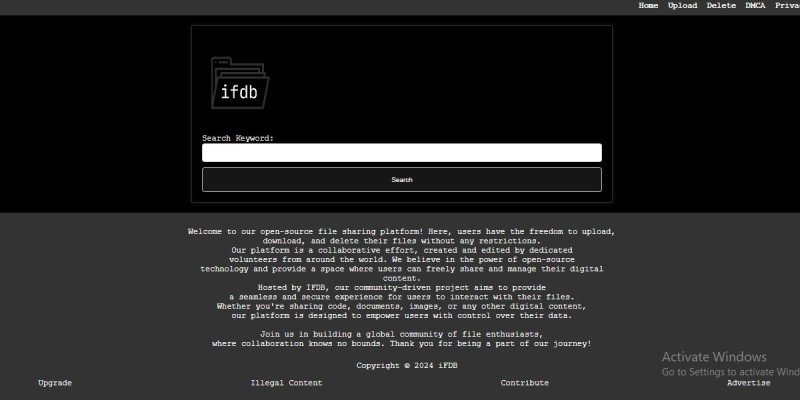
Description
IFDB is a simple and efficient user file search engine and file-sharing platform. With IFDB, you can easily search for files and share them with others, making file management a breeze.
Key Features:
- User-Friendly Search: IFDB provides an intuitive search interface, allowing users to quickly locate the files they need.
- Efficient File Sharing: Share files seamlessly with others, making collaboration and distribution hassle-free.
- Responsive Design: Access IFDB from any device, thanks to its responsive design that adapts to different screen sizes.
- Secure and Private: Your files are handled with utmost security, ensuring the privacy of your data.
- Simple Setup: Setting up IFDB is a breeze, making it easy for both beginners and experienced users.
How to Use IFDB:
Using IFDB is straightforward. Simply upload your files, and start searching or sharing them with others. The user-friendly interface ensures a smooth experience for all users.
Get Started:
Ready to experience the simplicity of IFDB? Download the script and follow the easy installation instructions to get started today!
Features
User Can - Upload His any Type and any size of files
user can search file and download or share file
user can delete his file its totally open source file search engine
Requirements
To ensure smooth operation of IFDB, make sure your server meets the following requirements:
- PHP version 7.0 or higher
- MySQL or any other compatible database system
- Apache or Nginx web server
Get started with IFDB today and experience a hassle-free way to manage and share your files!
Instructions
Installation Instructions:
Follow these simple steps to install and start using IFDB on your server:
- Download: Obtain the IFDB script package from our official website or repository.
- Extract: Unzip the downloaded package to your desired directory on your server.
- Database Setup:
- Create a new MySQL database for IFDB.
- Import the provided SQL script to set up the necessary tables.
- Configuration:
- Open the
config.phpfile in the script directory. - Update the database connection details (hostname, username, password, and database name).
- Open the
- Web Server Configuration:
- Ensure that your web server (Apache or Nginx) is configured to support PHP.
- Set the document root to the IFDB script directory.
- Access IFDB:
- Open your web browser and navigate to the URL where you installed IFDB.
- Create a new user account or log in if you already have one.
- Start using IFDB to search for files and share documents with ease!
Congratulations! You have successfully installed IFDB. Refer to the documentation for more advanced configurations and customization options.
| Author | thenhshah |
|---|---|
| Category | Scripts & Code / PHP Scripts / Search |
| Price | $20 |
| Extended License | $60 |
| Likes | 3 |
| First Release | Mar 4, 2024 |
| Last Update | Mar 4, 2024 |
| Files included | .php, .css, .html, .sql, JavaScript .js |
Categories
Tags
External listing. code.market does not sell this product and does not process payment for it. Pricing, payment, delivery, licensing, refunds, and support are handled by the third-party merchant on its own website. We may earn an affiliate commission from a referral. Details.
Products of the Week.
Submit🥇

STOP GUESSING WHAT TO POST
AI that learns your brand voice and builds a month of consistent, on-brand social content: carousels, posts and hooks that sound like you, not like everyone else's AI.
SaaS · 6,314 views · 56 clicksSaaS · Week 46 · 6,314 views · 56 clicks
🥈

Conversational Backlinks for Busy Founders
Place Backlink Relevant Conversation for your domain across Forums and Conversations
Website · 45,059 views · 228 clicksWebsite · Week 46 · 45,059 views · 228 clicks
🥉

upvote.club
Free Social Media Engagement that Helps Boost Your Content. Upvote Club supports 19 social networks with 100+ engagement actions in one dashboard. Add links to your posts and get free engagement from real users.
SaaS · 43,063 views · 124 clicksSaaS · Week 46 · 43,063 views · 124 clicks
#4

Substack Posting API
Onboard your Agent to Substack. Write Publish on Substack via API
SaaS · 62,008 views · 204 clicksSaaS · Week 46 · 62,008 views · 204 clicks
#5

Seenshot App
Free, Fast, MacOS Screenshot app. Make Screenshot cmd+shift+2 and send it via link
Desktop App · 31,266 views · 124 clicksDesktop App · Week 46 · 31,266 views · 124 clicks
#6

Hand-Placed Backlinks $9.99 per link. Flat rate.
Buy hand-placed forum, Q-A and directory backlinks. Flat $9.99 per link, no subscriptions — you only pay for approved listings.
Website · 6,995 views · 19 clicksWebsite · Week 46 · 6,995 views · 19 clicks
#7

Free Invoice Generator - PDF Invoices in Your Browser, No Sign-Up
A free invoice maker for freelancers and small businesses: fill in the invoice, check the live preview, and download a PDF that looks exactly like it. Any currency, tax per item, three templates, no sign-up, and nothing leaves your device.
5,618 views · 19 clicksWeek 46 · 5,618 views · 19 clicks
#8

Merge PDF Files Free - Combine PDFs in Your Browser, No Upload
A free PDF merger for office workers, students, and freelancers: combine PDFs and images into one file in the browser, reorder files and pages, pick page ranges, keep bookmarks, and open password-protected PDFs. Nothing is uploaded, no sign-up, no watermark.
5,183 views · 15 clicksWeek 46 · 5,183 views · 15 clicks