
Hotel Booking WordPress Plugin - MotoPress Hotel Booking

Description


#1 Hotel Booking and Vacation Rental WordPress Plugin
MotoPress Hotel Booking is a full-fledged hotel and vacation rental booking system for WordPress. It allows you to place real-time availability calendars, a property search form, a directory of accommodations, and the booking engine on your website to drive direct rental property bookings.
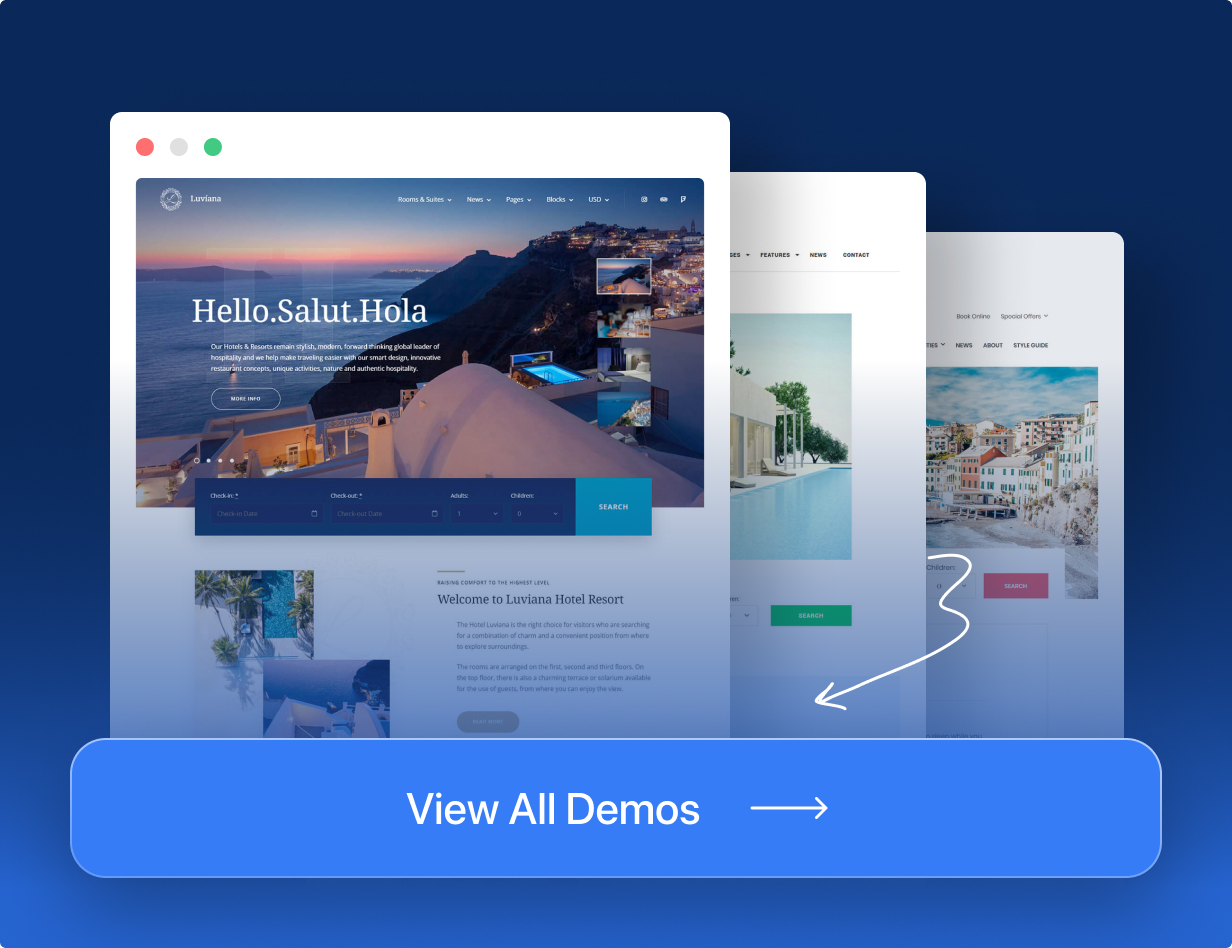





Luviana – Hotel Booking WordPress Theme that already includes the Hotel Booking Plugin.
The MotoPress WP hotel booking plugin is completely optimized to suit the needs of different short-term rental types. You can rent out unlimited vacation rentals or hotel rooms, accommodations or beds, trailers or boats, pet boarding rooms or campsites, bed and breakfasts or guest houses with this plugin. The plugin makes it a breeze to automate bookings, schedule arrivals, and get paid in advance by your guests.
This WordPress booking plugin comes with all the needed functionality to run a fully functional hospitality business website, enable payments and manage reservations in a centralized dashboard.
Meet all the awesome features of this WordPress hotel booking plugin:
- create a beautiful listing of all your properties.
- Add unlimited accommodations, accepts unlimited bookings without you or your guest paying any extra commissions.
- Control seasonal pricing and rates based on different parameters.
- Synchronize direct site reservations with popular travel channels (e.g. Airbnb or Booking.com) via iCal through the admin channel manager.
- Customize the property search form and display availability calendars.
- Allow guests to book properties and schedule arrivals online with or without instant payments via multiple integrated payment gateways.
- Add compulsory taxes and fees to the base property cost.
- Add numerous booking rules, e.g. the time for arrival/departure, the min/max days to stay and more; take properties out of booking when needed.
- Configure different ways to confirm bookings (by hand or automatically).
- Create custom discount coupons and provide loyal guests with them or use coupons in marketing campaigns.
- Sell extras and services in addition to your rentals.
- Edit current bookings or record them manually.
- Send out automated branded emails.
- View business performance stats in the sales dashboard.
- Download bookings data in CSV.
- Work with the plugin in the block editor, Divi & Elementor.
- Docs, tutorials and support are packed as well.
- Fully extendible with dedicated add-ons.
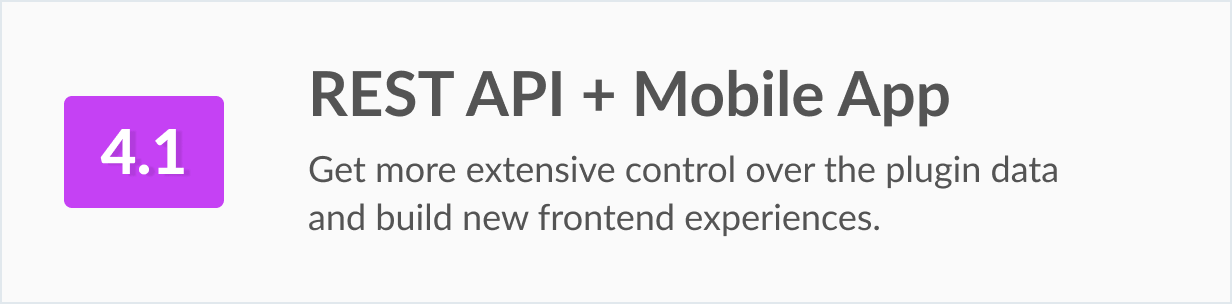
- REST API to integrate the WordPress hotel booking plugin experiences into different platforms.
Hotel Booking Highlights

Mobile-friendly Property Search Form
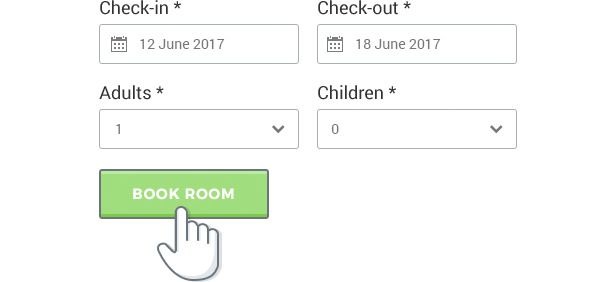
Travelers can find accommodation for the needed dates and the number of people in a matter of clicks. Fine-tune the form in different ways: optionally add labels to the “Children” field, leave the “Adults” field only, add custom fields and filters (e.g. location) and more.
Availability Calendars in Real-Time
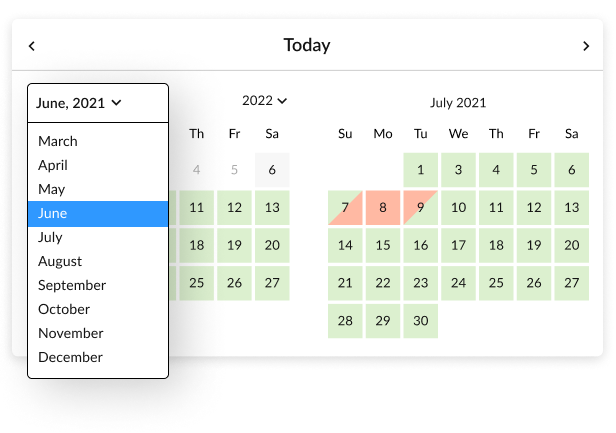
Guests can see the available and booked dates of individual properties in real time. This timecalendar plugin retrieves availability data for the common search form as well as for the individual accommodation calendars. You can also place these calendars on any page.
iCal Support to Sync Bookings Across OTAs Automatically
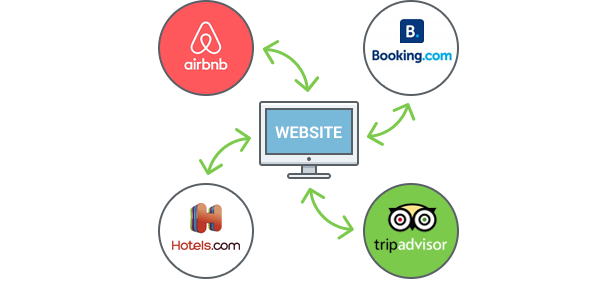
Automatic synchronization of bookings submitted through your WordPress property rental website with those from online travel agents like Airbnb or Booking.com. Avoid overbooking!
Unlimited Number of Accommodations
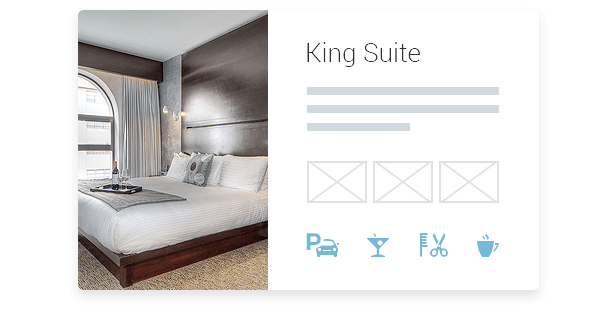
Add and display unlimited number of rentals. For hotels with lots of rooms of the same type, you can generate accommodations automatically. You can add and display a property rental description, an image gallery, unlimited in-room amenities, rates, extra services and more for all individual accommodations.
Seasonal Pricing

Set any prices depending on a season or specific days / dates. “Season” is a general term and you can label it anyhow to reflect your pricing changes.
Amenity-based Rates
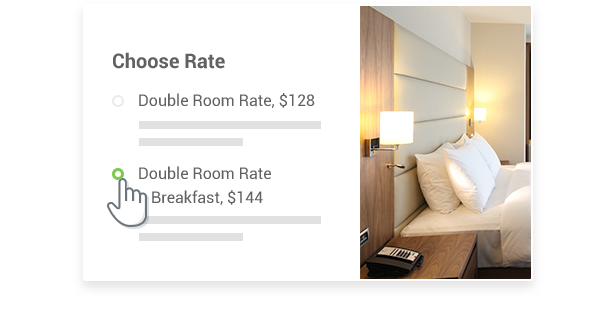
Set different rates based on the accommodation benefits (e.g. breakfast included / no breakfast). Your guests will choose the most suitable one while placing a booking.
Rates Based on the Length of Stay
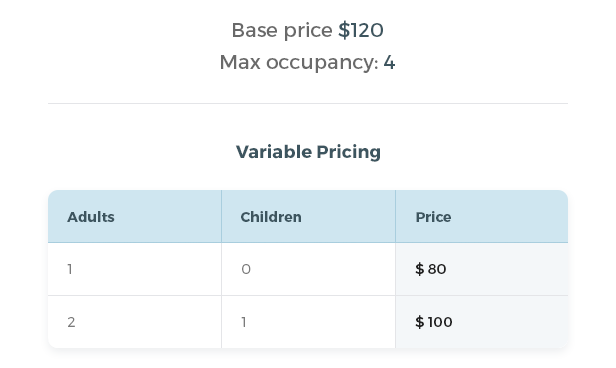
Make the property prices change dynamically depending on the number of guests specified in the property search form. Add price variables based on the number of travelers easily through the timecalendar plugin.
PayPal, Stripe, Wire Transfer, and More Gateways
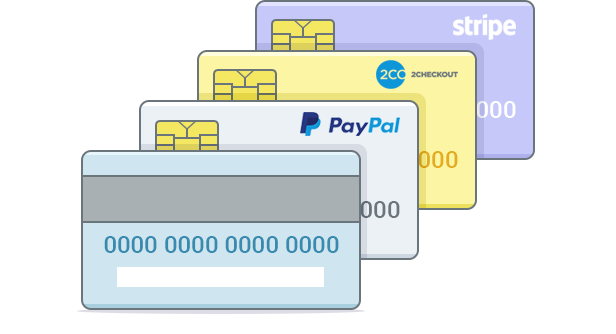
This scheduling WordPress booking system accepts payments through PayPal, 2Checkout, Stripe and Beanstream/Bambora (these are built-in payment gateways you can use for free). Stripe also works with Bancontact, iDEAL, Giropay, SEPA Direct Debit and SOFORT.
Charge the full fee or deposit to confirm the booking, allow guests to send you a payment via a bank transfer or let them pay after arrival.
WooCommerce Payments Addon
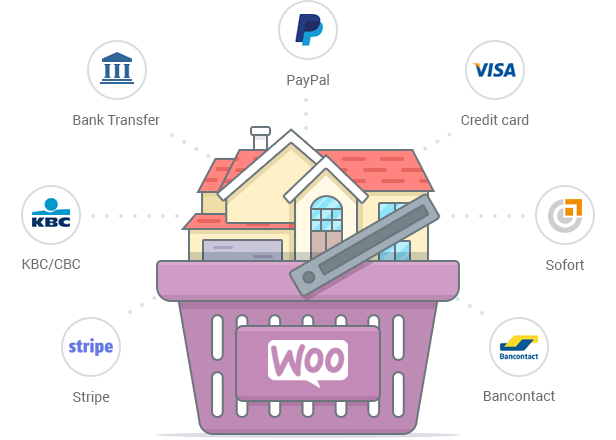
If you need more payment gateways to handle online reservations, you can get a premium WooCommerce Payments add-on that we created specifically for MotoPress WordPress Booking plugin.
Taxes and Fees
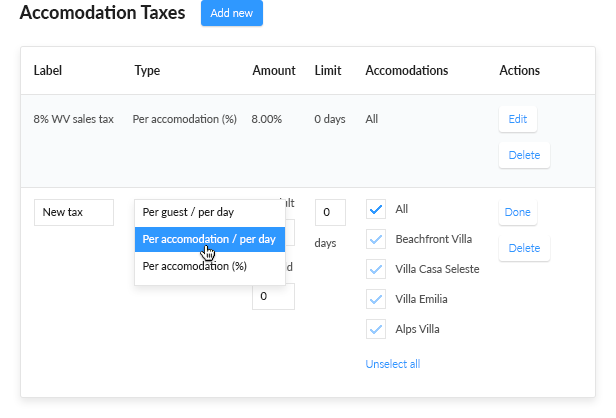
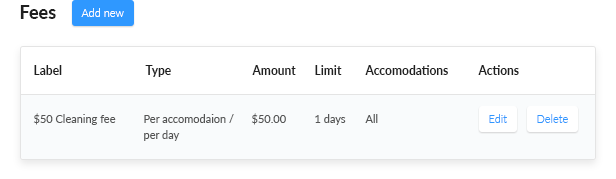
Complete and correct pricing information on all accommodation charges: add mandatory fees, accommodation taxes, service taxes and fee taxes. The guests will be able to see the summary of charges before making a booking. All this info on each booking is stored in the admin dashboard as well.
Confirmation Modes

Confirm bookings automatically or manually, with or without a payment.
- by guest via email
- by admin manually
- by payment
Pending bookings that were not confirmed are getting updated with the “Abandoned” status, therefore, the accommodation becomes available for reservation. The website administrator can view the Abandoned bookings and get in touch with the prospective tenants via email.
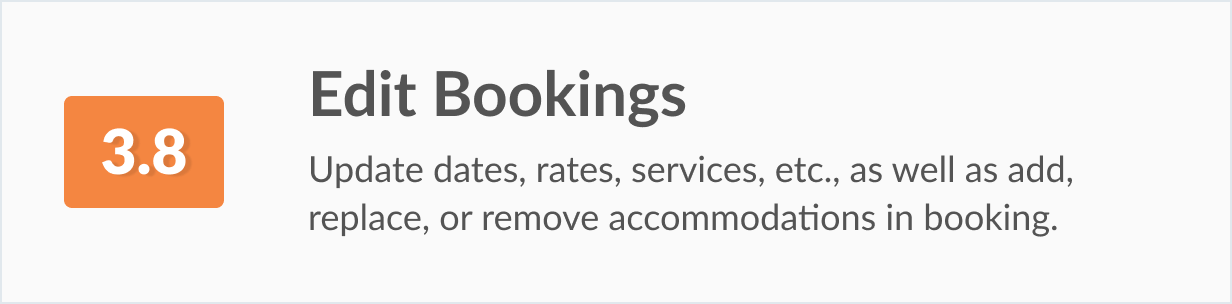
Record Reservations by Hand & Edit Bookings
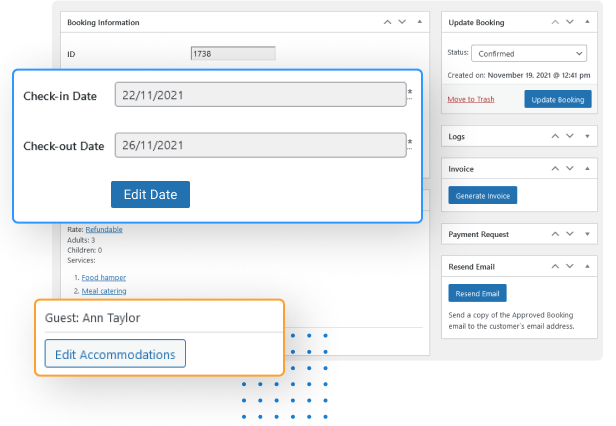
If you use several methods for accepting bookings on your site, including traditional ones like phone calls or emails, you can still record all of them through the MotoPress calendar system, keeping your business paperless.
It’s also a breeze to switch a property, update arrival/departure dates, or change other information in already recorded bookings with our WordPress booking plugin.
Hotel Bookings Calendar
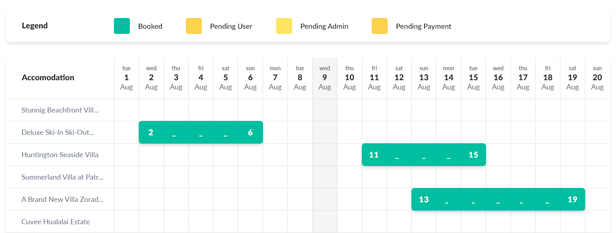
All received bookings and booking requests are stored in one place in a color-coded calendar view. You can sort all of them by statuses in a few clicks, view details of individual customer bookings of the past and future bookings, and manage all reservations in a centralized dashboard. View all WordPress calendar plugins from MotoPress to manage availability.
Attributes – Advanced Form Filters
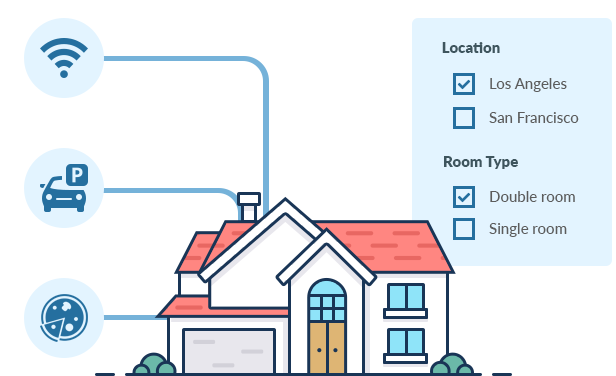
In addition to the default arrival/departure and the number of guests form fields, you can also add your own ones that relate to your business or property type. For example, add location, accommodation types, bed size, price range and other possible filters that will help travelers to narrow down their search in clicks.
Flexible Booking Rules
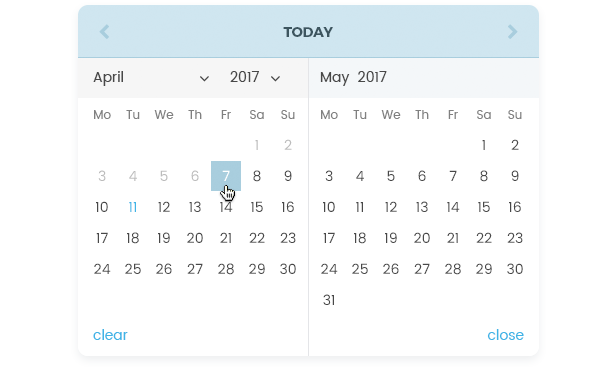
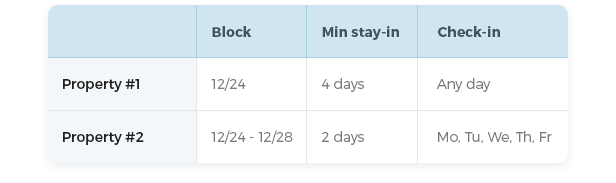
Set min / max days to stay and available check-in and check-out dates for the entire hotel establishment, accommodations individually or seasons. You may also disable booking option for all accommodations or any one individually for a certain period of time.
Booking Buffer Rules
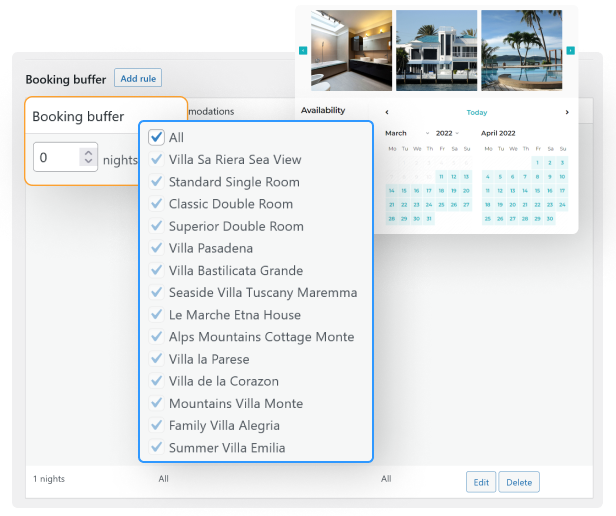
You can customize the minimum number of days allowed before booking and the maximum number of days available for future bookings by setting booking buffer times. This will help you get the needed amount of time to prepare the property for the next guest.
Weekly and Monthly Rates
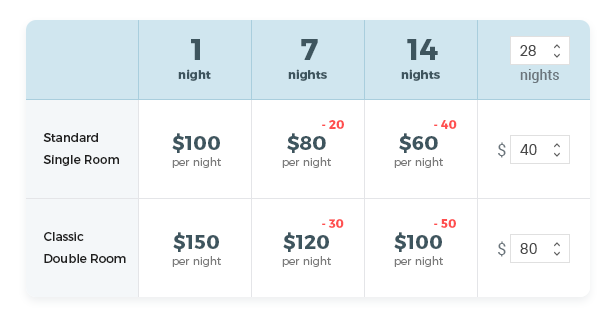
You can set any property rate depending on a season (any term). To create different price points based on the length of stay, you can add weekly, monthly or other customizable rates. The system will automatically discount the accommodations according to your rate rules.
Packages and Services
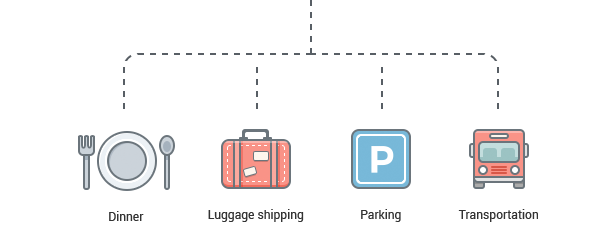
Offer bookable extra services or packages (free or paid) along with the accommodation reservation. Charge per room or per person.
Discount Coupons
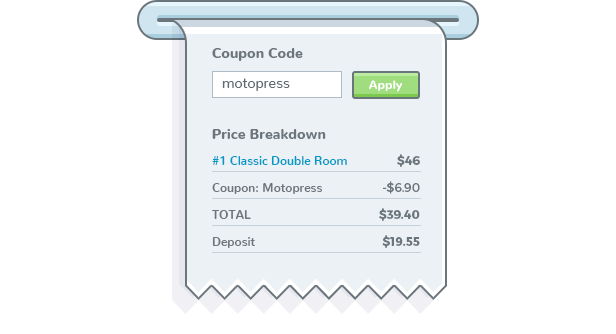
You’ll be able to set a discount amount, an expiration date, select accommodation types, set check-in and check-out dates, minimum and maximum days to stay and apply other settings to customize your coupons.
Branded Email Notifications

Receive and send automatic notifications on each booking request with all the necessary details, including bookings details, booking status, cost, cancellation notifications, and more.
The scheduling calendar plugin gives you many tools to change the colors of your email, upload your logo, change tags, and apply even more branding tweaks.
Generate Booking Reports
Easily generate a list of all the bookings made at your venue within a custom date range. The obtained reports are saved as CSV files that can be further opened and edited in Excel, Google Sheets and other spreadsheet software or text editor, printed out or sent via email.
To get the most precise reports, choose among 4 exporting criteria and extract bookings filtered by check-in date, check-out date, date of reservation or total stay dates.
Sales Dashboard & Stats
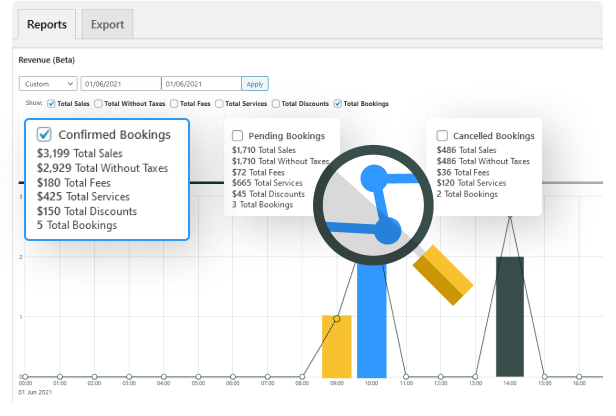
A dedicated built-in sales dashboard also helps you visualize your business performance. It’s easy to analyze your revenue (with/without taxes) from reservations and services, the number of bookings, and more data within a certain period of time.
Get useful insights from the graphically represented data.
Restrict or Grant Access to the Plugin
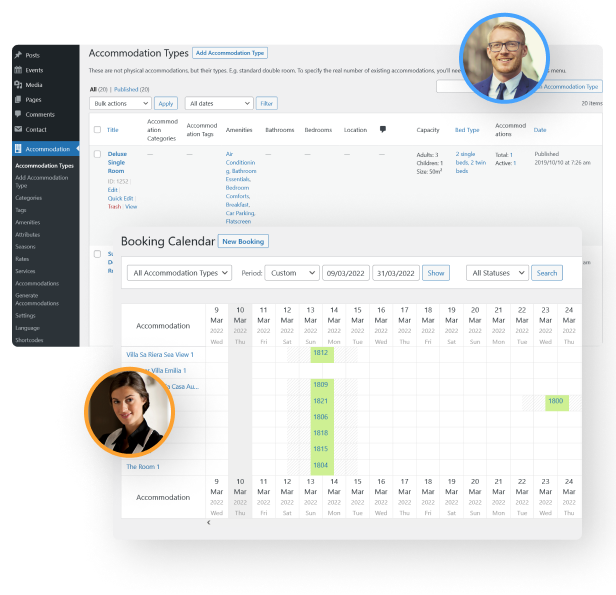
Thanks to the extensive Hotel Booking user roles, you can give someone permission to manage your hotel site or view/edit bookings without a need to grant your staff members the website admin privileges.
The key Hotel Manager and Hotel Worker user roles will help you do just that in a few clicks.
Internal Booking Notes & Logs
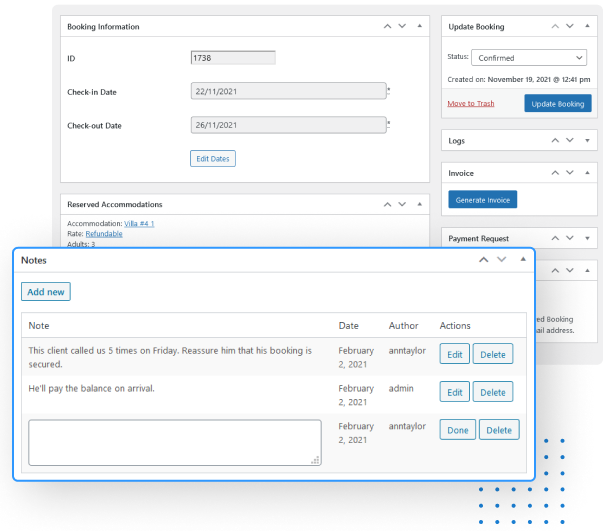
To take your collaborative work further, the plugin allows you to leave informative internal booking notes for individual reservations so that other team members can be up to date on every customer.
Booking Multiple Accommodations
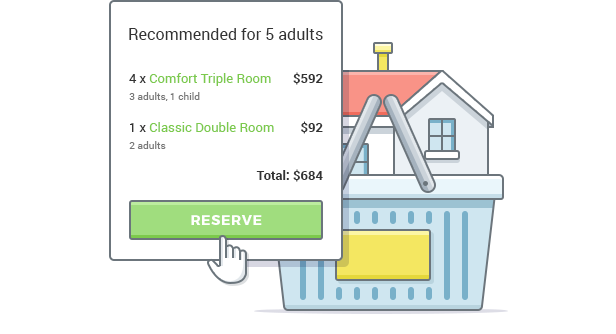
One guest can reserve multiple accommodations for many people during one booking process. You may optionally turn on the plugin to recommend the best set of accommodations based on a number of guests.
The search algorithm is very smart, so your guests will get the most suitable results in seconds. However, the guest can skip the recommendation and make their own choice.
Blocks & Widgets for the Block Editor, Elementor & Divi
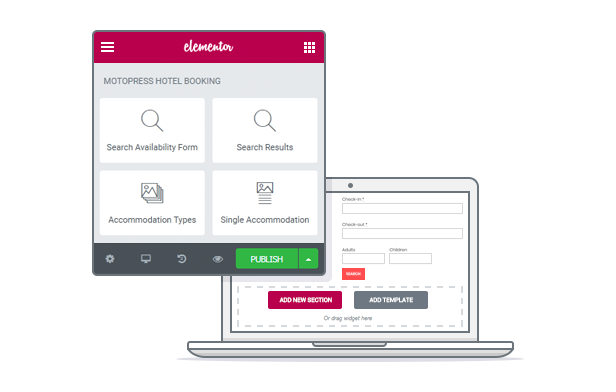
We created free tools to help you smoothly integrate Hotel Booking with popular page builders. They will aid you in adding booking forms, accommodation types and other data in visual editor interfaces:
- Out-of-the-box support for the WordPress block editor.
- Hotel Booking + Elementor Integration free addon.
- Hotel Booking + Divi Integration free addon.
Multilingual Support

The frontend and backend of the plugin are professionally translated into 14 languages: Portuguese, Polish, Russian, Spanish, Turkish, Swedish, Italian, Hungarian, Czech, Chinese, Dutch, French, Arabic and German (more on the way). Hotel booking WordPress plugin is officially compatible with WPML.
WordPress Hotel Booking plugin is GDPR compliant

WordPress Reservation plugin is GDPR compliant. Your guests will find the checkbox for opt-in consent below each booking form to accept your website terms and conditions before reservation.
Works with any WordPress Theme
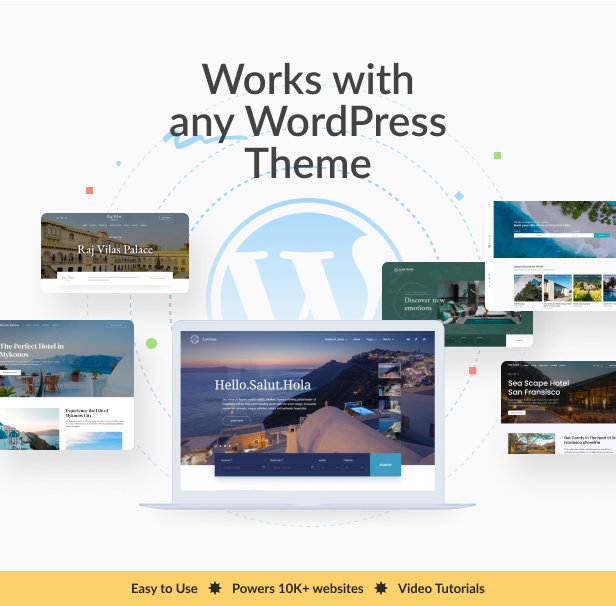
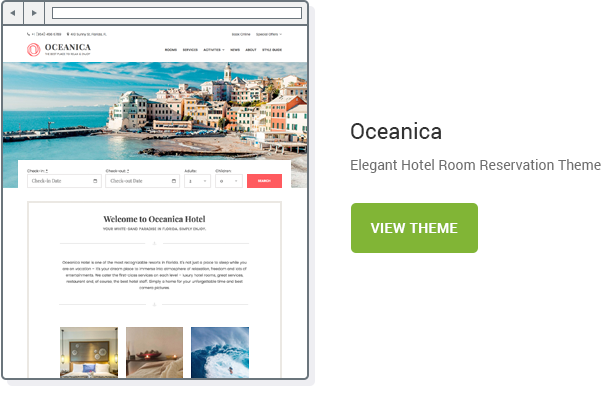
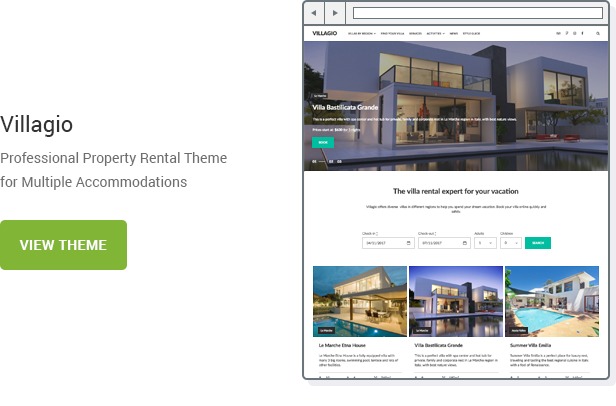
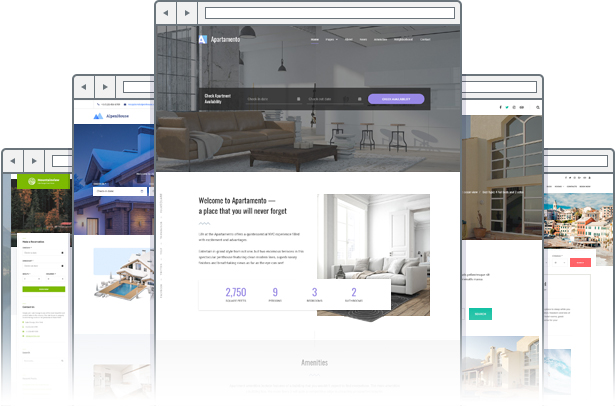
Although we offer a great range of custom-crafted WordPress hotel and vacation rental themes that are styled specifically for the WordPress Hotel Booking plugin, any other WordPress theme of your choice will work too. Discover all WordPress booking themes from MotoPress to pick the most suited solution.
Hotel Booking System REST API
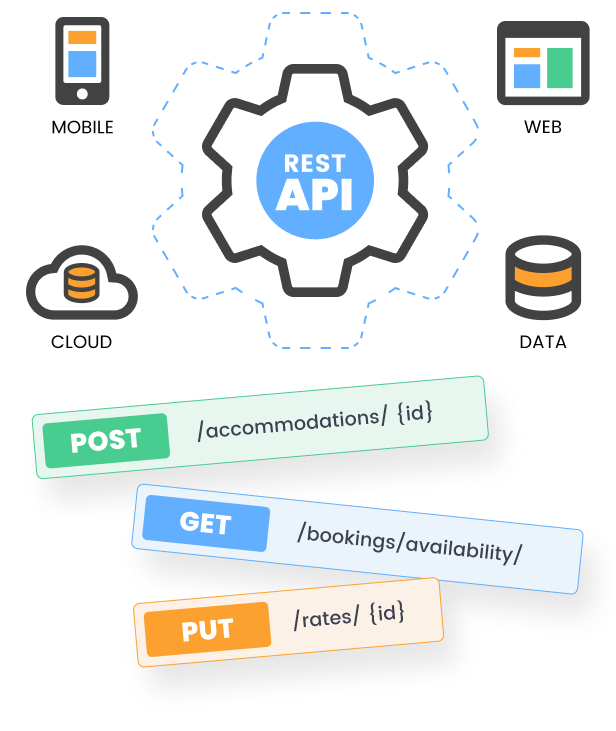
Use the MotoPress WordPress hotel booking plugin with no limits! We provide the REST API tools for developers who want to use the MotoPress Hotel Booking scheduling plugin in environments other than WordPress easily.
It’s robust, secure and flexible since it’s developed on top of the WordPress REST API.
Hotel Booking Mobile Application
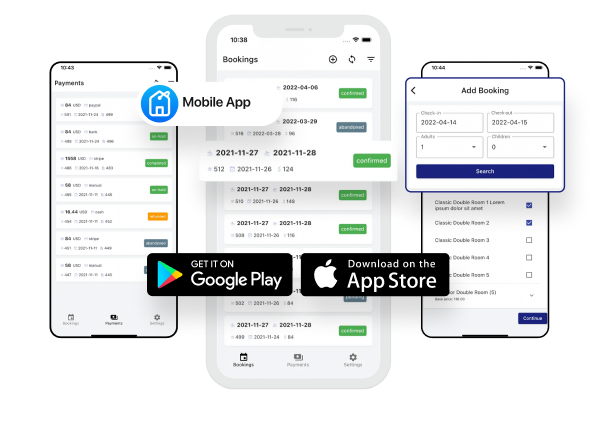
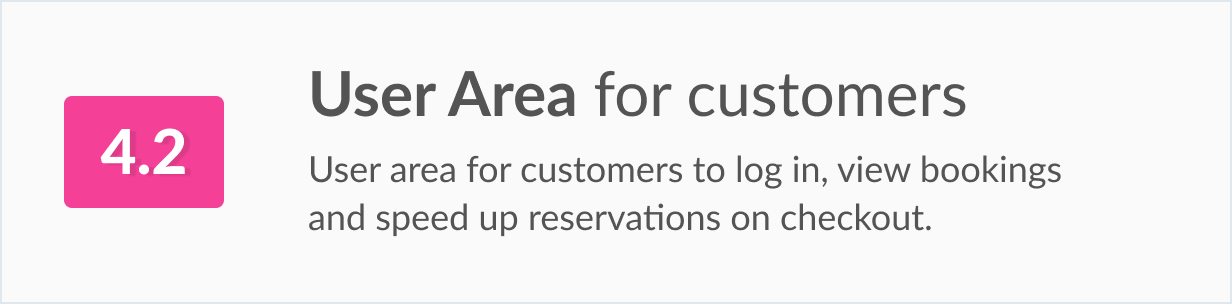
We provide a free mobile application for both Android and Apple operating systems that will allow you to check the real-time availability of your accommodations, add bookings, and view guest and payment information on the go.


Shortcodes and Widgets
You have a list of shortcodes to use: availability search form, availability search results, room types listing, services listing, etc. Each shortcode comes with a detailed explanation and flexible parameters.
Actions and Filters
Developers can change the behavior and look of the WP hotel booking plugin with a pretty rich list of hooks, actions and templates listed in the documentation. Find out more about WordPress booking plugins from MotoPress for different customer needs.

Advanced Hotel Booking Plugin Extensions

Hotel Booking WooCommerce Payments: integrate any local payment gateway without coding via the WooCommerce ecommerce plugin.
Hotel Booking & Mailchimp Integration: email marketing automation through Mailchimp.
Hotel Booking Reviews: implement a five-star property rating system for user-added reviews that smoothly integrates with your already added properties.
Hotel Booking Payment Request: request and collect payments from renters with automatic emails.
Hotel Booking Notifier Addon: create automated event-driven emails/notifications, such as key pick-up instructions or house rules etc.

Changelog
= 5.2.4, Nov 12 2025 =
* Security: enhanced permission checks when managing auxiliary plugins.

= 5.2.3, May 27 2025 =
* Fixed an issue with user roles that could affect new plugin installations.
* Added support for PayPal in the Hotel Booking Accommodation-Based Payments add-on.

= 5.2.2, Apr 29 2025 =
* Fixed a time zone issue affecting night count in search results.

= 5.2.1, Apr 18 2025 =
* Fixed an issue with annual season rules overriding the minimum stay setting.
* Fixed an issue where the calendar synchronization schedule might not start.
* Improved compatibility with WordPress 6.8, addressing the _load_textdomain_just_in_time notice.
* Resolved several issues related to site timezone settings.

= 5.2.0, Apr 14 2025 =
* Added support for the Hotel Booking Accommodation-Based Payments add-on.
* Improved calendar synchronization to accurately reflect the entire blocking duration.
* Minor payment gateway API improvements.

= 5.1.0, Mar 5 2025 =
* Added the ability to limit search results based on the requested number of guests.
* Improved tooltips in the calendar date picker.
* Fixed a time zone issue affecting the Minimum Advance Reservation booking rule.
* Fixed an issue where coupons were not applied correctly in languages other than English on the checkout page.

View the previous changelogs here https://motopress.com/products/hotel-booking/#release-notes
| Type | WordPress Plugin |
|---|---|
| Author | mototeam |
| Category | Wordpress / Calendars |
| Price | $139 |
| Sales | 1,109 |
| Rating | 3.64 from 42 ratings |
| Published | Mar 17, 2017 |
| Last Update | Jan 26, 2026 |
| Compatible Browsers | IE10, IE11, Firefox, Safari, Opera, Chrome, Edge |
| Compatible Software | WordPress 7.0.x, WordPress 6.9.x, WordPress 6.8.x, WordPress 6.7.x, WordPress 6.6.x, WordPress 6.5.x, WordPress 6.0.x, WordPress 5.2.x |
| Compatible With | Beaver Builder, Block Editor, Elementor, Elementor Pro, Visual Composer, WooCommerce 6.x.x, WPBakery Page Builder, WPML |
| Gutenberg Optimized | Yes |
| Source Files Included | JavaScript JS, CSS, PHP |
| Video Preview Resolution | 1920x1080 |
Categories
Tags
External listing. code.market does not sell this product and does not process payment for it. Pricing, payment, delivery, licensing, refunds, and support are handled by the third-party merchant on its own website. We may earn an affiliate commission from a referral. Details.
Products of the Week.
Submit🥇

STOP GUESSING WHAT TO POST
AI that learns your brand voice and builds a month of consistent, on-brand social content: carousels, posts and hooks that sound like you, not like everyone else's AI.
SaaS · 4,285 views · 38 clicksSaaS · Week 45 · 4,285 views · 38 clicks
🥈

Conversational Backlinks for Busy Founders
Place Backlink Relevant Conversation for your domain across Forums and Conversations
Website · 41,995 views · 223 clicksWebsite · Week 45 · 41,995 views · 223 clicks
🥉

upvote.club
Free Social Media Engagement that Helps Boost Your Content. Upvote Club supports 19 social networks with 100+ engagement actions in one dashboard. Add links to your posts and get free engagement from real users.
SaaS · 40,037 views · 117 clicksSaaS · Week 45 · 40,037 views · 117 clicks
#4

Substack Posting API
Onboard your Agent to Substack. Write Publish on Substack via API
SaaS · 59,047 views · 198 clicksSaaS · Week 45 · 59,047 views · 198 clicks
#5

Seenshot App
Free, Fast, MacOS Screenshot app. Make Screenshot cmd+shift+2 and send it via link
Desktop App · 28,419 views · 122 clicksDesktop App · Week 45 · 28,419 views · 122 clicks
#6

Hand-Placed Backlinks $9.99 per link. Flat rate.
Buy hand-placed forum, Q-A and directory backlinks. Flat $9.99 per link, no subscriptions — you only pay for approved listings.
Website · 4,255 views · 19 clicksWebsite · Week 45 · 4,255 views · 19 clicks
#7

Free Invoice Generator - PDF Invoices in Your Browser, No Sign-Up
A free invoice maker for freelancers and small businesses: fill in the invoice, check the live preview, and download a PDF that looks exactly like it. Any currency, tax per item, three templates, no sign-up, and nothing leaves your device.
2,933 views · 17 clicksWeek 45 · 2,933 views · 17 clicks
#8

Merge PDF Files Free - Combine PDFs in Your Browser, No Upload
A free PDF merger for office workers, students, and freelancers: combine PDFs and images into one file in the browser, reorder files and pages, pick page ranges, keep bookmarks, and open password-protected PDFs. Nothing is uploaded, no sign-up, no watermark.
2,709 views · 13 clicksWeek 45 · 2,709 views · 13 clicks