
HandyHue – On Demand Home Service Booking App with Admin Panel
Description
Multi Provider On Demand App | Service Booking App | Home Service App | Product booking | Home Service | Home Service Booking | Home Service App | on demand services


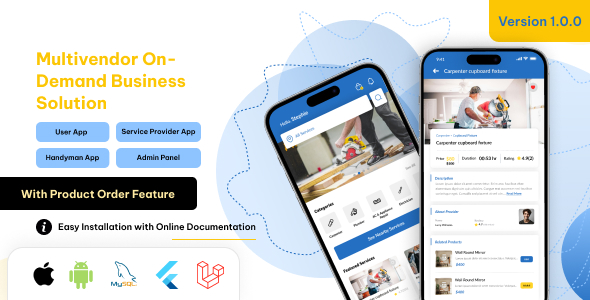
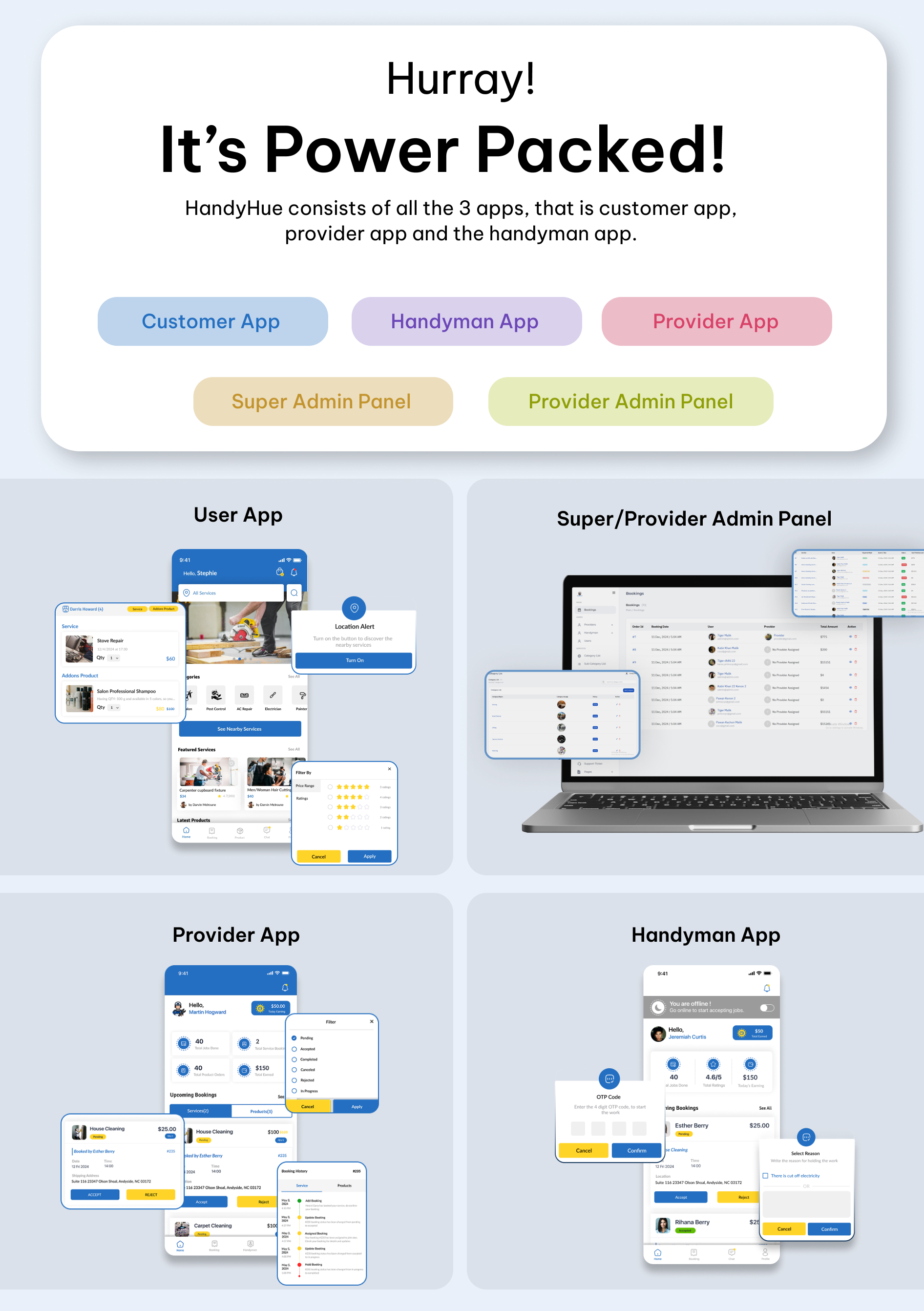
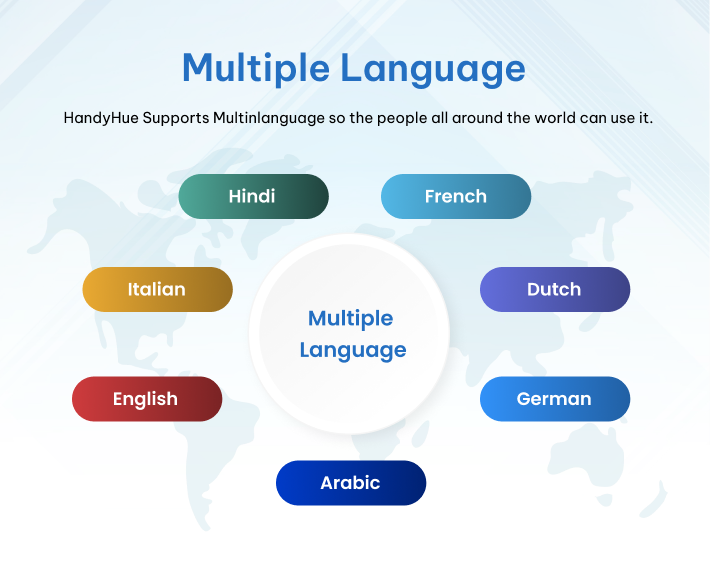
HandyHue is a comprehensive on-demand booking service platform created with the Laravel and Flutter App with Android and iOS support. This exceptional script allows you to effortlessly establish a service booking and all-in-one solution platform for your eCommerce product orders. With its multi-provider support, you can add an unlimited number of providers and handymen, enabling rapid business growth. It also accommodates multiple languages with both LTR and RTL support, along with various payment gateways.
HandyHue features push notifications for booking status updates and email notifications for all booking-related information. We offer a robust admin panel that utilizes a Python script for automatic language management, as well as customizable email and push notification templates.
– Version: 1.0.1 – support Flutter, Android, iOS, Laravel Admin Panel
– Last update: 07 April 2026
– Files Included: Full Source Code of User app, Service provider and Handyman Flutter Apps, Android, iOS, Laravel for admin panel, MySQL Database.
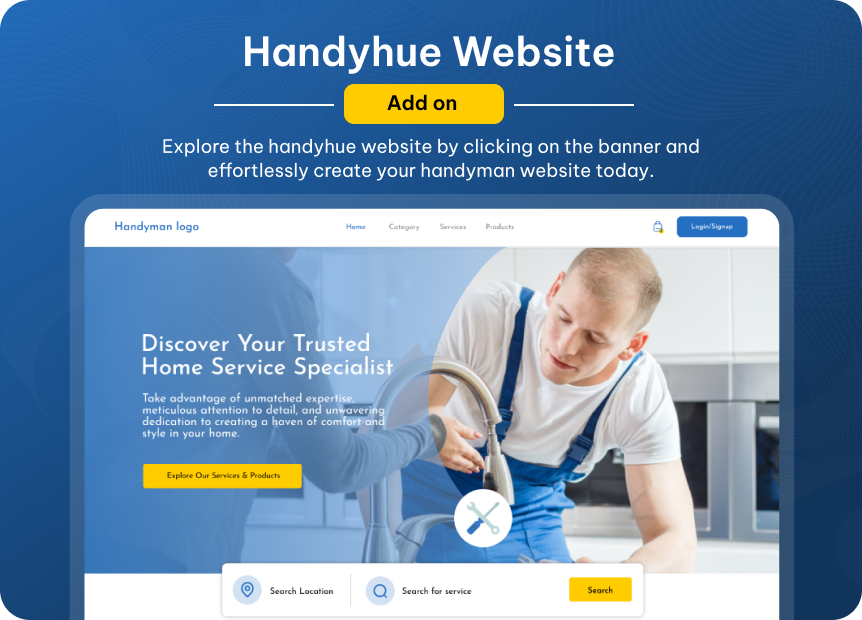
– Buy Website: https://codecanyon.net/item/handyhue-react-on-demand-service-booking-website/58987872
– For Setup: Contact Us
– This is Exclusive Product License from Envato





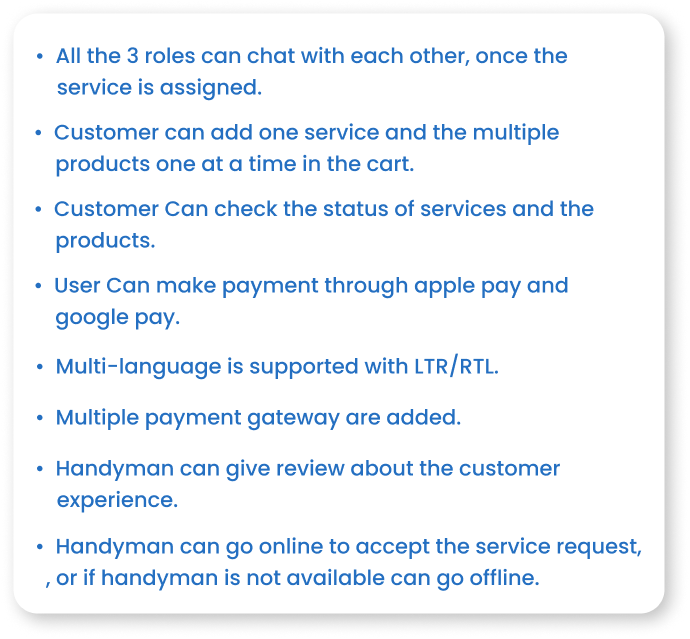




Why we are unique from other home service on demand script? We provide a seamless experience where users can booking services while simultaneously order products, ensuring a comprehensive solution for both service and product orders.
How many roles and app including in this script? This script encompasses three roles: the User App, the Service Provider App, and the Handyman App. It includes two applications, one designed for users and the other for service providers and handyman.
Upon logging in, specific access will be granted for service providers and handymen, with screens displayed accordingly.
On Demand Home Service App Features
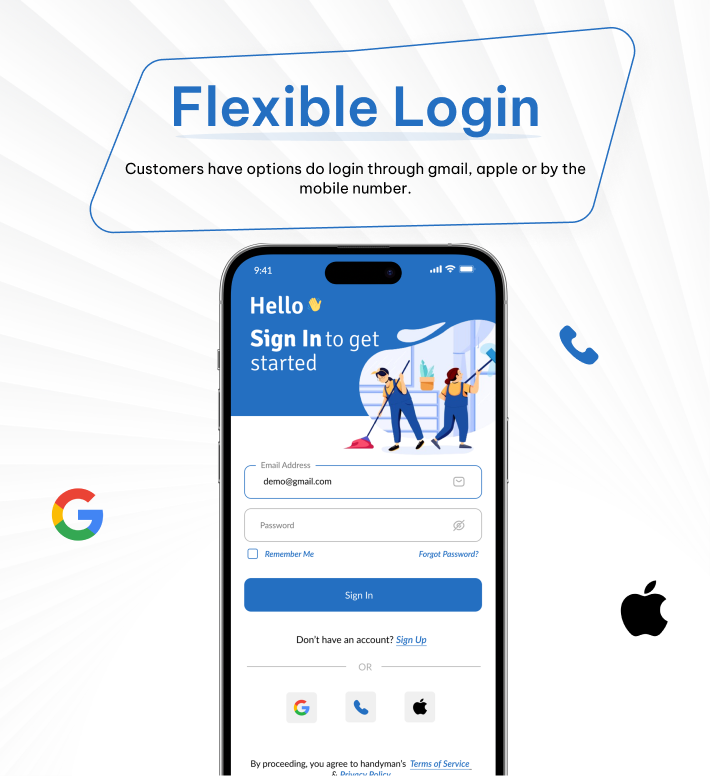
Login: Users have the option to log in using either their email or mobile number with an OTP, as well as through social login options such as Gmail and Apple.
Near By Service: Our application includes a feature that displays nearby services based on the user’s current location.
Service/Product List: Users can explore variety of services and product in the HandyHue App.
Servide Provider: Through the provider app, Handyhue service providers can add multiple services and products. They also have the option to edit or delete these entries if desired.
Add Product Addon: The service provider has the option to include a product as an add-on in services or to add a product independently without any services.
Service Booking/Product Order: Handyhue users are allowed to add one service from a provider to their cart at a time; however, they can order multiple products from different providers simultaneously.
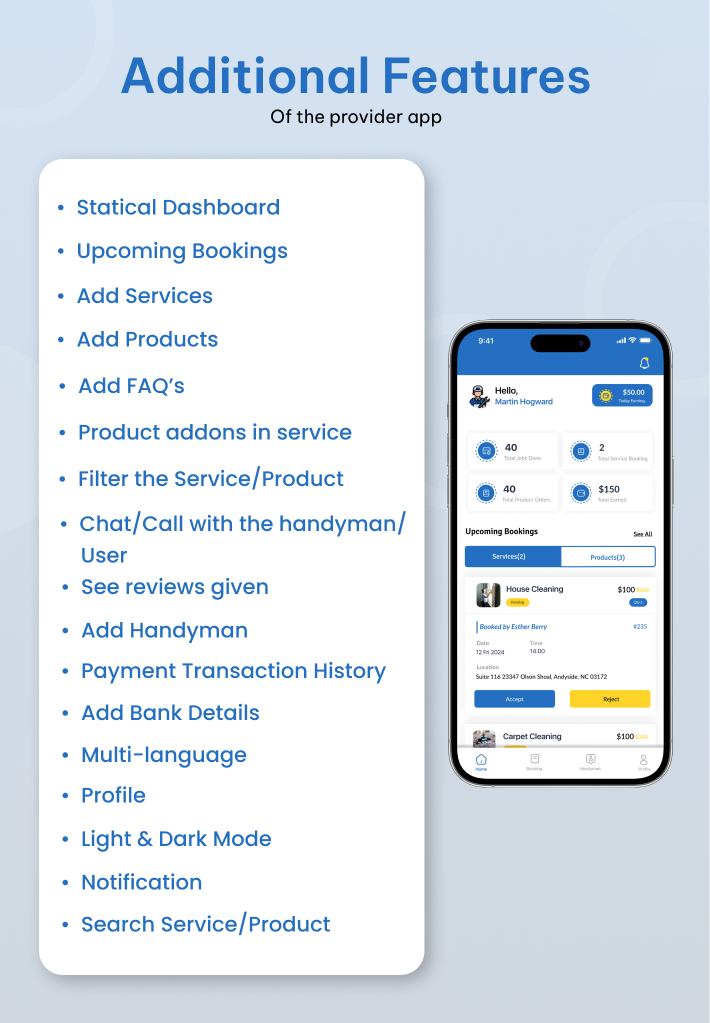
Add Handyman: Service provider app can add multiple handyman from the app and manage it.
Assign Order: The provider application allows users to assign service bookings and product orders to the handyman they have added.
Service Category & Sub-Category: It Has Different Categories and Has Sub-categories to it.
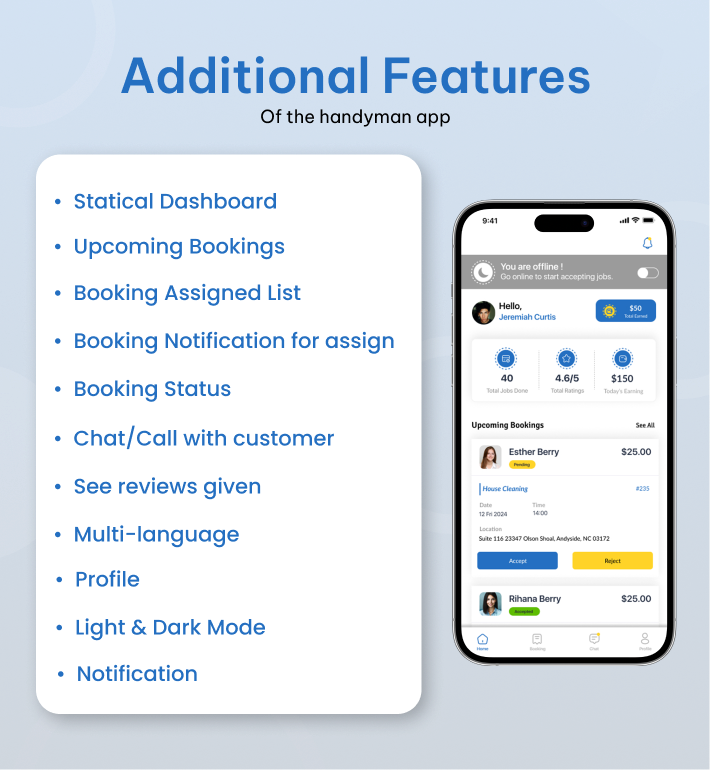
Booking Status: User, service provider and handyman app can check the booking status of the services with multiple status. i.e Accept, Reject, Pending, In Progress, On Hold, Complete, Cancel and many more.
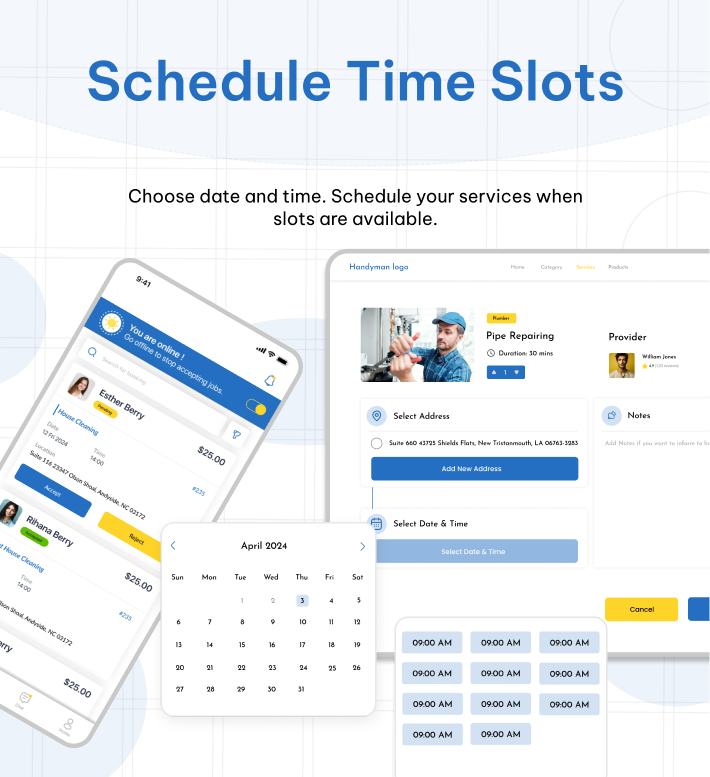
Booking Status With Filter: Schedule the Booking with date and time preference.
Search: The search bar of the customer app provides relevant search suggestions and recommendations according to customers’ search behaviors.
Help & Support: Users can reach out for any kind of support, query, or help to the admin in the help & support section.
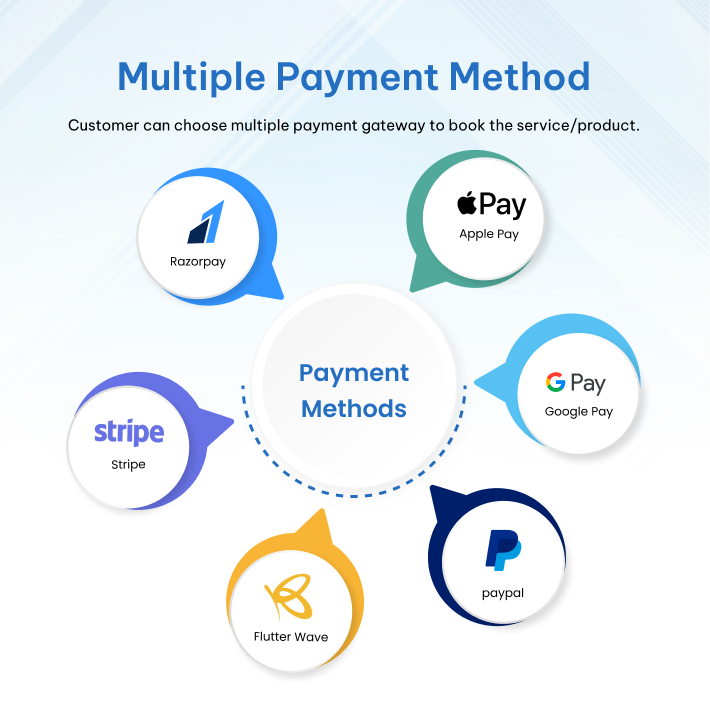
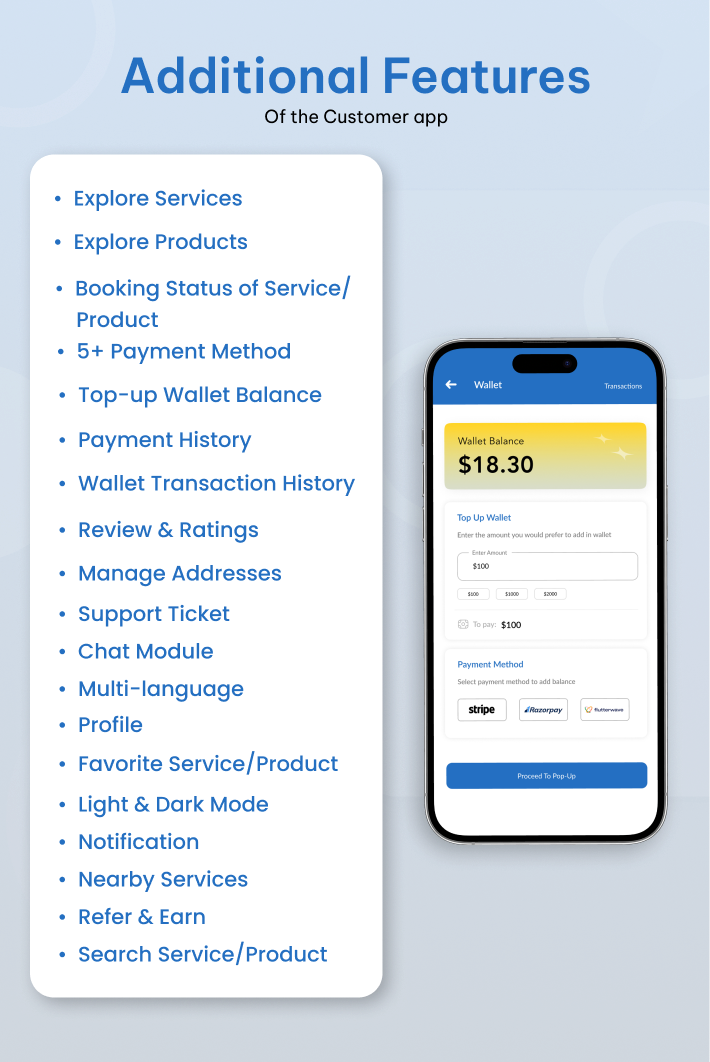
Multiple Payment Gateway: Handyhue User app have multiple payment options to pay for Stripe, Paypal, FLutterwave, Gpay, Apple Pay.
Favourite Service/Product: Handyhue Users can save their favorite services and products, allowing for convenient access and checkout at a later time.
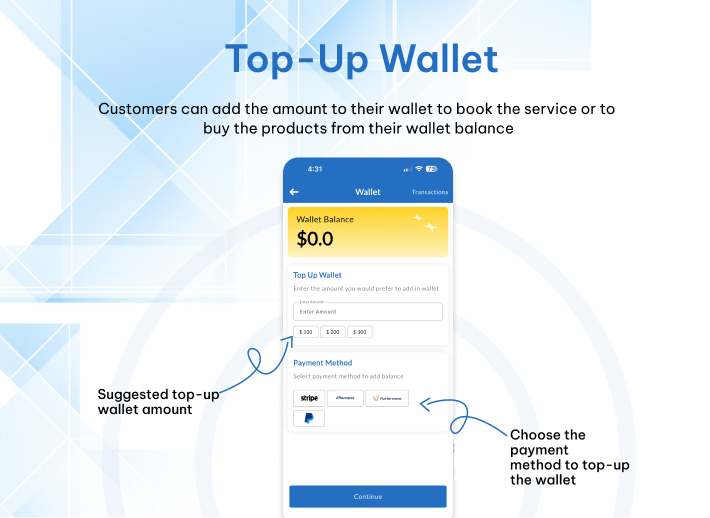
Wallet: Users have the ability to view their wallet balance and can also recharge it using various payment gateways.
Withdrawl Money From Wallet: Service provider and handyman App Withdrawl Money From Wallet.
Add Money To Your Wallet: Handyhue app Users can also recharge or topup balace it using various payment gateways.
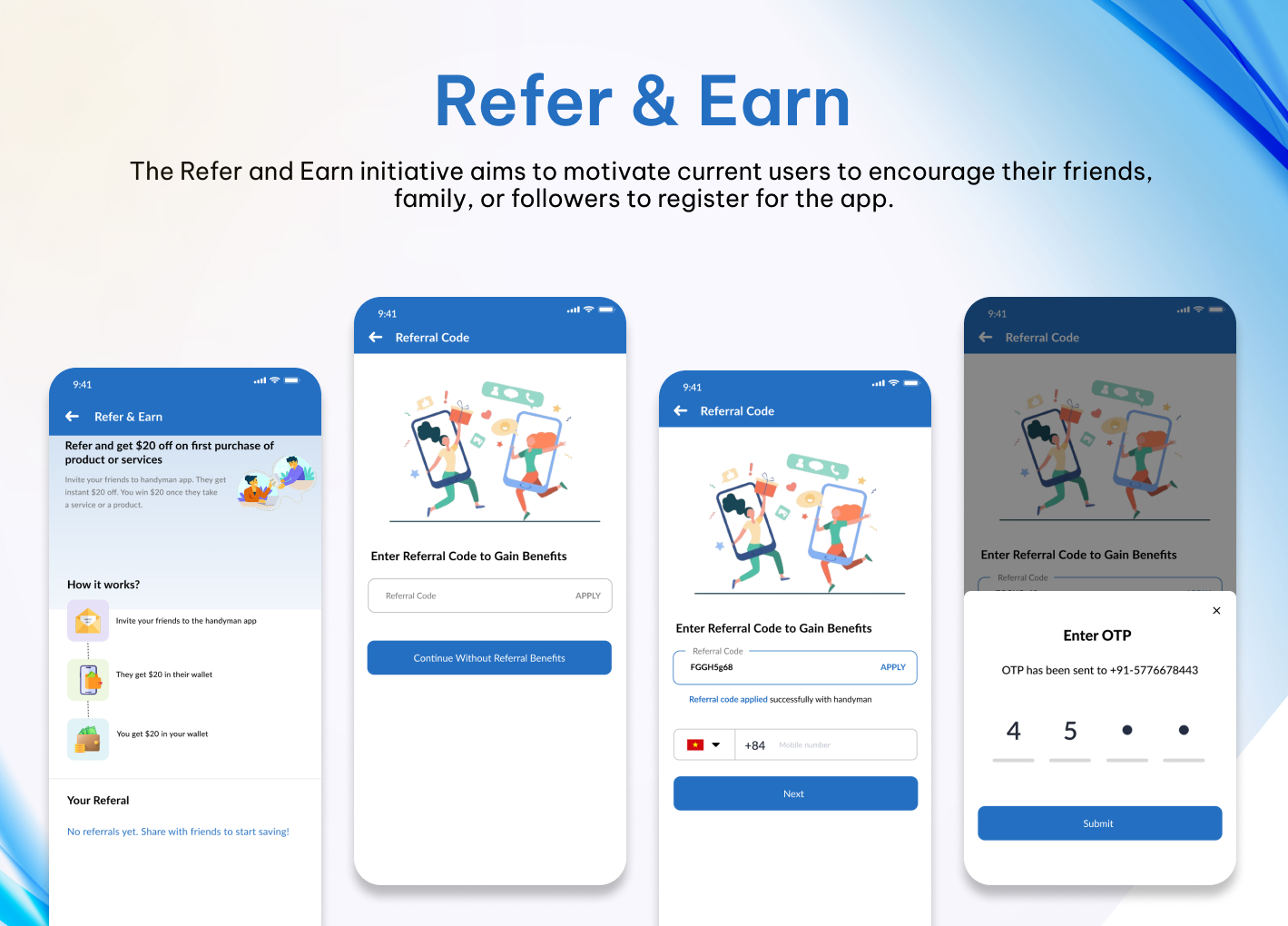
Refer & Earn: If the admin enables the referral earning option. Customers can use a unique referral code and share it with their friends and family. If any new person places their first order with their referral code, the customer will earn referral bonus points that automatically add to their wallet balance.
Coupon Code Availability: You can check the discount by applying coupon codes for product and service.
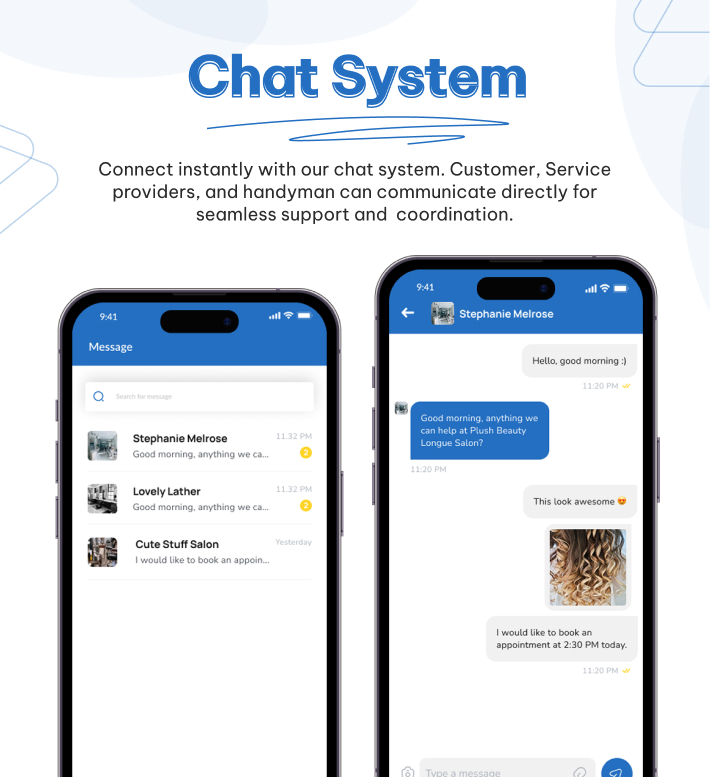
Live Chat With Service Provider & Handyman: User, Provider can chat with each other for any inquiry
Booking History & Details: All users can see booking history and details from their perspective in their personal app or panel in Handyhue.
Transaction History: All users can see their transaction history and filter data according to dates from the transaction history section.
Save Multiple Addresses: Customers can save multiple addresses to their profile and place a booking order using one of those addresses easily during checkout.
Multiple Language with LTR/RTL: User Can Choose any language from the list of available language.
Add Language: The Handyue administrator has the capability to introduce a new language and designate a default language for all user applications, provider applications, and handyman applications.
Ratings & Reviews: Users can provide review and ratings to the provider and the handyman.
Amount Withdrawal: Handyman and Provider have the functionality to send withdraw request.
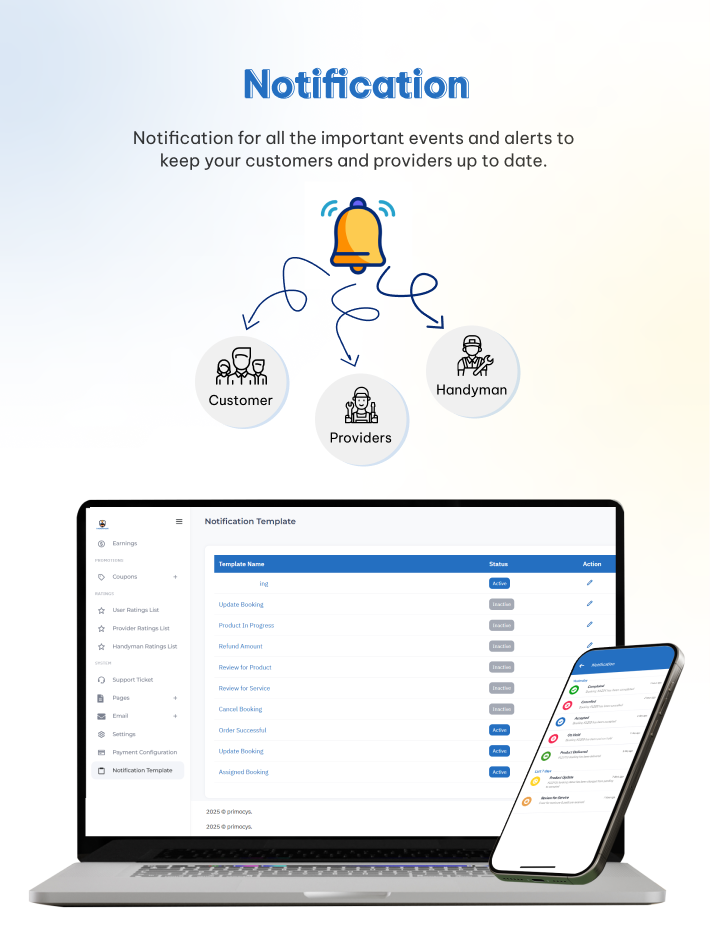
Push Notification: Users,service provider and handyman app can get notifcations for changing booking status, product orders and so on.
Email Notification: Users, service provider and handyman app recieved email for booking status, product orders and so on.
Account Deletion Option: The servicemen and customers can delete their accounts from the respective apps if they want.
Legal Pages: Admin can edit all their legal page’s contents from the admin panel, such as privacy policy, terms & conditions, refund policy, and cancellation policy.
Provider Panel Dashboard: Every provider panel comes with a smart dashboard where they can view the overall business report in one place.
Generate Invoice: Every user, such as admin, provider can generate an invoice from the admin panel.
Daily Earning: Service Provider, Handyman can check everyday earning from the app.
Taxes/Currency: The administrator has the capability to add various currencies, designate a default currency, and manage tax rates effectively.
Light/Dark Mode: The handyhue customer app, provider app, and serviceman app all come with a light/dark mode feature that allows users to use the system as per their preference.
Handyhue offers a wide range of features and can be utilized across various industrial sectors As our handyhue app use for multiple on demand industrial Ride-Sharing & Transportation, Food Delivery, Grocery Delivery, Home Services & Repairs , Health & Medicine Delivery, Beauty & Wellness, Logistics & Courier, Home Rental & Hospitality, Car & Bike Rentals, Pet Services, Laundry & Dry Cleaning, Freelance & Gig Economy etc.

Change Log
Version 1.0.1 | 07 April 2026
- Upgraded Flutter SDK to the latest stable version
- Added Typography in both user and service provider app
- Refactored code and made some widgets reusable
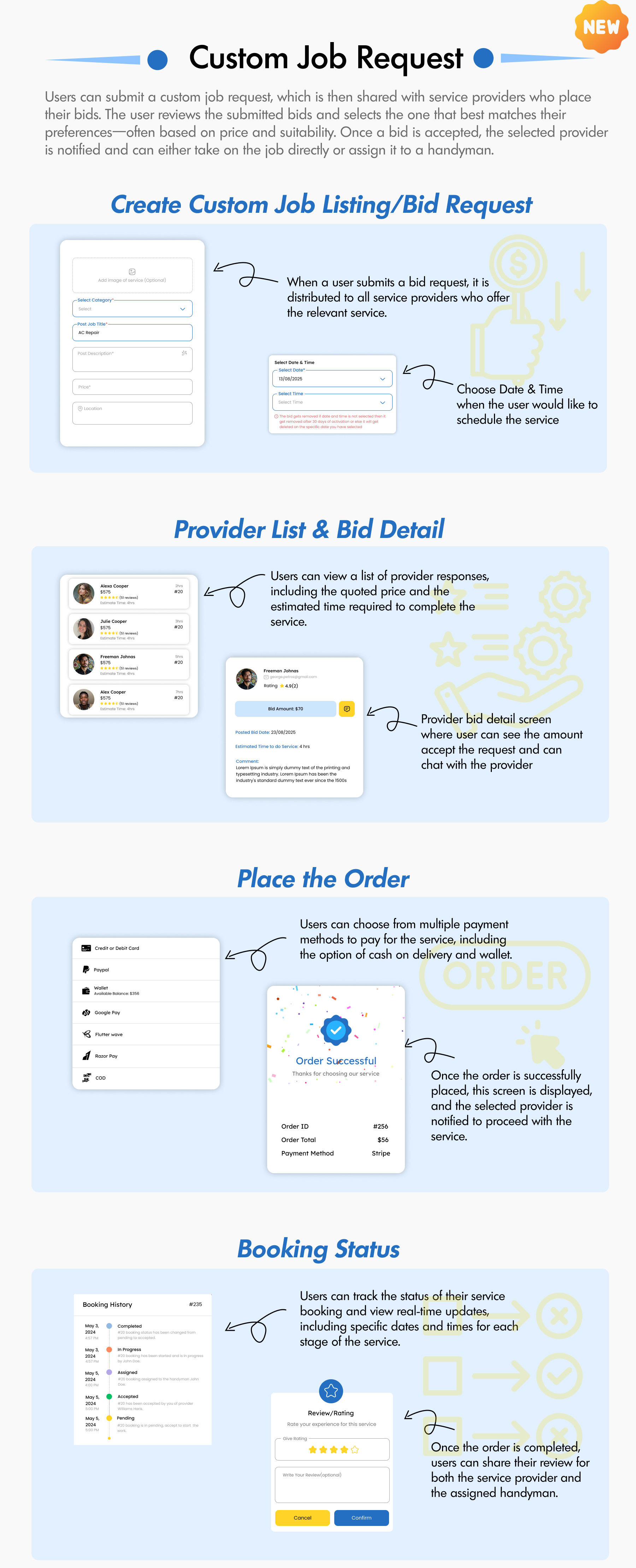
- Users can now post custom service requests
- Providers can browse available requests and submit their bids
- Users can review received bids and select their preferred provider
- Once a provider is selected the work begin
- Updated some code for better
- Major codebase refactoring across services, methods, and functions
- Improved readability, maintainability, and scalability
- Fixed multiple null-safety issues to prevent runtime crashes
- Admin panel new look with more features
V 1.0.0 | 10/06/2025
- Initial Version with Flutter app in Android and iOS.
- Initial Version with admin panel
Enjoy the Nlytical Business Listing App.
| Type | Flutter App |
|---|---|
| Author | Primocys_App |
| Price | $79 |
| Sales | 22 |
| Rating | 0 (0) |
| Published | Apr 15, 2025 |
| Last Update | May 1, 2026 |
| Compatible Software | Flutter 3.x |
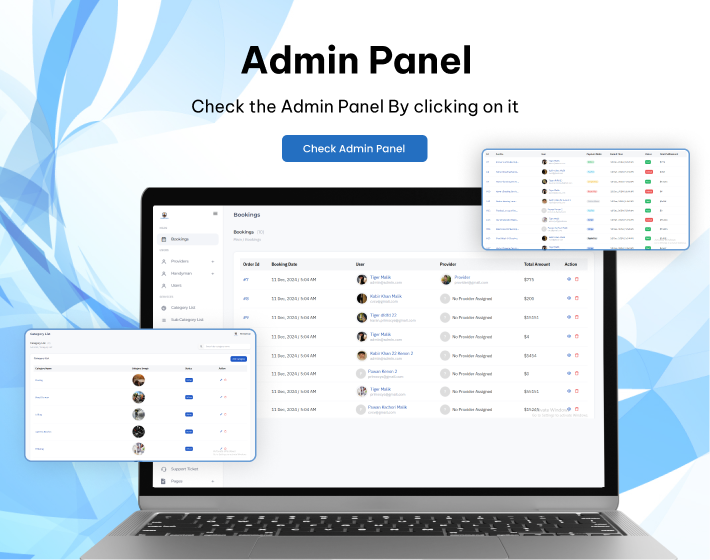
| Demo Url | https://admin.handyhue.online/ |
| Mobile Files Included | Dart, PHP |
Categories
Tags
External listing. code.market does not sell this product and does not process payment for it. Pricing, payment, delivery, licensing, refunds, and support are handled by the third-party merchant on its own website. We may earn an affiliate commission from a referral. Details.
Products of the Week.
Submit🥇

STOP GUESSING WHAT TO POST
AI that learns your brand voice and builds a month of consistent, on-brand social content: carousels, posts and hooks that sound like you, not like everyone else's AI.
SaaS · 7,369 views · 67 clicksSaaS · Week 46 · 7,369 views · 67 clicks
🥈

Conversational Backlinks for Busy Founders
Place Backlink Relevant Conversation for your domain across Forums and Conversations
Website · 46,653 views · 232 clicksWebsite · Week 46 · 46,653 views · 232 clicks
🥉

upvote.club
Free Social Media Engagement that Helps Boost Your Content. Upvote Club supports 19 social networks with 100+ engagement actions in one dashboard. Add links to your posts and get free engagement from real users.
SaaS · 44,593 views · 127 clicksSaaS · Week 46 · 44,593 views · 127 clicks
#4

Substack Posting API
Onboard your Agent to Substack. Write Publish on Substack via API
SaaS · 63,480 views · 206 clicksSaaS · Week 46 · 63,480 views · 206 clicks
#5

Seenshot App
Free, Fast, MacOS Screenshot app. Make Screenshot cmd+shift+2 and send it via link
Desktop App · 32,730 views · 127 clicksDesktop App · Week 46 · 32,730 views · 127 clicks
#6

Hand-Placed Backlinks $9.99 per link. Flat rate.
Buy hand-placed forum, Q-A and directory backlinks. Flat $9.99 per link, no subscriptions — you only pay for approved listings.
Website · 8,349 views · 19 clicksWebsite · Week 46 · 8,349 views · 19 clicks
#7

Free Invoice Generator - PDF Invoices in Your Browser, No Sign-Up
A free invoice maker for freelancers and small businesses: fill in the invoice, check the live preview, and download a PDF that looks exactly like it. Any currency, tax per item, three templates, no sign-up, and nothing leaves your device.
6,977 views · 29 clicksWeek 46 · 6,977 views · 29 clicks
#8

Merge PDF Files Free - Combine PDFs in Your Browser, No Upload
A free PDF merger for office workers, students, and freelancers: combine PDFs and images into one file in the browser, reorder files and pages, pick page ranges, keep bookmarks, and open password-protected PDFs. Nothing is uploaded, no sign-up, no watermark.
6,458 views · 18 clicksWeek 46 · 6,458 views · 18 clicks