
Grace — WordPress Photo Feed of Instagram Posts

Description
Grace is a premium WordPress plugin for creating graceful photo galleries and widgets of Instagram posts on your WordPress website. The plugin lets you aggregate and embed public posts of Instagram accounts, hashtags. And the great thing is that you can mix any of Instagram feeds in the same custom gallery or widget.
* This product is not affiliated, partnered or sponsored by Meta company, owner of Instagram. It’s only officially approved to access Instagram API platform as third-party agent.
Customization possibilities of Grace are so rich and powerful that you can change and setup almost every aspect of your Instagram feed galleries. Imagine, you can recolor your Instagram post, re-position elements, change different design layouts and so on! We believe we created the most advanced and beautiful Instagram feed aggregator on the market. Check out live demo!
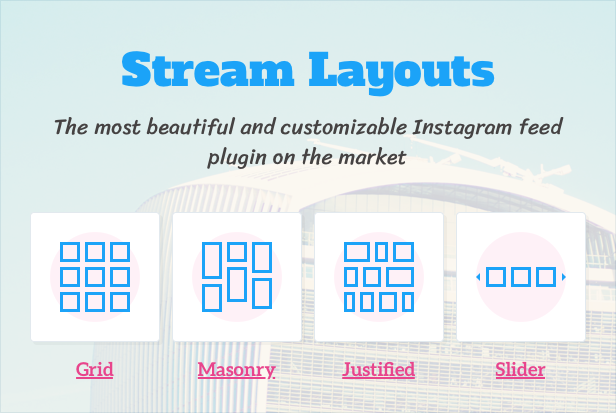
Grace is the ONLY Instagram feed plugin with posts approval system, drag & drop card design builder and 4 kinds of stream layouts including classic grid, justified grid, masonry grid and slider. And yes, you will get access to Instagram public content with Grace.
Key features
- Amazing gallery layouts — Including masonry, fixed-height grid, justified galleries and image slider. You can even stream Instagram posts with no media if you need so for any reason.
- Business API support — Officially approved access to new Business API. Yes, you will get access to public content from ANY Business and Creator accounts you don’t even own!
- DIY card template builder — Use drag-n-drop to have card content the way you want it to show.
- Content filtering — Use admin filters to exclude or include posts by word, by username, by URL. Clean your galleries from trolls and spam!
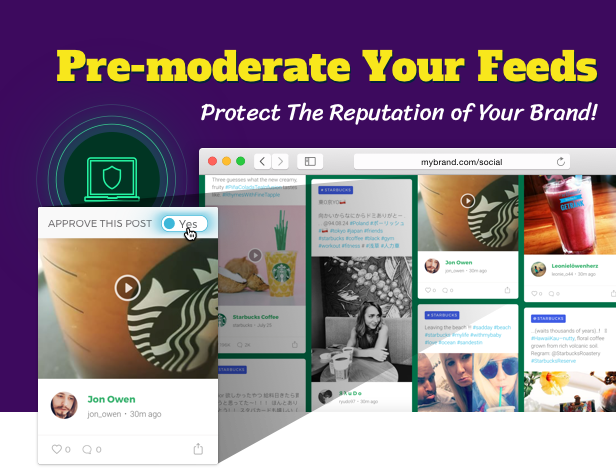
- Posts approval system — this is the best possible feature to protect your brand or service from unwanted posts. Pre-moderate your galleries in manual mode!
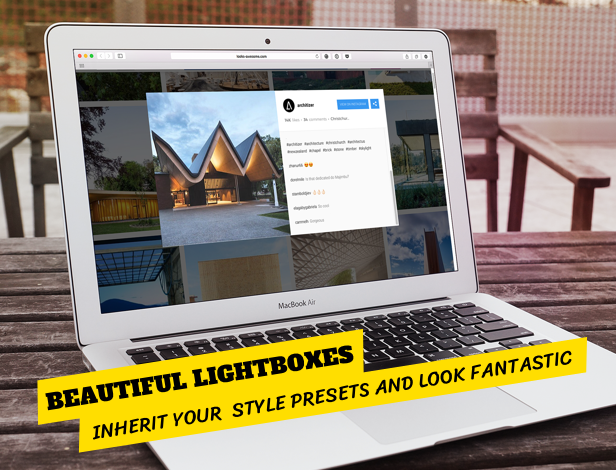
- Lightbox galleries — Fantastic look with attractive animations, smart media preloading, Instagram comments, post meta, sharing tools etc.
- Instagram Carousel posts support — Lightbox supports multi photos and creates slider just like in native Instagram app.
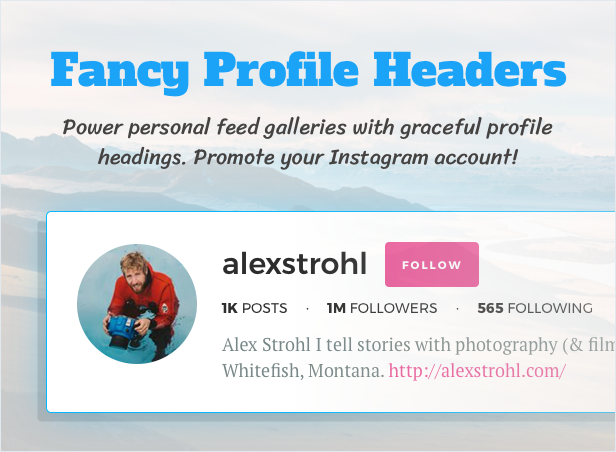
- Beautiful profile headings — Run personal account gallery with awesome profile header with user avatar, account info and followers/following data.
- Social sharing buttons — Let your visitors share posts without leaving your website. Improve your website metrics and grow social capital.
- Highly customizable — Change colors, elements composition and ordering, design gallery layout and so much more!
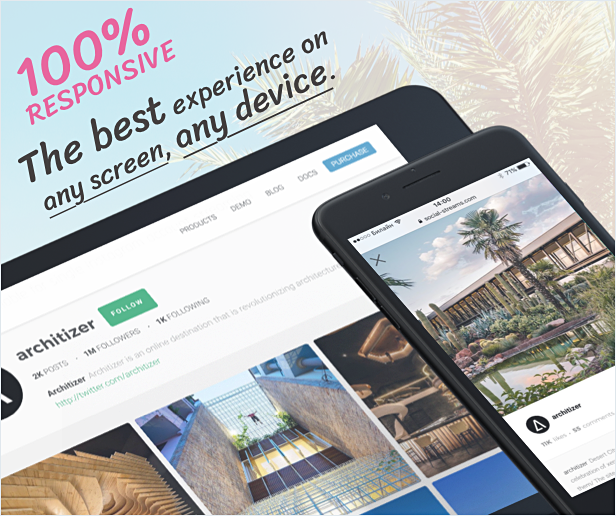
- Responsive design — 100% responsive with swipes support for sliding on mobile devices.
- Smart resource loading — Script and styles are loaded only when shortcode is detected on page.
- WP Bakery Page Builder element — Place your galleries with ease on your website pages or blog posts.
- Translation ready — Use tools like Loco Translate to translate plugin. Then you can send translation files to us!
- Enjoyable interaction — Beautiful animations and hover effects.



How plugin works
You create Instagram galleries in Grace WP admin and copy generated shortcodes. Then you put these shortcodes on any page of your WordPress site. When the feed gallery is shown first time, it’s got cached (takes more time for initial caching but then it will show blazingly fast) and rest of visitors see this cache for cache lifetime. So, for example if you have set 20 min cache and 10000 users visit your site within these 20 min, it’s only one time plugin will request API to pull data, for the rest of time users will see cached data almost instantly. Considering that server runs cache renew task in background it guarantees plugin’s amazing performance.
How multiple Instagram feeds work
First of all, you can create multiple Instagram galleries (streams). The only possible limit is your server capacity. The magic thing is that you then add as much Instagram feeds as you want. For example, you want to include in one stream 3 Instagram accounts and 2 hashtags. No problem!
Admin panel provides clear indication of important stuff and is very convenient. You can easily manage your Instagram galleries from one compact list.
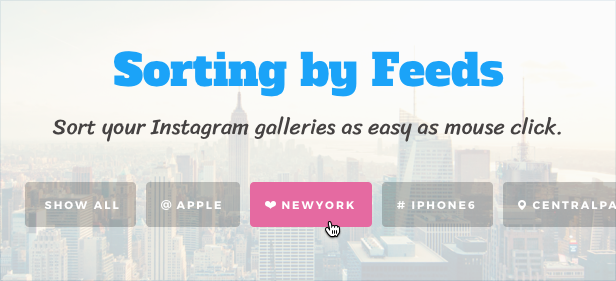
Instagram feed frontend sorting
Sorting is optional feature of Grace. If you would like to use plugin with many different feeds this feature could be handy. You can provide useful feeds sorting tool for visitors of your website.
Important Advantages
The Easiest Way to Start Instagram Streaming
Grace provides any WordPress administrator with a seamless opportunity to have a one-click connection with Instagram API via our Instagram application. Clicking just one button on the admin panel opens all the content on Instagram platform — no special knowledge or skills required to use the plugin.
New Social Sharing Possibilities
Now you can engage your Instagram subscribers to visit your WordPresss website and vice versa. A perfect combination of features from social network and WordPress platform will provide ample opportunities to develop your personal or corporate brand. Let visitors share your content and grow your social capital!
Attract More Users
Instagram content tends to attract more and more people worldwide. So why should you lose a chance to grab your own potential audience through this powerful social network? Bring more user-generated content to your site and use all the possibilities of a shared content. Run a hashtag campaign on your website!
One Post — Two Purposes
With Grace you should not spend separate time and effort managing your Instagram profile and personal gallery on your WordPress website. Automatic posting of all your Instagram photos has been already delivered!
Take Full Control over Design
Your website means your own rules. Grace makes the customization process as clear and simple as possible. You do not need any web development skills to change colors, fonts, sizes, margins and paddings, layouts and lots of other design features. Everything is available through an intuitive interface of a visual drag&drop builder.
Prepared Designs and Layouts
Grace comes with a set of ready-to-use layouts, which can satisfy the needs of most WordPress projects. A variety of layouts is ready to keep your site visitors engaged and amazed by the creative social stream appearance.
Create Beautiful Profile Headers
You can easily create custom profile header with most important Instagram info about your account and even follow button just right on it! This opportunity brings the most beautiful Instagram feature to your WordPress website or blog. Remember, Grace helps to improve your website stats and grow your Instagram account at the same time.
Update Your Site Automatically
Choose to stream your own Instagram account or any other public feed and you will get access to an unlimited source of user-generated content. Constantly updated social stream will attract more users to your WordPress website and keep them much longer on its pages.
Awesome Customer Support
We are the team of WordPress and Instagram experts, who are always ready to help you. Looks-Awesome Team provides kind and wise customer support for years, and we surely know how to solve any problem in our field.
Grace helps with your personal and business goals!
- Unlimited streaming of any public Instagram content on your WordPress site.
- Combine Instagram feeds on one gallery or make different pages for each stream. Users can easily filter displayed feeds on your stream.
- Stream content through Instagram user IDs and hashtags.
- Fully mobile responsive and retina ready – no worries about optimization for smartphones, tablets, PC and wide screens.
- Create marketing campaigns or giveaways by means of hashtag on your social stream.
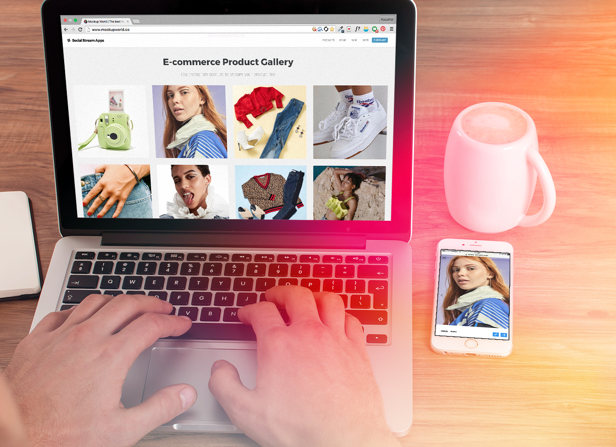
- Use Instagram feeds to promote any goods or services you want and develop your online store on WordPress simultaneously.
- Moderate your streams manually or automatically (through excluding and including rules) keeping it clear and beautiful.
- Provide a limitless scrolling for Instagram photos in the stream by means of “Load More” button.
Requirements
- PHP 5.6+ with mysqli extension for MySQL (InnoDB) (installation).
- You need to have jQuery version 1.7 or above.
- The more streams you have the more powerful server you need. Average server can handle 10 streams with 10 feeds in each no problem.


Changelog
Version 1
--- UPDATE NOTICE 1: please create new access token
--- UPDATE NOTICE 2: update FLOW-FLOW plugin if you use both
[1.2.8]  For video posts thumbnails API requirements
[1.2.6]  For caption correct linking for @username
[1.2.5]  For redundant request on public side
[1.2.4]  For caching in browser
[1.2.3]  For feed error "Unknown column post_content"
[1.2.2]  For DB error "Unknown column"
[1.2.1]  For fresh installs and 'db version' fatal error
[1.2.0]  New Business API support
-----
[1.1.14]  Instagram auth to reduce 400s errors
[1.1.13]  Missing file
[1.1.12]  Instagram API authorization flow
[1.1.11]  For carousel posts
[1.1.10]  Proportional sorting improvement
[1.1.9]  Further improvements for expiring videos case
[1.1.8]  Number of posts updated for feeds (to avoid expired video posts)
[1.1.7]  For location feeds
[1.1.6]  For comments not loading in lightbox on some servers
[1.1.6]  For 11 Dec Instagram API changes
[1.1.5]  For duplicating slides in post carousel
[1.1.4]  For followers and following counters in stream profile
[1.1.3]  For doubling username in first comment
[1.1.2]  New Instagram API changes
[1.1.1]  Further Instagram API integration
[1.1.0]  For 4th April Instagram API changes
[1.0.7]  Deletion of inclusion filters in admin
[1.0.6]  Fixed build of previous version
[1.0.5]  With Flow-Flow 3.1 version
[1.0.4]  Easy update via WP dashboard after purchase code activation
[1.0.3]  WP Bakery Page Builder element
[1.0.3]  Grace widget
[1.0.2]  Lightbox supports Instagram Carousel (multi photos) posts
[1.0.1]  User profile on mobiles
[1.0.1]  Carousel items revealing animation
[1.0.1]  Hide meta setting in admin was incorrectly displayed
[1.0.1]  Excess scrolling when lightbox is open
[1.0.0] Initial release
| Type | WordPress Plugin |
|---|---|
| Author | looks_awesome |
| Category | Wordpress / Social Networking |
| Price | $29 |
| Sales | 1,531 |
| Rating | 4.23 from 35 ratings |
| Published | Aug 8, 2017 |
| Last Update | May 13, 2024 |
| Compatible Browsers | IE10, IE11, Firefox, Safari, Opera, Chrome, Edge |
| Compatible Software | WordPress 6.5.x, WordPress 6.4.x, WordPress 6.3.x, WordPress 6.2.x, WordPress 6.1.x, WordPress 6.0.x, WordPress 5.9.x, WordPress 5.8.x, WordPress 5.7.x, WordPress 5.6.x, WordPress 5.5.x, WordPress 5.4.x, WordPress 5.3.x, WordPress 5.2.x, WordPress 5.1.x, WordPress 5.0.x, WordPress 4.9.x |
| Compatible With | WPML |
| Gutenberg Optimized | No |
| Source Files Included | JavaScript JS, CSS, PHP |
Categories
Tags
External listing. code.market does not sell this product and does not process payment for it. Pricing, payment, delivery, licensing, refunds, and support are handled by the third-party merchant on its own website. We may earn an affiliate commission from a referral. Details.
Products of the Week.
Submit🥇

STOP GUESSING WHAT TO POST
AI that learns your brand voice and builds a month of consistent, on-brand social content: carousels, posts and hooks that sound like you, not like everyone else's AI.
SaaS · 4,283 views · 38 clicksSaaS · Week 45 · 4,283 views · 38 clicks
🥈

Conversational Backlinks for Busy Founders
Place Backlink Relevant Conversation for your domain across Forums and Conversations
Website · 41,993 views · 223 clicksWebsite · Week 45 · 41,993 views · 223 clicks
🥉

upvote.club
Free Social Media Engagement that Helps Boost Your Content. Upvote Club supports 19 social networks with 100+ engagement actions in one dashboard. Add links to your posts and get free engagement from real users.
SaaS · 40,035 views · 117 clicksSaaS · Week 45 · 40,035 views · 117 clicks
#4

Substack Posting API
Onboard your Agent to Substack. Write Publish on Substack via API
SaaS · 59,045 views · 198 clicksSaaS · Week 45 · 59,045 views · 198 clicks
#5

Seenshot App
Free, Fast, MacOS Screenshot app. Make Screenshot cmd+shift+2 and send it via link
Desktop App · 28,417 views · 122 clicksDesktop App · Week 45 · 28,417 views · 122 clicks
#6

Hand-Placed Backlinks $9.99 per link. Flat rate.
Buy hand-placed forum, Q-A and directory backlinks. Flat $9.99 per link, no subscriptions — you only pay for approved listings.
Website · 4,253 views · 19 clicksWebsite · Week 45 · 4,253 views · 19 clicks
#7

Free Invoice Generator - PDF Invoices in Your Browser, No Sign-Up
A free invoice maker for freelancers and small businesses: fill in the invoice, check the live preview, and download a PDF that looks exactly like it. Any currency, tax per item, three templates, no sign-up, and nothing leaves your device.
2,931 views · 17 clicksWeek 45 · 2,931 views · 17 clicks
#8

Merge PDF Files Free - Combine PDFs in Your Browser, No Upload
A free PDF merger for office workers, students, and freelancers: combine PDFs and images into one file in the browser, reorder files and pages, pick page ranges, keep bookmarks, and open password-protected PDFs. Nothing is uploaded, no sign-up, no watermark.
2,707 views · 13 clicksWeek 45 · 2,707 views · 13 clicks