
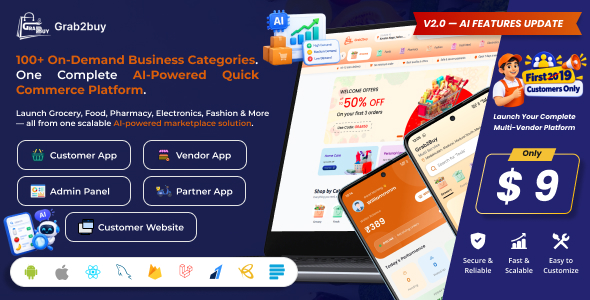
Grab2Buy – Multivendor Delivery Platform: Web, Admin Panel & Apps for Grocery, Food & Quick Commerce
Description

|

|

|

|



Demo Instructions

|

|

|

|

|

|
Admin PanelEmail: admin@gmail.com Password: admin |
Vendor PanelEmail: freshmart@gmail.com Password: 123456 |
CustomerPhone Number: 9750023355 Password: 123456 |
Customer WebsitePhone Number: 9750023355 Password: 123456 |
VendorUser Name: john Password: 123456 |
PartnerPhone Number: 9750023355 Password: 123456 |


Technical Requirements
- Backend (Admin Panel): PHP 8.3 or later, Laravel 13.x, MySQL 8.0+ / MariaDB 10.6+, Composer 2.5+
- Frontend (Customer Website): React 19.2.6, Vite 8.0.12, Tailwind CSS 4.3.0, JavaScript (JSX), Zustand 5.x
- Mobile (Customer, Vendor, Delivery Apps): React Native 0.71.3, React 18.2.0, React Navigation 6.x, Redux 4.x
- Admin Panel: Filament 5.7, Filament Shield 4.3, Spatie Laravel Permission 8.3
- Android Development: Android Studio 2024.1+, Java JDK 17+, Android SDK API Level 35+, Gradle 8.10.2+
- iOS Development: Xcode 16.x+, iOS Deployment Target 13+, CocoaPods 1.15.x+
- Web Server: Apache 2.4+ / Nginx 1.18+ (SSL certificate recommended)
- Node.js: Node.js 18 or later, NPM 10+
Note: Some features require third-party services such as RouteMappy, Firebase, Razorpay, Flutterwave, Paystack, PhonePe, and SMTP email providers. Buyers must create and configure their own accounts for these services. Any subscription, API, transaction, hosting, or usage charges are the buyer’s responsibility.
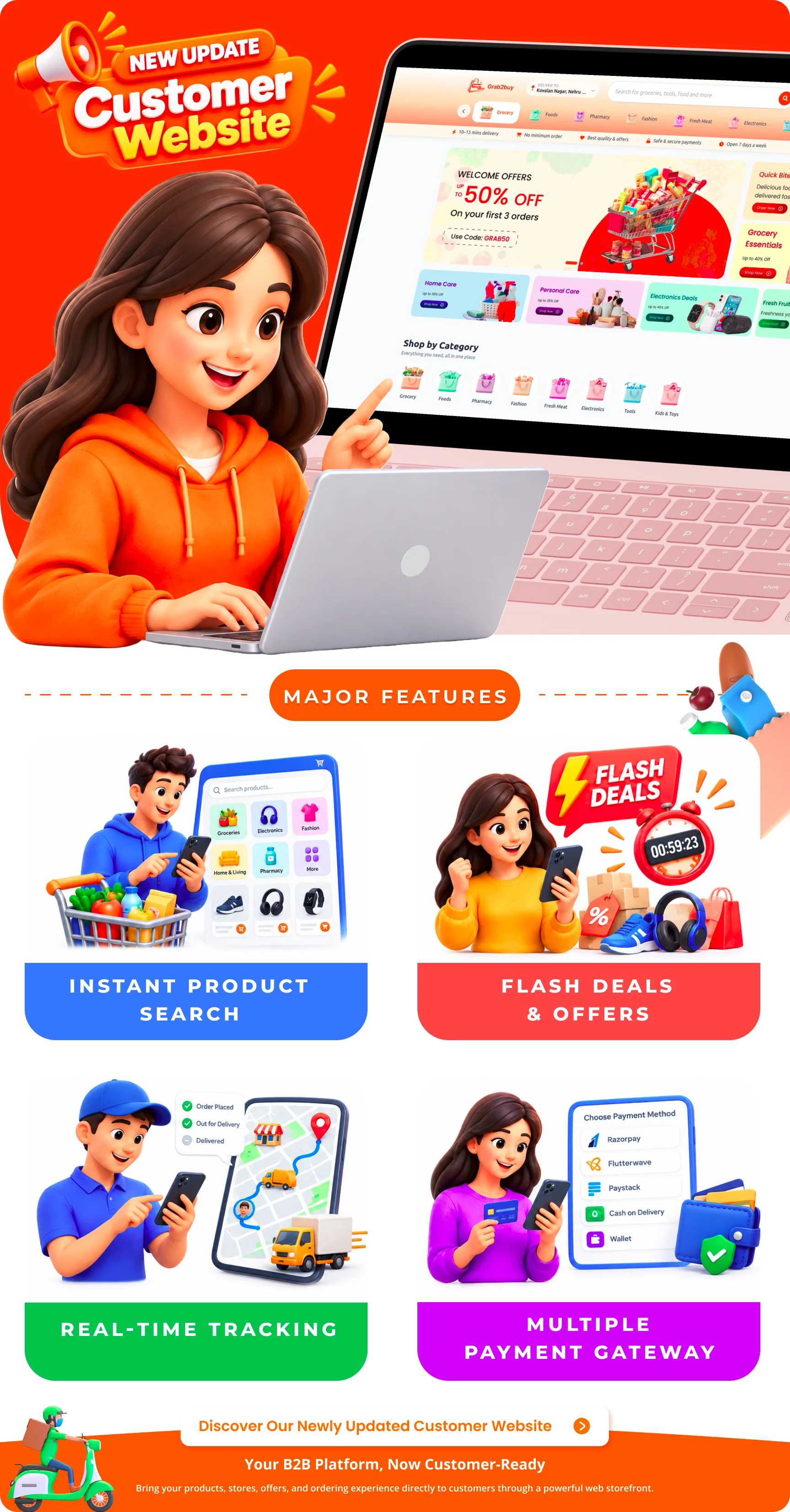
Customer Website Features
- Authentication: Register and log in using phone number with OTP verification.
- Location-Based Vendor Discovery: Detect user location and identify nearest available vendors.
- Categories & Subcategories: Browse products across categories and subcategories from nearby vendors.
- Product Search: Search products across the available catalog with results from nearby vendors.
- Product Details: View product details, pricing, images, and availability.
- Shopping Cart: Add products, update quantities, remove items, and view cart subtotal.
- Checkout: Review order summary with subtotal, taxes, delivery charges, and final amount.
- Delivery Address: Add, select, update, and manage delivery addresses.
- Payment Methods: Razorpay, Flutterwave, Paystack, and Cash on Delivery.
- Place Order / Order Success: Confirm order with order number and summary displayed.
- My Orders: View current and previous orders with full order details.
- Live Order Status Tracking: Real-time order status updates using Firebase.
- Live Location Tracking: Track delivery person’s live location via Firebase and RouteMappy.
- Order Cancellation: Cancel orders when permitted by order status and cancellation rules.
- Ratings & Reviews: Rate the completed order and delivery experience.
- Wallet: Add money, view balance, and view wallet transaction history.
- Wishlist & Favorites: Save favourite products for later.
- Profile Management: Manage personal information, saved addresses, and account details.
- Dynamic Content: Hero slides, banners, categories, flash deals, and recommendations powered by the Admin Panel.
- Responsive Design: Fully responsive for all screen sizes.
Customer Application Features
- Authentication: Register and log in using phone number with OTP verification.
- Location Services: GPS location detection and nearby vendor discovery.
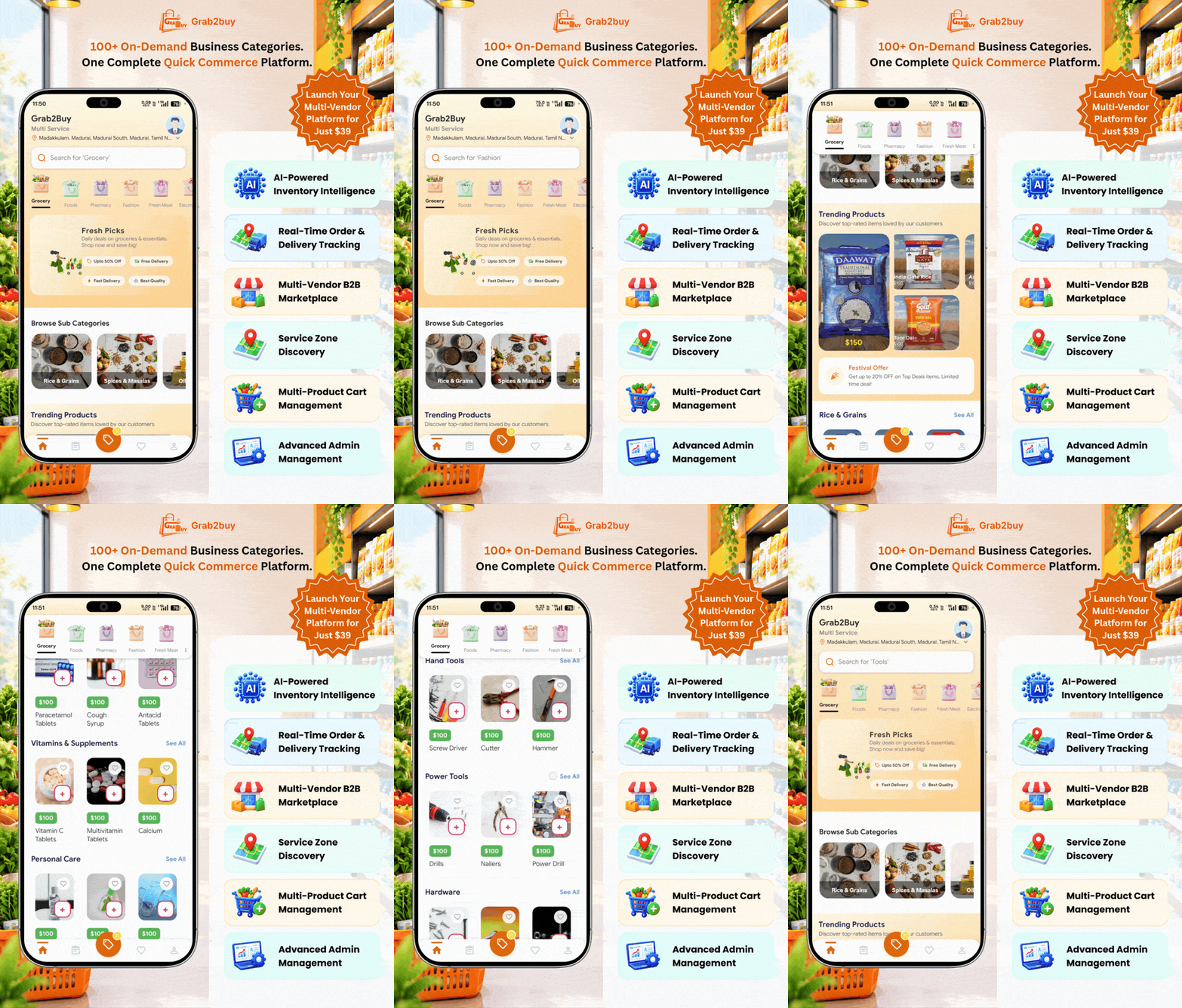
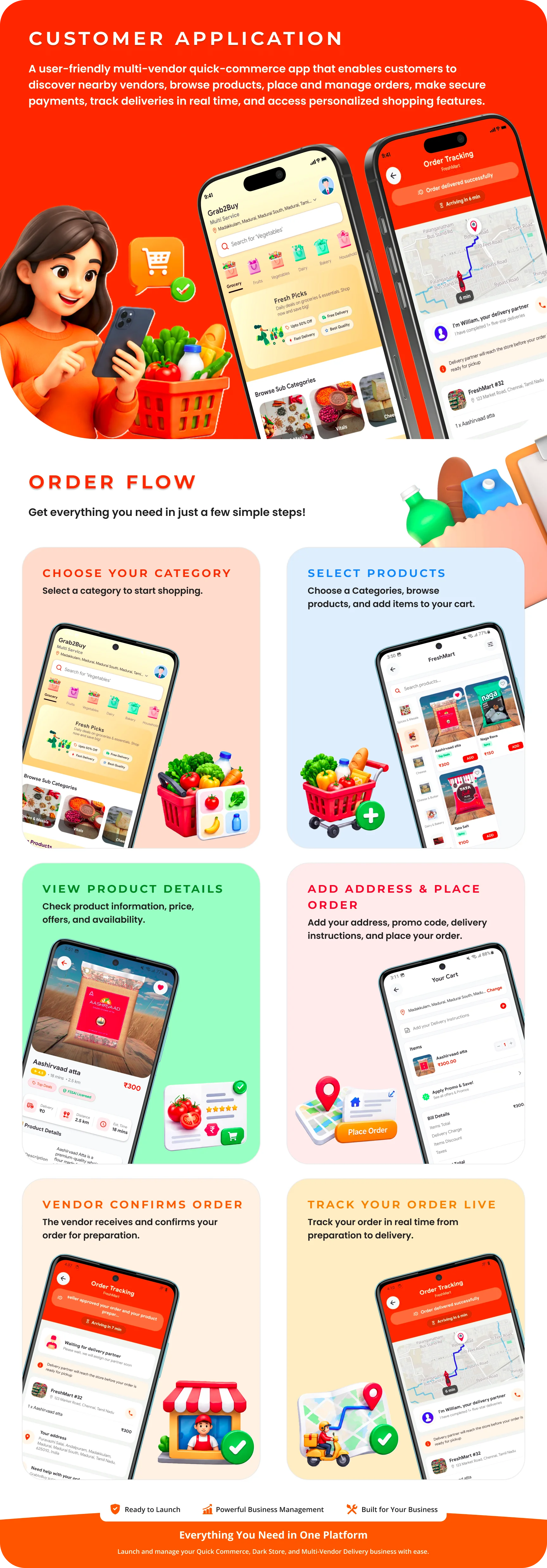
- Browse Categories: Browse products across multiple categories including Grocery, Electronics, Fashion, Fresh Meats, and more.
- Vendor Discovery: Find nearby vendors based on location and category.
- Product Browsing: View products with details, prices, ratings, and availability.
- Shopping Cart: Add products, update quantities, and apply promo codes.
- Checkout: Multiple payment methods including Cash on Delivery, Razorpay, Flutterwave, and PhonePe.
- Order Tracking: Real-time order tracking with RouteMappy maps.
- Delivery Partner Tracking: Live location tracking of delivery partners via Firebase.
- Order History: View all past orders with details and status.
- Ratings & Reviews: Rate and review vendors and delivery partners.
- Wallet: Manage wallet balance, add money, and view transaction history.
- Wishlist: Save favourite vendors and products for later.
- Profile Management: Manage personal details, addresses, and preferences.
- In-App Notifications: Receive real-time notifications for order updates.
- Support: Contact the administrator for support.
Vendor Application Features
- Authentication: Register and log in using phone number with OTP verification.
- KYC Verification: Submit business, KYC, and bank details for admin verification.
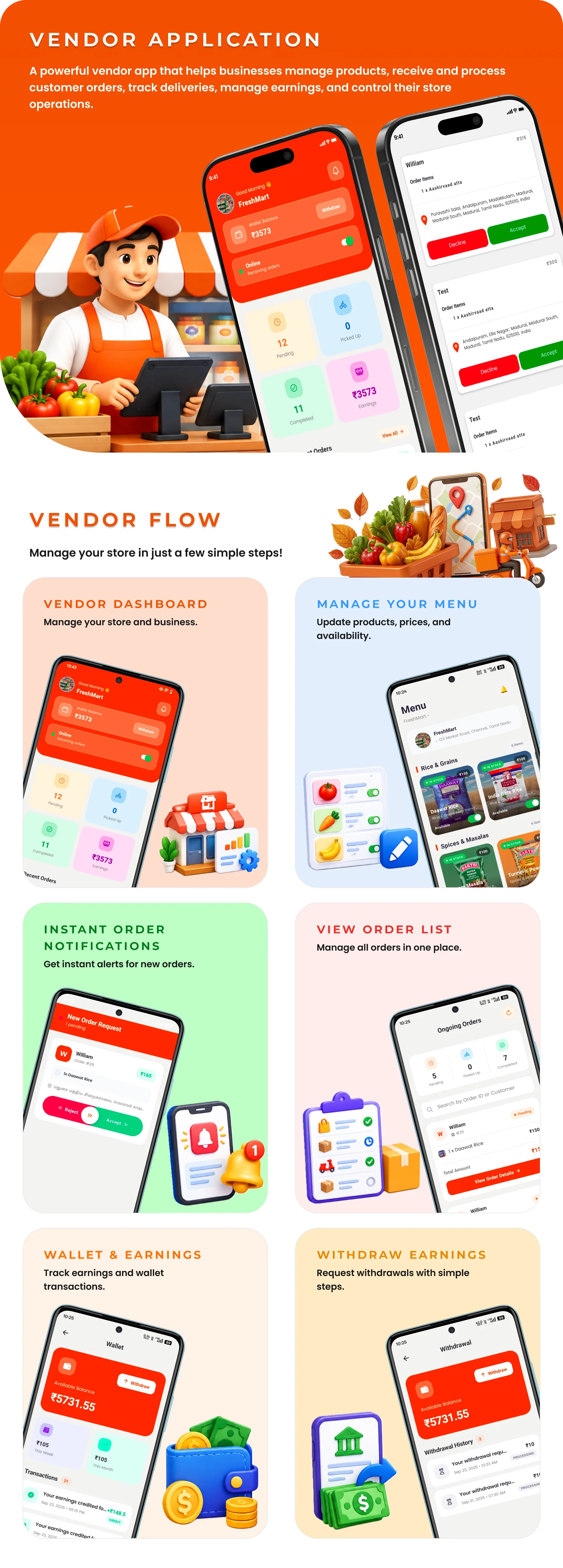
- Online/Offline Status: Set online/offline status to receive orders.
- Store Management: Manage store profile, categories, and subcategories.
- Product Management: Add, edit, and delete products with price, discount, tax, and stock management.
- Order Management: Receive, accept/reject, and process orders.
- Order Status Updates: Update order status and mark orders ready for pickup.
- Partner Assignment: System automatically finds and assigns available delivery partners.
- Order History: View all past orders with details and status.
- Earnings Dashboard: View total earnings, commission, tax, and net earnings.
- Wallet Management: Manage wallet balance and view transactions.
- Withdrawals: Request withdrawals and view withdrawal status.
- Complaints Management: View and respond to customer complaints.
- In-App Notifications: Receive real-time notifications for new orders.
- Profile Management: Manage business details and settings.
Delivery Partner Application Features
- Authentication: Register and log in using phone number with OTP verification.
- KYC Verification: Submit KYC, vehicle, and bank details for admin verification.
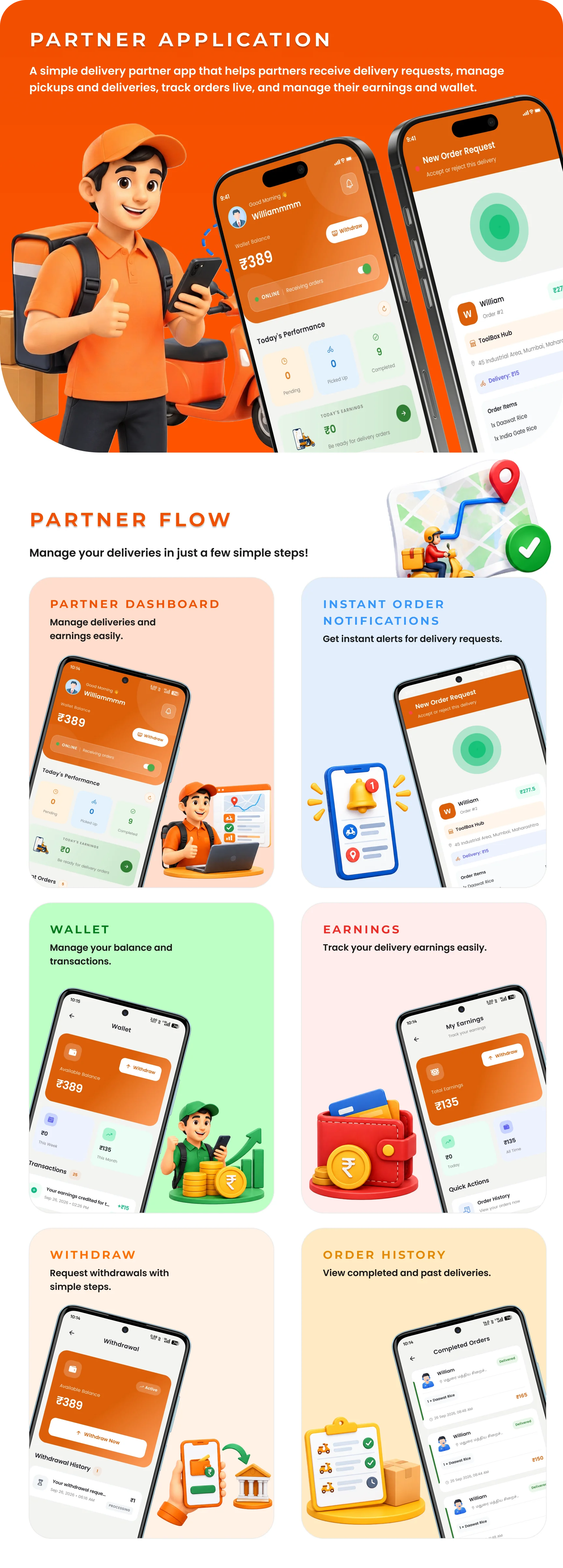
- Online/Offline Status: Set online/offline status to receive delivery requests.
- GPS Tracking: Real-time GPS location tracking with 5-second updates to Firebase.
- Delivery Requests: Receive delivery requests with vendor location, customer location, order details, and estimated earnings.
- Route Navigation: Navigate to vendors and customers using RouteMappy directions.
- Order Fulfillment: Confirm pickup and delivery using OTP or delivery proof.
- Delivery History: View all completed deliveries with details.
- Earnings Dashboard: View total earnings, commission, bonuses, and net earnings.
- Monthly Earnings Chart: View earnings using a monthly line chart.
- Wallet Management: Manage wallet balance and view transactions.
- Withdrawals: Request withdrawals and view withdrawal status.
- In-App Notifications: Receive real-time notifications for new delivery requests.
- Sound Alerts: Looping sound alerts for new delivery requests.
- Profile Management: Manage personal details, documents, and vehicle details.
Admin Panel Features
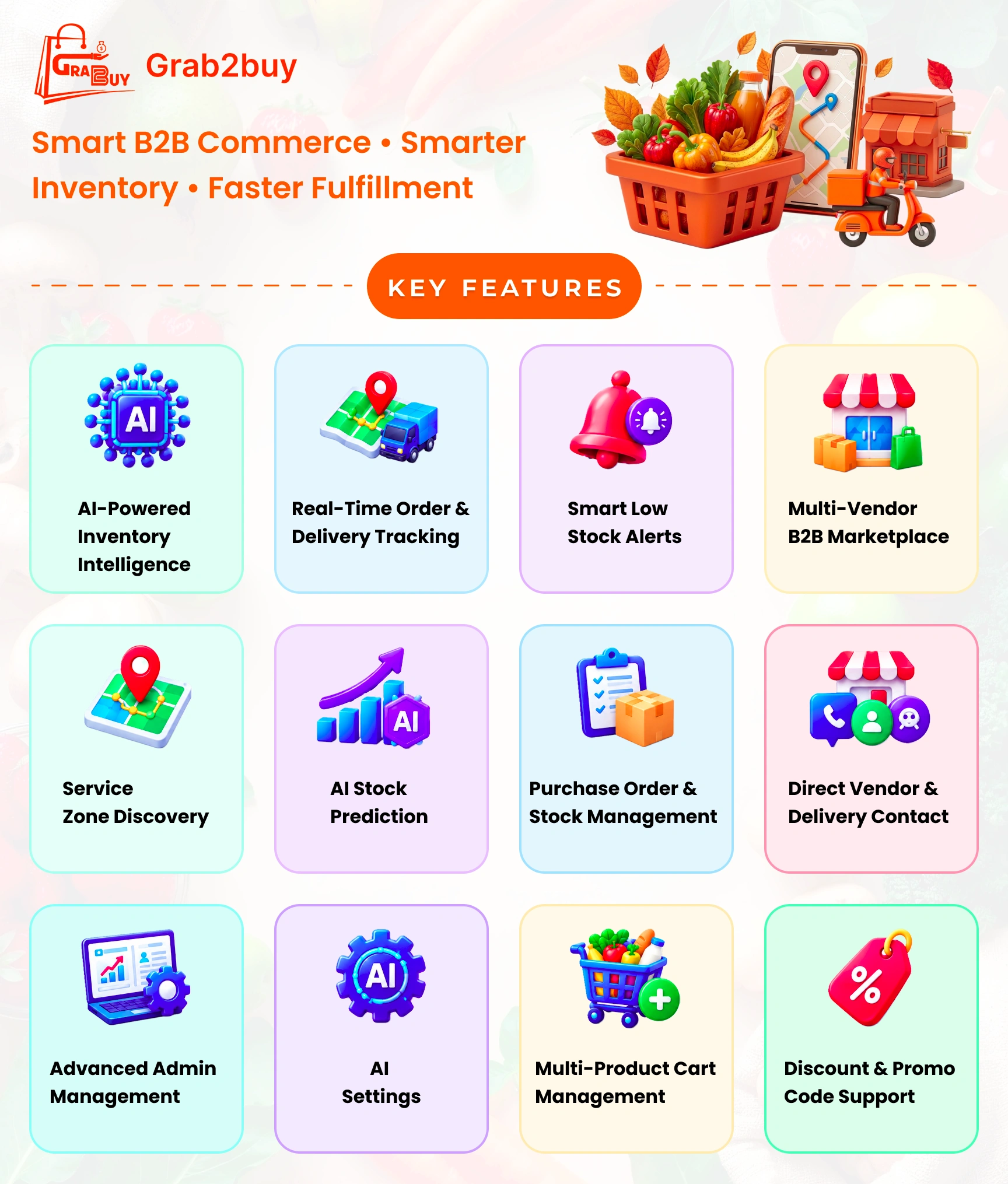
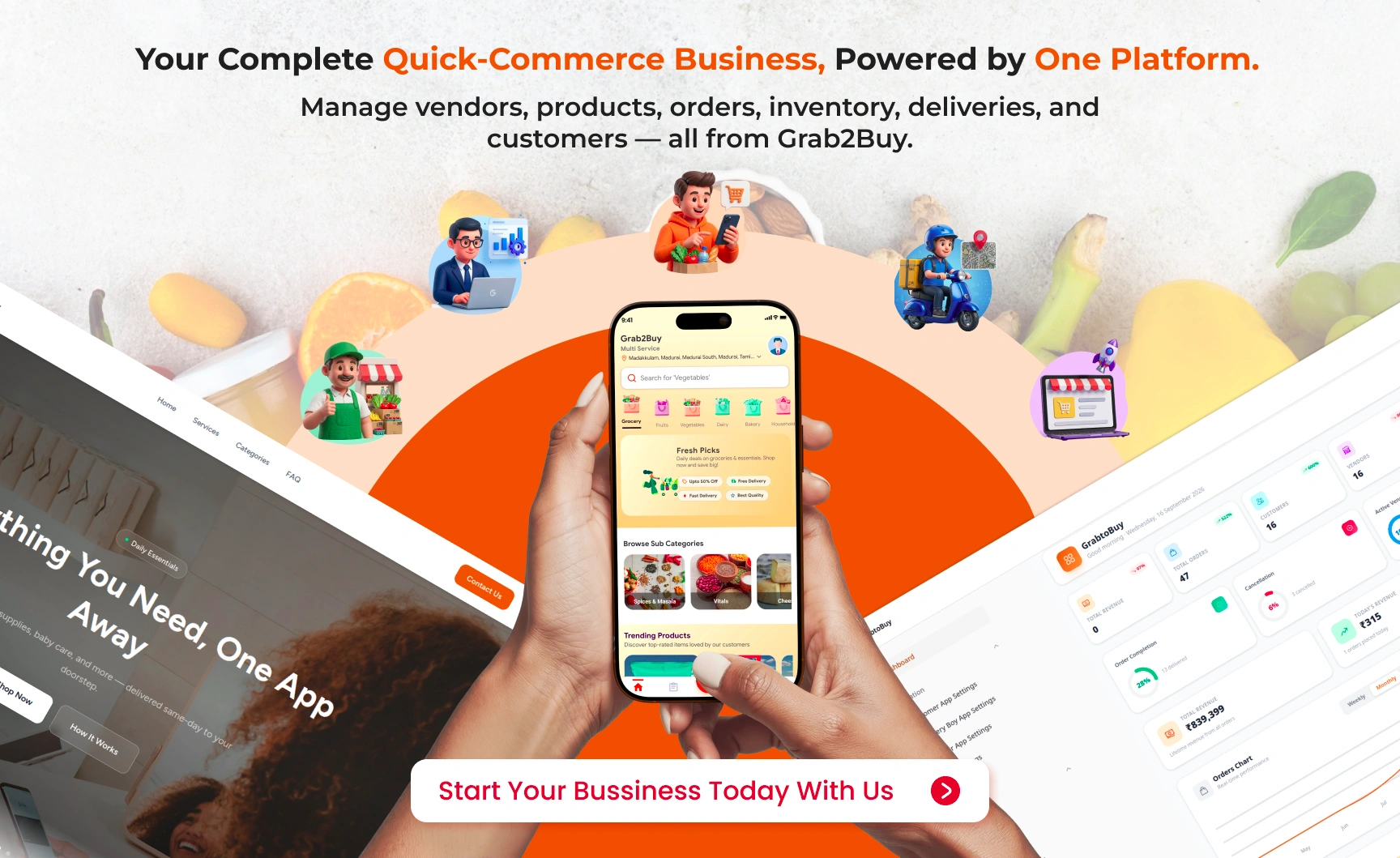
- Dashboard Overview: View total revenue, today’s revenue, total orders, today’s orders, total customers, total vendors, active vendors, total delivery partners, online delivery partners, total items, pending approvals, average rating, delivered orders, and cancelled orders.
- Revenue Trend Chart: View visual revenue trends for the last 6 months.
- Customer Management: Manage customer accounts, profiles, addresses, wallet histories, and promo histories.
- Vendor Management: Manage vendor accounts, earnings, wallet histories, and withdrawal requests. Approve or reject vendor registrations and KYC documents.
- Delivery Partner Management: Manage delivery partner accounts, earnings, wallet histories, and withdrawal requests. Approve or reject KYC documents.
- Category Management: Manage product categories and subcategories with images and status.
- Product Management: Manage products across all vendors. Approve or reject new items, manage stock, and monitor overall ratings.
- Order Management: Manage all orders with status tracking, order items, and customer ratings.
- Order Status Management: Configure order status types and slugs.
- Payment Management: Configure payment types and payment modes including Cash on Delivery, Razorpay, Flutterwave, PhonePe, and Paystack.
- Promo Management: Manage promo types and promo codes with discount values, minimum purchase, and maximum discount.
- FAQ Management: Manage FAQ categories and FAQ entries.
- Privacy Policy: Manage privacy policy content.
- Customer Website Management: Manage hero slides, website FAQs, site statistics, testimonials, contact information, features, how it works, and website settings.
- SEO Management: Configure SEO meta tags for all sections.
- Contact Submissions: View and manage contact form submissions.
- App Settings: Configure customer app settings, delivery partner app settings, vendor app settings, and map settings.
- Zone Management: Create and manage delivery zones using polygon coordinates.
- Address Types: Manage address tags such as Home, Work, and Other.
- Complaint Types: Define complaint categories and statuses.
- Banner Management: Manage promotional banners for mobile applications.
- Cancellation Reasons: Define predefined reasons for order cancellations.
- Tax Management: Define tax rules with name, percentage, and status.
- User & Role Management: Create and manage administrator roles and permissions using Filament Shield with 673 individual permissions.
Vendor Panel Features
- Dashboard: View a complete business overview including total, approved, and pending items, today’s and all-time orders, today’s and total revenue, delivered and cancelled orders, recent orders, recent products, and store capacity usage with refresh functionality.
- Categories & Subcategories: Create and organize store-specific categories and subcategories with support for entering category names in multiple languages.
- My Items (Products): Add, edit, view, and delete products with details including product name, description, category, subcategory, base price, images, preparation time, stock quantity, low-stock and maximum-stock thresholds, manufacturing and expiry dates, offer prices and validity, recommended status, tags, and a disable-from-sale option.
- Stock Alerts: Quickly identify products that are out of stock or have reached their configured low-stock alert level.
- Item Report: Generate filtered product reports by category or subcategory and identify expired and expiring-soon products along with the complete item list.
- Orders: View and manage all orders placed through the store with buyer information, order totals, tax, delivery charges, discounts, and live order status. Filter orders by status for easier management.
- My Ad Campaigns: Create paid advertising campaigns including sponsored vendor, sponsored item, and banner campaigns for home, category, or event placements. Upload campaign images, set budgets and campaign dates, pause or resume active campaigns, and monitor budget, spending, and campaign status. Campaign budgets are deducted from the vendor wallet at creation, and campaigns become active only after admin approval.
- Earnings: View earnings recorded for individual orders and monitor store revenue generated through completed orders.
- Wallet Histories: Track wallet credits and debits including wallet top-ups, advertising budget deductions, refunds, and other wallet transactions with transaction amounts and dates.
- Withdrawals: View the status of withdrawal requests submitted from the Vendor Application, including pending, approved, and rejected requests with their respective reference numbers.
Update Logs
Version 2.0.0 — Customer Website & Vendor Panel Update
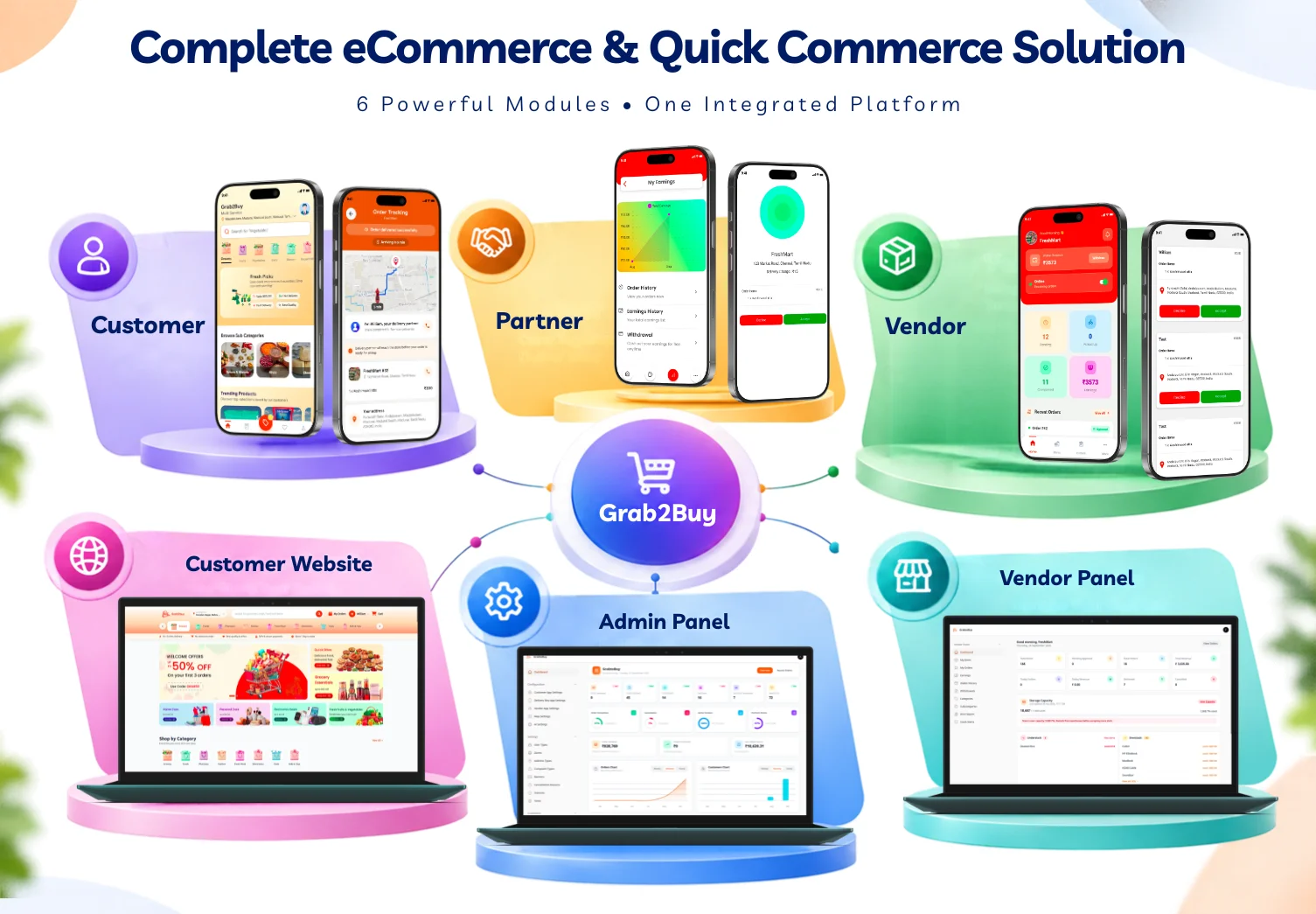
- Customer Website: Introduced a new customer-facing website for browsing products, exploring categories, viewing offers, and placing orders online.
- Vendor Panel: Introduced a dedicated vendor management panel for managing products, categories, stock, orders, earnings, wallet transactions, withdrawals, item reports, stock alerts, and advertising campaigns.
- Platform Integration: Connected the customer website and vendor panel with the existing platform for synchronized products, inventory, orders, vendor operations, and customer activity.
Version 1.0.0 — Initial Release
- Customer Application: Updated the overall application UI for improved usability and navigation.
- Admin Panel: Added Stock / Inventory Management for monitoring and managing product stock.
- Admin Panel: Added Expiry Management for managing product manufacture and expiry information.
- Admin Panel: Updated the Admin Dashboard design with an improved layout and user experience.
| Author | UmaKannan |
|---|---|
| Price | $9 |
| Sales | 1 |
| Rating | 0 (0) |
| Published | Sep 9, 2026 |
| Last Update | Oct 14, 2026 |
| Compatible Software | ReactJS, PHP 8.x, MySQL 5.x, Laravel, iOS 12, Android 12.0 |
| Demo Url | https://scope.menpanitech.com/grab2buy |
| Mobile Files Included | JavaScript JS, PHP, HTML, .db |
Categories
Tags
External listing. code.market does not sell this product and does not process payment for it. Pricing, payment, delivery, licensing, refunds, and support are handled by the third-party merchant on its own website. We may earn an affiliate commission from a referral. Details.
Products of the Week.
Submit🥇

Perceptle
Perceptle is a daily browser-based game that challenges you to test your sensory intuition through five quick estimation and rhythm-based rounds.
Other · 1,489 views · 9 clicksOther · Week 47 · 1,489 views · 9 clicks
🥈

Free LinkedIn Likes From Real
Get free LinkedIn likes on your posts from real members who react by hand. No
SaaS · 1,632 views · 10 clicksSaaS · Week 47 · 1,632 views · 10 clicks
🥉

STOP GUESSING WHAT TO POST
AI that learns your brand voice and builds a month of consistent, on-brand social content: carousels, posts and hooks that sound like you, not like everyone else's AI.
SaaS · 9,176 views · 75 clicksSaaS · Week 47 · 9,176 views · 75 clicks
#4

aaas.market
407 reliable micro tools for solo founders, marketers and creators. They work in your browser
SaaS · 1,597 views · 5 clicksSaaS · Week 47 · 1,597 views · 5 clicks