Glory Shop - Multipurpose WooCommerce Theme icon

Glory Shop - Multipurpose WooCommerce Theme
Hot or Not
Glory Shop - Multipurpose WooCommerce Theme

Description

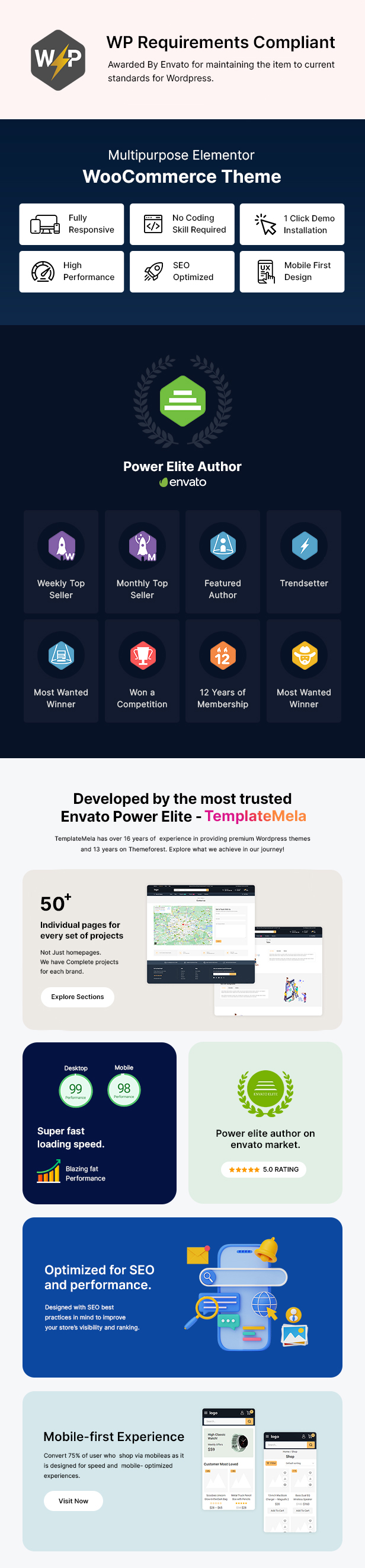
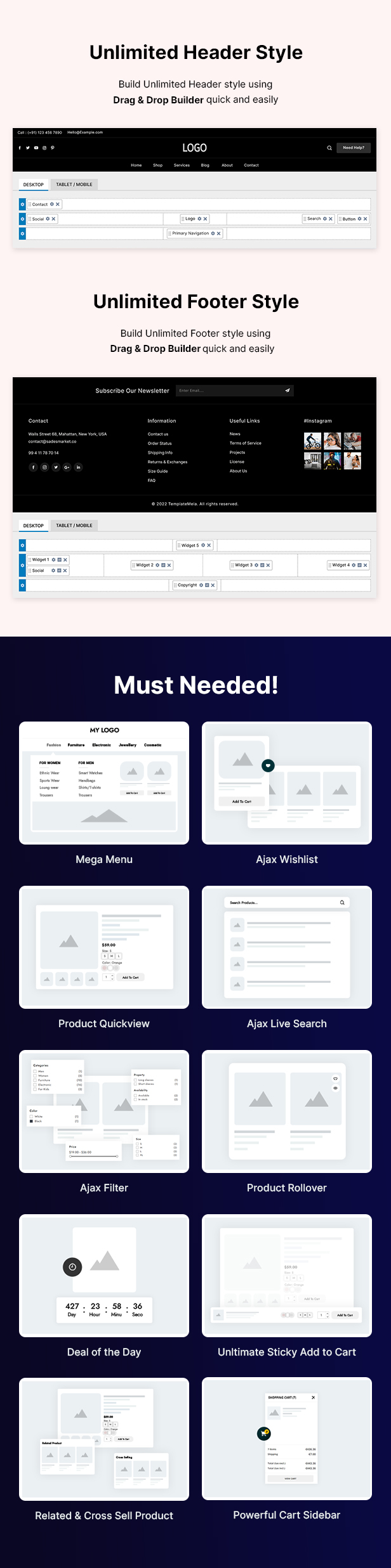
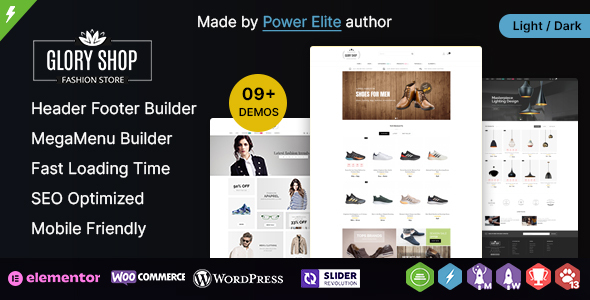
Glory Shop is wordpress ecommerce theme based on WooCommerce plugin. This theme suitable for shoes, fashion, furniture, home appliances, kids, toys, kitchen, lighting, electronics, book, lingerie and Multipurpose stores. It is also multipurpose theme which can be used for any kind of online store. Glory Shop WooCommerce Theme is available in nine different layout and looking good with it’s colors combination. All sub pages are customized. It is very nice with its clean and professional look.

Compatibility

  • WordPress 5.1.x, 5.2.x, 5.3.x, 5.4.x, 5.5.x, 5.6.x, 5.7.x, 5.8.x, 5.9.x, 6.0.x
  • WooCommerce 5.x.x, 6.x.x

Pre-Defined Layout


Most Popular WooCommerce Themes from TemplateMela

Key Features

  • Using GOOGLE Fonts
  • Easy Customize – Admin Options Customized Panel
  • Unlimited Color Options – Admin Panel
  • HTML5 and CSS3
  • Fully RESPONSIVE Theme
  • 1500 + Font Awesome ICONS
  • Support Multiple Language
  • No Core Modifications
  • SEO (Search Engine Optimization) friendly
  • Optimized for Fast Loading + CSS Sprite
  • Unlimited Banners + Sliders – Admin Panel
  • Brand Logo + Slider – Admin Panel
  • Different Portfolio Layouts
  • Different Gallery Layouts
  • Easy Shopping Cart Dropdown from header
  • Lots of Short codes with variations
  • Valid XHTML and CSS markup
  • Woo Commerce Integration
  • Sample data Import
  • Easy Use and Easy Customize
  • Avoid JavaScript Confliction
  • Full PSD files supplied
  • Compatible with all major browsers
  • Well-structured and commented code for easy customization
  • Full user guide documentation to help you installing and utilizing the theme
  • Check this list of our best woocommerce themes

Notes

All images are just used for Preview (Demo) purpose only and NOT included in the theme package file. We are providing placeholder images with recommended image size mentioned in it. Images are taken from www.pexels.com, www.freepik.com, www.unsplash.com, www.pngtree.com

Update History

  • 30 March 2022 Update all theme plugin files and fixed outdated files issue with theme package.
  • 4 March 2021 Update plugin files and fixed outdated file issue with theme package.
  • 12 June 2019 Upgraded theme package for fixed outdated files issue.
  • 15 November 2018 Fixed sample data installation issue.
  • 12 July 2018 Fixed outdated files issue with theme package.
  • 3 March 2018 Upgraded theme package for support latest version(3.3.x) of WooCommerce.
  • 18 April 2017 Updated theme package for support latest version of WooCommerce plugin.
  • 3 February 2017 Upgraded theme package for support latest version of Newsletter plugin.
  • 2 July 2016 Update in sample data file only
  • 21 June 2016 Initial Release

External listing. code.market does not sell this product and does not process payment for it. Pricing, payment, delivery, licensing, refunds, and support are handled by the third-party merchant on its own website. We may earn an affiliate commission from a referral. Details.

WooCommerce License Manager icon

WooCommerce License Manager

Hot or Not
WooCommerce License Manager

Description

This plugin is exclusively sold on Envato marketplace. Tested with WooCommerce 7.3.0 and previous releases. Tested with WordPress 6.1.1 and previous releases.

Live preview/Demo: Plugin Demo Username: demo Password: demo

WooCommerce License Manager

WooCommerce License Manager is a WordPress plugin that allows you to easily sell license keys, pin codes, gift card, or license your digital product with predefined or automatically generate license keys.

New Features: Version 4.0

– Added Stock synchronization: now you can sync available license keys stock with WooCommerce product stock. – Added the option to automatically change expired license keys status. – Better back-order support: added more option to the order page so you can replace keys individually or assign new ones to an already existing order.

New Features: Version 3.0

– Backorders support – Automatically enable sending license keys when a license key is added or imported – Bulk image license key upload – Bulk license key generation – Available license keys count in the product page – License keys global settings – Replace order license keys – API version 2

Overview

This is a WooCommerce License Delivery plugin for stores that sell products that require a license key like software, games, gift cards, or any other products that need a license key delivered after purchase.

Add License keys

License keys can be either added manually one by one or imported from txt or csv file and assigned to a product. The license keys support extra details that can be left empty if not needed like an Expiration Date or a Validity(The number of day the license key is valid for) The License Key text field support Multi line text and HTML code, so you can make the license key appear as a clickable link in emails for example.

Import the license keys from a .txt or .csv and select the product to assign them to using this form.

The imported license keys will look like this

License key Delivery

After purchase, your customer will receive an email that contains the bought products and the assigned license keys. Purchased license keys can also be seen in the user account page in the order history for the customers and in the WooCommerce order page for the admin.

License keys Management

So that you can keep track of your license keys the plugin provides a detailed interface with all your license keys and their status after purchase more details are added to the license keys like the buyers’ name and email address.

Image License Keys

You can add images to be delivered as license keys, for example, if you want to deliver your license keys as QR Codes or for any other reason you want to deliver an image you can easily add the image as a license key and it will be delivered like a normal license key.

Resend License keys

If due to some reason the license keys email is not sent to the customer you can resend the license keys email manually form the WooCommerce order page.

Reassign License Keys

You can replace or delete the license keys assigned to orders after a purchase

WooCommerce Product Variation support

You can assign a different set of license keys for each variation.

Notifications

So that you don’t lose track of your license keys sales the plugin provides a notification center that will alert the admin to add more license keys for the products that are about to be sold out. The minimum number of available license keys available before starting to get notifications can be set in the plugin settings page. There is 2 type of notifications, alerts in the admin dashboard, and through emails sent to the admin.

Email Templates

You can customize the license keys email using multiple shortcodes like a buyer first and last name, email address, site URL, and much more.

Encryption

License keys are encrypted using 2 secret keys that you can set in the plugins setting page before they are stored in the database to protect your license key from being stolen is something happens to your website

Import/Export

Export the license keys for a certain status and a certain product or export all the license keys to a CSV file. for example, export all the sold or all the available license keys for a product Export license key generator settings Export plugin setting: If you are running multiple websites you won’t need to configure the plugin for each website individually, export the setting and import them on the other websites. Exported license keys and license key generator settings can be imported again so you can backup your data.

Edit/Delete

You can edit the license keys in the admin dashboard.

Bulk delete/change

You can delete or change the status of multiple license keys at the same time.

Third Party Plugins Support

License Manager have full support for: WooCommerce Product Bundles: You can license the products in a bundle individually or license the whole bundle WooCommerce Custom Order Status: This plugin support all order status even the custom ones added by third-party plugins

License Key Generator

Licensing your digital product has never been easier, enabling the license key generator for a product will make the plugin generate a license key for your customer after purchase. then the generated license key will be added to the license keys list The generator can be configured to add a prefix and a suffix the generated license keys, and you can also set the length and the number of chunks of the generated license keys. This is an example of license keys generated with the following settings: DEV-154F-57AC-98BC-A5F7-55AA-USR Prefix: DEV- Suffix: -USR Chunk length: 4 Number of chunks: 5

Tracking API

Implement the API in your digital products to make sure users a using a licensed copy of your software. Using a simple POST request you can activate/deactivate a license key, get license key status(valid, invalid or expired), or get license key details. A detailed example of how to use the API is available in the documentation. The Implementation of the API requires programming skills

License Keys Delivery Options

You can make your customers see the purchased license keys on your website instead of them delivered in the email

New

Do you sell products that share the same group of license keys? With Pools For WooCommerce License Manager you can create groups of license keys that can be assigned to multiple products.

Extra

– It is possible to delivery multiple license keys at a time by setting the quantity delivered in the product page – The possibility to deliver the same key multiple times

– Do you want to send the purchased license keys to your customers through SMS or WhatsApp? Check out our new SMS, WhatsApp, and Pushbullet notifications plugin for WordPress with built-in support for license manager. WordPress Notificator: SMS, WhatsApp, and Pushbullet notifications

Video Tutorials

Translation Ready

.po, .pot and .mo files included, for easy translation

We add features on demand

If there is a feature that you want to be added to the plugin in our future updates feel free to contact us and tell us what you need. we will be happy to add it.

Support

24/7 support we will do our best to guarantee that our client are satisfied.

Thank you

Thank you for having an interest in our plugin.

Change Log

Version 5.0.5  – January 7, 2023

    - Regenerated translation files to add missing strings.

Version 5.0.4 – November 12, 2022

    - Added the option to show the purchased license key at the top of the thank-you page.
    - Fixed filter results issue.

Version 5.0.3 – September 12, 2022

    - Download license keys as a text file bug fix.

Version 5.0.1 – July 8, 2022

    - Auto-mark as redeemed bug fix.
    - Added extensions page.

Version 5.0 –  June 2, 2022

    - Added filter by last name.
    - Added overridable templates.

Version 4.4.8 – April 13, 2022

    - Fixed compatibility issue with WooCommerce 6.4.

Version 4.4.7 – January 5, 2022

    - Bug fix.

Version 4.4.6 - December 26, 2021

    - Bug fix.
    - Add the option to allow vendor admin and vendor managers to manage license keys. (Supported plugin: WooCommerce Product Vendors)

Version 4.4.5 - November 17, 2021

    - Bug fix.

Version 4.4.4 - September 6, 2021

    - Bug fix.

Version 4.4.3 – August 3, 2021

    - Regenerated translation files. 

Version 4.4.2 – July 5, 2021

    - Add product name and variation name to the API endpoints Get Current User Licenses and Get License Details.

Version 4.4.1 – June 1, 2021

    - Bugfix

Version 4.4 – May 24, 2021

    - API version 3

Version 4.3.5 – April 10, 2021

    - Regenerated translation files.

Version 4.3.4 – February 25, 2021

    - Bugfix

Version 4.3.3 – January 13, 2021

    - Added the option to disable the download feature. 

Version 4.3.2 – December 17, 2020

    - Added the option to download purchased license keys as a TXT file.
    - Bugfix

Version 4.3.1 – December 12, 2020

    - Added the option to download purchased license keys as a CSV file.

Version 4.3 – November 23, 2020

    - Bugfix

Version 4.2.9 – October 26, 2020

    - Bugfix

Version 4.2.8 – August 29, 2020 

    - Bugfix.

Version 4.2.7 – August 24, 2020 

    - Added the option to automatically delete license keys that are older than an X number of days.
    - API license verification bugfix.
    - Stock Sync: backorders bugfix.
    - Queue System: a queuing system to prevent orders placed at the same time from getting the same license keys.
    - Private API: Allows the admin to perform actions that can’t be done using the standard API, like setting a license key as expired. (Feature requested by a buyer, the current version can only be used to expire license keys, more options are coming soon.)
    - Bugfixes.

    The new features can be enabled from the plugins settings page

Version 4.2.4 - July 1, 2020

    - Bulk image upload bug fix.

Version 4.2.3 - June 16, 2020

    - Pagination bugfix.

Version 4.2.2 - June 8, 2020

    - Added the option to deliver different keys if a license key is set to be delivered multiple times.
    - Translation fix. 

Version 4.2.1 - March 21, 2020

    - Filter by variation.
    - Show the number of license keys returned by the filter.
    - Ignore Mac OS hidden files when bulk importing image license keys.

Version 4.2 - January 21, 2020

    - Bulk delete license keys by product.
    - UI Optimization.
    - Show variation IDs to fix the issue with WooCommerce not showing the full variation name.
    - Show how many times the license key can be used for keys that can be delivered multiple times.

Version 4.1.8 - August 29, 2019

    - API: deactivation with device ID bug fix.

Version 4.1.7 - August 1, 2019

    - Added the option to enable/disable adding duplicate license keys.
    - Minor bug fix.

Version 4.1.6 - June 12, 2019

    - Bugfix

Version 4.1.5 - June 12, 2019

    - Stock sync runs as a background process.
    - Fixed admin bar notifications bug.

Version 4.1.3 - May 10, 2019

    - Added Device ID to the API
    - Bug fixes

Version 4.0 - March 9, 2019

    - Fixed pagination buttons not showing correctly in WordPress 5.1

Version 4.0 - February 4, 2019

    - Added Stock synchronization: now you can sync available license keys stock with WooCommerce product stock.
    - Added the option to automatically change expired license keys status.
    - Better back-order support: added more options to the order page so you can replace keys individually or assign new ones to an already existing order.
    - Bug fixes.

Version 3.2.2 - January 27, 2019

    - Bugfix

Version 3.2.1 - December 25, 2018

    - Minor fix

Version 3.2 - November 6, 2018

    - Expiration date bug fix

Version 3.1 - October 22, 2018

    - Bug fixes and optimizations

Version 3.0 - September 15, 2018

    - Backorders support
    - Automatically enable sending license keys when a license key is added or imported
    - Bulk image license key upload
    - Bulk image license key upload progress bar
    - Bulk license key generation
    - Available license keys count on the product page
    - License keys global settings
    - Replace order license keys
    - API version 2
    - Bug fixes

Version 2.4.4 - April 23, 2018 

    - Bugfix

Version 2.4 - December 11th, 2017 

    - Minor fix

Version 2.3 - September 11th, 2017  

   - Added license keys search filters.
   - Added the option to disable the second email.
   - Added product/variation name filter when adding/editing license keys.
   - Bug fixes

Version 2.1 - January 1st, 2017

    - Added the option to deliver license keys as images
    - Added custom order status support
    - Added License Key encryption
    - Added the option to deliver the same key multiple times
    - Added customizable Email templates
    - Added the option to resend license keys email to the customer
    - Added the option to change the license keys assigned to orders after a purchase
    - Extended the API
    - Extra product information for API users
    - Added the option to make the customer see the license keys in the email or in the
      website
    - Added the option to display the license keys as text only, image only or both
    - New organized user interface
    - Corrected the typos
    - Minor fixes

Version 2.0.2 - November 5th, 2016

    - Extended the API

Version 2.0.1 - August 27th, 2016

    - Added Multi-line License key Support
    - Removed License Key length limit
    - Added the possibility to change the 'License key' label that appears on the emails to
      another text(Example: Purchase Code)
    - Minor fixes

Version 2.0 - August 18th, 2016

    - Added Product variation support
    - Added the possibility to deliver multiple license key per purchase
    - Added the possibility to change the meta key 'License key' to another
      text(Example: Purchase Code)
    - Minor fixes

Version 1.1 - August 4th, 2016

    - Translation fix

Version 1.1 - July 28th, 2016

    - Added HTML Link License key support

Version 1.0 - June 10th, 2016

    - Initial release

External listing. code.market does not sell this product and does not process payment for it. Pricing, payment, delivery, licensing, refunds, and support are handled by the third-party merchant on its own website. We may earn an affiliate commission from a referral. Details.