
Furnicom - Furniture Store & Interior Design WordPress WooCommerce Theme (10+ Homepages Ready)

Description

WELCOME OUR NEW SERVICE




UPDATE latest version 2.0.24: Released on Mar-23-2026 | Changelog
------------ VERSION - 2.0.24: Released on Sep-15-2025 ------------
[+] Update Woocommerce 10.6.0
[+] Update Wordpress 6.9
[+] Update revolution slider 6.7.51
[+] Update WP Bakery 8.7.2
[#] Bug fix: Fixed bug in previous versions




Furnicom – The Best Interior Design & Furniture Store WooCommerce WordPress Theme
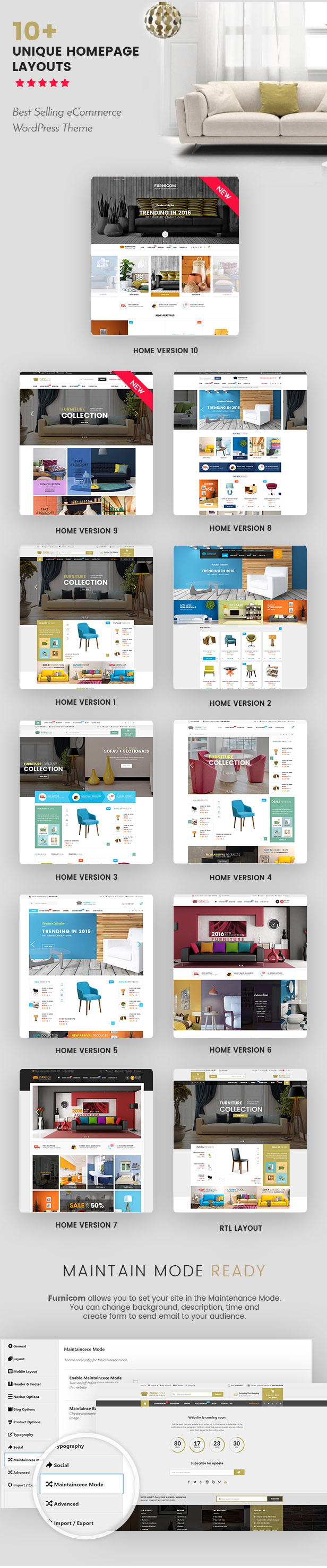
Furnicom is the best premium WordPress theme for any online shopping store or marketplace, especially for the furniture store, interior/ exterior design, decoration shop, architecture store, sofa store, design studio and more.
Besides 10+ homepage designs & 2 mobile layouts, Furnicom also comes with a bundle of new powerful features which is rolled inside this theme. Especially, users will have usability with WPBakery Page Builder integrated, WooCommerce included and Revolution Slider supported as well.
Furnicom is not only about a beautiful design, but also about a fully functional theme that focus on user experience and usability with huge number of awesome features: Responsive layout, Mega Menu, product Gird & List view, product Quick view, Slider Revolution, Demo One-click Installation, RTL and multilingual, Boxed layout, etc.
✔️ Designed by Super Power Elite Author: Furnicom is created by WPThemeGo – Magentech WordPress Team who has sold 30000+ sales and $2M on Envato marketplace.
NEED HELP? Contact us anytime at our Help Desk Systems to get help in every business days.
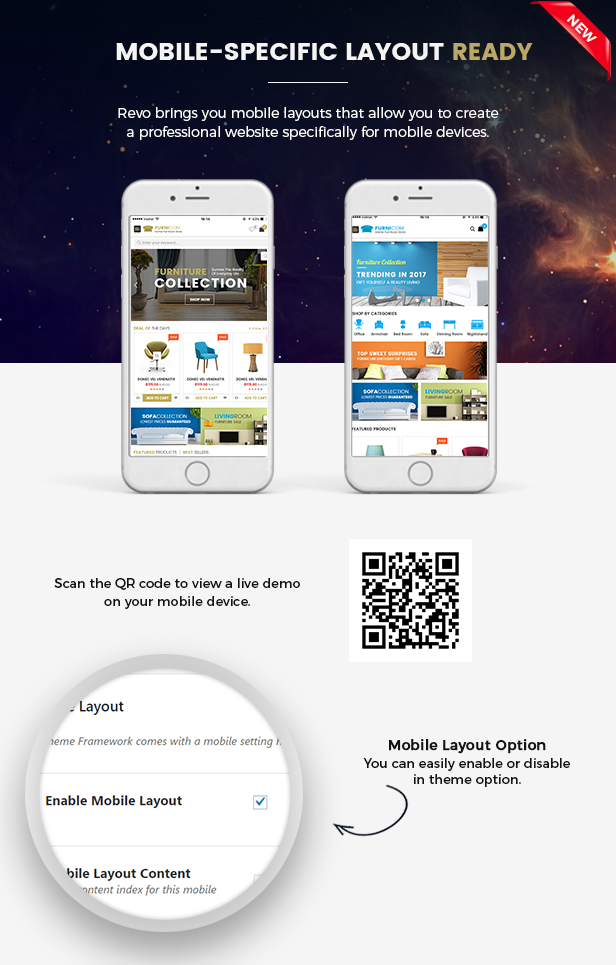
HOT MOBILE-SPECIFIC WEB DESIGN
Do you want to have a professional online store on mobile devices?
Unlike other themes which support responsive layouts only, Furnicom is built with both responsive layouts and mobile-specific web designs with full of shop features, specifically designed and developed for mobile devices. This is the trend of online store – when using and shopping via smartphones is increasing rapidly!
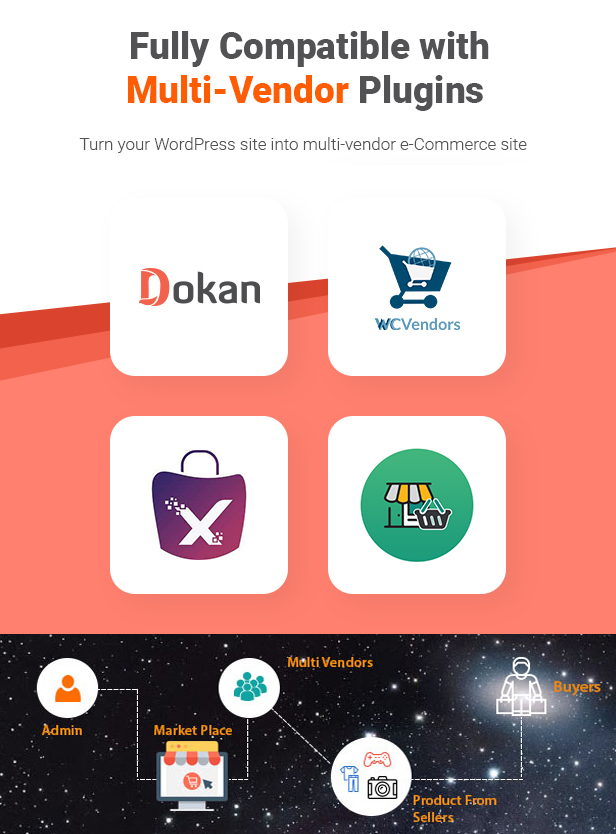
MULTI-VENDOR MARKETPLACE SUPPORT:
If you want to build a multi vendor marketplace website, this will surely meet your requirements for a multi vendor marketplace WordPress theme.
Furnicom is completely compatible with Dokan MarketPlace, WC Vendors, MultivendorX, WCFM MarketPlace – Best Plugins can help you turns your site into multi-vendor eCommerce site.

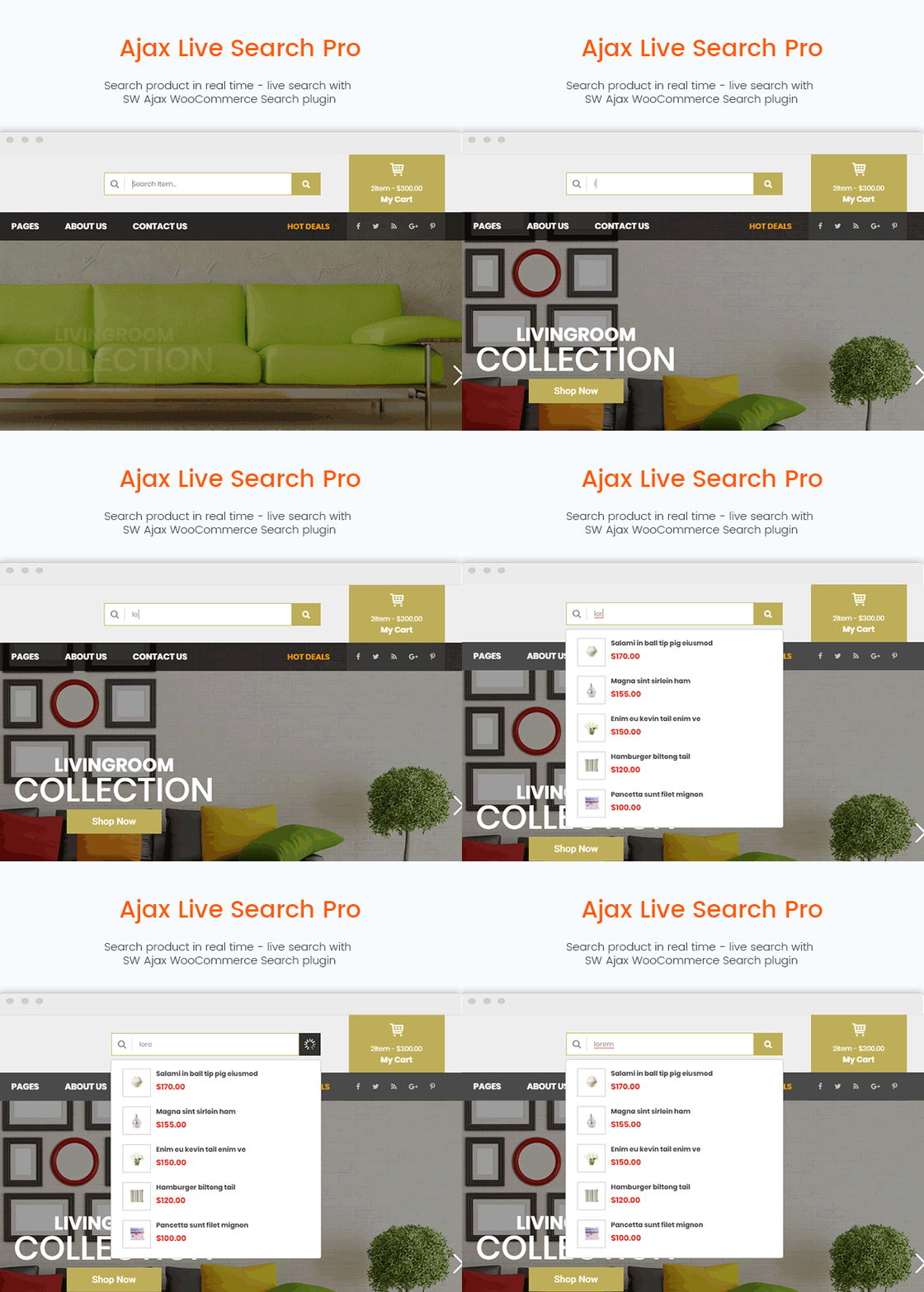
AJAX PRODUCT LIVE SEARCH PRO
RESPONSIVE DESIGN
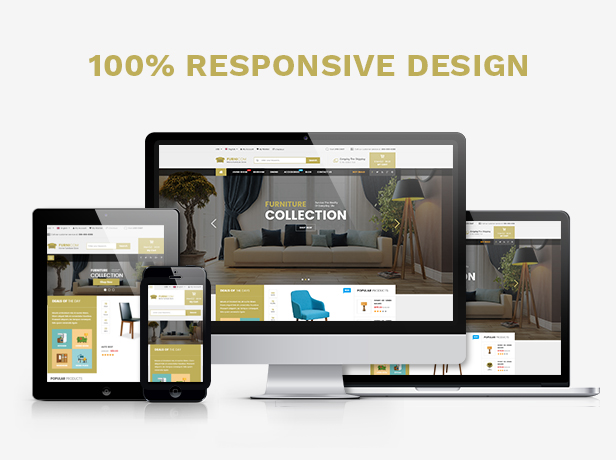
Furnicom is fully and looks delightful across different devices and screen layouts as well.
HTML5, CSS3, BOOTSTRAP & LESS

The multi-purpose WordPress theme is built with new web technology: Bootstrap 3, Font Awesome 4, LESS, CSS3, HTML5 that makes the theme more powerful and flexible.
LOADING SPEED + MOBILE FRIENDLY
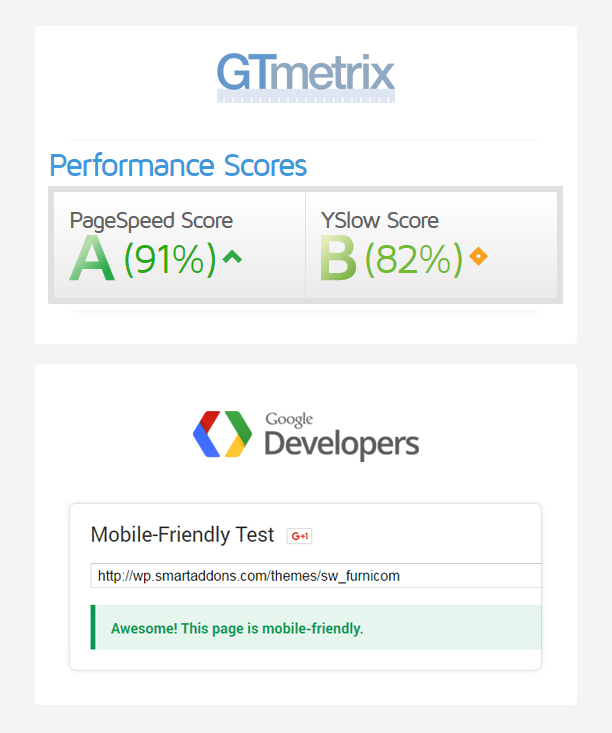
If you care about loading speed of your website, this interior WordPress theme is really ideal for your selection, because its speed is up to 91%, loading within several seconds. Besides, your site will look very stunning and glorious, lively and beautiful on the mobile device
MENU STYLES
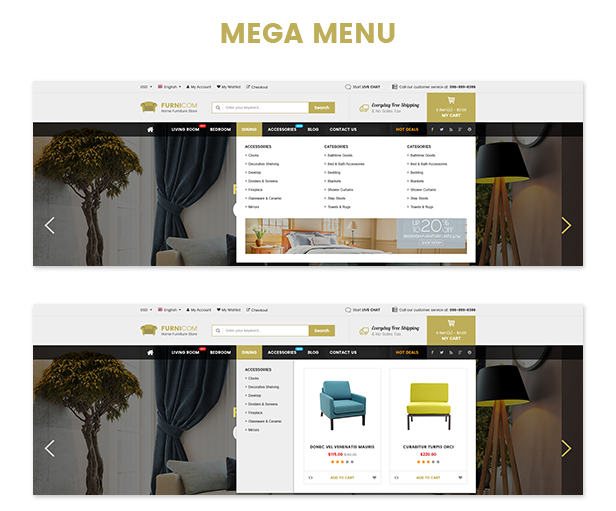
You can easy to create columns to display categories and products with description, price, image, video, effects… or even add links to any page, widgets with promotion banners and plugins.
UNIQUE HEADER STYLES
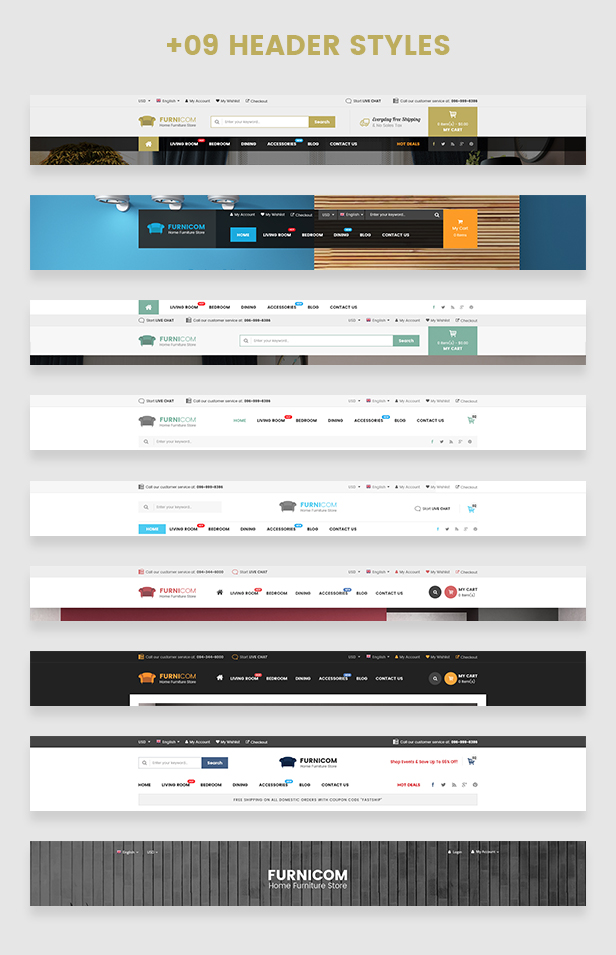
This theme includes 9 header styles for you choose from. You can choose the header style, which is suitable for your eCommerce store.
WOOCOMMERCE INTEGRATION
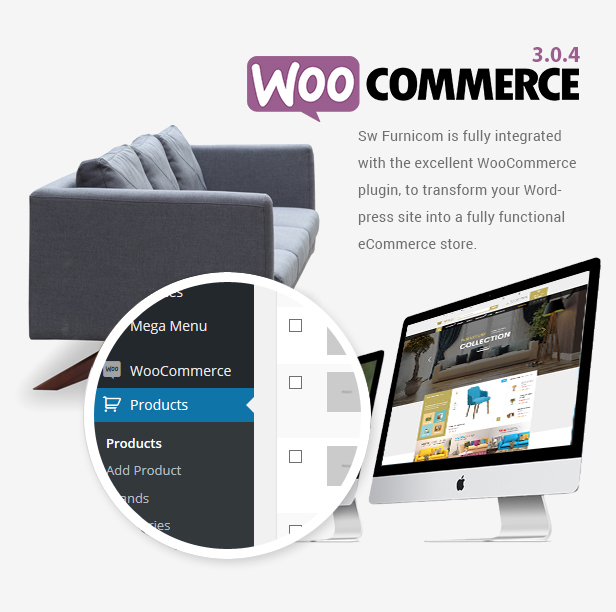
The theme uses the excellent WooCommerce plugin to transform your WordPress website into an eCommerce store.
DRAG-N-DROP WPBAKERY PAGE BUILDER
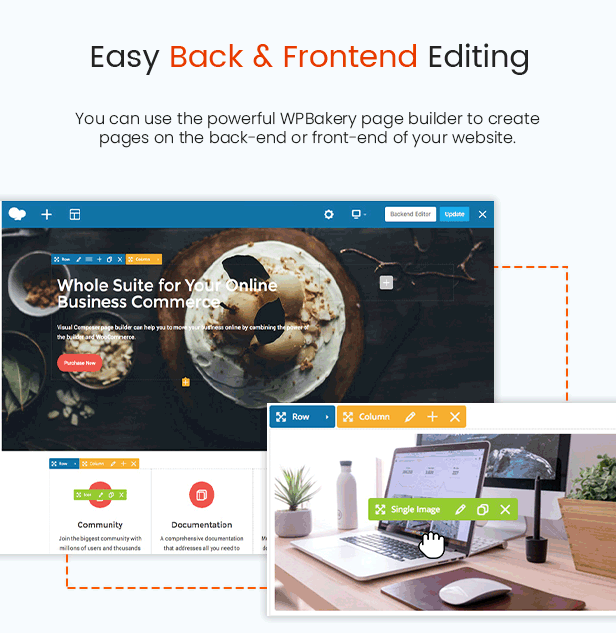
Customize the design conveniently with the drag and drop WPBakery page builder.
PREMIUM ADDONS INCLUDED
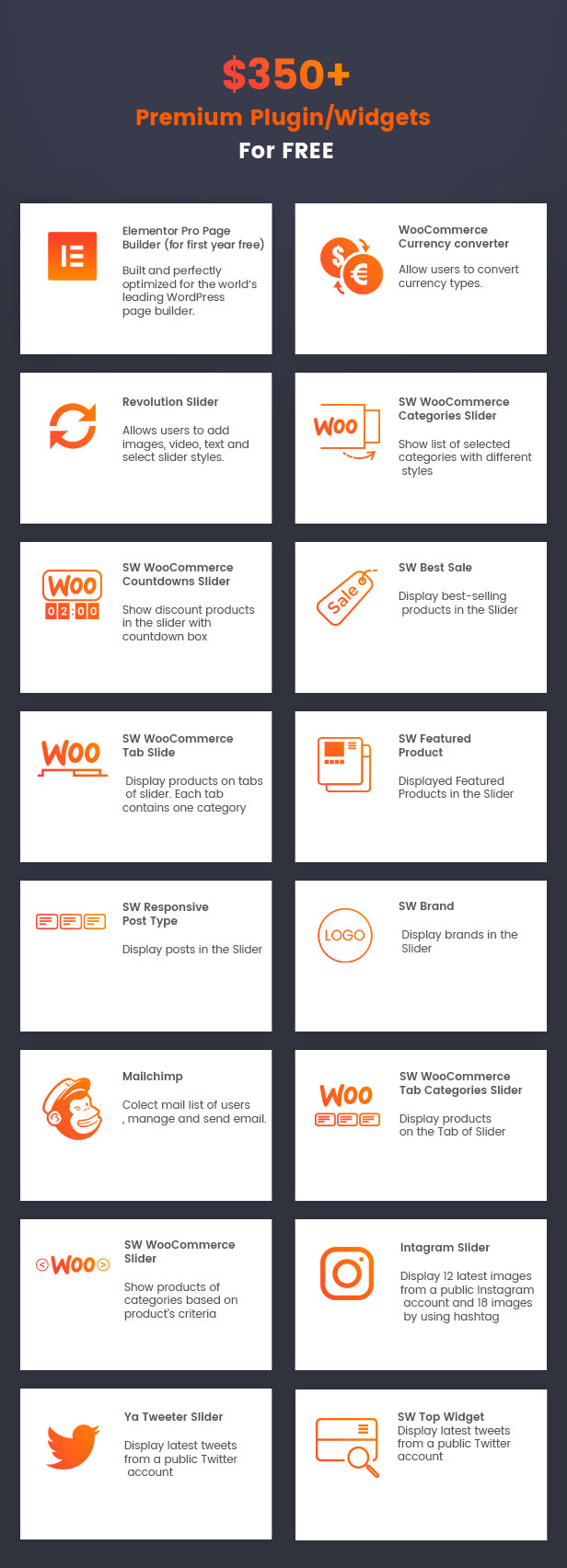
The most popular WordPress plugins are included in this shopping theme. You will be saved $53 on WPBakery Page Builder and Revolution Slider plugins that will save you tons of time working on the site content.
ONE-CLICK IMPORT SAMPLE DATA
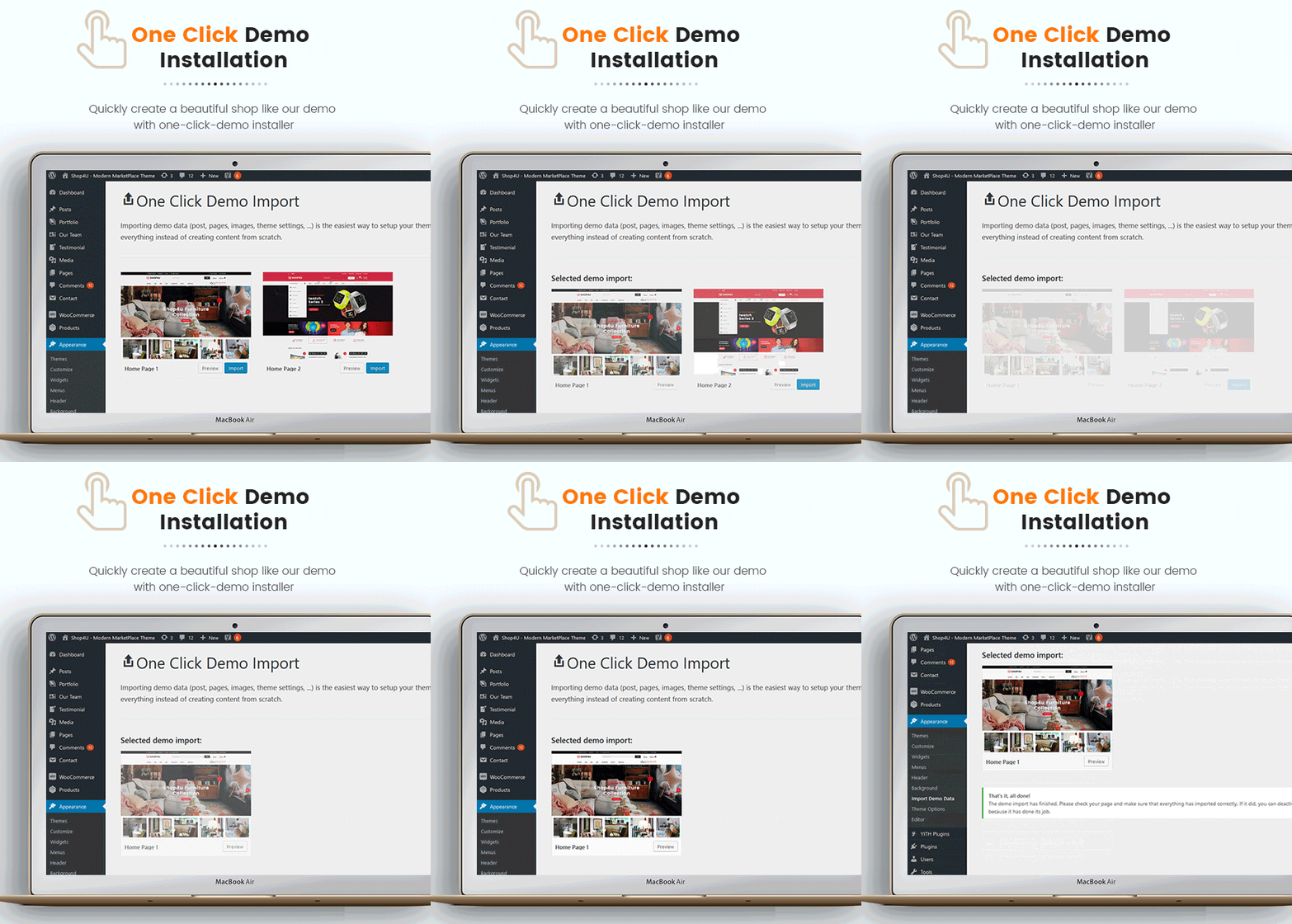
Quickly import our sample data of page, slider, mega menu, module, theme options and other settings with a single click. Get a site look like a demo just in few minutes.
QUICK VIEW PRODUCT
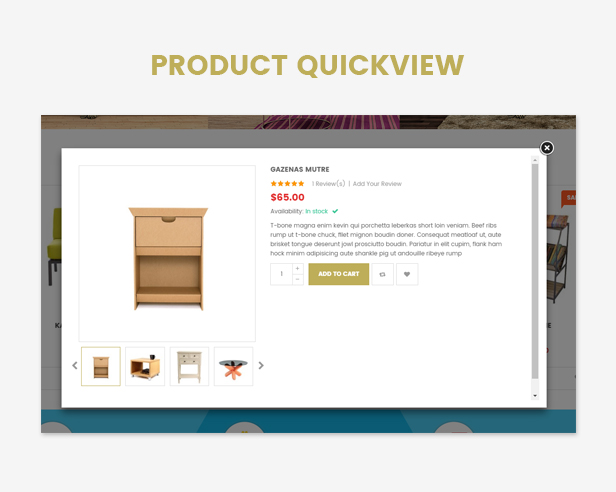
It’s so convenient for customers to view quickly detail product on the Homepage, Listing page without leaving the current page.
4 PRODUCT TYPES & FEATURED THUMBNAIL SUPPORTED
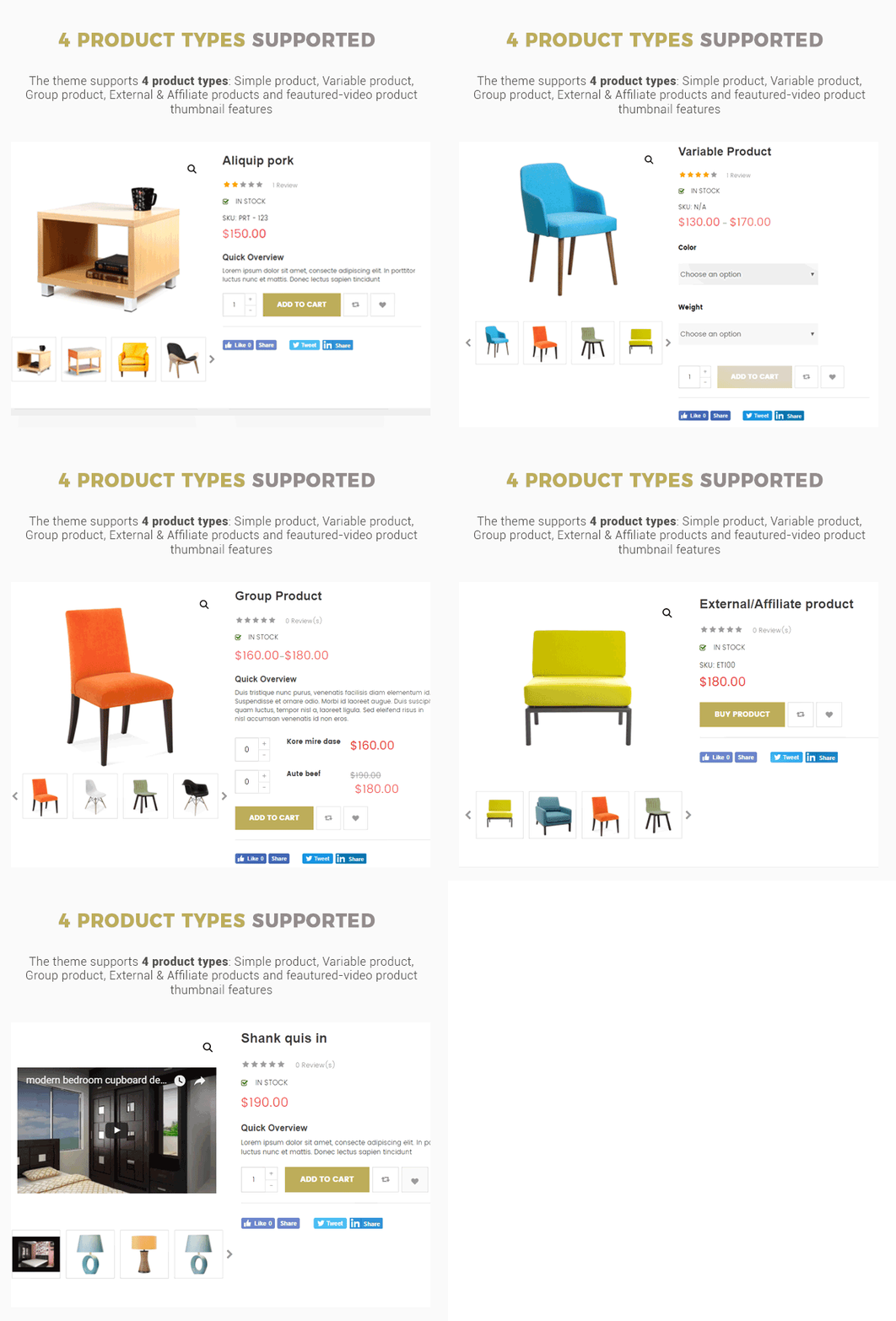
Theme supports you up to 4 product types: Simple Products, Variable Products, Grouped Products, External/Affiliate Products and Video Thumbnail feature for “Simple Products” to display products in real life.
SW WOO COUNTDOWN SLIDER INTEGRATED
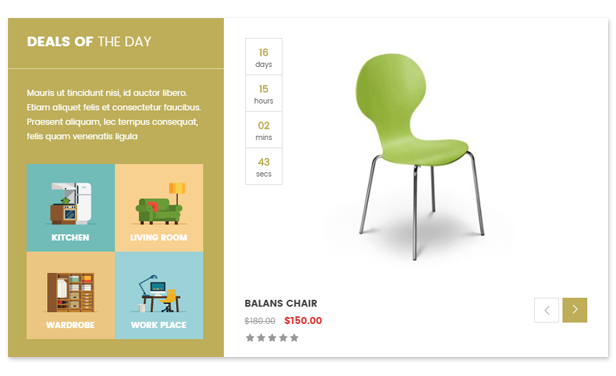
By integrating Countdown Slider, it enables you to show sales and promotions, upcoming events as well as for other different purposes.
TRANSLATION SUPPORT

The online furniture theme is fully compatible with the WPML multilingual plugin, you can translate your website to any language.
USEFUL SHORTCODES

The tons of useful built-in Shortcodes are integrated. You can create advanced content with minimal effort or even without any knowledge how to code HTML. Shortcodes can be used anywhere in pages, posts and also in menu.
Full Feature List
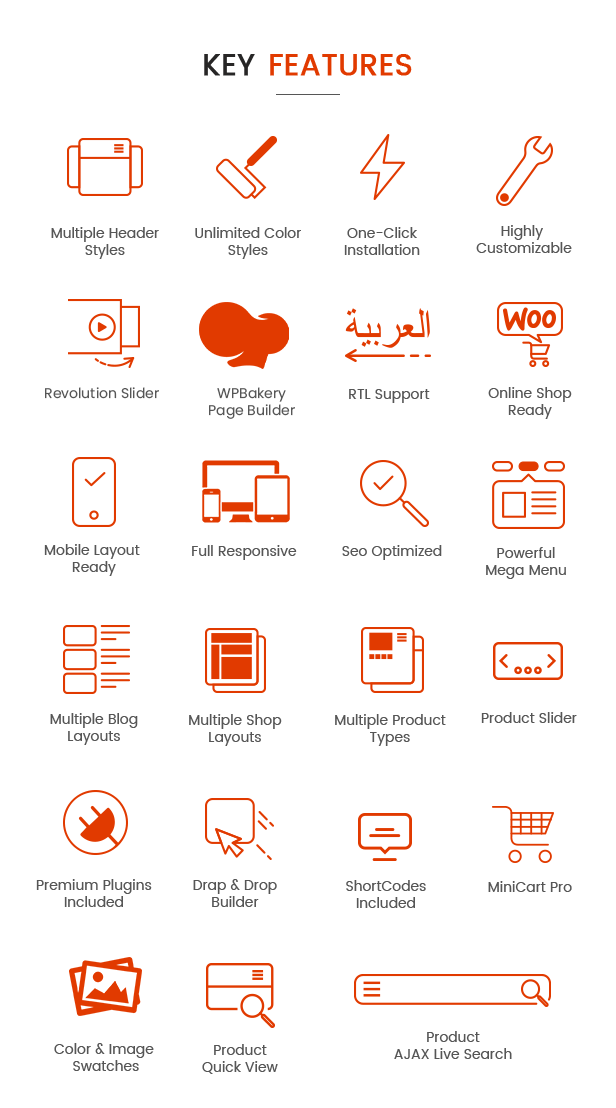
- 10+ Homepage Layouts
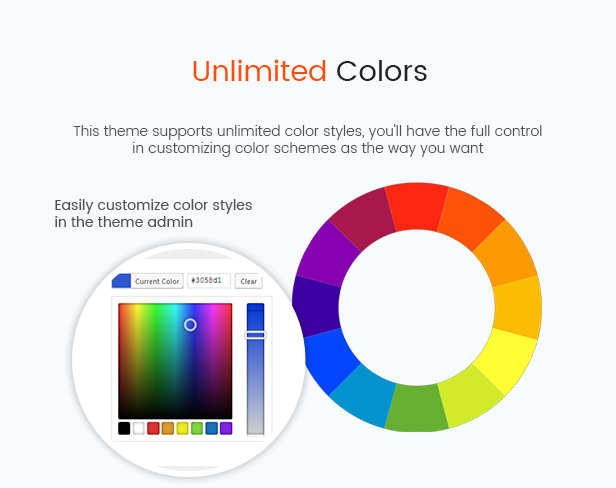
- Unlimited Color Styles
- Compatible with WordPress 6.7.x
- Compatible with Multi Vendor WordPress plugins including: Dokan MarketPlace, WC Vendors, WC MarketPlace, WCFM MarketPlace
- Revolution Slider 6.7.x Ready
- WPBakery Page Builder 8.1.x Compatible
- WooCommerce 9.5.x Ready
- MailChimp For WordPress
- Child Theme Included
- Compare & Wishlist support
- Different Header Styles
- Various Shortcodes – Get creative with unlimited combinations of easy-to-use shortcodes and quickly create any type of page you like.
- Responsive WordPress Theme
- Google Fonts Included
- Fully integrated with Font Awesome Icon
- Built in with HTML5, CSS3 & LESS
- Contact Form 7 ready
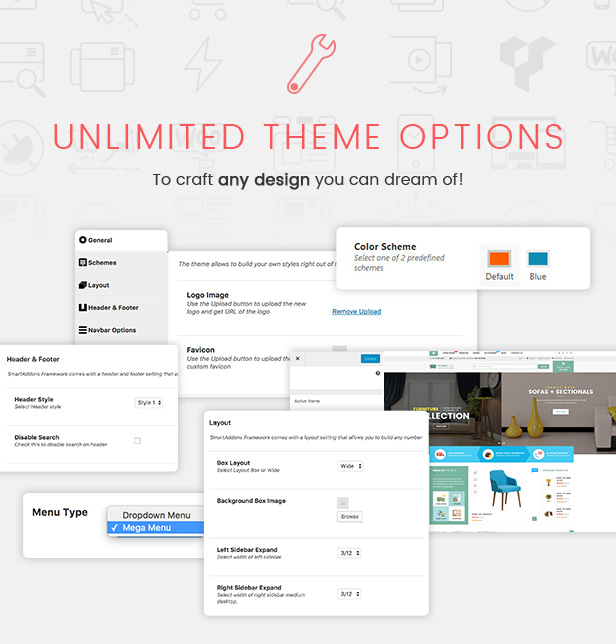
- Easy Customization
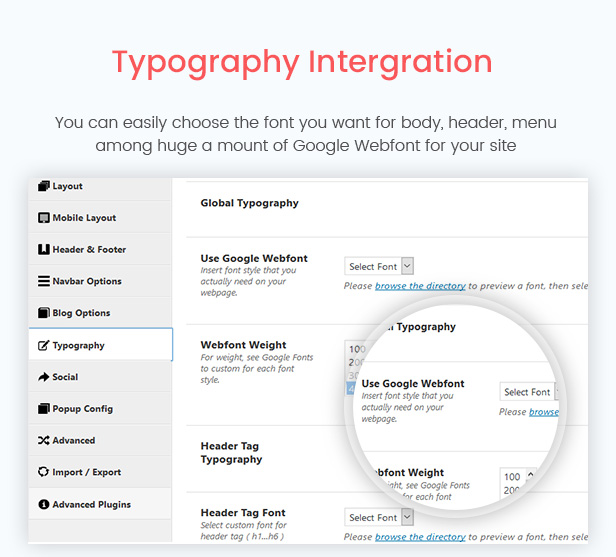
- Typography – Highly customizable typography settings,
- Support menu with Mega and dropdown style
- Support primary menu location, widget sidebars
- SEO Optimized
- Blog Layout Options:
- Left Sidebar with Grid view (2-4 columns)
- Right Sidebar with Grid view (2-4 columns)
- Left Sidebar with List view
- Right Sidebar with List view
- Support all default WordPress post format types
- Multiple portfolio pages: Portfolio Masonry, Portfolio 2-4 columns
- Translation – WPML compatible and every line of your content can be translated
- RTL Support
- Support to add custom CSS/JS
- Cross browser compatible – It works fine under modern, major browser (FireFox, Safari, Chrome, Edge)
- Download PSD files worth $12
- Free Lifetime Updates

WHAT ARE INCLUDED?
Furnicom Theme Package Use this package to install to your current site
PSD Sources All PSD design themes
Detailed Documentation Provide all detailed steps to configure theme
THEME SUPPORT:
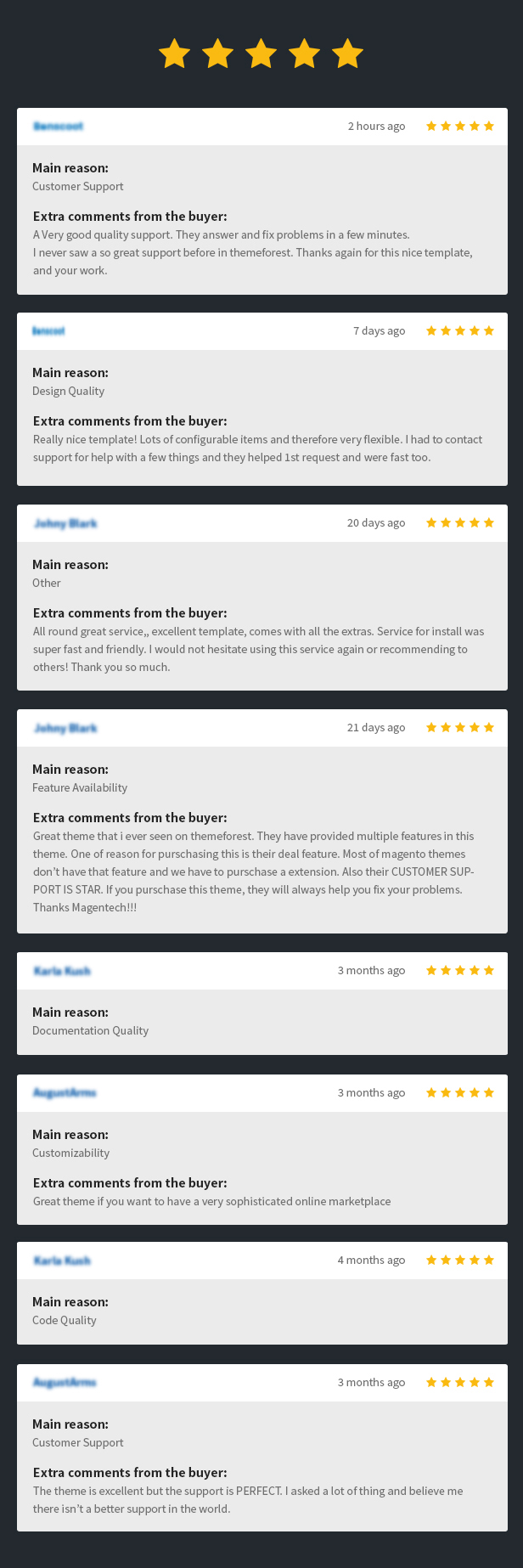
Forum Support: Join our public WPThemeGo Community at forum.wpthemego.com to find the frequently asked questions, post your problem and get support to solve it.
Ticket System: Submit a ticket about your problem on WPThemeGo Support at support.wpthemego.com to get help from the support team. All your information will be kept confidential.
*NOTE: After submitting the ticket, please check your Inbox and Spam Box if you recieve the notification email. If not, please email us via contact@wpthemego.com then we can support you better.
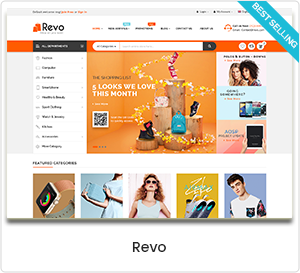
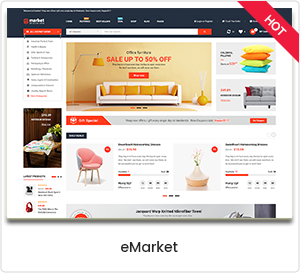
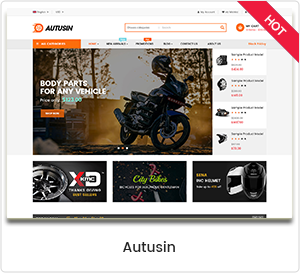
CHECK OUR POPULAR WORDPRESS THEMES:




Change Log
------------ VERSION - 2.0.24: Released on Mar-23-2026------------
[+] Update Woocommerce 10.6.0
[+] Update Wordpress 6.9
[+] Update revolution slider 6.7.51
[+] Update WP Bakery 8.7.2
[#] Bug fix: Fixed bug in previous versions
------------ VERSION - 2.0.23: Released on Sep-15-2025------------
[+] Update Woocommerce 10.1.2
[+] Update Wordpress 6.8.2
[+] Update revolution slider 6.7.37
[+] Fix bug update with wishlist
[+] Fix bug brand with woocommerce 9.6 and above
[#] Bug fix: Fixed bug in previous versions
------------ VERSION - 2.0.22: Released on May-27-2025------------
[+] Update WooCommerce 9.8.5
[+] Update Revo Slider 6.7.34
[+] Update WP Bakery 8.4.1
[#] Bug fix: Update issue related to compare
------------ VERSION - 2.0.21: Released on Jan-09-2024------------
[+] Update WooCommerce 9.5.1
[+] Update Wordpress 6.7.1
[+] Update Revo Slider 6.7.25
[+] Update WP Bakery 8.1
[#] Bug fix: Fix bugs in previous version
------------ VERSION - 2.0.20: Released on Aug-05-2024------------
[+] Update WooCommerce 9.1
[+] Update WordPress 6.6
[+] Revolution 6.7.15
[+] WP Bakery 7.8
[#] Bug fix: Fixed bugs in PHP 8.2 version
[#] Bug fix: Fix bug in previous versions
------------ VERSION - 2.0.19: Released on July-10-2024------------
[+] Update Wordpress 6.5.5
[+] Update WooCommerce 9.0.2
[+] Update Revolution 6.7.14
[+] Update WP Bakery 7.7.2
[#] Bug fix: Fix bugs in previous version
------------ VERSION - 2.0.18: Released on Apr-22-2024------------
[+] Update Wordpress 6.5.2
[+] Update WooCommerce 8.8.2
[+] Update Revolution 6.7.3
[+] WP Bakery 7.6
[#] Bug fix: Fixed bug in previous versions
------------ VERSION - 2.0.17: Released on Feb-29-2024------------
[+] Update Wordpress 6.4.3
[+] Update WooCommerce 8.6.1
[+] Update Revolution 6.6.20
[+] WP Bakery 7.5
[#] Bug fix: Fixed bug in previous versions
------------ VERSION - 2.0.16: Released on May-05-2023------------
[+] Update WordPress 6.2
[+] Update WooCommerce 7.6
[+] WP Bakery 6.11.0
[+] Revolution 6.6.12
[#] Bug fix: Fixed bug  import theme option
[#] Bug fix: Fixed bug in PHP 8 version
[#] Bug fix: Fixed bug in WP 6.2 version
[#] Bug fix: Fixed bug in previous versions
------------ VERSION - 2.0.15: Released on Jan-03-2023------------
[+] Update WordPress 6.1.1
[+] Update WooCommerce 7.2
[+] WP Bakery 6.10.0
[+] Revolution 6.6.8
[#] Bug fix: Fix bugs of not receiving woocommerce thumbnail config on listing page
[#] Bug fix: Fix bugs in previous version
------------ VERSION - 2.0.14: Released on Oct-12-2022 ------------
[+] Update WordPress 6.0.2
[+] Update WooCommerce 6.9.4
[+] Update Slider Revolution 6.6.3
------------ VERSION - 2.0.13: Released on Aug-08-2022 ------------
[+] Update WordPress 6.0.1
[+] Update WooCommerce 6.7.0
[+] Update WP Bakery 6.9
[+] Update Slider Revolution 6.5.25
[+] Fixbug notice in theme options
[+] Fixbug sw woowatches - variation product: Can't show detailed price in each option
[+] Fixbug style in cart
------------ VERSION - 2.0.12: Released on Mar-22-2022 ------------
[+] WordPress 5.9.x
[+] WooCommerce 6.3.1
[+] Revolution Slider 6.5.19
[+] WP Bakery Page Builder 6.8
[+] Update SW WooCommerce Ajax Search version 1.2.1
[+] Update SW WooSwatches 1.0.5
[#] Bug fix: Fix bug with multi-select of menu don't work
------------ VERSION - 2.0.10: Released on Sep-07-2021 ------------
[+] Update WooCommerce 5.6.0
[+] Update Slider Revolution 6.5.7
------------ VERSION - 2.0.9: Released on Jul-28-2021 ------------
[+] Update WordPress 5.8
[+] Update WPBakery Page Builder 6.7.0
[+] Update WooCommerce 5.5.2
[+] Update Slider Revolution 6.5.5
------------ VERSION - 2.0.8: Released on Jun-17-2021 ------------
[+] Update WooCommerce 5.4.1
[+] Update Revolution Slider 6.5.0
------------ VERSION - 2.0.7: Released on May-19-2021 ------------
[+] Update WordPress 5.7.2
[+] Update WooCommerce 5.3.0
[+] Update Revolution Slider 6.4.11
[#] Bug fix: Fix bug in SW Woo Countdown
------------ VERSION - 2.0.6: Released on Mar-23-2021 ------------
[+] Update WordPress 5.7
[+] Update WooCommerce 5.1.0
[+] Update One Click Demo Import 9.10
[+] Update WPBakery Page Builder 6.6.0
[+] Update Revolution Slider Version 6.4.6
------------ VERSION - 2.0.5: Released on Feb-25-2021 ------------
[+] Update WordPress 5.6.2
[+] Update WooCommerce  5.0.0
[+] Update Slider Revolution 6.4.1
[+] Update WPBakery Page Builder 6.6.0
[+] Update Mobile Layout Footer
------------ VERSION - 2.0.4: Released on Jan-22-2021 ------------
[+] Update WooCommerce 4.9.1
[+] Update Revolution Slider 6.3.6
[#] Bug fix: Fix bug Add to cart with  Bundle products
------------ VERSION - 2.0.3: Released on Dec-26-2020 ------------
[+] Update WPBakery Page Builder 6.5.0
------------ VERSION - 2.0.2: Released on Dec-15-2020 ------------
[+] Update WordPress 5.6
[+] Update WooCommerce 4.8.0
[+] Update WPBakery Page Builder 6.4.2
[+] Update Revolution Slider 6.3.3
[+] Update option option for product review
[#] Bug fix: Fix bug deprecated
------------ VERSION - 2.0.1: Released on Nov-16-2020 ------------
[+] Update WooCommerce 4.7.0
[+] Update option to show category description in products listing of mobile layout
------------ VERSION - 2.0.0: Released on Oct-24-2020 ------------
[+] Update WooCommerce 4.6.1
[+] Update WPBakery Page Builder 6.4.1
[+] Update Revolution Slider 6.2.23
[#] Bug fix: Fix bug vulnerability in SW Ajax WooCommerce Search
[#] Bug fix: Fix bug in previous versions
------------ VERSION - 1.10.5: Released on Sep-12-2020 ------------
[+] Update WordPress 5.5.1
[+] Update WooCommerce 4.5.1
[+] Update WPBakery Page Builder 6.3.0
[+] Update Revolution Slider 6.2.22
[+] Update Option for product listing banner
------------ VERSION - 1.10.4: Released on Aug-20-2020 ------------
[+] Update WordPress 5.5
[+] Update WooCommerce 4.4.1
[+] Update Revolution Slider 6.2.21
[#] Bug fix: Fix bug LessPHP & PHP 7.4
[#] Bug fix: Fix bug with search function
[#] Bug fix: Fix bug show description in category product page
------------ VERSION - 1.10.1: Released on May-27-2020 ------------
[+] Update Revolution Slider 6.2.9
[#] Bug fix: Fix bug theme activation
------------ VERSION - 1.10.0: Released on May-18-2020 ------------
[+] Update WordPress 5.4.1
[+] Update WooCommerce 4.1.0
[+] Update Revolution Slider 6.2.6
[+] Update WPBakery Page Builder 6.2.0
[#] Bug fix: Fix bug in previous versions
------------ VERSION - 1.9.10: Released on Feb-06-2020 ------------
[+] Update WordPress 5.3.2
[+] Update WooCommerce 3.9.1
[+] Update Revolution Slider 6.1.8
[+] Update WPBakery Page Builder 6.1
[#] Fix bug with Wishlist
[#] Fix bug with Order in Product Listing page
[#] Fix bug deprecated issue
[#] Fix small bugs in previous versions
------------ VERSION - 1.9.9: Released on Nov-21-2019 ------------
[#] Fix bug with featured image in single product
------------ VERSION - 1.9.8: Released on Nov-15-2019 ------------
[+] Update WordPress 5.3
[+] Update WooCommerce 3.8
[+] Update Revolution Slider 6.1.5
------------ VERSION - 1.9.7: Released on Sep-09-2019 ------------
[+] Update WordPress 5.2.3
[+] Update WooCommerce 3.7.0
[+] Update Revolution Slider 6.1.1
------------ VERSION - 1.9.6: Released on Aug-05-2019 ------------
[+] Update WordPress 5.2.2
[+] Update WooCommerce 3.6.2
[+] Update Revolution Slider 6.0.8
[+] Update WPBakery Page Builder 6.0.3
[+] Update Bundle Product
------------ VERSION - 1.9.5: Released on Apr-25-2019 ------------
[+] Update WordPress 5.1.1
[+] Update WooCommerce 3.6.1
[#] Bug fix: Fix bug with Ajax Login by Email
[#] Bug fix: Fix bugs in previous version
------------ VERSION - 1.9.4: Released on Feb-19-2019 ------------
[+] Update WordPress 5.0.4
[+] Update Revolution Slider 5.4.8.2
[+] Update WPBakery Page Builder 5.7
------------ VERSION - 1.9.3: Released on Dec-08-2018 ------------
[+] Update WordPress 5.0
[+] Update Revolution Slider 5.4.8.1
[#] Bug fix: Fix bug in previous version
------------ VERSION - 1.9.1: Released on Oct-27-2018 ------------
[+] Update WooCommerece 3.5.0
[+] Updated WPBakery Page Builder 5.5.5
[#] Bug Fix: Fix bug in previous version
------------ VERSION - 1.9.0: Released on Sep-26-2018 ------------
[+] Update WordPress 4.9.8
[+] Update WooCommerece 3.4.5
[+] Update Revolution Slider 5.4.8
[+] Update WPBakery Page Builder 5.5.4
[+] Update Option Category Breadcrumb on Theme Options ( Product Options )
[+] Update Product Categories Config Column
[+] Update Countdown on Listing and Single Product
[+] Update label new, soldout
[+] Update Config Sidebar for Single Product
[+] Update WooSwatches
[+] Update WooCommerce Ajax Product Search
[+] Update Config Typography
[+] Update One Click Demo Import
[+] Update Custom Color Scheme
[#] Fix Bug: Fix bug in previous versions
See Full Changelogs
Other versions



Tags
furniture wordpress theme, furniture theme for wordpress, clean fashion store, electronics store, high-tech market, furniture shopping, best premium theme, bestselling wordpress theme, best wordpress theme for ecommerce, popular trending theme, best ecommerce wordpress themes, interior theme, download psd, marketplace unique layout skin, menu megamenu, mobile material design website, revolution slider, supermarket, grocery, super mega, top woocommerce theme
| Type | WooCommerce Theme |
|---|---|
| Author | magentech |
| Category | Wordpress / Ecommerce / Woocommerce |
| Price | $59 |
| Sales | 577 |
| Rating | 3.86 from 43 ratings |
| Published | May 12, 2016 |
| Last Update | Mar 23, 2026 |
| Columns | 4+ |
| Compatible Browsers | Firefox, Safari, Opera, Chrome, Edge |
| Compatible Software | WordPress 6.9.x, WordPress 6.8.x, WordPress 6.7.x, WordPress 6.6.x, WordPress 6.5.x, WordPress 6.4.x, WordPress 6.3.x, WordPress 6.2.x, WordPress 6.1.x, WordPress 6.0.x, WordPress 5.9.x, WordPress 5.8.x, WordPress 5.7.x, WordPress 5.6.x, WordPress 5.5.x, WordPress 5.4.x, WordPress 5.3.x, WordPress 5.2.x, WordPress 5.1.x, WordPress 5.0.x, WordPress 4.9.x |
| Compatible With | WooCommerce 9.x.x, WooCommerce 8.x.x, WooCommerce 7.x.x, WooCommerce 6.x.x, WPML |
| Documentation | Well Documented |
| Layout | Responsive |
| Files Included | Layered PSD, PHP Files, CSS Files, JS Files, PSD |
| Widget Ready | Yes |
| Key Features | Interior Design & Furniture Store WordPress, 10 Homepages & Mobile Layouts Like an App, Multi vendor MarketPlace Support |
Categories
Tags
External listing. code.market does not sell this product and does not process payment for it. Pricing, payment, delivery, licensing, refunds, and support are handled by the third-party merchant on its own website. We may earn an affiliate commission from a referral. Details.
Products of the Week.
Submit🥇

STOP GUESSING WHAT TO POST
AI that learns your brand voice and builds a month of consistent, on-brand social content: carousels, posts and hooks that sound like you, not like everyone else's AI.
SaaS · 4,290 views · 38 clicksSaaS · Week 45 · 4,290 views · 38 clicks
🥈

Conversational Backlinks for Busy Founders
Place Backlink Relevant Conversation for your domain across Forums and Conversations
Website · 42,001 views · 223 clicksWebsite · Week 45 · 42,001 views · 223 clicks
🥉

upvote.club
Free Social Media Engagement that Helps Boost Your Content. Upvote Club supports 19 social networks with 100+ engagement actions in one dashboard. Add links to your posts and get free engagement from real users.
SaaS · 40,042 views · 117 clicksSaaS · Week 45 · 40,042 views · 117 clicks
#4

Substack Posting API
Onboard your Agent to Substack. Write Publish on Substack via API
SaaS · 59,052 views · 198 clicksSaaS · Week 45 · 59,052 views · 198 clicks
#5

Seenshot App
Free, Fast, MacOS Screenshot app. Make Screenshot cmd+shift+2 and send it via link
Desktop App · 28,427 views · 122 clicksDesktop App · Week 45 · 28,427 views · 122 clicks
#6

Hand-Placed Backlinks $9.99 per link. Flat rate.
Buy hand-placed forum, Q-A and directory backlinks. Flat $9.99 per link, no subscriptions — you only pay for approved listings.
Website · 4,261 views · 19 clicksWebsite · Week 45 · 4,261 views · 19 clicks
#7

Free Invoice Generator - PDF Invoices in Your Browser, No Sign-Up
A free invoice maker for freelancers and small businesses: fill in the invoice, check the live preview, and download a PDF that looks exactly like it. Any currency, tax per item, three templates, no sign-up, and nothing leaves your device.
2,937 views · 17 clicksWeek 45 · 2,937 views · 17 clicks
#8

Merge PDF Files Free - Combine PDFs in Your Browser, No Upload
A free PDF merger for office workers, students, and freelancers: combine PDFs and images into one file in the browser, reorder files and pages, pick page ranges, keep bookmarks, and open password-protected PDFs. Nothing is uploaded, no sign-up, no watermark.
2,713 views · 13 clicksWeek 45 · 2,713 views · 13 clicks