
Foodyman Single POS + Kitchen + Table Reservation + Waiter Application (iOS, Android, Desktop)

Description
Welcome to Foodyman POS + Kitchen + Table Reservation + QR + Waiter + Order Management Application (iOS, Android, Desktop) Note: This is not a standalone app and requires the main app to work. It is part of the Foodyman – Single (Multi-Branch) Restaurant & Grocery Food Ordering & Delivery Platform.
Unlock Your Business Potential with Foodyman POS Are you looking for a POS for your restaurant that can help make your your online order management more efficient? Look no further.









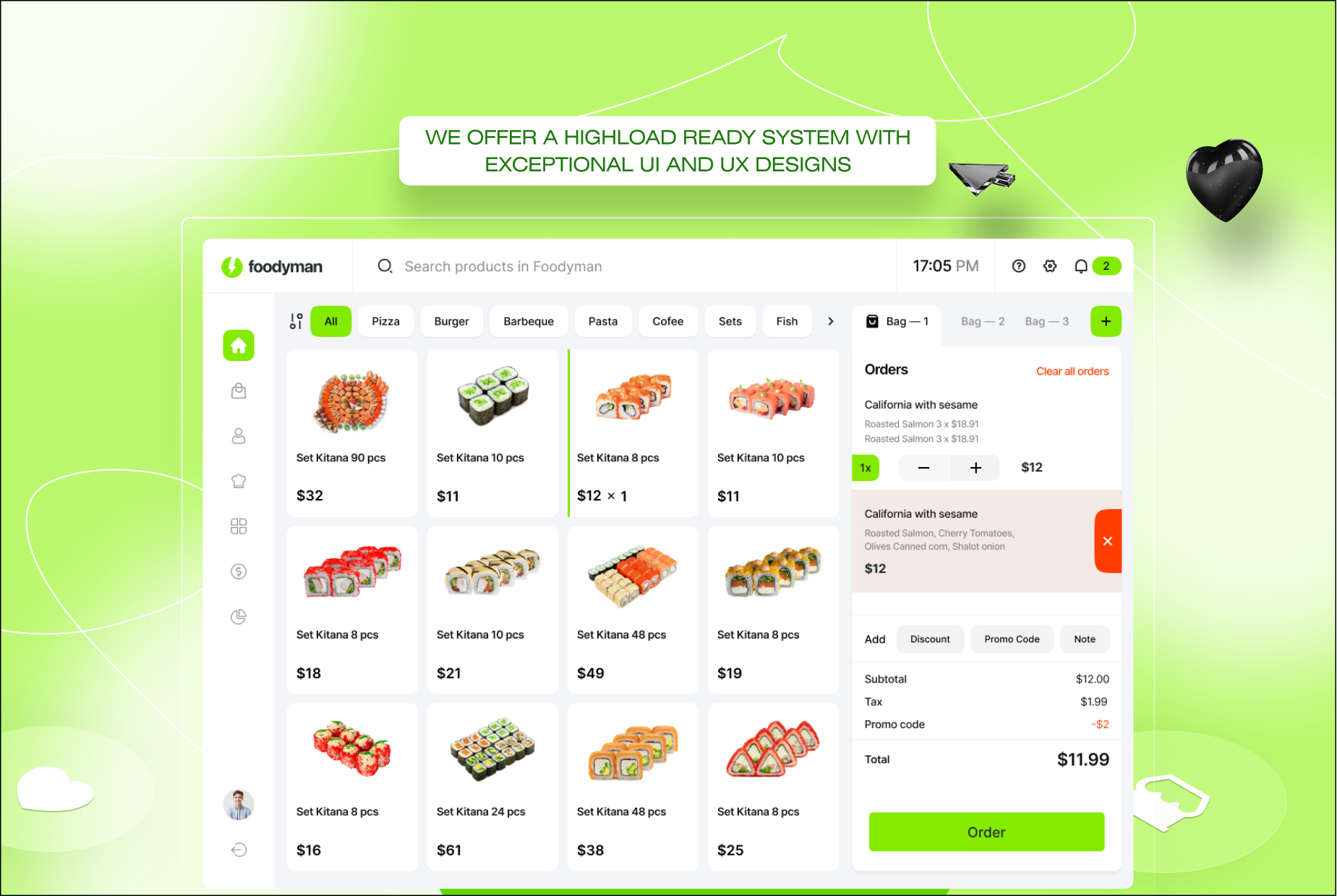
User-friendly Interface – Clean design, effortless to use, Foodyman POS redefines your operation. Automate, monitor, track – all from our one, innovative POS solution.
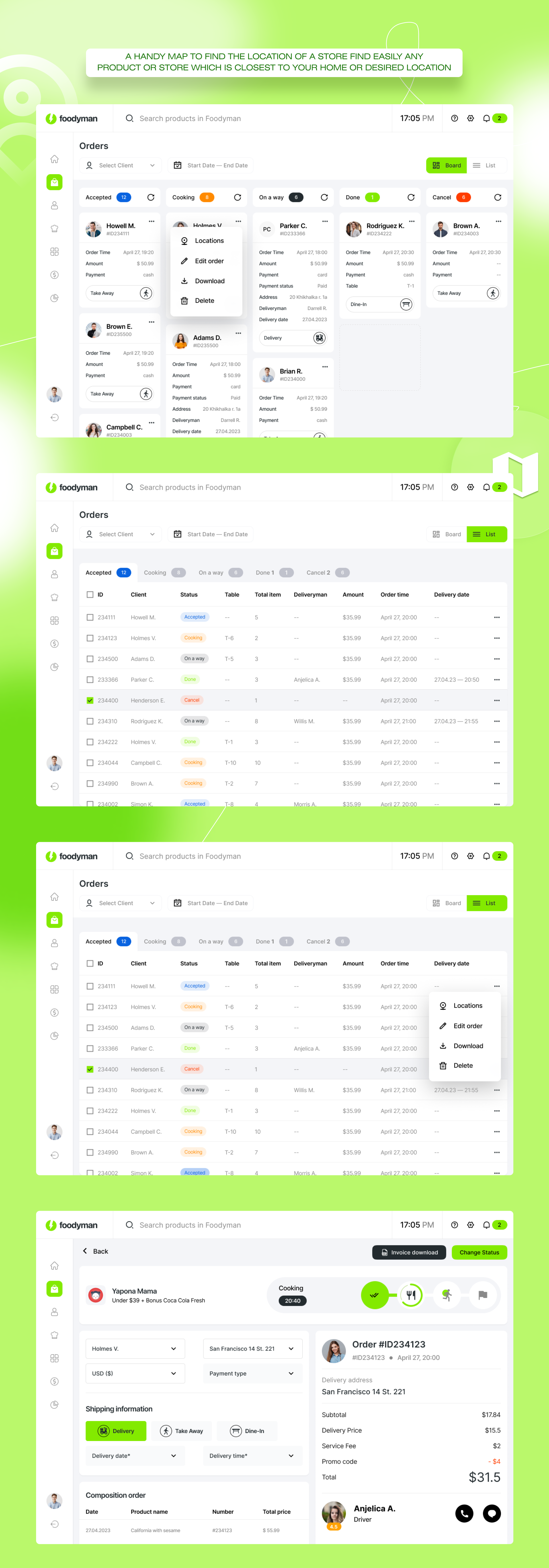
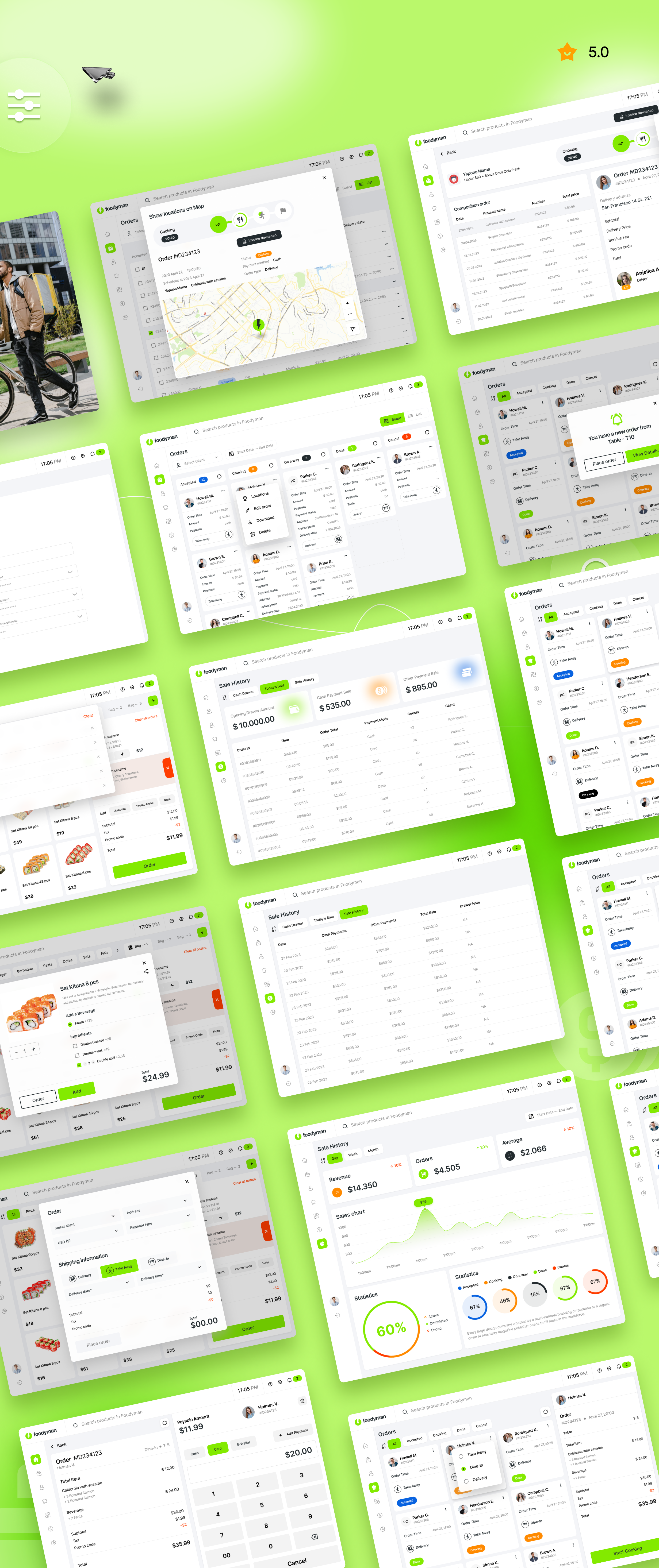
Manage orders with speed and efficiency Avoid unpredictable rush hours, and seamlessly manage orders. Let your servers accept orders directly from their tablets, Ipad and POS devices. Trigger orders within seconds to the kitchen, reducing any delays in order processing.
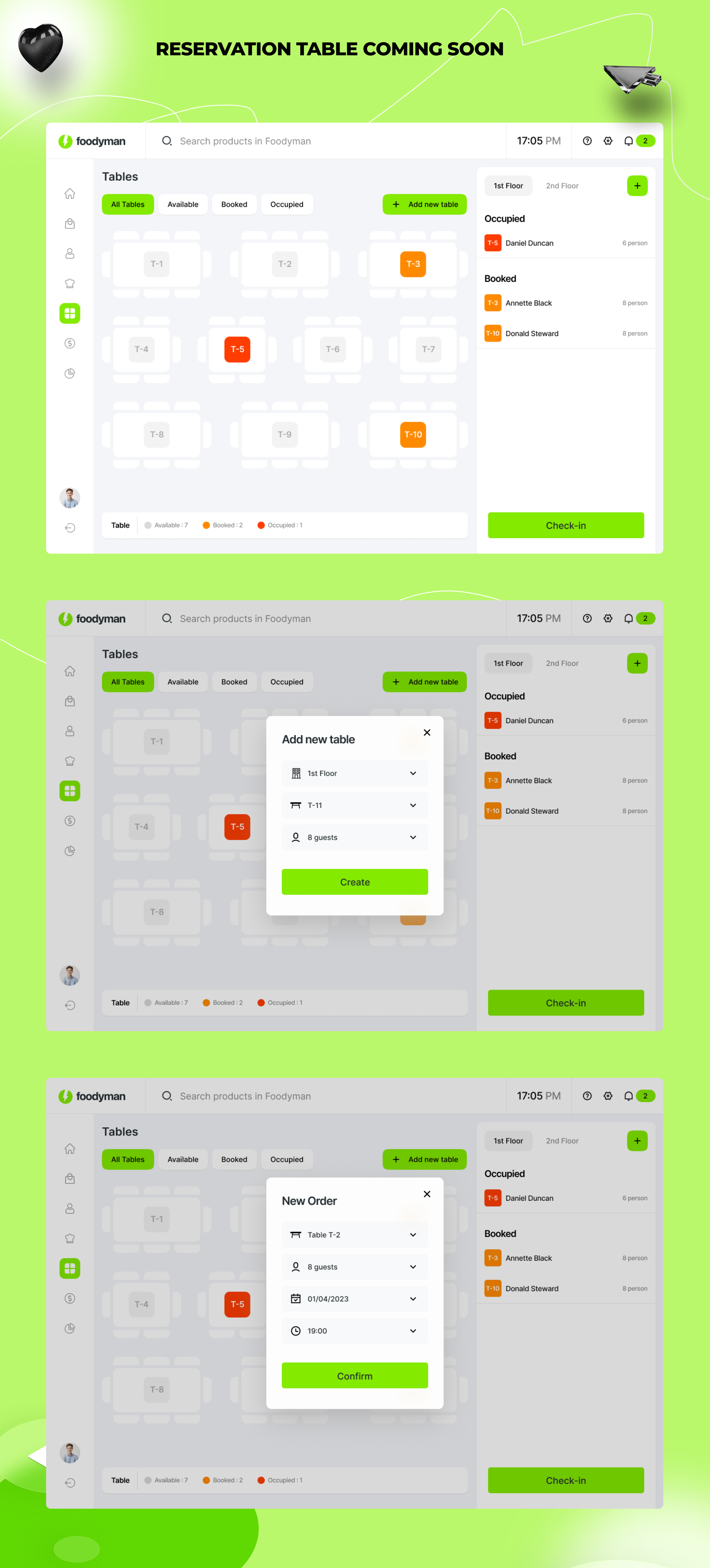
Manage restaurant reservations with ease Manage your reservations and bookings from your POS. Reduce your restaurant no-shows and proactively inform guests about their reservation status with instant communication from SMS.
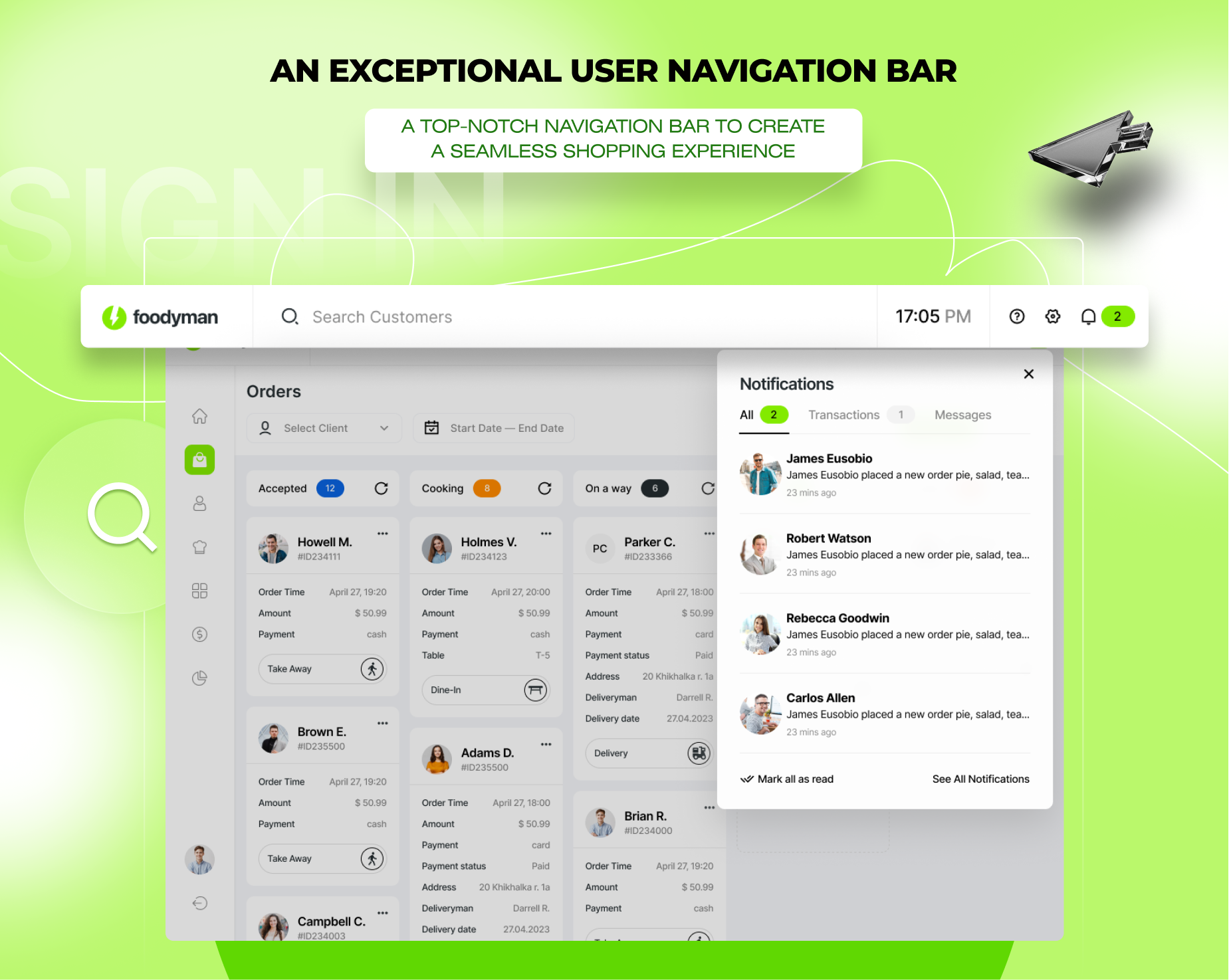
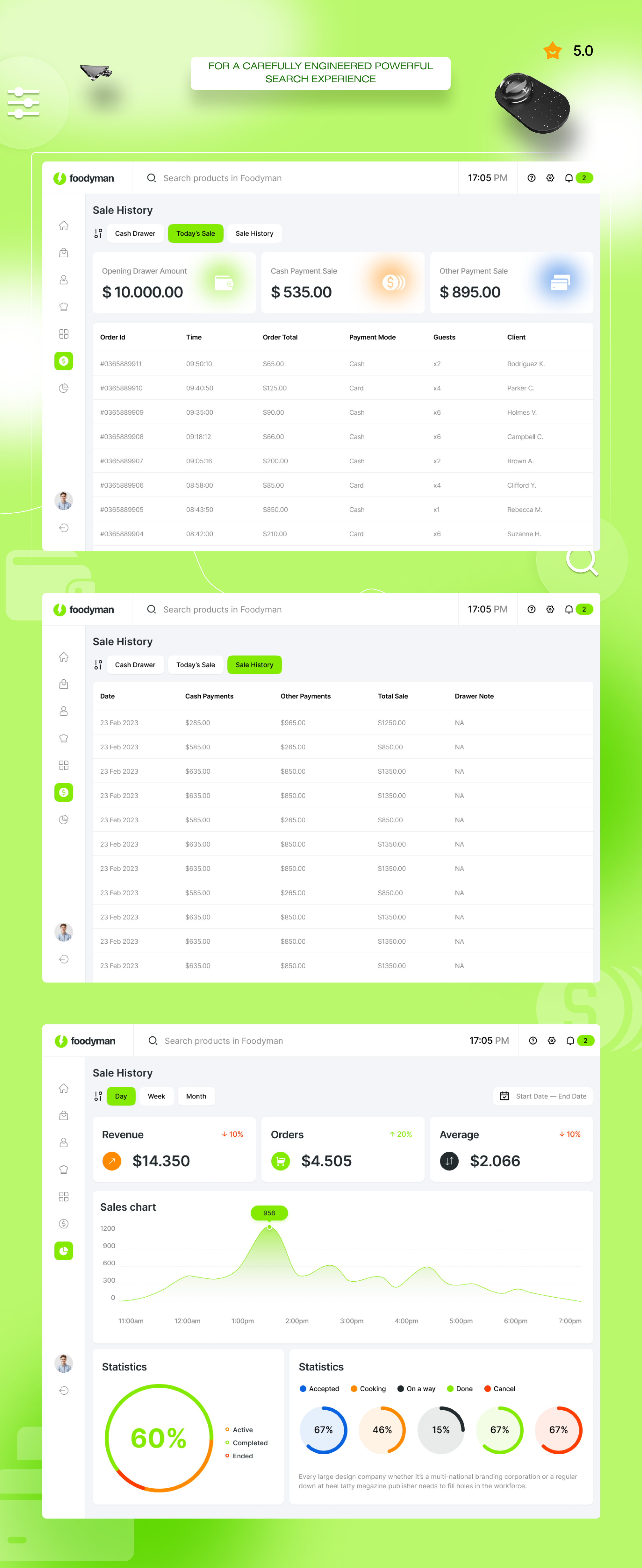
Stay in Control, Whenever, Wherever. Closely manage your business on the go from your tablet. Keep an eye on your sales at all times and stay on top of your operations.
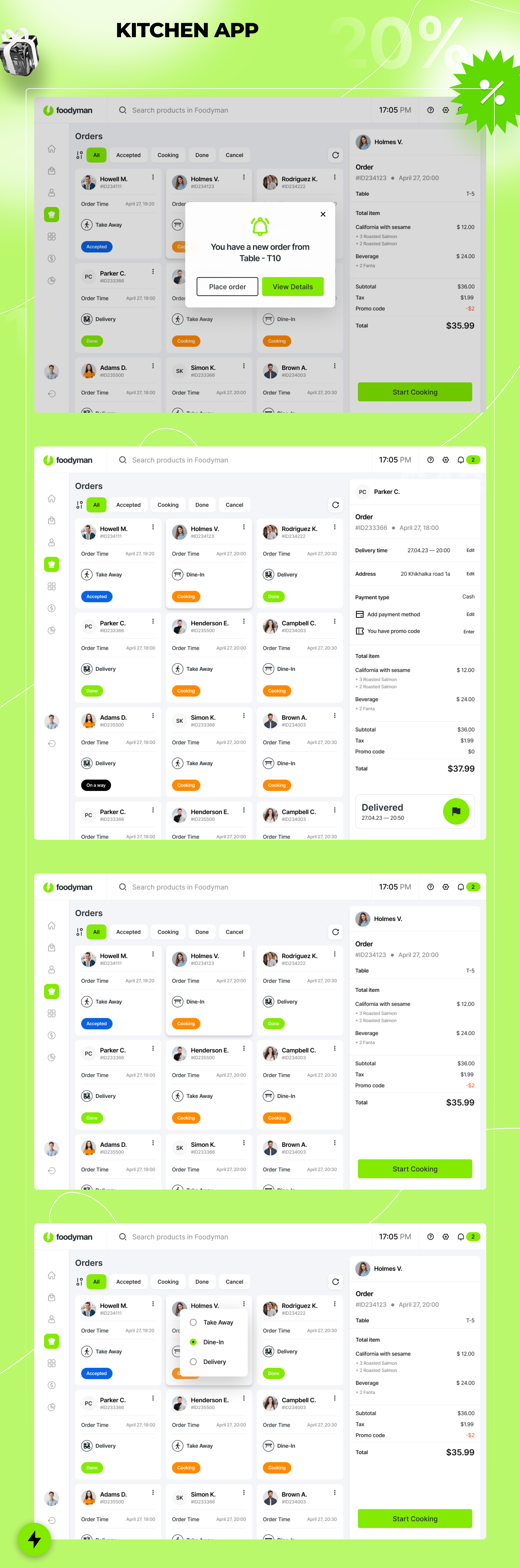
Kitchen Display Screen Streamline communications between your kitchen and wait staff, allowing your cooks to easily read orders and notes with the Kitchen Display Screen
Connect with A single & multi-branch restaurant & grocery store food ordering and delivery platform Enhance your business by integrating a multitude of applications to your Foodyman POS, ranging from finance & accounting to delivery & online ordering.

Change Log-
5 March 2026 (v. 2026 -03)
POS App
    - Flutter upgraded to the latest version - v3.41.0
    - Change primary color via Admin Panel (Dynamic Theming)
    - Updated all packages to their latest versions
    - Bug fixes and code optimization

Waiter App
    - Flutter upgraded to the latest version - v3.41.0
    - Change primary color via Admin Panel (Dynamic Theming)
    - Optimized authentication page (Phone and Email separated)
    - Updated all packages to their latest versions
    - Bug fixes and code optimization

QR Menu
    - Bug fixes and code optimization
Change log-
18 March 2025 (v. 2025 -02)
POS App
    - Added Open street map for Windows desktop
    - Added 12/24-hour format support
    - Updated dependencies
    - Bug fixes and code optimization

QR-Code
    - Added multilanguage feature

Waiter App
    - Added 12/24-hour format support
    - Updated dependencies
    - Bug fixes and code optimization
Change log
24 July 2024 (v. 2024 -01)
    - Added status change and kitchen to order detail.
    - Order detail UI in cooker has been changed.
    - Added order detail status in cooker.
    - Help page UI changed
    - Added section and table selection in dine-in order creation
    - Added view of table name in order detail
    - Updated packages and flutter upgraded to version 3.22
    - Fixed minor bugs
| Type | Flutter App |
|---|---|
| Author | githubit |
| Category | Mobile / Flutter |
| Price | $49 |
| Sales | 54 |
| Rating | 0.00 from 2 ratings |
| Published | May 25, 2023 |
| Last Update | Apr 13, 2026 |
| Compatible Software | Flutter 3.x |
| Mobile Files Included | Dart, YAML, .java, .kotlin, .h, .plist, .swift |
Categories
Tags
External listing. code.market does not sell this product and does not process payment for it. Pricing, payment, delivery, licensing, refunds, and support are handled by the third-party merchant on its own website. We may earn an affiliate commission from a referral. Details.
Products of the Week.
Submit🥇

STOP GUESSING WHAT TO POST
AI that learns your brand voice and builds a month of consistent, on-brand social content: carousels, posts and hooks that sound like you, not like everyone else's AI.
SaaS · 4,291 views · 38 clicksSaaS · Week 45 · 4,291 views · 38 clicks
🥈

Conversational Backlinks for Busy Founders
Place Backlink Relevant Conversation for your domain across Forums and Conversations
Website · 42,004 views · 223 clicksWebsite · Week 45 · 42,004 views · 223 clicks
🥉

upvote.club
Free Social Media Engagement that Helps Boost Your Content. Upvote Club supports 19 social networks with 100+ engagement actions in one dashboard. Add links to your posts and get free engagement from real users.
SaaS · 40,046 views · 117 clicksSaaS · Week 45 · 40,046 views · 117 clicks
#4

Substack Posting API
Onboard your Agent to Substack. Write Publish on Substack via API
SaaS · 59,055 views · 198 clicksSaaS · Week 45 · 59,055 views · 198 clicks
#5

Seenshot App
Free, Fast, MacOS Screenshot app. Make Screenshot cmd+shift+2 and send it via link
Desktop App · 28,432 views · 122 clicksDesktop App · Week 45 · 28,432 views · 122 clicks
#6

Hand-Placed Backlinks $9.99 per link. Flat rate.
Buy hand-placed forum, Q-A and directory backlinks. Flat $9.99 per link, no subscriptions — you only pay for approved listings.
Website · 4,265 views · 19 clicksWebsite · Week 45 · 4,265 views · 19 clicks
#7

Free Invoice Generator - PDF Invoices in Your Browser, No Sign-Up
A free invoice maker for freelancers and small businesses: fill in the invoice, check the live preview, and download a PDF that looks exactly like it. Any currency, tax per item, three templates, no sign-up, and nothing leaves your device.
2,940 views · 17 clicksWeek 45 · 2,940 views · 17 clicks
#8

Merge PDF Files Free - Combine PDFs in Your Browser, No Upload
A free PDF merger for office workers, students, and freelancers: combine PDFs and images into one file in the browser, reorder files and pages, pick page ranges, keep bookmarks, and open password-protected PDFs. Nothing is uploaded, no sign-up, no watermark.
2,717 views · 13 clicksWeek 45 · 2,717 views · 13 clicks