
Foodifly | Food Delivery Platform with Customer, Rider and Restaurant Apps
Description
Launch your own food delivery business
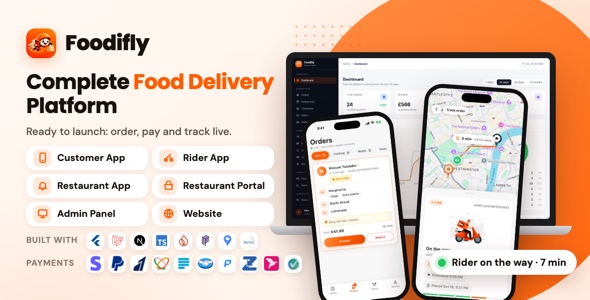
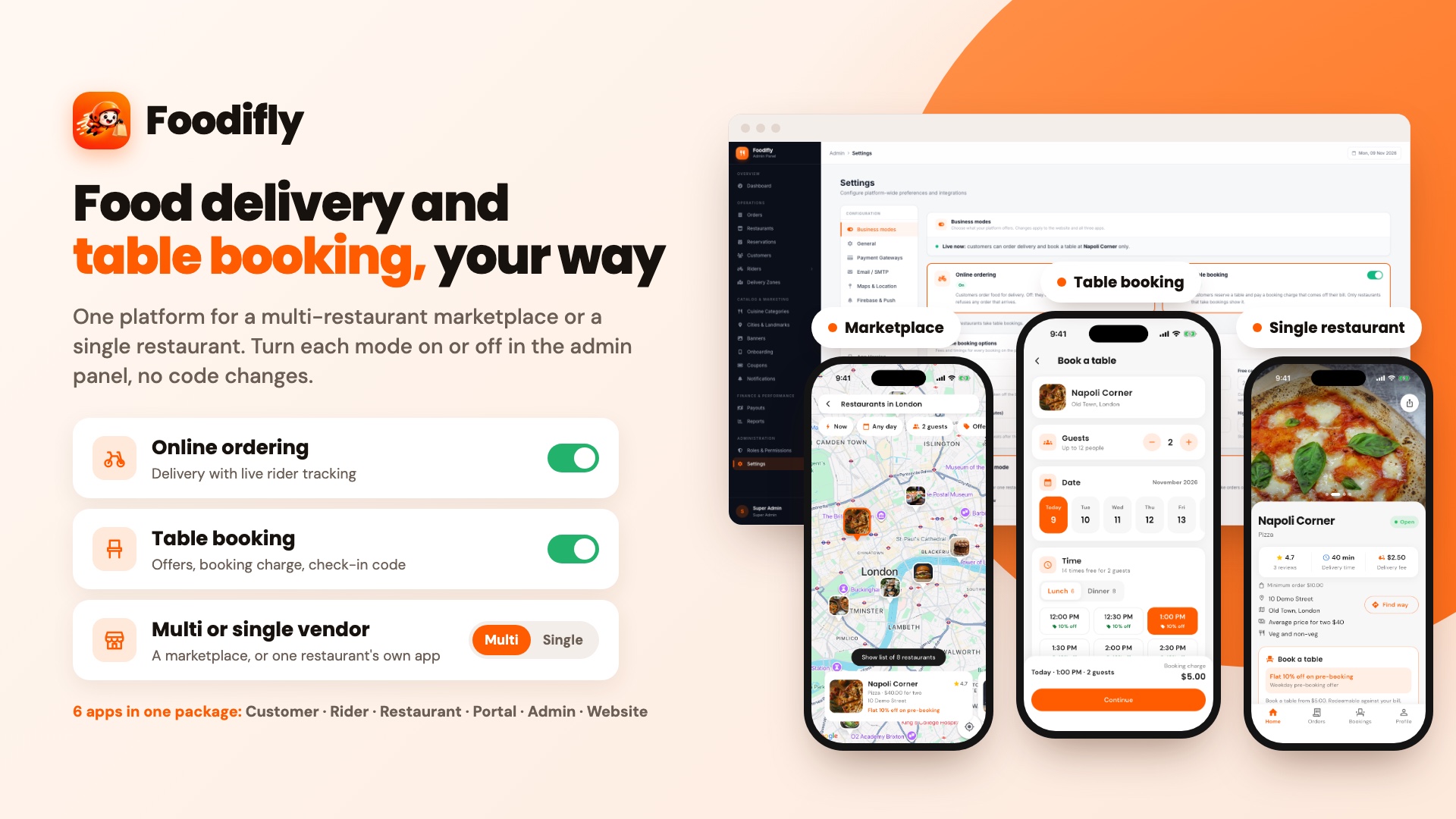
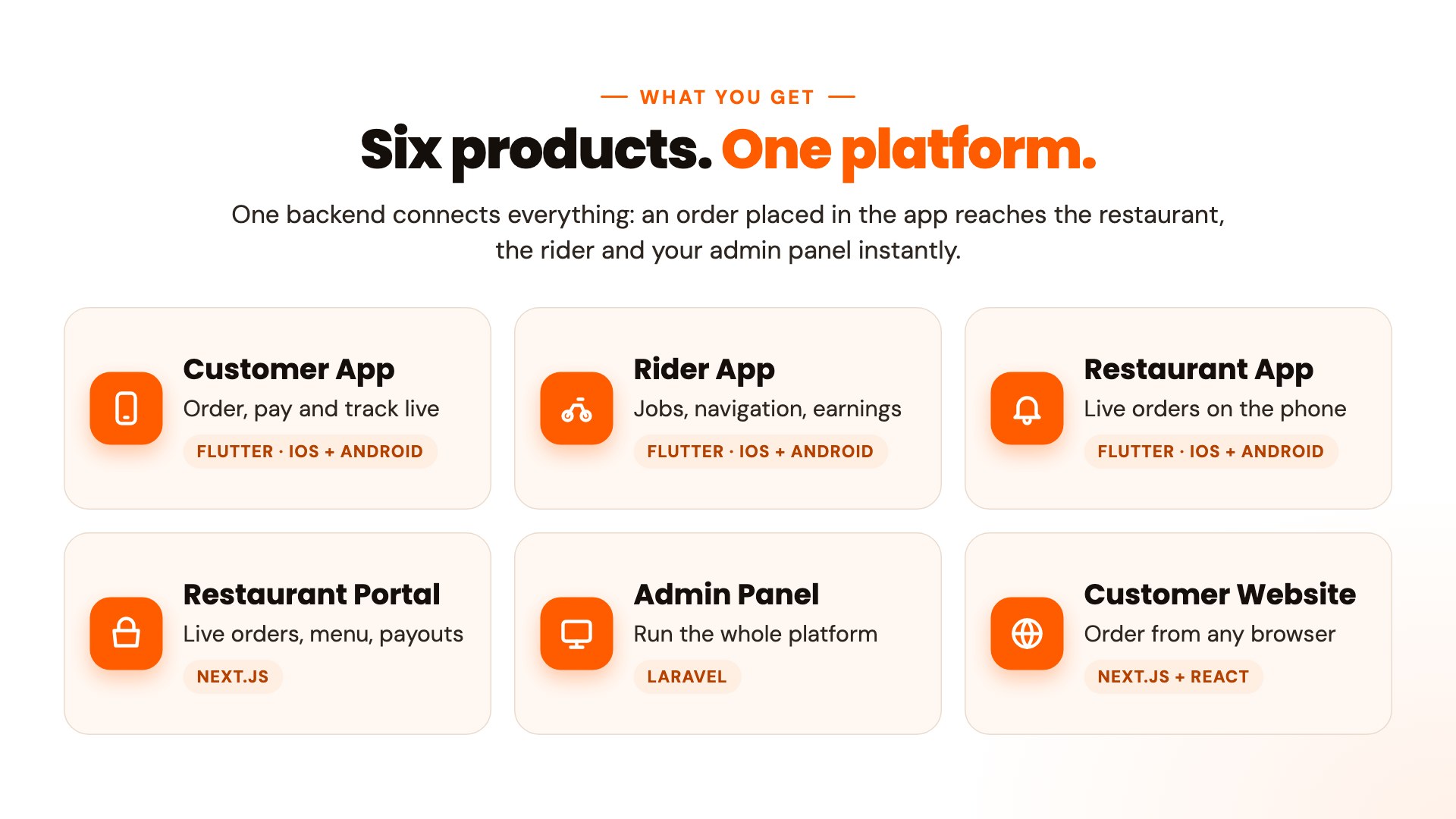
Foodifly is a complete, ready-to-launch food delivery platform. You get six connected products in one package: a Flutter customer app, a Flutter rider app, a Flutter restaurant app, a Next.js restaurant portal, a Laravel admin panel and a Next.js customer website. They all share one backend, so an order placed in the app rings on the restaurant’s phone and portal, reaches a rider’s phone and appears in your admin panel instantly.
It is built for any country: your currency, timezone, delivery area, fees and payment methods all come from the admin panel, with no code changes.
Why buyers choose Foodifly
- Everything in one package: three mobile apps (customer, rider and restaurant), a restaurant portal, an admin panel and a website.
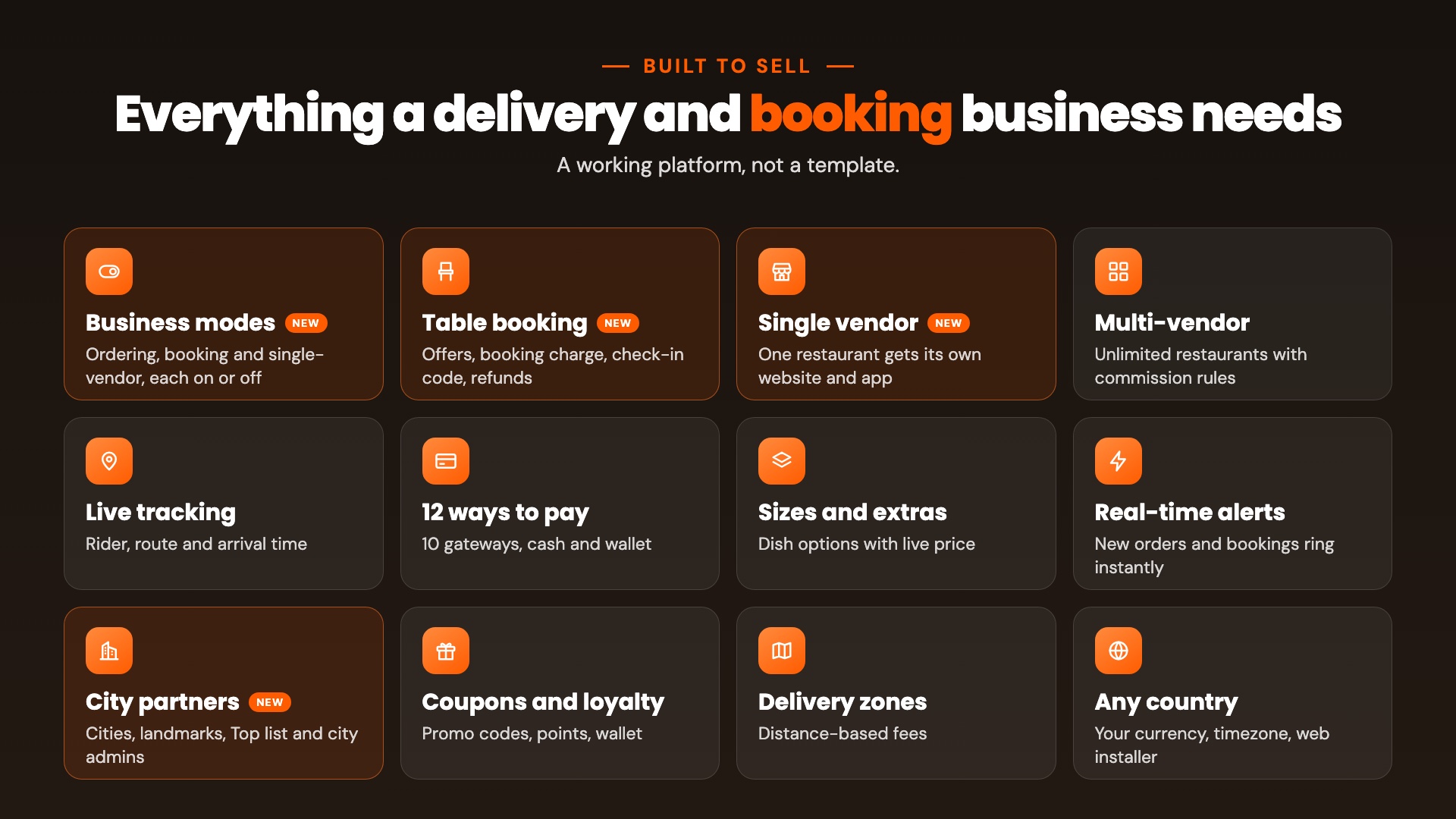
- Live order tracking with the rider on the map, the route, the distance and the arrival time.
- 12 ways to pay: Stripe, PayPal, Razorpay, Flutterwave, Paystack, Mercado Pago, Paymob, SSLCommerz, bKash and senangPay, plus cash on delivery and the in-app wallet.
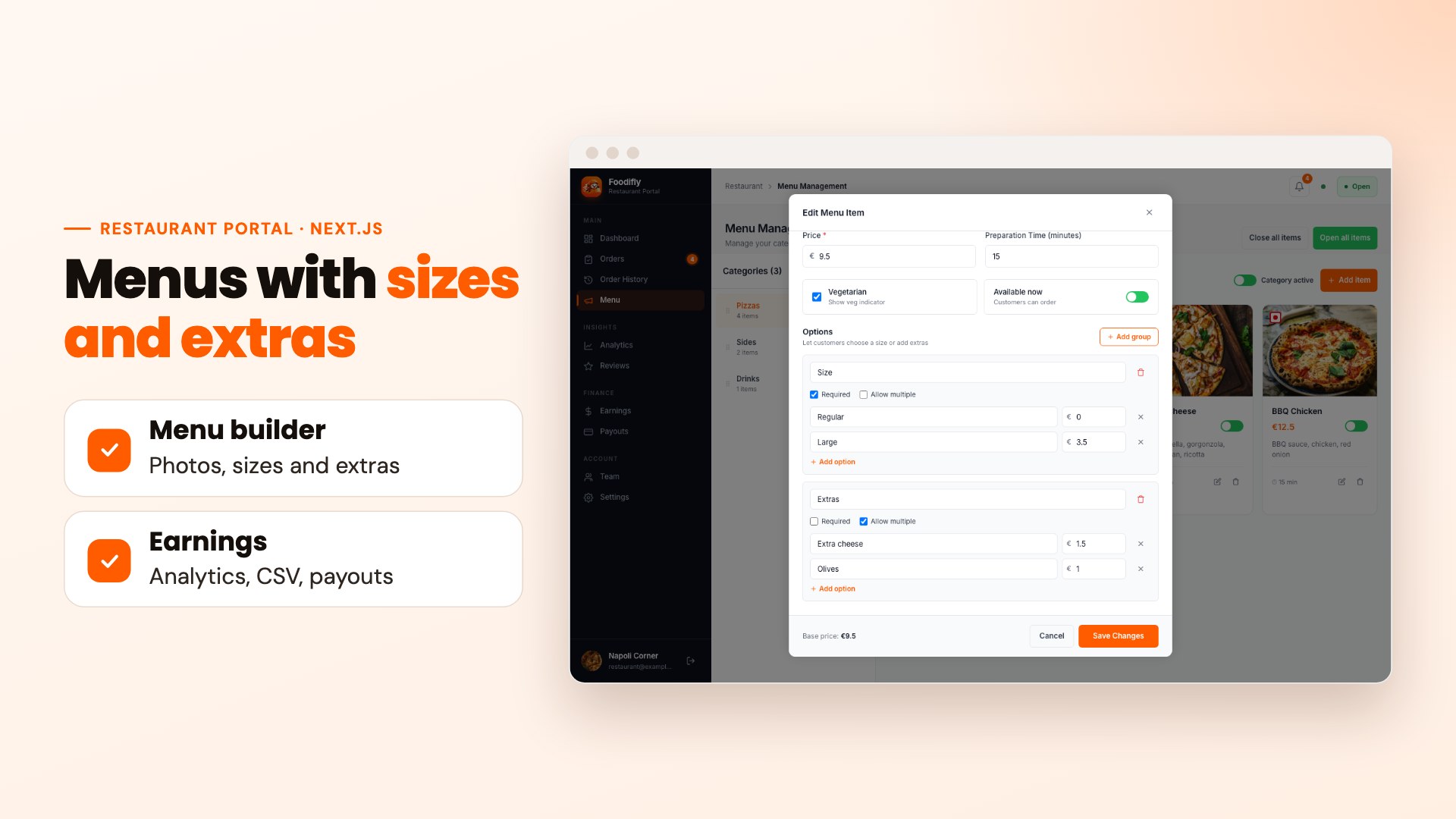
- Sizes and extras on any dish, priced by the restaurant and checked on the server.
- Real-time new-order alerts, status updates and rider job offers.
- Web installer and detailed documentation with screenshots.
- Quality you can trust: more than 1,200 automated tests across the platform.
Important: extra costs that are not included in the purchase price. The integrated payment gateways (Stripe, PayPal, Razorpay, Flutterwave, Paystack, Mercado Pago, Paymob, SSLCommerz, bKash and senangPay) charge their own transaction fees, and Pusher Channels (live updates) has its own service plans and costs. Google Maps, Firebase, your email service and the Apple and Google store accounts can also have fees. These fees are set by the providers and paid by you directly to them; none of them is covered by the price of this item.
AI disclosure
Yes, AI tools were used. We used one AI coding assistant, Claude Code by Anthropic, to assist our developers. No other AI tools were used.
- Code: AI assisted with writing, reviewing and testing parts of the code.
- Documentation: AI assisted with drafting and editing the documentation and this description.
- Graphics: AI assisted with laying out the preview images from real screenshots of the product, and with the app icons. No AI image generator was used, and every screenshot shows the real product.
Our team reviewed, tested and maintains everything in the package.
Live demo
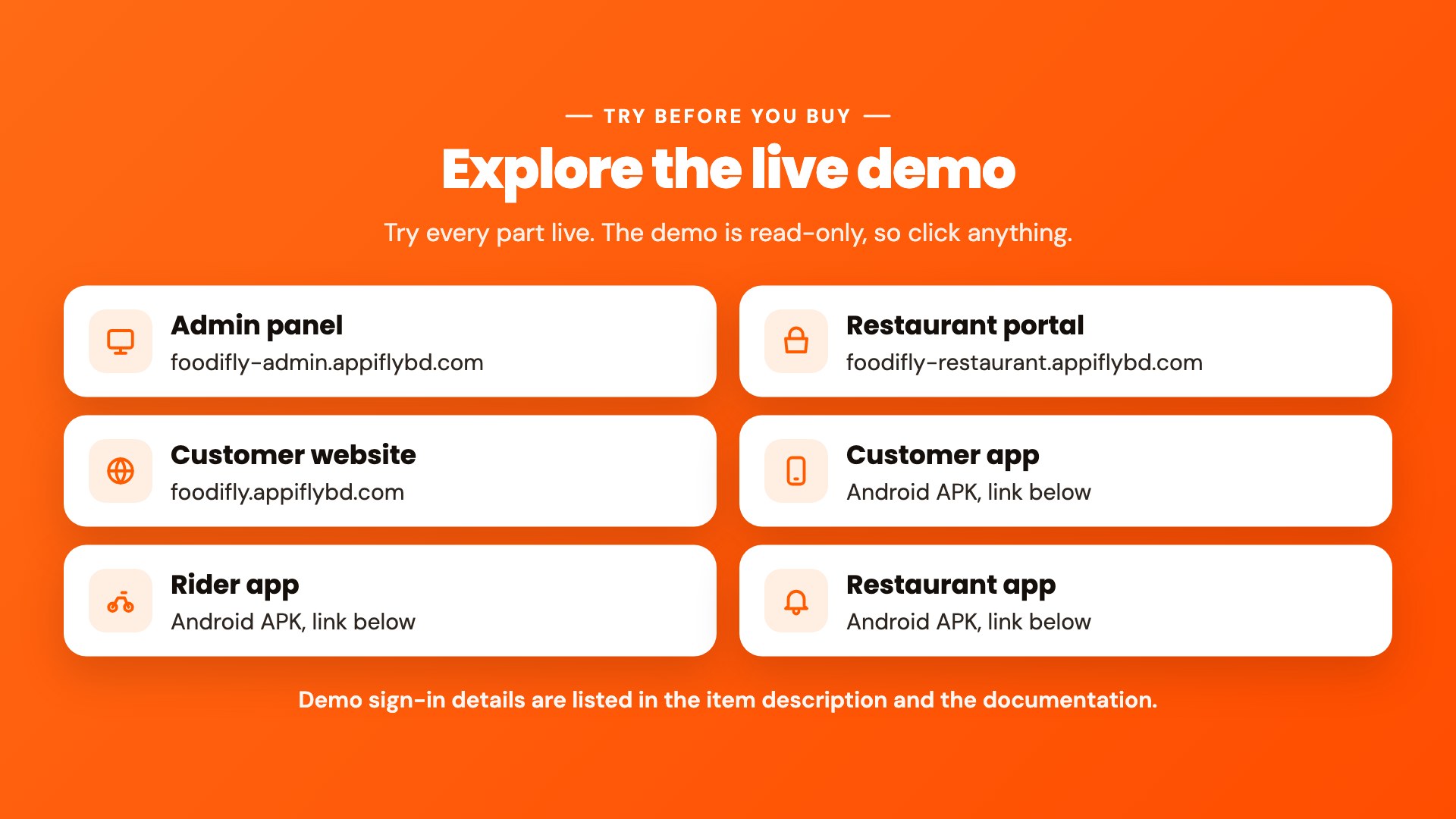
The demo is read-only: you can sign in and click everything, but nothing can be created, changed or deleted. Use the sign-in details below.
Demo sign-in details
- Customer (website and customer app):
customer@example.com/password - Restaurant (portal and restaurant app):
restaurant@example.com/password - Rider (rider app):
rider@example.com/password - Admin panel (Super Admin):
admin@foodifly.com/password
Demo links
- Admin panel: foodifly-admin.appiflybd.com
- Restaurant portal: foodifly-restaurant.appiflybd.com
- Customer website: foodifly.appiflybd.com
- Customer app (Android APK): Download
- Rider app (Android APK): Download
- Restaurant app (Android APK): Download
- Documentation: foodifly-admin.appiflybd.com/docs
Customer app (Flutter, iOS and Android)
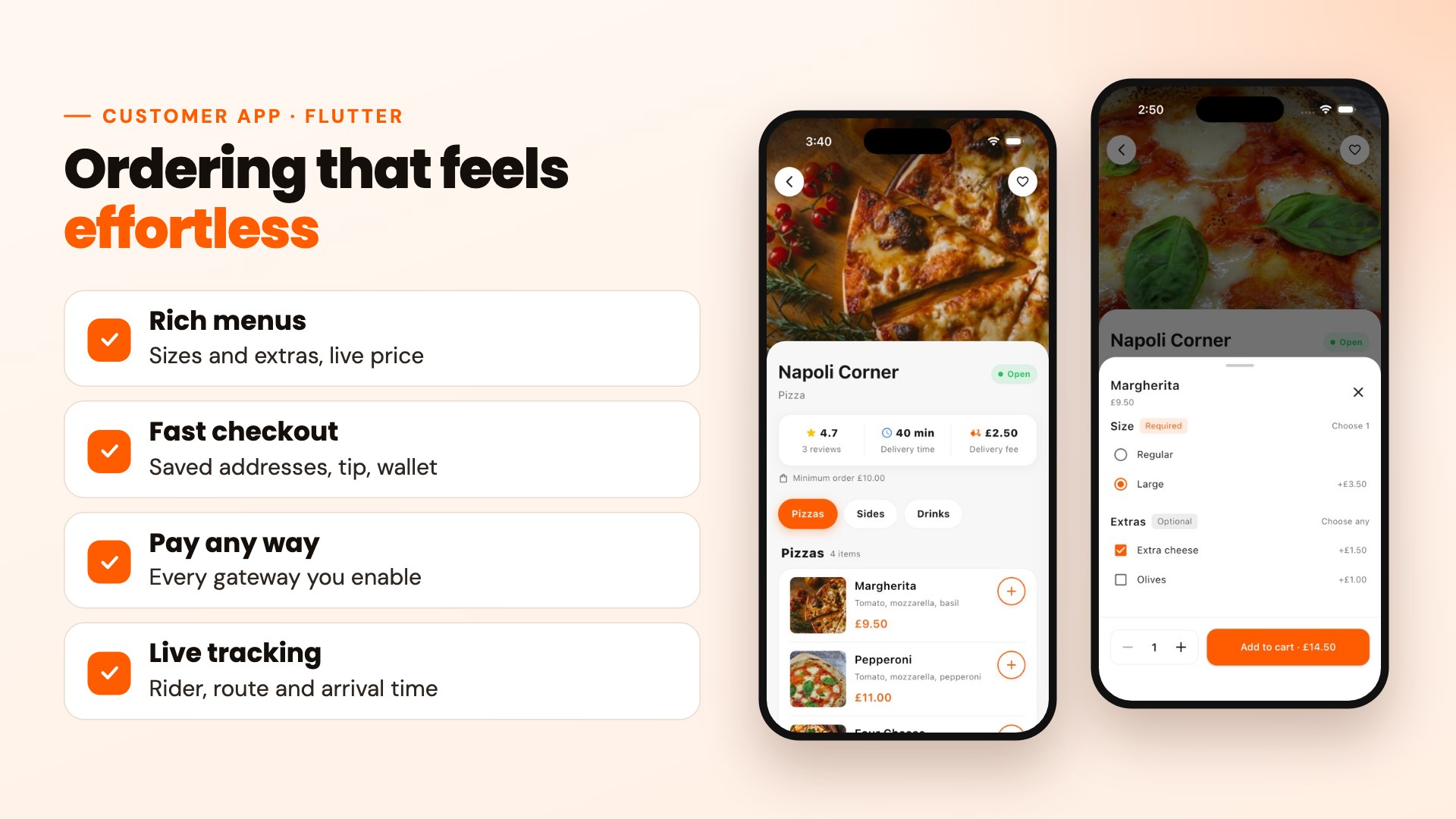
Discover and order
- Onboarding slides managed from the admin panel
- Sign up and sign in with email and password, password reset, account deletion
- Home with banners, cuisine categories, top rated and nearby restaurants
- Delivery area picker on a map or by search
- Search restaurants and dishes
- Restaurant pages with menus, opening status, delivery fee and minimum order
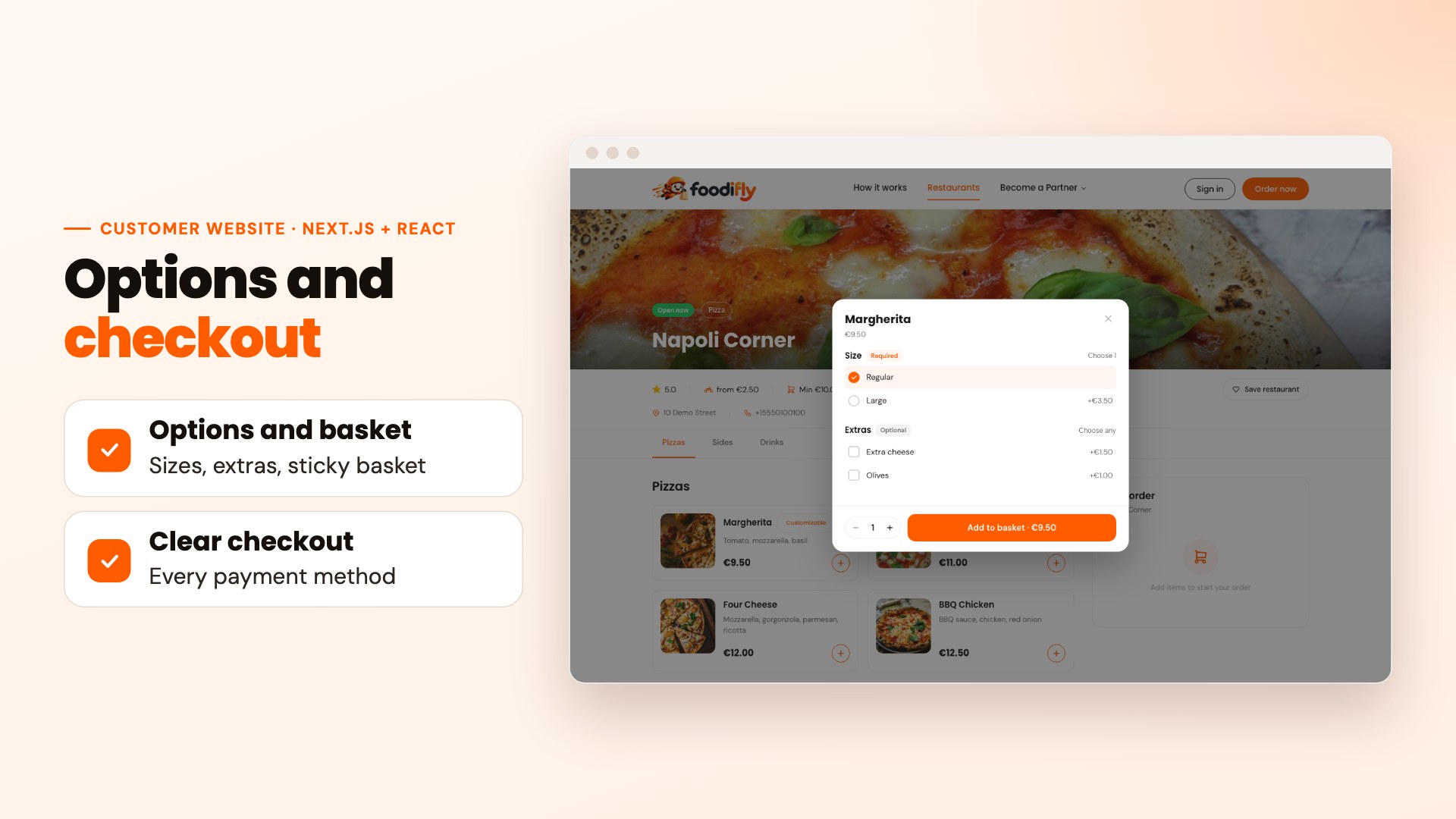
- Dish options: required sizes (pick one) and optional extras (pick any), with a live total
- Favorite restaurants, synced to the account
Checkout and payment
- Cart per restaurant, with the same dish and choices merged into one line
- Saved addresses, chosen on a map or by search
- Promo codes and an offers screen
- Rider tip, wallet balance and loyalty point redemption
- Pay with any gateway the admin switches on, or cash on delivery
- Distance-based delivery fee, minimum order and free-delivery threshold shown before paying
After ordering
- Live tracking with the rider on the map, the route, the distance and the arrival time
- Order stage animations from “waiting for the restaurant” to “on the way”
- Straight to the tracking screen after paying
- Order history, order details and one-tap reorder
- Ratings and reviews, refunds to the wallet
- Wallet top-up and loyalty points
- Push notifications and an in-app notification inbox
- Light and dark mode (or follow the phone’s setting), forced update prompt from the admin panel
Light and dark mode
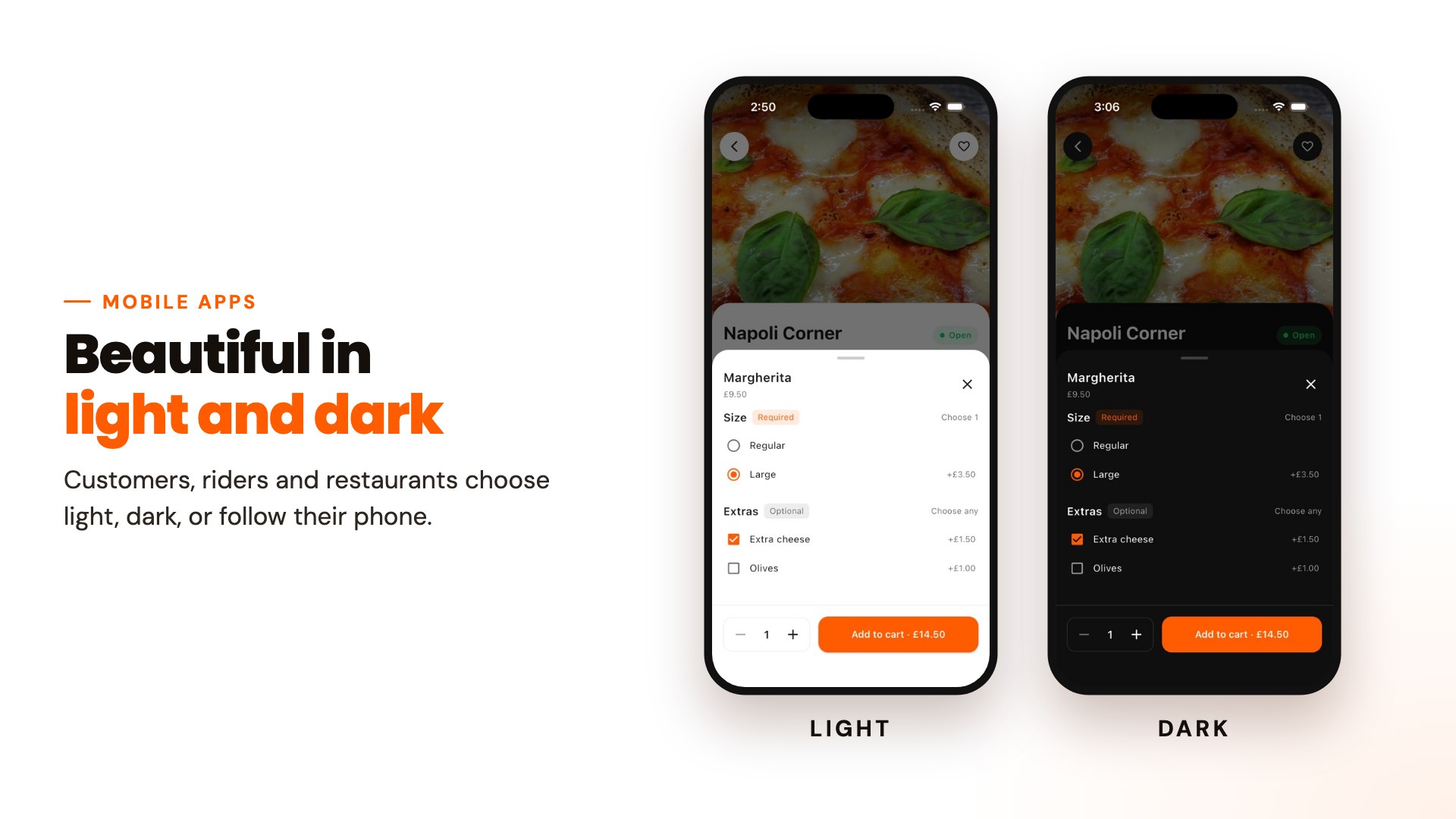
All three mobile apps come with a full light theme and dark theme. Customers, riders and restaurant staff can choose light, dark, or follow their phone’s setting, with one tap in Settings. Every screen is designed for both, including menus, the options sheet, checkout and live tracking.
Rider app (Flutter, iOS and Android)
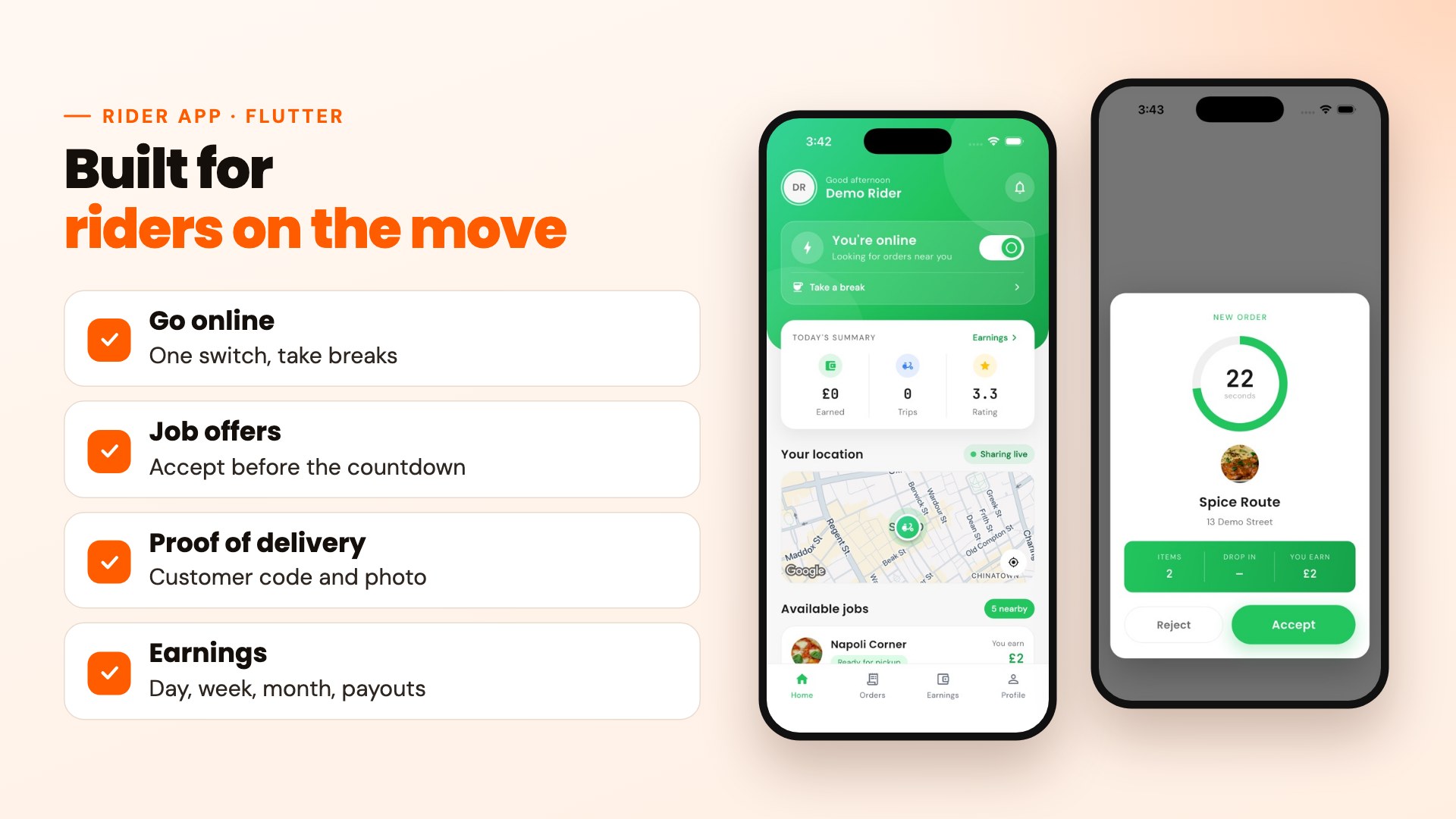
- Rider registration with documents, approval status and sign in
- Go online or offline, and take breaks
- Incoming job offers with an accept or decline countdown
- Jobs assigned by an admin
- Pickup checklist and map navigation
- Live location sharing while on a job
- Proof of delivery: the customer’s delivery code and a photo
- Order history with search and filters, ratings and customer reviews
- Earnings by day, week and month, trip list and cash in hand
- Payout requests
- Push notifications and in-app notifications
- Light and dark mode
Restaurant app (Flutter, iOS and Android)
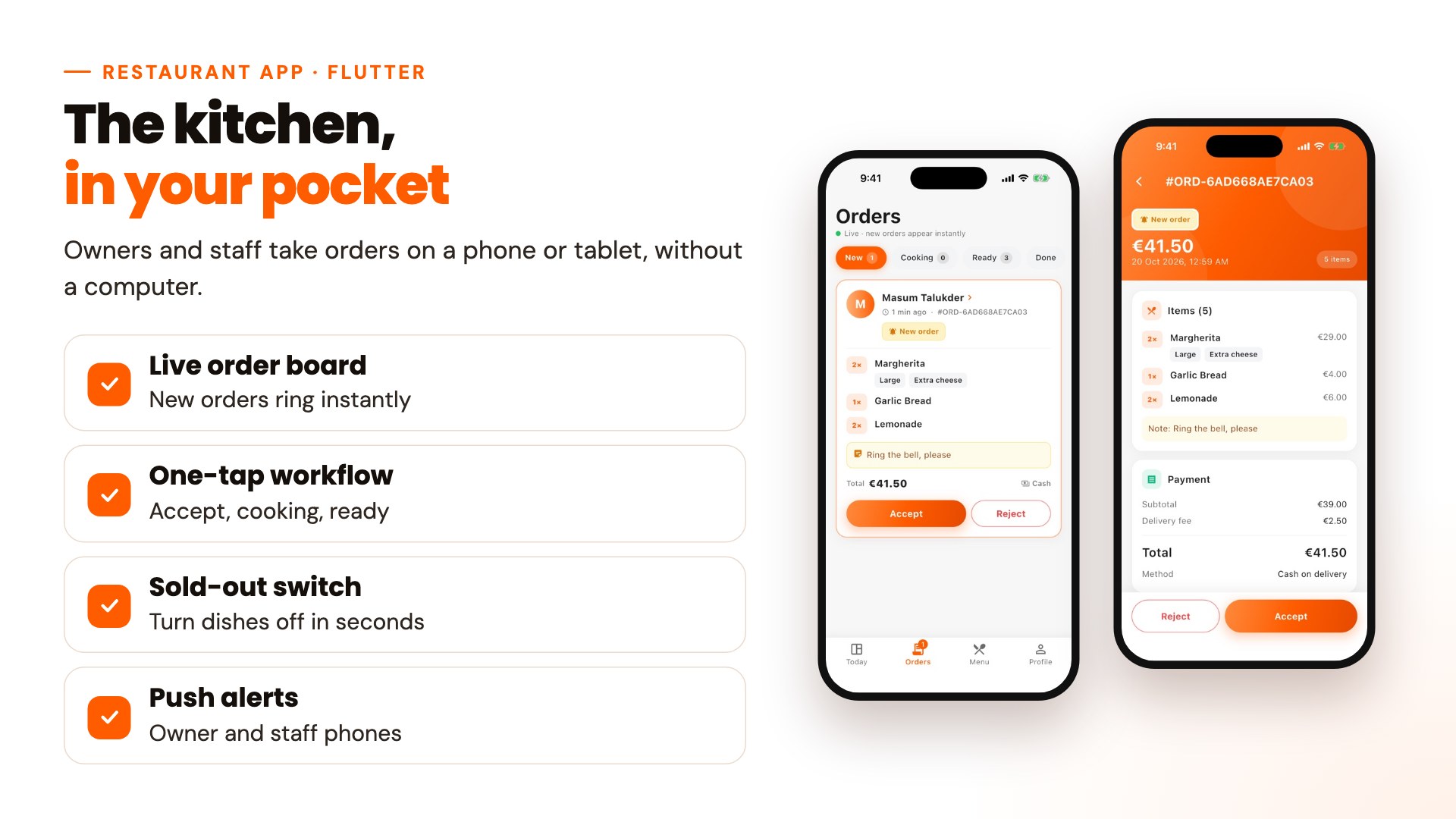
The kitchen on a phone or tablet. Owners and staff sign in with the same accounts they use on the restaurant portal.
- Sign in for the owner and for staff accounts, with each role’s permissions applied
- Today’s dashboard: orders, revenue, orders waiting and rating
- Open or close the restaurant with one switch
- Live order board in stages: new, cooking, ready and done
- New orders appear instantly with a sound alert, through Pusher
- Accept or reject (with a reason), then mark orders as cooking and ready
- Order details with the customer’s sizes, extras and notes, and a call button
- Menu availability: switch a dish off when it runs out
- Push notifications for new orders on the owner’s and staff phones, even when the app is closed
- Light and dark mode
Restaurant portal (Next.js)
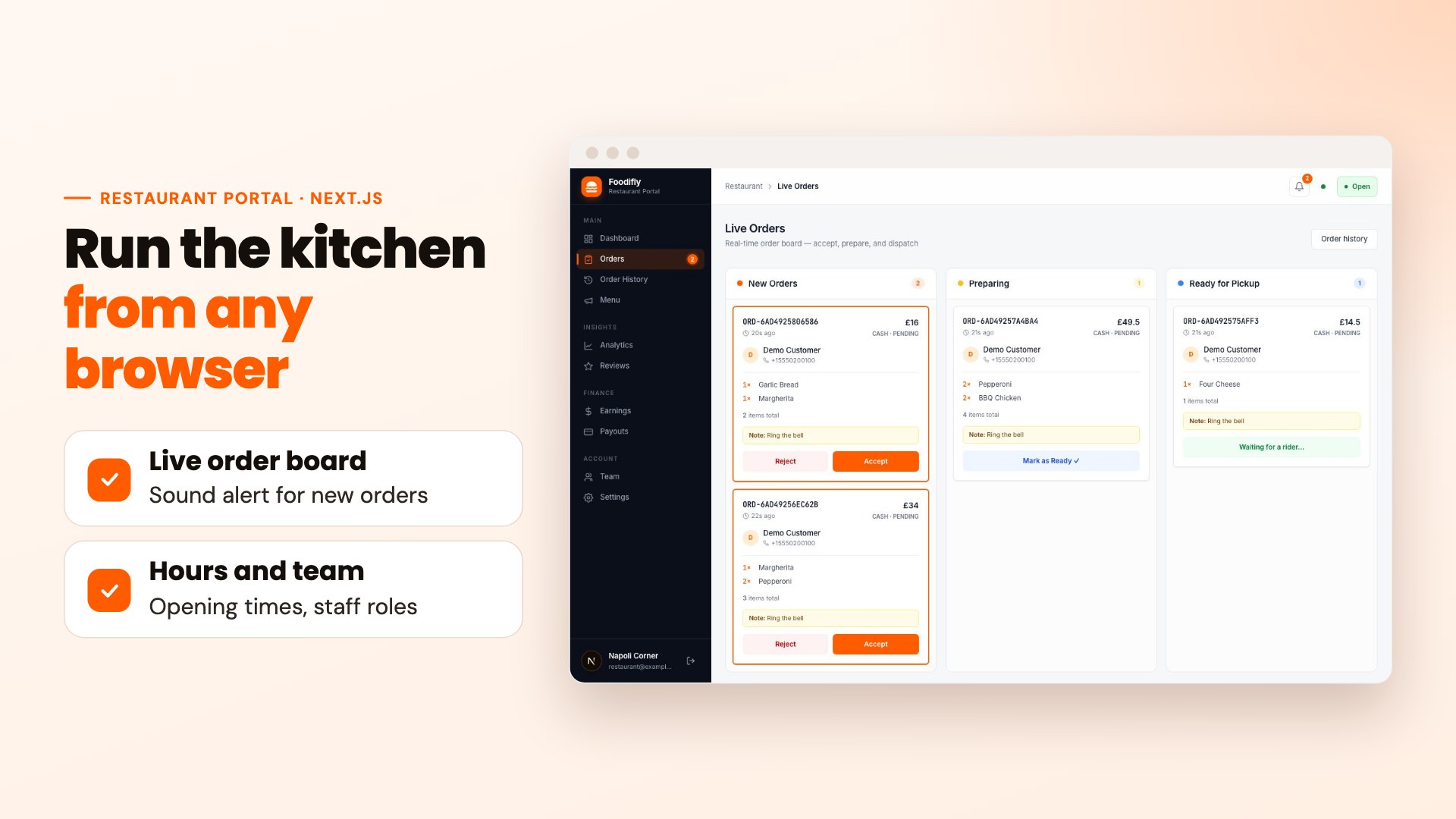
- Restaurant registration, with admin approval before going live
- Dashboard with today’s orders, revenue and rating
- Live order board with a sound alert for new orders
- Accept, prepare and hand over orders, with the customer’s choices and notes
- Order history with search and CSV export
- Menu builder: categories, dishes, photos, prices and availability
- Dish options editor for sizes and extras
- Open and close the restaurant, opening hours and holidays
- Team accounts with manager and kitchen roles
- Analytics and best sellers
- Earnings, CSV export and payout requests
- Customer reviews
- Your platform’s logo, name, currency and timezone throughout
Admin panel (Laravel)
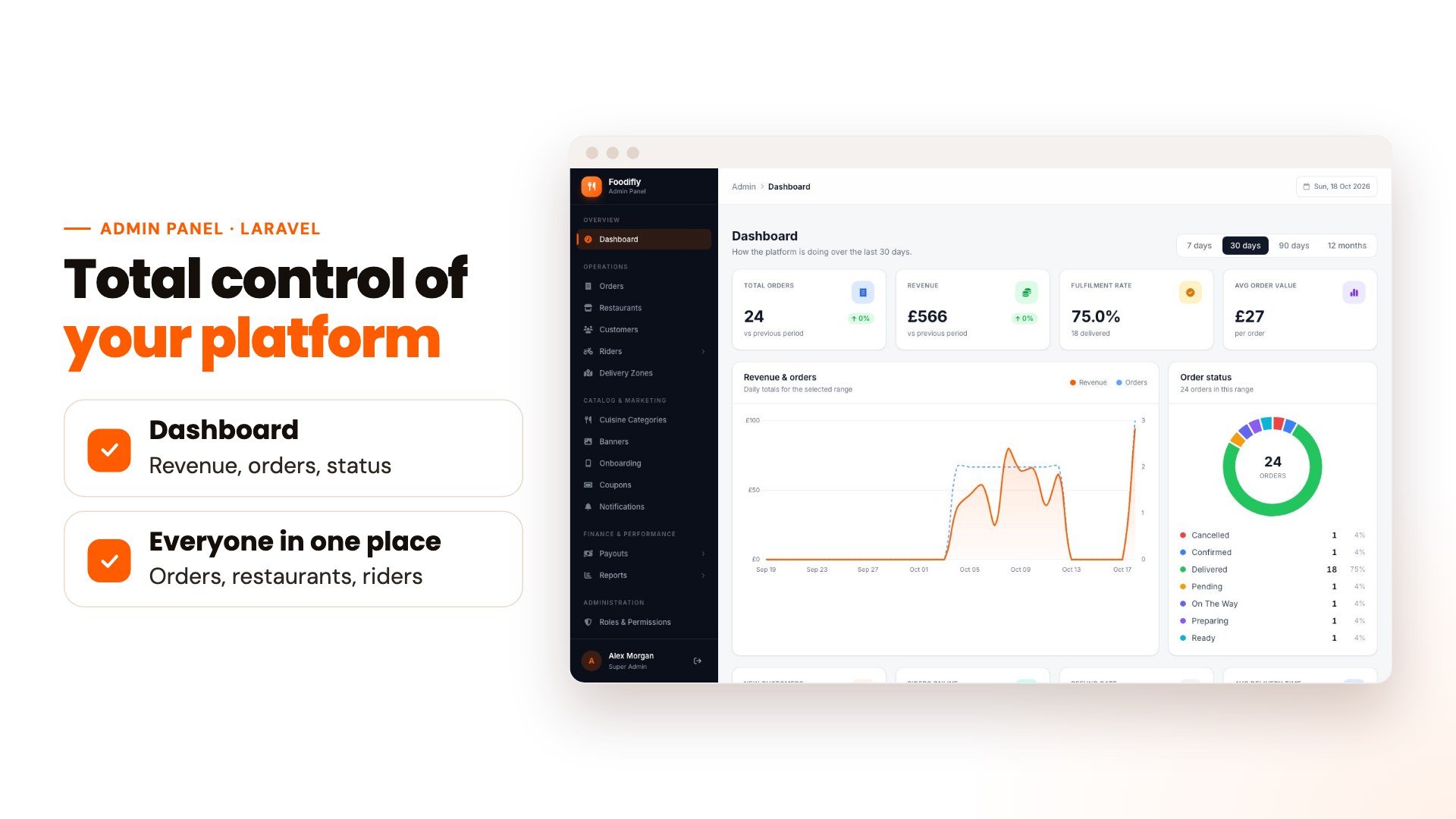
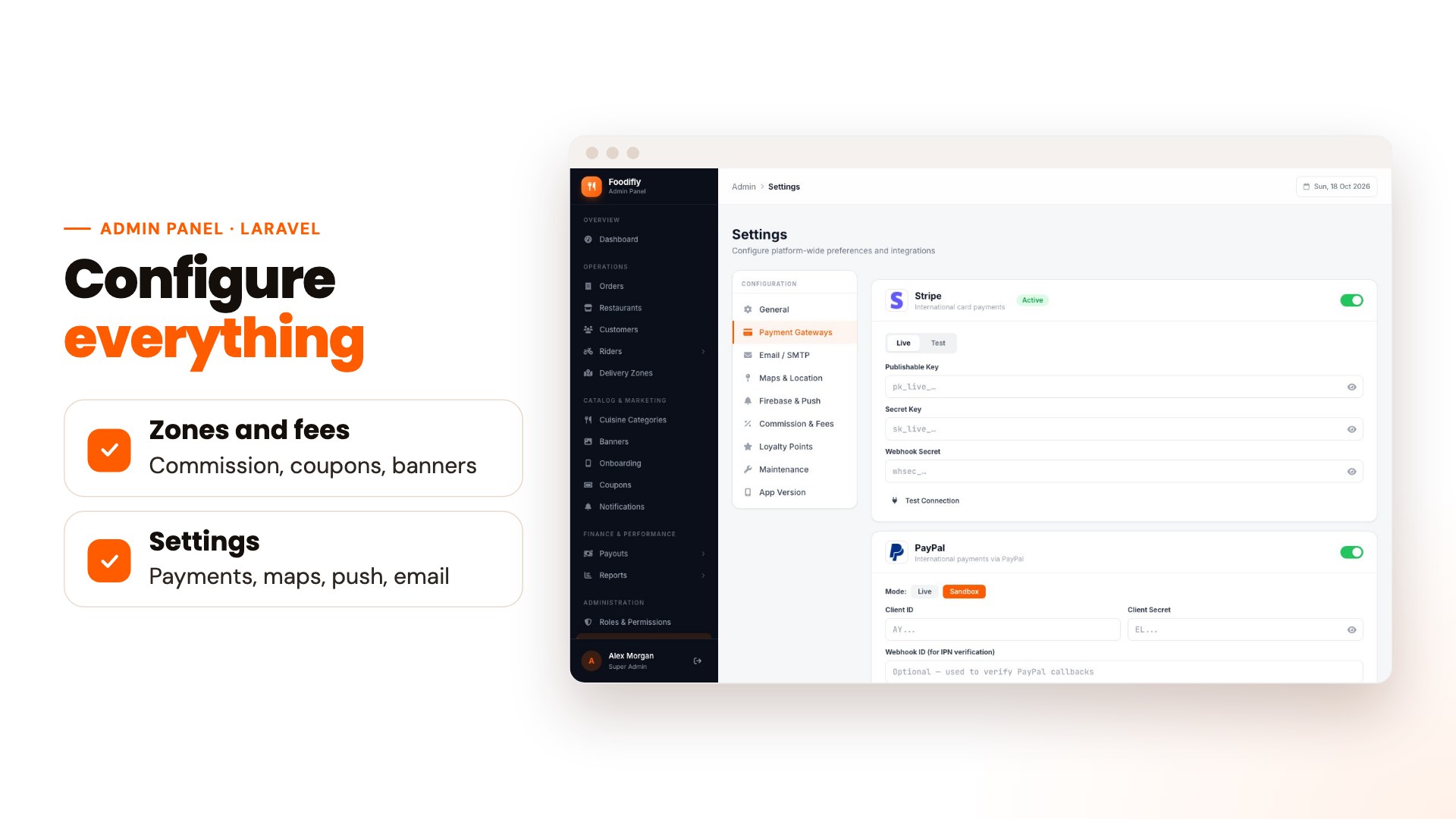
Operations
- Dashboard with revenue, orders, fulfillment rate, average order value and order status
- Orders: view, filter, change status, assign riders, refunds, PDF invoices and CSV export
- Restaurants: approve, edit, suspend, commission rate and CSV export
- Customers and riders: profiles, approval, documents and history
- Delivery zones with distance-based fee tiers
Catalog and marketing
- Cuisine categories
- Home banners and onboarding slides for the apps
- Coupons and promo codes
- Push and email notification templates
Finance
- Restaurant and rider payouts
- Commission ledgers
- Reports
Administration and settings
- Staff accounts with roles and fine-grained permissions
- General: app name, logo (also used as the browser tab icon), currency, timezone, support contacts and company details
- Payment gateways: enable each one and enter its keys, in test or live mode
- Maps and location: Google Maps key, default map center, delivery route on the tracking screen
- Firebase and push: upload the service-account file and test the connection
- Email and SMTP, with a test email
- Commission, fees, minimum order, free-delivery threshold, tips
- Loyalty points rules
- Maintenance mode and app version with forced update
- Demo mode: a read-only public demo of your platform
- Web installer for a browser-based setup
Customer website (Next.js and React)
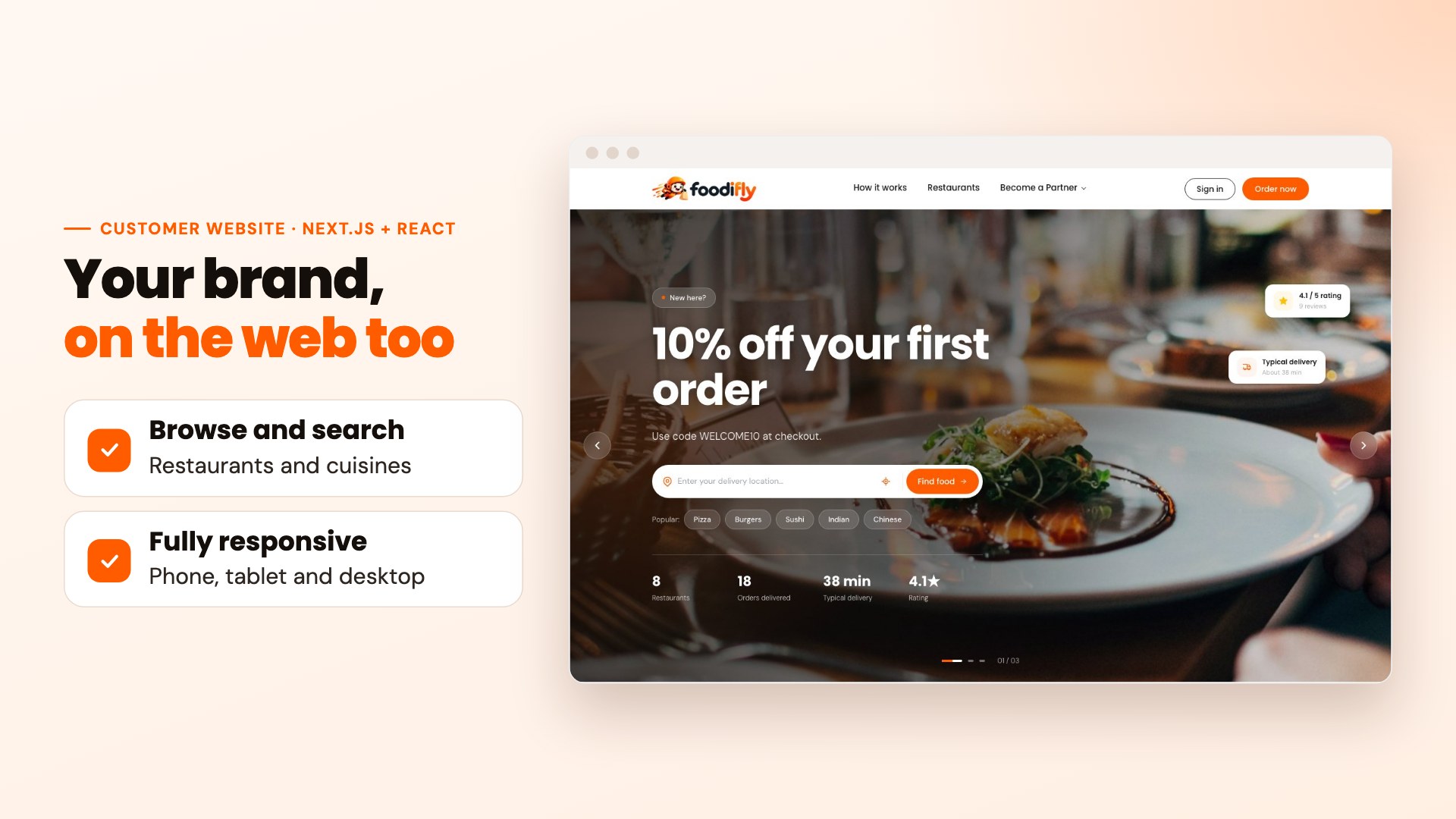
- Home page with offers, search by delivery location and popular cuisines
- Restaurant list with filters, and restaurant pages with full menus
- Dish options window for sizes and extras
- Sticky basket and a clear checkout with every enabled payment method
- Promo codes, wallet and loyalty points
- Live order tracking and one-click reorder
- Order history, favorites, saved addresses and profile
- Terms, privacy and cookie pages filled in from your admin settings
- Fully responsive on phone, tablet and desktop
Payments and technology
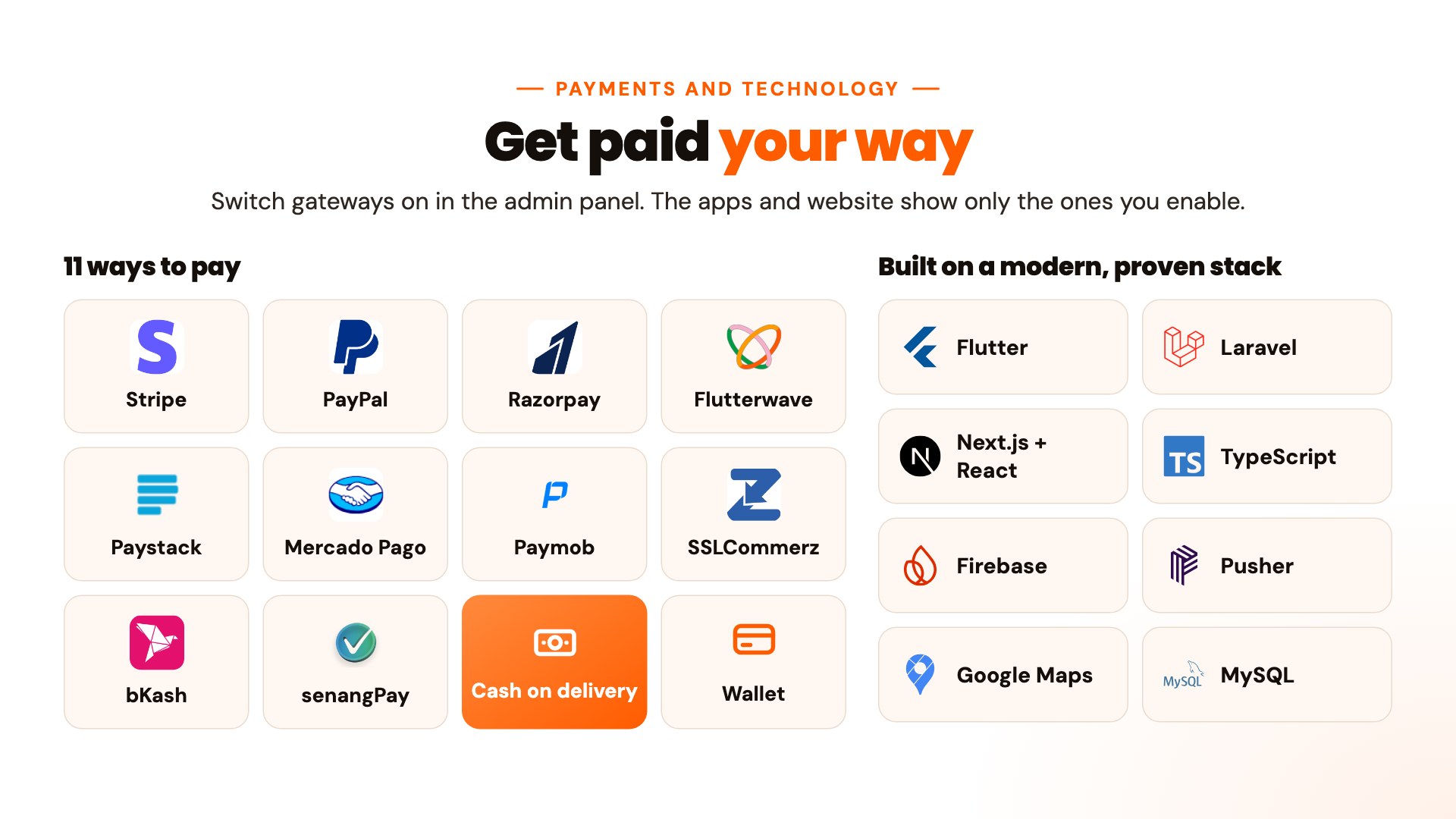
Payment methods
- Stripe, PayPal, Razorpay, Flutterwave, Paystack, Mercado Pago, Paymob, SSLCommerz, bKash, senangPay
- Cash on delivery and wallet balance
- Turn each method on or off in the admin panel; the apps and website show only the enabled ones
- Every payment is confirmed with the gateway on the server before an order is marked paid
Gateway and Pusher fees are not included in the purchase price: each gateway charges its own transaction fees, and Pusher has its own plans and costs, all paid by you to the provider.
Each gateway works in the countries its provider supports. Test each one in its sandbox with your own keys before going live.
Technology
- Backend and admin panel: Laravel 13, PHP 8.4, MySQL, REST API with Sanctum
- Mobile apps: Flutter 3.41 with GetX, iOS and Android
- Restaurant portal and customer website: Next.js 16 with React (the portal in TypeScript)
- Real-time: Pusher Channels
- Push notifications: Firebase Cloud Messaging
- Maps: Google Maps and the Google Routes API
- Security: role-based permissions, server-side pricing, private file storage for documents
Installation and support
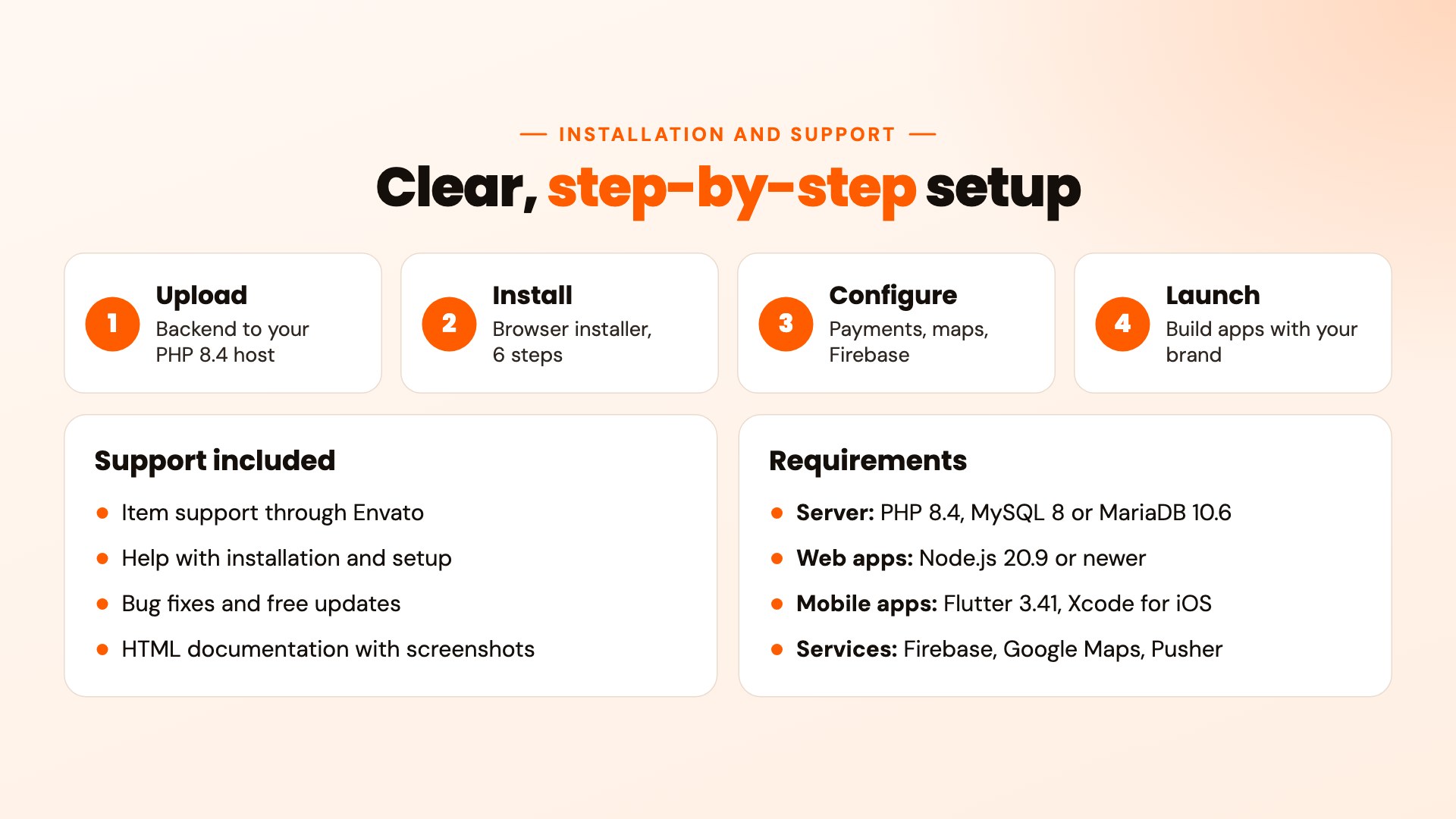
Installation
- In the backend folder run
composer install --no-devandnpm ci && npm run build(on the server, or on your own computer before uploading). - Upload the backend to your PHP 8.4 server with a MySQL database.
- Open the web installer in your browser: it checks your server, sets up the database and creates your admin account.
- Add your keys in the admin panel: payment gateways, Google Maps, Firebase and email.
- Point the apps, portal and website at your API address, then build and publish with your own brand.
The included HTML documentation walks through every step with screenshots, including where to set the API address, Pusher and the Firebase files.
Server requirements
- PHP 8.4 with the usual Laravel extensions (pdo_mysql, mbstring, openssl, curl, intl, gd and others)
- MySQL 8.0 or MariaDB 10.6
- Apache 2.4 or Nginx, HTTPS for production
- Cron and a queue worker
- Composer 2, and Node.js 20.9 or newer with npm, to install the backend packages and build the admin styles (once), and to run the restaurant portal and website
- Flutter 3.41, Android Studio, and a Mac with Xcode for iOS builds
- Mobile apps run on Android 7.0 (API 24) or newer and iOS 14 or newer
Third-party accounts you need
Foodifly relies on a few services run by other companies. You create and pay for your own accounts, and most have a free tier to start:
- Firebase (Google): push notifications. The backend uses the
kreait/laravel-firebasepackage with your project’s service-account key. Cloud Messaging is free; Google sets the quotas. - Google Maps Platform: maps, address search and delivery routes. A billing account is required, and Google gives a monthly credit.
- Pusher Channels: live tracking and new-order alerts. There is a free plan; busy platforms need a paid one.
- Payment gateways: only the ones you switch on, each with its own provider fees: Stripe, PayPal, Razorpay, Flutterwave, Paystack, Mercado Pago, Paymob, SSLCommerz, bKash, senangPay.
- OpenStreetMap: the map tiles and address lookup on the customer website (free, with the required credit shown on the map).
- Apple Developer and Google Play: only to publish the mobile apps.
No license checks: Foodifly has no purchase-code verification and sends nothing to the author. It only connects to the services above, which you set up yourself. The admin panel, installer, website and apps carry their own scripts, icons and fonts. The documentation lists every outbound connection.
The download does not include the backend’s vendor/ and public/build/ folders (marketplace rules). They are created with the two commands above, which the documentation and the installer’s first step explain; composer.json, composer.lock, package.json and package-lock.json are included for that.
Support
- Item support is provided through Envato, as described in Envato’s item support policy.
- We help with installation questions, setup issues and bugs in the included features.
- Free updates with improvements and fixes.
- Please use the item’s support tab or comments so every buyer benefits from the answers.
What’s in the download
- main/: the source code of all six parts (backend and admin panel, customer app, rider app, restaurant app, restaurant portal, customer website)
- documentation/: the HTML documentation with screenshots
- licensing/: license notes and credits for third-party packages and assets
Good to know
- The apps, portal, website and admin panel are in English. There is no built-in translation system in this version.
- Notifications are sent by push and email. There is no SMS feature.
- The restaurant app handles live orders and dish availability; menus, opening hours, team accounts and payouts are managed in the web portal.
- The mobile apps need hosted Pusher Channels for live updates.
- Publishing the apps to Google Play and the App Store needs your own developer accounts.
- Demo images are for preview only and are not included in the download.
Changelog
Version 1.0.0 (initial release)
- Initial release
Credits
Third-party packages, fonts, icons and animations are listed with their licenses in the licensing/ folder. Payment provider names and logos belong to their owners and are shown only to identify the service.
| Author | Appifly |
|---|---|
| Price | $99 |
| Sales | 0 |
| Rating | 0 (0) |
| Published | Oct 29, 2026 |
| Last Update | Oct 29, 2026 |
| Compatible Software | Flutter 3.x |
| Demo Url | https://foodifly.appiflybd.com |
| Mobile Files Included | Dart, YAML, JavaScript JS, CSS, PHP, HTML |
Categories
Tags
External listing. code.market does not sell this product and does not process payment for it. Pricing, payment, delivery, licensing, refunds, and support are handled by the third-party merchant on its own website. We may earn an affiliate commission from a referral. Details.
Products of the Week.
Submit🥇

Perceptle
Perceptle is a daily browser-based game that challenges you to test your sensory intuition through five quick estimation and rhythm-based rounds.
Other · 1 views · 0 clicksOther · Week 47 · 1 views · 0 clicks
🥈

Free LinkedIn Likes From Real
Get free LinkedIn likes on your posts from real members who react by hand. No
SaaS · 124 views · 2 clicksSaaS · Week 47 · 124 views · 2 clicks
🥉

STOP GUESSING WHAT TO POST
AI that learns your brand voice and builds a month of consistent, on-brand social content: carousels, posts and hooks that sound like you, not like everyone else's AI.
SaaS · 7,686 views · 71 clicksSaaS · Week 47 · 7,686 views · 71 clicks
#4

aaas.market
407 reliable micro tools for solo founders, marketers and creators. They work in your browser
SaaS · 122 views · 0 clicksSaaS · Week 47 · 122 views · 0 clicks