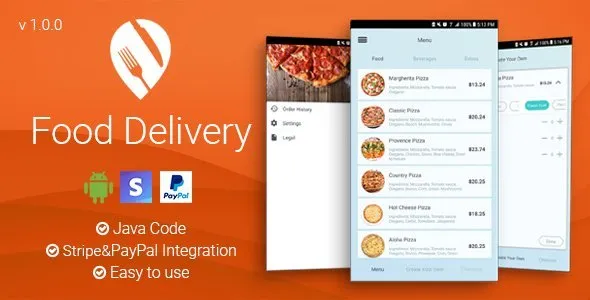
Food Delivery - Android App
Description
Food Delivery is an application made 100% in Android. The app is easy to use and Android ready.
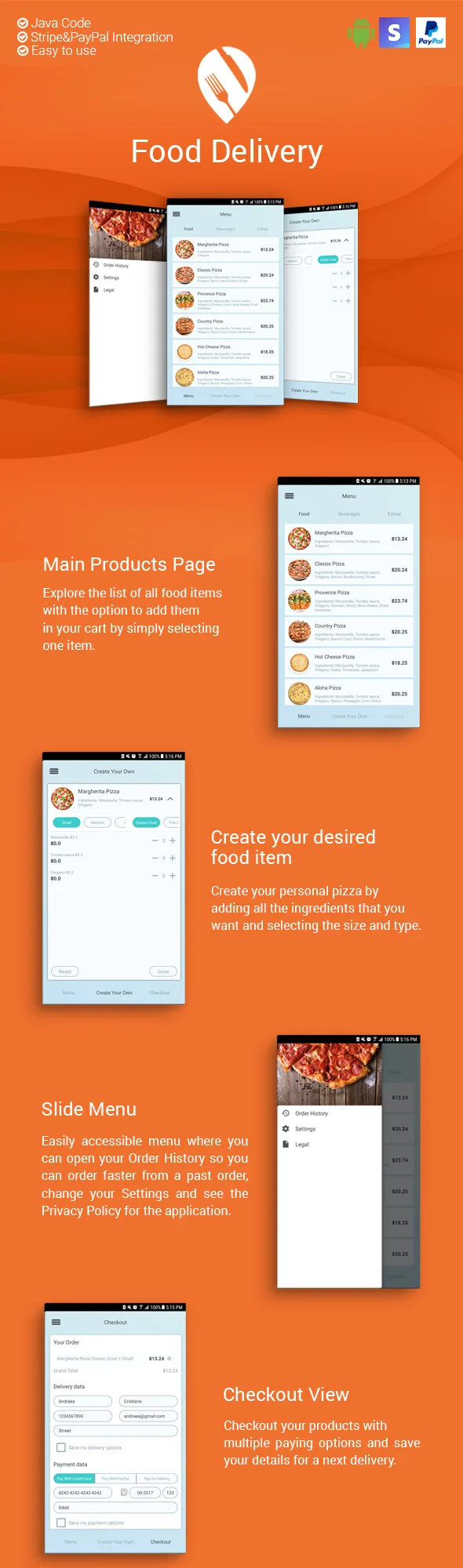
Main Products Page
Explore the list of all food items with the option to add them in your cart by simply selecting one item.Create your desired food item
Create your personal pizza by adding all the ingredients that you want and selecting the size and type.Slide Menu
Easily accessible menu where you can open your Order History so you can order faster from a past order, change your Settings and see the Privacy Policy for the application.Checkout View
Checkout your products with multiple paying options and save your details for a next delivery.Additional Information
The current array we use for the list of products is a local raw/json file, please read the documentation file (PDF) provided as a part of the package you purchased. It contains all the information you may need to modify the app to your suiting.You will need to change that raw/json file or even better parse a remote JSON file that you would generate from your own backend/server. It’s important to make sure that you have the array mapped to work with the app or modify the app to work with your own desired structured based on your backend. Please refer to the documentation for more details.
We’ve added Stripe, so you can process payments for the application with client’s Credit cards. Also, we’ve added PayPal as an alternative payment method.
Categories
Tags
External listing. code.market does not sell this product and does not process payment for it. Pricing, payment, delivery, licensing, refunds, and support are handled by the third-party merchant on its own website. We may earn an affiliate commission from a referral. Details.
Products of the Week.
Submit🥇

STOP GUESSING WHAT TO POST
AI that learns your brand voice and builds a month of consistent, on-brand social content: carousels, posts and hooks that sound like you, not like everyone else's AI.
SaaS · 3,993 views · 35 clicksSaaS · Week 45 · 3,993 views · 35 clicks
🥈

Conversational Backlinks for Busy Founders
Place Backlink Relevant Conversation for your domain across Forums and Conversations
Website · 41,645 views · 222 clicksWebsite · Week 45 · 41,645 views · 222 clicks
🥉

upvote.club
Free Social Media Engagement that Helps Boost Your Content. Upvote Club supports 19 social networks with 100+ engagement actions in one dashboard. Add links to your posts and get free engagement from real users.
SaaS · 39,670 views · 114 clicksSaaS · Week 45 · 39,670 views · 114 clicks
#4

Substack Posting API
Onboard your Agent to Substack. Write Publish on Substack via API
SaaS · 58,698 views · 198 clicksSaaS · Week 45 · 58,698 views · 198 clicks
#5

Seenshot App
Free, Fast, MacOS Screenshot app. Make Screenshot cmd+shift+2 and send it via link
Desktop App · 28,081 views · 122 clicksDesktop App · Week 45 · 28,081 views · 122 clicks
#6

Hand-Placed Backlinks $9.99 per link. Flat rate.
Buy hand-placed forum, Q-A and directory backlinks. Flat $9.99 per link, no subscriptions — you only pay for approved listings.
Website · 3,940 views · 19 clicksWebsite · Week 45 · 3,940 views · 19 clicks
#7

Free Invoice Generator - PDF Invoices in Your Browser, No Sign-Up
A free invoice maker for freelancers and small businesses: fill in the invoice, check the live preview, and download a PDF that looks exactly like it. Any currency, tax per item, three templates, no sign-up, and nothing leaves your device.
2,617 views · 17 clicksWeek 45 · 2,617 views · 17 clicks
#8

Merge PDF Files Free - Combine PDFs in Your Browser, No Upload
A free PDF merger for office workers, students, and freelancers: combine PDFs and images into one file in the browser, reorder files and pages, pick page ranges, keep bookmarks, and open password-protected PDFs. Nothing is uploaded, no sign-up, no watermark.
2,436 views · 13 clicksWeek 45 · 2,436 views · 13 clicks