
Fly Hunt Game - Construct 3
Description
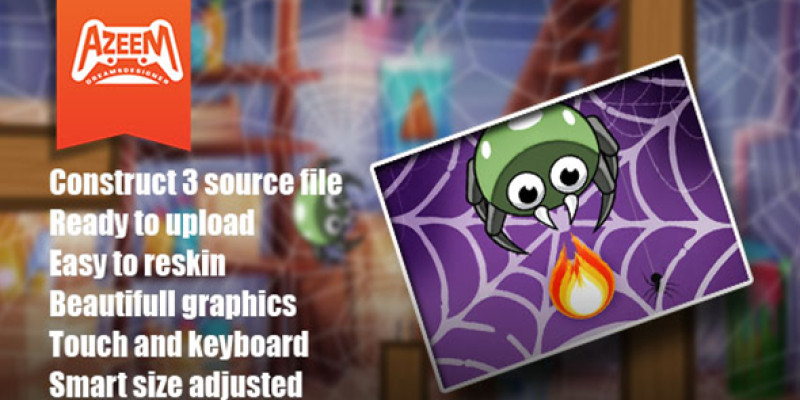
Fly hunt is an amazingly interesting game. where we collect the coins. and find the way home to avoid evil bats. we can also shoot fireballs in your defense.
The game saves Progress, coins & best score when the victory triggers. Progress is responsible for level unlock. They are first stored in the global variables to work, throw the layouts and store these global variables to the dictionary then saves the dictionary AsJSON to localstorage. At the Menu sheet, the game checks the localstorage to load the dictionary.
Features
*Construct3 Source File.
*Ready To Upload.
*Ready To Reskin.
*Beautifull Graphics.
Touch And Keyboard.
*Same Size Adjusted.
Requirements
Reskin & Customise services.
Reskin services are available for this game. If you want to make a similar game or have ideas about the games for your website and all sorts of platforms please contact us via azeemdreamsdesigner@gmail.com Or check out our portfolio at azeemdreamsdesigner.com Services
- Reskin graphics.
- Ads implementation.
- Adding New levels.
- Adding more features.
- Export to Mobile (Apk for google play) & iOS.
- Export for the Facebook instant game.
All you need to do first:
To Edit the files You need the following software to get started.
- Construct 3
- Adobe Illustrator (optional)
- Adobe Photoshop (optional)
You can also use any other software for graphics or animations. Main files There are 3 file types you will find inside the download. Html5 build, APK for Android & construct 3. Source file.
Construct 3
First, you need Construct 3 which is an online software https://www.construct.net/en. Go to that website and launch. If you are new take a guided tour, which will further assist you and get to know the software. Note: You need to purchase the software licence if you need to make changes to the code. The software also has a free version to use for making more levels and changing graphics.
Plugins required
The plugins folder is in the main files. See how to install the plugin here Additionally, you can download all the plugins you need for the game in the link below. They are free. https://c2rexplugins.weebly.com/ https://rexrainbow.github.io/C2RexDoc/c2rexpluginsACE/pluginsIndex.html Photon engine https://www.photonengine.com/en-US/sdks#realtime-sdkrealtimeconstruct2 Gamemonetize Sdk https://gamemonetize.com/sdk
Event Sheet & Main Game code. Go to the Event Sheet folder, you will see sheets associated with layouts There are 3 Layouts Menu, LevelSelection, and Main Game. The menu is where the Game loads Progress Data Coins etc. LevelSelection is where Levels buttons are locked or unlocked based on the Last data received. Main Game For players & enemies top-down behavior is used for movements like(up, down, left & right). Press arrow keys or (W, S, A, D) for moves Press (space bar) for attack Player collision with enemies(bat, fark), health decreases. Also Player plays animations (idle, walk, death), Enemies' movements like(up, down, left & right) by the sensor. Game Logic Victory is based on when the player reaches the door the level completed and a victory popup will appear. GameOver is based on if the player hit by the (bat, fark) decreases health (max health is 3), and when the health goes 0 the player dies. Game over Popup will appear. Game Save Data Local storage The game saves Progress, coins & best score when the victory triggers. Progress is responsible for level unlock. They are first stored in the global variables to work, throw the layouts and store these global variables to the dictionary then saves the dictionary AsJSON to localstorage. At the Menu sheet, the game checks the localstorage to load the dictionary. Audio These seven types of sound
- spider fire sound
- Spider ate sound
- Spider hit sound
- Game click sound
- Game over sound
- Victory sound
- Bat sound
Export to the web, Mobile, and Facebook instant.
Go to the Menu at the control panel Project > Export HTML5, Facebook Instant, Android & iOS
Click any of the following as per your requirement.
Set the properties and Done.
The project will make a build for you.
Learn More
https://www.construct.net/en/m...
Instructions
Walk with the keyboard W, A, S, and D buttons, and shoot with the space bar button.
| Author | azeemdreamsdesigner |
|---|---|
| Category | App Templates / Construct 3 |
| Price | $15 |
| Extended License | $45 |
| First Release | Apr 5, 2023 |
| Last Update | Apr 5, 2023 |
| Files included | .php, .css, .html, .less |
| Operating systems | iOS 10.0, Android 7.0, Android 8.0, iOS 11.0, Android 9.0, iOS 12.0, macOS 10.14, Windows 7, Windows 8, Windows 10, Android 10.0, iOS 14.0, iOS 13.0, iOS 15.0, Android 11.0, Android 12.0, iOS 8.0, iOS 9.0, Android 4.0, Android 5.0, Android 6.0 |
Categories
Tags
External listing. code.market does not sell this product and does not process payment for it. Pricing, payment, delivery, licensing, refunds, and support are handled by the third-party merchant on its own website. We may earn an affiliate commission from a referral. Details.
Products of the Week.
Submit🥇

Perceptle
Perceptle is a daily browser-based game that challenges you to test your sensory intuition through five quick estimation and rhythm-based rounds.
Other · 1,489 views · 9 clicksOther · Week 47 · 1,489 views · 9 clicks
🥈

Free LinkedIn Likes From Real
Get free LinkedIn likes on your posts from real members who react by hand. No
SaaS · 1,632 views · 10 clicksSaaS · Week 47 · 1,632 views · 10 clicks
🥉

STOP GUESSING WHAT TO POST
AI that learns your brand voice and builds a month of consistent, on-brand social content: carousels, posts and hooks that sound like you, not like everyone else's AI.
SaaS · 9,176 views · 75 clicksSaaS · Week 47 · 9,176 views · 75 clicks
#4

aaas.market
407 reliable micro tools for solo founders, marketers and creators. They work in your browser
SaaS · 1,597 views · 5 clicksSaaS · Week 47 · 1,597 views · 5 clicks