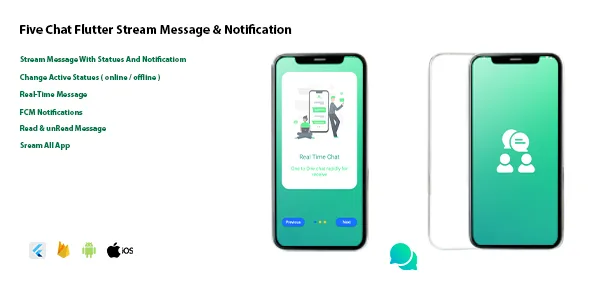
Flutter Stream Full Chat App with Firebase Android & IOS
Description
Five Chat The Real-Time chat application contains a chat inside which you can send and receive a picture. You can also receive notifications when the application is closed. It also contains following up with friends if there are any online or offline with a notification appearing inside the application of receiving a message and It can be used as a plugin for your application.
Features :
- Splash Screen
- On Boarding Screen
- Register Screen
- Chat Screen
- Add User
- Search User
- Profile User
- Edit Profile
- Edit Message
- Delete Message (Stream)
- Save Image
- Send Image
- Receive Image
- Read / unread Message (Stream)
- Date Read & unread (Stream)
- Active/inactive status (Stream)
- Fcm (Notification Message)
- Real-Time Messaging
- Null Safety Code
- Clean Code
- Widget with material3
- Stream App All
- Animation Chat List
*
Backend : Firebase
Demo Apk : bit.ly/45RY9Ty
*
Requirements :
Flutter version (3.10.6). Firebase (Firestore – Storage – Cloud Message – Authentication – Fcm). Cloud Message with Firebase .
External listing. code.market does not sell this product and does not process payment for it. Pricing, payment, delivery, licensing, refunds, and support are handled by the third-party merchant on its own website. We may earn an affiliate commission from a referral. Details.
Products of the Week.
Submit🥇

STOP GUESSING WHAT TO POST
AI that learns your brand voice and builds a month of consistent, on-brand social content: carousels, posts and hooks that sound like you, not like everyone else's AI.
SaaS · 3,979 views · 35 clicksSaaS · Week 45 · 3,979 views · 35 clicks
🥈

Conversational Backlinks for Busy Founders
Place Backlink Relevant Conversation for your domain across Forums and Conversations
Website · 41,625 views · 222 clicksWebsite · Week 45 · 41,625 views · 222 clicks
🥉

upvote.club
Free Social Media Engagement that Helps Boost Your Content. Upvote Club supports 19 social networks with 100+ engagement actions in one dashboard. Add links to your posts and get free engagement from real users.
SaaS · 39,654 views · 114 clicksSaaS · Week 45 · 39,654 views · 114 clicks
#4

Substack Posting API
Onboard your Agent to Substack. Write Publish on Substack via API
SaaS · 58,683 views · 198 clicksSaaS · Week 45 · 58,683 views · 198 clicks
#5

Seenshot App
Free, Fast, MacOS Screenshot app. Make Screenshot cmd+shift+2 and send it via link
Desktop App · 28,064 views · 122 clicksDesktop App · Week 45 · 28,064 views · 122 clicks
#6

Hand-Placed Backlinks $9.99 per link. Flat rate.
Buy hand-placed forum, Q-A and directory backlinks. Flat $9.99 per link, no subscriptions — you only pay for approved listings.
Website · 3,922 views · 19 clicksWebsite · Week 45 · 3,922 views · 19 clicks
#7

Free Invoice Generator - PDF Invoices in Your Browser, No Sign-Up
A free invoice maker for freelancers and small businesses: fill in the invoice, check the live preview, and download a PDF that looks exactly like it. Any currency, tax per item, three templates, no sign-up, and nothing leaves your device.
2,601 views · 17 clicksWeek 45 · 2,601 views · 17 clicks
#8

Merge PDF Files Free - Combine PDFs in Your Browser, No Upload
A free PDF merger for office workers, students, and freelancers: combine PDFs and images into one file in the browser, reorder files and pages, pick page ranges, keep bookmarks, and open password-protected PDFs. Nothing is uploaded, no sign-up, no watermark.
2,421 views · 13 clicksWeek 45 · 2,421 views · 13 clicks