
FlowVPN UI template | OpenVPN App in Flutter | Secure VPN app template

Description
FlowVPN – OpenVPN & Secure VPN App UI Template in Flutter
Launch a modern VPN, OpenVPN, privacy, and secure browsing app faster with FlowVPN. FlowVPN is a premium Flutter UI Template built for VPN service providers, privacy-focused startups, secure internet apps, server location apps, premium VPN subscription platforms, and mobile security products.
With professionally designed screens, clean Flutter code, flexible app structure, and a complete Figma UI Design Source File included with your purchase, FlowVPN gives you a strong ready-made foundation to build your VPN app experience without starting from scratch.
Whether you are creating a secure VPN app, OpenVPN-based mobile app, premium privacy tool, server selection app, or VPN subscription interface, FlowVPN helps you save design time, speed up development, and deliver a polished mobile experience for Android and iOS.
⭐ Key Features
- ✅ Professional Flutter UI Template for VPN and secure browsing apps
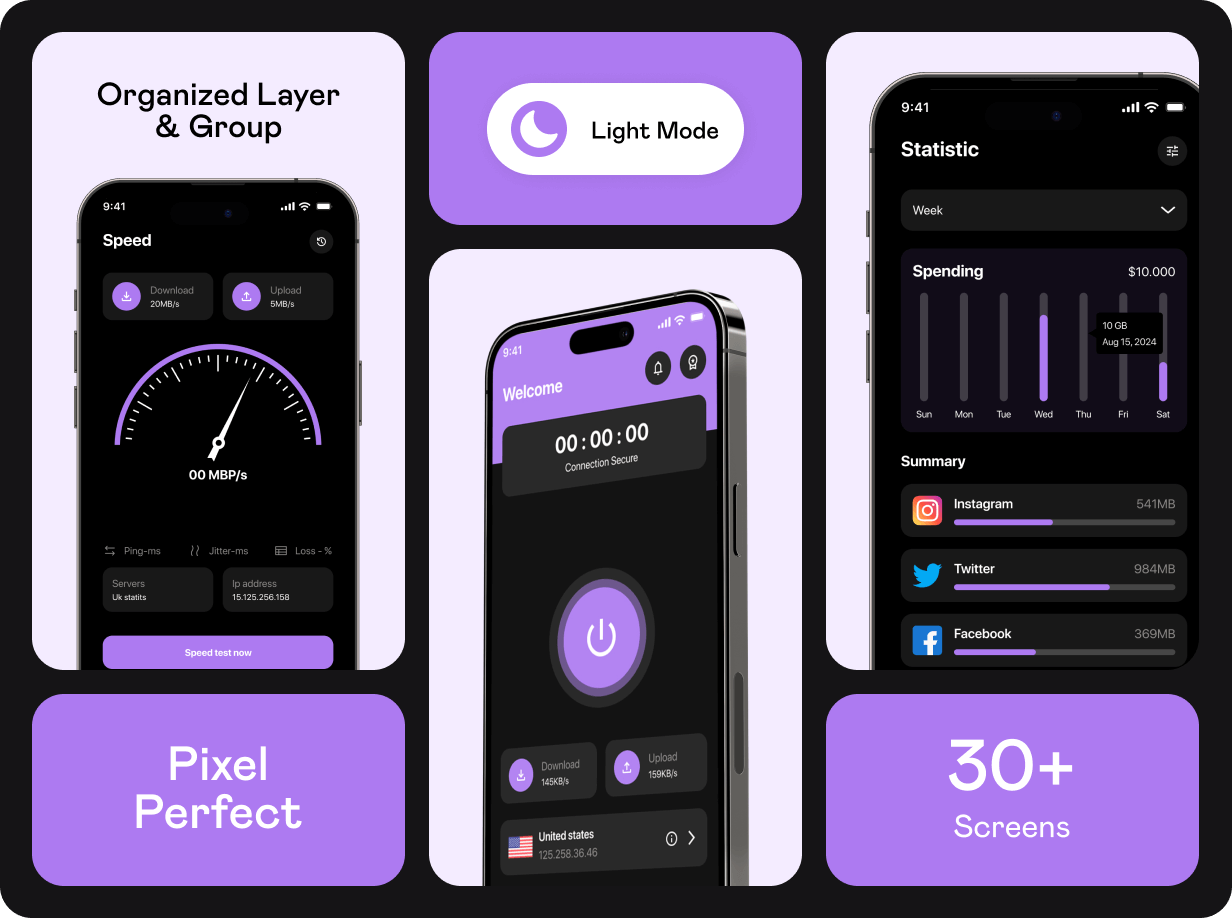
- ✅ Ready-made screens for onboarding, authentication, home, servers, premium plan, payment, speed, statistics, profile, and settings
- ✅ Designed for OpenVPN, secure VPN, privacy, and internet security app concepts
- ✅ Android and iOS ready from a single Flutter codebase
- ✅ Clean, flexible, and modular codebase
- ✅ Separate files for each page and component
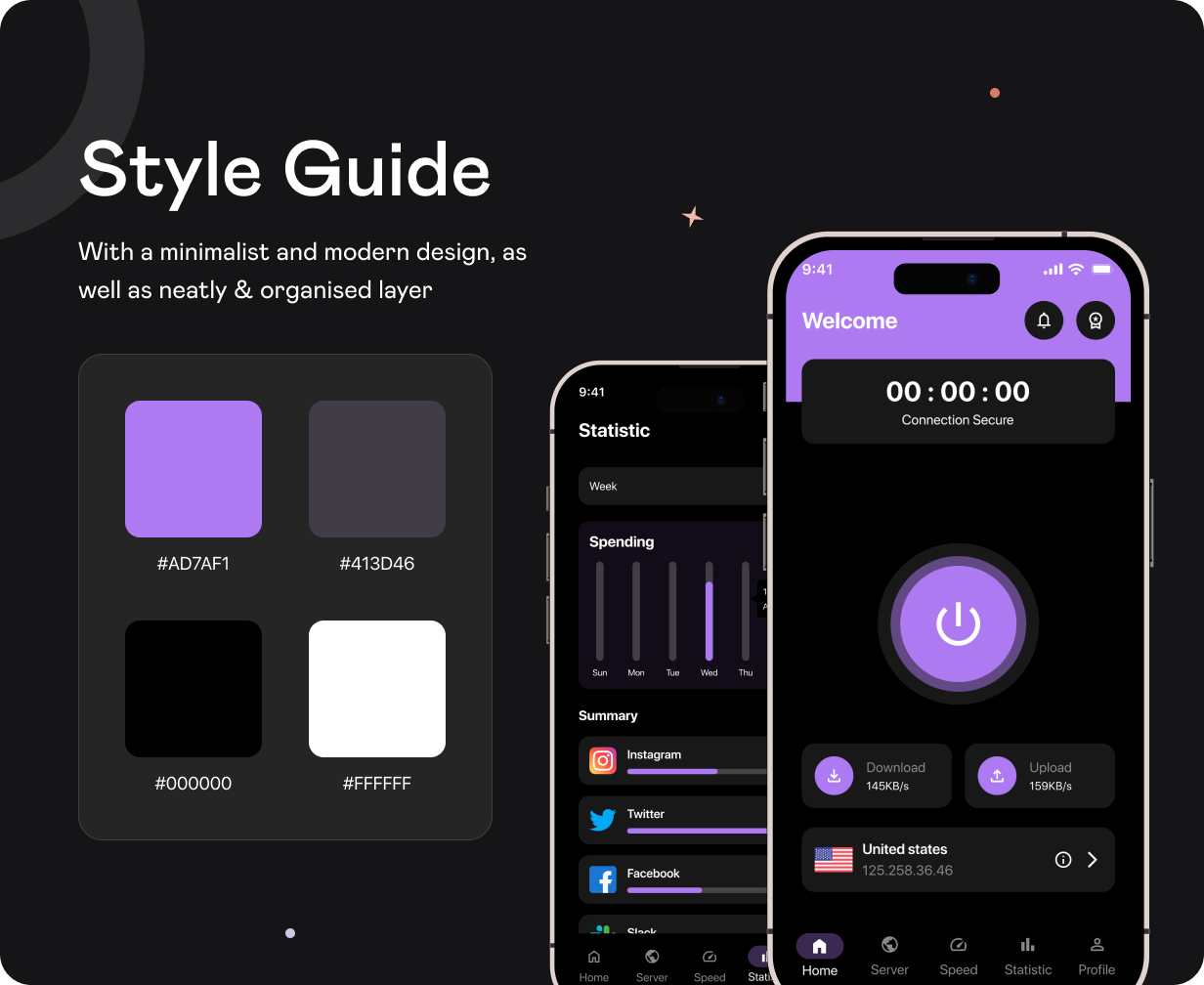
- ✅ Easy to reskin with your own colors, fonts, icons, and branding
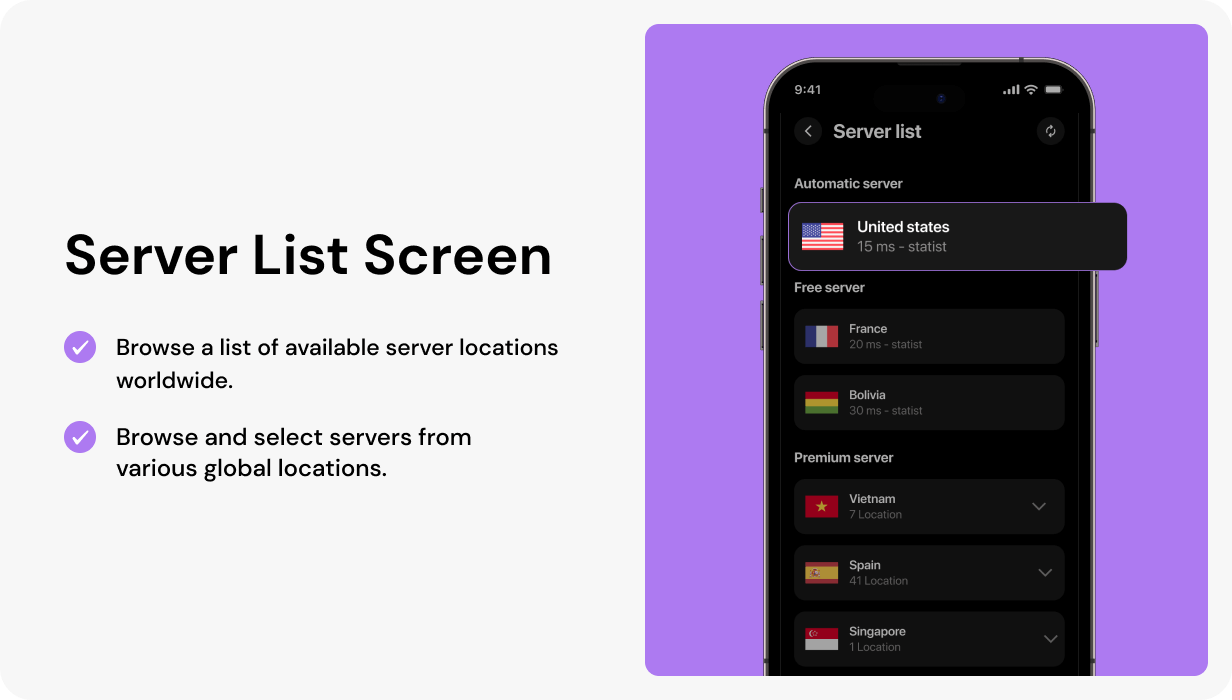
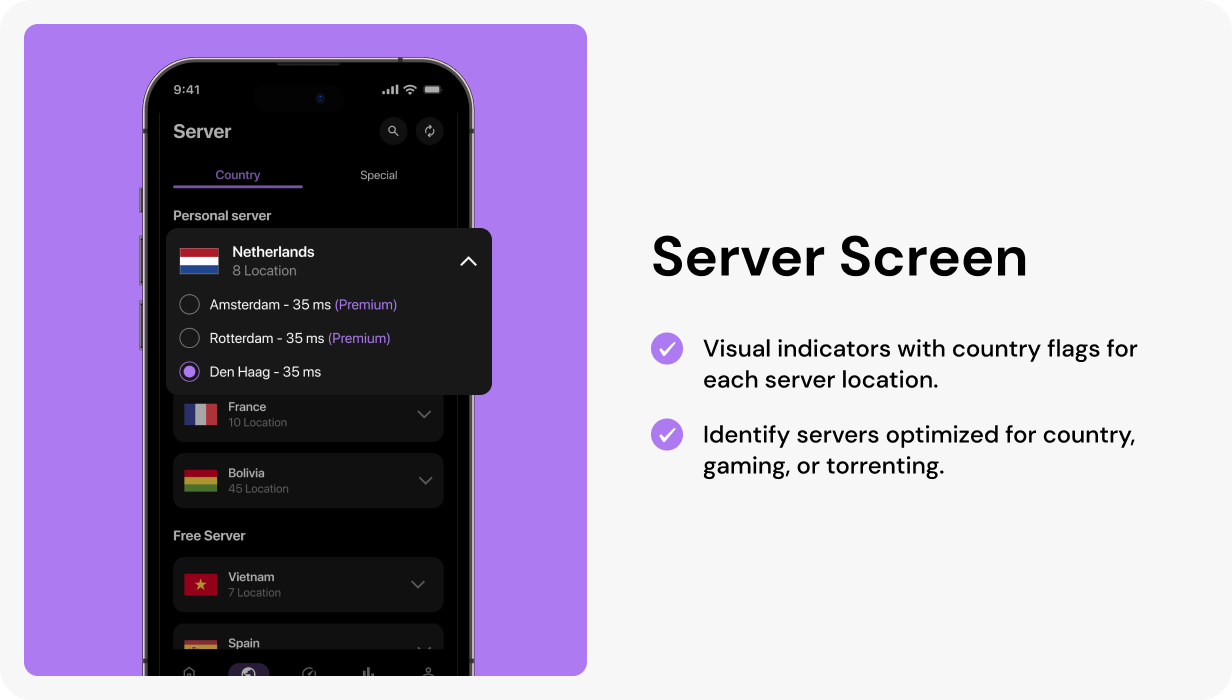
- ✅ Server location, country list, search, and special server UI screens
- ✅ Premium upgrade, payment method, add card, and success screens included
- ✅ VPN connection, disconnect popup, connection details, speed, history, and statistics UI
- ✅ Backend-ready UI structure for VPN APIs, OpenVPN integration, payment gateway, and subscription logic
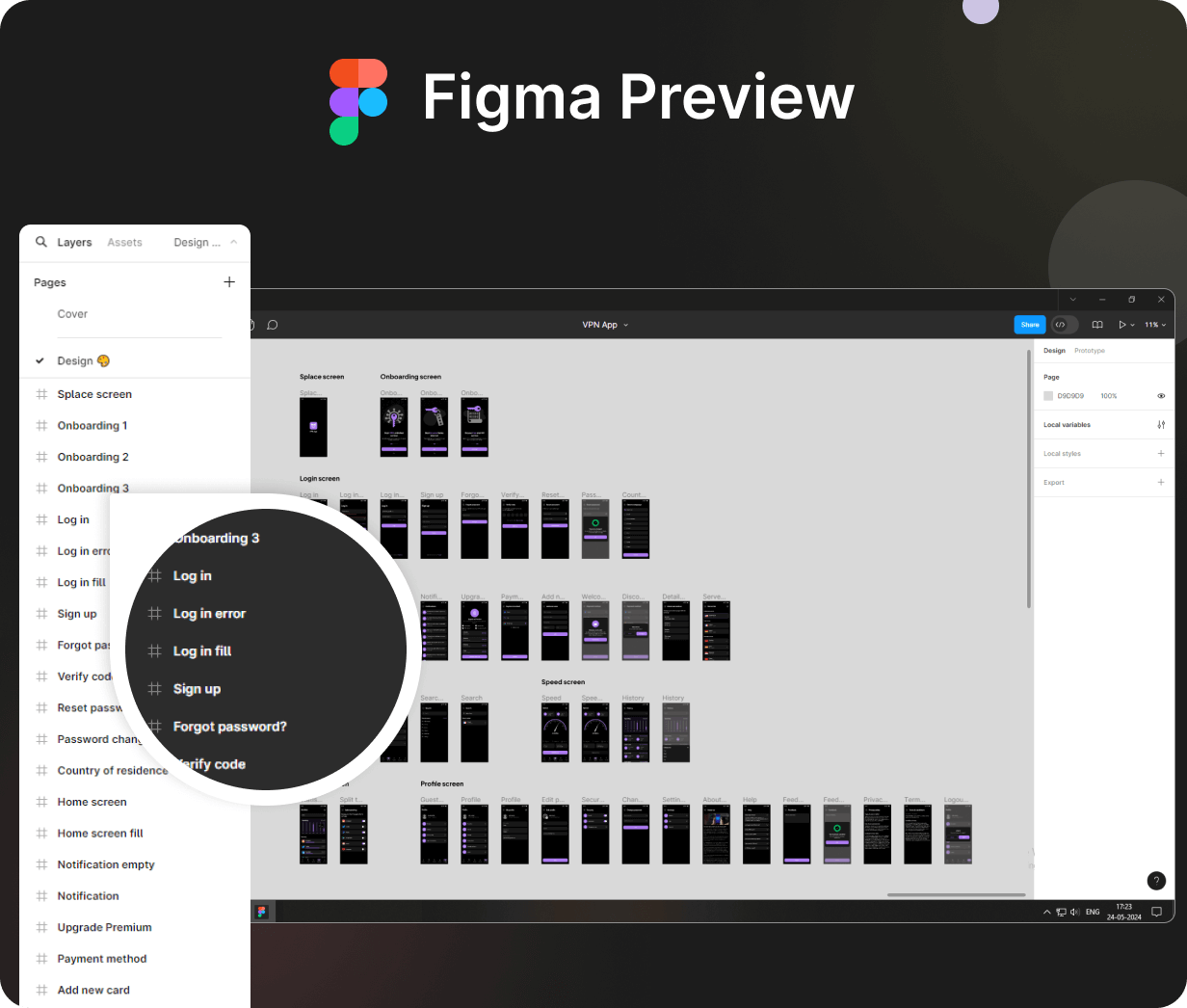
- ✅ Figma UI Design Source File included
- ✅ Detailed documentation included
- ✅ 6 months support included
Why Choose FlowVPN?
⏱ Save 100+ Hours of Design & Development Time
FlowVPN gives you a ready-made Flutter UI foundation so you can skip the design phase and focus on VPN integration, backend logic, server configuration, subscriptions, and launch.
Built for Modern VPN App Use Cases
The template is designed around practical VPN flows such as server selection, secure connection status, connection details, upgrade premium, speed statistics, split tunneling UI, and account security.
Figma Design File Included
Customize the complete UI design in Figma before development, create client presentations, or extend the design system easily.
Clean & Developer-Friendly Code
The project follows a clean structure with separate files for screens, components, and reusable UI elements, making customization faster and easier.
Ready for Real Integration
FlowVPN is UI-only and ready to connect with your preferred VPN SDK, OpenVPN configuration, subscription system, payment gateway, authentication, backend, or API.
Test FlowVPN App UI Template on Your Device


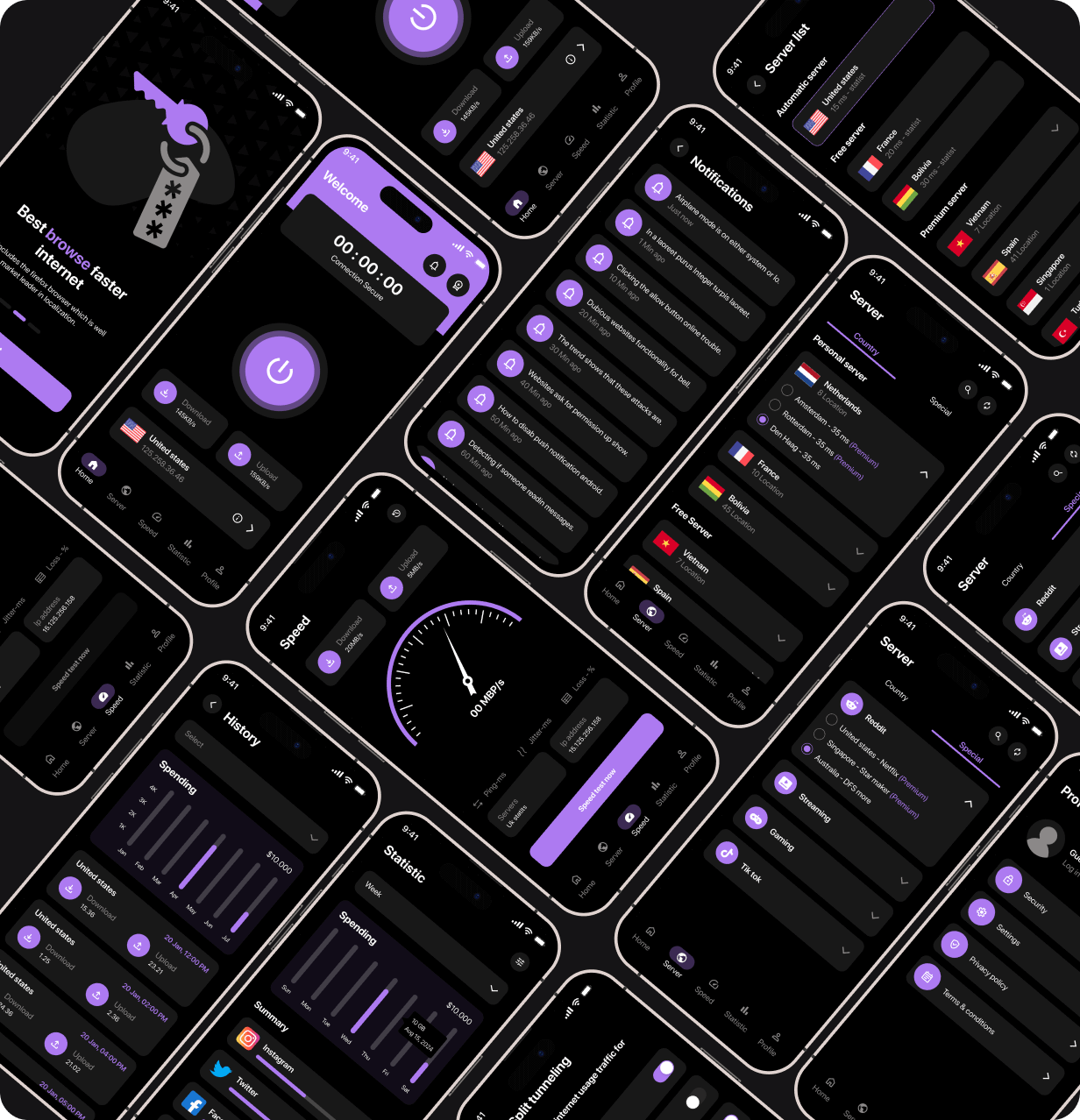

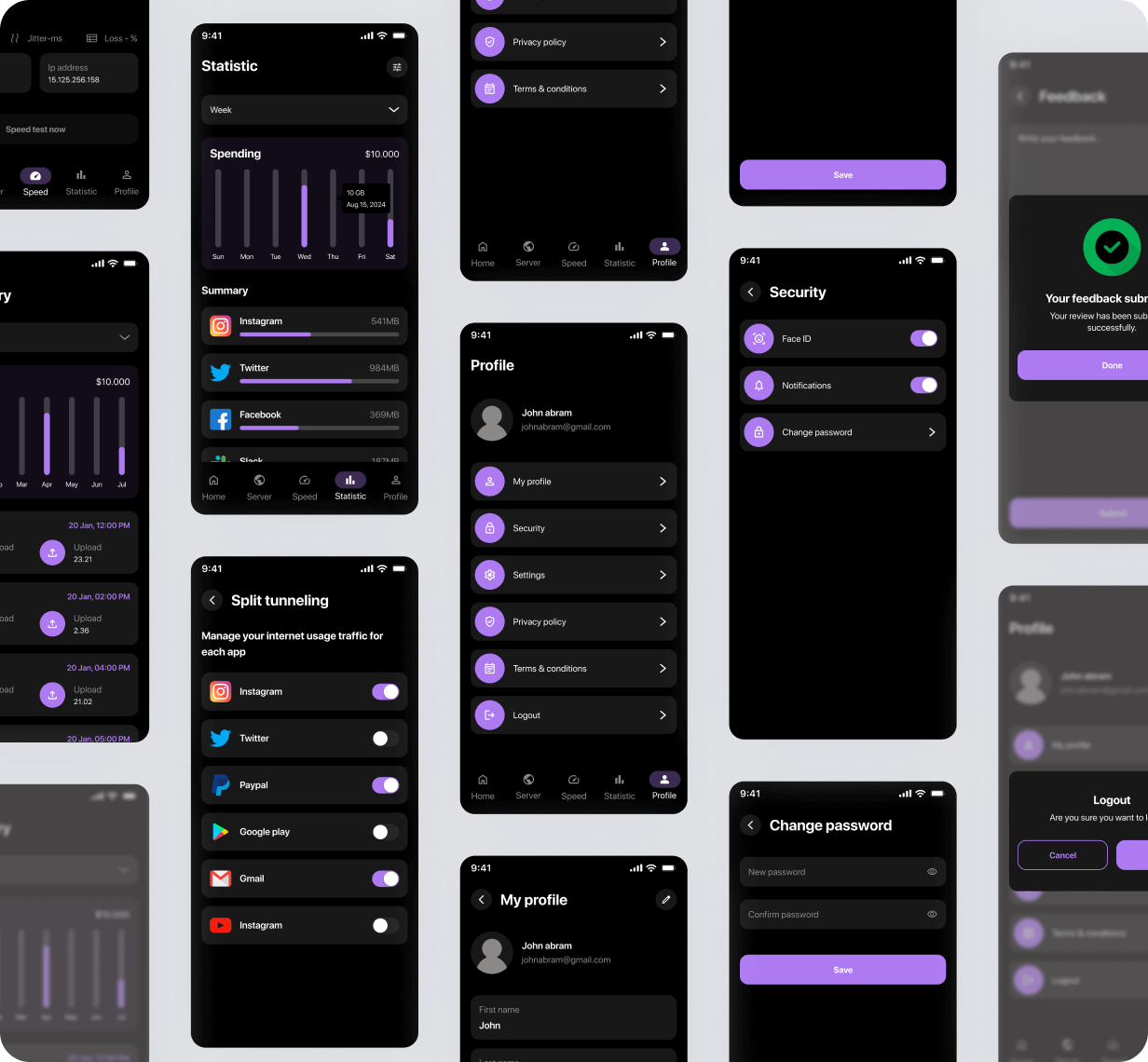
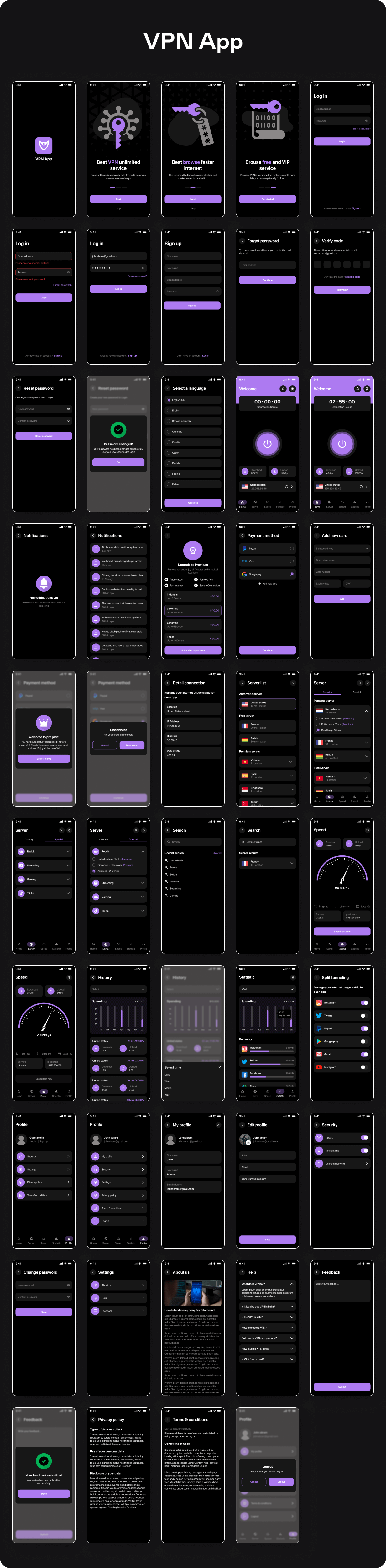
Screens Included
Onboarding & Authentication
- Splash Screen
- 3 Onboarding Screens
- Login Screen
- Login Error State
- Login Filled State
- Sign Up Screen
- Forgot Password
- Verification Screen
- Reset Password
- Password Changed Popup
VPN Home & Connection
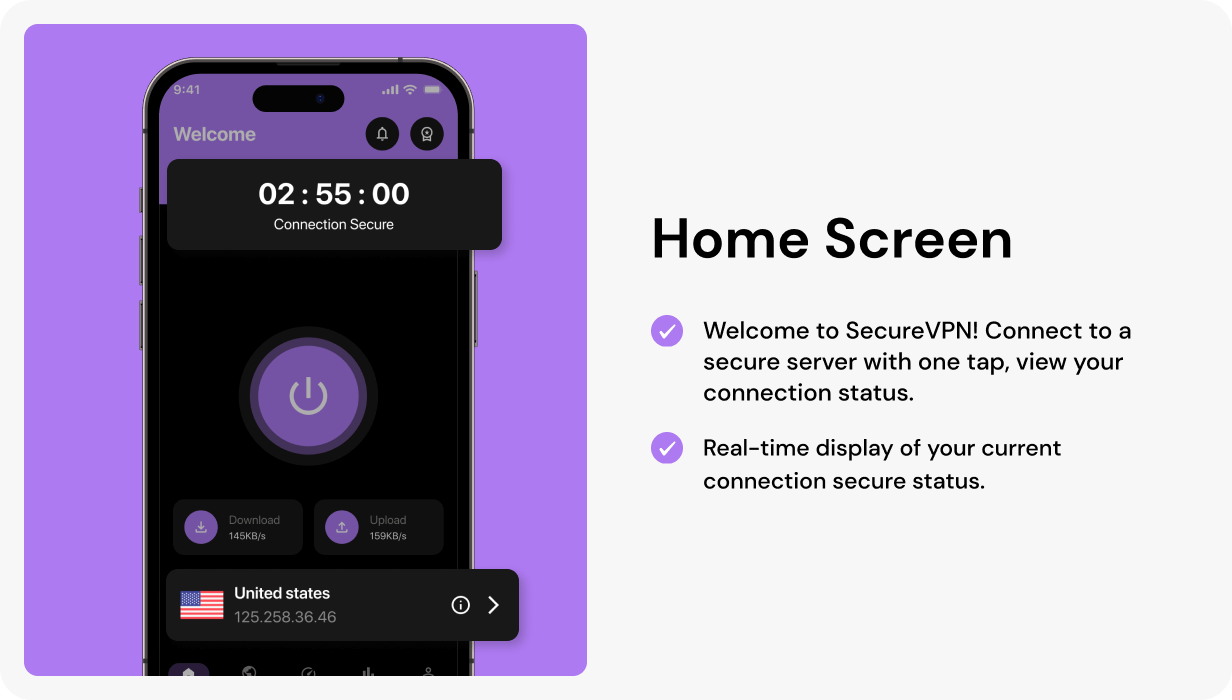
- Home Screen
- Connected Home State
- Disconnect Popup
- Connection Detail Screen
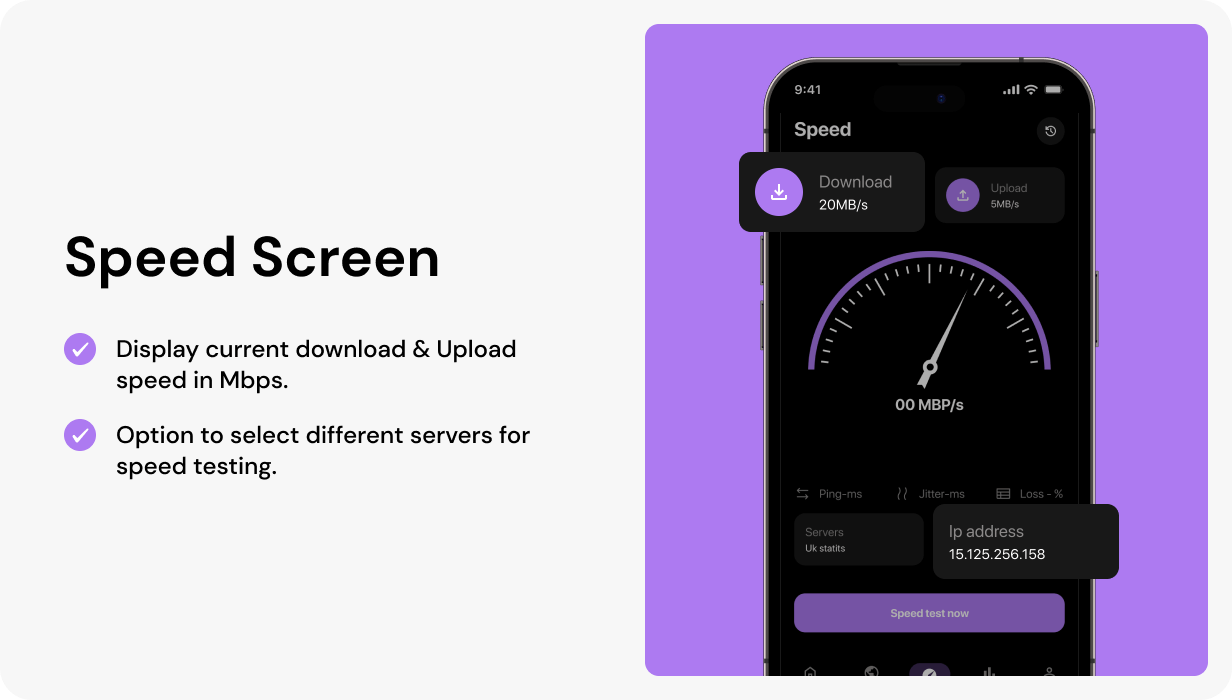
- Speed Screen
- Speed Filled Screen
- Connection History
- Select Time Popup
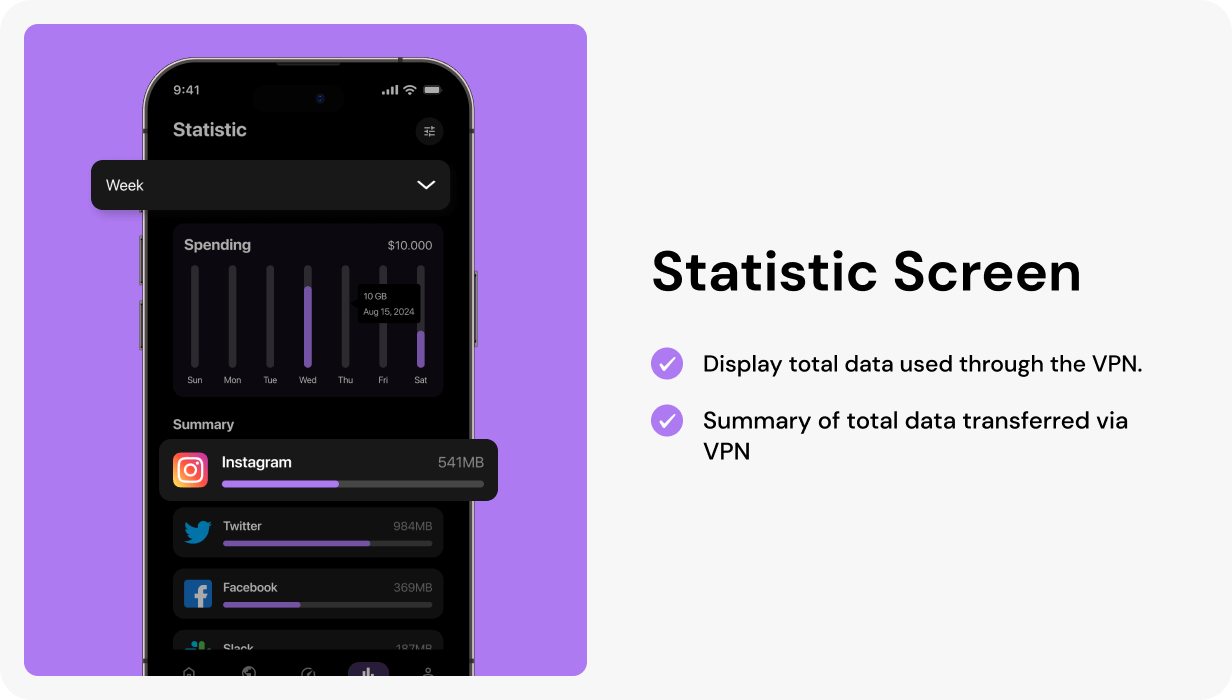
- Statistics Screen
Servers & Locations
- Server / Country List
- Special Server Screen
- Special Server Detail State
- Search Screen
- Search Results Screen
Premium & Payments
- Upgrade Premium Screen
- Payment Method Screen
- Add New Card Screen
- Welcome to Pro Plan Screen
Notifications & Security
- Empty Notification Screen
- Notification Screen
- Security Screen
- Split Tunneling UI
- Change Password
Profile & Settings
- Guest Profile
- User Profile
- My Profile
- Edit Profile
- Settings
- About Us
- Help
- Feedback
- Feedback Success Popup
- Privacy Policy
- Terms & Conditions
- Logout Popup
Perfect For
- VPN and privacy protection apps
- OpenVPN server location apps
- ️ Secure browsing and internet security products
- Premium VPN subscription apps
- Server selection and connection management apps
- VPN speed, history, and statistics apps
- Flutter developers building VPN client projects
- UI/UX designers creating VPN app prototypes
- Startups looking to launch a secure VPN app faster
What’s Included?
- ✅ Flutter FlowVPN App UI Template — Full Source Code
- ✅ Figma UI Design Source File
- ✅ Flexible and clean codebase
- ✅ Separate files for each page and component
- ✅ Detailed Documentation
- ✅ Lifetime Updates
- ✅ 6 Months Support
⚙️ Technical Details
| Framework | Flutter 3.x / Flutter 2.x |
| Language | Dart |
| Platforms | Android & iOS |
| Type | Flutter UI Template |
| Backend | Not Included — Ready to Integrate |
| VPN Integration | Not Included — UI Ready for OpenVPN / VPN API Integration |
| Code Structure | Clean, Modular, Separate Files |
| Design Source | Figma File Included |
⚙️ Requirements
- Android Studio latest version or VS Code
- Flutter SDK installed
- Basic Flutter and Dart knowledge
- VPN/OpenVPN backend, server, SDK, or API required for live VPN functionality
❓ Frequently Asked Questions
Does this include a backend, VPN server, or admin panel?
No. FlowVPN is a Flutter UI template only. Backend, VPN server, OpenVPN configuration, API, database, admin panel, and server-side logic are not included.
Is the Figma design file included?
Yes. The Figma UI Design Source File is included with your purchase.
Does this app connect to VPN servers automatically?
No. This is a UI template. You need to integrate your own VPN SDK, OpenVPN setup, server configuration, backend, or API to enable real VPN connectivity.
Can I customize the design?
Yes. You can customize colors, fonts, icons, layouts, screens, and components easily using the Flutter source code and Figma file.
Can I use this for a client project?
Yes. You can use it for client projects as per Envato license terms.
Can I add subscriptions or paid VPN plans?
Yes. Premium plan and payment UI screens are included. You need to integrate your preferred payment gateway, subscription logic, and backend for production use.
Does it work on both Android and iOS?
Yes. FlowVPN is built with Flutter and supports Android and iOS from a single codebase.
Important Notes
- This product is a Flutter UI template only.
- Backend, APIs, VPN servers, OpenVPN configuration, admin panel, database, and server-side logic are not included.
- VPN connection, server list, subscription, payment, statistics, and notification features require backend or third-party service integration for production use.
- Preview images are for demonstration purposes only.
- Figma design file is included with your purchase.
Support & Assistance
Need help with setup, installation, customization, or understanding the source code? Our support team is ready to help.
Support requests are processed on business days from 10:00 to 18:00 (IST +05:30) within 24h to 48h.
We respond to queries Monday–Friday. Saturday and Sunday are off.
Pre-sales questions?
Email: fluxcodeteam@gmail.com
Change Log
Version 1.0 — Initial Release
| Type | Flutter App |
|---|---|
| Author | fluxcodeteam |
| Price | $19 |
| Sales | 8 |
| Rating | 0 (0) |
| Published | Jul 9, 2024 |
| Last Update | Sep 9, 2025 |
| Compatible Software | Flutter 3.x, Flutter 2.x |
| Demo Url | https://fluxcodeteam.com/codecanyon/flutter_vpn_app/flutter_vpn_app.apk |
| Mobile Files Included | Dart, YAML, JavaScript JSON, .java, .kotlin, .h, .storyboard, .plist |
Categories
Tags
External listing. code.market does not sell this product and does not process payment for it. Pricing, payment, delivery, licensing, refunds, and support are handled by the third-party merchant on its own website. We may earn an affiliate commission from a referral. Details.
Products of the Week.
Submit🥇

STOP GUESSING WHAT TO POST
AI that learns your brand voice and builds a month of consistent, on-brand social content: carousels, posts and hooks that sound like you, not like everyone else's AI.
SaaS · 7,360 views · 67 clicksSaaS · Week 46 · 7,360 views · 67 clicks
🥈

Conversational Backlinks for Busy Founders
Place Backlink Relevant Conversation for your domain across Forums and Conversations
Website · 46,643 views · 232 clicksWebsite · Week 46 · 46,643 views · 232 clicks
🥉

upvote.club
Free Social Media Engagement that Helps Boost Your Content. Upvote Club supports 19 social networks with 100+ engagement actions in one dashboard. Add links to your posts and get free engagement from real users.
SaaS · 44,583 views · 127 clicksSaaS · Week 46 · 44,583 views · 127 clicks
#4

Substack Posting API
Onboard your Agent to Substack. Write Publish on Substack via API
SaaS · 63,471 views · 206 clicksSaaS · Week 46 · 63,471 views · 206 clicks
#5

Seenshot App
Free, Fast, MacOS Screenshot app. Make Screenshot cmd+shift+2 and send it via link
Desktop App · 32,720 views · 127 clicksDesktop App · Week 46 · 32,720 views · 127 clicks
#6

Hand-Placed Backlinks $9.99 per link. Flat rate.
Buy hand-placed forum, Q-A and directory backlinks. Flat $9.99 per link, no subscriptions — you only pay for approved listings.
Website · 8,340 views · 19 clicksWebsite · Week 46 · 8,340 views · 19 clicks
#7

Free Invoice Generator - PDF Invoices in Your Browser, No Sign-Up
A free invoice maker for freelancers and small businesses: fill in the invoice, check the live preview, and download a PDF that looks exactly like it. Any currency, tax per item, three templates, no sign-up, and nothing leaves your device.
6,966 views · 29 clicksWeek 46 · 6,966 views · 29 clicks
#8

Merge PDF Files Free - Combine PDFs in Your Browser, No Upload
A free PDF merger for office workers, students, and freelancers: combine PDFs and images into one file in the browser, reorder files and pages, pick page ranges, keep bookmarks, and open password-protected PDFs. Nothing is uploaded, no sign-up, no watermark.
6,446 views · 18 clicksWeek 46 · 6,446 views · 18 clicks