
Flipbook WordPress Plugin Newspaper

Description
WordPress FlipBook
Standard jQuery version here:

Bookshelf – 100% compatible with this FlipBook:

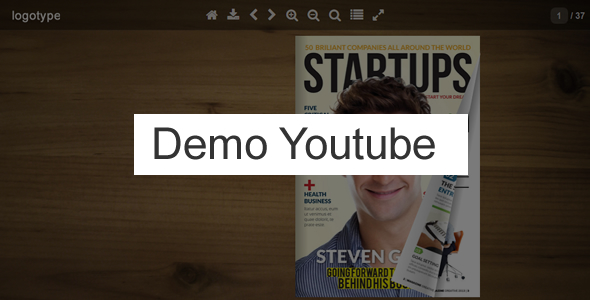
PDF to Flipbook
You can create a book directly from the PDF file. Pdf file is automatically converted to jpg files.PDF render
Book can read PDF files without converting to jpg files. Used is an awesome library PDF.js. PDF.js works in the following browsers: Firefox, Chrome, Opera, IE10+. Limited support for Safari, Android and IE9. For more information click hereJPG to Flipbook
You can upload all your pages at once – no need to add each page separately.Manually adding pages
You can also add pages separately ( you can make also text in wysiwyg editor ).4 techniques show flipbook
- shortcode – you can put flipbook anywhere in content ( page, post, custom post etc) - template – you can add flipbook as an independent template in the whole browser window, the advantage is that it is 100% working with all theme ( no conflict with css styles etc…. ) - lightbox – You can put the link text or image link anywhere in content on your site. When you click on the link loads a book as a lightbox. So you can have an unlimited number of book on one page. Lightbox works also with deeplinking. - bookshelf – When you click on the image loads a book as a lightbox. So you can have an unlimited number of book on one page. Lightbox works also with deeplinking. Bookshelf is not included – if you need bookshelf you can buy it hereMultiple books ( carousel 3d view )
You can show preview your books as a carousel. See here ( click the first icon at the top )RTL
Right to left flpibook for eastern countries.All Features:
- pdf support ( you can create a book directly from the PDF file , Pdf file is automatically converted to jpg files )
- pdf render ( book can read PDF files without converting to jpg files. Used is an awesome library PDF.js )
- Bookshelf is not included if you need bookshelf – you can buy it here
- multiple books – carousel 3d view ( click the first icon at the top )
- support multiple file upload ( you can upload all your pages at once – no need to add each page separately )
- you do not need to buy and install additional libraries
- works on the iPad,iPhone etc. ( no Flash Player needed )
- support for tags in WYSIWYG editor:
- reverse flip book for the eastern countries (right to left)
- 4 techniques show flipbook: - shortcode – you can put flipbook anywhere in content ( page, post, custom post etc) - template – you can add flipbook as an independent template in the whole browser window, the advantage is that it is 100% working with all theme ( no conflict with css styles etc…. ) - lightbox – you can put text link, image link anywhere in content on your site, when you click on the link loads a book as a lightbox. - bookshelf – when you click on the image loads a book as a lightbox. So you can have an unlimited number of book on one page. Lightbox works also with deeplinking. Bookshelf is not included – if you need bookshelf you can buy it here
- insert scripts in section head – only subpages where is the shortcode flipbook
- you can disable / enable individual icons in the admin panel
- icon fullScreen ( only works under FF and Chrome )
- you can change the zoom to double click the mouse
- you can change the zoom step for zoomIn and for zoomOut
- you can enable / disable deeplinking (string at the end of the browser’s address)
- youtube videos are shown on a layer above book
- responsive design
- unlimited number of pages in flipbook
- lazy loading ( if you have a lot of pages – book will load faster, Example 1: If the current page is 8-9 – then are loaded only pages 8-9, 10-11 and 6-7 ; Example 2: If the current page is 1 – then are loaded only pages 1,2,3,4,5,6 )
- you can create an unlimited number of flipbooks on one theme
- double pages
- show all pages
- excellent tools to zoom
- ajax form
- plugin flipbook is 100% compatible with the theme Avada
- and other…
Credits
- elemisfreebies.com/textures/
- WHY NOT Magazine 2 sizes Magazine Template | Magazines Fit Magazine 32 Pages Indesign Magazine Template Health Magazine Template La Grande InDesign magazine template Magazine Covers Pack #1 Magazine Cover 4 Universal Fashion Theme Magazine Template Universal Magazine Cover Template Magazine Cover Templates Creative Magazine For Indesign & Photoshop A4 + Letter Size Indesign Magazine Template Fashionista Magazine Issue 2 AwesoMag 50 pages magazine Clean & Modern Magazine Template WHY NOT Magazine 2 sizes Julian Cooper Brochure – Square Interior Magazine Template GLFW
See my Books:


Update history
NOTE: If you have done the update – do deactivations plugin and make activations again
Version 1.39 – 05.06.2023
+ FIXED: flipbook embedding
Version 1.38 – 05.06.2023
+ FIXED: lightbox
Version 1.37 – 24.01.2023
+ FIXED: preloader
Version 1.36 – 24.05.2022
+ FIXED: PDF to JPG converter
Version 1.35 – 15.04.2022
+ FIXED: uploader for files
Version 1.34 – 12.04.2022
+ FIXED: right to left flipbook for eastern countries
Version 1.33 – 18.03.2022
+ FIXED: performance improvement for converter PDF to JPG
Version 1.32 – 16.03.2022
+ FIXED: new version PDF to JPG converter
Version 1.31 – 08.02.2022
+ FIXED: convert PDF to JPG
Version 1.30 – 29.12.2021
+ NEW: third attribute for Lightbox - you can enter a link to your pdf file directly in the Lightbox function
Version 1.29 – 09.10.2021
+ FIXED: template flipbook in admin
Version 1.28 – 03.06.2021
+ NEW: .POT file attached - now you can translate the plugin to other languages
Version 1.27 – 15.03.2021
+ FIXED: PDF render - eastern fonts
Version 1.26 – 03.02.2021
+ FIXED: improved pdf reading on some servers (browser Chrome)
Version 1.25 – 29.01.2021
+ FIXED: compatible with the latest version of WordPress 5.6
Version 1.24 – 16.11.2020
+ FIXED: Font Awesome conflict
Version 1.23 – 22.10.2020
+ FIXED: PDF render - optimization
Version 1.22 – 29.09.2020
+ FIXED: small error on some servers
Version 1.21 – 08.07.2020
+ FIXED: updated Bookshelf to the latest version
Version 1.20 – 17.04.2020
+ FIXED: preloader
Version 1.19 – 08.11.2019
+ FIXED: turn and gradient for page
Version 1.18 – 15.10.2019
+ FIXED: improved pinch zoom, swipe on mobile devices
Version 1.17 – 13.06.2019
+ FIXED: top corners
Version 1.16 – 13.06.2019
+ FIXED: firefox issue
Version 1.15 – 11.06.2019
+ FIXED: template flipbook
Version 1.14 – 16.10.2018
+ NEW FEATURE: support for links in pdf file
Version 1.13 – 06.09.2018
+ FIXED: update the library PDF.js to the latest version ( the old version pdf.js worked badly with some pdf files )
Version 1.12 – 21.06.2018
+ FIXED: improving conversion from pdf to jpg on some servers
Version 1.11 – 29.03.2018
+ NEW FEATURE: support mousewheel for zoom
+ NEW FEATURE: bookshelf
+ NEW FEATURE: optimization for mobile devices
+ FIXED: improved bugs for page mode single
Version 1.10 – 02.02.2017
+ FIXED: installation "turn.js" for WordPress 4.7 or higher
Version 1.9 – 12.12.2016
+ NEW FEATURE: Page Mode - double or single or auto ( for mobile devices changes to the single page with portrait orientation )
Version 1.8 – 24.XI.2016
+ FIXED: Improvement of Lightbox
Version 1.7 – 30.I.2016
+ NEW: multiple books ( carousel 3d view )
+ FIXED: improvement work under the latest version of iOS (iPhone, iPad)
Version 1.6 – 14.I.2016
+ NEW: two different icons and tooltip for normal screen and fullscreen
+ NEW: if the browser does not have support for fullscreen - flipbook will cover the entire page
+ FIXED: corrected work on iphone 5, iphone 6 ( Landscape )
Version 1.5 – 5.I.2016
+ FIXED: update library PDF.js
Version 1.4 – 1.IX.2015
+ FIXED: small errors
Version 1.3 – 29.IX.2015
+ FIXED:  I corrected wrong message when you add page:
   "You have no FlipBook : ) First you need to create a FlipBook. Menu – ‘Newspaper Book / Books”

| Type | WordPress Plugin |
|---|---|
| Author | flashmaniac |
| Category | Wordpress / Utilities |
| Price | $30 |
| Sales | 514 |
| Rating | 4.36 from 28 ratings |
| Published | Jun 4, 2015 |
| Last Update | Jun 5, 2023 |
| Compatible Browsers | IE9, IE10, IE11, Firefox, Safari, Opera, Chrome |
| Compatible Software | WordPress 6.5.x, WordPress 6.4.x, WordPress 6.3.x, WordPress 6.2.x, WordPress 6.1.x, WordPress 6.0.x, WordPress 5.9.x, WordPress 5.8.x, WordPress 5.7.x, WordPress 5.6.x, WordPress 5.5.x, WordPress 5.4.x, WordPress 5.3.x, WordPress 5.2.x, WordPress 5.1.x |
| Gutenberg Optimized | No |
| Source Files Included | JavaScript JS, HTML, CSS, PHP |
Categories
Tags
External listing. code.market does not sell this product and does not process payment for it. Pricing, payment, delivery, licensing, refunds, and support are handled by the third-party merchant on its own website. We may earn an affiliate commission from a referral. Details.
Products of the Week.
Submit🥇

STOP GUESSING WHAT TO POST
AI that learns your brand voice and builds a month of consistent, on-brand social content: carousels, posts and hooks that sound like you, not like everyone else's AI.
SaaS · 3,098 views · 28 clicksSaaS · Week 45 · 3,098 views · 28 clicks
🥈

Conversational Backlinks for Busy Founders
Place Backlink Relevant Conversation for your domain across Forums and Conversations
Website · 40,489 views · 216 clicksWebsite · Week 45 · 40,489 views · 216 clicks
🥉

upvote.club
Free Social Media Engagement that Helps Boost Your Content. Upvote Club supports 19 social networks with 100+ engagement actions in one dashboard. Add links to your posts and get free engagement from real users.
SaaS · 38,578 views · 110 clicksSaaS · Week 45 · 38,578 views · 110 clicks
#4

Substack Posting API
Onboard your Agent to Substack. Write Publish on Substack via API
SaaS · 57,619 views · 197 clicksSaaS · Week 45 · 57,619 views · 197 clicks
#5

Seenshot App
Free, Fast, MacOS Screenshot app. Make Screenshot cmd+shift+2 and send it via link
Desktop App · 27,052 views · 119 clicksDesktop App · Week 45 · 27,052 views · 119 clicks
#6

Hand-Placed Backlinks $9.99 per link. Flat rate.
Buy hand-placed forum, Q-A and directory backlinks. Flat $9.99 per link, no subscriptions — you only pay for approved listings.
Website · 2,989 views · 18 clicksWebsite · Week 45 · 2,989 views · 18 clicks
#7

Free Invoice Generator - PDF Invoices in Your Browser, No Sign-Up
A free invoice maker for freelancers and small businesses: fill in the invoice, check the live preview, and download a PDF that looks exactly like it. Any currency, tax per item, three templates, no sign-up, and nothing leaves your device.
1,683 views · 16 clicksWeek 45 · 1,683 views · 16 clicks
#8

Merge PDF Files Free - Combine PDFs in Your Browser, No Upload
A free PDF merger for office workers, students, and freelancers: combine PDFs and images into one file in the browser, reorder files and pages, pick page ranges, keep bookmarks, and open password-protected PDFs. Nothing is uploaded, no sign-up, no watermark.
1,577 views · 13 clicksWeek 45 · 1,577 views · 13 clicks