
FlatCMS For Static Websites
Description
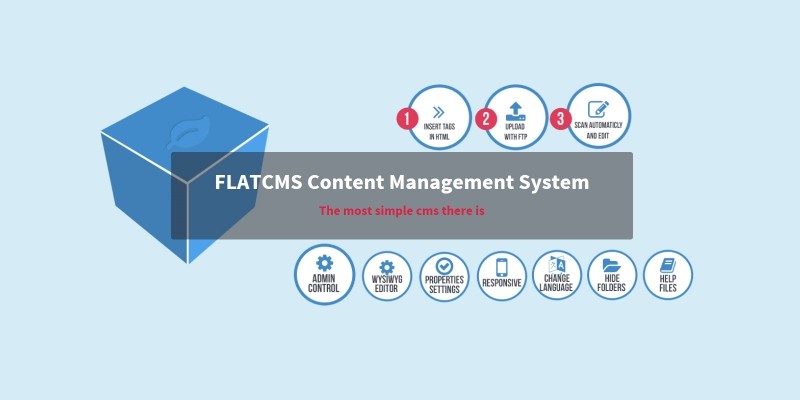
Turn any existing static website into a CMS content management system in a few minutes. Edit, upload, resize and manage images and files.
FLATCMS can be used on a desktop, tablet or smartphone. Works with language files ( currently available English, Spanish, Italian, German and Dutch ). Create in minutes a cms for a client with static html files.
Features
Uses Bootstrap, Optimal security (with brute force protection), xHTML valid sourcecode and the latest TinyMCE 5. PHP 8 ready
Explanation
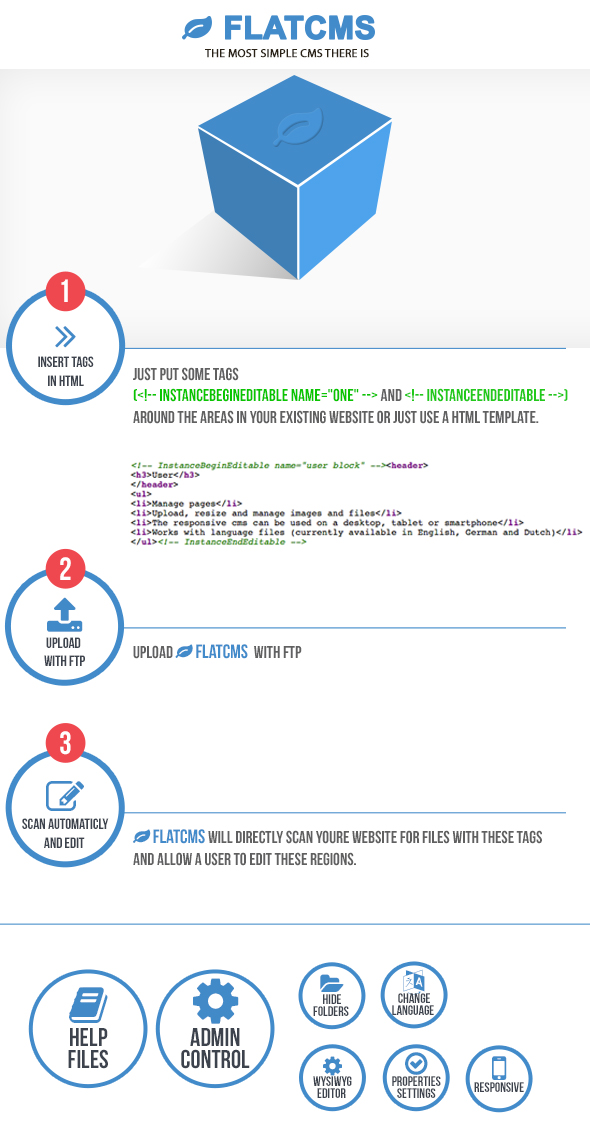
FLATCMS is one of the most simple Content Management System (CMS) there is. With FLATCMS the owner of a website can easily edit the content. This doesn’t require any knowlegde about websites or HTML.You can install FLATCMS in any existing website or just use a html template. You provide the HTML-files with some editable region tags. FLATCMS will then know which parts it’s allowed to edit. It doesn’t matter if you made the HTML-files yourself or if they’re made by software like Dreamweaver, Frontpage, Studio Webdesign, WebCreator etc. As an Administrator you have your own login code. This allows you to easily change the configuration, like hiding certain folders, switch on/off buttons for various properties settings in the (WYSIWYG) Editor or changing the language and set the login code for a user.
Demo
You can login here to see a demo of FLATCMS. Because this is a demo none of the changes will be saved. For the admin login you can use (name) admin – (pass) 1 or as user (name) user – (pass) 1
Support
I will NOT give support to free hosting services or a local host setup since I cannot solve then any path problems if they occur.
Requirements
- php
- webhosting
Instructions
- Unzip the package and upload to you're server
- Just put some tags
<!-- InstanceBeginEditable name="one" --> and <!-- InstanceEndEditable -->
around the text areas in your website, so a user can edit these text parts. - Upload the html files and the admin dir to your server.
- Go to http://www.yoursite.com/admin/ and an installation wizzard will be shown.
- Fill in the required fields like username and pass and you are ready to go.
FLATCMS will directly scan you website for files with these tags and allow a user to edit these regions.Take a look at the install manual (included in the installation wizzard)
Update: 14-12-2023 - Small layout fix (versie 3.2)
Update: 09-07-2023 - Small update for php 8.2 (versie 3.1)
Update: 04-11-2022 - Small update for php 8.1
Update: 16-05-2022 - Tinymce to version 5.10.4
| Author | ceasar |
|---|---|
| Category | Scripts & Code / PHP Scripts / CMS |
| Price | $29 |
| Extended License | $87 |
| Rating | 5.00 from 2 ratings |
| Reviews | 2 |
| Likes | 4 |
| First Release | May 6, 2021 |
| Last Update | Dec 15, 2023 |
| Files included | .php, .css, .html, JavaScript .js |
| Software version | PHP 7.0, PHP 7.1, PHP 7.2, PHP 7.3, PHP 7.4, PHP 8.0, PHP 8.1, PHP 8.2, PHP 5.6 |
Categories
Tags
External listing. code.market does not sell this product and does not process payment for it. Pricing, payment, delivery, licensing, refunds, and support are handled by the third-party merchant on its own website. We may earn an affiliate commission from a referral. Details.
Products of the Week.
Submit🥇

Perceptle
Perceptle is a daily browser-based game that challenges you to test your sensory intuition through five quick estimation and rhythm-based rounds.
Other · 3,957 views · 16 clicksOther · Week 47 · 3,957 views · 16 clicks
🥈

Free LinkedIn Likes From Real
Get free LinkedIn likes on your posts from real members who react by hand. No
SaaS · 4,075 views · 18 clicksSaaS · Week 47 · 4,075 views · 18 clicks
🥉

STOP GUESSING WHAT TO POST
AI that learns your brand voice and builds a month of consistent, on-brand social content: carousels, posts and hooks that sound like you, not like everyone else's AI.
SaaS · 11,557 views · 80 clicksSaaS · Week 47 · 11,557 views · 80 clicks
#4

aaas.market
407 reliable micro tools for solo founders, marketers and creators. They work in your browser
SaaS · 3,936 views · 7 clicksSaaS · Week 47 · 3,936 views · 7 clicks