
Flangapp PRO - Convert website to mobile app SAAS

Description
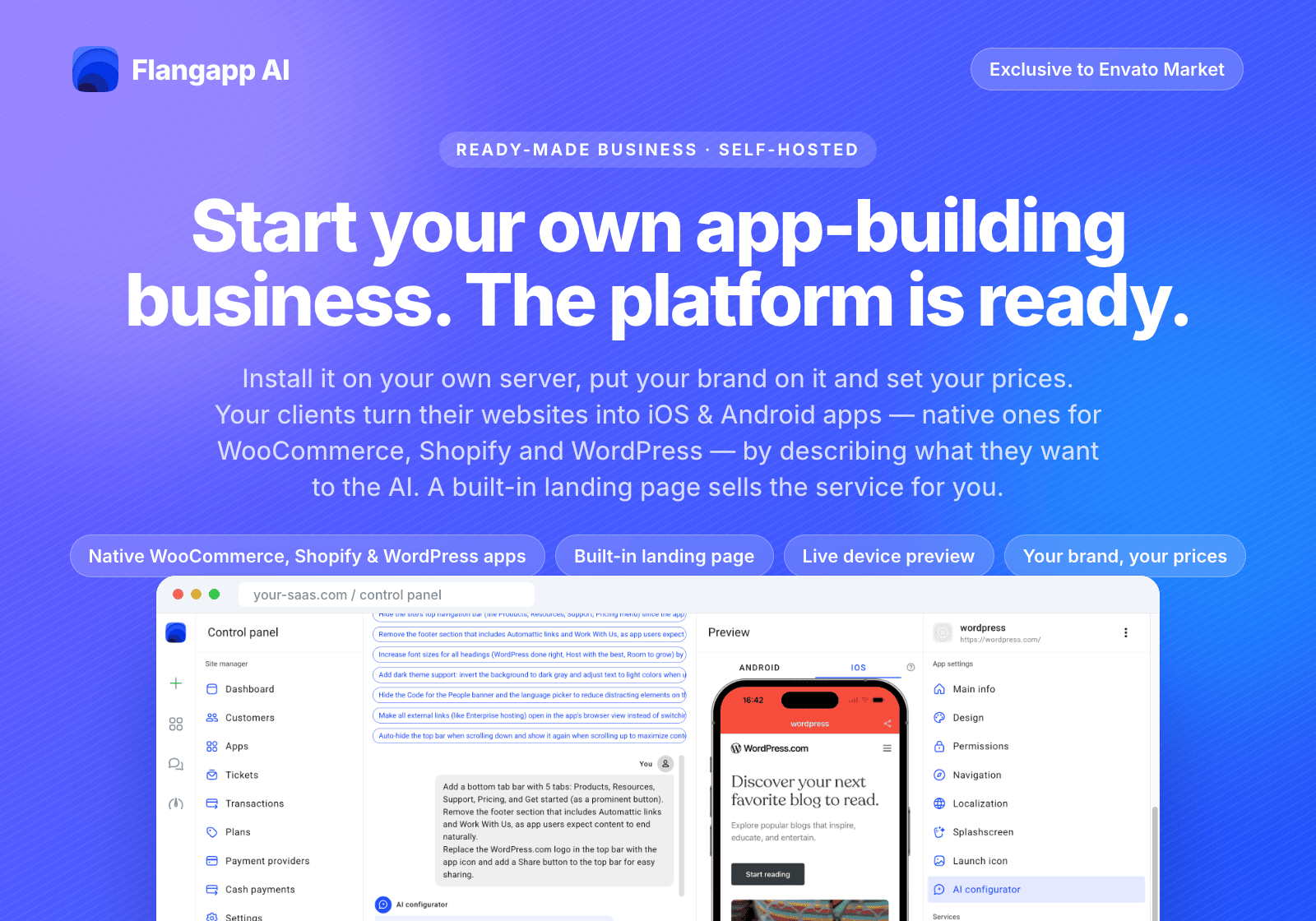
Flangapp AI is a self-hosted SaaS script that turns any website into an Android and iOS app. Paste a link, describe what you want in plain language, and the built-in AI configurator sets up the app for you: navigation, colours, tabs, splash screen, even a dark theme for the website inside the app. Check the result in a live preview on real devices, then build, sign and publish without a Mac. Sell the service to your own customers with subscriptions or one-time plans.
See how it works
Watch the short video: how Flangapp AI turns a website into an app.
Meet the AI configurator
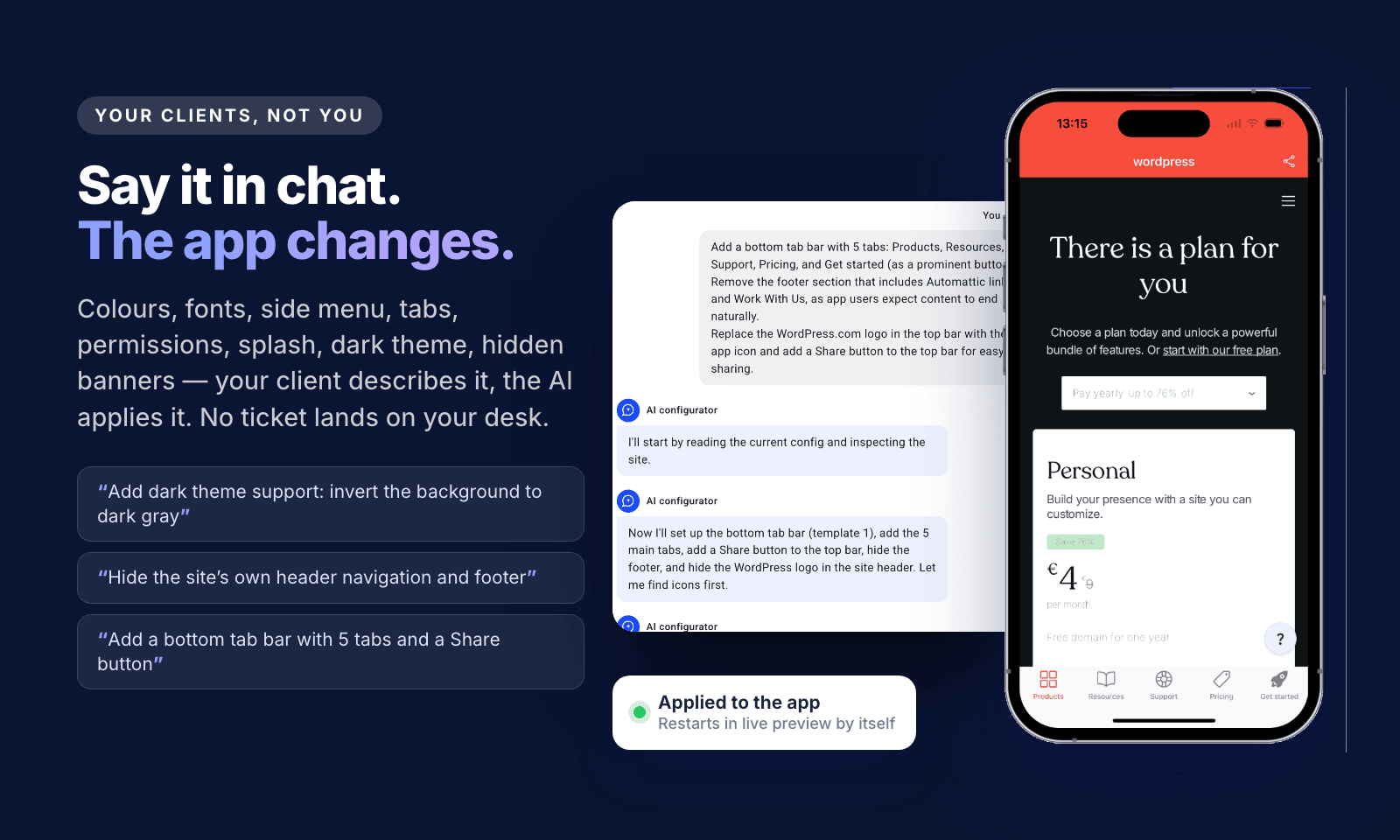
Open an app, choose Flangapp AI in the app settings and just write what you need. The assistant reads the current settings, inspects your website, applies the changes and tells you what it did. You can paste screenshots into the chat, and it suggests example requests written for your particular site.
- App settings: general info, design and template, side menu, navigation and bottom tab bar, permissions, splash screen, app texts.
- Your website inside the app: custom CSS and JavaScript for colours, fonts, a dark theme, hidden headers, footers, cookie banners and pop-ups.
- Site check: shows whether your website can be restyled inside the app before you spend any credits.
- Honest limits: the assistant works only within what the Flangapp template can do. It never edits the app’s source code or the website’s own content, and it warns you when a request is not possible.
Live preview on real devices
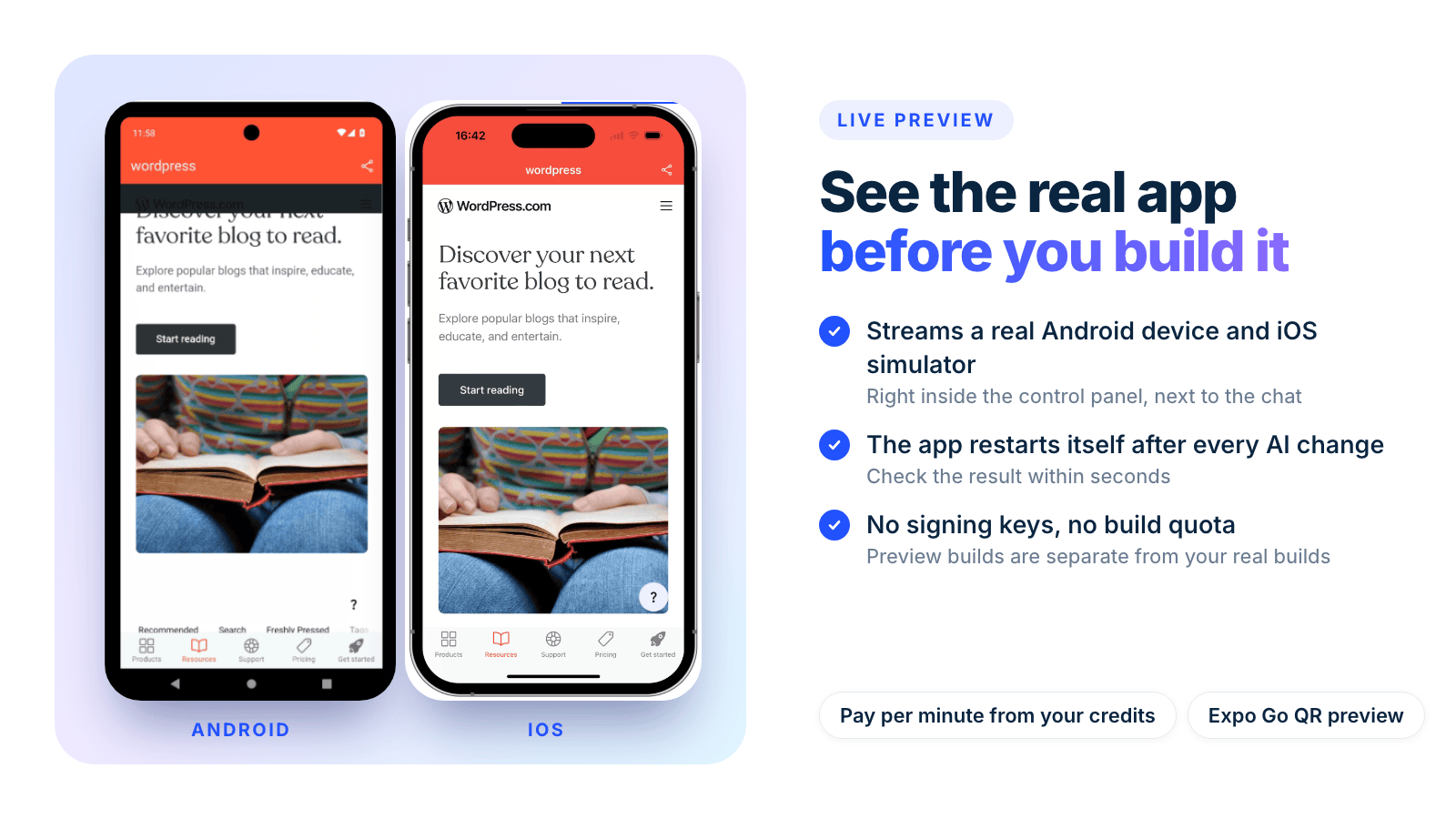
The preview streams the real app running on an Android device or an iOS simulator, right next to the chat. After every change the app restarts by itself, so you see the result in seconds. Preview builds don’t need signing keys and don’t use your build quota. Prefer your own phone? Scan the QR code with Expo Go.
Pay-as-you-go AI credits, no API keys
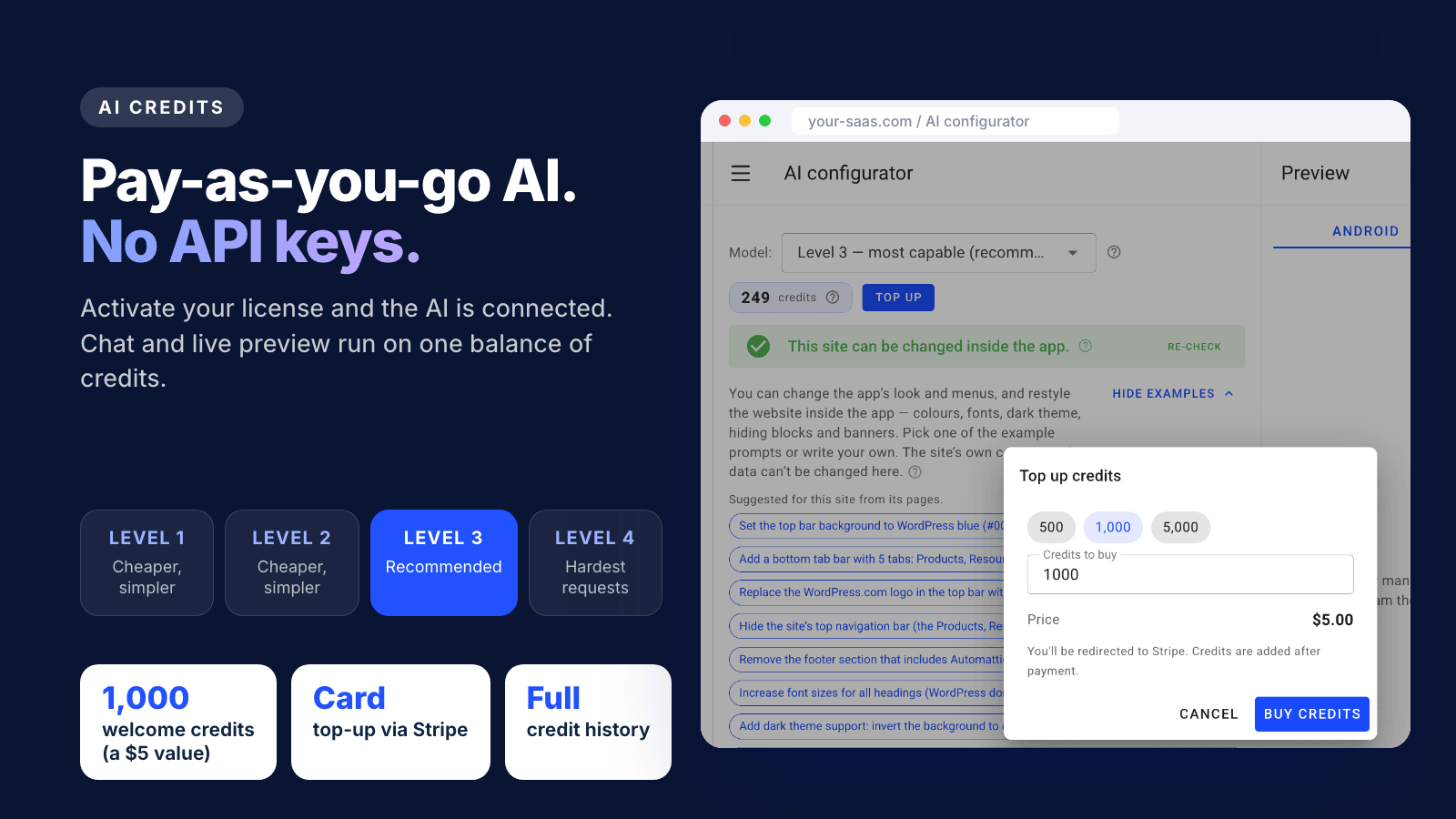
You don’t need accounts with AI providers. Activate your license and the AI is connected to the Flangapp billing service. The chat and the live preview share one balance of credits: every license includes 1,000 welcome credits (a $5 USD value) to test everything live, and you can top up by card at any time. Choose from four model levels: Level 3 is recommended, Levels 1 and 2 are cheaper and simpler, Level 4 is for the hardest requests. Every charge is listed in the credit history. The AI features are optional: you can still configure every app manually in the control panel.
From URL to app in 3 steps
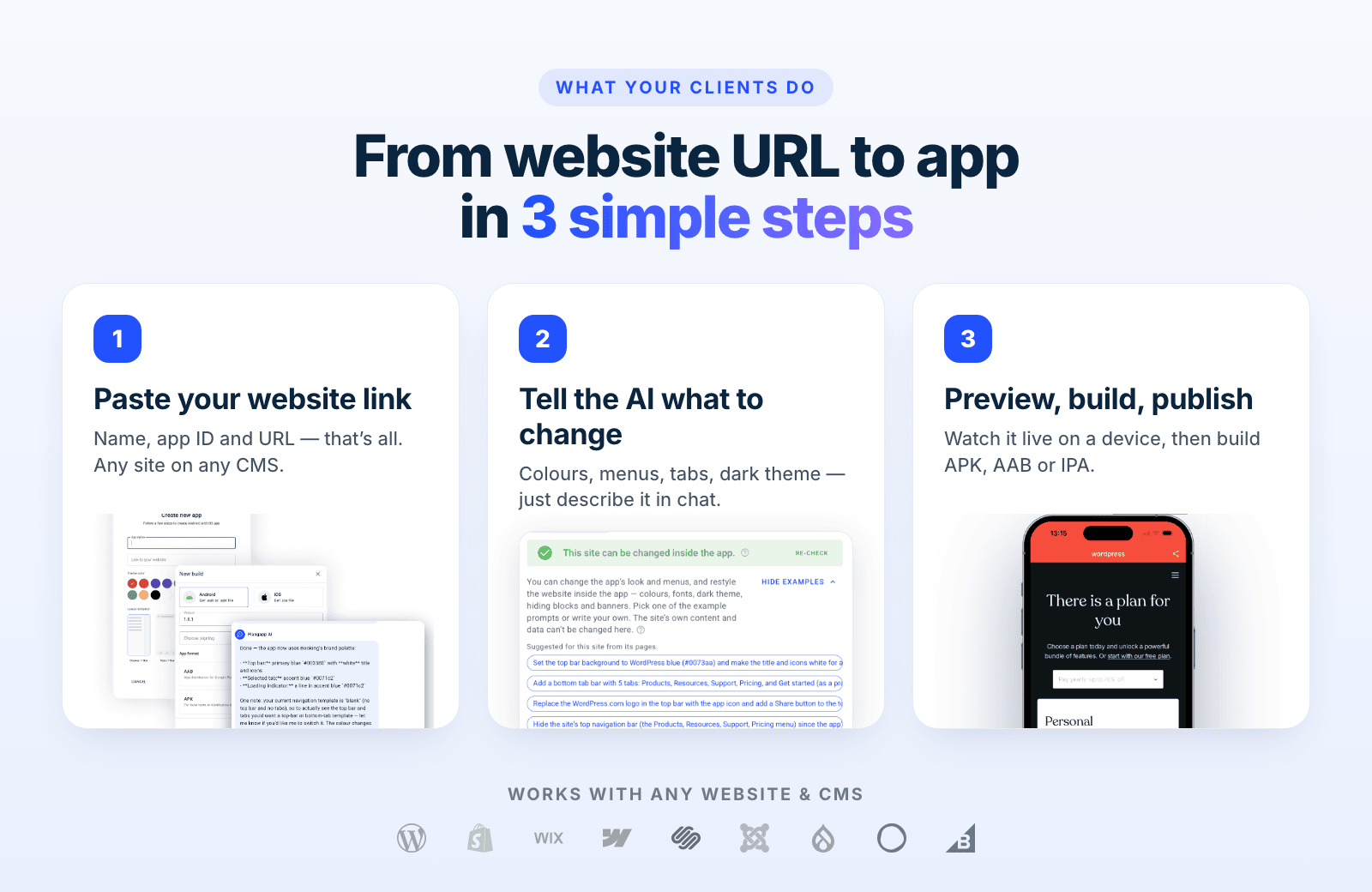
Enter a name and a link, describe the changes in chat, then preview and build. It works with any website on any CMS: WordPress, Shopify, Wix, Webflow, Squarespace, Joomla and more.
Turn it into a business
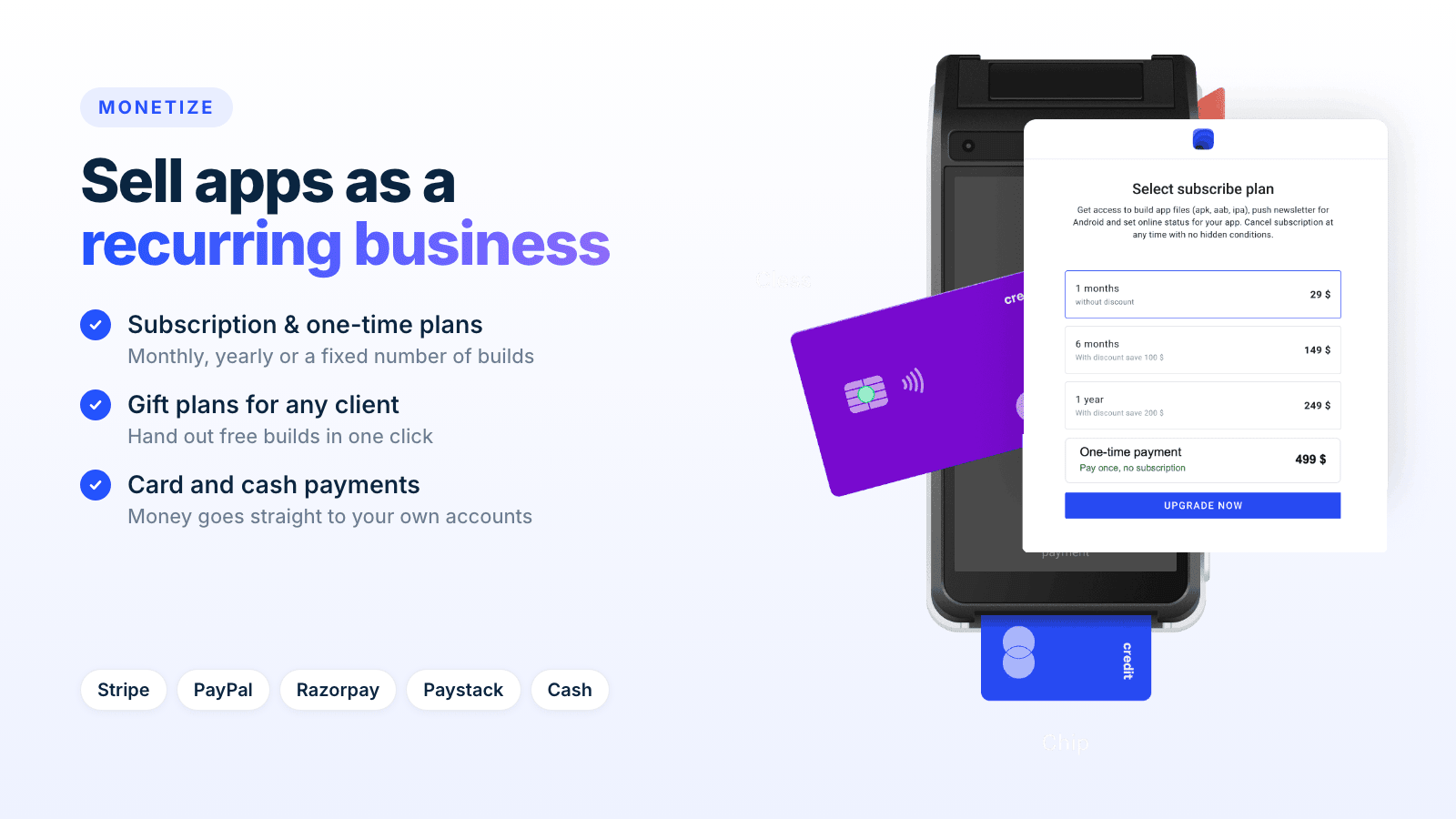
- Create your own subscription and one-time plans (a fixed number of builds).
- Give free builds to any customer with gift plans.
- Accept payments with Stripe, PayPal, Razorpay, Paystack or cash.
- Money goes straight to your own payment accounts.
Publish without a Mac
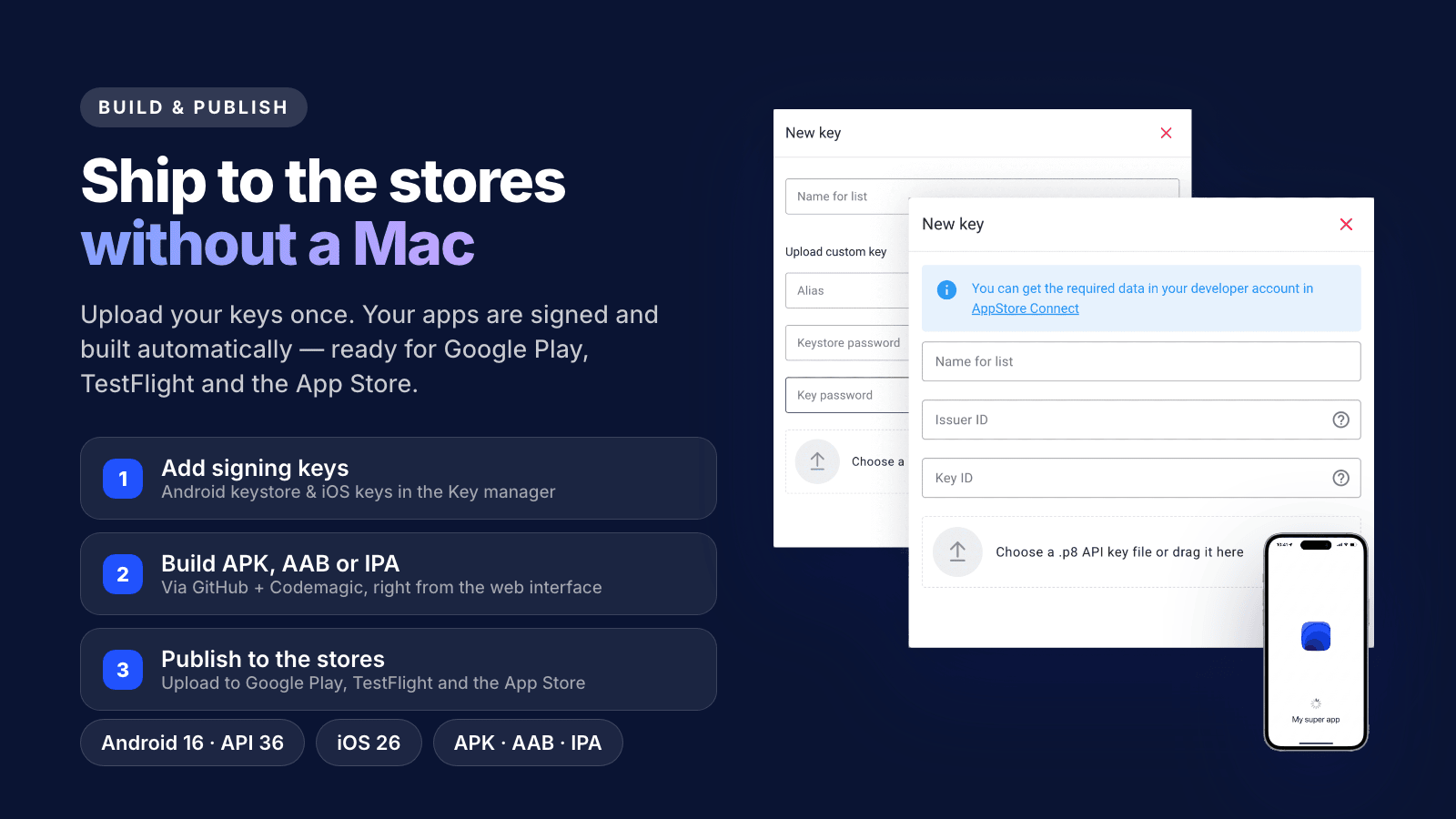
Upload your Android and iOS signing keys once, and Flangapp signs and builds the apps automatically through GitHub and Codemagic: APK, AAB and IPA files, ready for Google Play, TestFlight and the App Store. Builds target Android 16 (API level 36) and the latest iOS SDK, so they meet current store requirements. No Android Studio, no Xcode, no Mac.
A complete admin panel
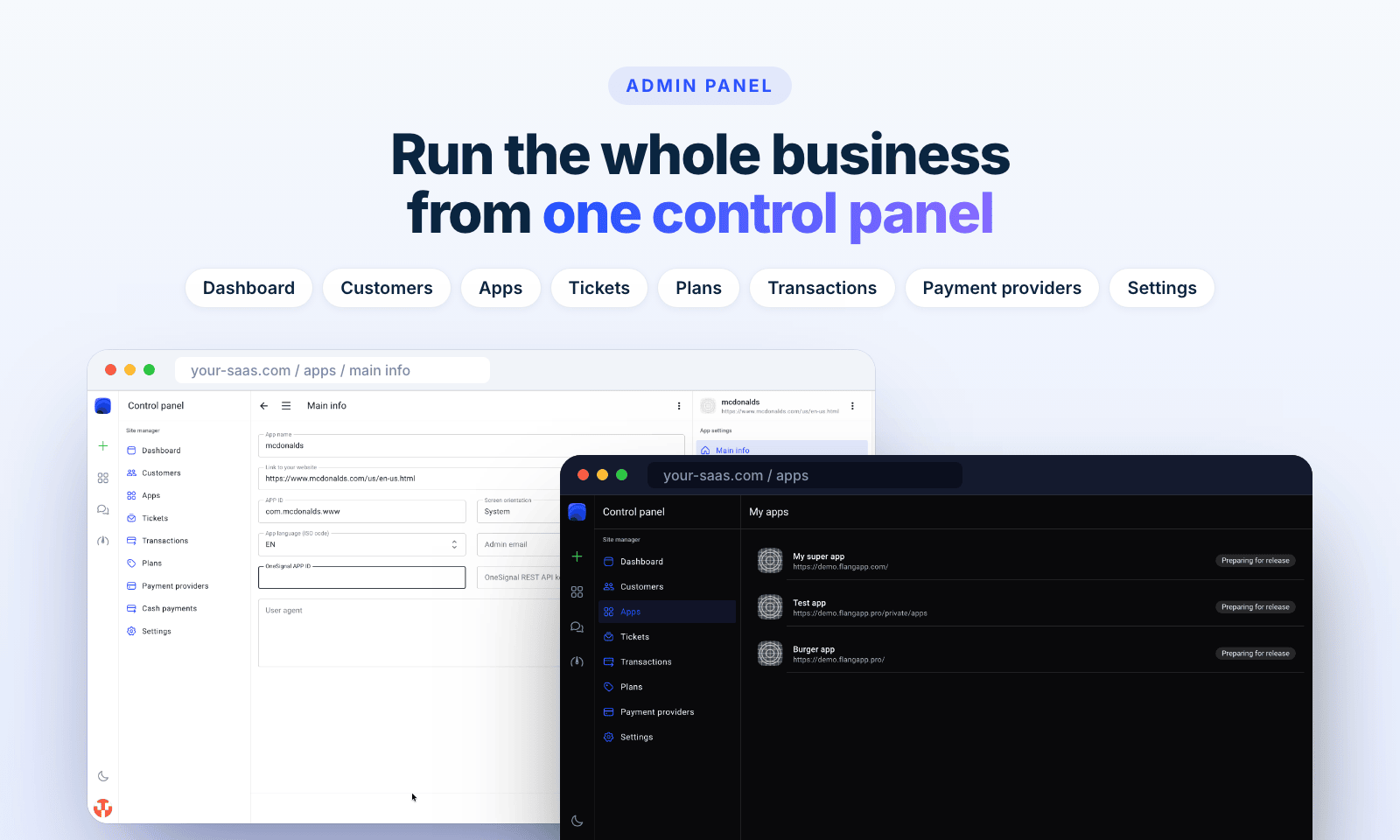
Dashboard with a sales chart, customers, apps, support tickets, plans, transactions and payment providers, in light and dark themes. Add administrators to your team, upload your own logo and set your own project name.
Everything a real app needs
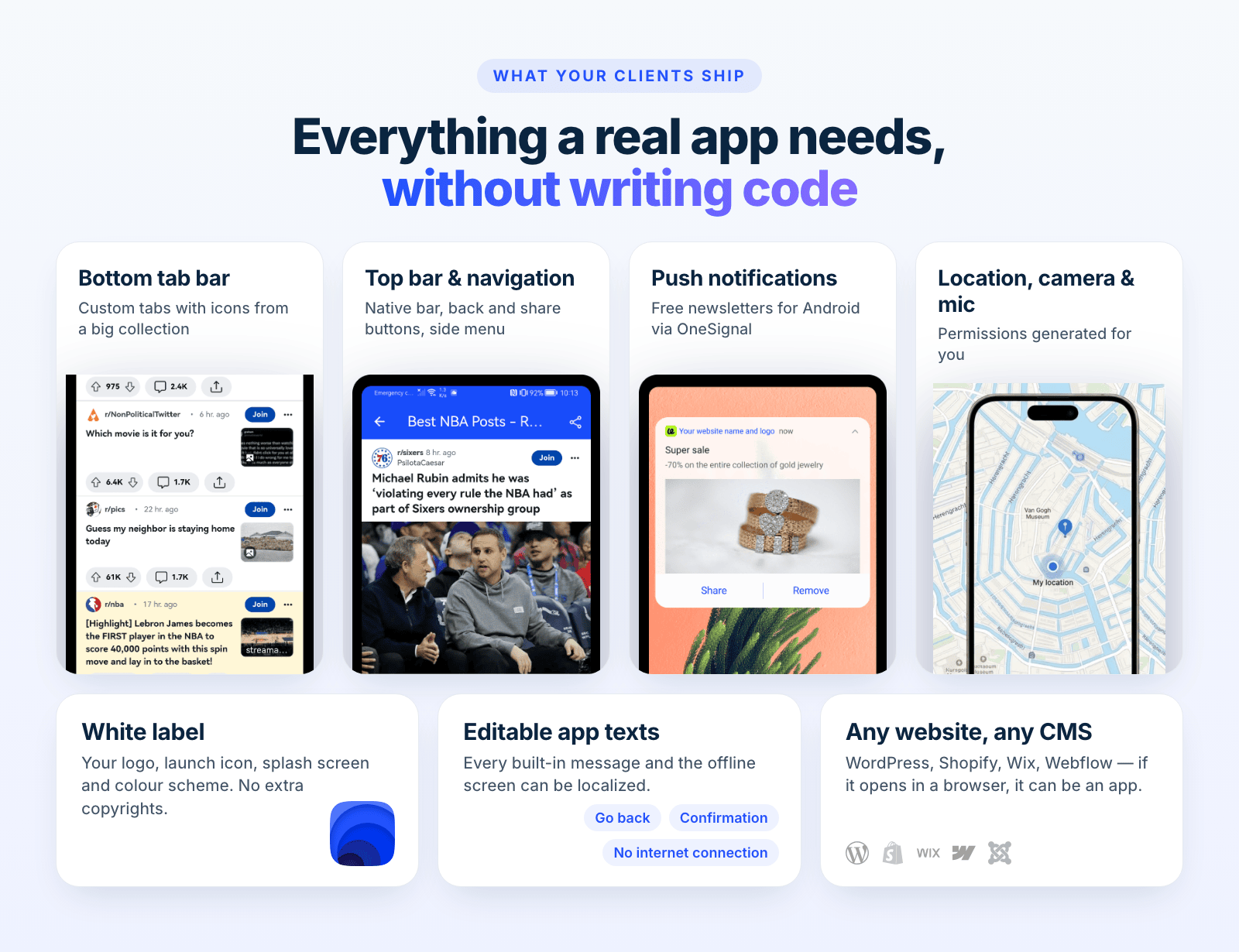
- Bottom tab bar, top bar and side menu with a big icon collection.
- Free push newsletters for Android via OneSignal, managed inside the panel.
- Location, camera and microphone permissions generated automatically.
- White label: your logo, launch icon, splash screen and colour scheme, with no extra copyrights.
- Editable app texts and offline screen, ready for localization.
Built for developers
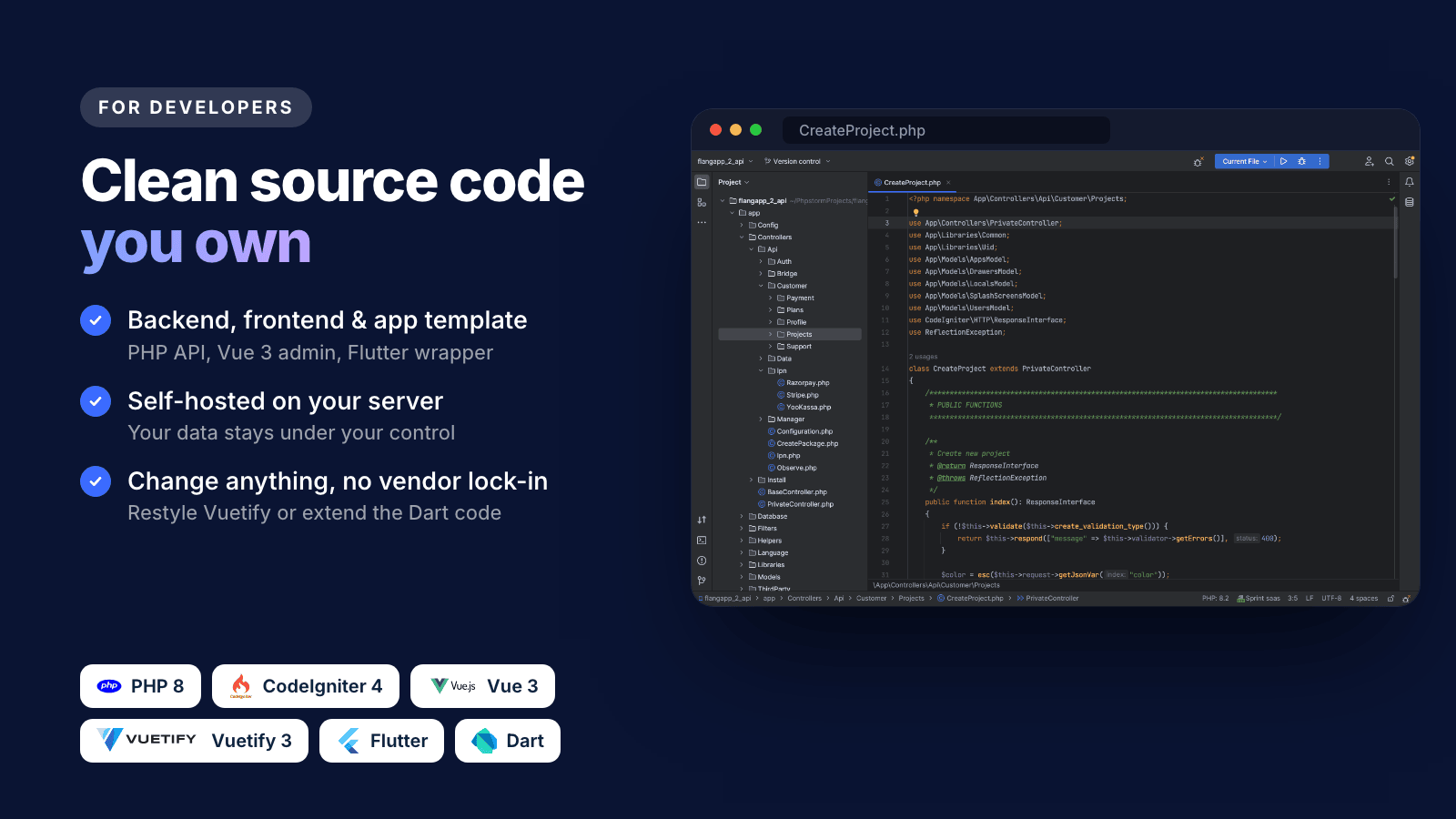
You get the full source code: a PHP 8 / CodeIgniter 4 backend, a Vue 3 + Vuetify 3 frontend and the Flutter (Dart) app template. Everything runs on your own server, so your data stays under your control. API methods are commented, and you can change any part of the code, or use your own design and app templates.
What’s included and what to expect
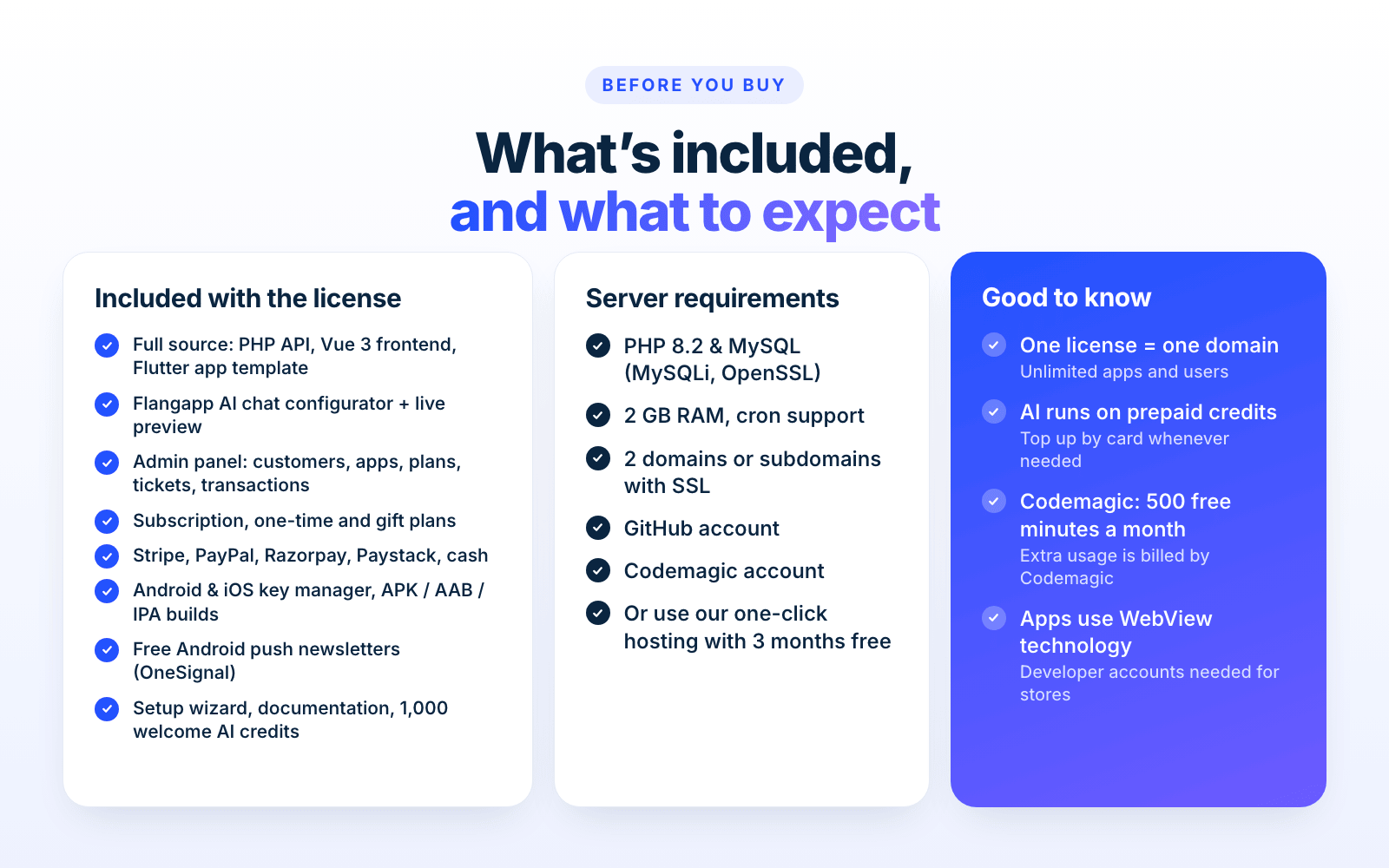
Included with the license
- Full source code: PHP API, Vue 3 frontend, Flutter app template
- Flangapp AI chat configurator and live preview, plus 1,000 welcome credits
- Admin panel with customers, apps, plans, tickets and transactions
- Subscription, one-time and gift plans; Stripe, PayPal, Razorpay, Paystack and cash payments
- Android and iOS key manager, APK / AAB / IPA builds
- Android push newsletters, setup wizard and documentation
Server requirements
- PHP 8.2, MySQL with the MySQLi driver, OpenSSL, at least 2 GB of RAM
- 2 domains or subdomains with SSL certificates (free Let’s Encrypt works), cron support
- A GitHub account and a Codemagic account
- No server of your own? Easy-Install hosting offers 3 months of free hosting with automatic installation.
IMPORTANT, please read
- One regular license covers one domain, with an unlimited number of customers and apps. Each new domain or project needs its own license.
- The AI chat and the live preview run on prepaid credits (1,000 welcome credits are included). Extra credits are bought separately by card.
- The apps work on Android and iOS using WebView technology.
- Flangapp integrates with external services: GitHub (stores the apps’ code), Codemagic (builds and publishing), Expo (QR preview) and OneSignal (Android push). Codemagic includes 500 free build minutes per month; usage above the limit is billed by Codemagic. The terms of these services can change at any time, and the author cannot control or guarantee their uninterrupted work.
- To publish, you or your customers need Apple and Google developer accounts.
- When using the embedded webview for Google Sign-In, some websites may return a
403 disallowed_useragenterror. This is a restriction imposed by Google and is not related to Flangapp. Try signing in with a standard browser, check your Google account security settings, or contact the support team of the target service.
Documentation and support
Step-by-step installation and setup guides: https://flangapp.com/docs
Questions? Contact us through the support desk: https://support.flangapp.com
Changelog
25.09.2026 Update 4.0.2
- Android and iOS builds of apps that were built before the update no longer fail with
  "Failed to merge branch." Before a build, the app's branch in your build repository
  is brought up to date with main. When that merge conflicts (the app's own
  build.gradle.kts against the template's API 36 change), the branch now starts again
  from main; the build then uploads the app's files as usual.
24.09.2026 (Flangapp AI, Update 4.0.1 PRO)
- GitHub Repository Updates no longer stops with
  CONFLICT (modify/delete): android/app/build.gradle.kts deleted in HEAD and modified in template/main.
  The update no longer deletes that file from your build repository, and a merge conflict
  is now settled with the template's version of the file.

22.09.2026 (Flangapp AI, Update 4.0 PRO)
- Flangapp AI: chat configurator for app settings, navigation, design and website restyling (CSS/JS)
- Live preview on real Android and iOS devices, paid per minute from credits
- AI credits with top-up by card, four model levels and credit history
- New look of the product and its documentation

28.07.2026
- Raised the Android target API level to 36 (Android 16) to comply with the latest Google Play requirements.
  Newly built Android apps now compile against and target Android 16 (API level 36).
14.05.2026
- Fixed issues with ios build.
- Updated libraries and SDK to the latest version.
21.03.2026 (Update 3.1 PRO)
- The entire device preview system has been reworked.
- The old Appetize.io iframe-based preview has been replaced with a QR code-based workflow using Expo Go.
- Updated libraries and SDK to the latest version.
20.11.2025 (Update 3.0 PRO)
- Added a new Setup Wizard to install and configure the app
- Tweak the installation/updating process
- Improved UX/UI for a better user experience
- Updated the documentation
- Updated libraries and SDK to the latest version
25.09.2025 (Update 2.9.4 PRO)
- Updated libraries and SDK to the latest version
26.08.2025 (Update 2.9.3 PRO)
- Preview app update
12.07.2025 (Update 2.9.2 PRO)
- Fixed issues related to the build limit for subscriptions.
- Minor fixes and improvements to UX/UI for a better user experience.
14.07.2025 (Update 2.9.1 PRO)
- Minor fixes and improvements to UX/UI for a better user experience
- Updated the documentation
25.06.2025 (Update 2.9 PRO)
- Added one-time plans with payment for builds.
- Added gift subscriptions (implemented the way to send a free builds to a user).
- Optimized subscription process for Stripe and PayPal gateways.
- Improved payment process for PayStack and RazorPay gateways.
- Fixed issues related to subscription cancellation.
- Minor fixes and improvements to UX/UI for a better user experience.
21.04.2025
- Added feature to auto-install software updates. (PLEASE READ FOLDER DOCUMENTATION FOR 2.8 PRO)
- Added compatibility check and repository auto-update functionality for package builds.
- Updated packages to the latest versions.
- Fixed issue ITMS-90725: SDK version issue.
- Fixed issue related to the Ionicons icon set.
12.03.2025
- Number of builds when creating a plan
- SDK update
21.02.2025 (Version 2.6 PRO)
- Preview app update
- Bug fix
Version 2.5 PRO
- Update integration
- Bug fix
Version 2.4 PRO
- Bug fix
03.10.2024 (Version 2.3 PRO)
- Create builds with one-time payment
- Bug fix
02.08.2024 (Version 2.2 PRO)
- App creation management.
- Bug fix
02.07.2024 (Version 2.1 PRO)
- App version control
- Added payment via PayPal
- Bug fix
26.08.2024 (Version 2.0.3 PRO)
Code change:
- update Codeigniter version
- update vue.js 2 to vue.js 3
- update vuetifyjs to 3.0.0
- update Snack SDK to 5.0.0-preview.2
- update flutter to version 3.19.0
- update OneSignal SDK to latest
Business logic:
- change payment system from build payment to subscribe payment
- change payment methods: available Stripe, Razorpay
Other:
- android signing keys manager
- ios signing keys manager
- change PUSH newsletter logic without customer Onesignal key (only android)
- update permissions manager
- bug fixes
- other changes. Check demo
Versions 1.0 to 1.7.1 (2022): first release, GitHub and Codemagic integration, PayPal, Razorpay and PayStack payments, license activation, JKS key generator, builds balance, Expo Go preview, iOS signing.
| Type | PHP Script |
|---|---|
| Author | anzgorn |
| Category | Php Scripts / Miscellaneous |
| Price | $25 |
| Sales | 170 |
| Rating | 4.00 from 36 ratings |
| Published | Jun 9, 2022 |
| Last Update | Oct 10, 2026 |
| Compatible Browsers | IE11, Firefox, Safari, Opera, Chrome, Edge |
| Compatible Software | PHP 8.x |
| Software Framework | CodeIgniter |
| Source Files Included | JavaScript JS, JavaScript JSON, HTML, XML, CSS, PHP, SQL |
Categories
Tags
External listing. code.market does not sell this product and does not process payment for it. Pricing, payment, delivery, licensing, refunds, and support are handled by the third-party merchant on its own website. We may earn an affiliate commission from a referral. Details.
Products of the Week.
Submit🥇

STOP GUESSING WHAT TO POST
AI that learns your brand voice and builds a month of consistent, on-brand social content: carousels, posts and hooks that sound like you, not like everyone else's AI.
SaaS · 4,593 views · 42 clicksSaaS · Week 45 · 4,593 views · 42 clicks
🥈

Conversational Backlinks for Busy Founders
Place Backlink Relevant Conversation for your domain across Forums and Conversations
Website · 42,429 views · 225 clicksWebsite · Week 45 · 42,429 views · 225 clicks
🥉

upvote.club
Free Social Media Engagement that Helps Boost Your Content. Upvote Club supports 19 social networks with 100+ engagement actions in one dashboard. Add links to your posts and get free engagement from real users.
SaaS · 40,486 views · 120 clicksSaaS · Week 45 · 40,486 views · 120 clicks
#4

Substack Posting API
Onboard your Agent to Substack. Write Publish on Substack via API
SaaS · 59,456 views · 200 clicksSaaS · Week 45 · 59,456 views · 200 clicks
#5

Seenshot App
Free, Fast, MacOS Screenshot app. Make Screenshot cmd+shift+2 and send it via link
Desktop App · 28,835 views · 124 clicksDesktop App · Week 45 · 28,835 views · 124 clicks
#6

Hand-Placed Backlinks $9.99 per link. Flat rate.
Buy hand-placed forum, Q-A and directory backlinks. Flat $9.99 per link, no subscriptions — you only pay for approved listings.
Website · 4,633 views · 19 clicksWebsite · Week 45 · 4,633 views · 19 clicks
#7

Free Invoice Generator - PDF Invoices in Your Browser, No Sign-Up
A free invoice maker for freelancers and small businesses: fill in the invoice, check the live preview, and download a PDF that looks exactly like it. Any currency, tax per item, three templates, no sign-up, and nothing leaves your device.
3,289 views · 17 clicksWeek 45 · 3,289 views · 17 clicks
#8

Merge PDF Files Free - Combine PDFs in Your Browser, No Upload
A free PDF merger for office workers, students, and freelancers: combine PDFs and images into one file in the browser, reorder files and pages, pick page ranges, keep bookmarks, and open password-protected PDFs. Nothing is uploaded, no sign-up, no watermark.
3,042 views · 14 clicksWeek 45 · 3,042 views · 14 clicks