
Fixed TOC - table of contents for WordPress(wp) plugin

Description
Tocer is a powerful table of contents’ maker. It can automatically generate a TOC from post-content, categories, pages, or even a mix of pages and the current post-content. Whether you need a TOC for a single post or a comprehensive contents for an entire documentation set, Tocer has you covered. It works on both Gutenberg and non-Gutenberg context.
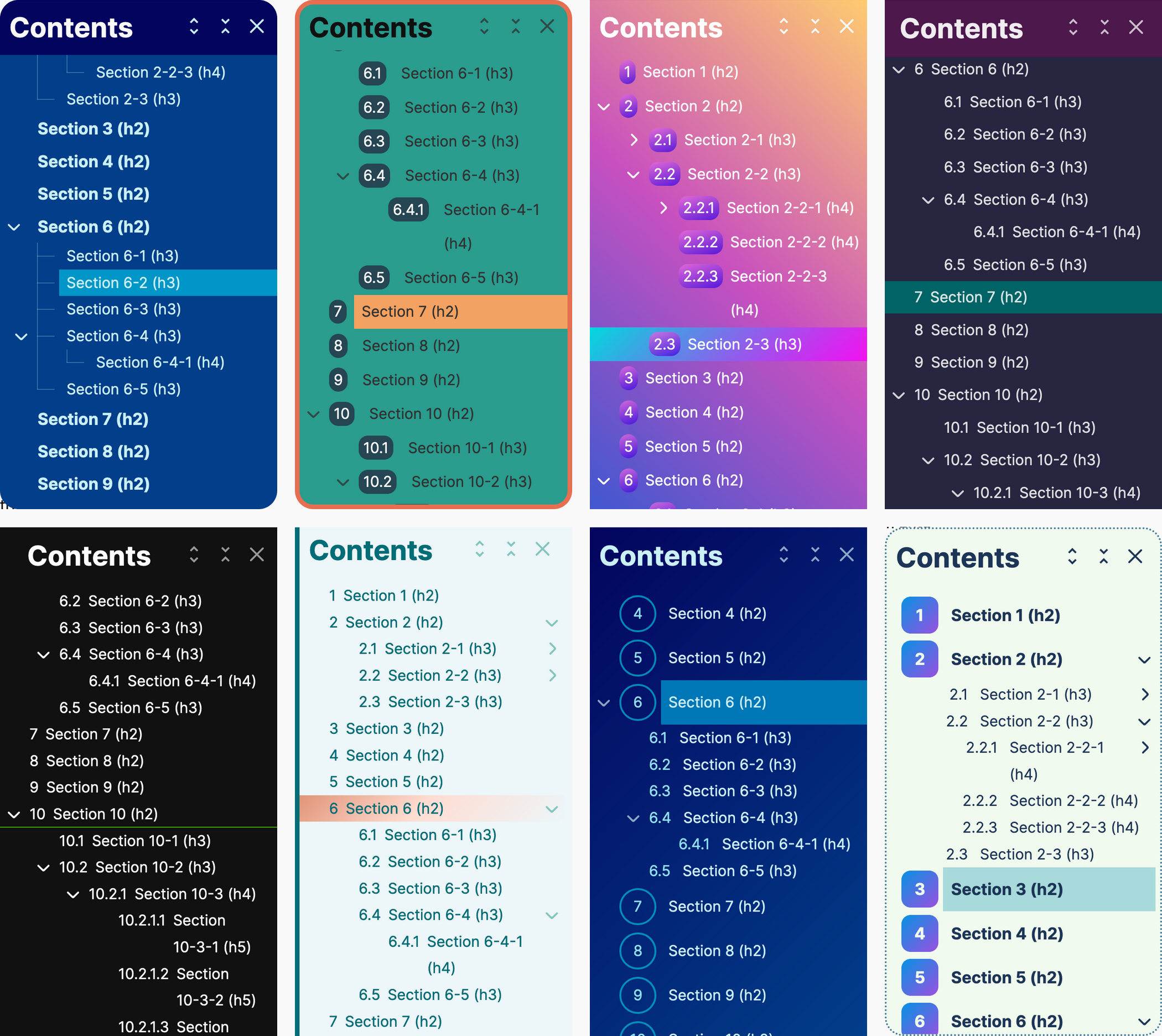
Visit Tocer Website
WP Query
Introduced a new feature: WP Query since v4.2.0. You can now create a TOC from taxonomies and custom post types, such as categories and pages, or even combine them. This is a great option for generating a TOC for documentation.
Read More
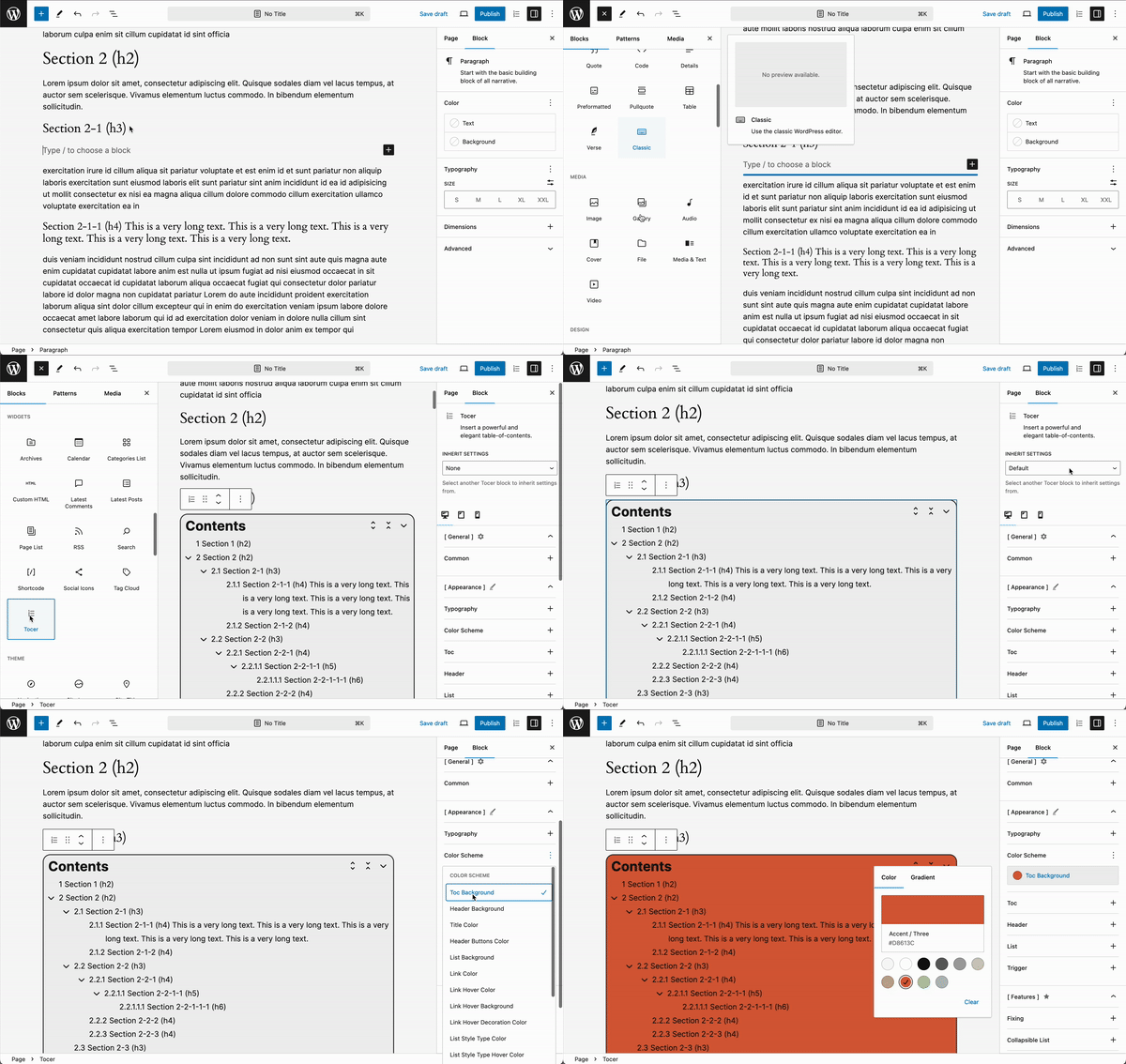
Gutenberg Block
Fully support Gutenberg by enabling real-time preview for block options, allowing users to see changes instantly for a smoother editing experience.
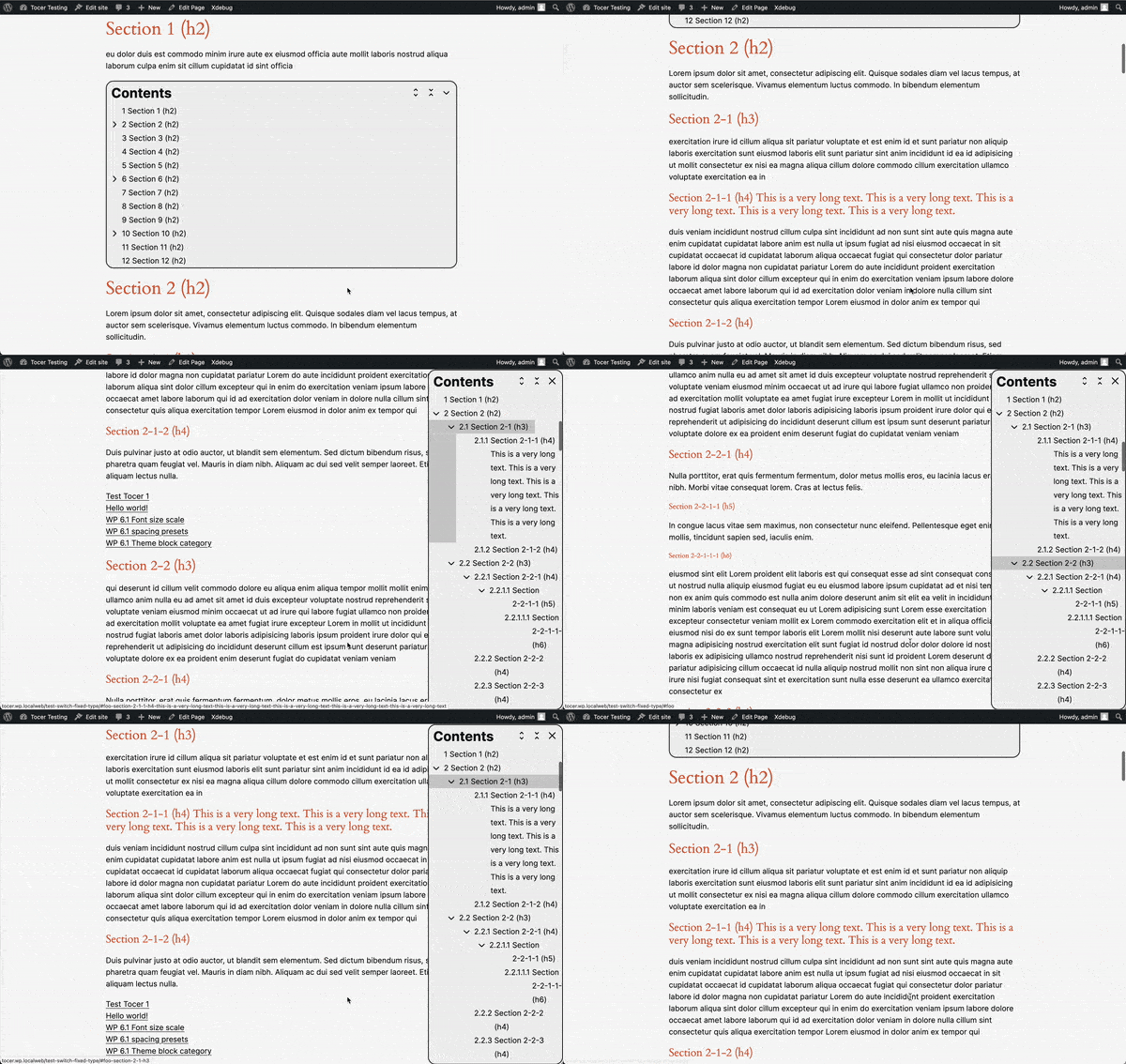
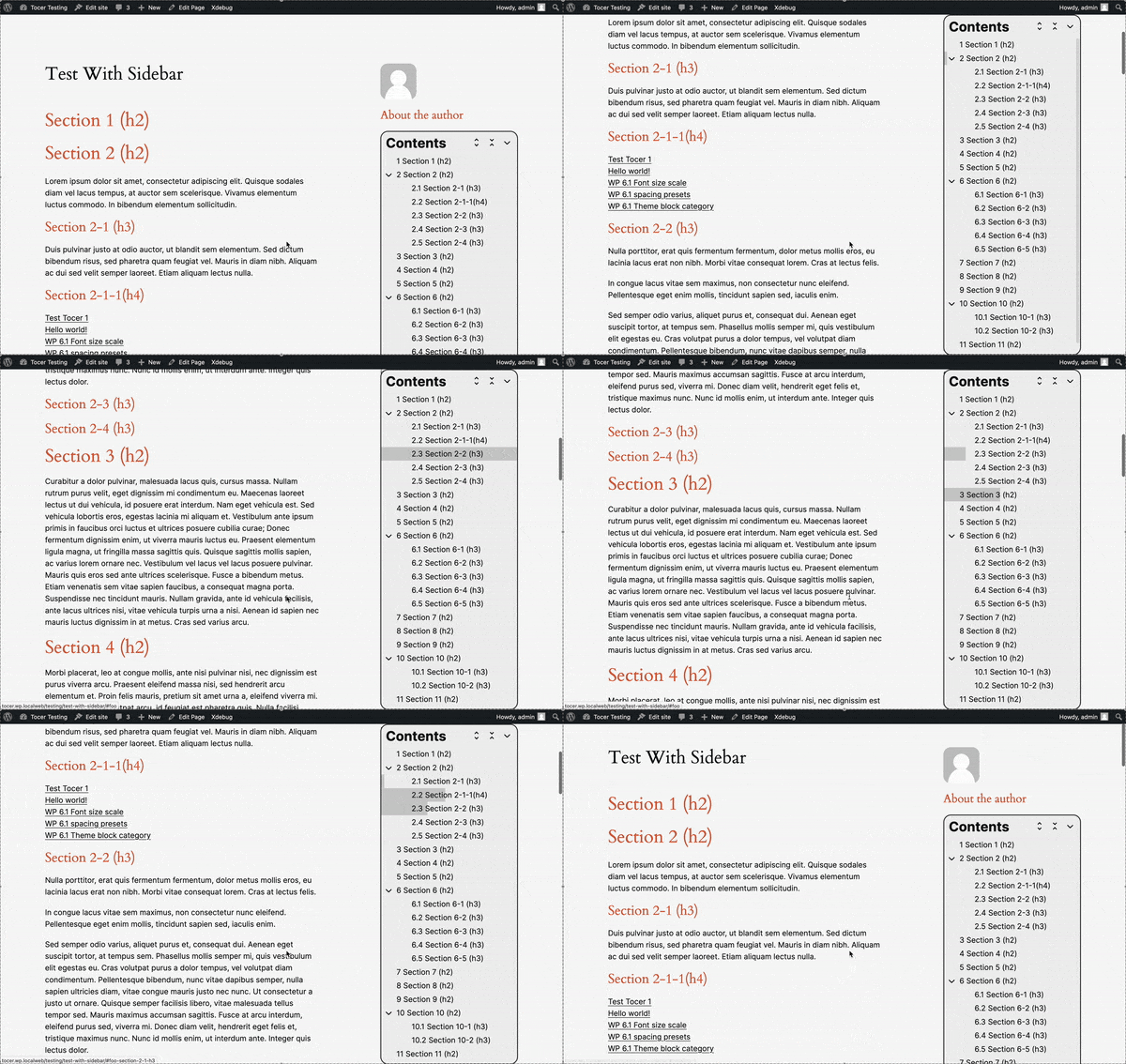
Switch Fixing
Toggle between static and fixed positioning for the table of contents.
Sticky
Keep the table of contents fixed at the top of the viewport when scrolling, ensuring it remains accessible for easy navigation.
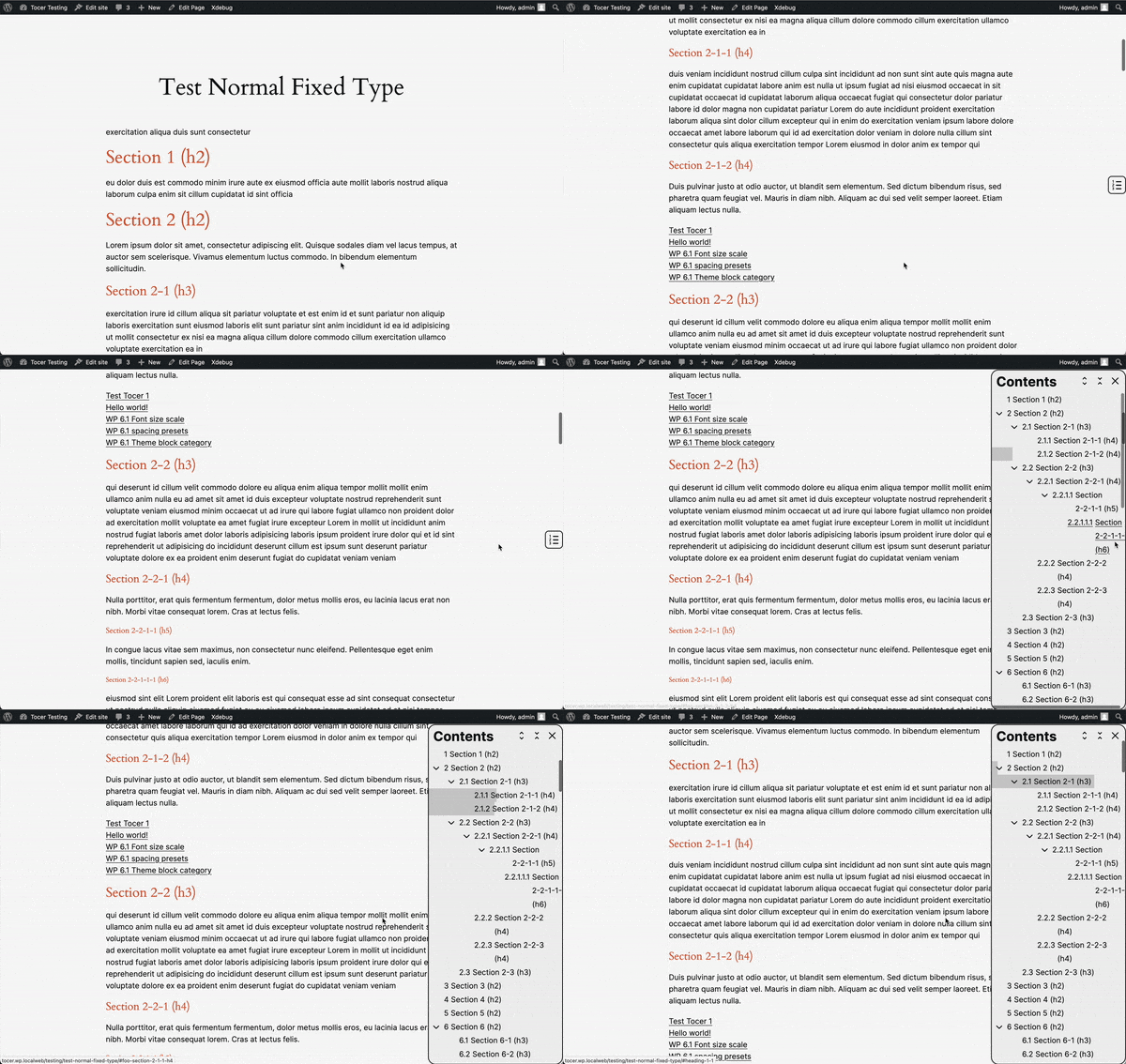
Normal Fixing
Keep the table of contents fixed to the window, allowing users to show or hide it as needed.
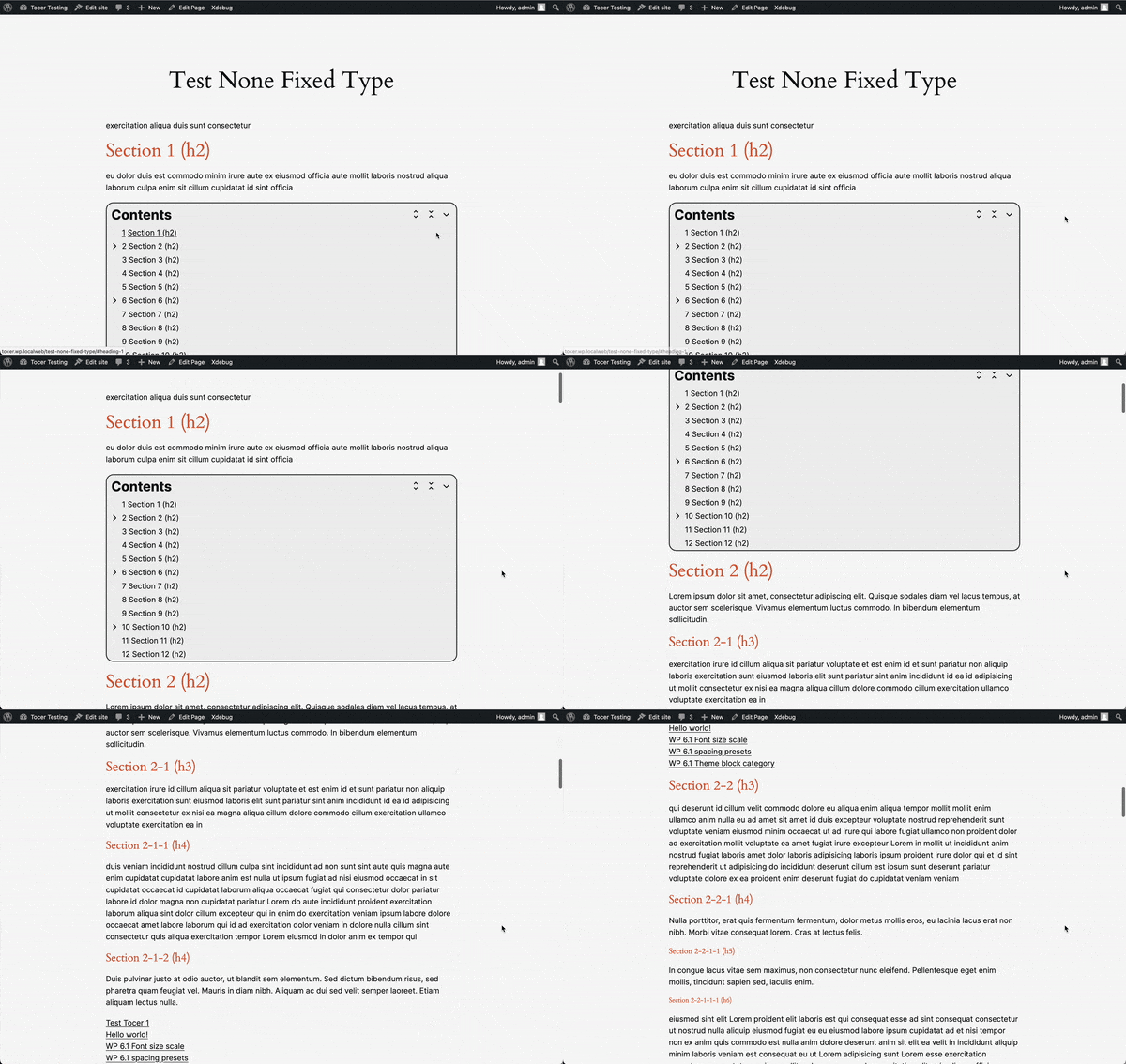
Static
Display the table of contents in a static position without fixing it
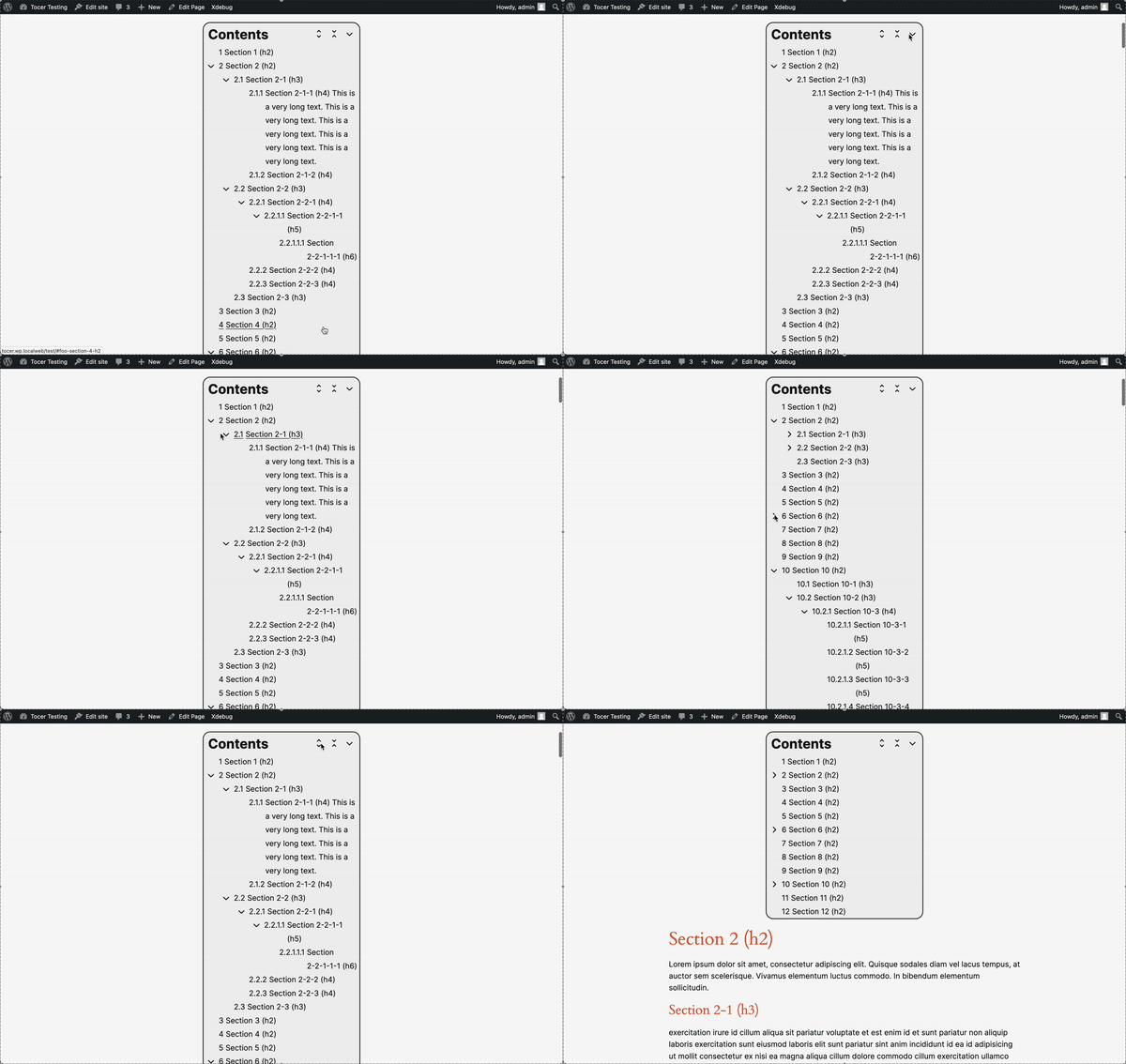
Collapsible
Collapsible/expandable the list any level for better content organization.
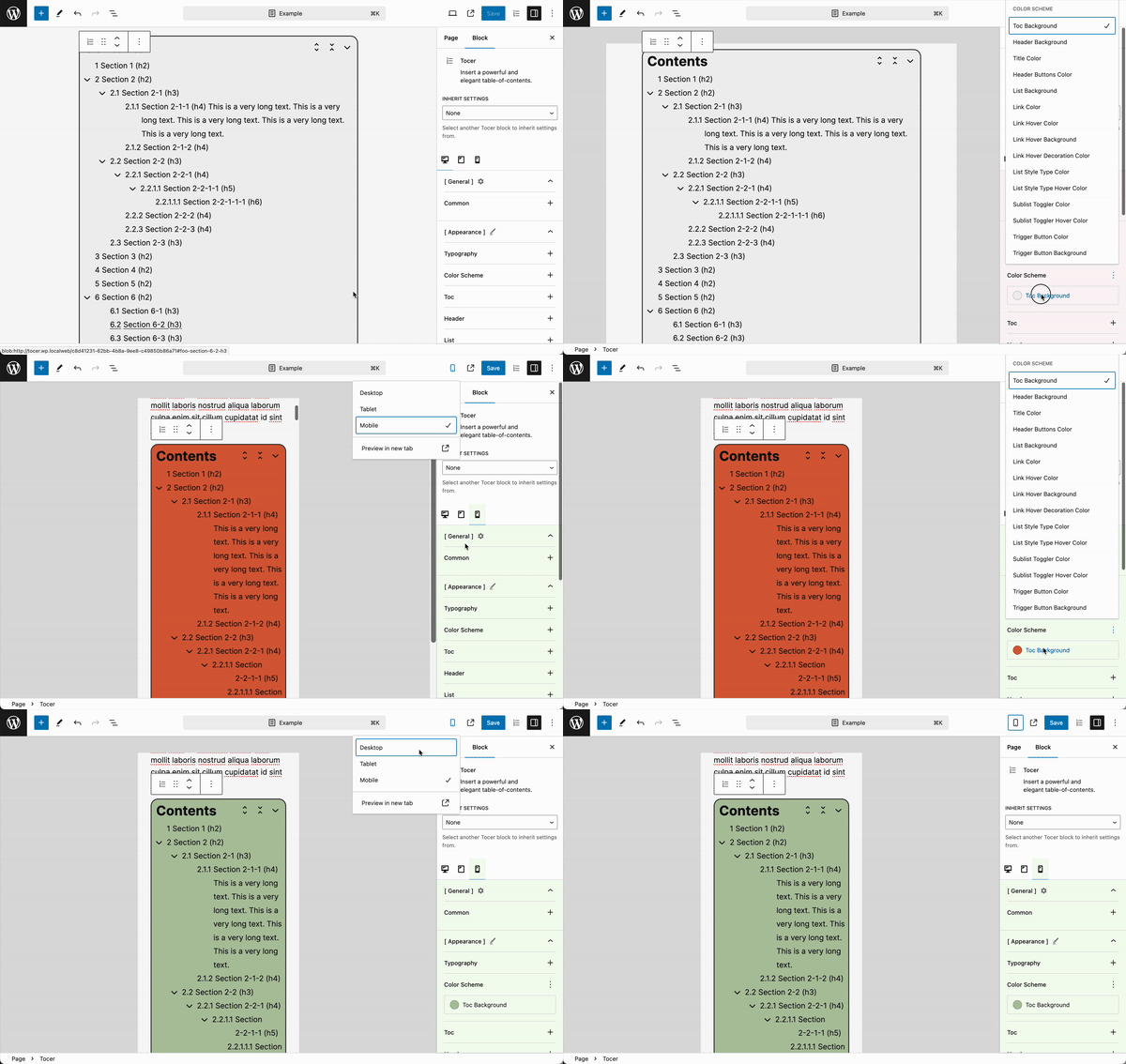
Responsive UI
Even easily apply different styles for Desktop, Tablet, and Mobile.
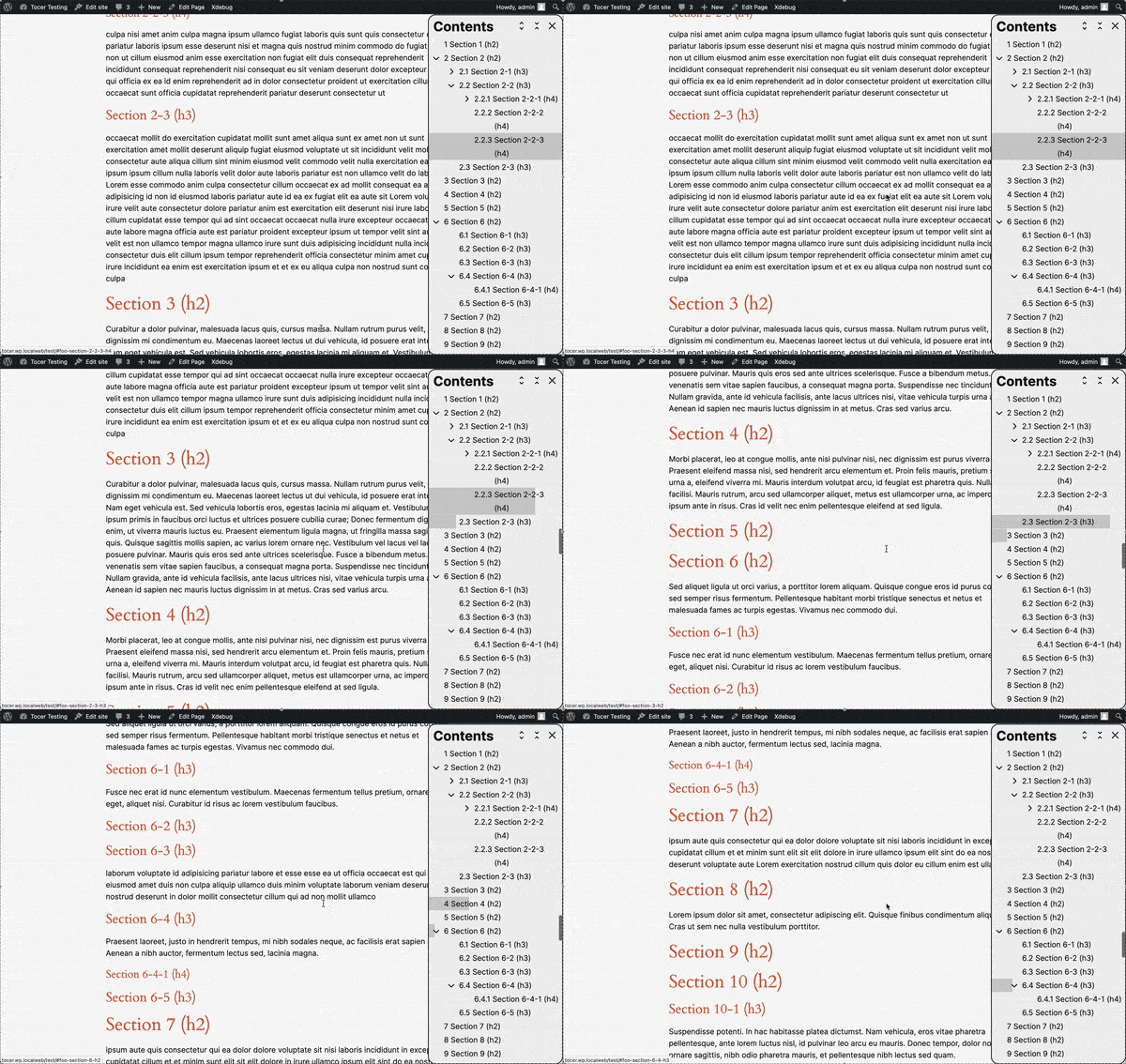
Indicator
Highlight the current heading in the table of contents (TOC) as users scroll, offering clear navigation through the content.
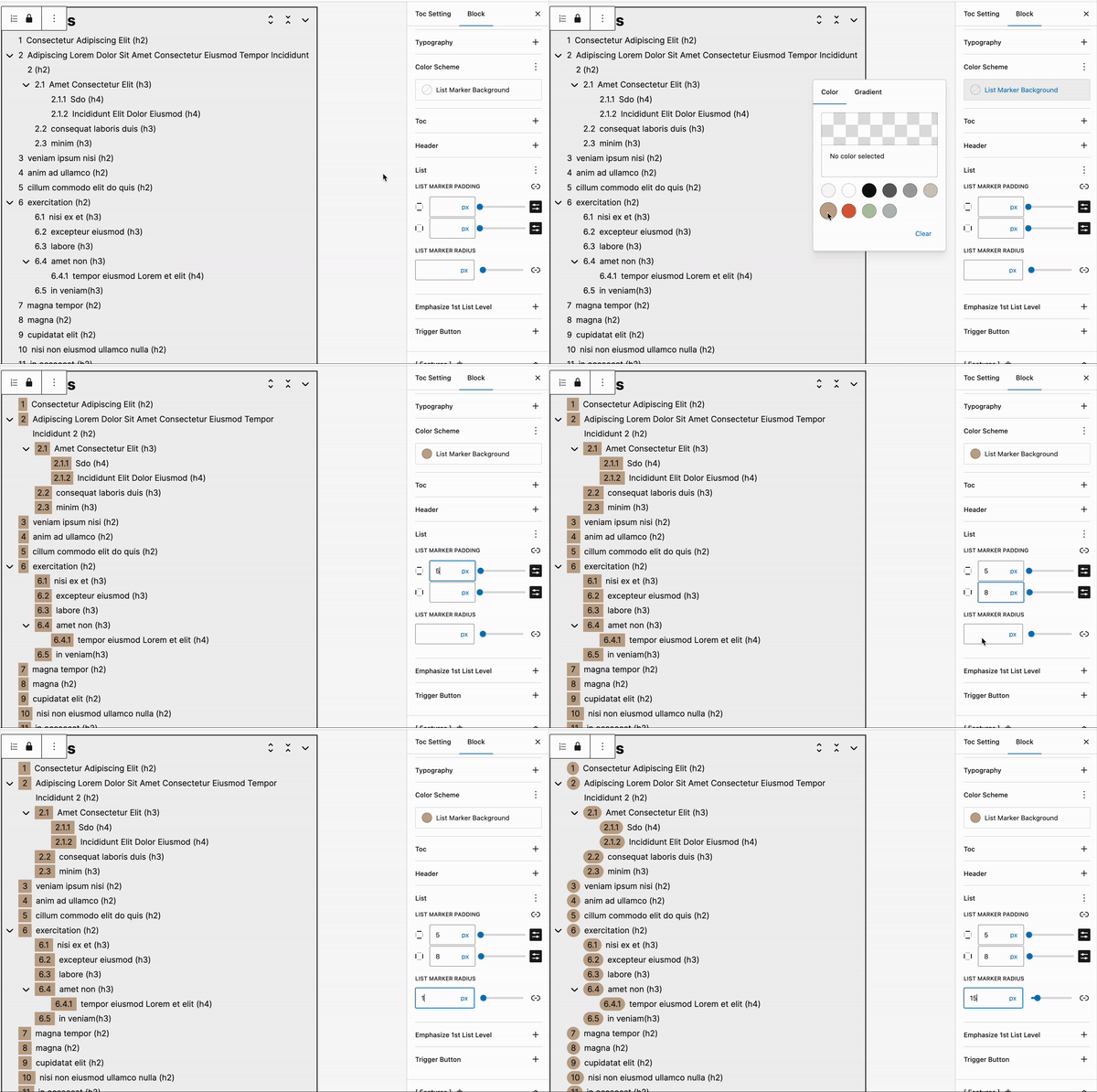
List-Marker Decoration
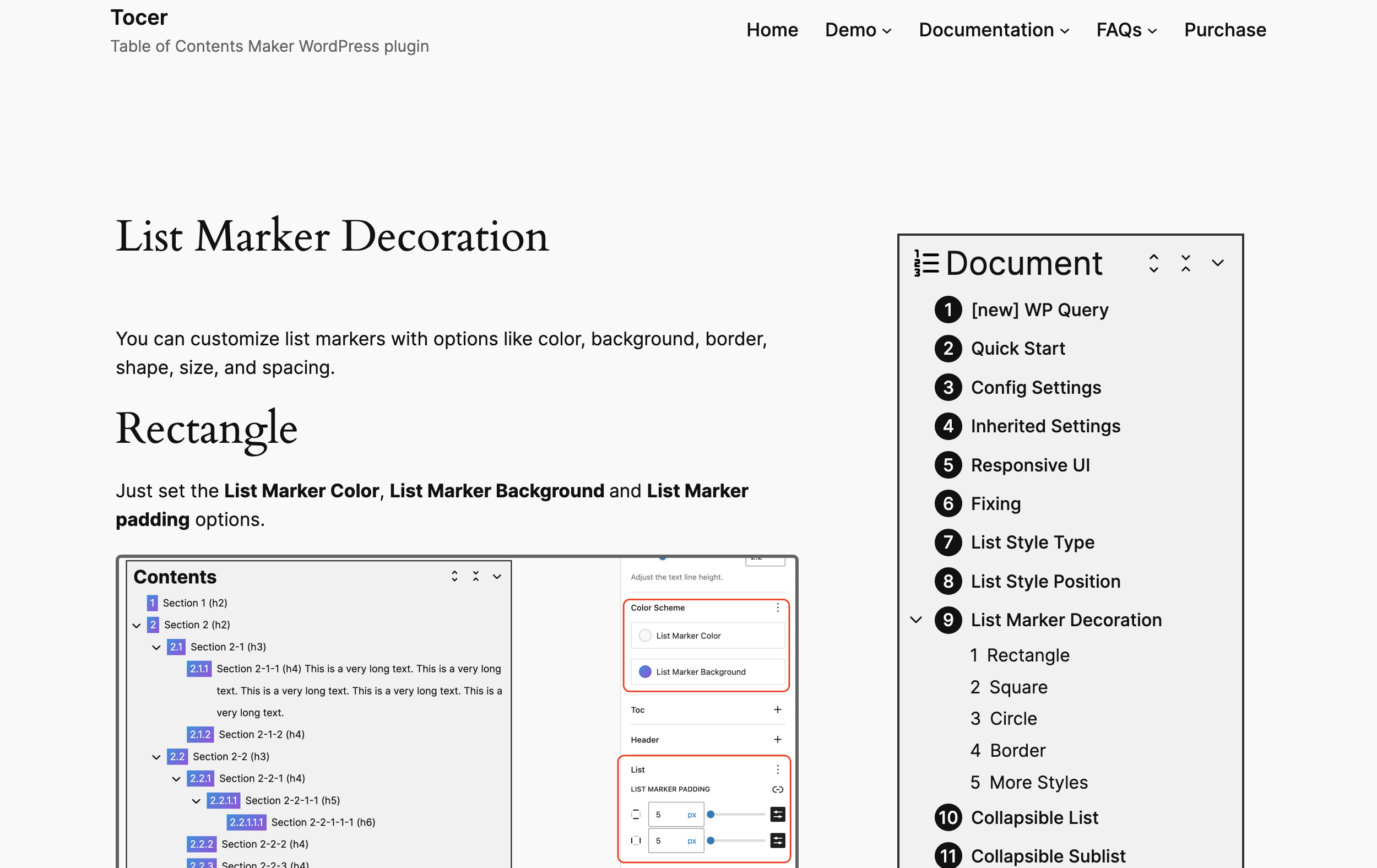
You can customize list markers with options like color, background, border, shape, size, and spacing.
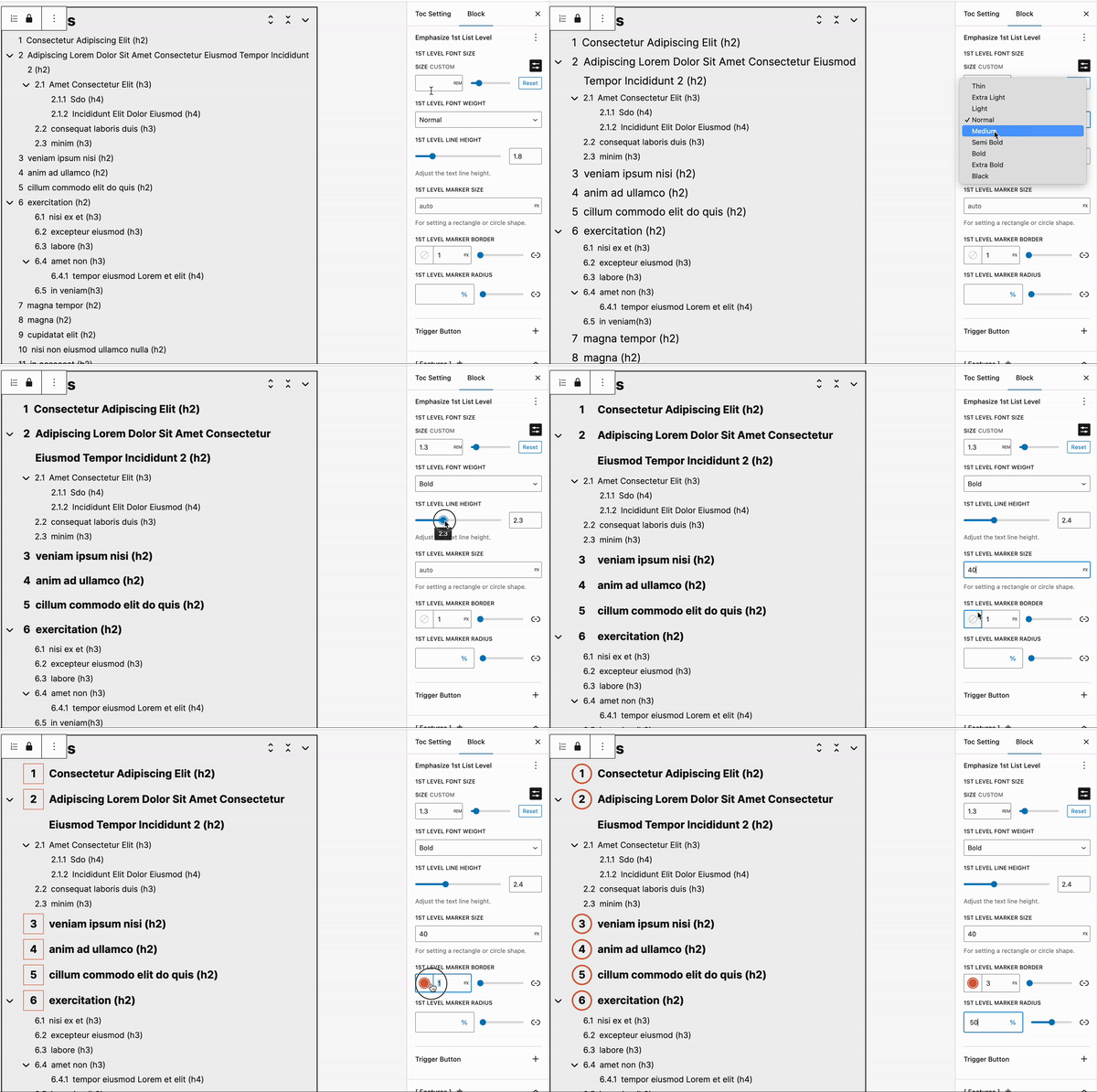
Emphasize 1st
Emphasize the first list level: Apply specific styles exclusively to the first level of the list.
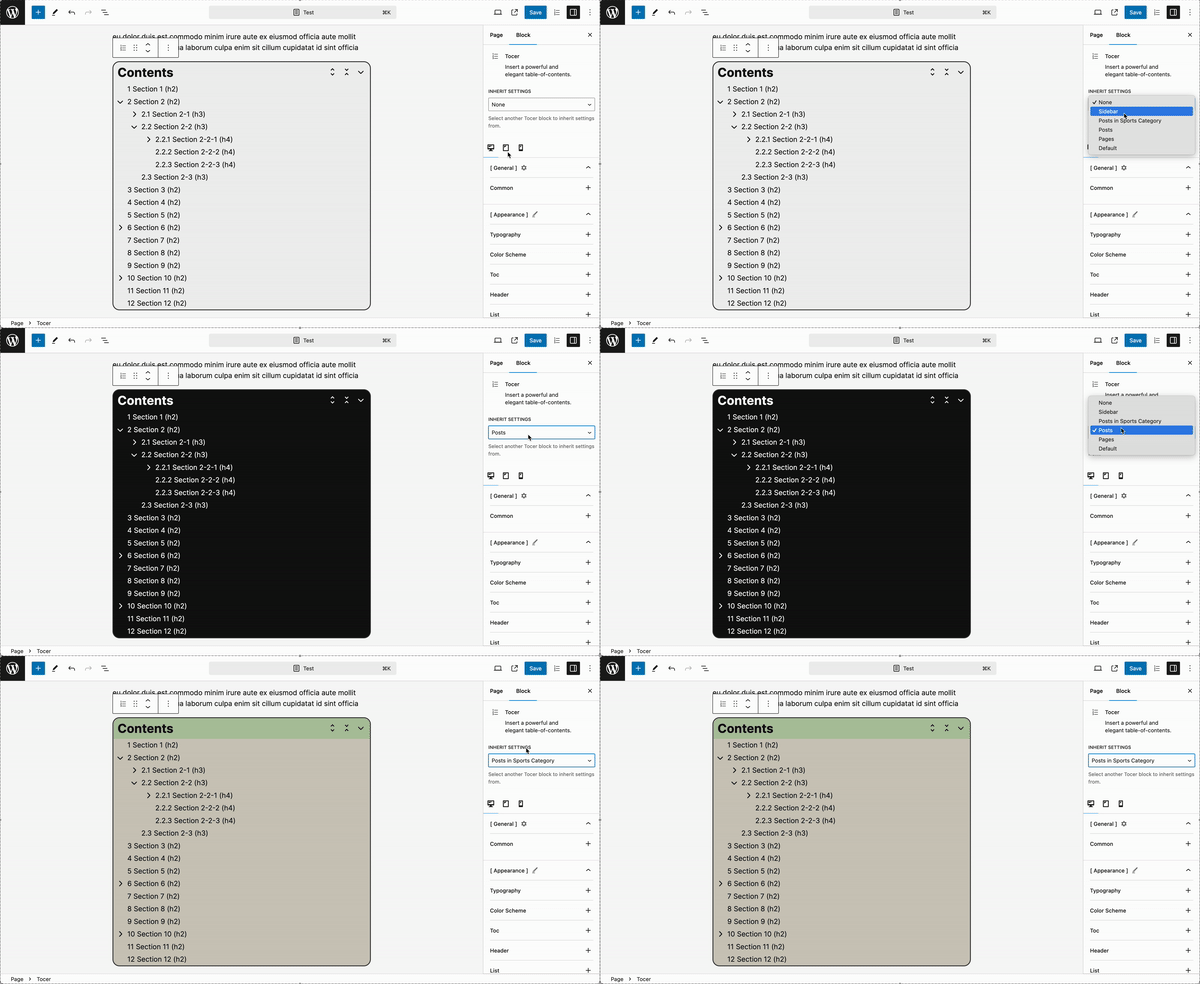
Inherited Settings
Introduce inherited settings functionality. You can create various settings configurations and inherit them, making it easy to configure a TOC.
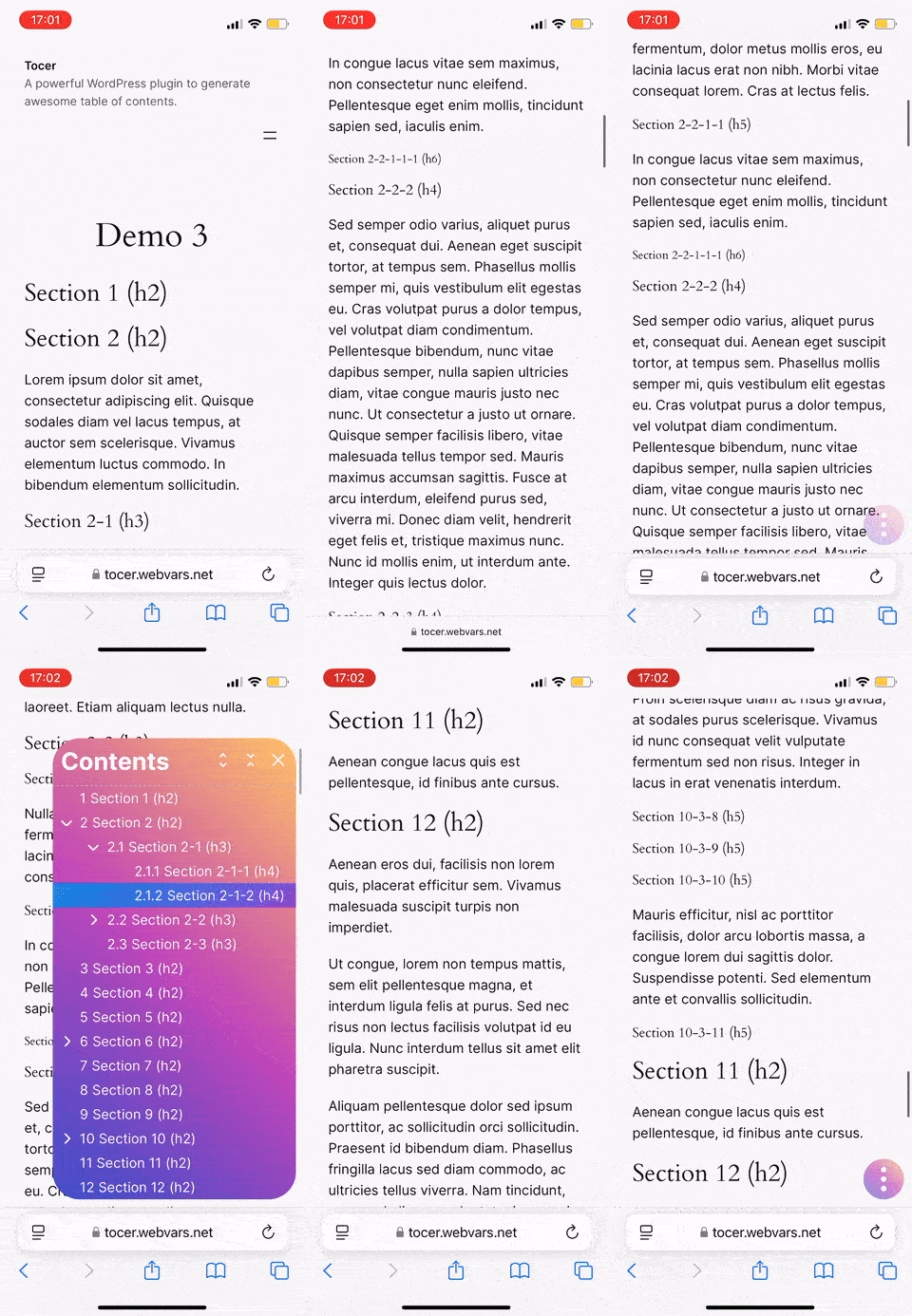
Mobile Optimization
Optimized for a user-friendly experience on mobile devices.
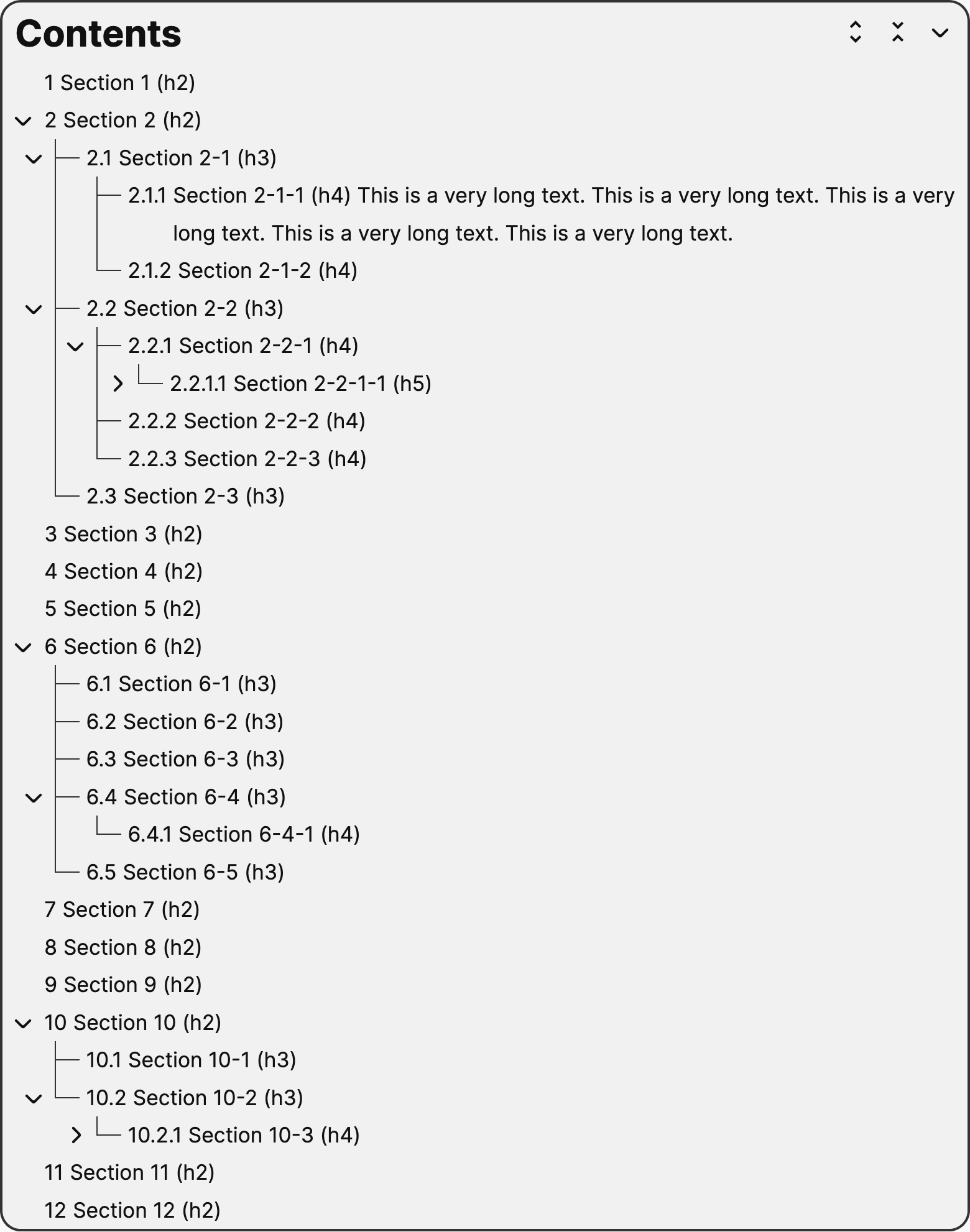
Tree Structure
Display the table of contents (TOC) in a hierarchical, tree-like structure.
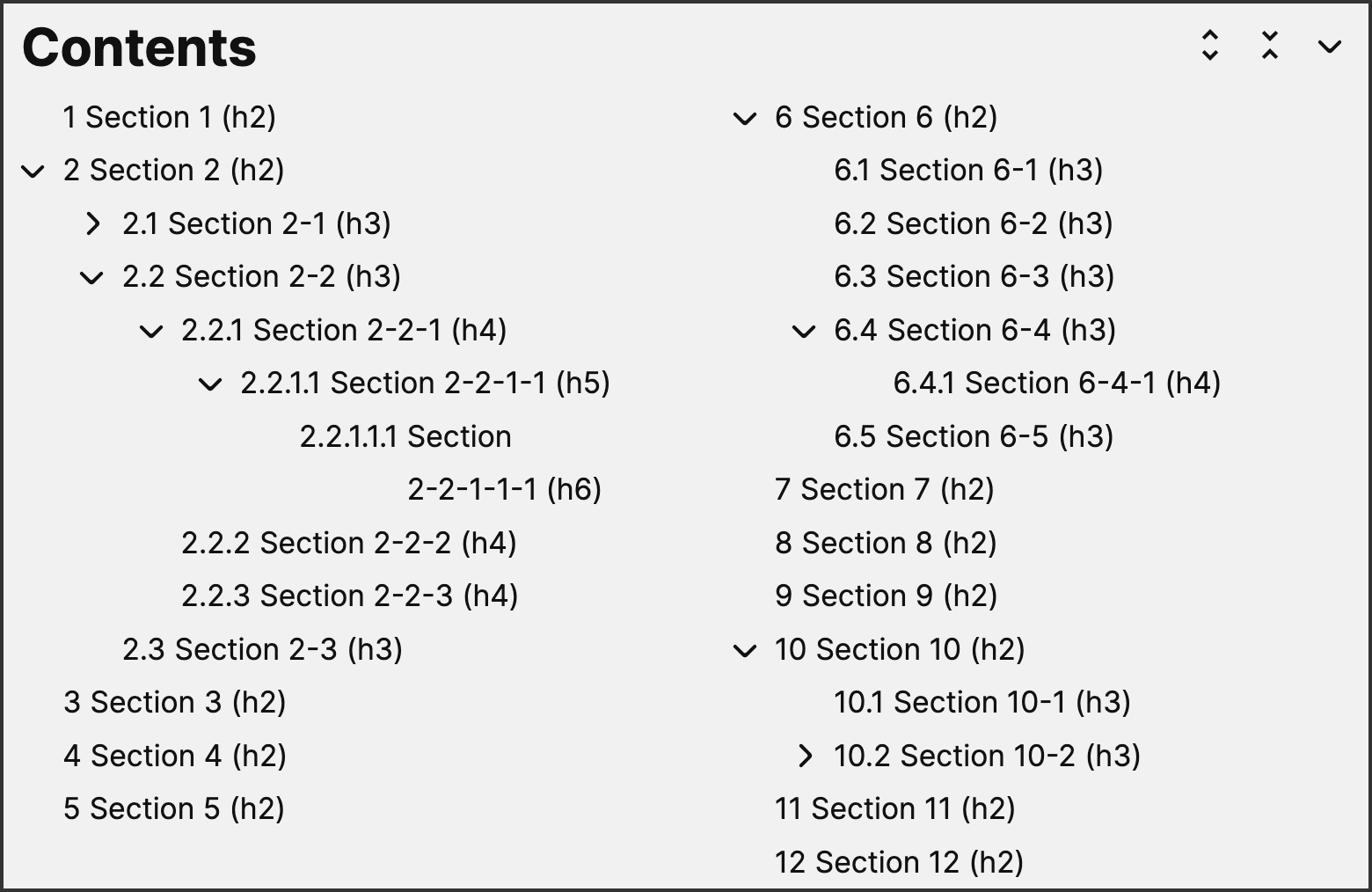
Columns layout
Display the table of contents (TOC) into multiple columns for a more compact and readable layout.
Other Features
- Auto Insertion: Automatically insert a TOC to a specific position in a post.
- Shortcode: Supports the shortcode feature to place a TOC anywhere in a post.
- Posts, Pages and Beyond: Supports posts, pages, and any other public post types.
- Flexible Customization: Provides various options to configure the style and behaviors you want.
- Multiple page: Combine all headings for a multiple-page with page-breaks.
- Shortcuts: Enter for showing, Esc for hiding, Click anywhere for hiding.
- Heading Levels: Determining which heading levels to show in TOC.
- Headings Exclusion: Exclude specific headings by id, classname or title.
- Smooth Scrolling: Ensures a seamless user experience by smoothly scrolling to the selected heading in TOC.
- Block theme optimization: Ensuring seamless integration and a smooth user experience within the modern block editor.
- AMP Support: Compatible with AMP, ensuring fast and optimized performance on mobile devices.
- Compatibility: Compatible with almost of themes and plugins.
- None-Gutenberg: Also works well on the none-Gutenberg context.
- Auto updating (beta): Automatically updates to keep your plugin current with the latest features and improvements.
Extra Requirement
- PHP: 7.4+
Note
The package includes two plugins: Tocer and Fixed TOC.
- Tocer (Recommend)
- Built on Gutenberg
- Continuously updated with new features
- Alternative mode available for non-Gutenberg contexts
- Fixed TOC
- Legacy version with fewer features
- Best for non-Gutenberg contexts
- No new features will be added, except compatibility with the latest WordPress version
Tocer and Fixed TOC can work together:
- Old users can retain existing data created by Fixed TOC
- New tables of contents can be created using Tocer
Changelog
= v4.2.3 = ( 23 Agu, 25 )
1.Fixed several bugs.

= v4.2.2 = ( 04 Jan, 25 )
1. Enhance the visibility of panel titles by adding a background to each one.
2. Centered the 'symbol' list-style-type.
3. Added the preview to the Block Inserter.
4. Resolved a conflict with the WPBakery Page Builder plugin.
5. Fixed several tiny bugs.

= v4.2.1 = ( 23 Dec, 24 )
1. Fixed a bug that occurred when generating a TOC using a mix of pages and post content.

= v4.2.0 = ( 22 Dec, 24 )
1. Introduced a new feature: WP Query. You can now create a TOC from taxonomies and custom post types,
   such as categories and pages, or even combine them. This is a great option for generating a TOC for documentation.
2. Fixed a bug that caused a PHP error in certain scenarios involving multi-page setups.
3. Resolved several minor bugs to improve overall functionality and stability.

= v4.1.4 = ( 13 Dec, 24 )
1. Added an icon to the title for better visibility.
2. Included document links to related options to help enhance your understanding.
3. Updated icons.
4. Fixed several bugs.

= v4.1.1 = ( 29 Nov, 24 )
1. Resolved deprecated warnings for PHP 8.1 and later.
2. Fixed minor bugs to enhance stability.

= v4.1.0 = ( 19 Nov, 24 )
1. Added list marker decoration function: You can now customize list markers with various styles such as color, background, border, and more.
2. New function to emphasize the first list level: Apply specific styles exclusively to the first level of the list.
3. Support for auto-updating: Experience auto-updates now available in beta.
4. Bug fixes: Several issues have been resolved for better performance and stability.

= v4.0.2 = ( 30 Oct, 24 )
1. Made Tocer and Fixed TOC can work together.
2. Resolved conflict issues with smooth scrolling and similar features.
3. Fixed bugs related to multi-page functionality.
4. Fixed several minor bugs.

= v4.0.1 = ( 25 Oct, 24 )
1. Fix something for review.

= v4.0.0 = ( 24 Oct, 24 )
1. Replace Fixed Toc plugin with Tocer plugin.
2. Fully support Gutenberg block.
3. Add new primary feature: inherited settings
4. Add new primary  feature: responsive UI
5. More functions.
| Type | WordPress Plugin |
|---|---|
| Author | webvars |
| Category | Wordpress / Interface Elements |
| Price | $21 |
| Sales | 2,929 |
| Rating | 4.58 from 149 ratings |
| Published | Mar 26, 2014 |
| Last Update | Aug 23, 2025 |
| Compatible Browsers | Firefox, Safari, Opera, Chrome, Edge |
| Compatible Software | WordPress 7.0.x, WordPress 6.9.x, WordPress 6.8.x, WordPress 6.7.x, WordPress 6.6.x |
| Gutenberg Optimized | Yes |
| Source Files Included | JavaScript JS, HTML, CSS, PHP |
Categories
Tags
External listing. code.market does not sell this product and does not process payment for it. Pricing, payment, delivery, licensing, refunds, and support are handled by the third-party merchant on its own website. We may earn an affiliate commission from a referral. Details.
Products of the Week.
Submit🥇

STOP GUESSING WHAT TO POST
AI that learns your brand voice and builds a month of consistent, on-brand social content: carousels, posts and hooks that sound like you, not like everyone else's AI.
SaaS · 3,929 views · 35 clicksSaaS · Week 45 · 3,929 views · 35 clicks
🥈

Conversational Backlinks for Busy Founders
Place Backlink Relevant Conversation for your domain across Forums and Conversations
Website · 41,558 views · 222 clicksWebsite · Week 45 · 41,558 views · 222 clicks
🥉

upvote.club
Free Social Media Engagement that Helps Boost Your Content. Upvote Club supports 19 social networks with 100+ engagement actions in one dashboard. Add links to your posts and get free engagement from real users.
SaaS · 39,589 views · 114 clicksSaaS · Week 45 · 39,589 views · 114 clicks
#4

Substack Posting API
Onboard your Agent to Substack. Write Publish on Substack via API
SaaS · 58,622 views · 198 clicksSaaS · Week 45 · 58,622 views · 198 clicks
#5

Seenshot App
Free, Fast, MacOS Screenshot app. Make Screenshot cmd+shift+2 and send it via link
Desktop App · 28,006 views · 121 clicksDesktop App · Week 45 · 28,006 views · 121 clicks
#6

Hand-Placed Backlinks $9.99 per link. Flat rate.
Buy hand-placed forum, Q-A and directory backlinks. Flat $9.99 per link, no subscriptions — you only pay for approved listings.
Website · 3,867 views · 19 clicksWebsite · Week 45 · 3,867 views · 19 clicks
#7

Free Invoice Generator - PDF Invoices in Your Browser, No Sign-Up
A free invoice maker for freelancers and small businesses: fill in the invoice, check the live preview, and download a PDF that looks exactly like it. Any currency, tax per item, three templates, no sign-up, and nothing leaves your device.
2,545 views · 17 clicksWeek 45 · 2,545 views · 17 clicks
#8

Merge PDF Files Free - Combine PDFs in Your Browser, No Upload
A free PDF merger for office workers, students, and freelancers: combine PDFs and images into one file in the browser, reorder files and pages, pick page ranges, keep bookmarks, and open password-protected PDFs. Nothing is uploaded, no sign-up, no watermark.
2,366 views · 13 clicksWeek 45 · 2,366 views · 13 clicks