Finger Football - Unity Hyper Casual Game
Description
Or download the test apk file and test it on your android device
All levels are stored as a prefabs inside the "Resources/Levels" folder. So you can change them and add a new ones.
To setup the AdMob ads follow these steps:
- Go to Assets - > Google Mobile Ads -> Settings and put your app id (from your AdMob console) there.
- Open the script "Menus.cs" and put your interstitial ad id on line 42 for android and on line 44 for iOS.
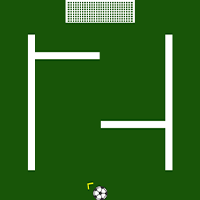
Drag the finger on the screen to aim, release the finger to shoot the ball. Level is completed once the ball enters into the goal.Try to complete all 51levels.
Features
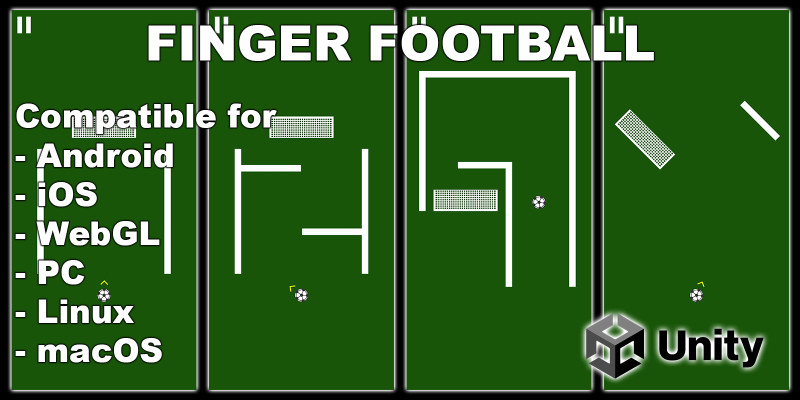
- Multiplatform support (PC, WebGL, android, iOS...)
- One touch controls
- Integrated AdMob ads
- Easy to reskin
Requirements
Requires Unity 2020.3.36f or newer
Instructions
- Unzip the file
- Open unzipped file in unity (in unity hub go to project - add - and select unzipped folder)
- Start the "Game" scene from the "Scenes" folder and whole project will be ready and set
| Author | NeonSpaceFighter |
|---|---|
| Category | App Templates / Unity / Templates / Sport |
| Price | $24 |
| Extended License | $72 |
| First Release | Oct 14, 2022 |
| Last Update | Oct 18, 2022 |
| Files included | Layered .png, .cs, .prefab |
| Operating systems | Android 7.0, Android 8.0, iOS 11.0, Android 9.0, iOS 12.0, macOS 10.14, Windows 7, Windows 8, Windows 10, Unity 2019, Android 10.0, iOS 14.0, iOS 13.0, iOS 15.0, Android 11.0, Android 12.0, Android 5.0, Android 6.0 |
Categories
Tags
External listing. code.market does not sell this product and does not process payment for it. Pricing, payment, delivery, licensing, refunds, and support are handled by the third-party merchant on its own website. We may earn an affiliate commission from a referral. Details.
Products of the Week.
Submit🥇

Perceptle
Perceptle is a daily browser-based game that challenges you to test your sensory intuition through five quick estimation and rhythm-based rounds.
Other · 1,489 views · 9 clicksOther · Week 47 · 1,489 views · 9 clicks
🥈

Free LinkedIn Likes From Real
Get free LinkedIn likes on your posts from real members who react by hand. No
SaaS · 1,632 views · 10 clicksSaaS · Week 47 · 1,632 views · 10 clicks
🥉

STOP GUESSING WHAT TO POST
AI that learns your brand voice and builds a month of consistent, on-brand social content: carousels, posts and hooks that sound like you, not like everyone else's AI.
SaaS · 9,176 views · 75 clicksSaaS · Week 47 · 9,176 views · 75 clicks
#4

aaas.market
407 reliable micro tools for solo founders, marketers and creators. They work in your browser
SaaS · 1,597 views · 5 clicksSaaS · Week 47 · 1,597 views · 5 clicks